
CS 101 Introduction to Computer Science 1 INTRODUCE
![Your instructor (Stefano Gazziano) 2 �Physics, Laurea [MSc] 1983 University of Rome. �Fulbrighter at](https://slidetodoc.com/presentation_image_h2/c1445a959e7bc7a9e0e46953e3ce759d/image-2.jpg "Your instructor (Stefano Gazziano) 2 �Physics, Laurea [MSc] 1983 University of Rome. �Fulbrighter at")


- Slides: 56
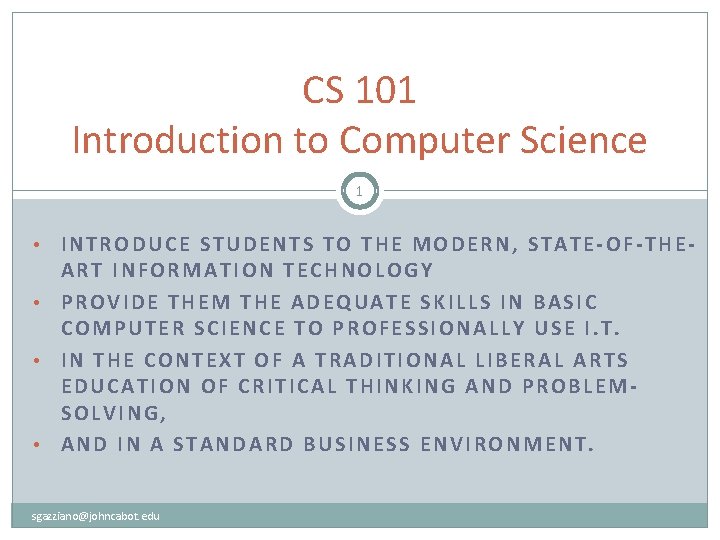
CS 101 Introduction to Computer Science 1 INTRODUCE STUDENTS TO THE MODERN, STATE-OF-THEART INFORMATION TECHNOLOGY • PROVIDE THEM THE ADEQUATE SKILLS IN BASIC COMPUTER SCIENCE TO PROFESSIONALLY USE I. T. • IN THE CONTEXT OF A TRADITIONAL LIBERAL ARTS EDUCATION OF CRITICAL THINKING AND PROBLEMSOLVING, • AND IN A STANDARD BUSINESS ENVIRONMENT. • sgazziano@johncabot. edu
Your instructor (Stefano Gazziano) 2 �Physics, Laurea [MSc] 1983 University of Rome. �Fulbrighter at Georgia Tech 1986. �IT consultant to ENI 87 -93. �Visiting scientist at UC Berkeley 1994. �Adjunct prof at John Cabot University in Rome 1999 to present. �Head of technology transfer programs at ENEA the Italian Energy Agency. �IT experience from 1978 punching cards to today. Personal web page on UC Berkeley systems June 1994 sgazziano@johncabot. edu
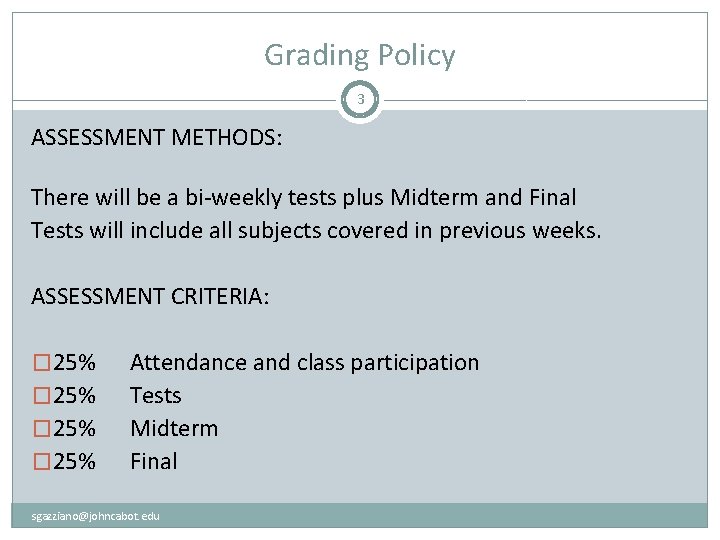
Grading Policy 3 ASSESSMENT METHODS: There will be a bi-weekly tests plus Midterm and Final Tests will include all subjects covered in previous weeks. ASSESSMENT CRITERIA: � 25% Attendance and class participation Tests Midterm Final sgazziano@johncabot. edu
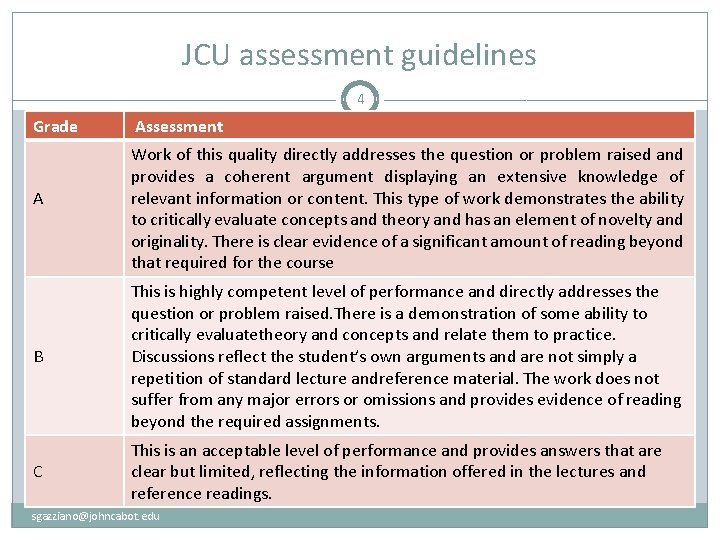
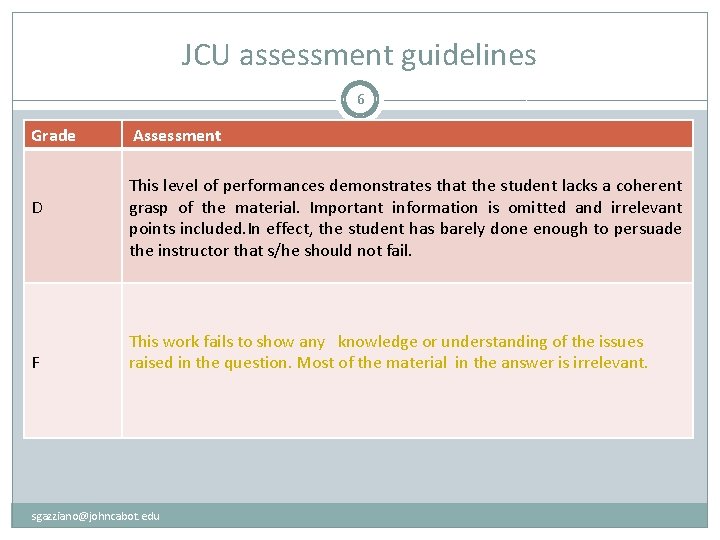
JCU assessment guidelines 4 Grade A Assessment Work of this quality directly addresses the question or problem raised and provides a coherent argument displaying an extensive knowledge of relevant information or content. This type of work demonstrates the ability to critically evaluate concepts and theory and has an element of novelty and originality. There is clear evidence of a significant amount of reading beyond that required for the course B This is highly competent level of performance and directly addresses the question or problem raised. There is a demonstration of some ability to critically evaluatetheory and concepts and relate them to practice. Discussions reflect the student’s own arguments and are not simply a repetition of standard lecture andreference material. The work does not suffer from any major errors or omissions and provides evidence of reading beyond the required assignments. C This is an acceptable level of performance and provides answers that are clear but limited, reflecting the information offered in the lectures and reference readings. sgazziano@johncabot. edu
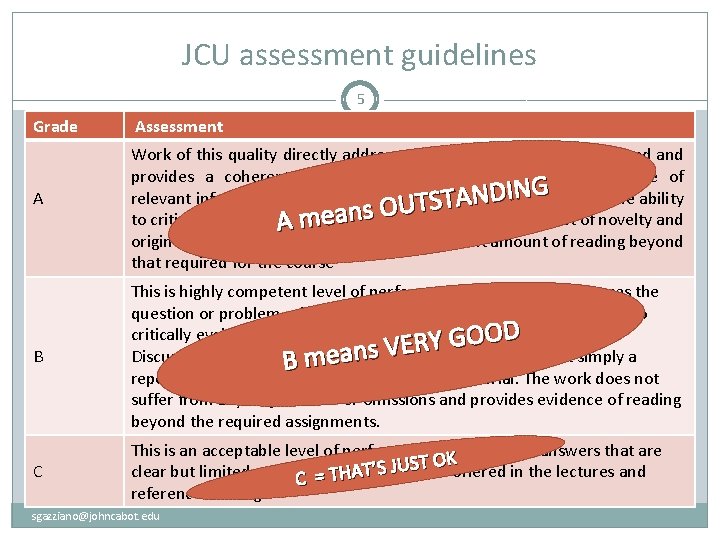
JCU assessment guidelines 5 Grade A Assessment Work of this quality directly addresses the question or problem raised and provides a coherent argument displaying an extensive knowledge of G N I D relevant information or content. This type of work demonstrates the ability N A T S T U s. O to critically evaluate. A concepts theory and has an element of novelty and meanand originality. There is clear evidence of a significant amount of reading beyond that required for the course B This is highly competent level of performance and directly addresses the question or problem raised. There is a demonstration of some ability to D critically evaluatetheory and concepts and relate them to practice. O O G Y R E V Discussions reflect the student’s meansown arguments and are not simply a B repetition of standard lecture andreference material. The work does not suffer from any major errors or omissions and provides evidence of reading beyond the required assignments. C This is an acceptable level of performance and provides answers that are ST OKoffered in the lectures and U J S ’ T clear but limited, reflecting the information A H C =T reference readings. sgazziano@johncabot. edu
JCU assessment guidelines 6 Grade D F Assessment This level of performances demonstrates that the student lacks a coherent grasp of the material. Important information is omitted and irrelevant points included. In effect, the student has barely done enough to persuade the instructor that s/he should not fail. This work fails to show any knowledge or understanding of the issues raised in the question. Most of the material in the answer is irrelevant. sgazziano@johncabot. edu
JCU assessment guidelines 7 Grade D Assessment This level of performances demonstrates that the student lacks a coherent grasp of the material. Important information is omitted and irrelevant points included. In effect, the student has barely done enough to persuade the instructor that s/he should not fail. s i h t t u o b a k l a t o t t n a w n e v e t I do no F This work fails to show any knowledge or understanding of the issues raised in the question. Most of the material in the answer is irrelevant. sgazziano@johncabot. edu
Class schedules and syllabi 8 See the academic course schedule and syllabus sgazziano@johncabot. edu
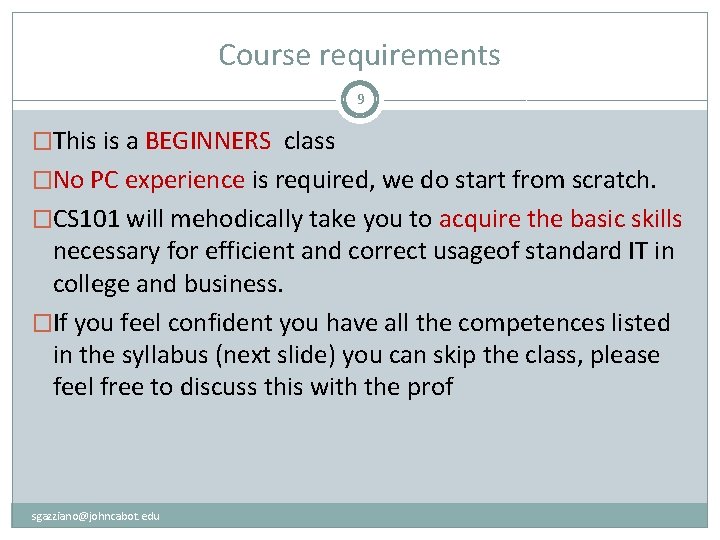
Course requirements 9 �This is a BEGINNERS class �No PC experience is required, we do start from scratch. �CS 101 will mehodically take you to acquire the basic skills necessary for efficient and correct usageof standard IT in college and business. �If you feel confident you have all the competences listed in the syllabus (next slide) you can skip the class, please feel free to discuss this with the prof sgazziano@johncabot. edu
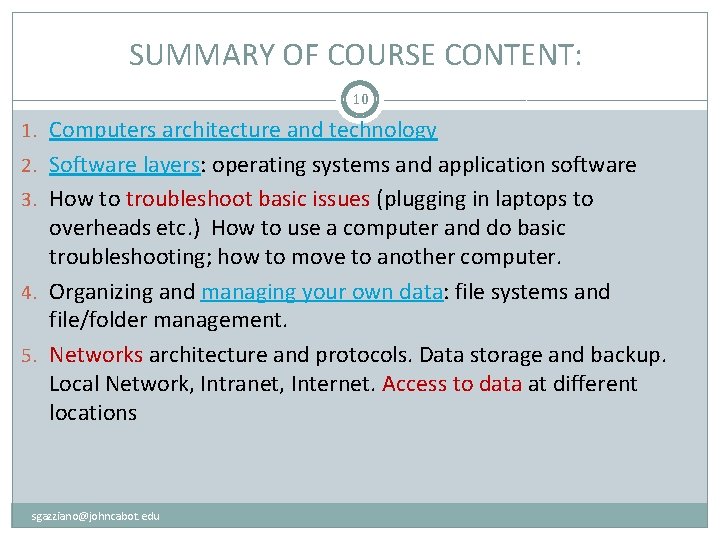
SUMMARY OF COURSE CONTENT: 10 1. Computers architecture and technology 2. Software layers: operating systems and application software 3. How to troubleshoot basic issues (plugging in laptops to overheads etc. ) How to use a computer and do basic troubleshooting; how to move to another computer. 4. Organizing and managing your own data: file systems and file/folder management. 5. Networks architecture and protocols. Data storage and backup. Local Network, Intranet, Internet. Access to data at different locations sgazziano@johncabot. edu
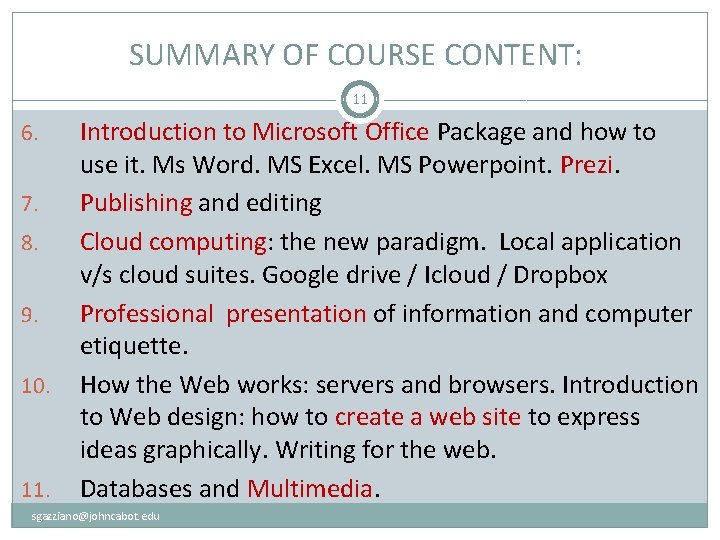
SUMMARY OF COURSE CONTENT: 11 6. 7. 8. 9. 10. 11. Introduction to Microsoft Office Package and how to use it. Ms Word. MS Excel. MS Powerpoint. Prezi. Publishing and editing Cloud computing: the new paradigm. Local application v/s cloud suites. Google drive / Icloud / Dropbox Professional presentation of information and computer etiquette. How the Web works: servers and browsers. Introduction to Web design: how to create a web site to express ideas graphically. Writing for the web. Databases and Multimedia. sgazziano@johncabot. edu
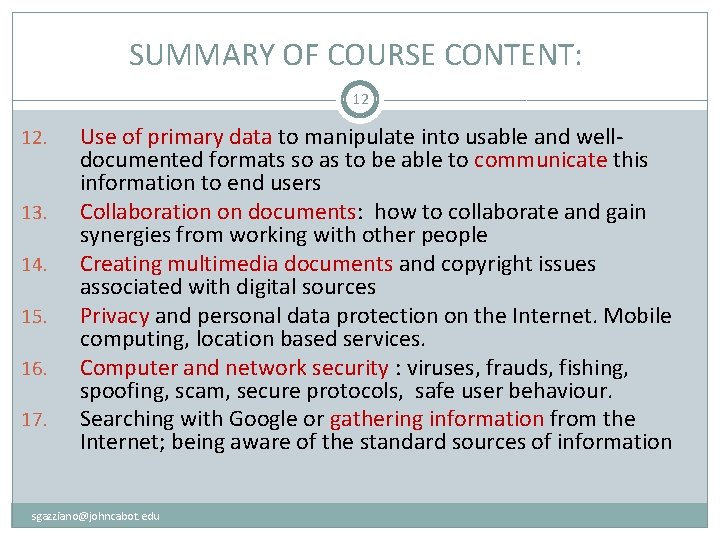
SUMMARY OF COURSE CONTENT: 12 12. 13. 14. 15. 16. 17. Use of primary data to manipulate into usable and welldocumented formats so as to be able to communicate this information to end users Collaboration on documents: how to collaborate and gain synergies from working with other people Creating multimedia documents and copyright issues associated with digital sources Privacy and personal data protection on the Internet. Mobile computing, location based services. Computer and network security : viruses, frauds, fishing, spoofing, scam, secure protocols, safe user behaviour. Searching with Google or gathering information from the Internet; being aware of the standard sources of information sgazziano@johncabot. edu
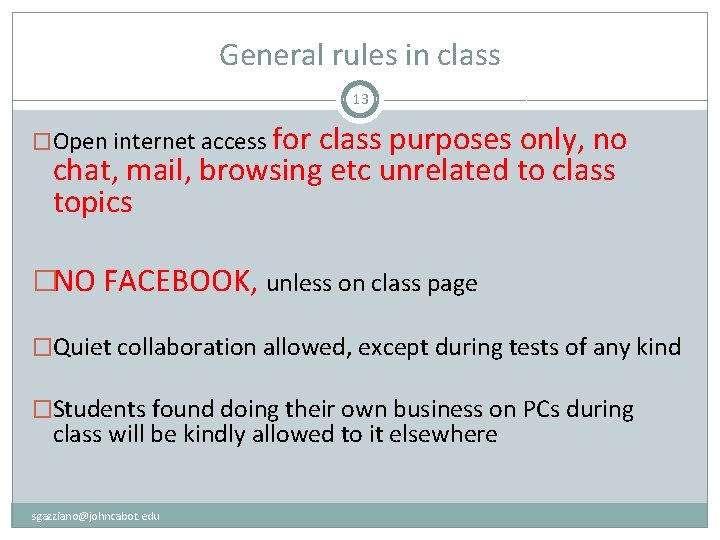
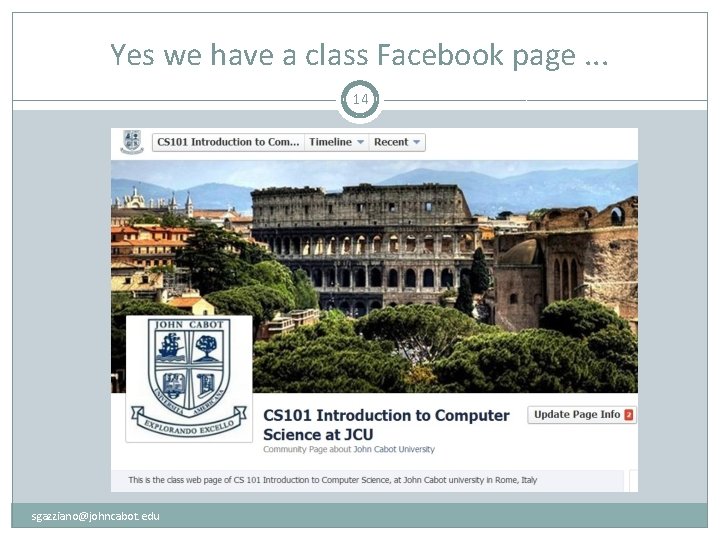
General rules in class 13 �Open internet access for class purposes only, no chat, mail, browsing etc unrelated to class topics �NO FACEBOOK, unless on class page �Quiet collaboration allowed, except during tests of any kind �Students found doing their own business on PCs during class will be kindly allowed to it elsewhere sgazziano@johncabot. edu
Yes we have a class Facebook page. . . 14 sgazziano@johncabot. edu
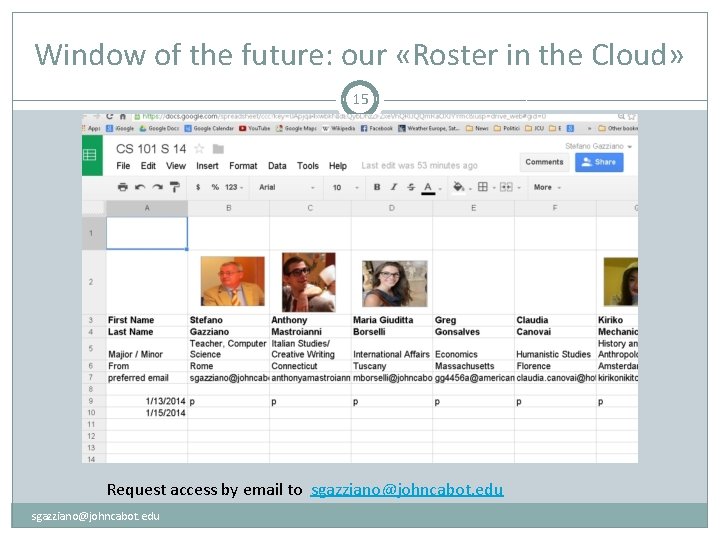
Window of the future: our «Roster in the Cloud» 15 Request access by email to sgazziano@johncabot. edu
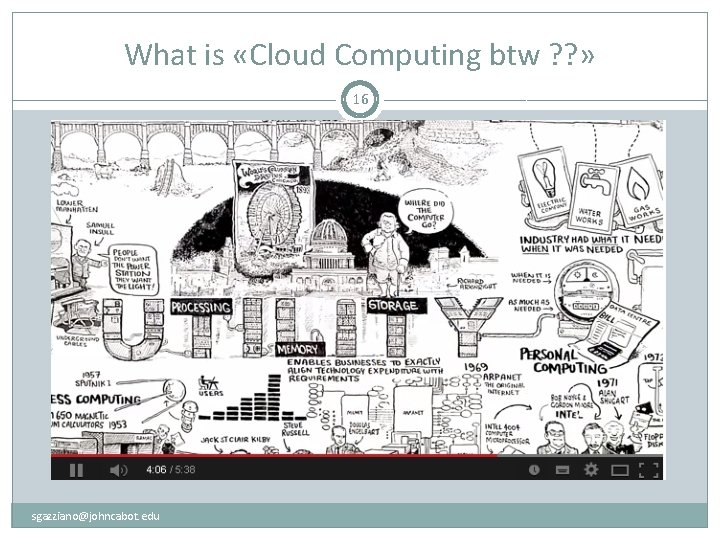
What is «Cloud Computing btw ? ? » 16 sgazziano@johncabot. edu
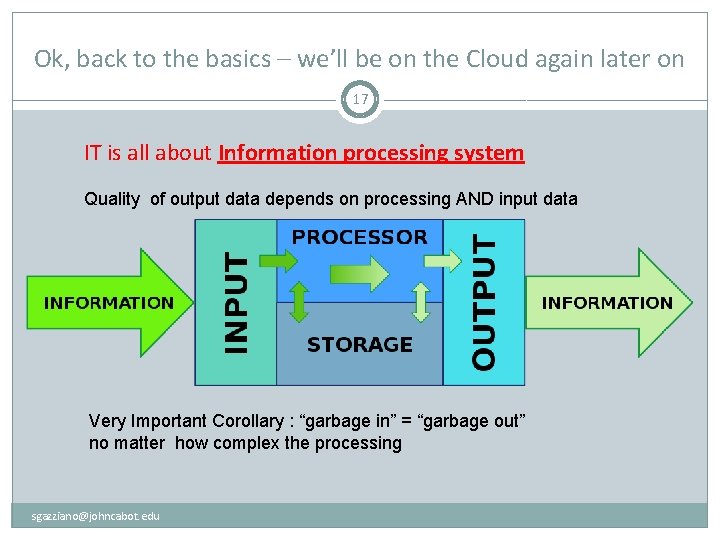
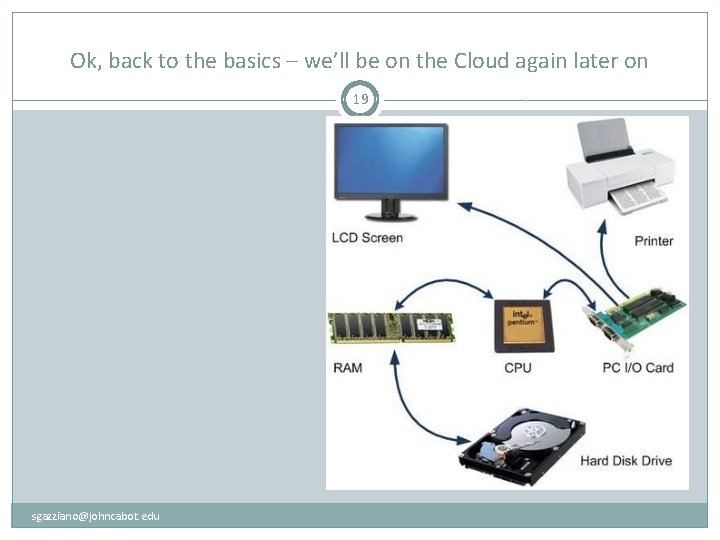
Ok, back to the basics – we’ll be on the Cloud again later on 17 IT is all about Information processing system Quality of output data depends on processing AND input data Very Important Corollary : “garbage in” = “garbage out” no matter how complex the processing sgazziano@johncabot. edu
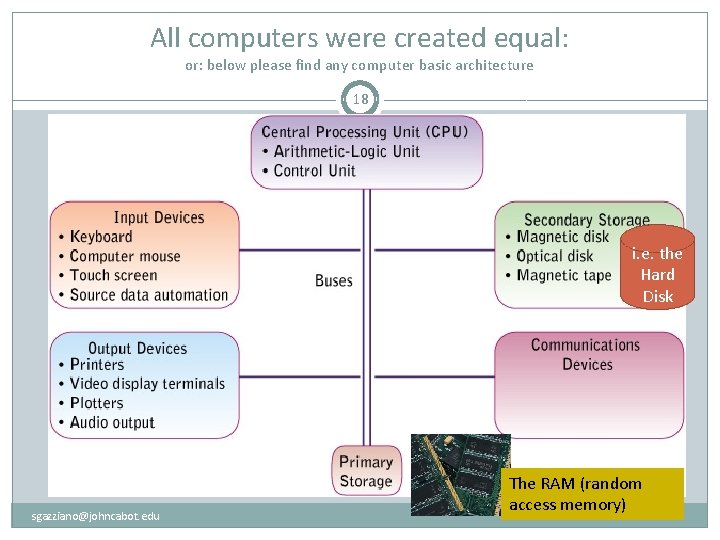
All computers were created equal: or: below please find any computer basic architecture 18 i. e. the Hard Disk sgazziano@johncabot. edu The RAM (random access memory)
Ok, back to the basics – we’ll be on the Cloud again later on 19 sgazziano@johncabot. edu
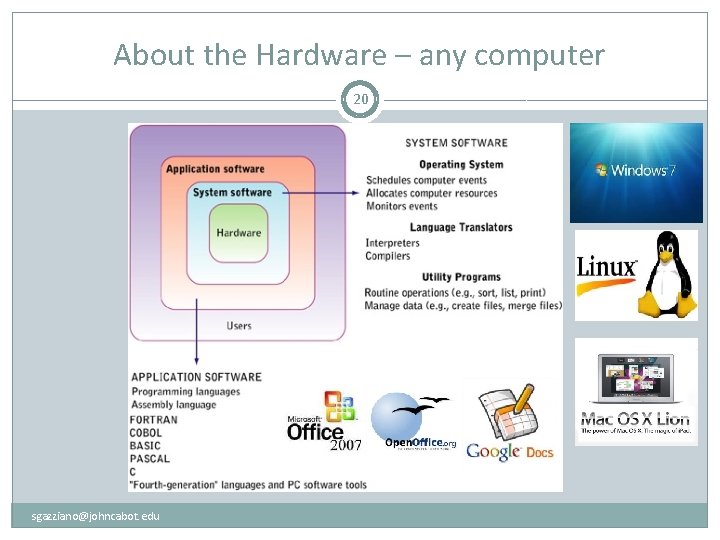
About the Hardware – any computer 20 sgazziano@johncabot. edu
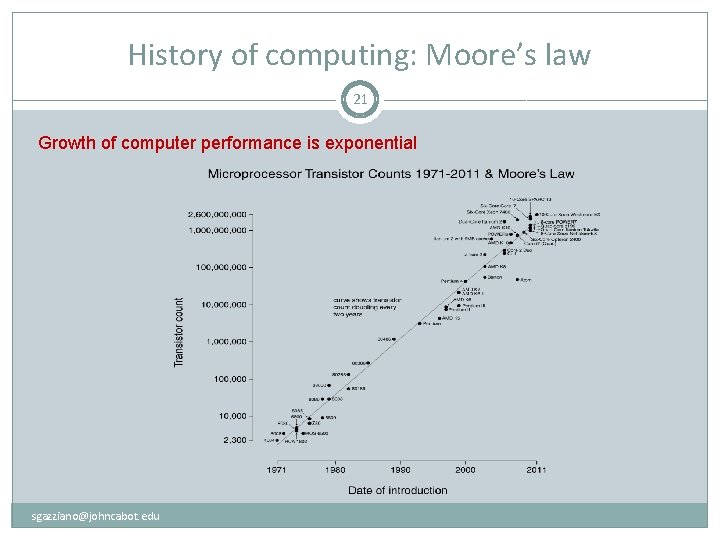
History of computing: Moore’s law 21 Growth of computer performance is exponential sgazziano@johncabot. edu
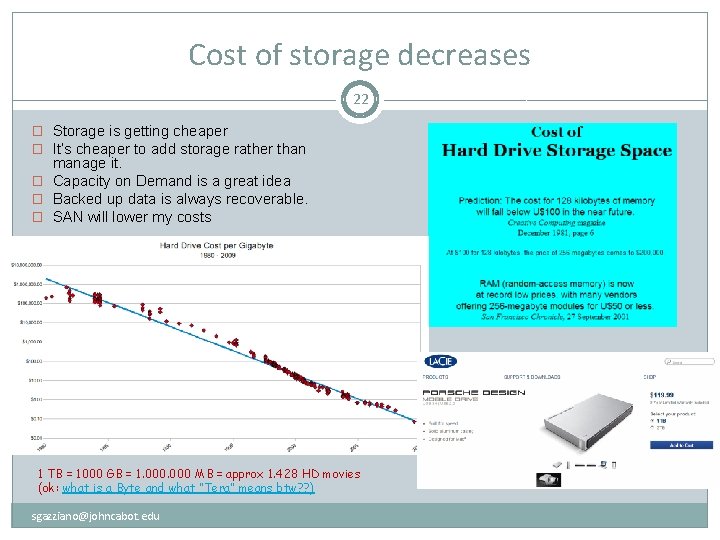
Cost of storage decreases 22 � Storage is getting cheaper � It’s cheaper to add storage rather than manage it. � Capacity on Demand is a great idea � Backed up data is always recoverable. � SAN will lower my costs 1 TB = 1000 GB = 1. 000 MB = approx 1. 428 HD movies (ok: what is a Byte and what “Tera” means btw? ? ) sgazziano@johncabot. edu
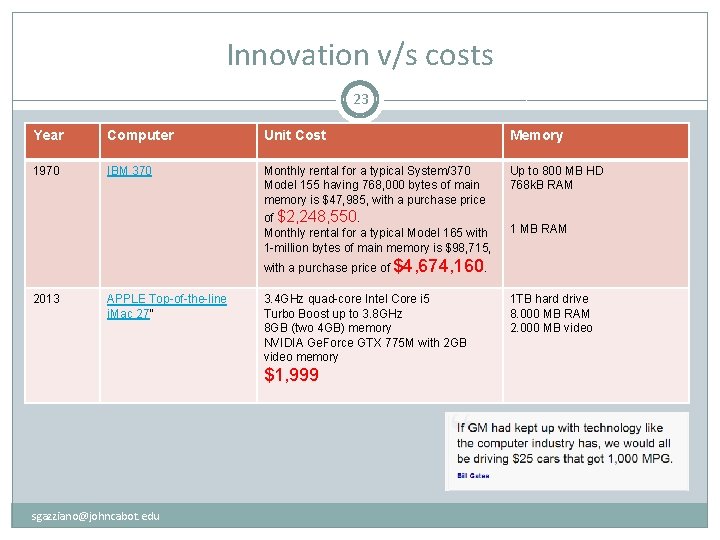
Innovation v/s costs 23 Year Computer Unit Cost Memory 1970 IBM 370 Monthly rental for a typical System/370 Model 155 having 768, 000 bytes of main memory is $47, 985, with a purchase price Up to 800 MB HD 768 k. B RAM of $2, 248, 550. Monthly rental for a typical Model 165 with 1 -million bytes of main memory is $98, 715, 1 MB RAM with a purchase price of $4, 674, 160. 2013 APPLE Top-of-the-line i. Mac 27” 3. 4 GHz quad-core Intel Core i 5 Turbo Boost up to 3. 8 GHz 8 GB (two 4 GB) memory NVIDIA Ge. Force GTX 775 M with 2 GB video memory $1, 999 sgazziano@johncabot. edu 1 TB hard drive 8. 000 MB RAM 2. 000 MB video
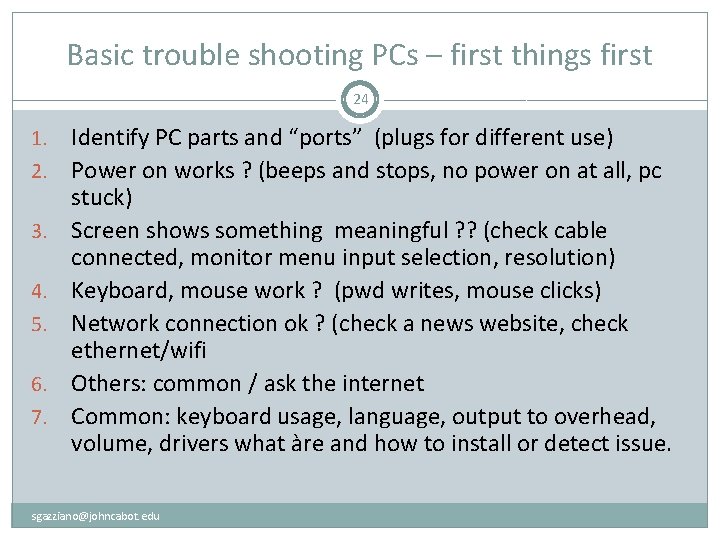
Basic trouble shooting PCs – first things first 24 1. 2. 3. 4. 5. 6. 7. Identify PC parts and “ports” (plugs for different use) Power on works ? (beeps and stops, no power on at all, pc stuck) Screen shows something meaningful ? ? (check cable connected, monitor menu input selection, resolution) Keyboard, mouse work ? (pwd writes, mouse clicks) Network connection ok ? (check a news website, check ethernet/wifi Others: common / ask the internet Common: keyboard usage, language, output to overhead, volume, drivers what àre and how to install or detect issue. sgazziano@johncabot. edu
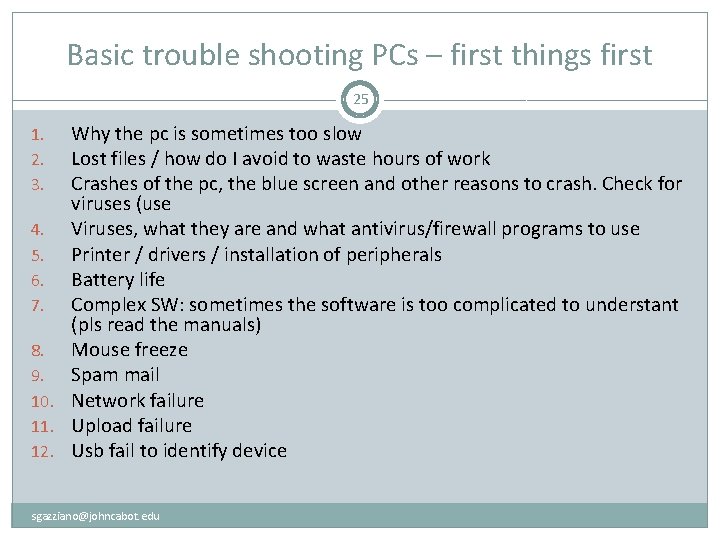
Basic trouble shooting PCs – first things first 25 Why the pc is sometimes too slow Lost files / how do I avoid to waste hours of work Crashes of the pc, the blue screen and other reasons to crash. Check for viruses (use 4. Viruses, what they are and what antivirus/firewall programs to use 5. Printer / drivers / installation of peripherals 6. Battery life 7. Complex SW: sometimes the software is too complicated to understant (pls read the manuals) 8. Mouse freeze 9. Spam mail 10. Network failure 11. Upload failure 12. Usb fail to identify device 1. 2. 3. sgazziano@johncabot. edu
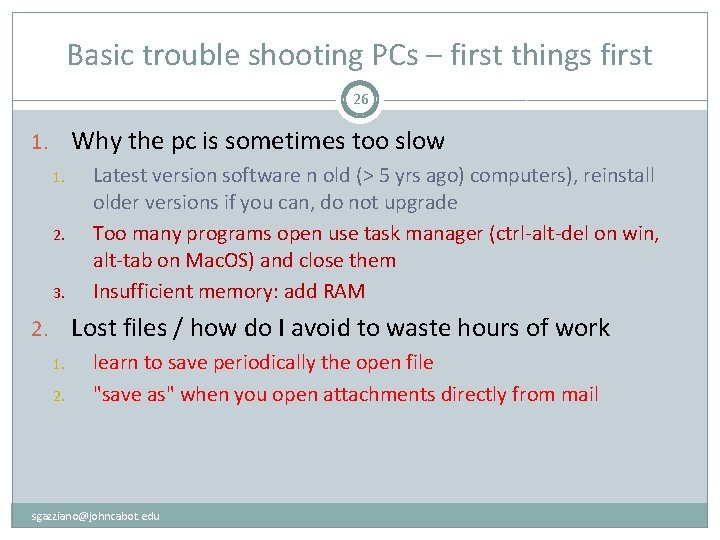
Basic trouble shooting PCs – first things first 26 1. Why the pc is sometimes too slow 1. 2. 3. Latest version software n old (> 5 yrs ago) computers), reinstall older versions if you can, do not upgrade Too many programs open use task manager (ctrl-alt-del on win, alt-tab on Mac. OS) and close them Insufficient memory: add RAM 2. Lost files / how do I avoid to waste hours of work 1. 2. learn to save periodically the open file "save as" when you open attachments directly from mail sgazziano@johncabot. edu
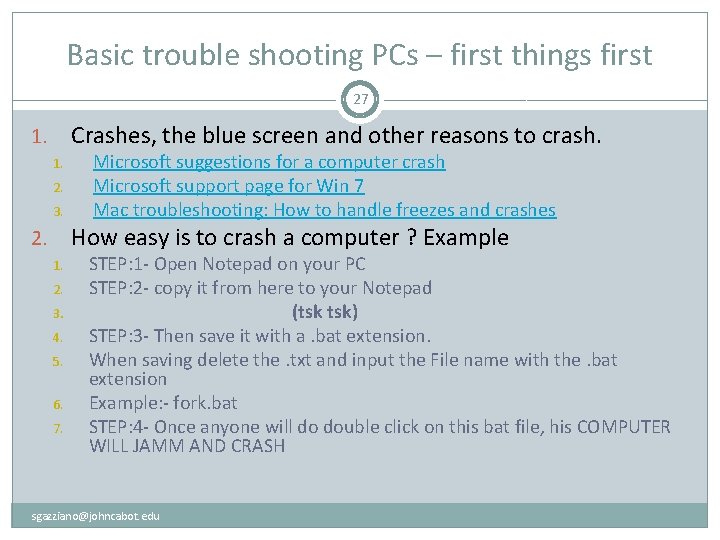
Basic trouble shooting PCs – first things first 27 Crashes, the blue screen and other reasons to crash. 1. 1. 2. 3. Microsoft suggestions for a computer crash Microsoft support page for Win 7 Mac troubleshooting: How to handle freezes and crashes How easy is to crash a computer ? Example 2. 1. 2. 3. 4. 5. 6. 7. STEP: 1 - Open Notepad on your PC STEP: 2 - copy it from here to your Notepad (tsk tsk) STEP: 3 - Then save it with a. bat extension. When saving delete the. txt and input the File name with the. bat extension Example: - fork. bat STEP: 4 - Once anyone will do double click on this bat file, his COMPUTER WILL JAMM AND CRASH sgazziano@johncabot. edu
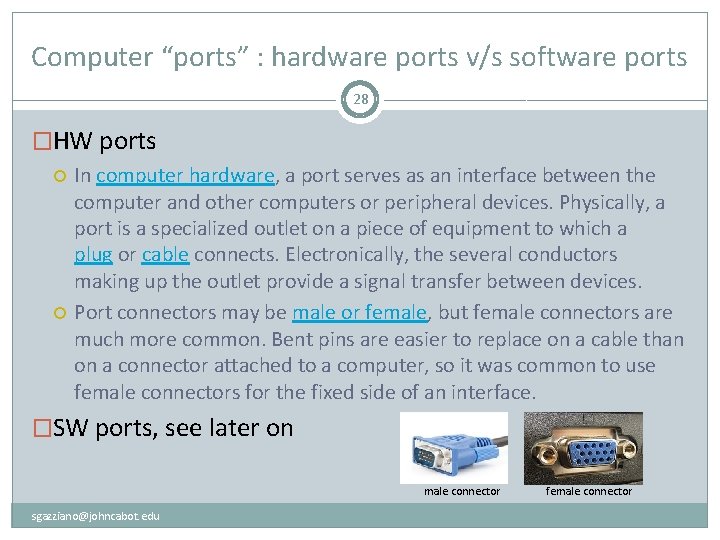
Computer “ports” : hardware ports v/s software ports 28 �HW ports In computer hardware, a port serves as an interface between the computer and other computers or peripheral devices. Physically, a port is a specialized outlet on a piece of equipment to which a plug or cable connects. Electronically, the several conductors making up the outlet provide a signal transfer between devices. Port connectors may be male or female, but female connectors are much more common. Bent pins are easier to replace on a cable than on a connector attached to a computer, so it was common to use female connectors for the fixed side of an interface. �SW ports, see later on male connector sgazziano@johncabot. edu female connector
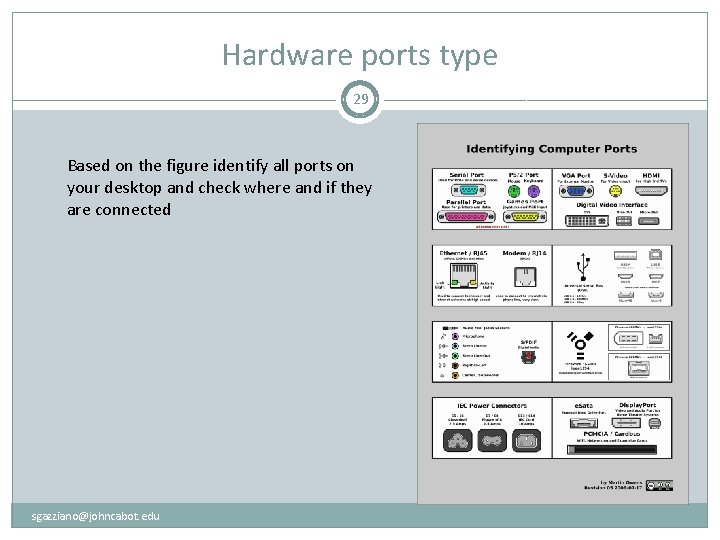
Hardware ports type 29 Based on the figure identify all ports on your desktop and check where and if they are connected sgazziano@johncabot. edu
Resources to troubleshoot PCs 30 �http: //computer. howstuffworks. com/23 -computer-tour- video. htm �http: //www. computerhope. com/basic. htm sgazziano@johncabot. edu
PC beeps, power on failure, sleep 31 � If the PC does not power on System BIOS (basic I/O software) corrupted: try a CD start-up � Basic Input/Output System (BIOS), also known as System BIOS, ROM BIOS or PC BIOS (/ˈbaɪ. oʊs/), is a de factostandard defining a firmware interface. [1] The name originated from the Basic Input/Output System used in the CP/M operating system in 1975. [2][3] The BIOS software is built into the PC, and is the first software run by a PC when powered on. The fundamental purposes of the BIOS are to initialize and test the system hardware components, and to load a bootloader or an operating system from a mass memory device. Battery life ended: (old PCs left off longtime: leave machine plugged on, disconnect power plug or push power button for few seconds, try again in 5 mins) Power supply to be replaced Major problem: refer to support � Issues after power on: fail to recognize a peripheral (USB device, printer, projector, other). DRIVERS: before any peripheral can operate on the pc (OR Mac)the appropriate software must be installed (i. e. the so called “driver”). Usually USB peripherals now install themselves automatically. ALWAYS CHECK INSTRUCTIONS BEFORE PLUG IN ANY PERIF. If the perif is not self-installing, and no drivers are correctly installed, the perif will not work usually even after drivers instal. I. E. DRIVERS INSTALLED BEFORE PLUGGING NOT SELF-INSTALLING perif. sgazziano@johncabot. edu
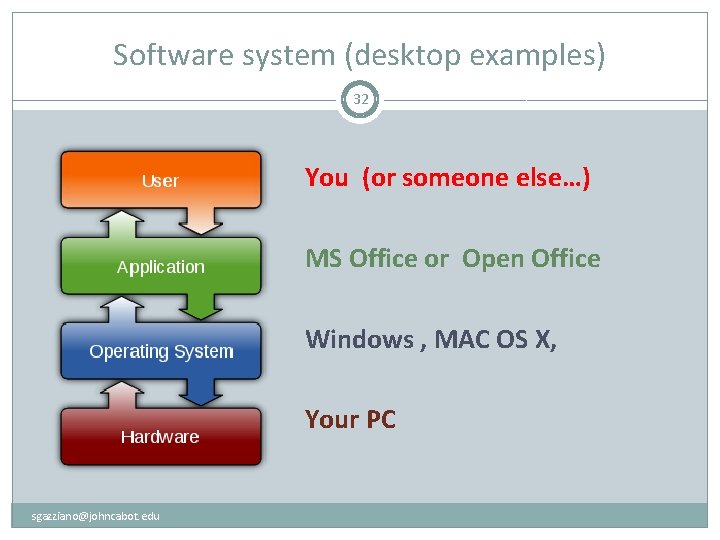
Software system (desktop examples) 32 You (or someone else…) MS Office or Open Office Windows , MAC OS X, Your PC sgazziano@johncabot. edu
Most common Operating Systems 33 �Microsoft Windows family �Unix / Linux �Mac OS �Parallel, real-time, mainframe OS sgazziano@johncabot. edu
Application software 34 �also known as applications or apps, �is computer software designed to help the user to perform singular or multiple related specific tasks. �Examples include Enterprise software, Accounting software, Office suites, Graphics software and media players. sgazziano@johncabot. edu
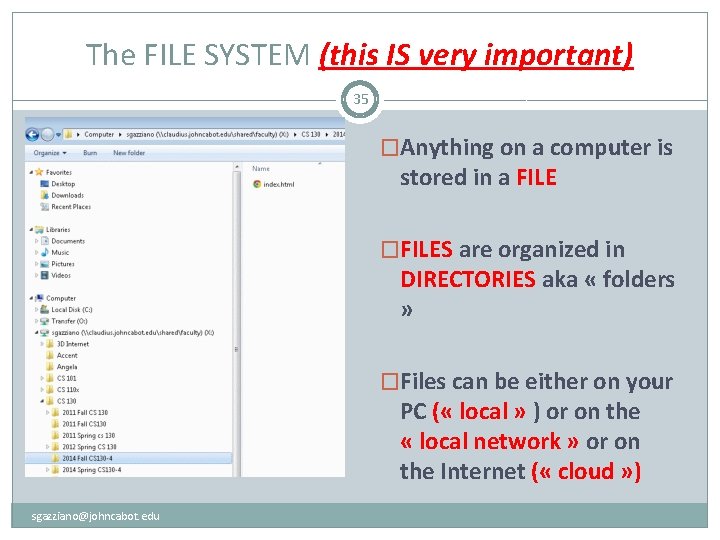
The FILE SYSTEM (this IS very important) 35 �Anything on a computer is stored in a FILE �FILES are organized in DIRECTORIES aka « folders » �Files can be either on your PC ( « local » ) or on the « local network » or on the Internet ( « cloud » ) sgazziano@johncabot. edu
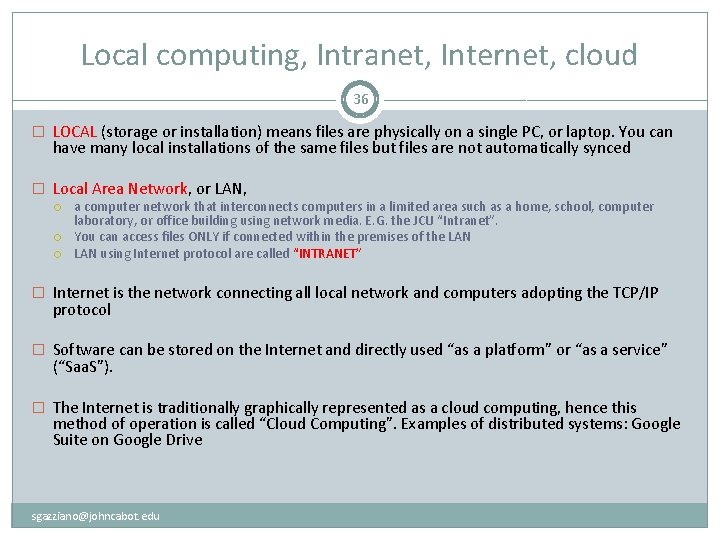
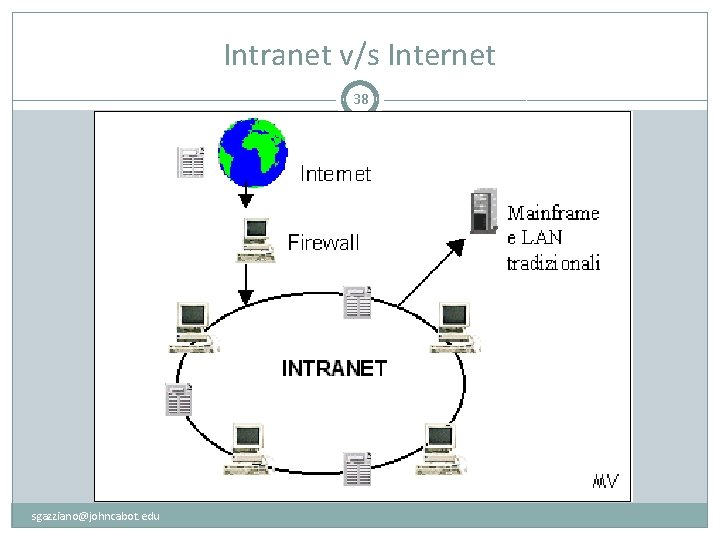
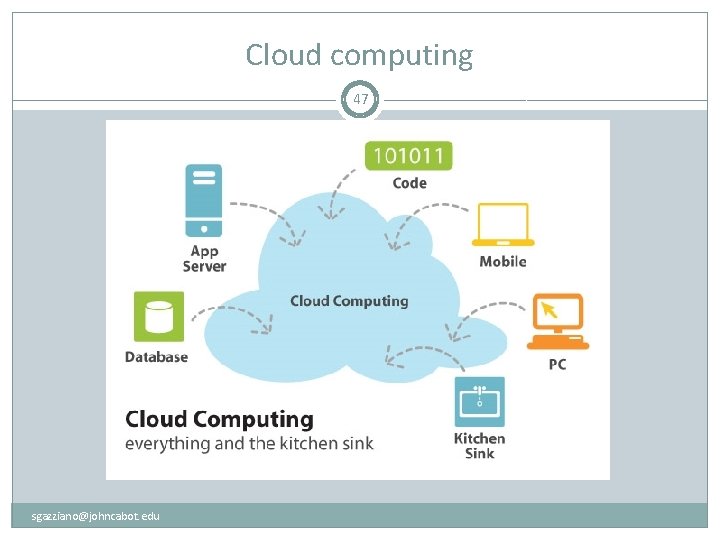
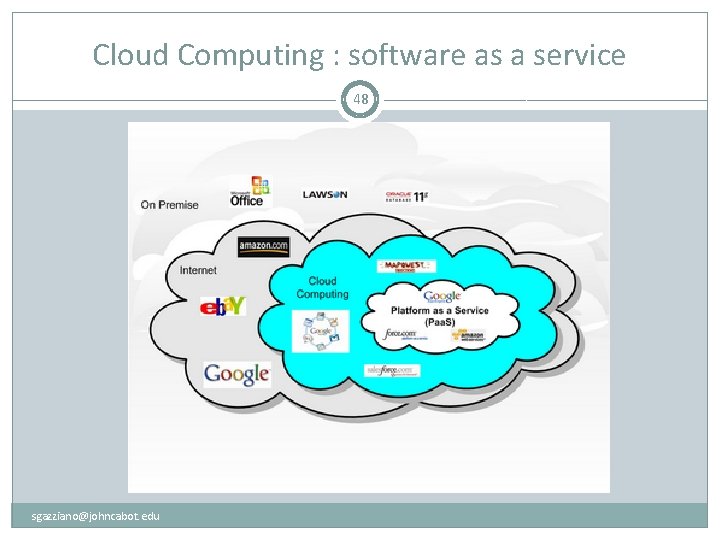
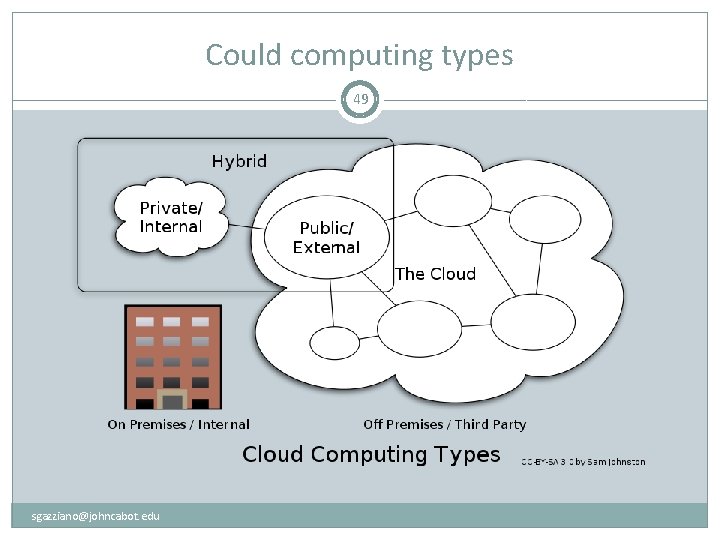
Local computing, Intranet, Internet, cloud 36 � LOCAL (storage or installation) means files are physically on a single PC, or laptop. You can have many local installations of the same files but files are not automatically synced � Local Area Network, or LAN, a computer network that interconnects computers in a limited area such as a home, school, computer laboratory, or office building using network media. E. G. the JCU “Intranet”. You can access files ONLY if connected within the premises of the LAN using Internet protocol are called “INTRANET” � Internet is the network connecting all local network and computers adopting the TCP/IP protocol � Software can be stored on the Internet and directly used “as a platform” or “as a service” (“Saa. S”). � The Internet is traditionally graphically represented as a cloud computing, hence this method of operation is called “Cloud Computing”. Examples of distributed systems: Google Suite on Google Drive sgazziano@johncabot. edu
An Intranet 37 �An intranet is the use of Web technologies to create a private network, usually within one enterprise. �It is typically a complete LAN, or several intra-connected LANs �Intranets are used for: work-group activities the distributed sharing of projects within the enterprise Controlled access to company financial documents use of knowledge management, research materials, online training, and other information that requires distribution within the enterprise. sgazziano@johncabot. edu
Intranet v/s Internet 38 sgazziano@johncabot. edu
The Internet 39 �Sometimes called simply “the Net, ” the Internet is a worldwide system of computer networks—a network of networks hence Internet, in which users at any one computer can get information from any other computer �The Internet uses a portion of the total resources of the currently existing public telecommunication networks. Technically, what distinguishes the Internet is its use of a set of protocols called TCP/IP (Transmission Control Protocol/Internet Protocol). sgazziano@johncabot. edu
Extranet 40 �Connect several intranets via the Internet, by adding a security mechanism and some additional functionalities �They form a larger virtual network that allows remote users (such as business partners or mobile employees) to securely connect over the Internet to the enterprise’s main intranet. �Extranets are also employed by two or more enterprises (suppliers & buyers) to share information in a controlled fashion, and therefore they play a major role in the development of business-to-business electronic commerce and Supply Chain systems. sgazziano@johncabot. edu
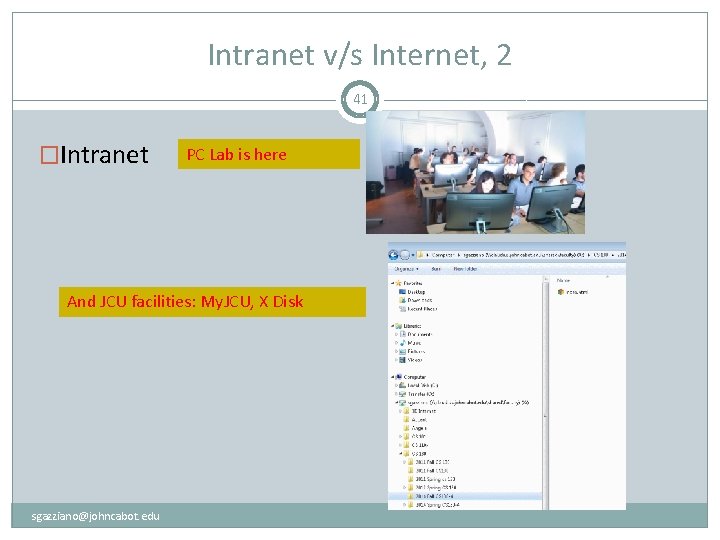
Intranet v/s Internet, 2 41 �Intranet PC Lab is here And JCU facilities: My. JCU, X Disk sgazziano@johncabot. edu
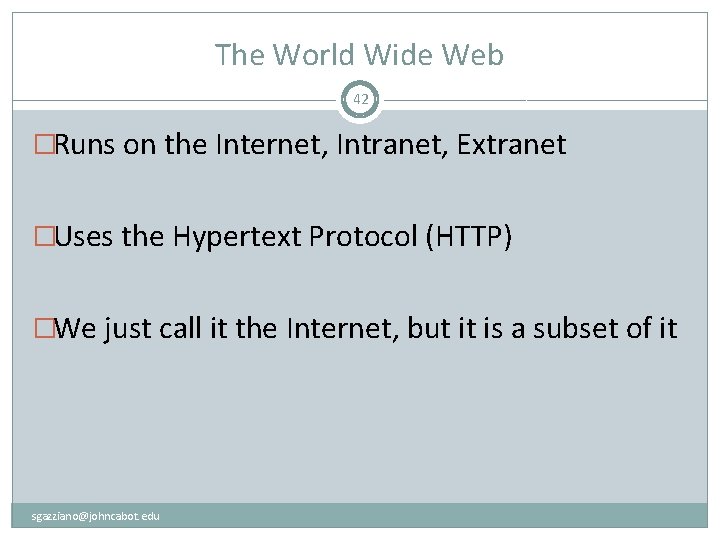
The World Wide Web 42 �Runs on the Internet, Intranet, Extranet �Uses the Hypertext Protocol (HTTP) �We just call it the Internet, but it is a subset of it sgazziano@johncabot. edu
Files on the Web 43 sgazziano@johncabot. edu
44 sgazziano@johncabot. edu
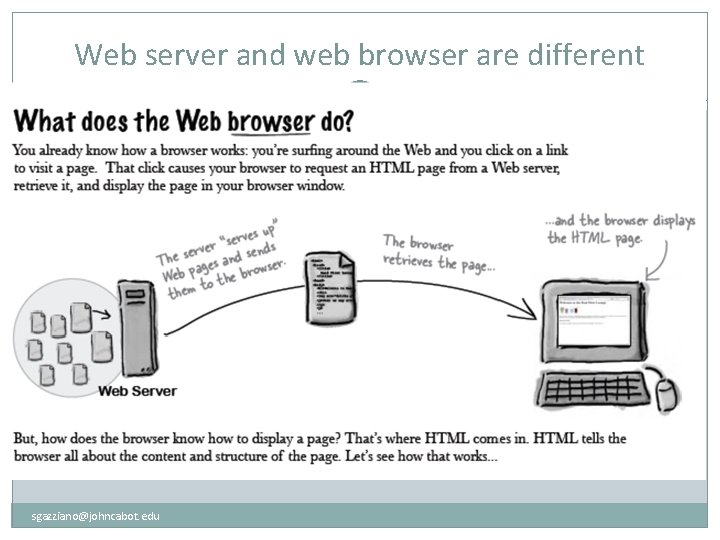
Web server and web browser are different 45 sgazziano@johncabot. edu
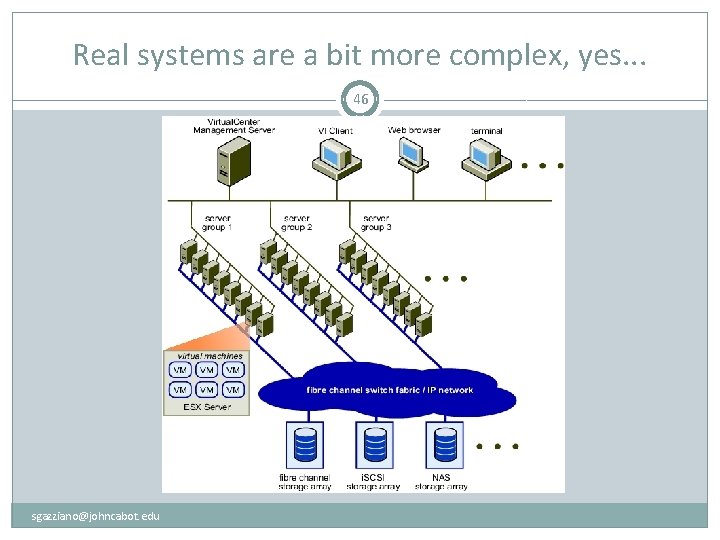
Real systems are a bit more complex, yes. . . 46 sgazziano@johncabot. edu
Cloud computing 47 sgazziano@johncabot. edu
Cloud Computing : software as a service 48 sgazziano@johncabot. edu
Could computing types 49 sgazziano@johncabot. edu
Local v/s Network 50 �Local = on your machine(e. g. C: /programs) �Local Network = « Intranet » �X: shared disk (user permissions, permanent) �O: temporary area (cleared periodically) �Accessible only from within JCU premises �Network, a. k. a. « cloud » �Google docs / Icloud / Dropbox / Slideshare / … many … �MS Office 365 / 2013 sgazziano@johncabot. edu
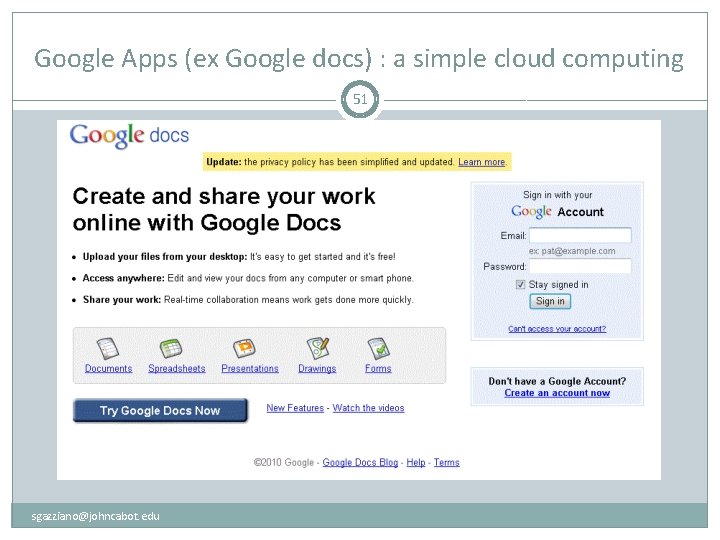
Google Apps (ex Google docs) : a simple cloud computing 51 sgazziano@johncabot. edu
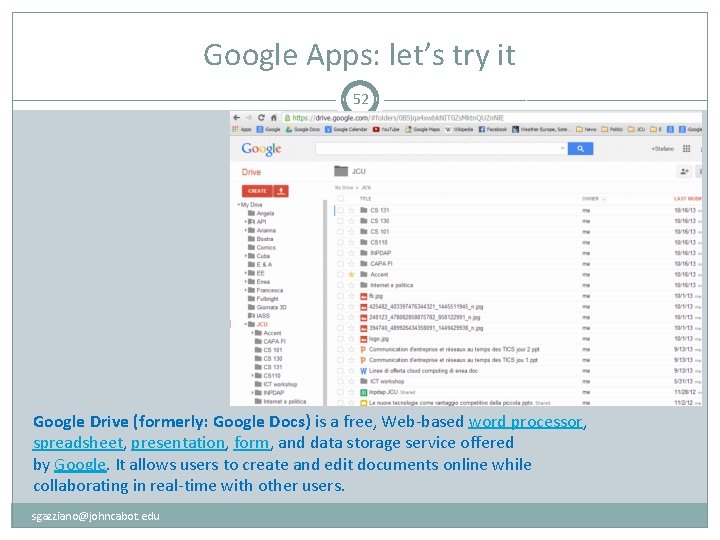
Google Apps: let’s try it 52 Google Drive (formerly: Google Docs) is a free, Web-based word processor, spreadsheet, presentation, form, and data storage service offered by Google. It allows users to create and edit documents online while collaborating in real-time with other users. sgazziano@johncabot. edu
Google Apps: a simple cloud computing 53 �Use a gmail account (preferred, register now if you do not have one) �Send me a mail to sgazziano@johncabot. edu �Wait for the invitation to access the file �Follow my instructions in class sgazziano@johncabot. edu
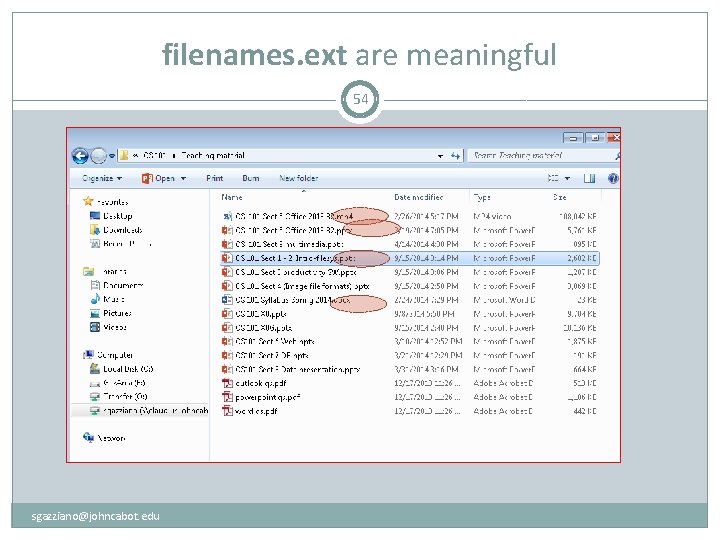
filenames. ext are meaningful 54 sgazziano@johncabot. edu
Rules for filenames 55 � Optional filename. ext � Standard «extension» filename. ext � A filename (also written as two words, file name) is a name used to uniquely identify a computer file stored in afile system. Different file systems impose different restrictions on filename lengths and the allowed characters within filenames. � A filename may include one or more of these components: host (or node or server) – network device that contains the file device (or drive) – hardware device or drive directory (or path) – directory tree (e. g. , X: CS 101Teaching material, etc. ) file – base name of the file type (format or extension) – indicates the content type of the file (e. g. , . txt, . exe, . COM, etc. ) version – revision or generation number of the file � The components required to identify a file varies across operating systems, as does the syntax and format for a valid filename. � File names and file name extensions: frequently asked questions sgazziano@johncabot. edu
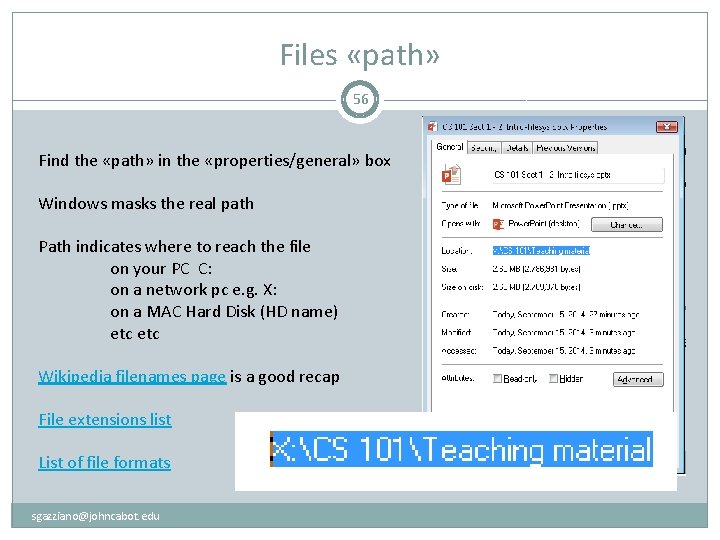
Files «path» 56 Find the «path» in the «properties/general» box Windows masks the real path Path indicates where to reach the file on your PC C: on a network pc e. g. X: on a MAC Hard Disk (HD name) etc Wikipedia filenames page is a good recap File extensions list List of file formats sgazziano@johncabot. edu