
Cross Vista BMO Improving The Dev Ops Lifecycle
Cross. Vista @ BMO Improving The Dev. Ops Lifecycle On Web. Methods With Cross. Vista Before & After Sujoy Ghosh Senior Technology Officer June 20 th, 2013
Client Information & Payments Gateway (CIPG) • Acts as a central gateway for file exchange between the bank’s backend applications, its customers and their subscribing departments, and the bank’s partners such as Symcor, GXS, and the U. S. Federal Reserve System. • CIPG is build on top of multiple technology components • web. Methods being the primary and largest • web. Methods components: — Integration Server, TN, Broker, MWS and Optimize • GXS components • Enterprise Gateway and AI Mapping Engine • Non-web. Methods Components • COBOL, Custom Jar files & Shell scripts 2 | © 2013 Software AG. All rights reserved.
CIPG Facts • • • We process over 150, 000 files per day We have over 250 variations of files We We have over 10, 000 customers have over 150 BPMs have over 40 applications including EDI support FTP, SMTP, SOAP, JMS and MQ protocols • Plan to expand to NDM and extend MQ usage • We split files, merge files, transform files, encrypt/decrypt files • We have 7/24 monitoring to ensure SLAs • We have teams in Toronto, Chicago and India 3 | © 2013 Software AG. All rights reserved.
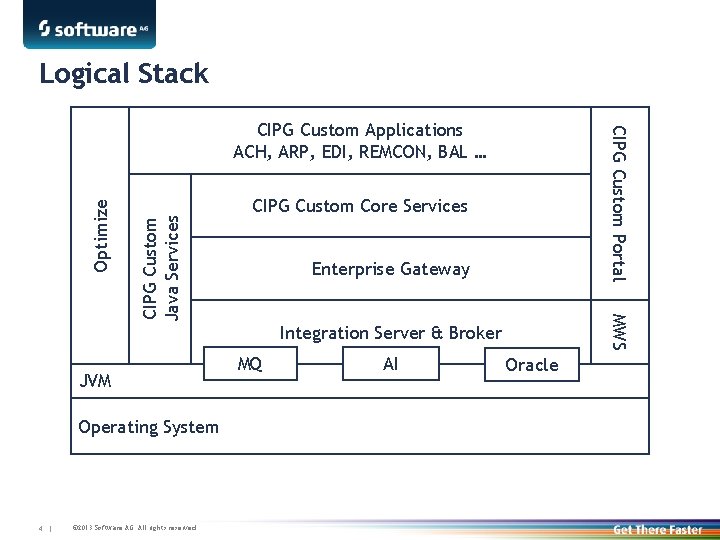
Logical Stack CIPG Custom Java Services Optimize Operating System 4 | © 2013 Software AG. All rights reserved. CIPG Custom Core Services Enterprise Gateway MWS JVM CIPG Custom Portal CIPG Custom Applications ACH, ARP, EDI, REMCON, BAL … Integration Server & Broker MQ AI Oracle
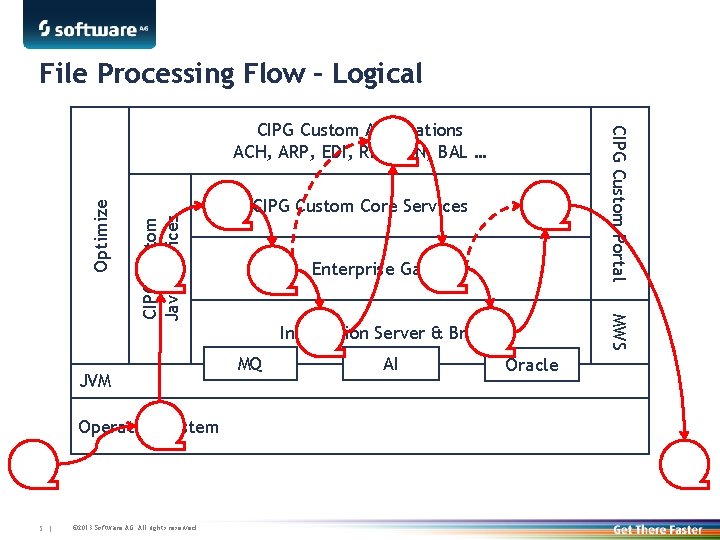
File Processing Flow – Logical CIPG Custom Java Services Optimize Operating System 5 | © 2013 Software AG. All rights reserved. CIPG Custom Core Services Enterprise Gateway MWS JVM CIPG Custom Portal CIPG Custom Applications ACH, ARP, EDI, REMCON, BAL … Integration Server & Broker MQ AI Oracle
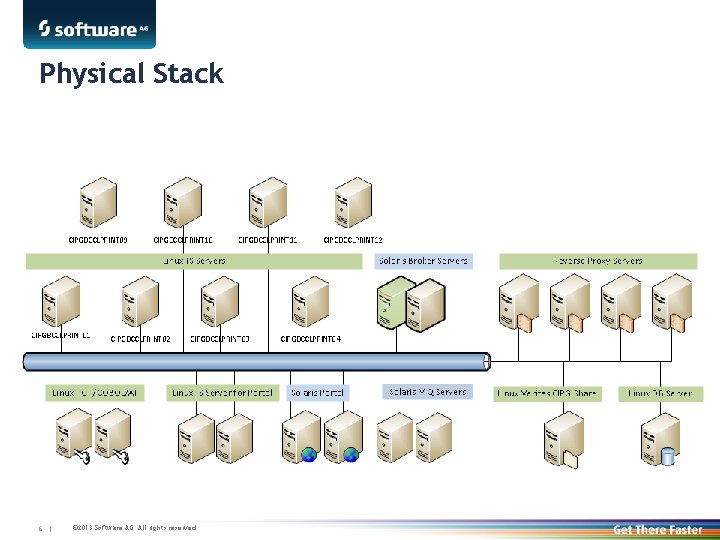
Physical Stack 6 | © 2013 Software AG. All rights reserved.
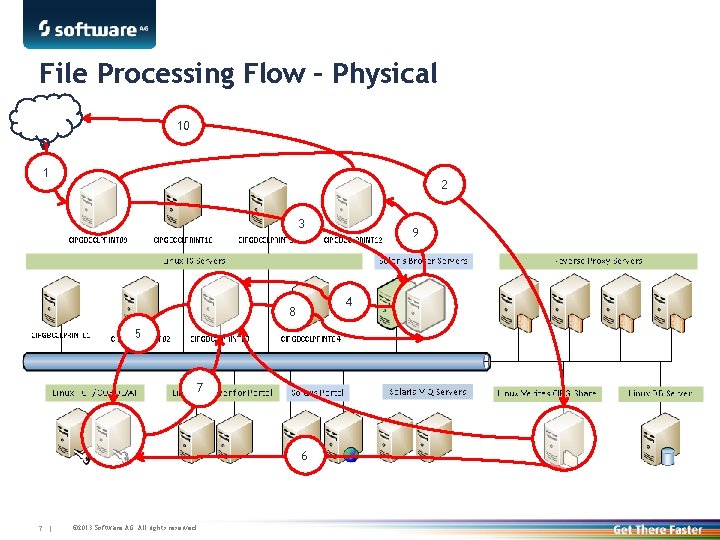
File Processing Flow – Physical 10 1 2 3 4 8 5 7 6 7 | © 2013 Software AG. All rights reserved. 9
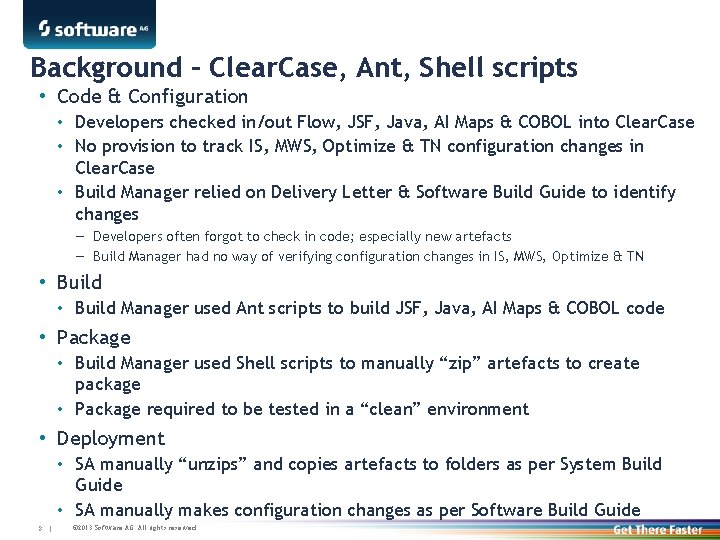
Background – Clear. Case, Ant, Shell scripts • Code & Configuration • Developers checked in/out Flow, JSF, Java, AI Maps & COBOL into Clear. Case • No provision to track IS, MWS, Optimize & TN configuration changes in Clear. Case • Build Manager relied on Delivery Letter & Software Build Guide to identify changes — Developers often forgot to check in code; especially new artefacts — Build Manager had no way of verifying configuration changes in IS, MWS, Optimize & TN • Build Manager used Ant scripts to build JSF, Java, AI Maps & COBOL code • Package • Build Manager used Shell scripts to manually “zip” artefacts to create package • Package required to be tested in a “clean” environment • Deployment • SA manually “unzips” and copies artefacts to folders as per System Build Guide • SA manually makes configuration changes as per Software Build Guide 8 | © 2013 Software AG. All rights reserved.
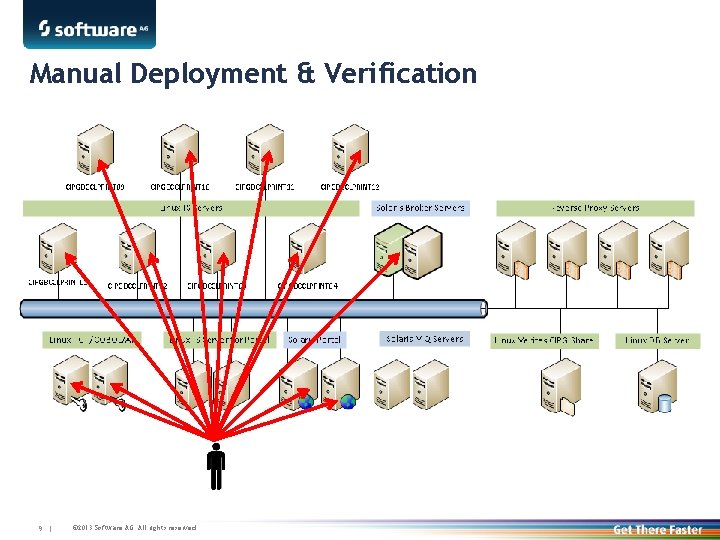
Manual Deployment & Verification 9 | © 2013 Software AG. All rights reserved.

Cross. Vista – High Level Architecture Clear. Quest (Ticket Mgmt) Clear. Case (VCS) Audit Database (JDBC) 10 | © 2013 Software AG. All rights reserved. Cross. Vista TEAM Server web. Methods Environments (IS, TN, Broker, BPM, Optimize, etc. )
Current – Crossvista • Code & Configuration • Developers checks in/out Flow, JSF, Java, AI Maps & COBOL as well as IS, MWS, Optimize & TN configuration changes into Crossvista • Build Manager is able to crosscheck Delivery Letter using Crossvista — Changes are visible even if the artefacts has not been checked in • Build • No building required for web. Methods artefacts; “build” prepared by Crossvista • Build Manager uses Ant scripts to build AI Maps & COBOL code • Package • No packaging required for web. Methods artefacts; “release” prepared by Crossvista • Package is exported from Crossvista for delivery to Production • Deployment • SA loads exported package into Crossvista & deploys to the cluster • SA manually moves non-web. Methods components to respective servers 11 | © 2013 Software AG. All rights reserved.
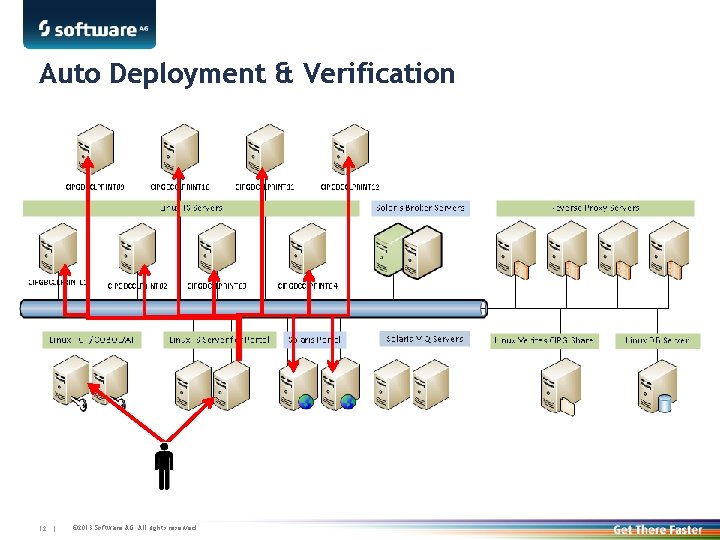
Auto Deployment & Verification 12 | © 2013 Software AG. All rights reserved.
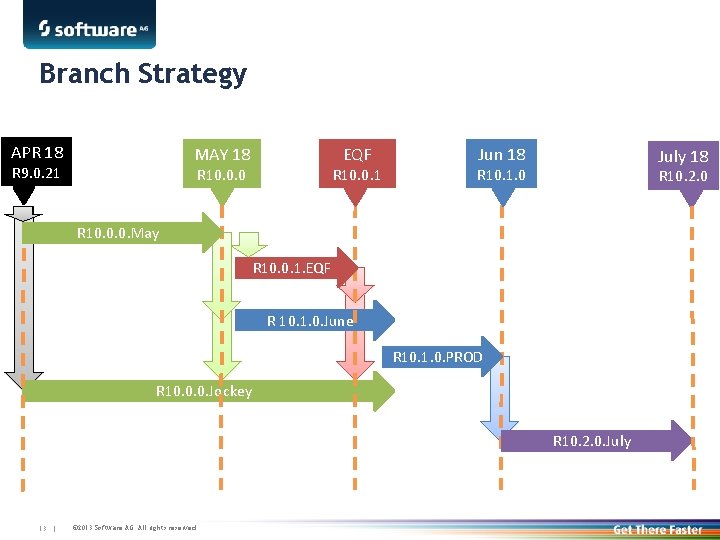
Branch Strategy APR 18 MAY 18 R 9. 0. 21 EQF R 10. 0. 0 R 10. 0. 1 Jun 18 July 18 R 10. 1. 0 R 10. 2. 0 R 10. 0. 0. May R 10. 0. 1. EQF R 10. 1. 0. June R 10. 1. 0. PROD R 10. 0. 0. Jockey R 10. 2. 0. July 13 | © 2013 Software AG. All rights reserved.
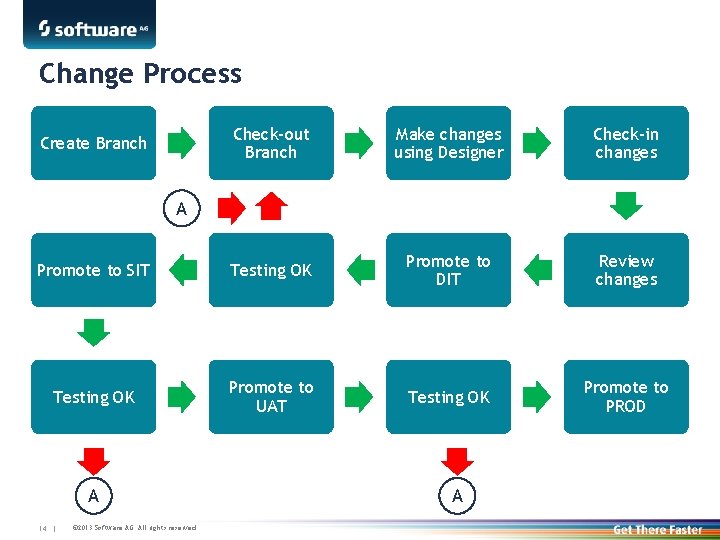
Change Process Check-out Branch Make changes using Designer Check-in changes Promote to SIT Testing OK Promote to DIT Review changes Testing OK Promote to UAT Testing OK Promote to PROD Create Branch A A 14 | © 2013 Software AG. All rights reserved. A
Intangible Savings • Complete code & configuration control • Developer and Build Manager has complete visibility of all changes • Build Manager has complete control of the changes going into the Release • Build Manager can safely back out changes from the Release if required • Reduction of Paperwork • Developers no longer has to provide delivery letters • Build Manager can generate release notes/contents from Crossvista • Software Build Guide for configuration changes has been eliminated • Simplified Deployment • SA no longer has to manually deploy components and make configuration changes • No Emergency Quick Fixes due to missing code • No impact to BMO customers 15 | © 2013 Software AG. All rights reserved.
Tangible Savings Net savings of 3, 378 man hours annually 16 | © 2013 Software AG. All rights reserved.

- Slides: 17