
CRIBMASTER WEIGH STATION 1 Crib Master Support Options
CRIBMASTER™ WEIGH STATION 1

Crib. Master Support Options http: //www. cribmaster. com/vending. html ftp. ecribmaster. com/pub Videos - ftp. ecribmaster. com/pub/documentation/videos/ Technical Support 1 -855 -CRIB-CMS 1 -855 -274 -2267 Crib. Master Supportal – support@cribmaster. com 2
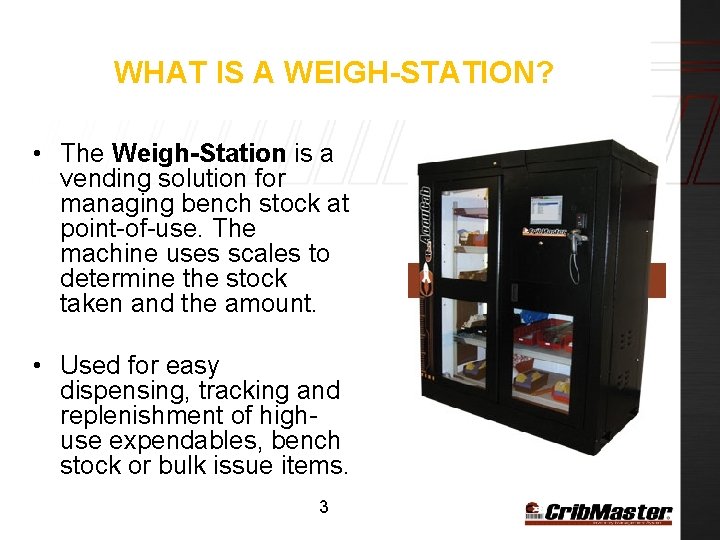
WHAT IS A WEIGH-STATION? • The Weigh-Station is a vending solution for managing bench stock at point-of-use. The machine uses scales to determine the stock taken and the amount. • Used for easy dispensing, tracking and replenishment of highuse expendables, bench stock or bulk issue items. 3
SPECIFICATIONS Ø Specs: 78” H x 68” W x 34” D, from 1300 to 1600 lbs. unstocked, depending on configuration (typically 1500 lbs. ) (198. 1 cm x 172. 7 cm x 86. 4 cm, approx. 680 kg) Add 5. 8” (15 cm) for pallet height Ø 120 volt/60 Hz, 2. 5 amps (North America) 240 volt/50 Hz, 1. 2 amps (Europe) Ø Temperature Range – Temperature Range -4 F to 140 F (-20 to 60 Celsius) Ø Humidity of 20% to 80% RH Non-Condensing 4
HARDWARE – WEIGH STATION Major Weigh Station Hardware Components : Computer Assembly • All-In-One PC (Tek-Vision) • Mouse • Keyboard • Badge Scanner Door Lock Assembly • Relay Box (CA) • Serial Cable Assembly (goes to Relay Box from COM 1) • Lock and Switch Port (COM 3, monitors lock position) • South-Co Latch 5 Scale System Assembly • Main Scale Controller Box • Scale Shelf Board(s) • Scales (Up to 6 per Scale Shelf Board)
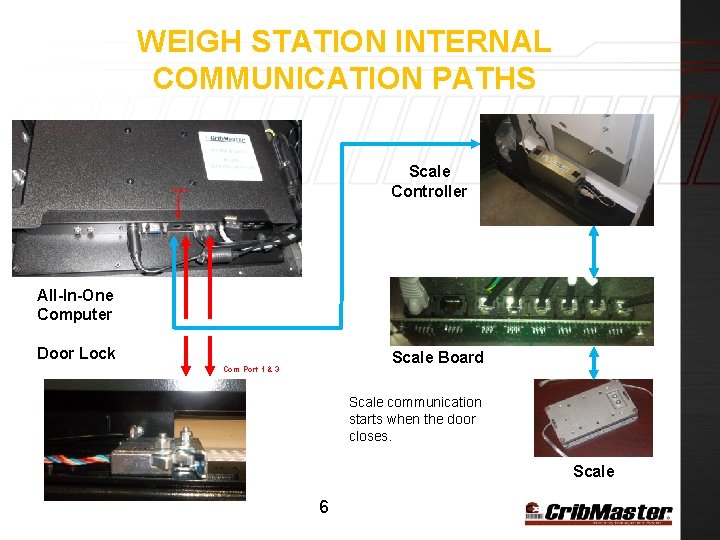
WEIGH STATION INTERNAL COMMUNICATION PATHS Scale Controller All-In-One Computer Door Lock Scale Board Com Port 1 & 3 Scale communication starts when the door closes. Scale 6
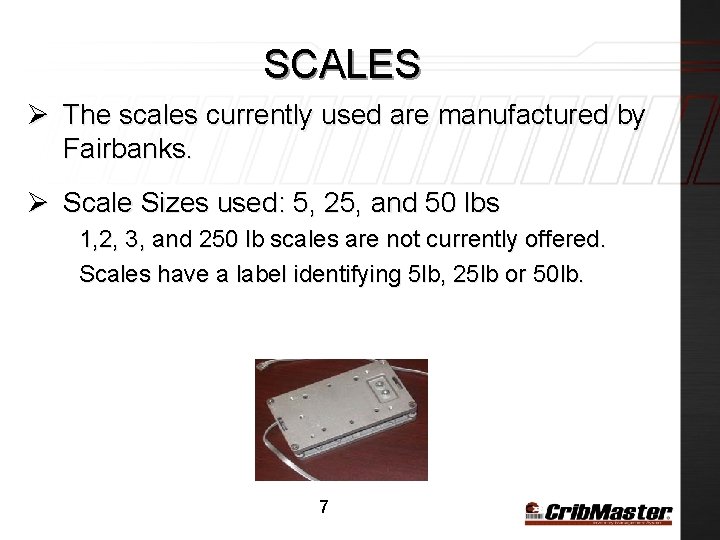
SCALES Ø The scales currently used are manufactured by Fairbanks. Ø Scale Sizes used: 5, 25, and 50 lbs 1, 2, 3, and 250 lb scales are not currently offered. Scales have a label identifying 5 lb, 25 lb or 50 lb. 7
SCALE DELTA & ITEM WEIGHT Delta is the minimum weight with which the scale will do a transaction. ATR 9 has 3 Scale Deltas: Ø 5 Lb Delta - 0. 004 lb - The small delta is used for all scales that handle less than 5 lbs. Ø 25 Lb Delta -. 02 lb - The medium delta is used for scales that handle up to exactly 25 lbs. Ø 50 lb Delta -. 04 lb - The large delta is used for scales that handle over 50 lbs. 8
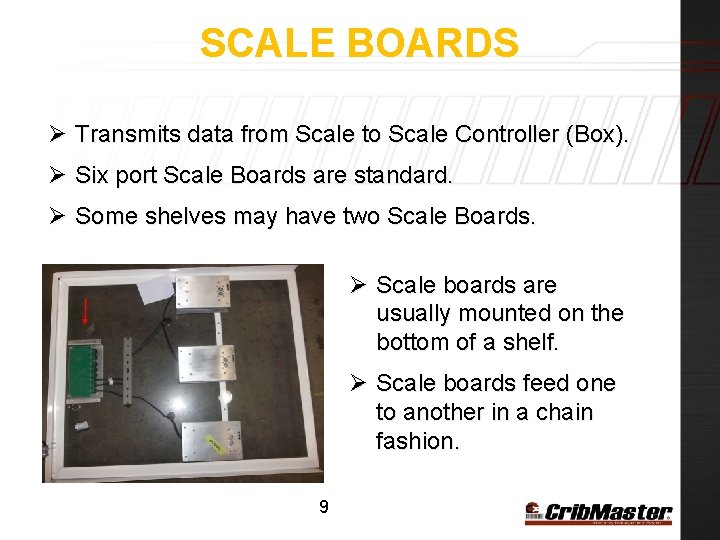
SCALE BOARDS Ø Transmits data from Scale to Scale Controller (Box). Ø Six port Scale Boards are standard. Ø Some shelves may have two Scale Boards. Ø Scale boards are usually mounted on the bottom of a shelf. Ø Scale boards feed one to another in a chain fashion. 9
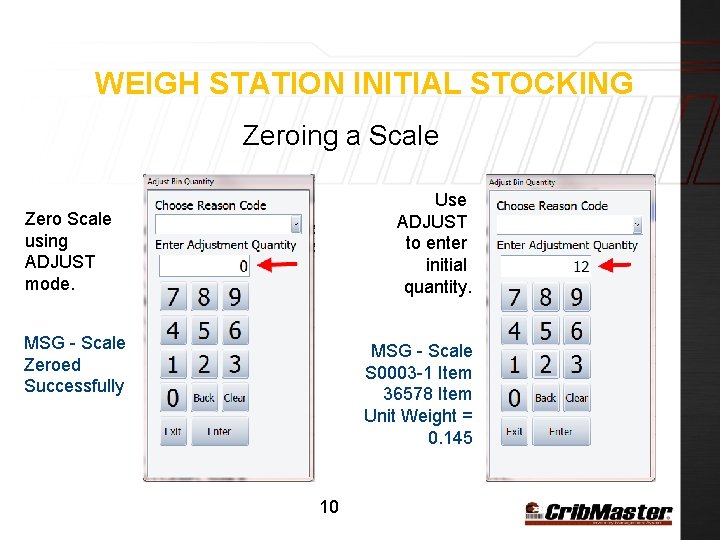
WEIGH STATION INITIAL STOCKING Zeroing a Scale Use ADJUST to enter initial quantity. Zero Scale using ADJUST mode. MSG - Scale Zeroed Successfully MSG - Scale S 0003 -1 Item 36578 Item Unit Weight = 0. 145 10
PRE-INSTALLED SOFTWARE UTILITIES Before a Weigh Station is shipped, the following programs are installed: ATR embedded Weigh Station Diagnostics (NEW April 2013) CM Cal - Scale Programming Utility – Allows testing of scales CM Switch – Door Lock Configuration Utility *Hint* - All the software related to your device can be found at : C: CribmasterbackupsoftwareTest software or D: CribmasterbackupsoftwareTest software 11

ATR EMBEDDED DIAGNOSTICS ATR version 9. 6. 50425. 1 (and newer) includes onboard diagnostics. These diagnostics allow you to verify weights, zero and recalibrate scales. 12

ATR WEIGH STATION DIAGNOSTICS Before preforming any diagnostics, set your Shelf No. and Channel Numbers are the scale number (Port) however numbering must start with “ 0” instead of “ 1”. Logically, “ 0” is “ 1”, “ 1” is “ 2” and so on. Shelve Number is actually the scale board without the S 000. Notice the screen identifies the Board and Port as you complete the two values. 13

ATR SCALE CALIBRATION 11 2 Click the “Start Calibration” Button Notice that status information is displayed in the lower panel as your work through each screen. 14 3 4

CM Cal Overview 15
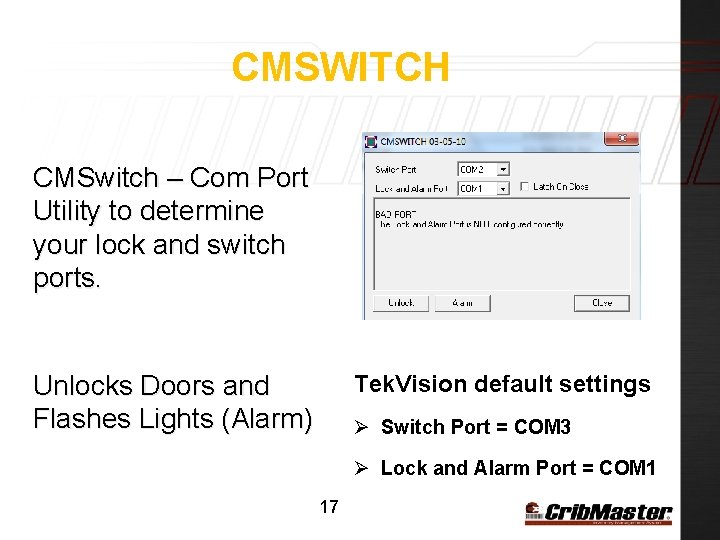
CMSWITCH CMSwitch – Com Port Utility to determine your lock and switch ports. Unlocks Doors and Flashes Lights (Alarm) Tek. Vision default settings Ø Switch Port = COM 3 Ø Lock and Alarm Port = COM 1 17
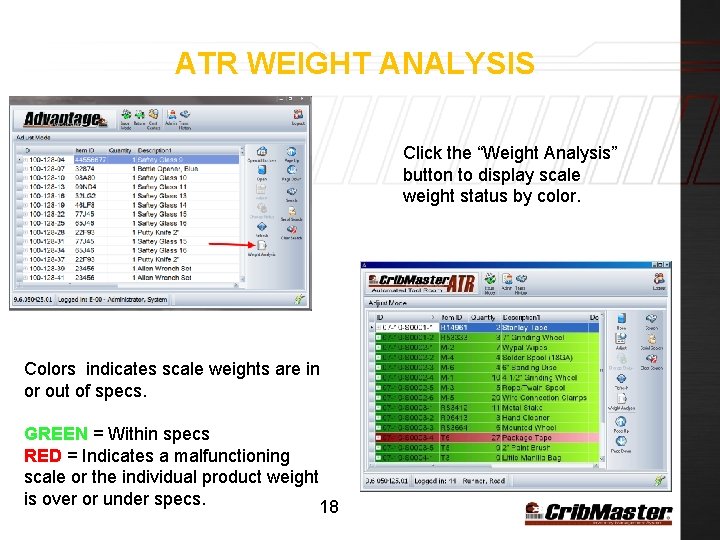
ATR WEIGHT ANALYSIS Click the “Weight Analysis” button to display scale weight status by color. Colors indicates scale weights are in or out of specs. GREEN = Within specs RED = Indicates a malfunctioning scale or the individual product weight is over or under specs. 18
WEIGH STATION OPTIONS Com. Port – Should contain the correct Com Port which the Scale Box is connected. Tekvision : Com 4 Door Lock Port – Should display correct Com Port which the Door Lock is connected Tekvision: Com 1 (Leads to Relay Box) Switch Port – Should display correct Com Port in which the Switch port is connected Tekvision: Com 3 (Leads to Relay Box) 19
WEIGH STATION MACHINE OPTIONS Record. Weight. Gains –If TRUE, an event log message will be recorded in CM Admin if weight is added to the scale by an unauthorized employee. Restock. Employee. ID – If valid Employee ID is specified no event log mess will be written if that employee adds weight to scale. Threshold – The amount of time, in seconds, that the cabinent will scan once the door (S) are closed. This amount is tripled to designate the intial scan on start up (Default = 10) Rounding Threshold - The % value of the unit weight required to be detected by the scale to qualify a transaction 20
WEIGHT STATION BIN NAMING Weigh Station Bins have the following format: Crib-Placeholder-Board-Scale. Number Ex: 01 -L 1 -S 0001 -1 The Placeholder is a custom identifier which can be any value. 21

BRIDGING CRIBMASTER AND ATR Golden Rule: A Weigh-Station will NOT connect to ATR successfully, until your scales have been imported correctly as bins inside the Crib. Master database. The bin data must match the physical bin names. 22
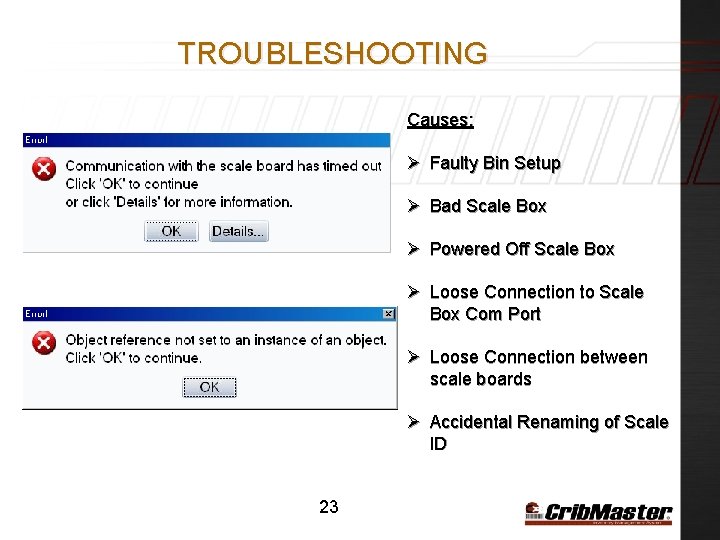
TROUBLESHOOTING Causes: Ø Faulty Bin Setup Ø Bad Scale Box Ø Powered Off Scale Box Ø Loose Connection to Scale Box Com Port Ø Loose Connection between scale boards Ø Accidental Renaming of Scale ID 23
WEIGH STATION BEST PRACTICES Ø Place Weigh Station as level as possible. Ø Always Zero Out scale before filling with product. Ø When zeroing out scale make sure shelve/scale is still. Ø Avoid moving a Weigh Station when full of product. Ø Avoid moving a Weigh Station when shelves are not tied down. 24
- Slides: 23