
CRIBMASTER ATR VENDING MACHINE SOFTWARE 1 Crib Master
CRIBMASTER™ ATR VENDING MACHINE SOFTWARE 1
Crib. Master Advantage Support Options www. cribmaster. com/vending ftp. ecribmaster. com/pub Videos - ftp. ecribmaster. com/pub/documentation/videos/ TECHNICAL SUPPORT 1 -855 -CRIB-CMS 1 -855 -274 -2267 CRIBMASTER SUPPORTAL – support@cribmaster. com 2
ATR CONCEPTS Ø ATR stands for “Automated Tool Room” Ø The same ATR version is used on all Crib. Master vending machines. Ø Within the Advantage model, all vending machines must connect as a Web Service. Ø ATR allows the connected Crib Number to be configured. Ø ATR allows Options for different software functions/behaviors. 3
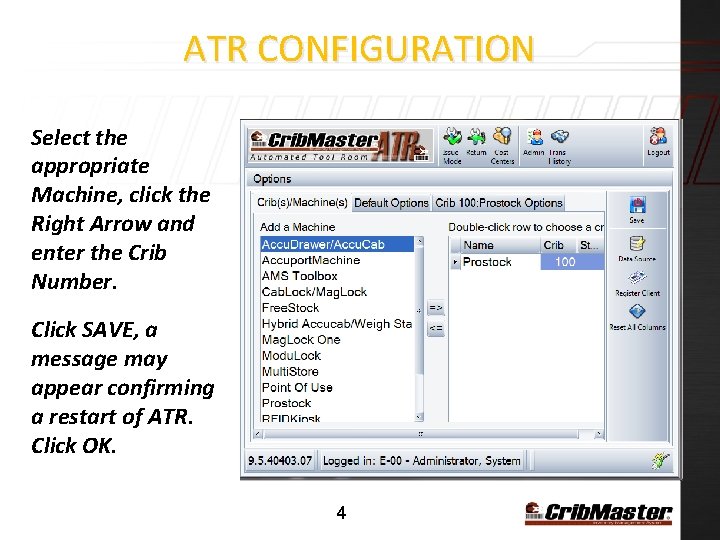
ATR CONFIGURATION Select the appropriate Machine, click the Right Arrow and enter the Crib Number. Click SAVE, a message may appear confirming a restart of ATR. Click OK. 4
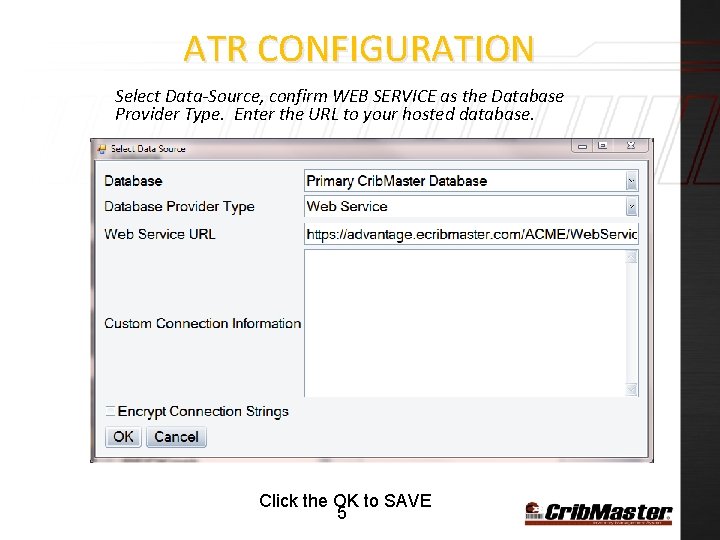
ATR CONFIGURATION Select Data-Source, confirm WEB SERVICE as the Database Provider Type. Enter the URL to your hosted database. Click the OK to SAVE 5
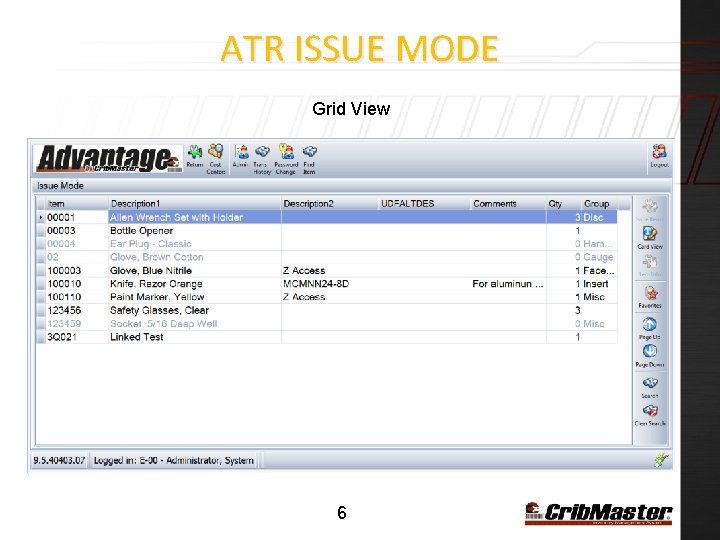
ATR ISSUE MODE Grid View 6
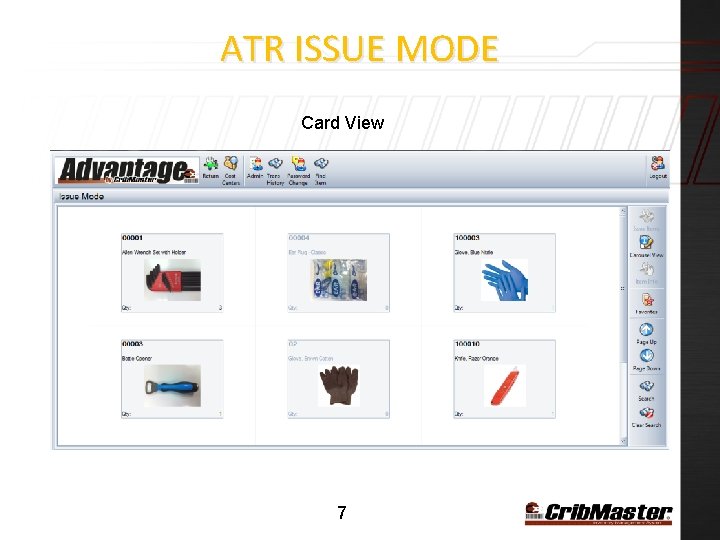
ATR ISSUE MODE Card View 7
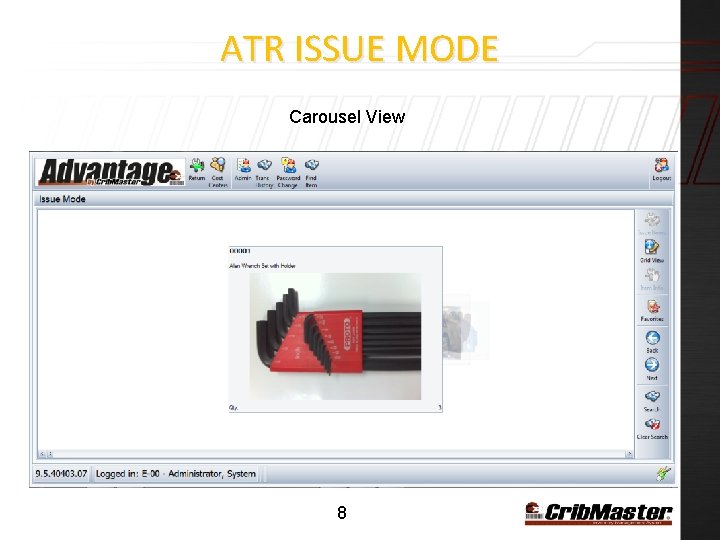
ATR ISSUE MODE Carousel View 8
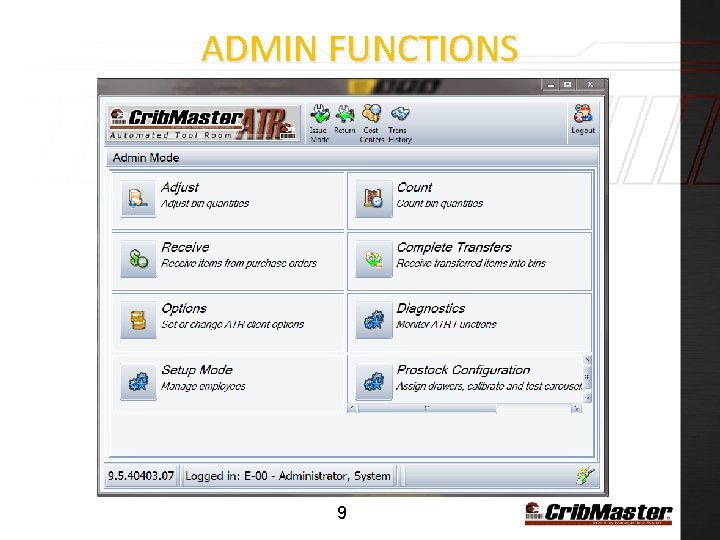
ADMIN FUNCTIONS 9
ADMIN FUNCTIONS Ø ADJUST Allows changes to quantities. Ø COUNT Allows changes to quantities based on accounting procedures Ø RECEIVE Allows restocking of the vending machine. Ø OPTIONS Allows configuration of ATR Ø SETUP MODE Allows additions and modifications of employees 10
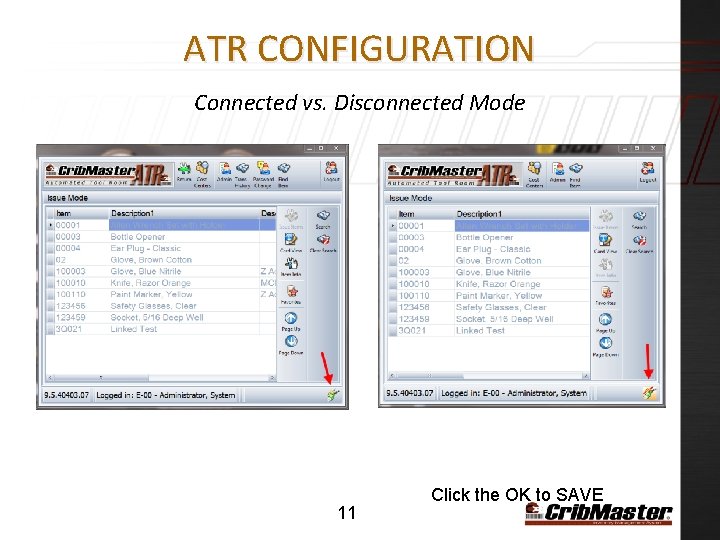
ATR CONFIGURATION Connected vs. Disconnected Mode 11 Click the OK to SAVE
ATR CONNECTED VS. DISCONNECTED MODE Ø Employees can Issue products in either mode. (Disconnected mode 1 – 2 days) Ø Administrative functions such as ADJUST and RECEIVE are only available in Connected Mode. Ø When in Disconnected mode some buttons will not appear. Running in disconnected mode for many days can cause confusion. The data displayed in Crib. Master Client may not be current. 12
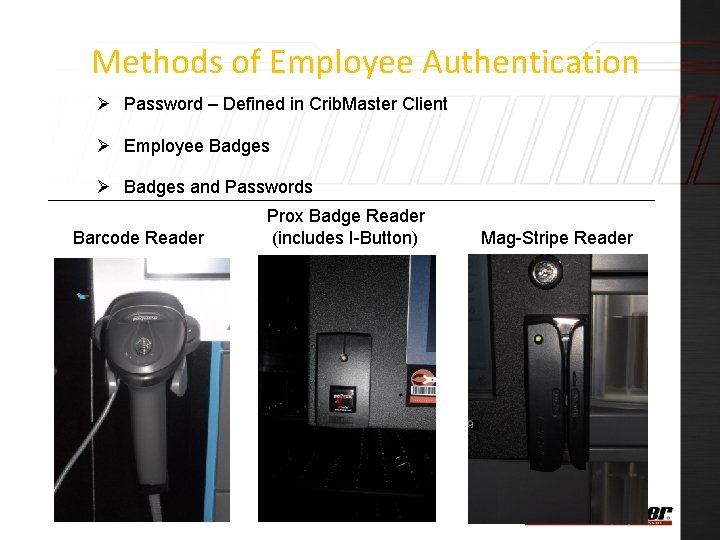
Methods of Employee Authentication Ø Password – Defined in Crib. Master Client Ø Employee Badges Ø Badges and Passwords Barcode Reader Prox Badge Reader (includes I-Button) Mag-Stripe Reader 13
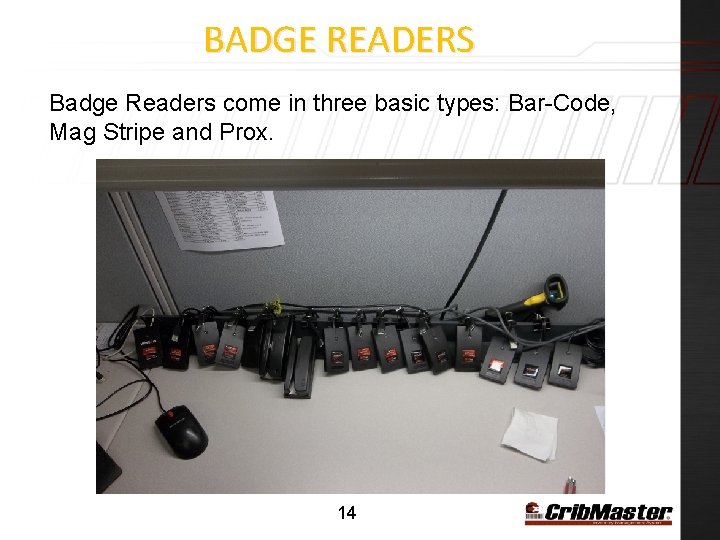
BADGE READERS Badge Readers come in three basic types: Bar-Code, Mag Stripe and Prox. 14
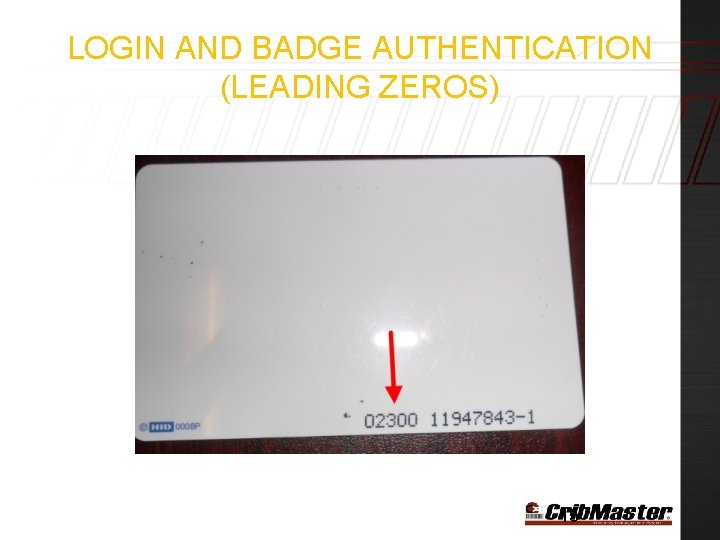
LOGIN AND BADGE AUTHENTICATION (LEADING ZEROS) 15
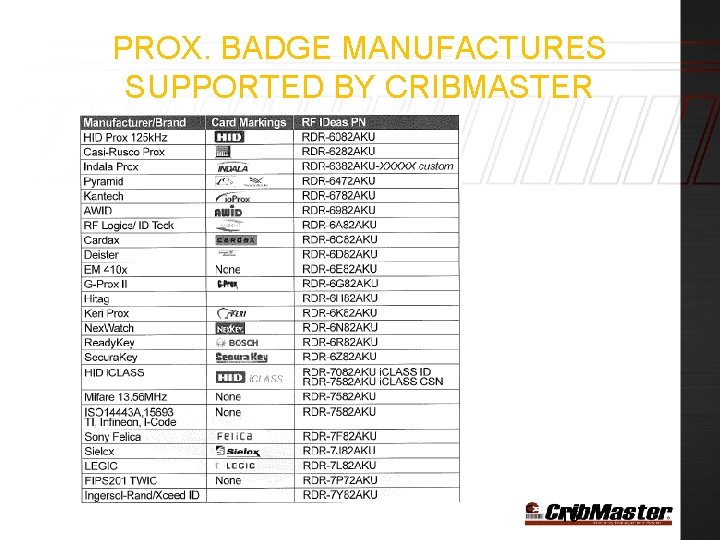
PROX. BADGE MANUFACTURES SUPPORTED BY CRIBMASTER 16
LOGIN AND BADGE AUTHENTICATION Ø Due to the variety of badge types and badge readers, Crib. Master will need to test a sample badge from the customer in order to mount the proper badge reader. Ø Embedded badge codes are more complex than a simple string of characters. Codes are hexidecimal and often segmented into sections. 17
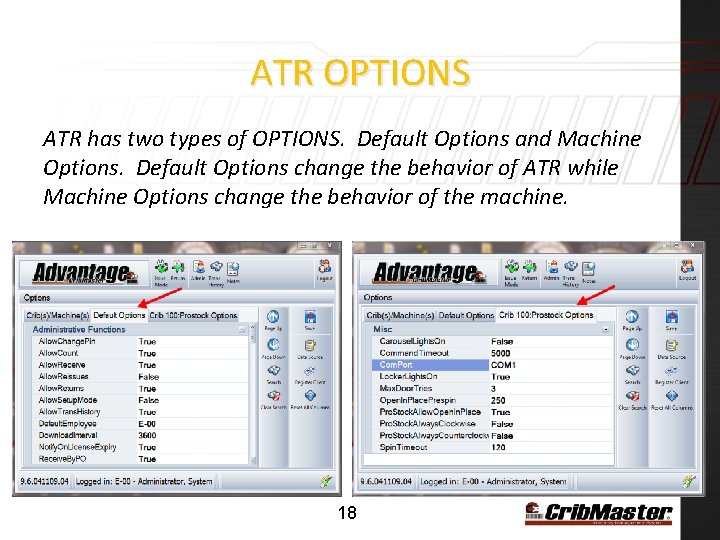
ATR OPTIONS ATR has two types of OPTIONS. Default Options and Machine Options. Default Options change the behavior of ATR while Machine Options change the behavior of the machine. 18
CRIBMASTER ATR OPTIONS Video Presentation: How to change ATR Options 19
CRIBMASTER ATR OPTIONS Key ATR Options related to Crib. Master Advantage: DEFAULTEMPLOYEE Define an Employee ID DOWNLOADINTERVAL (Leave as default) Default is 3600 Seconds (1 Hr. ) RESTRICTCOLUMNLAYOUT Set to TRUE if you want ATR columns to lock UPLOADINTERVAL (Leave as default) Default is 60 Seconds WEBSERVICEURL (Web Service) Must be populated for automatic upgrades of ATR COSTCENTERS Refer to Crib. Master Cost Center documentation ALLOWCARDVIEW TRUE will enable the display of JPG images ALLOWCAROUSELVIEW TRUE will enable a scrolling display of JPG images ALLOWGRIDVIEW (Default) TRUE will display the standard employee list HOGSCREEN(Do not change) ATR will fill the entire display area with no controls LISTBYITEM TRUE collapses the Issue Screen from a BIN listing to an Item listing SHOWLOGINLIST If False, the Login screen displays “PLEASE SCAN YOUR BADGE” SITEFILTERING Must be TRUE when using Crib. Master Advantage TIMEOUT Time (in seconds) of no screen activity before automatic logout LANGUAGES Refer to Language Support documentation OPENONAUTHENICATION (W/S) Unlock door automatically after successful login 20
BEST PRACTICES While on an installation, don’t change SHOWLOGINLIST to True if you don’t have a working badge with ADMIN rights. Make Sure you set the WEB SERVICE URL. This allows automatic downloads of new ATR versions. Usually this is the same URL as the Data-Source. 21
- Slides: 21