
Credit Card Number Recognition MM Credit Card Number
Credit Card Number Recognition M&M

Credit Card Number Given a credit card, the first thing that we notice is the number of the card which is the most important part of it. We developed a system that identifies this number.

The steps to recognize the number 1. Preparing the card. 2. Preparing the digit model. 3. Detecting the number.
Preparing the card Converting to grayscale. Finding light regions vs dark regions(We aim for the credit card digits). Use scharr gradient for revealing dark regions with light background and vertical changes in the gradient. Apply step 2 again. Binary and otsu thresholding in order to close the gaps between letters and digits. Using Relaxation Labeling and Canny to narrow down the rectangles in the image to be able to identify the digits position.

Grayscale
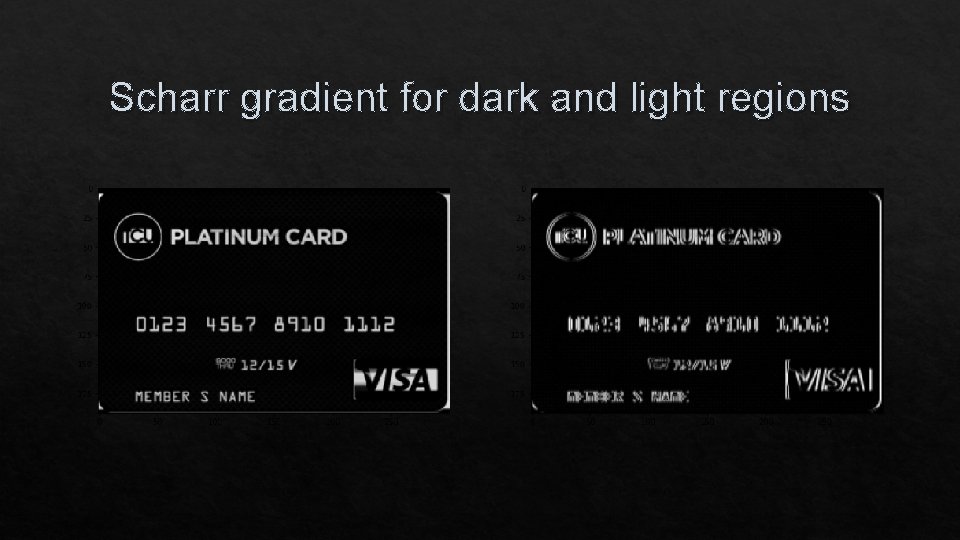
Scharr gradient for dark and light regions

Otsu thresholding

Relaxation Labeling and Canny
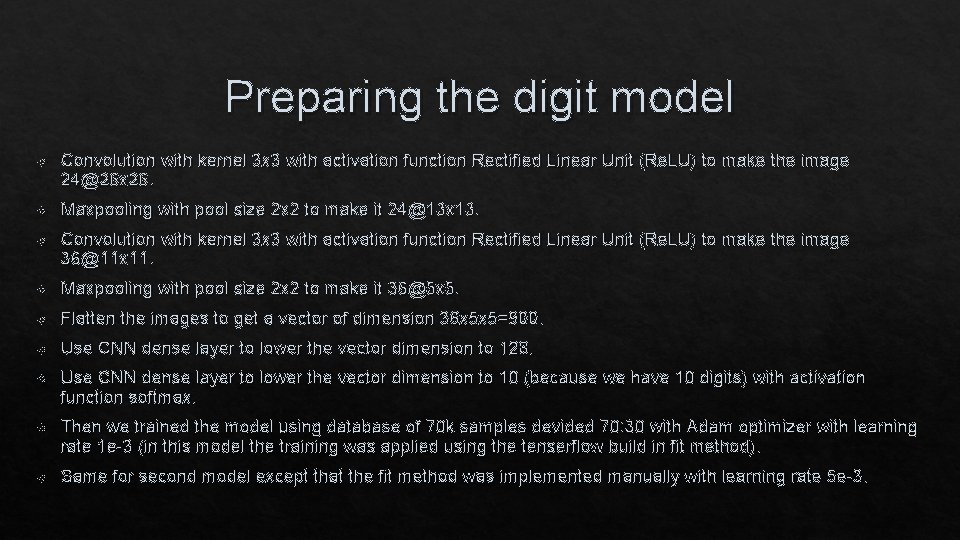
Preparing the digit model Convolution with kernel 3 x 3 with activation function Rectified Linear Unit (Re. LU) to make the image 24@26 x 26. Maxpooling with pool size 2 x 2 to make it 24@13 x 13. Convolution with kernel 3 x 3 with activation function Rectified Linear Unit (Re. LU) to make the image 36@11 x 11. Maxpooling with pool size 2 x 2 to make it 36@5 x 5. Flatten the images to get a vector of dimension 36 x 5 x 5=900. Use CNN dense layer to lower the vector dimension to 128. Use CNN dense layer to lower the vector dimension to 10 (because we have 10 digits) with activation function softmax. Then we trained the model using database of 70 k samples devided 70: 30 with Adam optimizer with learning rate 1 e-3 (in this model the training was applied using the tenserflow build in fit method). Same for second model except that the fit method was implemented manually with learning rate 5 e-3.
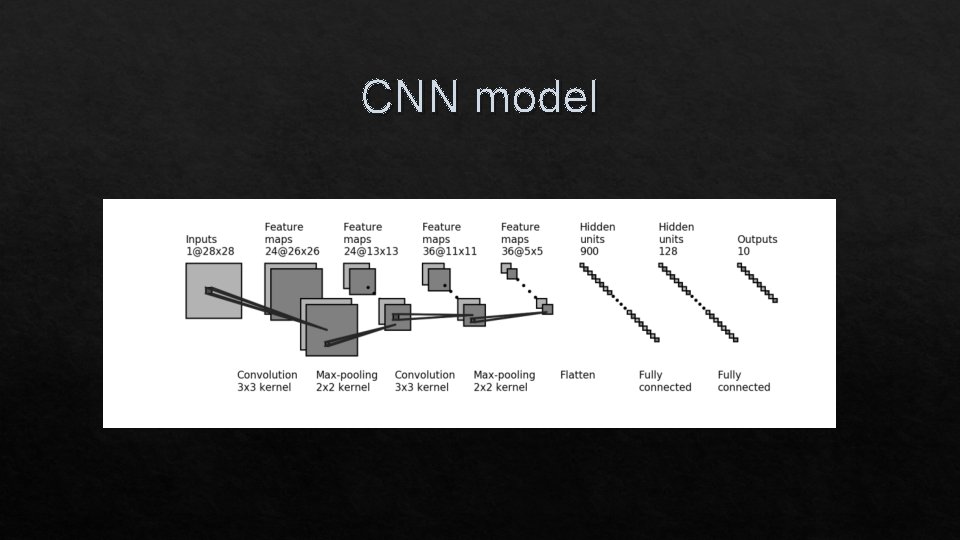
CNN model
Detecting the credit card number We used the image processed in step 1 to find contours, contours are curves in which joining all the continuous points, having the same color or intensity (contours are usefull tool for shape analysis and object detection). Finding contours is finding white objects in black backgroud. Then we used cv 2. RETR_EXTERNAL: only the parent are returned without any internal contours. Then we calculated the coordinates of the detected rectangles from the contours. And by using some criteria for narrowing down the detected rectangles (ration between height and width, and used a fixed image size by resizing the credit card image) By using the detected the rectangles we cropped each rectangle from the credit card. We used thresholding and contours in order to crop each digit alone. For each cropped digit we used the CNN model to detect the digit value (after processing the digit to make it suitable for hte CNN model).

Relaxation Labeling Relaxation labelling techniques can be applied to many areas of computer vision. Relaxation techniques have been applied to many other areas of computation in general, particularly to the solution of simultaneous nonlinear equations. Relaxation Labeling is a probabilistic computation technique with the goal of attaching labels to objects. This technique maximizes the probability of the labeling by iteratively adjusting it according to the object's 'neighbors'.
Canny Edge Detection is a popular edge detection algorithm. It was developed by John F. Canny. It is a multi-stage algorithm: 1. Noise Reduction Since edge detection is susceptible to noise in the image, first step is to remove the noise in the image. 2. Finding Intensity Gradient of the Image Smoothened image is then filtered with a Sobel kernel in both horizontal and vertical direction to get first derivative in horizontal direction ( Gx) and vertical direction ( Gy). From these two images, we can find edge gradient and direction for each pixel. 3. Non-maximum Suppression After getting gradient magnitude and direction, a full scan of image is done to remove any unwanted pixels which may not constitute the edge. 4. Hysteresis Thresholding This stage decides which are all edges are really edges and which are not.
Results The image processing succeeded in detecting the digits groups (the white rectangels) and the digits separately. The CNN models gave us good results in most digits (The first model in purole and the second in light blue). the digit 8 was the most problematic digit to detect using both models in most runs it was rarely been identified correctly.

The result
Conclusions On credit cards the criterion we used was most suited for our digits groups detection because in credit card this ratio is fixed on all credit cards unlike its position which was a bad criterion that we tried. Our both trained models showed high accuracy rate in the test phase (99%) but in the step of digit detection we got accuracy rate of (90%) and that was because of most of our database was in handwritten digits where the credit card digits were in a specific font that mostly don't use it especially the number 8. We tried several approaches in detecting the digits such as: PCA and template matching and we got bad results (10%-20%) accuracy. Because the CNN model recieves a 28 x 28 images, we tried training the model on raw data but we got bad results even when using epoch=100 (accuracy 22. 3%) and so we had to further process the image before training the network.

Questions? Thank You!!
- Slides: 17