
Creative Programming with Processing Graphics and Variables Some
Creative Programming with Processing Graphics and Variables
Some getting-started homework for you Statistics: • Make a program with variables containing the ages of you and some of your friends • Let the program calculate the average and the standard deviation and print it orderly using print and println Geometry: • Make a program with at least five int or float variables to be used as parameters • Let the program create an abstract geometric composition using these parameters • Play with the parameters to optimise aesthetic balance
What you can do with Programming • Creating intelligent systems, products and related services in a societal context Department of Industrial Design 20 -2 -2021 PAGE 2

Department of Industrial Design 20 -2 -2021 PAGE 3
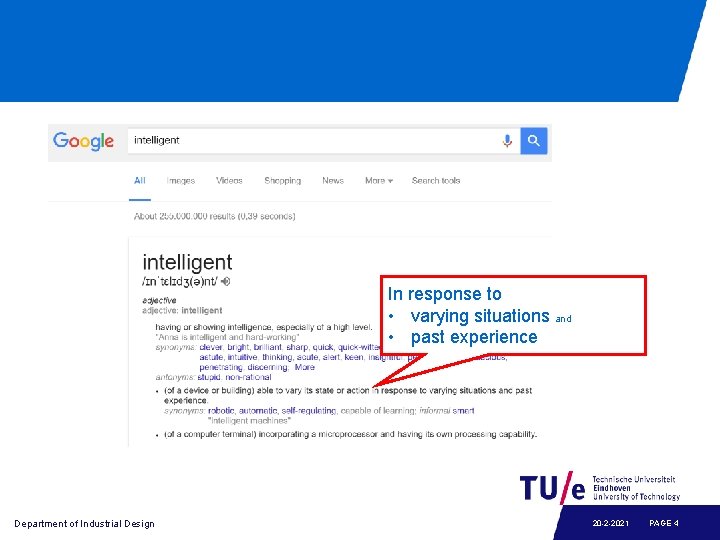
In response to • varying situations and • past experience Department of Industrial Design 20 -2 -2021 PAGE 4
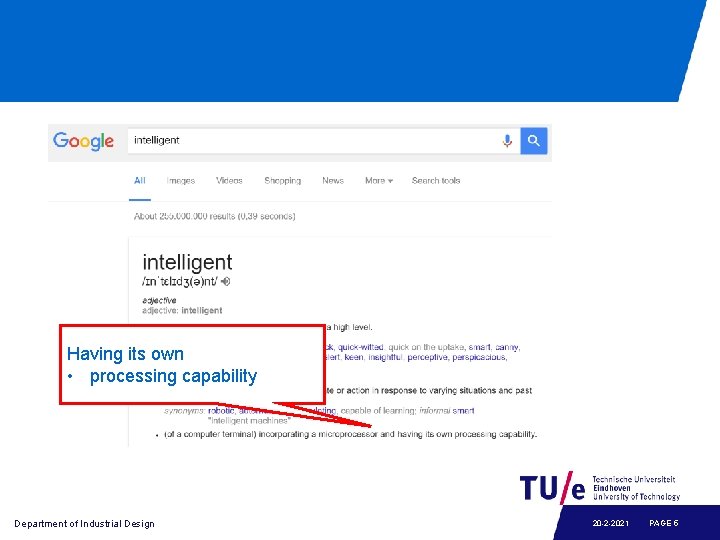
Having its own • processing capability Department of Industrial Design 20 -2 -2021 PAGE 5
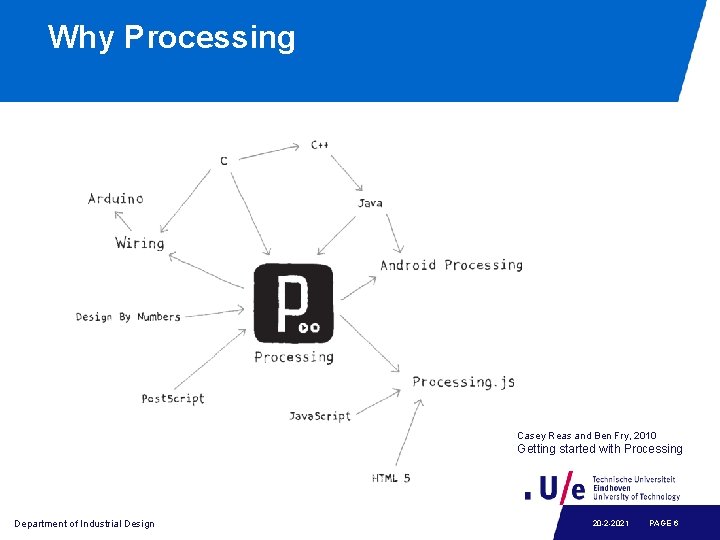
Why Processing Casey Reas and Ben Fry, 2010 Getting started with Processing Department of Industrial Design 20 -2 -2021 PAGE 6
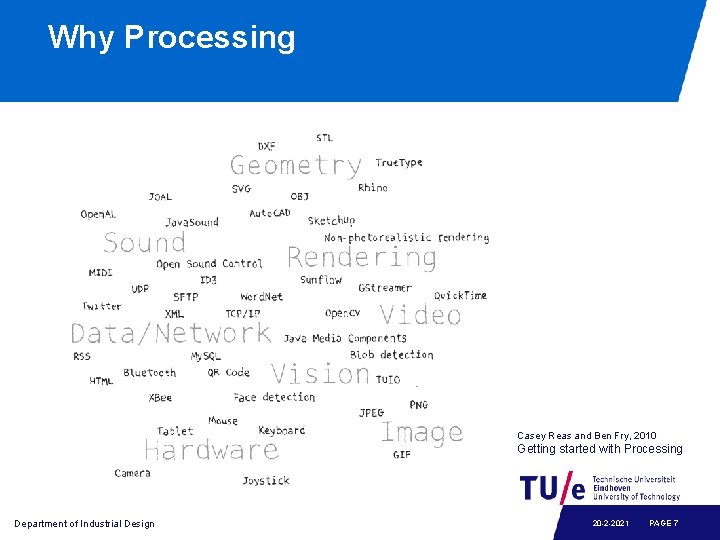
Why Processing Casey Reas and Ben Fry, 2010 Getting started with Processing Department of Industrial Design 20 -2 -2021 PAGE 7
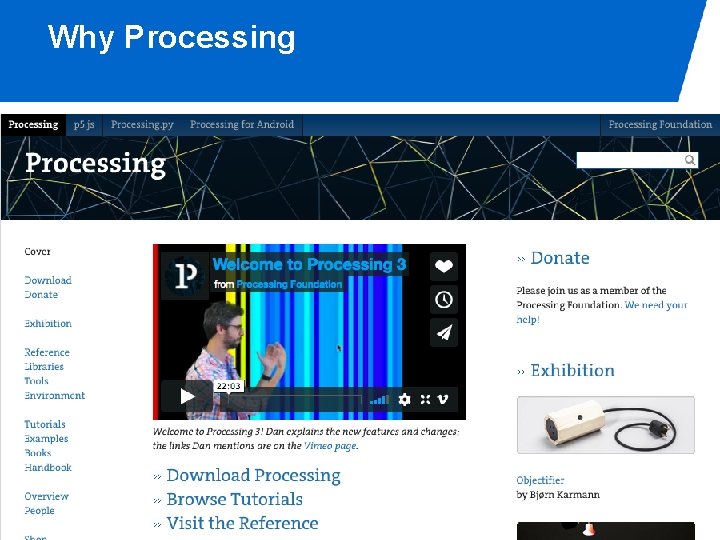
Why Processing Department of Industrial Design 20 -2 -2021 PAGE 8
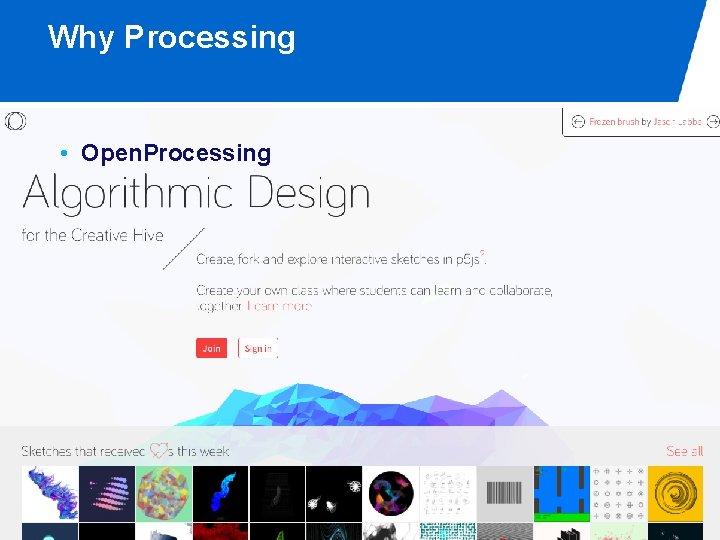
Why Processing • Open. Processing Department of Industrial Design 20 -2 -2021 PAGE 9
Before we start • What if I need help? Department of Industrial Design 20 -2 -2021 PAGE 10
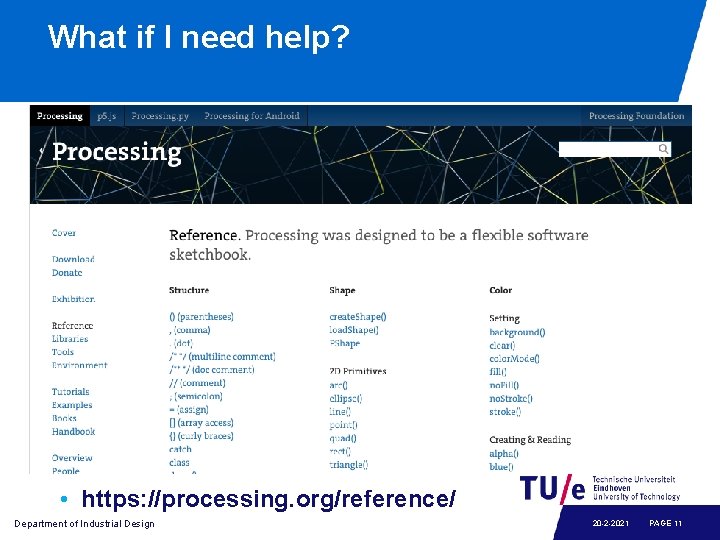
What if I need help? • https: //processing. org/reference/ Department of Industrial Design 20 -2 -2021 PAGE 11
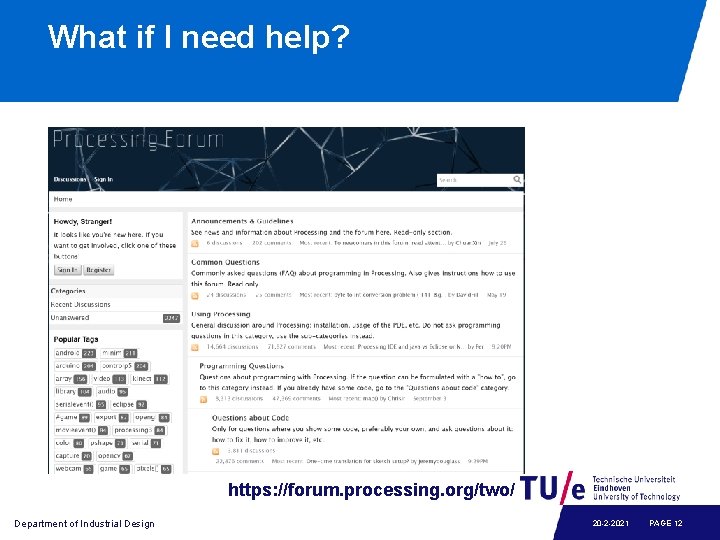
What if I need help? https: //forum. processing. org/two/ Department of Industrial Design 20 -2 -2021 PAGE 12

What if I need help? Department of Industrial Design 20 -2 -2021 PAGE 13
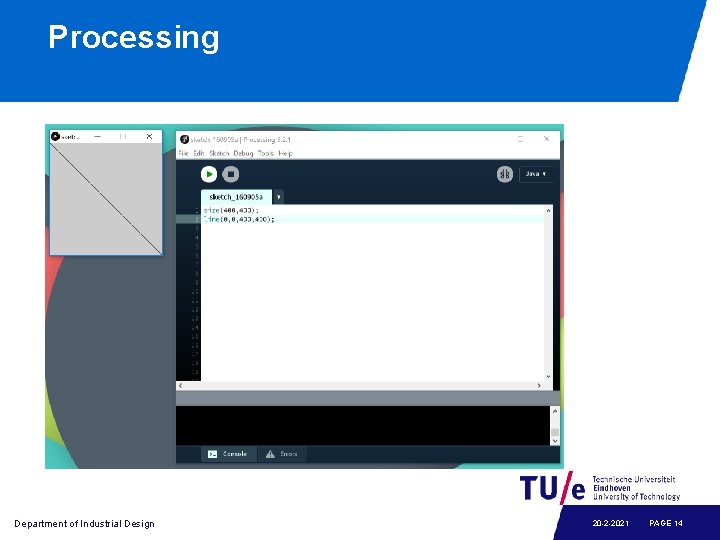
Processing Department of Industrial Design 20 -2 -2021 PAGE 14
Graphics • • • Coordinates Shapes Colors Transforming shapes Animating shapes Department of Industrial Design 20 -2 -2021 PAGE 15
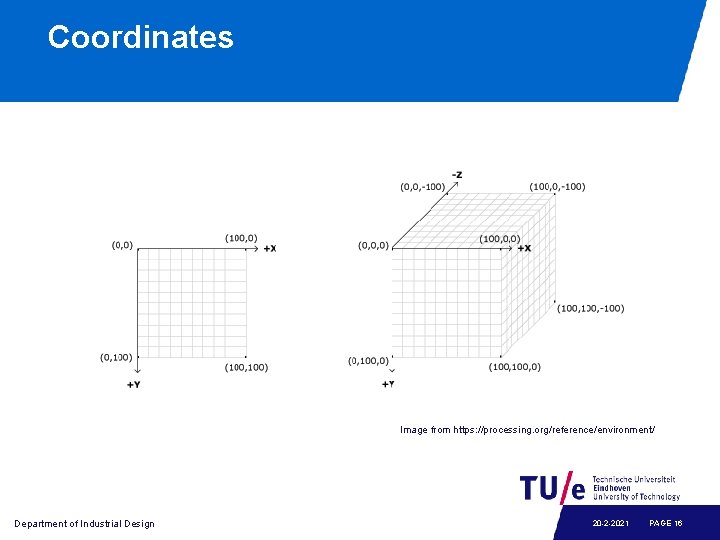
Coordinates Image from https: //processing. org/reference/environment/ Department of Industrial Design 20 -2 -2021 PAGE 16
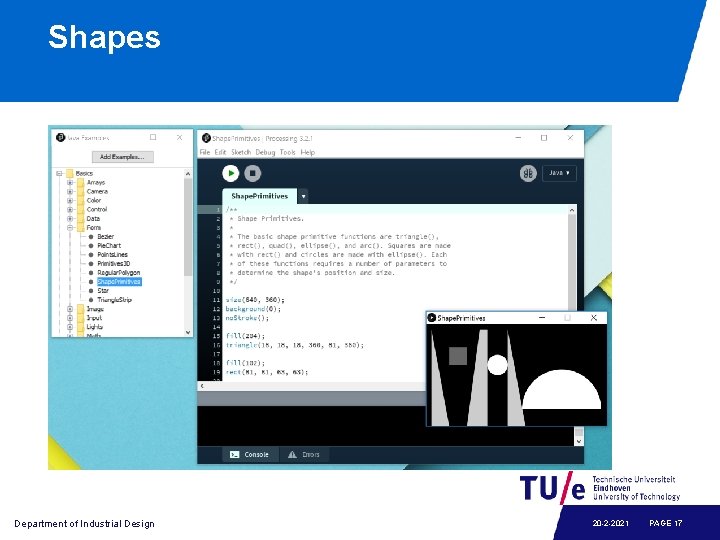
Shapes Department of Industrial Design 20 -2 -2021 PAGE 17
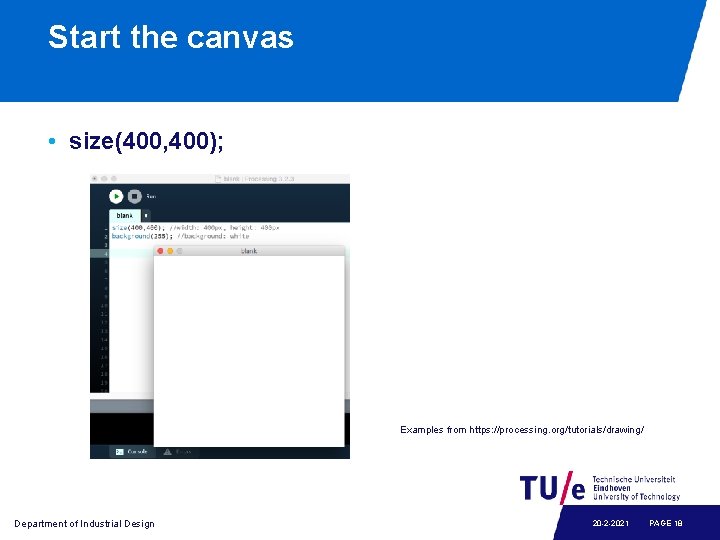
Start the canvas • size(400, 400); Examples from https: //processing. org/tutorials/drawing/ Department of Industrial Design 20 -2 -2021 PAGE 18
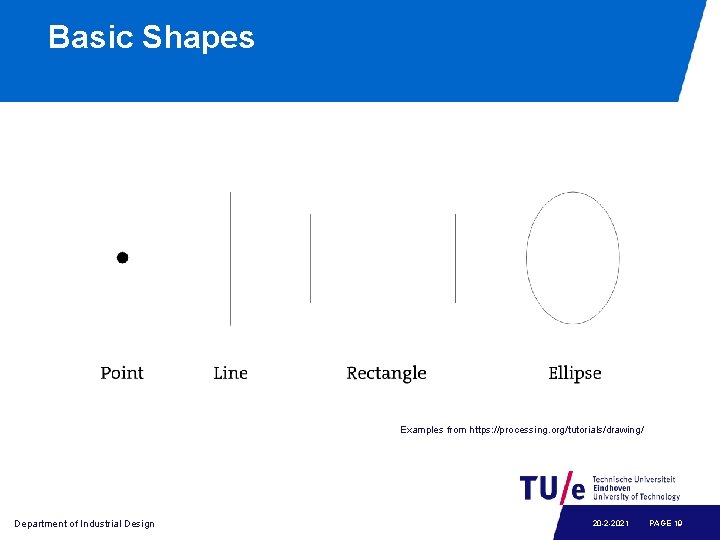
Basic Shapes Examples from https: //processing. org/tutorials/drawing/ Department of Industrial Design 20 -2 -2021 PAGE 19
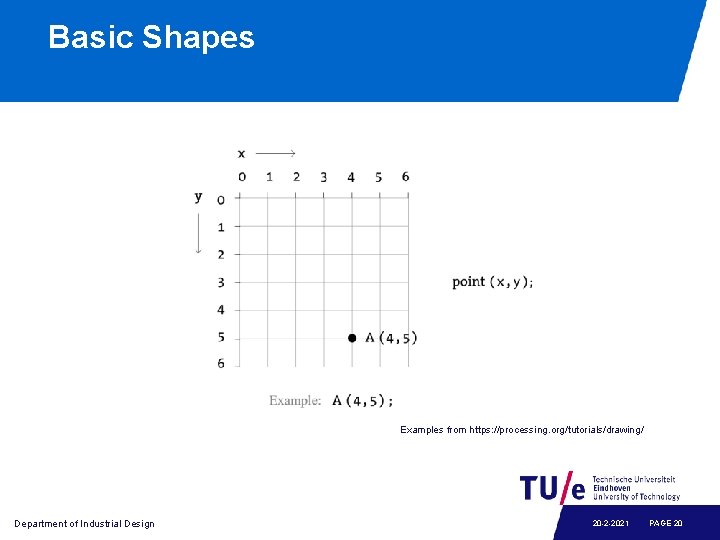
Basic Shapes Examples from https: //processing. org/tutorials/drawing/ Department of Industrial Design 20 -2 -2021 PAGE 20
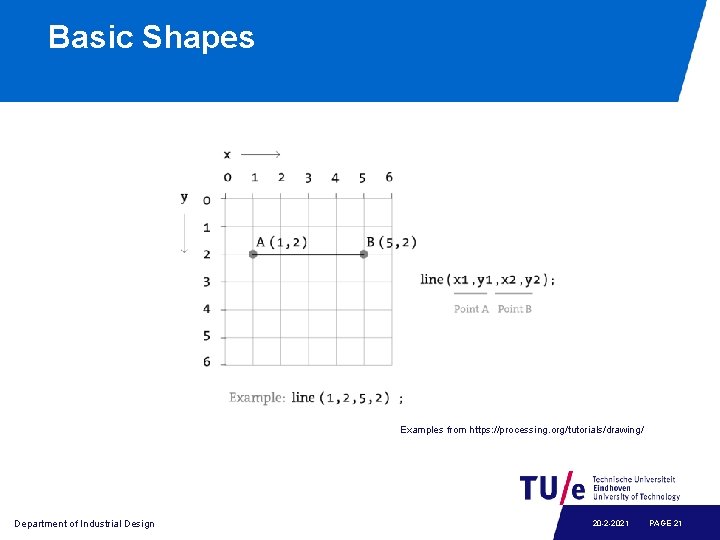
Basic Shapes Examples from https: //processing. org/tutorials/drawing/ Department of Industrial Design 20 -2 -2021 PAGE 21
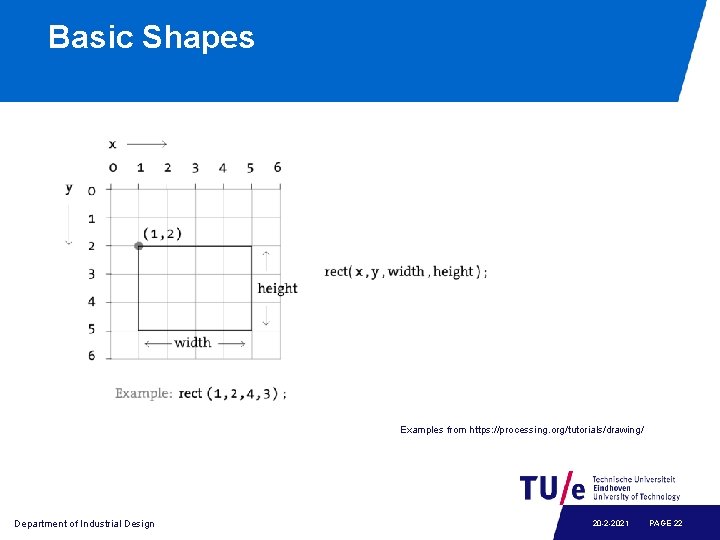
Basic Shapes Examples from https: //processing. org/tutorials/drawing/ Department of Industrial Design 20 -2 -2021 PAGE 22
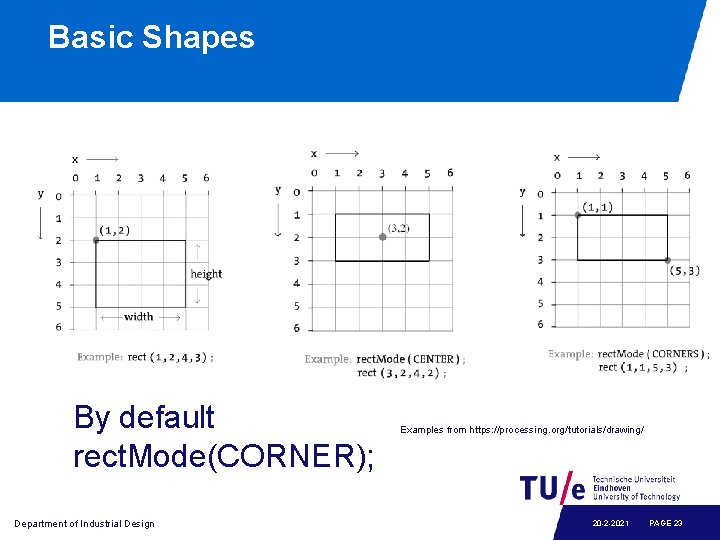
Basic Shapes By default rect. Mode(CORNER); Department of Industrial Design Examples from https: //processing. org/tutorials/drawing/ 20 -2 -2021 PAGE 23
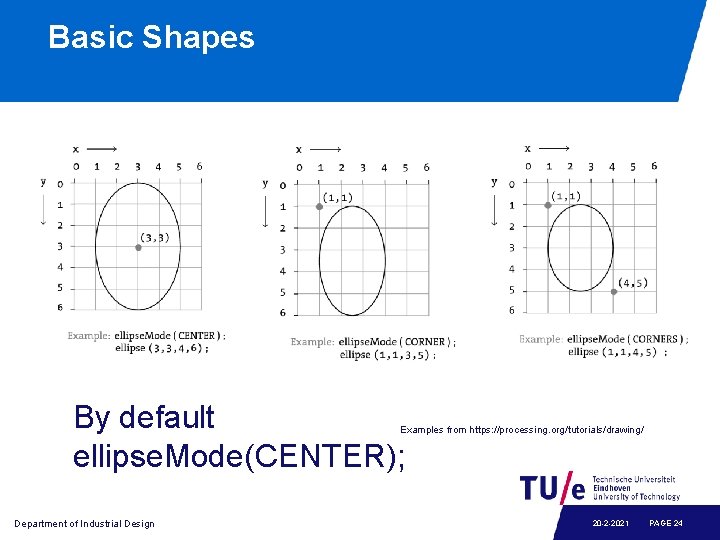
Basic Shapes By default ellipse. Mode(CENTER); Examples from https: //processing. org/tutorials/drawing/ Department of Industrial Design 20 -2 -2021 PAGE 24
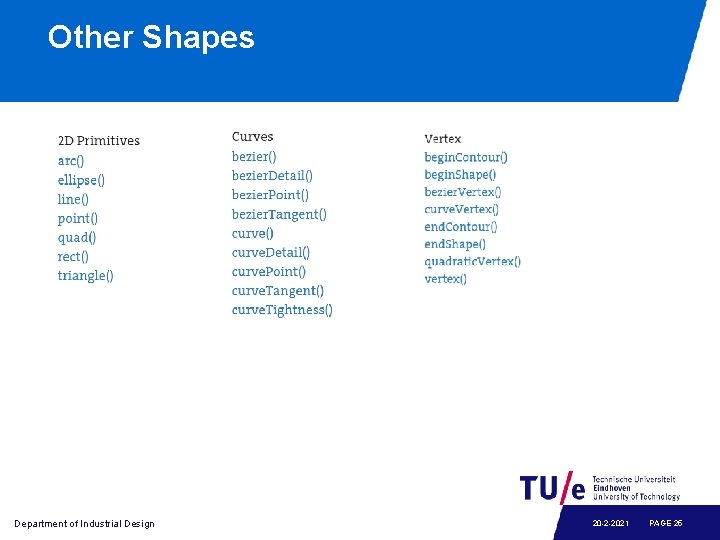
Other Shapes Department of Industrial Design 20 -2 -2021 PAGE 25
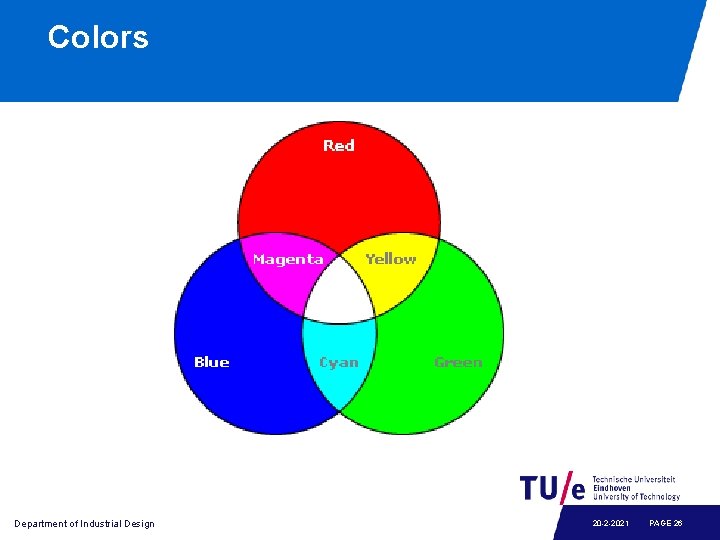
Colors Department of Industrial Design 20 -2 -2021 PAGE 26
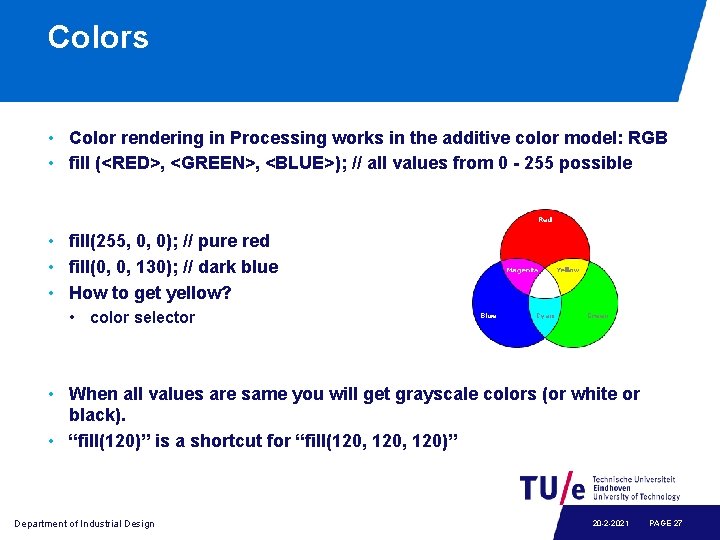
Colors • Color rendering in Processing works in the additive color model: RGB • fill (<RED>, <GREEN>, <BLUE>); // all values from 0 - 255 possible • fill(255, 0, 0); // pure red • fill(0, 0, 130); // dark blue • How to get yellow? • color selector • When all values are same you will get grayscale colors (or white or black). • “fill(120)” is a shortcut for “fill(120, 120)” Department of Industrial Design 20 -2 -2021 PAGE 27
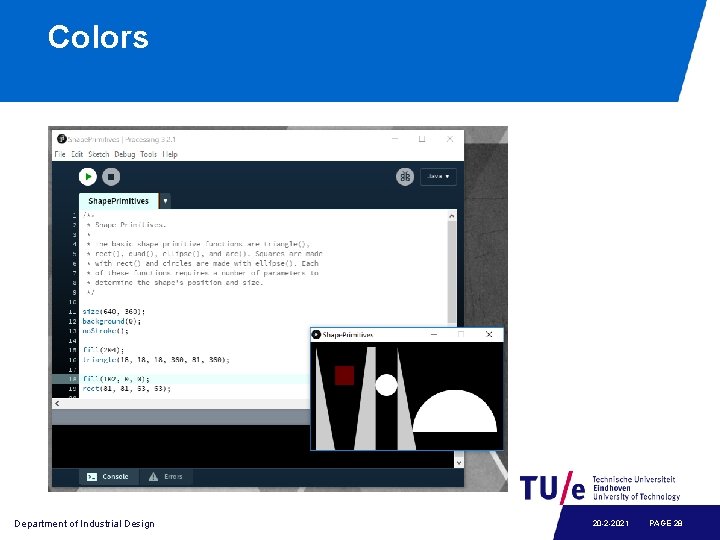
Colors Department of Industrial Design 20 -2 -2021 PAGE 28
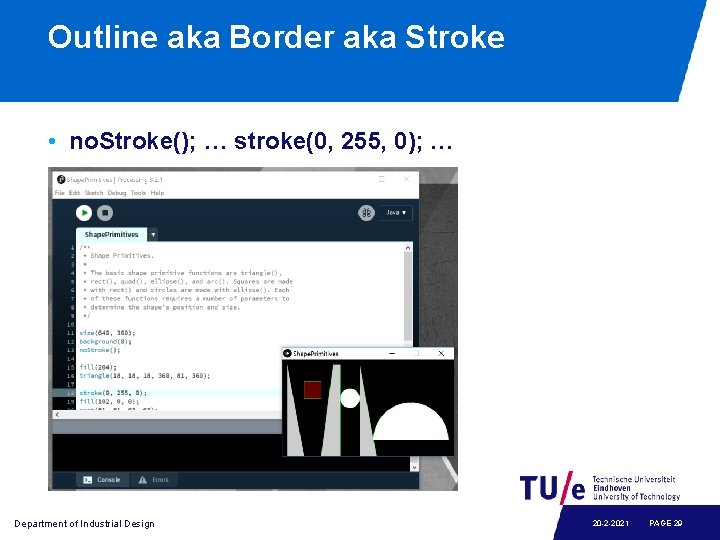
Outline aka Border aka Stroke • no. Stroke(); … stroke(0, 255, 0); … Department of Industrial Design 20 -2 -2021 PAGE 29
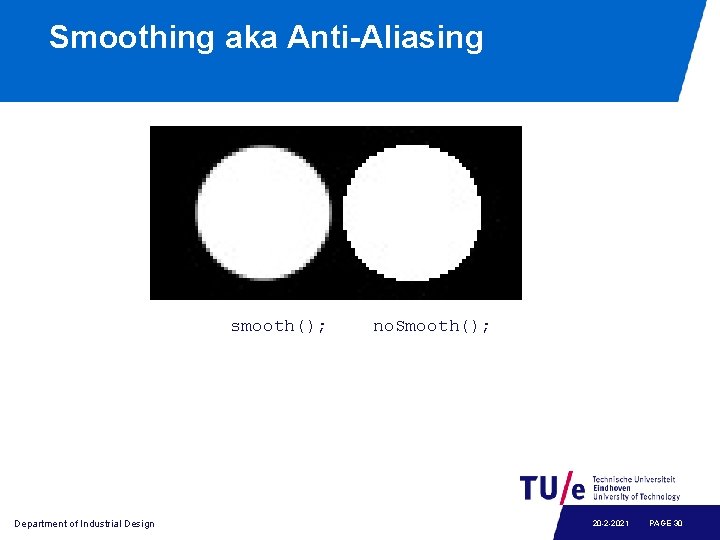
Smoothing aka Anti-Aliasing smooth(); Department of Industrial Design no. Smooth(); 20 -2 -2021 PAGE 30
Transforming shapes • Translate • Rotate • Scale Department of Industrial Design 20 -2 -2021 PAGE 31
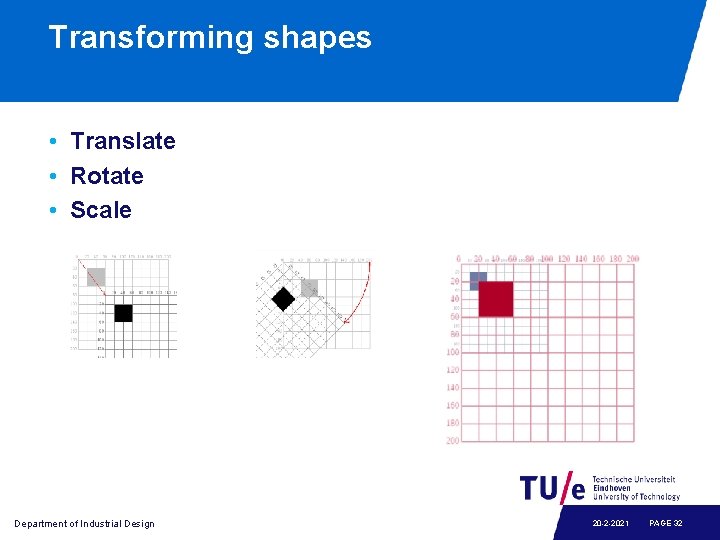
Transforming shapes • Translate • Rotate • Scale Department of Industrial Design 20 -2 -2021 PAGE 32
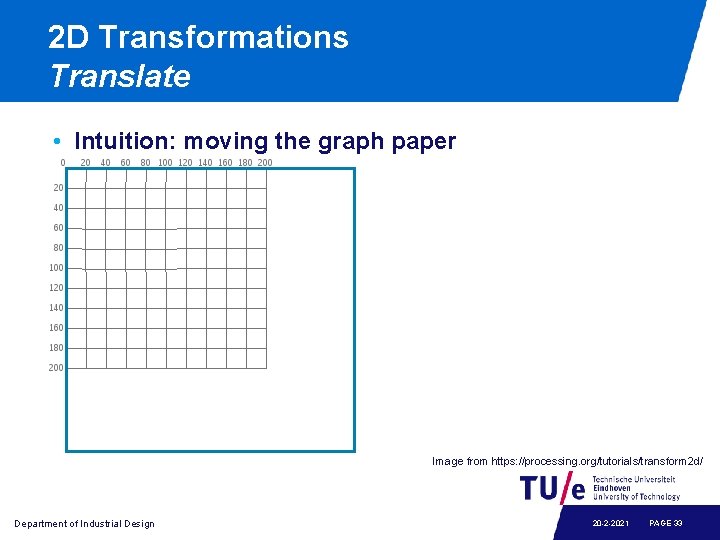
2 D Transformations Translate • Intuition: moving the graph paper Image from https: //processing. org/tutorials/transform 2 d/ Department of Industrial Design 20 -2 -2021 PAGE 33
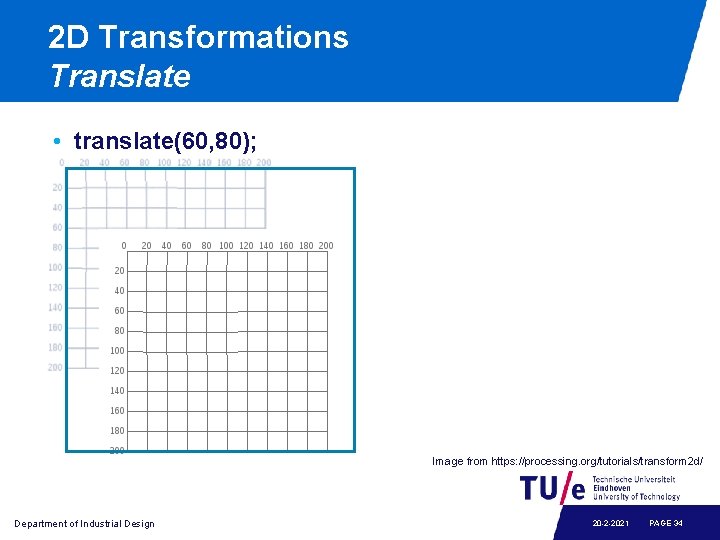
2 D Transformations Translate • translate(60, 80); Image from https: //processing. org/tutorials/transform 2 d/ Department of Industrial Design 20 -2 -2021 PAGE 34
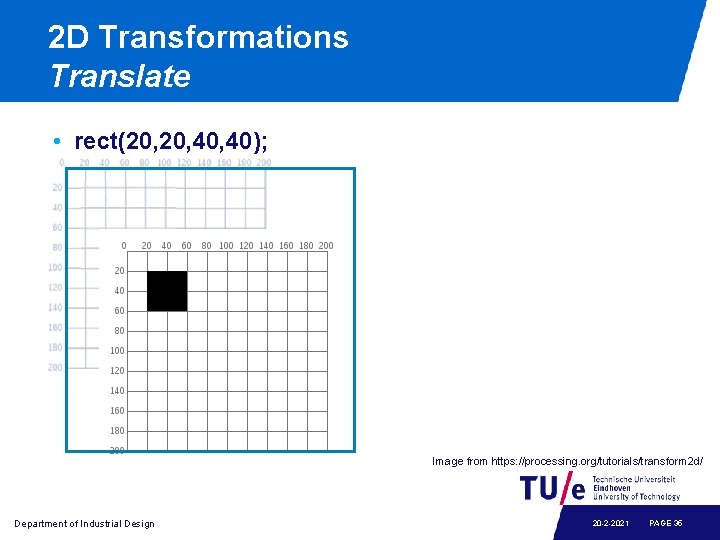
2 D Transformations Translate • rect(20, 40, 40); Image from https: //processing. org/tutorials/transform 2 d/ Department of Industrial Design 20 -2 -2021 PAGE 35
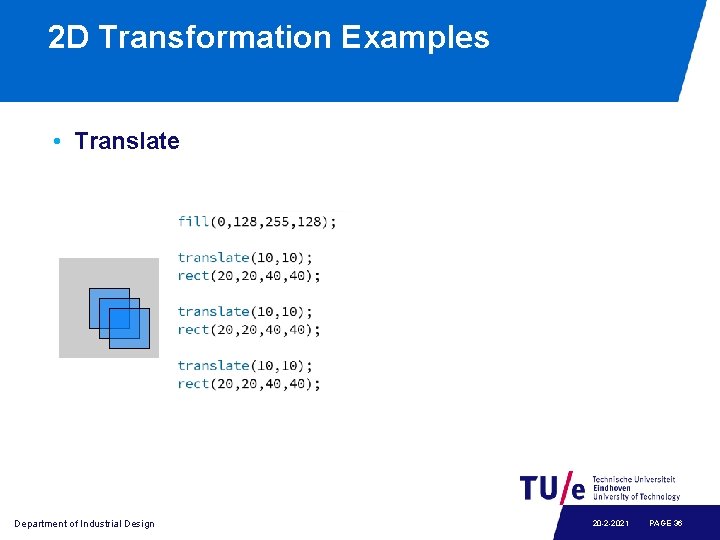
2 D Transformation Examples • Translate Department of Industrial Design 20 -2 -2021 PAGE 36
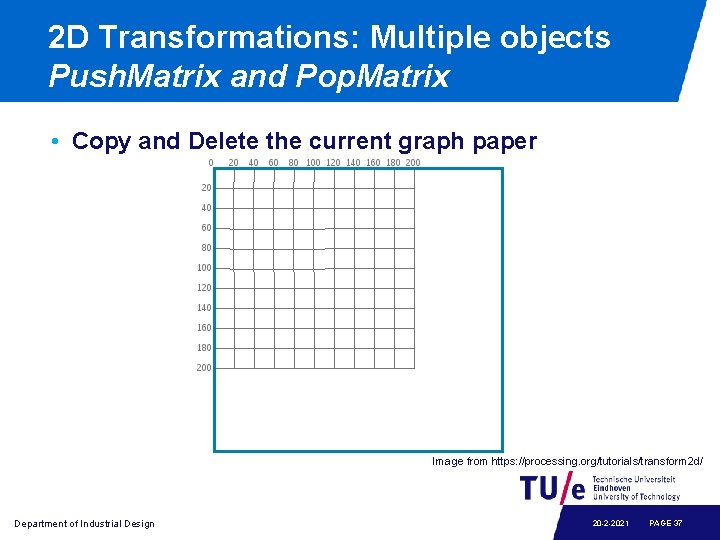
2 D Transformations: Multiple objects Push. Matrix and Pop. Matrix • Copy and Delete the current graph paper Image from https: //processing. org/tutorials/transform 2 d/ Department of Industrial Design 20 -2 -2021 PAGE 37
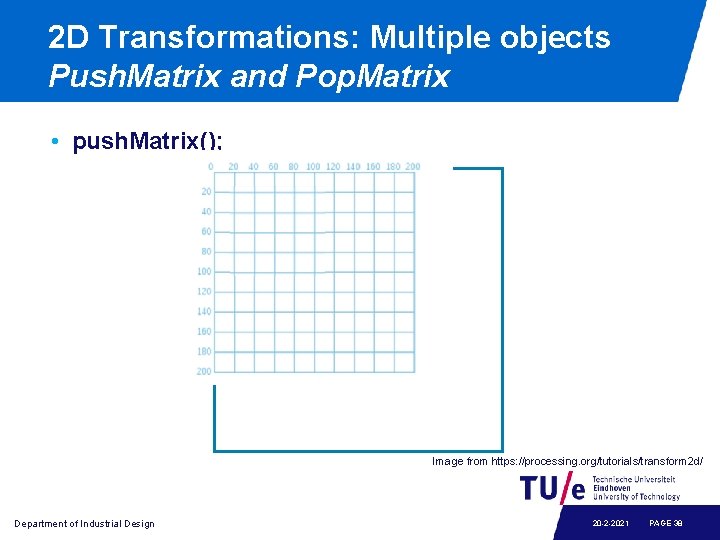
2 D Transformations: Multiple objects Push. Matrix and Pop. Matrix • push. Matrix(); Image from https: //processing. org/tutorials/transform 2 d/ Department of Industrial Design 20 -2 -2021 PAGE 38
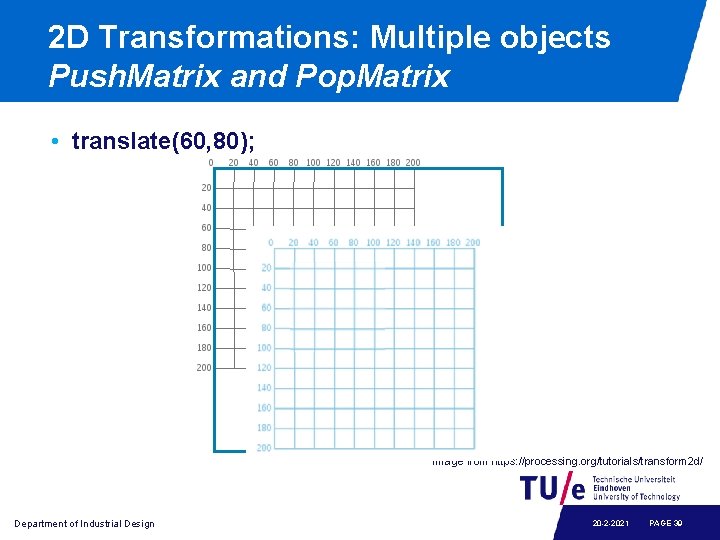
2 D Transformations: Multiple objects Push. Matrix and Pop. Matrix • translate(60, 80); Image from https: //processing. org/tutorials/transform 2 d/ Department of Industrial Design 20 -2 -2021 PAGE 39
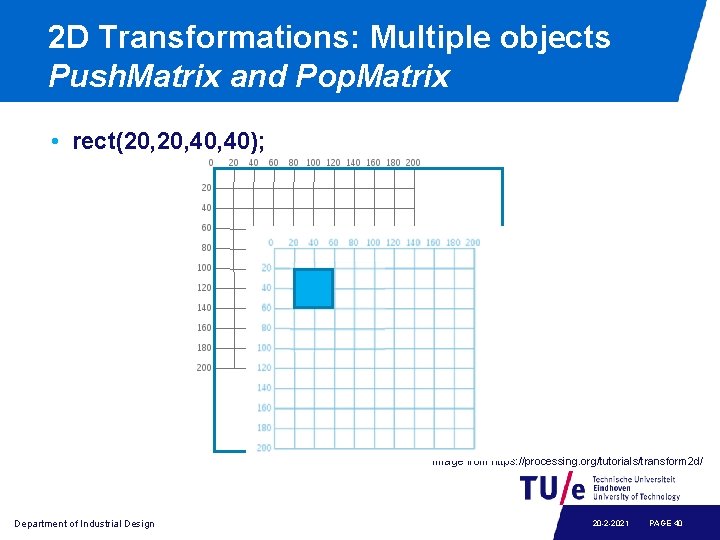
2 D Transformations: Multiple objects Push. Matrix and Pop. Matrix • rect(20, 40, 40); Image from https: //processing. org/tutorials/transform 2 d/ Department of Industrial Design 20 -2 -2021 PAGE 40
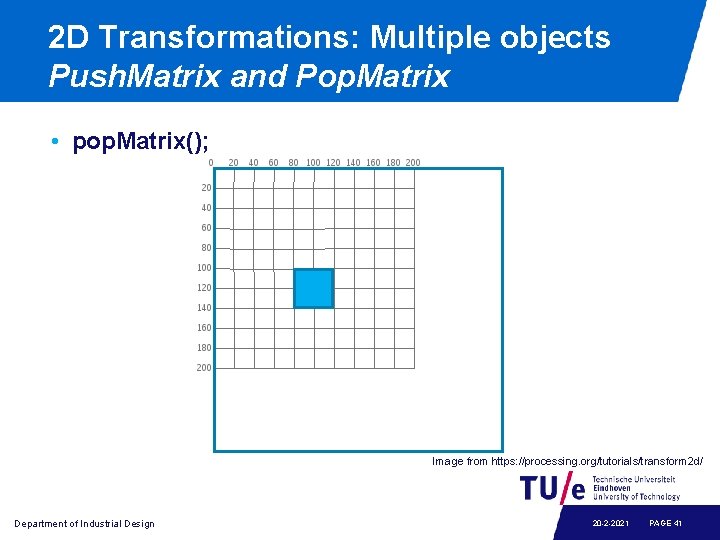
2 D Transformations: Multiple objects Push. Matrix and Pop. Matrix • pop. Matrix(); Image from https: //processing. org/tutorials/transform 2 d/ Department of Industrial Design 20 -2 -2021 PAGE 41
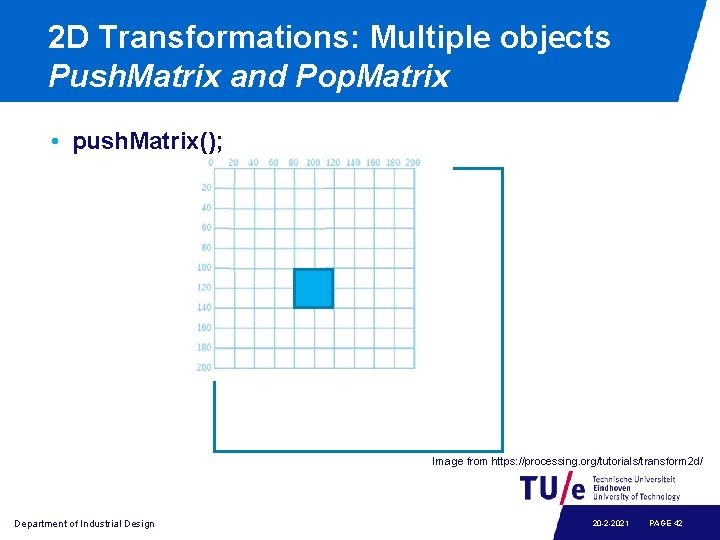
2 D Transformations: Multiple objects Push. Matrix and Pop. Matrix • push. Matrix(); Image from https: //processing. org/tutorials/transform 2 d/ Department of Industrial Design 20 -2 -2021 PAGE 42
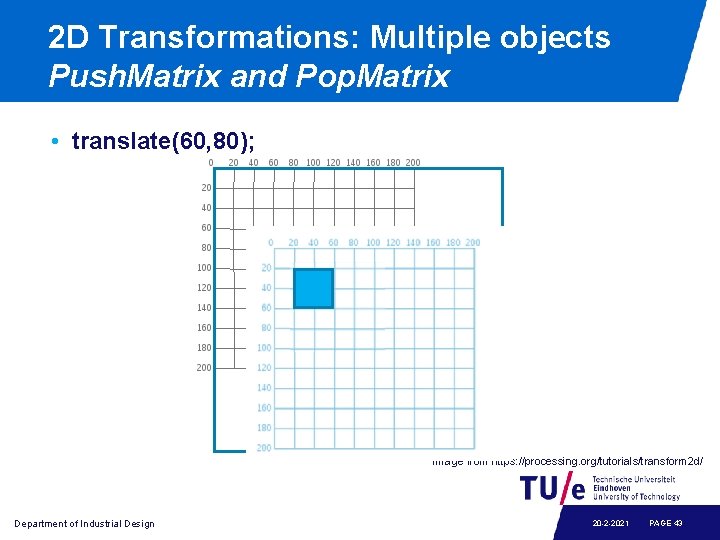
2 D Transformations: Multiple objects Push. Matrix and Pop. Matrix • translate(60, 80); Image from https: //processing. org/tutorials/transform 2 d/ Department of Industrial Design 20 -2 -2021 PAGE 43
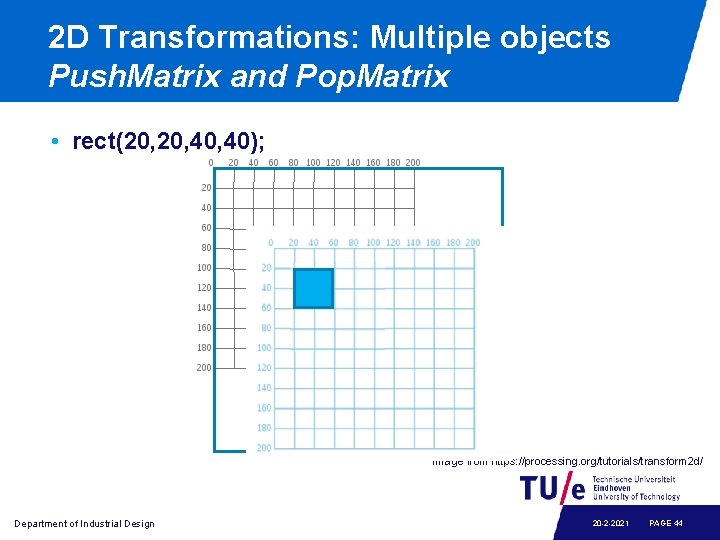
2 D Transformations: Multiple objects Push. Matrix and Pop. Matrix • rect(20, 40, 40); Image from https: //processing. org/tutorials/transform 2 d/ Department of Industrial Design 20 -2 -2021 PAGE 44
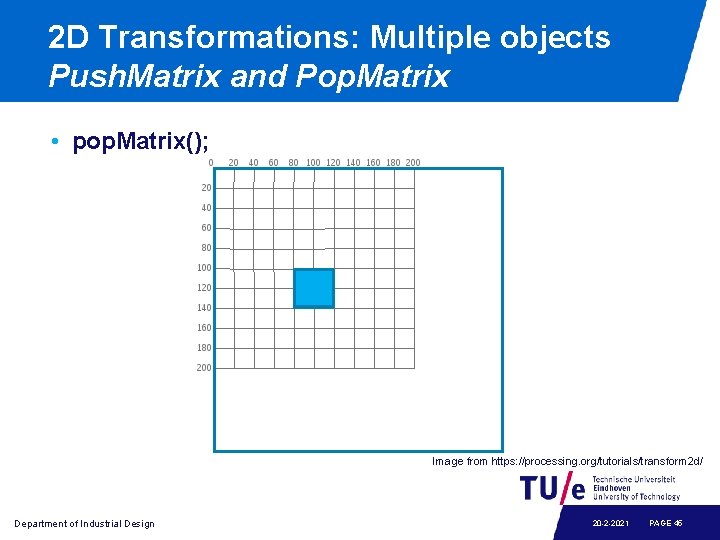
2 D Transformations: Multiple objects Push. Matrix and Pop. Matrix • pop. Matrix(); Image from https: //processing. org/tutorials/transform 2 d/ Department of Industrial Design 20 -2 -2021 PAGE 45
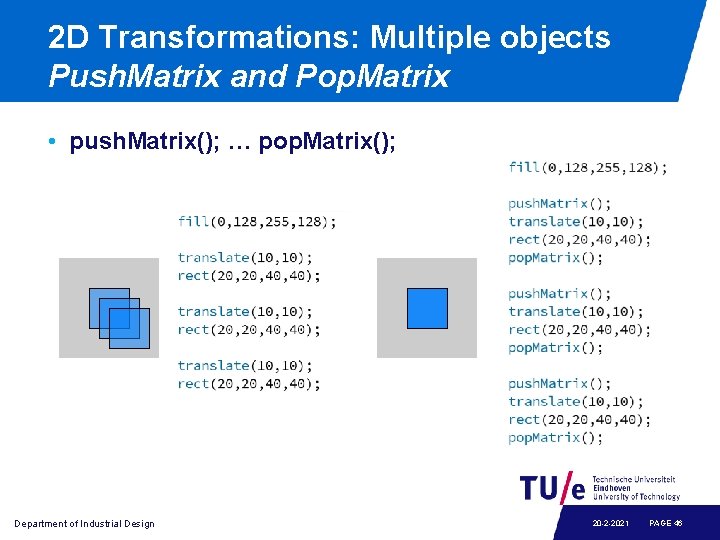
2 D Transformations: Multiple objects Push. Matrix and Pop. Matrix • push. Matrix(); … pop. Matrix(); Department of Industrial Design 20 -2 -2021 PAGE 46
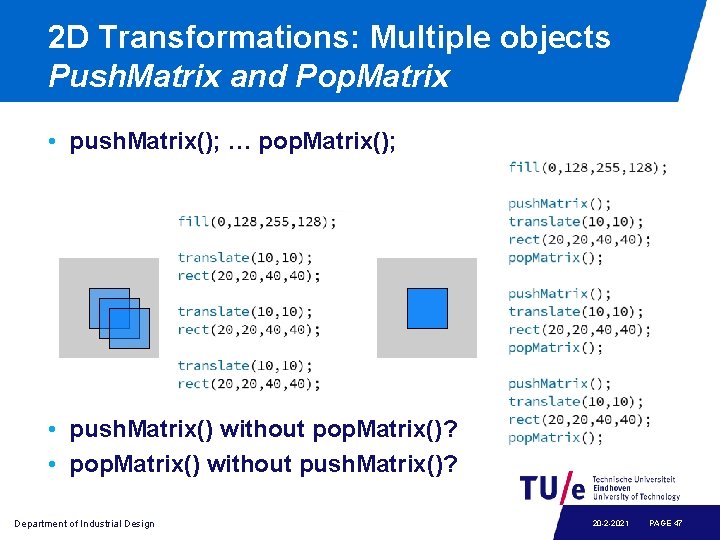
2 D Transformations: Multiple objects Push. Matrix and Pop. Matrix • push. Matrix(); … pop. Matrix(); • push. Matrix() without pop. Matrix()? • pop. Matrix() without push. Matrix()? Department of Industrial Design 20 -2 -2021 PAGE 47
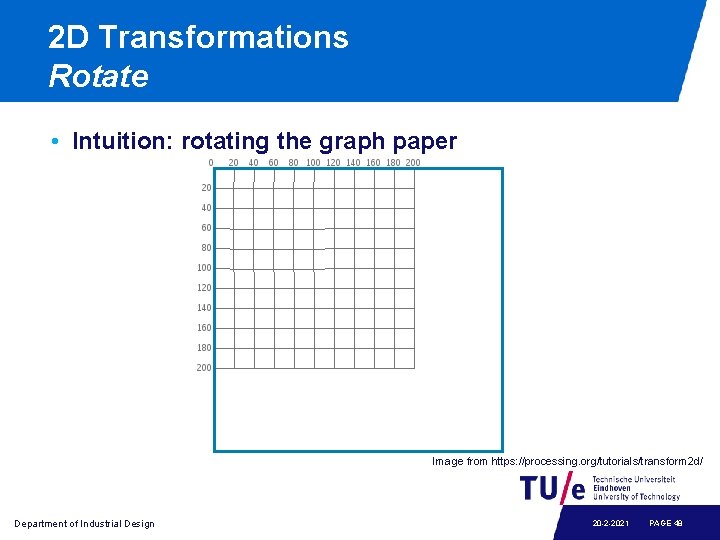
2 D Transformations Rotate • Intuition: rotating the graph paper Image from https: //processing. org/tutorials/transform 2 d/ Department of Industrial Design 20 -2 -2021 PAGE 48
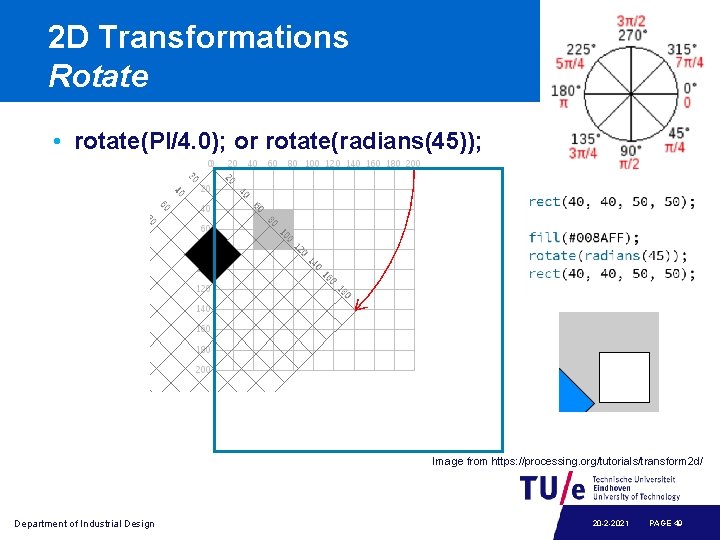
2 D Transformations Rotate • rotate(PI/4. 0); or rotate(radians(45)); Image from https: //processing. org/tutorials/transform 2 d/ Department of Industrial Design 20 -2 -2021 PAGE 49
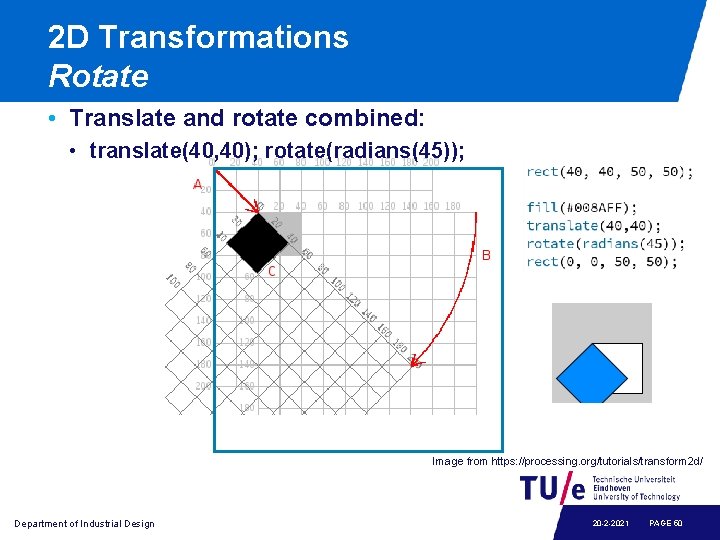
2 D Transformations Rotate • Translate and rotate combined: • translate(40, 40); rotate(radians(45)); Image from https: //processing. org/tutorials/transform 2 d/ Department of Industrial Design 20 -2 -2021 PAGE 50
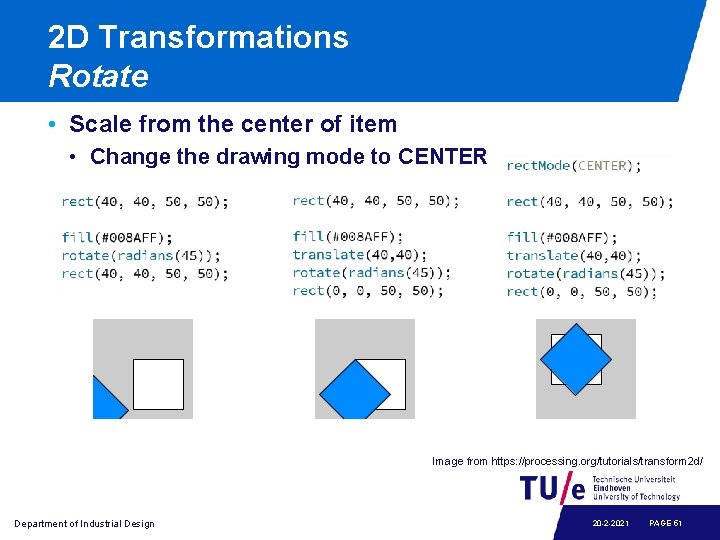
2 D Transformations Rotate • Scale from the center of item • Change the drawing mode to CENTER Image from https: //processing. org/tutorials/transform 2 d/ Department of Industrial Design 20 -2 -2021 PAGE 51
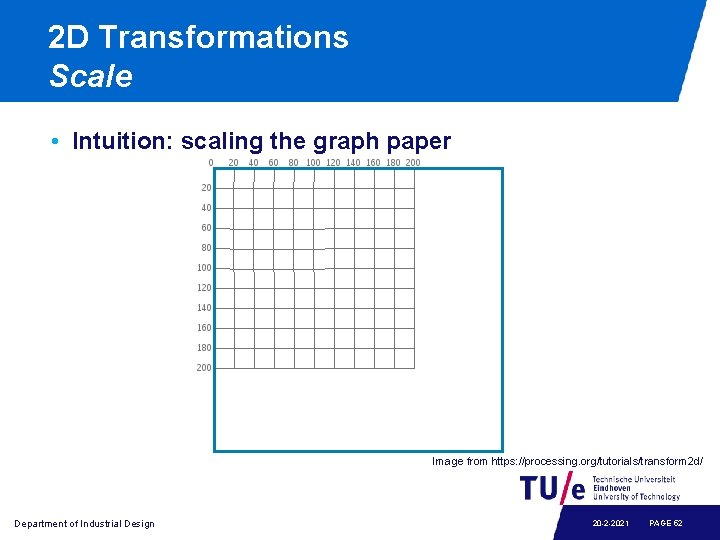
2 D Transformations Scale • Intuition: scaling the graph paper Image from https: //processing. org/tutorials/transform 2 d/ Department of Industrial Design 20 -2 -2021 PAGE 52
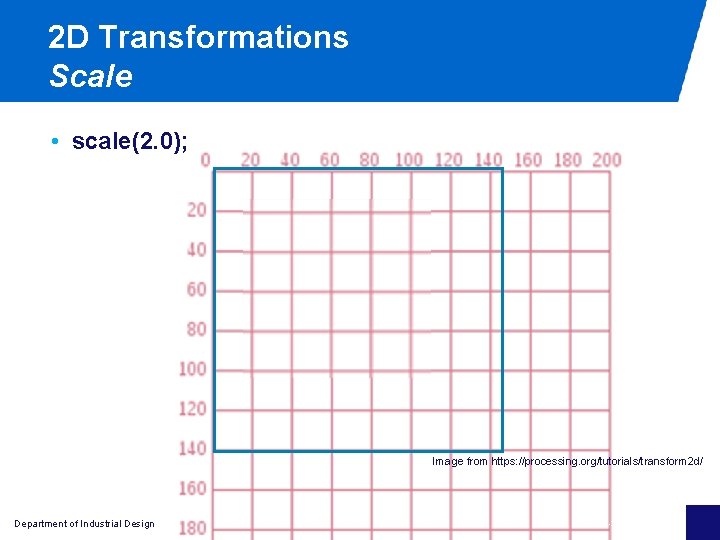
2 D Transformations Scale • scale(2. 0); Image from https: //processing. org/tutorials/transform 2 d/ Department of Industrial Design 20 -2 -2021 PAGE 53
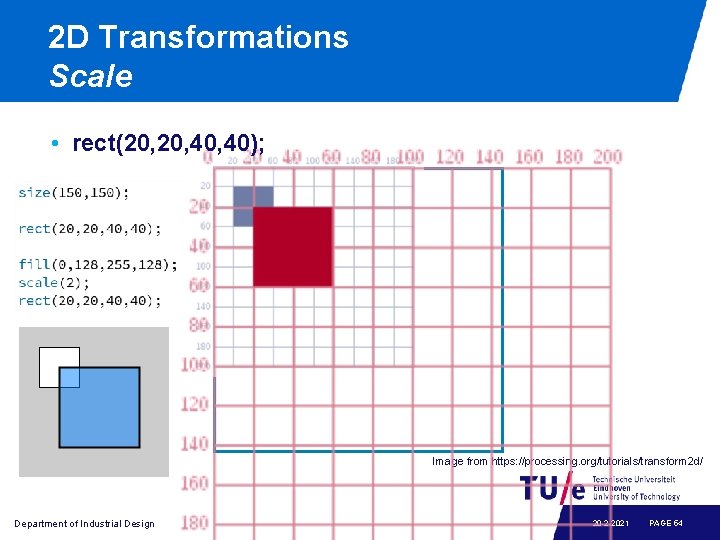
2 D Transformations Scale • rect(20, 40, 40); Image from https: //processing. org/tutorials/transform 2 d/ Department of Industrial Design 20 -2 -2021 PAGE 54
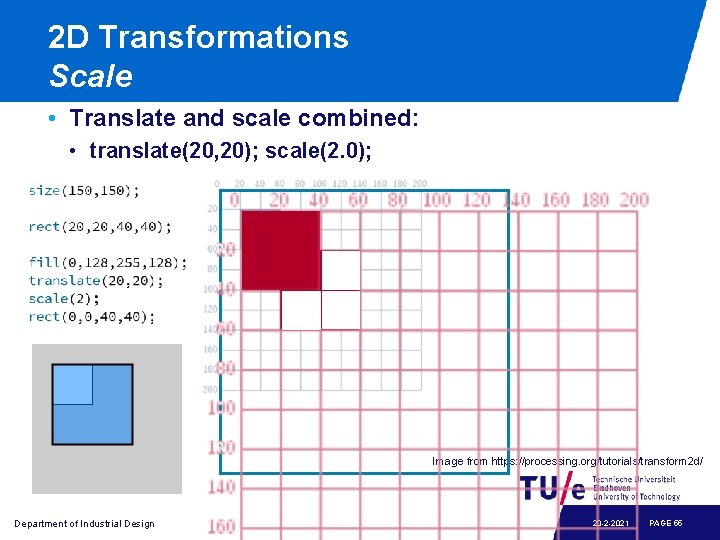
2 D Transformations Scale • Translate and scale combined: • translate(20, 20); scale(2. 0); Image from https: //processing. org/tutorials/transform 2 d/ Department of Industrial Design 20 -2 -2021 PAGE 55
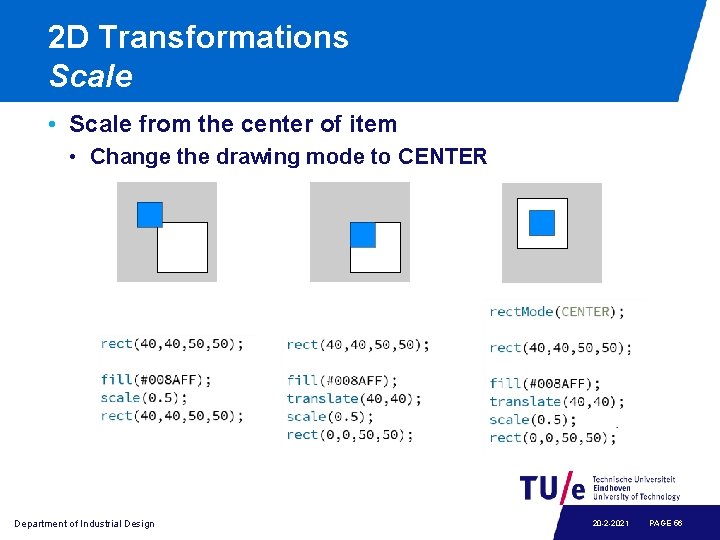
2 D Transformations Scale • Scale from the center of item • Change the drawing mode to CENTER Department of Industrial Design 20 -2 -2021 PAGE 56
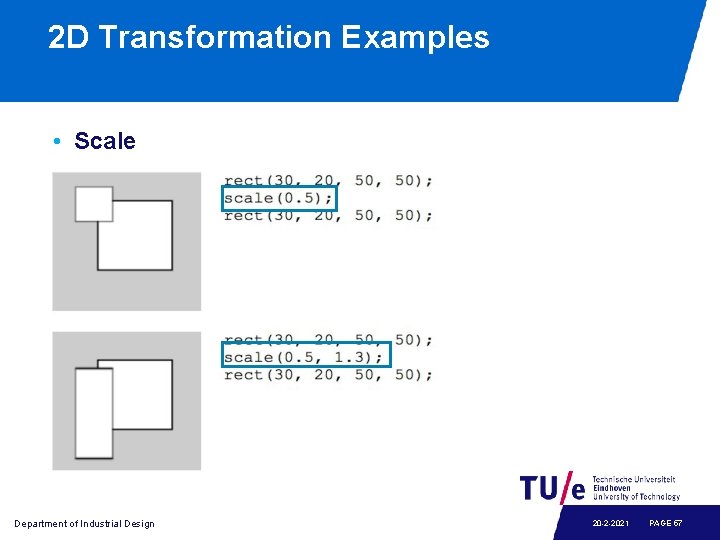
2 D Transformation Examples • Scale Department of Industrial Design 20 -2 -2021 PAGE 57
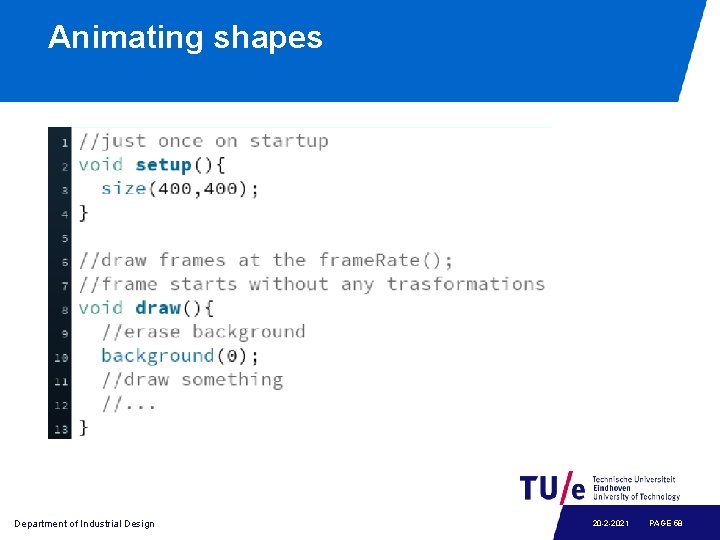
Animating shapes Department of Industrial Design 20 -2 -2021 PAGE 58
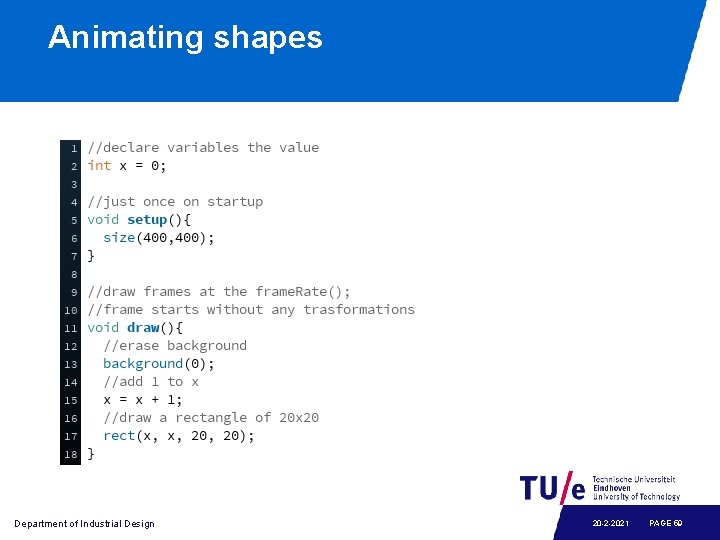
Animating shapes Department of Industrial Design 20 -2 -2021 PAGE 59
Variables • Variables are used for storing and retrieving values. Department of Industrial Design 20 -2 -2021 PAGE 60
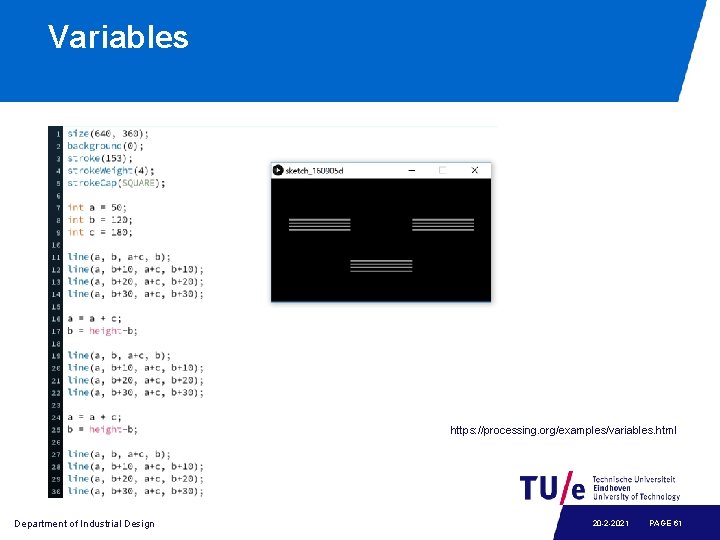
Variables https: //processing. org/examples/variables. html Department of Industrial Design 20 -2 -2021 PAGE 61
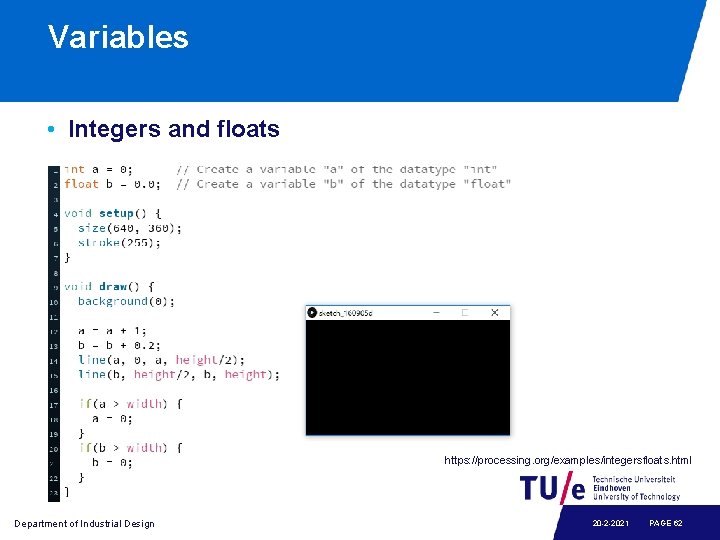
Variables • Integers and floats https: //processing. org/examples/integersfloats. html Department of Industrial Design 20 -2 -2021 PAGE 62
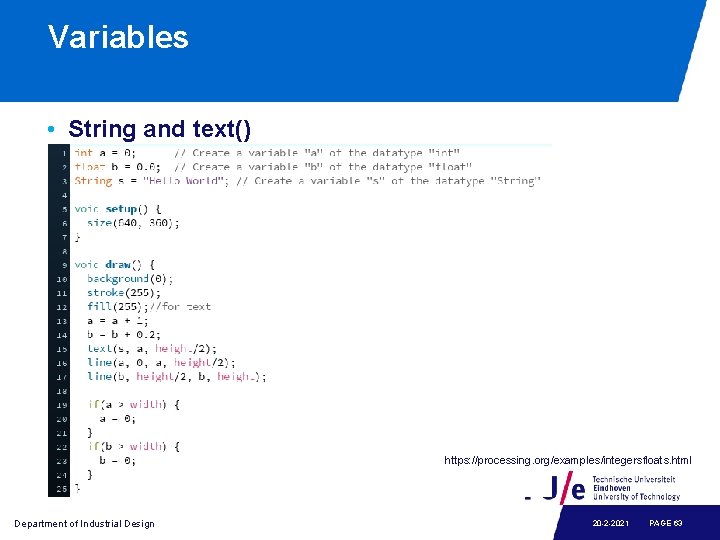
Variables • String and text() https: //processing. org/examples/integersfloats. html Department of Industrial Design 20 -2 -2021 PAGE 63
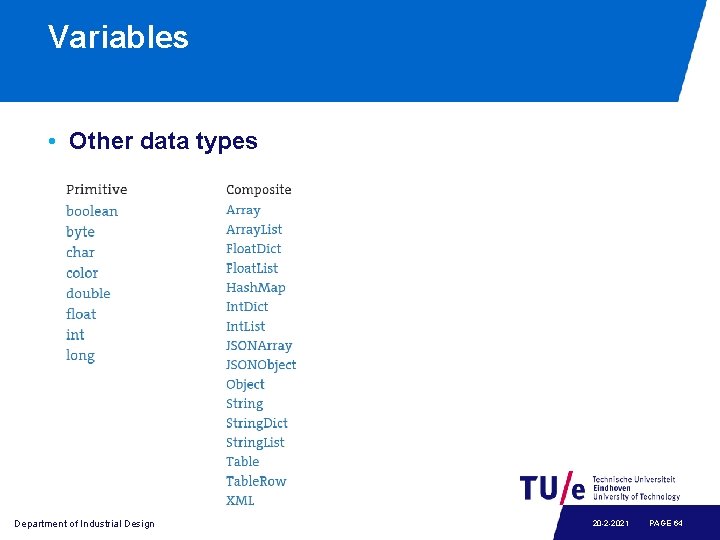
Variables • Other data types Department of Industrial Design 20 -2 -2021 PAGE 64
Looking back: the getting-started homework Statistics: • Make a program with variables containing the ages of you and some of your friends • Let the program calculate the average and the standard deviation and print it orderly using print and println Geometry: • Make a program with at least five int or float variables to be used as parameters • Let the program create an abstract geometric composition using these parameters • Play with the parameters to optimise aesthetic balance
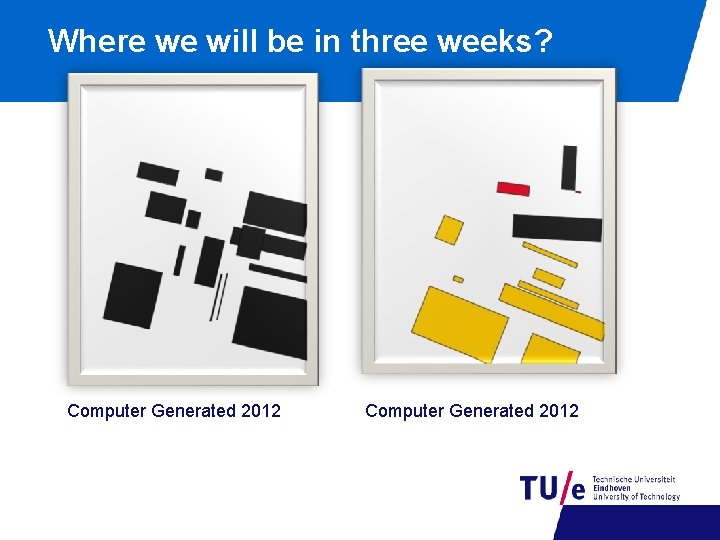
Where we will be in three weeks? Computer Generated 2012
Homework • Read “Getting Started with Processing” chapter 1 -4; try out the examples as much as possible. • Exercises: • Try to find out how to draw a piece of text in Processing reference; • Draw your name, rotate it around the center of the stage, while rotating, change its color. Department of Industrial Design 20 -2 -2021 PAGE 67
- Slides: 68