
CREATING ELEVATIONS FROM A FLOOR PLAN STEPS 1
- Slides: 33
CREATING ELEVATIONS FROM A FLOOR PLAN
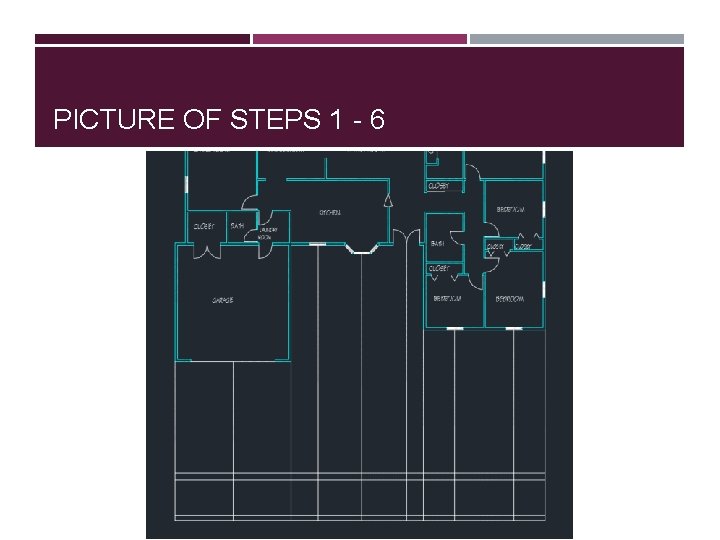
STEPS 1 – 6 LAYOUT 1) Draw a line down from the left side of the garage 30’ and then over 70’ (length of house) 2) Offset up 1’ for finish floor line (top of floor) 3) Offset floor line up 6’ 8” for top of window and doors 4) Offset floor line up 8’ for top of ceiling 5) Draw lines to indicate exterior corners (shows edges of exterior walls) 6) Find midpoint of doors/windows draw a line down to finish floor line
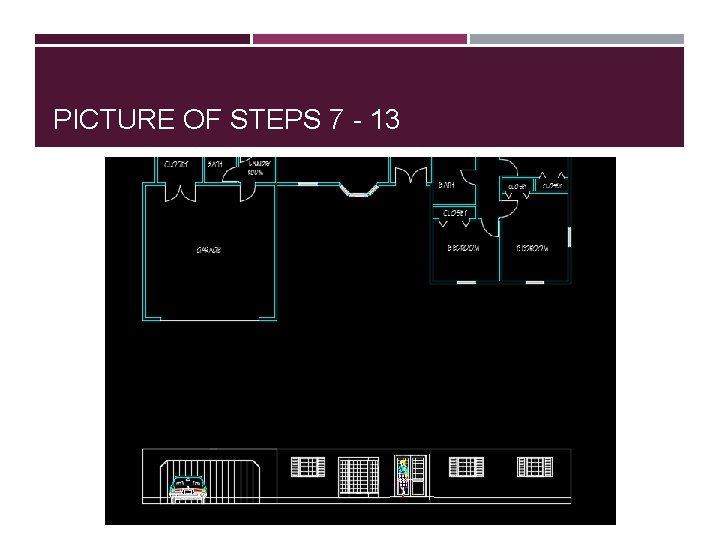
PICTURE OF STEPS 1 - 6
STEPS 7 – 13 INSERTING WINDOWS AND DOORS 7) Add WDWEVI and place with top on 6’ 8” line 8) Add BAYWDWEV and place with top on 6’ 8” line 9) Add ENTDREV and place with top on 6’ 8” line 10) Add HUMAN 1 in front of ENTDREV on the finish floor line 11) Add DR 16 EV and place on the ground line 12) Add AUTO 1 to the left side of the garage door on the ground line 13) Erase and trim to clean up drawing (erase vertical lines and 6’ 8” line)
PICTURE OF STEPS 7 - 13
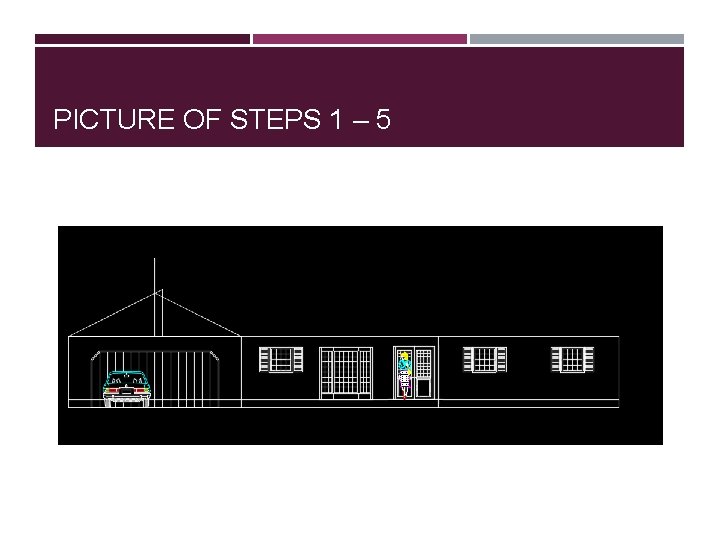
STEPS 1 – 4 ROOF 1) Find midpoint of garage ceiling line and draw a vertical line up 10’ 2) From left garage wall and ceiling line draw a line to the right 12’ and up 6’ for a 6/12 slope 3) Draw an angled line from that line back to interior of left garage wall and ceiling line 4) At the intersection of last line (angled line) and line from midpoint draw a line to interior of right side of garage wall and ceiling line
PICTURE OF STEPS 1 – 5
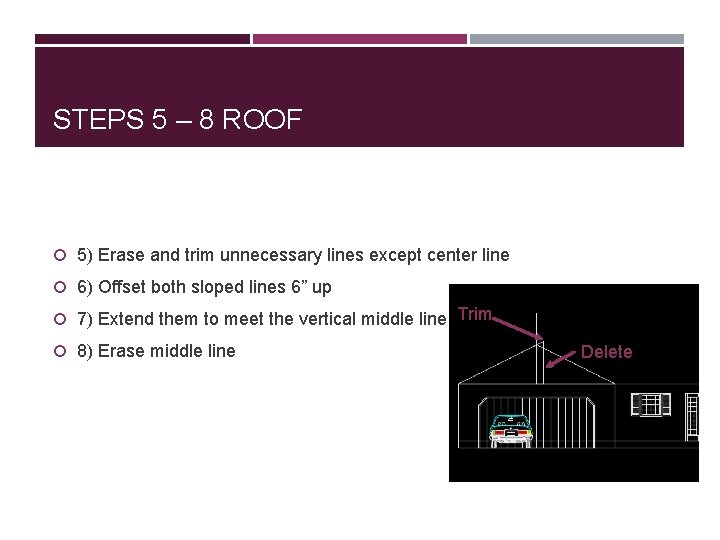
STEPS 5 – 8 ROOF 5) Erase and trim unnecessary lines except center line 6) Offset both sloped lines 6” up 7) Extend them to meet the vertical middle line Trim 8) Erase middle line Delete
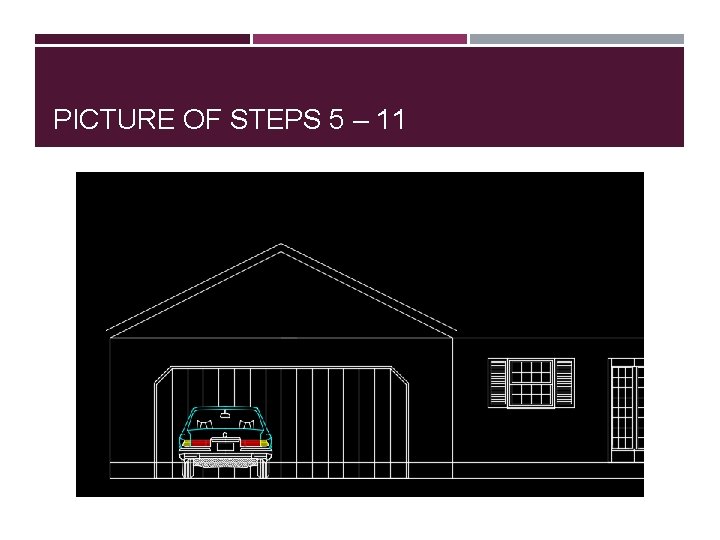
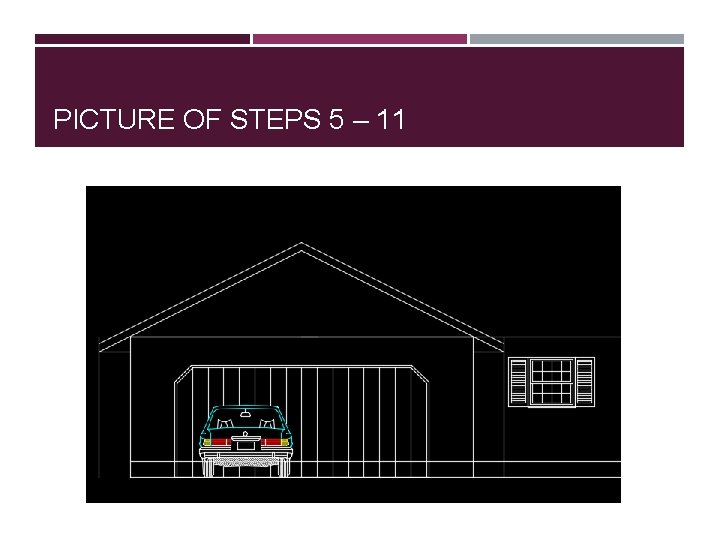
PICTURE OF STEPS 5 – 11
STEPS 9 – 11 ROOF 9) Offset left and right garage walls out 2’ 10) Extend all 4 sloped lines to 2’ line 11) Draw a line where bottom slope line meets 2’ line back to garage wall
PICTURE OF STEPS 5 – 11
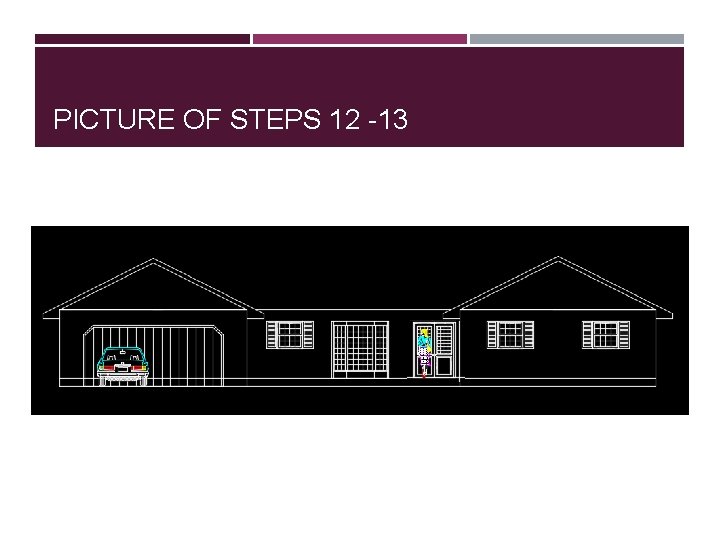
STEPS 12 -13 ROOF 12) Trim lines 13) Repeat process on bedroom side
PICTURE OF STEPS 12 -13
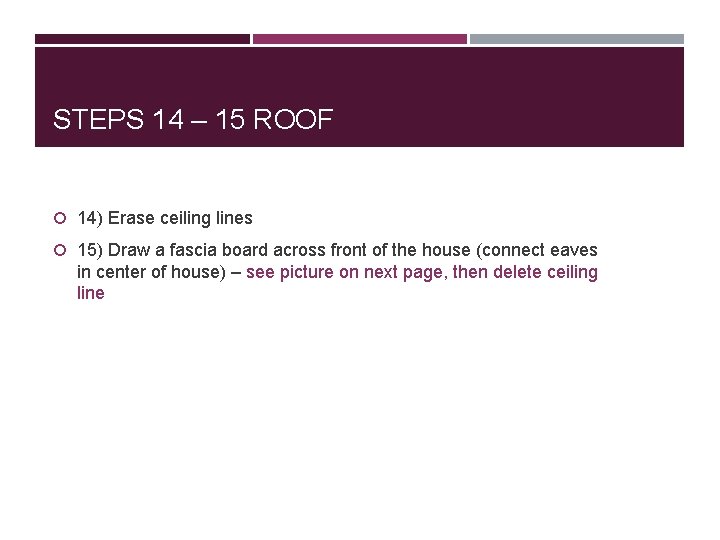
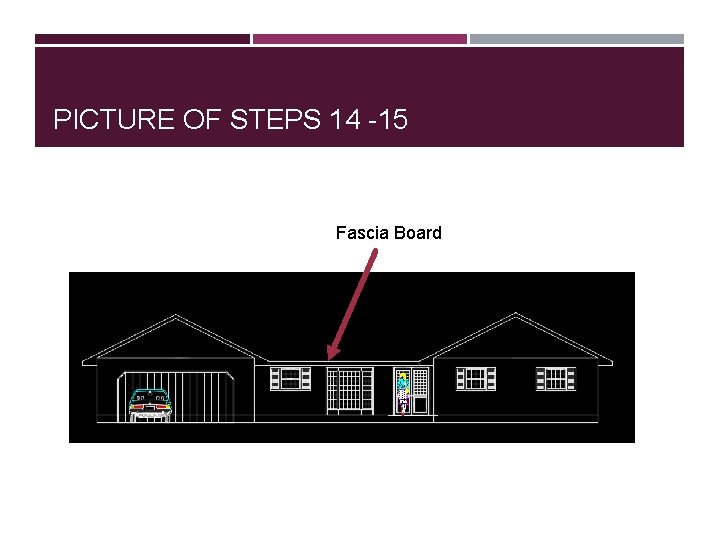
STEPS 14 – 15 ROOF 14) Erase ceiling lines 15) Draw a fascia board across front of the house (connect eaves in center of house) – see picture on next page, then delete ceiling line
PICTURE OF STEPS 14 -15 Fascia Board
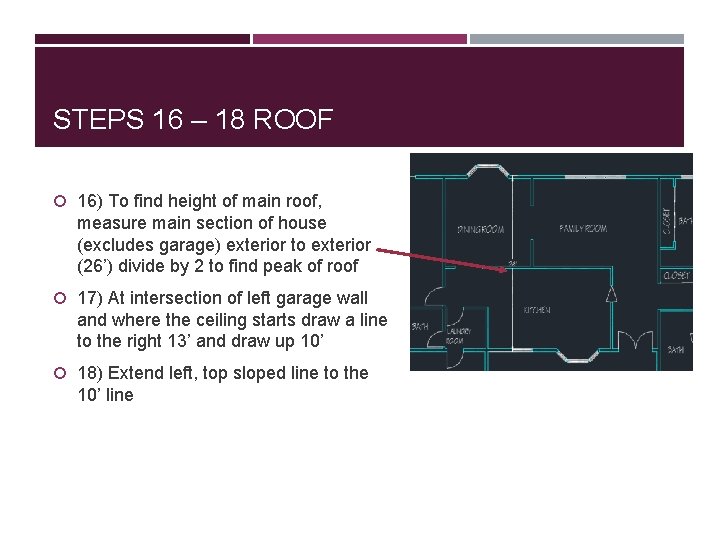
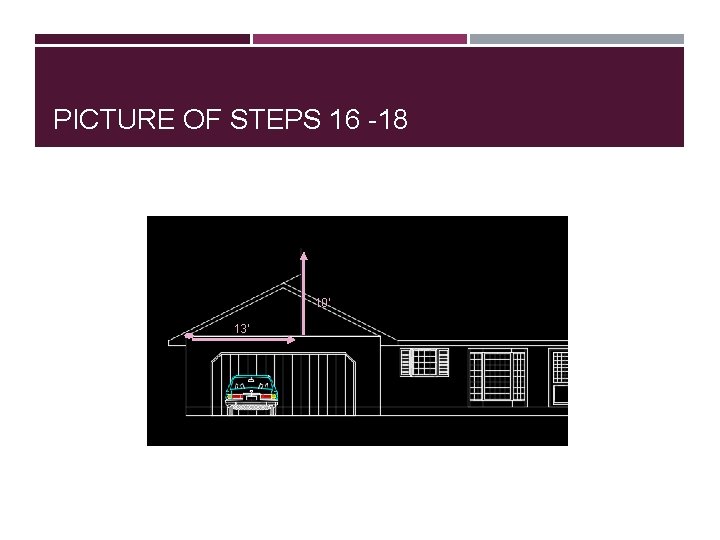
STEPS 16 – 18 ROOF 16) To find height of main roof, measure main section of house (excludes garage) exterior to exterior (26’) divide by 2 to find peak of roof 17) At intersection of left garage wall and where the ceiling starts draw a line to the right 13’ and draw up 10’ 18) Extend left, top sloped line to the 10’ line
PICTURE OF STEPS 16 -18 10’ 13’
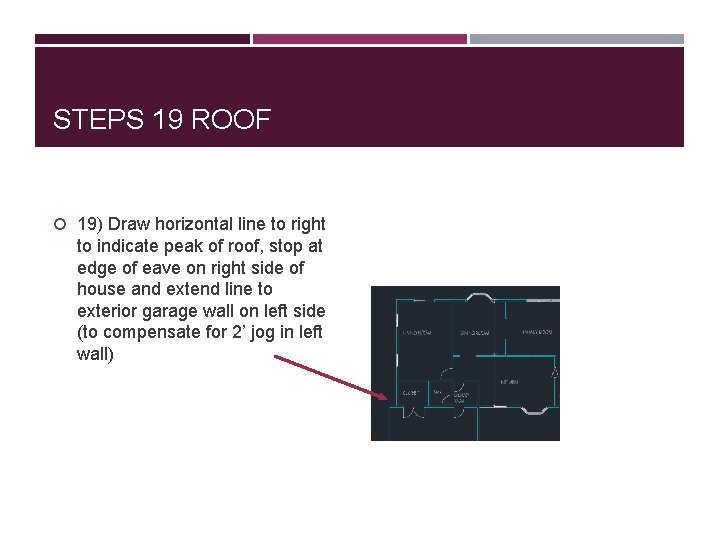
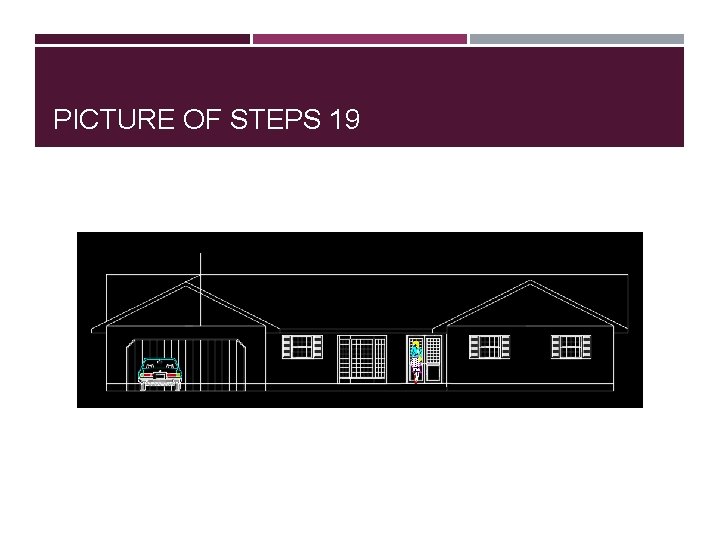
STEPS 19 ROOF 19) Draw horizontal line to right to indicate peak of roof, stop at edge of eave on right side of house and extend line to exterior garage wall on left side (to compensate for 2’ jog in left wall)
PICTURE OF STEPS 19
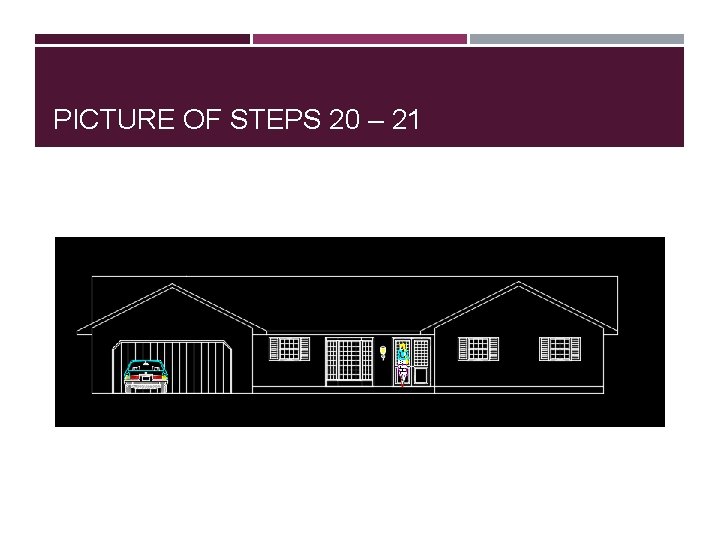
STEPS 20 – 21 ROOF 20) Trim unnecessary lines 21) Trim finish floor line from garage
PICTURE OF STEPS 20 – 21
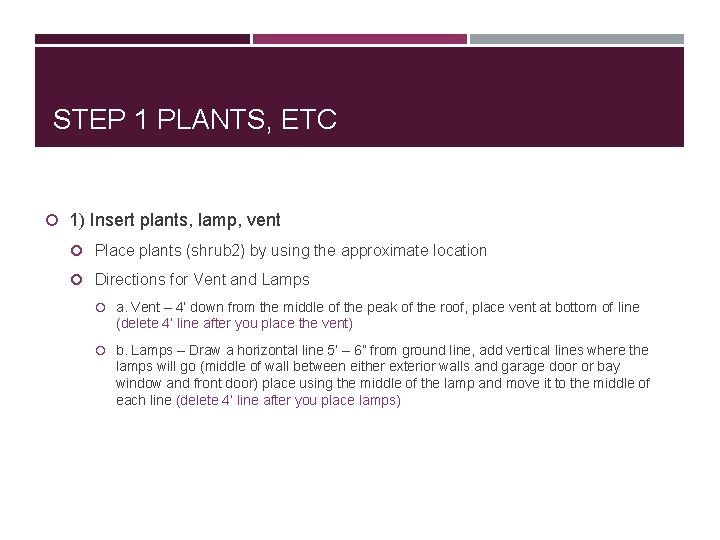
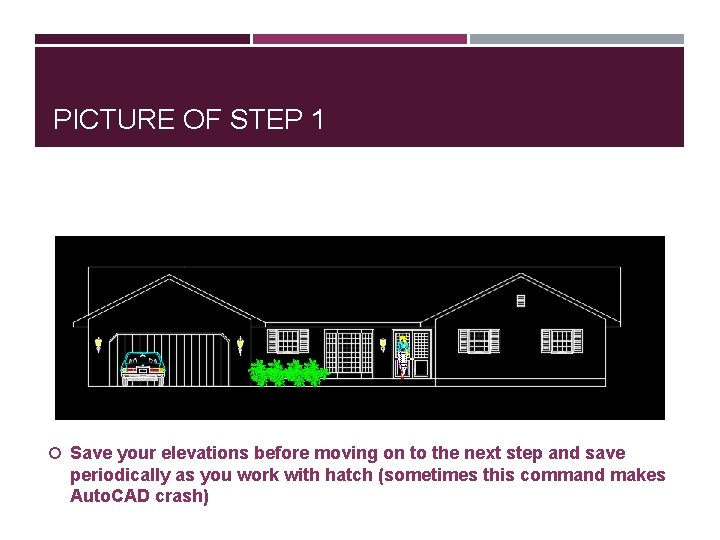
STEP 1 PLANTS, ETC 1) Insert plants, lamp, vent Place plants (shrub 2) by using the approximate location Directions for Vent and Lamps a. Vent – 4’ down from the middle of the peak of the roof, place vent at bottom of line (delete 4’ line after you place the vent) b. Lamps – Draw a horizontal line 5’ – 6” from ground line, add vertical lines where the lamps will go (middle of wall between either exterior walls and garage door or bay window and front door) place using the middle of the lamp and move it to the middle of each line (delete 4’ line after you place lamps)
PICTURE OF STEP 1 Save your elevations before moving on to the next step and save periodically as you work with hatch (sometimes this command makes Auto. CAD crash)
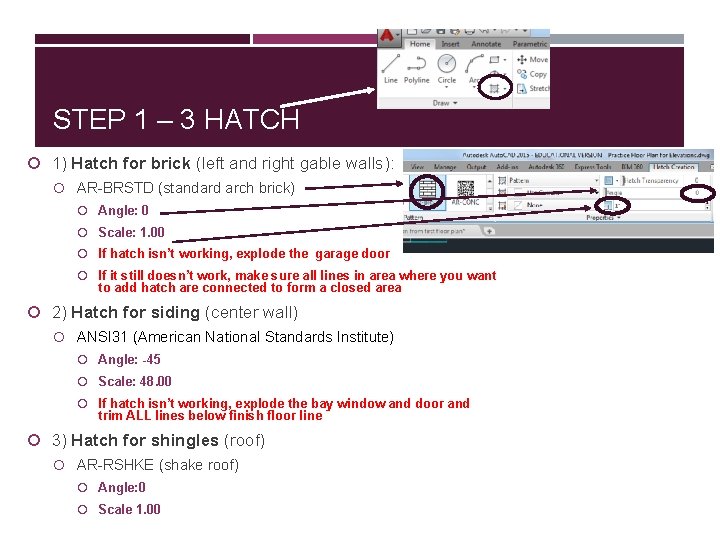
STEP 1 – 3 HATCH 1) Hatch for brick (left and right gable walls): AR-BRSTD (standard arch brick) Angle: 0 Scale: 1. 00 If hatch isn’t working, explode the garage door If it still doesn’t work, make sure all lines in area where you want to add hatch are connected to form a closed area 2) Hatch for siding (center wall) ANSI 31 (American National Standards Institute) Angle: -45 Scale: 48. 00 If hatch isn’t working, explode the bay window and door and trim ALL lines below finish floor line 3) Hatch for shingles (roof) AR-RSHKE (shake roof) Angle: 0 Scale 1. 00
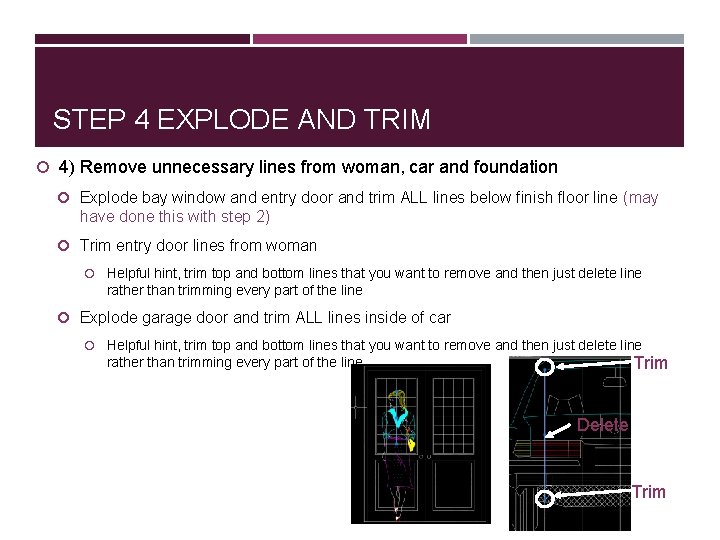
STEP 4 EXPLODE AND TRIM 4) Remove unnecessary lines from woman, car and foundation Explode bay window and entry door and trim ALL lines below finish floor line (may have done this with step 2) Trim entry door lines from woman Helpful hint, trim top and bottom lines that you want to remove and then just delete line rather than trimming every part of the line Explode garage door and trim ALL lines inside of car Helpful hint, trim top and bottom lines that you want to remove and then just delete line rather than trimming every part of the line Trim Delete Trim
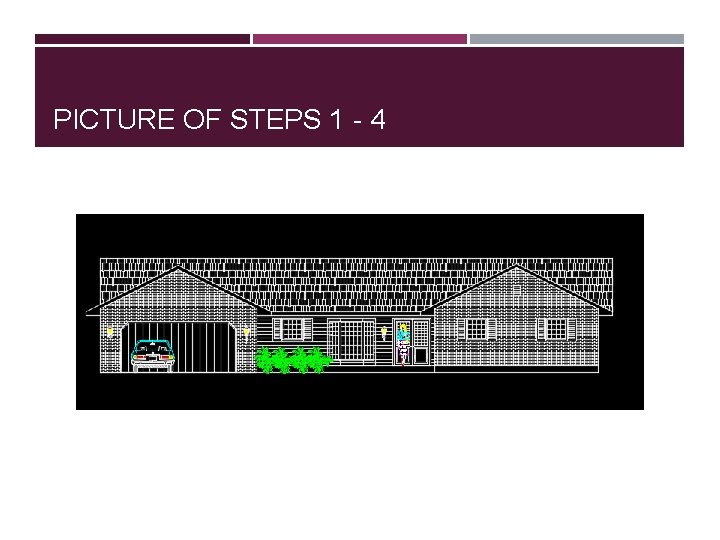
PICTURE OF STEPS 1 - 4
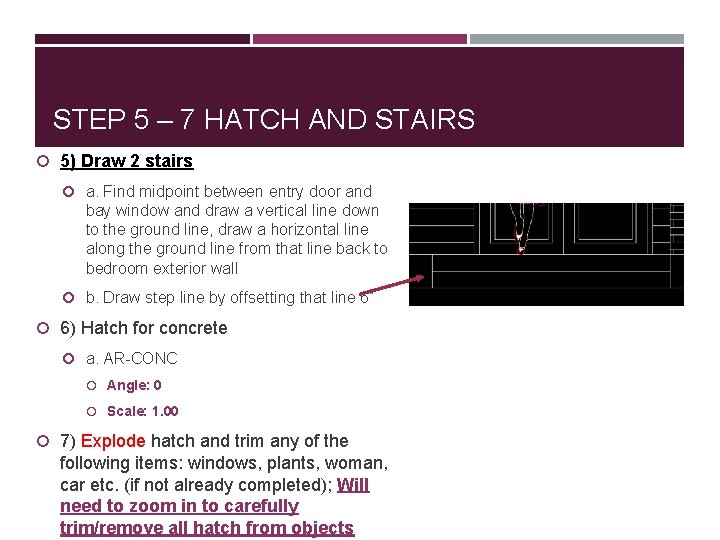
STEP 5 – 7 HATCH AND STAIRS 5) Draw 2 stairs a. Find midpoint between entry door and bay window and draw a vertical line down to the ground line, draw a horizontal line along the ground line from that line back to bedroom exterior wall b. Draw step line by offsetting that line 6” 6) Hatch for concrete a. AR-CONC Angle: 0 Scale: 1. 00 7) Explode hatch and trim any of the following items: windows, plants, woman, car etc. (if not already completed); Will need to zoom in to carefully trim/remove all hatch from objects
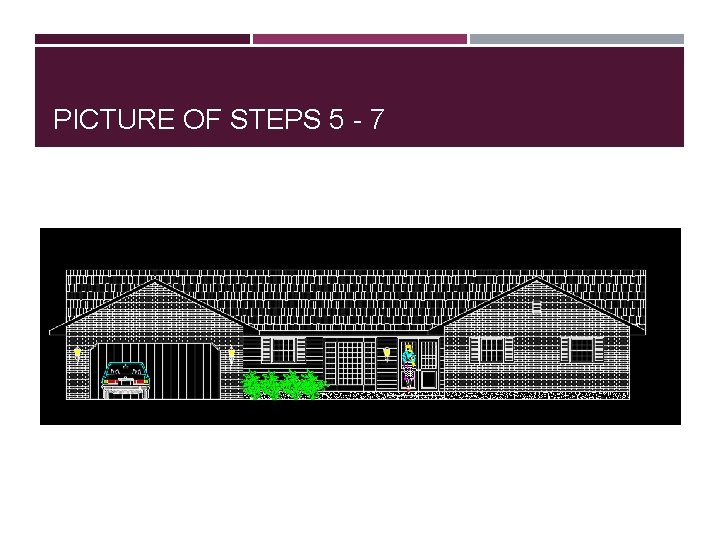
PICTURE OF STEPS 5 - 7
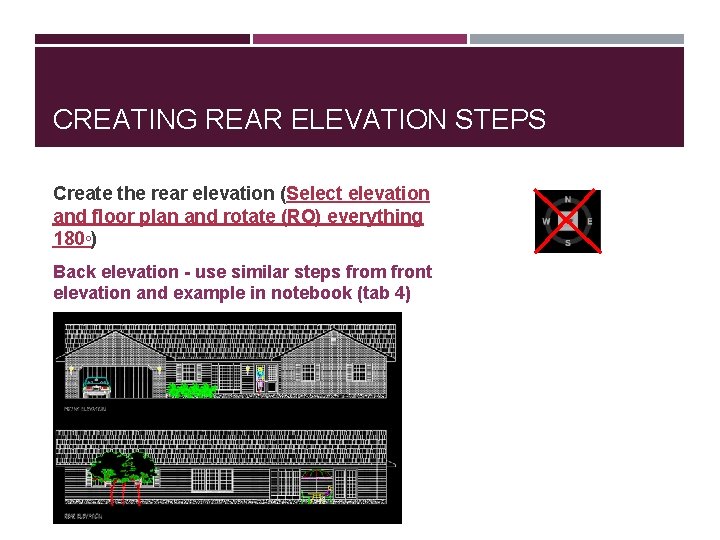
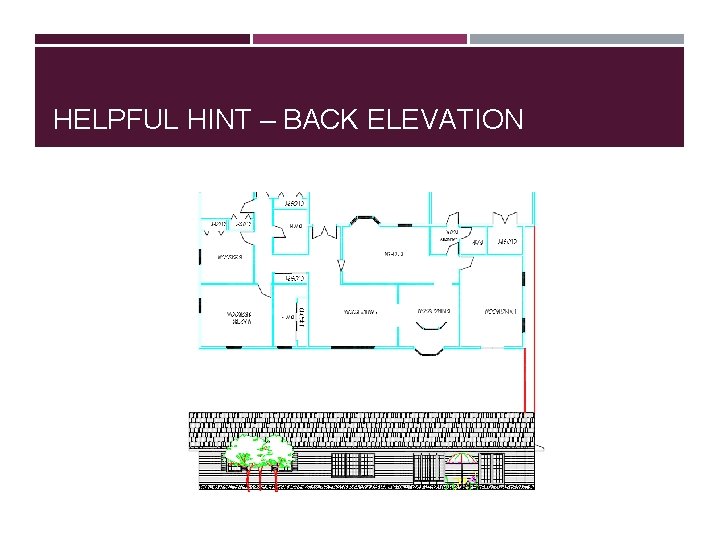
CREATING REAR ELEVATION STEPS Create the rear elevation (Select elevation and floor plan and rotate (RO) everything 180◦) Back elevation - use similar steps from front elevation and example in notebook (tab 4)
HELPFUL HINT – BACK ELEVATION
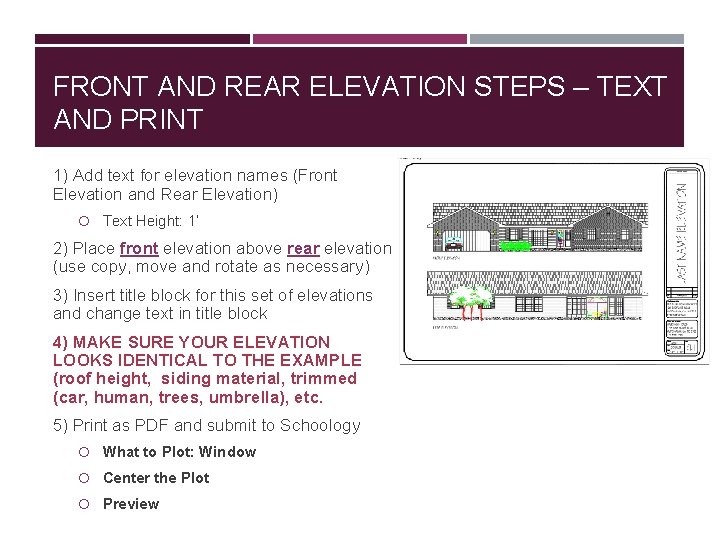
FRONT AND REAR ELEVATION STEPS – TEXT AND PRINT 1) Add text for elevation names (Front Elevation and Rear Elevation) Text Height: 1’ 2) Place front elevation above rear elevation (use copy, move and rotate as necessary) 3) Insert title block for this set of elevations and change text in title block 4) MAKE SURE YOUR ELEVATION LOOKS IDENTICAL TO THE EXAMPLE (roof height, siding material, trimmed (car, human, trees, umbrella), etc. 5) Print as PDF and submit to Schoology What to Plot: Window Center the Plot Preview
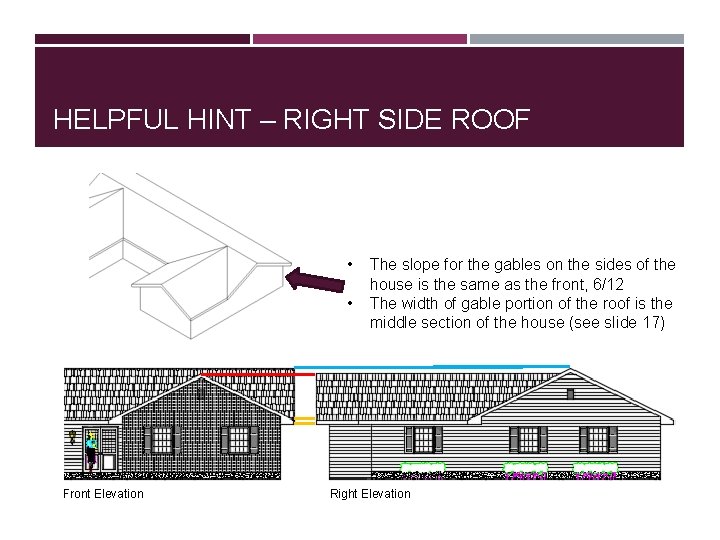
HELPFUL HINT – RIGHT SIDE ROOF • • Front Elevation The slope for the gables on the sides of the house is the same as the front, 6/12 The width of gable portion of the roof is the middle section of the house (see slide 17) Right Elevation
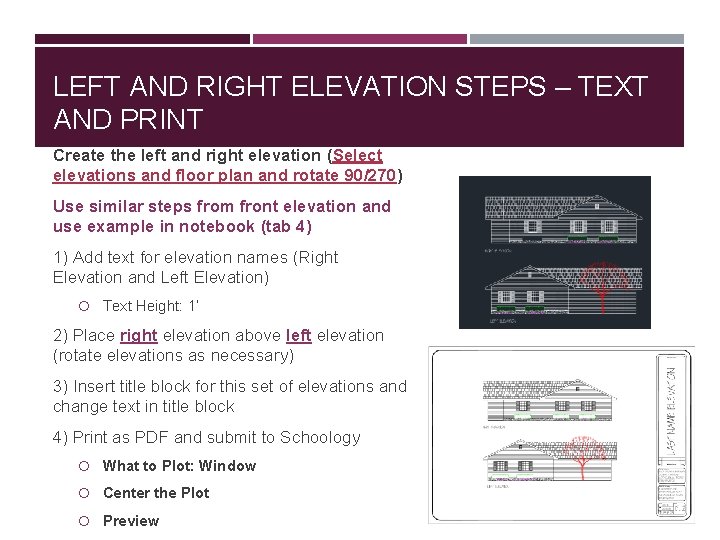
LEFT AND RIGHT ELEVATION STEPS – TEXT AND PRINT Create the left and right elevation (Select elevations and floor plan and rotate 90/270) Use similar steps from front elevation and use example in notebook (tab 4) 1) Add text for elevation names (Right Elevation and Left Elevation) Text Height: 1’ 2) Place right elevation above left elevation (rotate elevations as necessary) 3) Insert title block for this set of elevations and change text in title block 4) Print as PDF and submit to Schoology What to Plot: Window Center the Plot Preview