
Creating Custom Reports in Primavera Unifier Using BI
Creating Custom Reports in Primavera Unifier Using BI Publisher Prepared by: Mohamad Ettefagh, Laina Tech, Inc. @mettefagh Session ID: 112130

Agenda 1. 2. 3. 4. 5. 6. 7. Overview of Reporting in Unifier Data Views Custom Reports BI Publisher Desktop for Office Setup Reports Permissions Advanced Topics April 2 -6, 2017 in Las Vegas, NV USA #C 17 LV

Reporting in Unifier ØUDR (User Defined Reports) • Presentation Layer: PDF, Excel, XML • Data Layer: BP Data, Data Views ØCustom Prints • Presentation Layer: PDF, Word • Data Layer: XML, Form Fields ØCustom Reports • Presentation Layer: PDF, Excel, Word • Data Layer: Data Views / Data Model ØPrimavera Analytics (Version 15. 1 +) April 2 -6, 2017 in Las Vegas, NV USA #C 17 LV
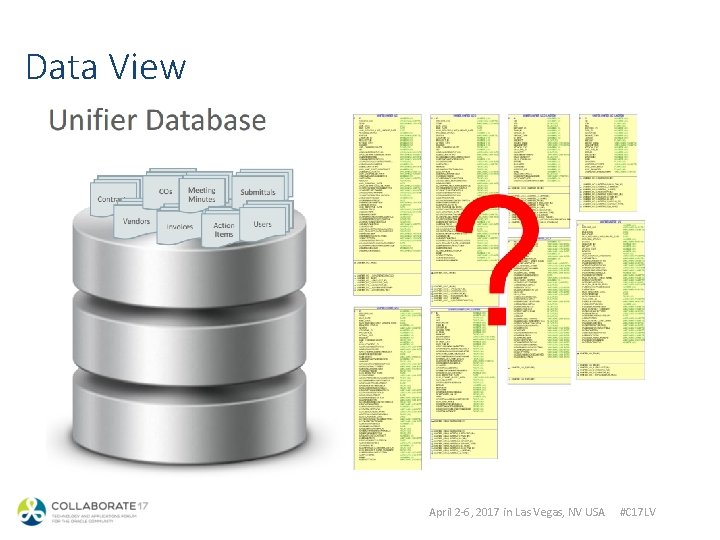
Data View April 2 -6, 2017 in Las Vegas, NV USA #C 17 LV

Data View / ER Views • View of Data Elements and Definitions April 2 -6, 2017 in Las Vegas, NV USA #C 17 LV

Custom Reports / BI Publisher ØBasic Flow Between BI Publisher and Primavera Unifier April 2 -6, 2017 in Las Vegas, NV USA #C 17 LV
Custom Reports 1. Click the Company Workspace tab. 2. In the left pane: a) Switch to Administration Mode. b) Expand Configuration. c) Select Custom Prints and Reports. 3. In the right pane: a) Select the New (drop-down arrow). b) Choose Report with Internal Data Model or Report with External Data Model April 2 -6, 2017 in Las Vegas, NV USA #C 17 LV
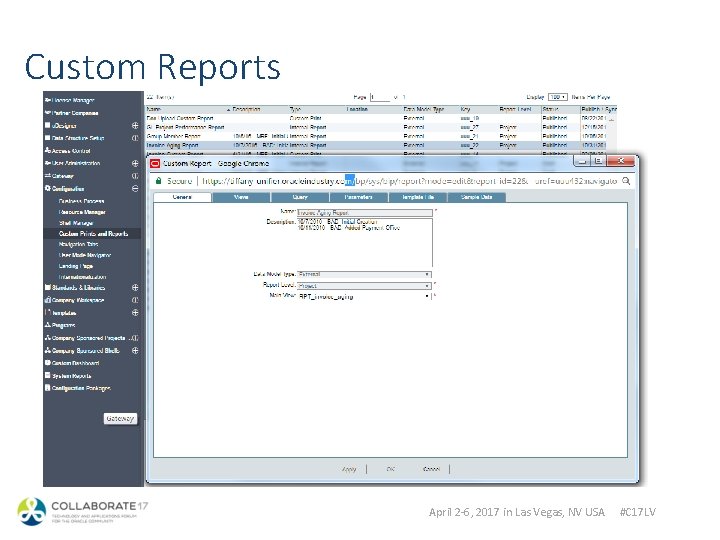
Custom Reports April 2 -6, 2017 in Las Vegas, NV USA #C 17 LV
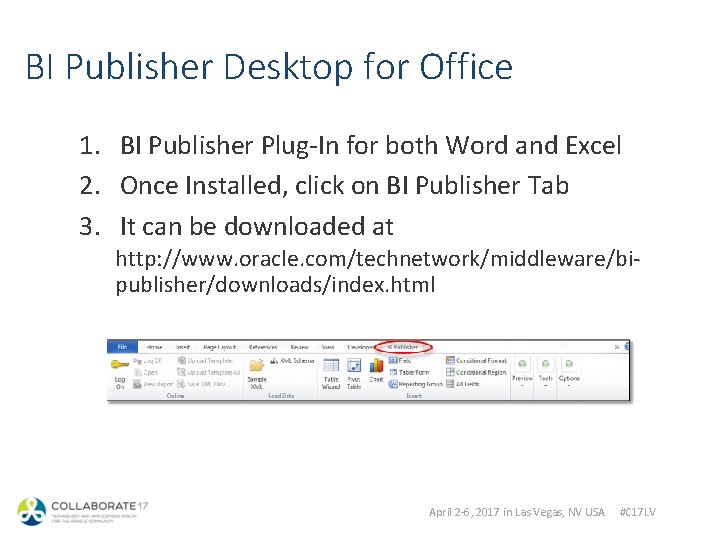
BI Publisher Desktop for Office 1. BI Publisher Plug-In for both Word and Excel 2. Once Installed, click on BI Publisher Tab 3. It can be downloaded at http: //www. oracle. com/technetwork/middleware/bipublisher/downloads/index. html April 2 -6, 2017 in Las Vegas, NV USA #C 17 LV
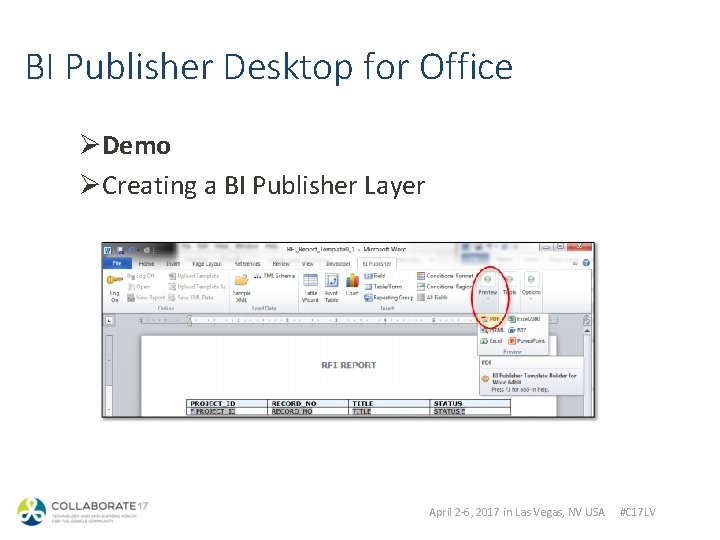
BI Publisher Desktop for Office ØDemo ØCreating a BI Publisher Layer April 2 -6, 2017 in Las Vegas, NV USA #C 17 LV

Setup Reports ØImport Report Layer ØImport Report Data Model ØPublish The Report April 2 -6, 2017 in Las Vegas, NV USA #C 17 LV
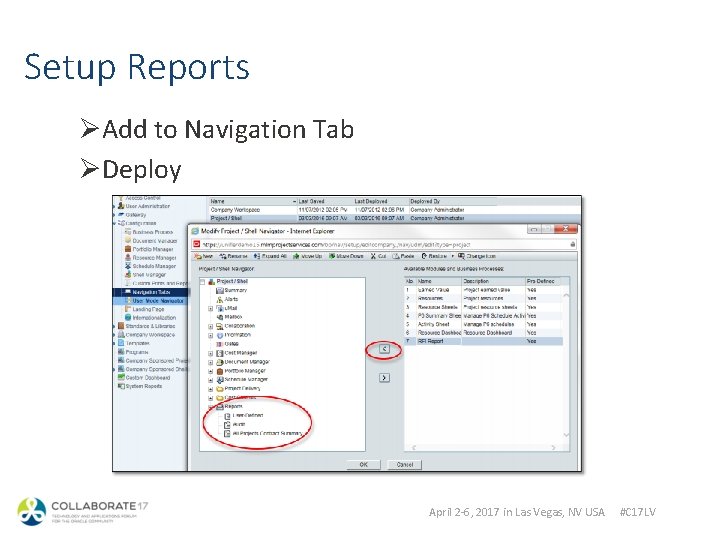
Setup Reports ØAdd to Navigation Tab ØDeploy April 2 -6, 2017 in Las Vegas, NV USA #C 17 LV
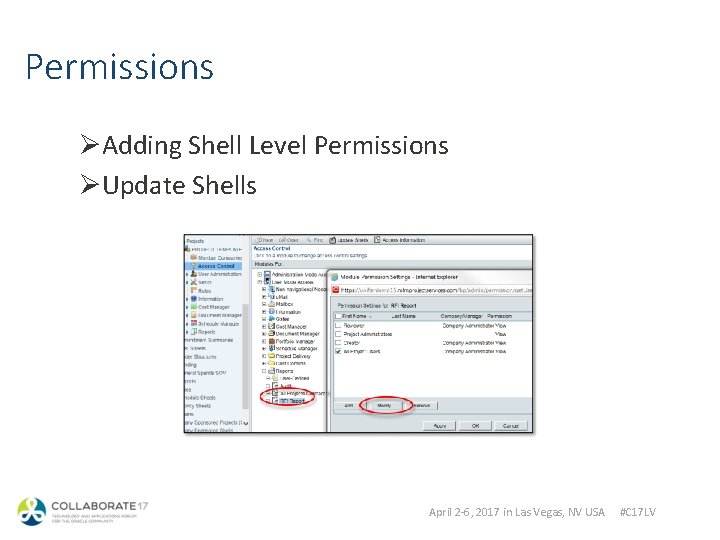
Permissions ØAdding Shell Level Permissions ØUpdate Shells April 2 -6, 2017 in Las Vegas, NV USA #C 17 LV
Advanced Topics ØSearch Conditions ØParameters ØFormatting ØImages ØChart April 2 -6, 2017 in Las Vegas, NV USA #C 17 LV
Q& A
A 55, 000+ member user community for JD Edwards, People. Soft and Cloud Applications customers. Visit Quest International Users Group at Booth #435 § Learn how Quest can help you receive 4 x the return on your ERP investment § Walk through a customized Quest Activation Plan (QAP) to help your ERP team § Find out more about Quest’s product-specific events, People. Soft RECONNECT and JD Edwards INFOCUS April 2 -6, 2017 in Las Vegas, NV USA #C 17 LV
Please Complete Your Session Evaluate this session in your COLLABORATE app. Pull up this session and tap "Session Evaluation" to complete the survey. Session ID: 112130
- Slides: 17