
Creating an Environment that is Usable by All
Creating an Environment that is Usable by All Presented by: Bill Welsh, Associate Vice President, Rutgers University
Outline for Today • Introduction • Key Terms and Laws • Universal Design Concepts • Accessible Technology and Information • Tips on Creating Accessible Documents • Creating Strategic Plans for Change
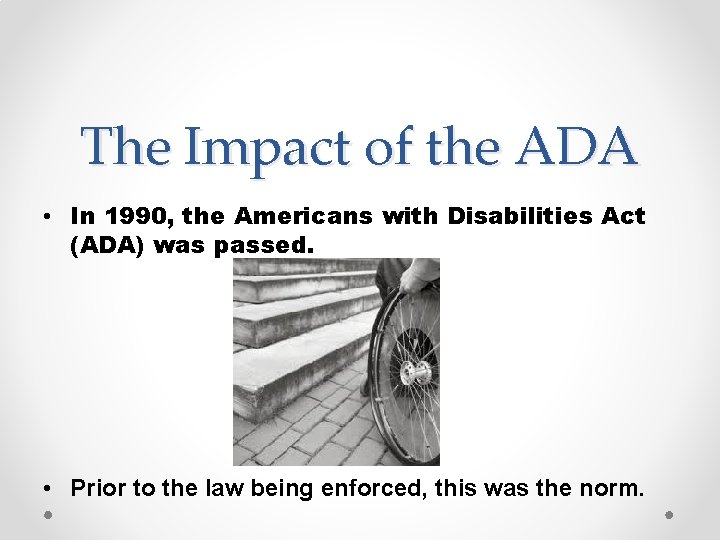
The Impact of the ADA • In 1990, the Americans with Disabilities Act (ADA) was passed. • Prior to the law being enforced, this was the norm.
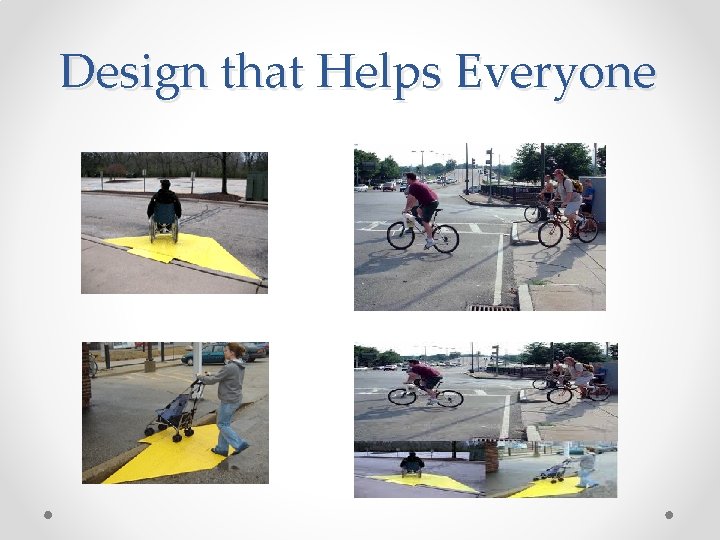
Design that Helps Everyone
Statistics • Within higher education, 11% of all postsecondary students had a disability. • People with disabilities complete college at a lower rate than non-disabled. • Significant increase in enrollment in college, • The nation's largest minority group, and the only group any of us can become a member of at any time. • The single largest minority group seeking employment in today's marketplace

Overview of Disability Laws • The ADA, 1990 and amendments of 2008 • Section 504 of the Rehabilitation Act, 1973 • Section 508 of the Rehab. Act added in 1986. • All are laws or standards that provide guidelines, but meeting these guidelines may not mean equally effective or usable.
General Comments • Too much emphasis on the law • Need more emphasis on usability and design for everyone • Accessibility and usability are everyone’s responsibility, not just disability services. • Being proactive increases revenue and provides access for people from many groups • Vision for the future: Proactive design for everyone rather than accommodations
Universal Design • The design of products and environments that are usable by all people without adaptations needed • Simplify life for everyone • Making products that are useable at no extra cost
Accessibility and Usability • Accessibility is about ensuring an equivalent experience for people with disabilities. • Usability is about designing products to be effective, efficient, and satisfying. • Usable accessibility combines usability and accessibility to develop positive user experiences for everyone. Source: World Wide Web Consortium (W 3 C)
Our own use of Technology • Now, what if all of this technology was completely useless to you? • How would you feel? • How would you order online products? • Check email? • How would you work? • Your thoughts on this experience?
Changes in use of Technology • Students with disabilities are utilizing technology at astounding rates as are other students. • Classrooms have many different technologies both for Online and Resident Instruction courses. • Creates new difficulties for students with disabilities and compatibility with assistive and adaptive technologies
Common Assistive Technologies • Screen Readers: o Screen Reader Demo • Text Readers: o Kurzweil Text Reader Example
Using Captioning Video Therefore: § Provide synchronous captioning § Hire a Sign Language interpreter or Computer Aided Real Time Captioning for training events when requested.
Creating Accessible Documents • Word Documents: o o Create Alt text for images Use Heading Styles Make tables accessible Check for accessibility issues o Accessibility features convert to PDF or HTML documents
Accessible Power Points • Use the design layouts within Power Point which are all accessible • Add alternative descriptions to images • Use a unique title for each slide • Include closed captioning for videos • Use the accessibility checker to check for issues • Hyperlinks should be meaningful and not url’s
Additional Resources • Accessible Web Pages: o o o W 3 C Accessibility. Rutgers. edu http: //webaim. org/Aim Web Forms Accessible links • Free Accessibility checkers: o The Wave Toolbar o 10 Free Web Accessibility Checkers
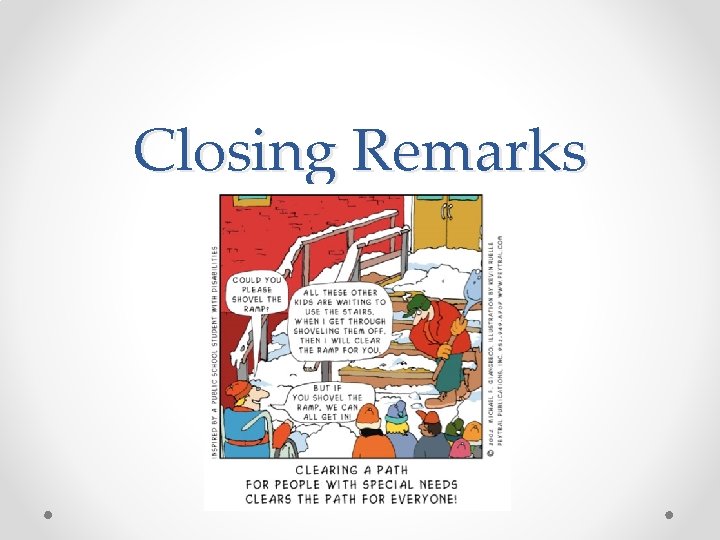
Closing Remarks
- Slides: 17