
Creating a Technique Chart The Cheat Sheet of
- Slides: 10
Creating a Technique Chart The Cheat Sheet of Radiology!
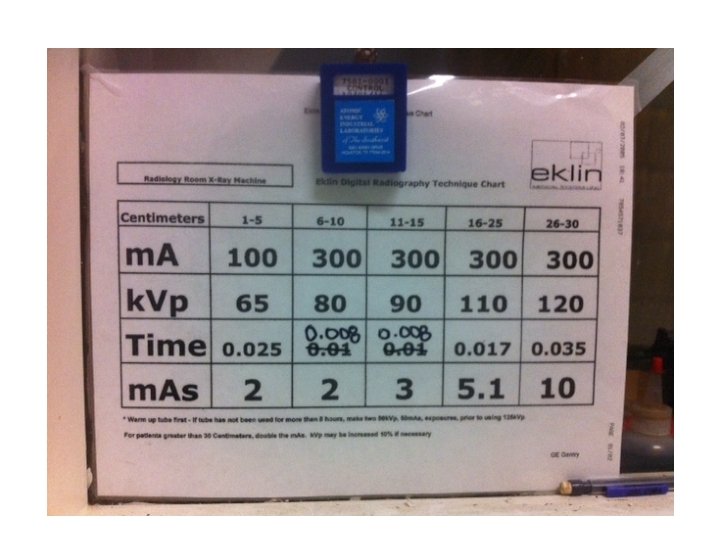
What is a Technique Chart? Provides suggested technical factors for each type of anatomy. • Unique to each x-ray unit • Unique to each anatomical part • Requires: • Medium sized dog with ideal body condition • One perfectly exposed radiograph • Screens of the same speed and manufacturer • Machine to be serviced/calibrated before beginning
Why is it Important? • A quick reference for machine settings • Without it: • New calculations would have to be taken before every radiograph. • Increased number of retakes = increased exposure to radiation.
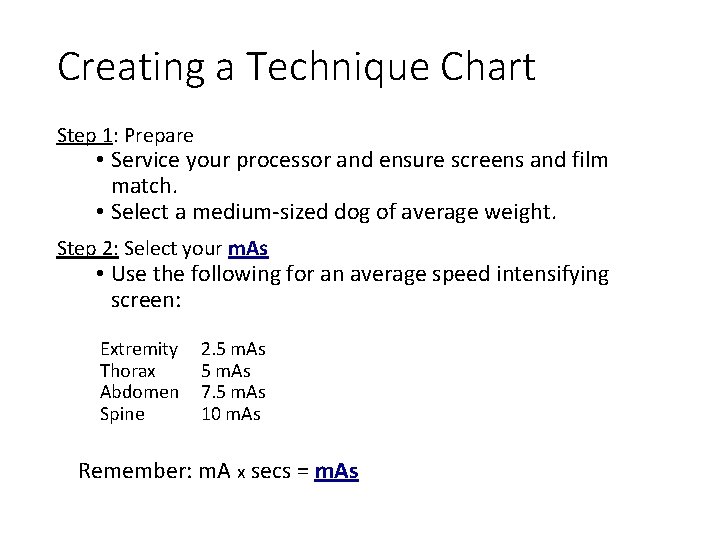
Creating a Technique Chart Step 1: Prepare • Service your processor and ensure screens and film match. • Select a medium-sized dog of average weight. Step 2: Select your m. As • Use the following for an average speed intensifying screen: Extremity Thorax Abdomen Spine 2. 5 m. As 7. 5 m. As 10 m. As Remember: m. A x secs = m. As 5
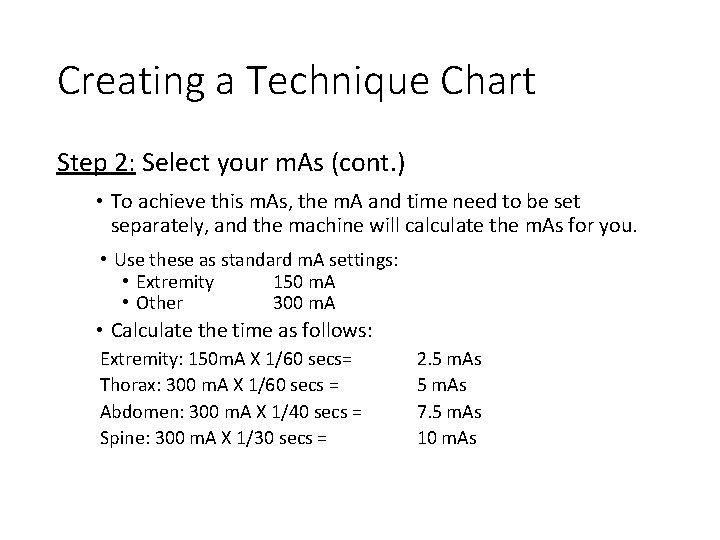
Creating a Technique Chart Step 2: Select your m. As (cont. ) • To achieve this m. As, the m. A and time need to be set separately, and the machine will calculate the m. As for you. • Use these as standard m. A settings: • Extremity 150 m. A • Other 300 m. A • Calculate the time as follows: Extremity: 150 m. A X 1/60 secs= Thorax: 300 m. A X 1/60 secs = Abdomen: 300 m. A X 1/40 secs = Spine: 300 m. A X 1/30 secs = 2. 5 m. As 7. 5 m. As 10 m. As 6
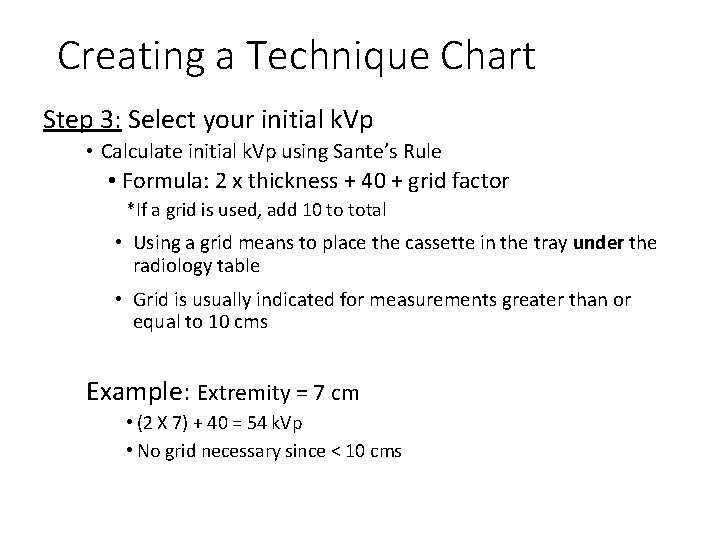
Creating a Technique Chart Step 3: Select your initial k. Vp • Calculate initial k. Vp using Sante’s Rule • Formula: 2 x thickness + 40 + grid factor *If a grid is used, add 10 to total • Using a grid means to place the cassette in the tray under the radiology table • Grid is usually indicated for measurements greater than or equal to 10 cms Example: Extremity = 7 cm • (2 X 7) + 40 = 54 k. Vp • No grid necessary since < 10 cms
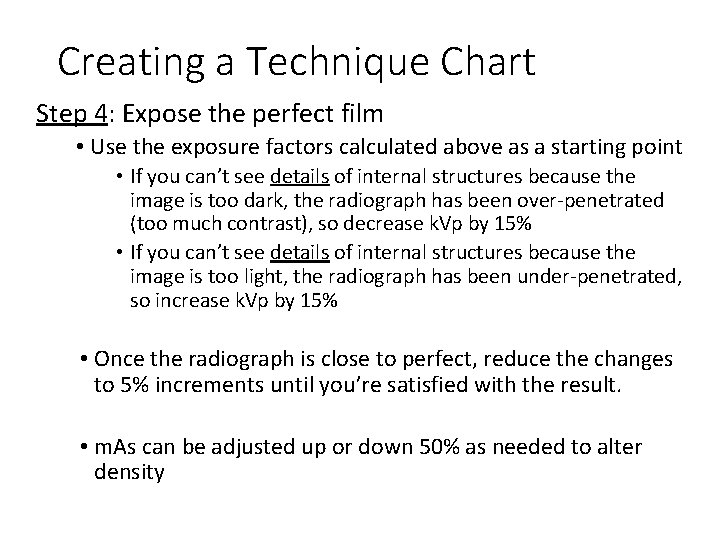
Creating a Technique Chart Step 4: Expose the perfect film • Use the exposure factors calculated above as a starting point • If you can’t see details of internal structures because the image is too dark, the radiograph has been over-penetrated (too much contrast), so decrease k. Vp by 15% • If you can’t see details of internal structures because the image is too light, the radiograph has been under-penetrated, so increase k. Vp by 15% • Once the radiograph is close to perfect, reduce the changes to 5% increments until you’re satisfied with the result. • m. As can be adjusted up or down 50% as needed to alter density
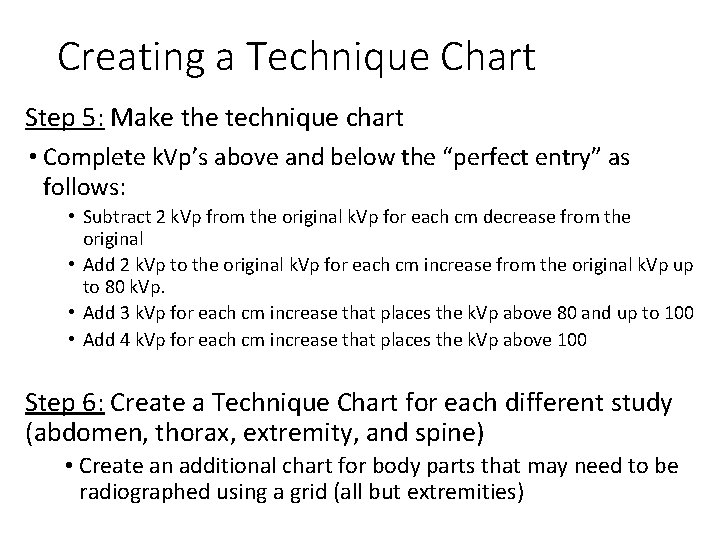
Creating a Technique Chart Step 5: Make the technique chart • Complete k. Vp’s above and below the “perfect entry” as follows: • Subtract 2 k. Vp from the original k. Vp for each cm decrease from the original • Add 2 k. Vp to the original k. Vp for each cm increase from the original k. Vp up to 80 k. Vp. • Add 3 k. Vp for each cm increase that places the k. Vp above 80 and up to 100 • Add 4 k. Vp for each cm increase that places the k. Vp above 100 Step 6: Create a Technique Chart for each different study (abdomen, thorax, extremity, and spine) • Create an additional chart for body parts that may need to be radiographed using a grid (all but extremities)
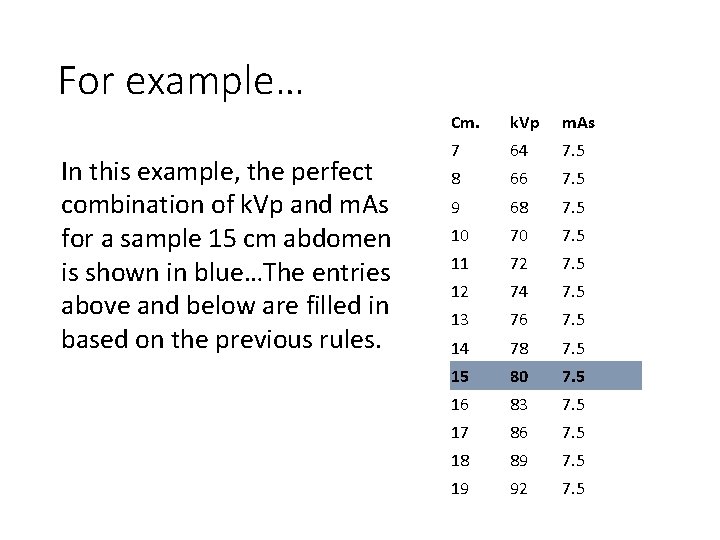
For example… In this example, the perfect combination of k. Vp and m. As for a sample 15 cm abdomen is shown in blue…The entries above and below are filled in based on the previous rules. Cm. k. Vp m. As 7 64 7. 5 8 66 7. 5 9 68 7. 5 10 70 7. 5 11 72 7. 5 12 74 7. 5 13 76 7. 5 14 78 7. 5 15 80 7. 5 16 83 7. 5 17 86 7. 5 18 89 7. 5 19 92 7. 5 10