
Creating a DUNS account and linking it to
- Slides: 11
Creating a DUNS account and linking it to the SAM account This is necessary step to accessing CRF and Broad. Band funds 1. This presentation will provide details on how to check if your school currently has an active DUNS account number. For those who find through this first step that they already possess a current DUNS account, you will then skip down to step #3 below. 2. For those who do not find a current DUNS account number in step #1, this presentation will give you the steps to request an account number. 3. Once you have your DUNS account number, we will go ahead and request that the DUNS account be linked to a SAM account.
What is a DUNS number and why do we need one? A DUNS number is a unique nine-character number issued by Dun & Bradstreet that identifies your agency. This number is used for federal accounting purposes. The federal government has opted to use DUNS numbers to track how federal grant funds are allocated and expended. This is a required part of the grant acceptance procedure, which includes both the Broad. Band Ohio and CRF grants.
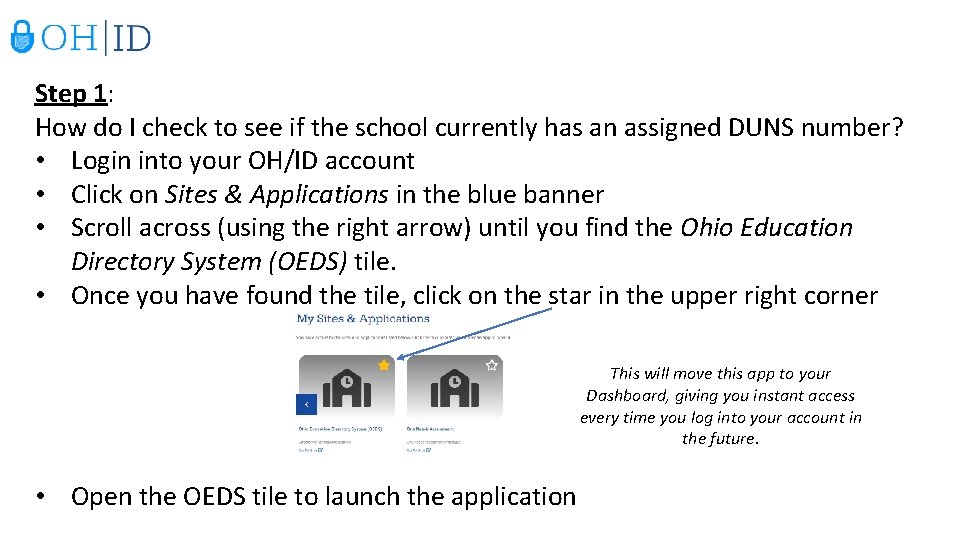
Step 1: How do I check to see if the school currently has an assigned DUNS number? • Login into your OH/ID account • Click on Sites & Applications in the blue banner • Scroll across (using the right arrow) until you find the Ohio Education Directory System (OEDS) tile. • Once you have found the tile, click on the star in the upper right corner This will move this app to your Dashboard, giving you instant access every time you log into your account in the future. • Open the OEDS tile to launch the application
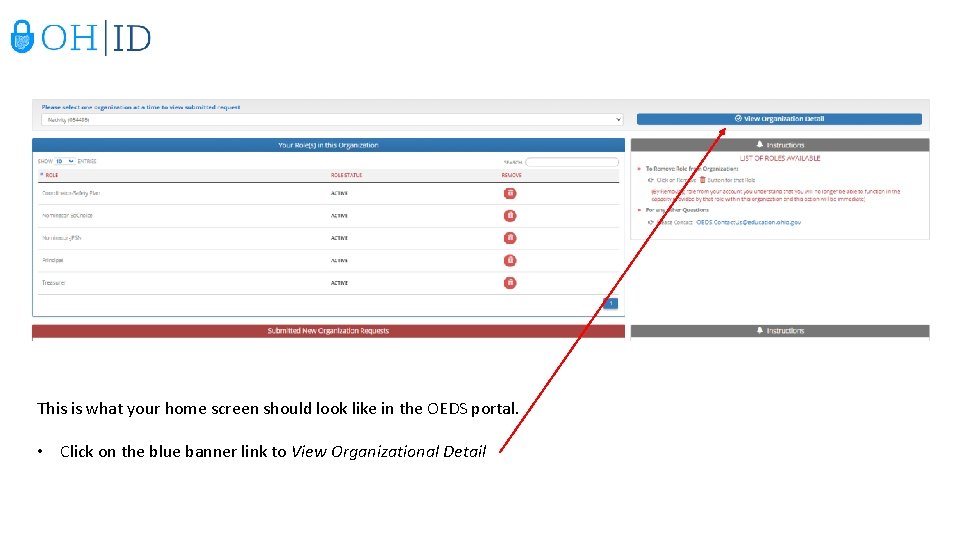
This is what your home screen should look like in the OEDS portal. • Click on the blue banner link to View Organizational Detail
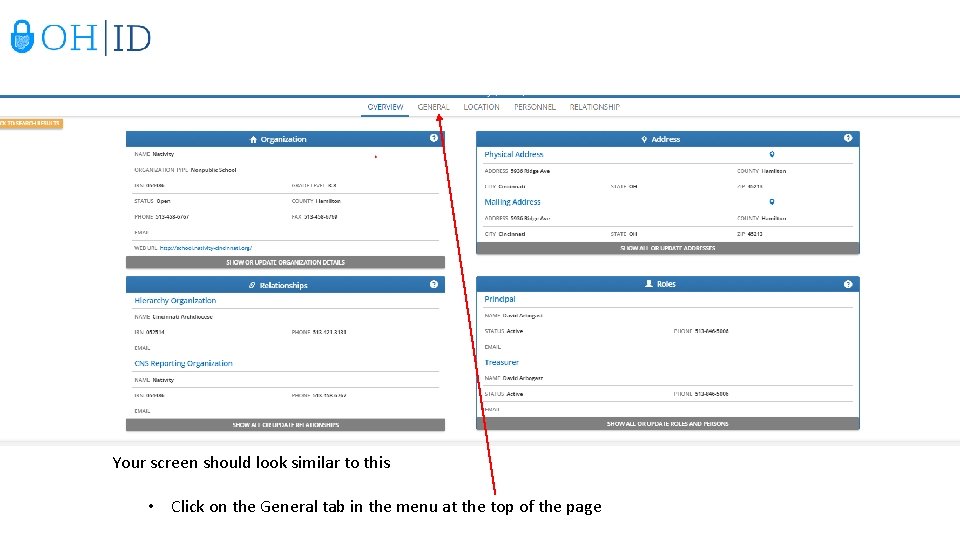
Your screen should look similar to this • Click on the General tab in the menu at the top of the page
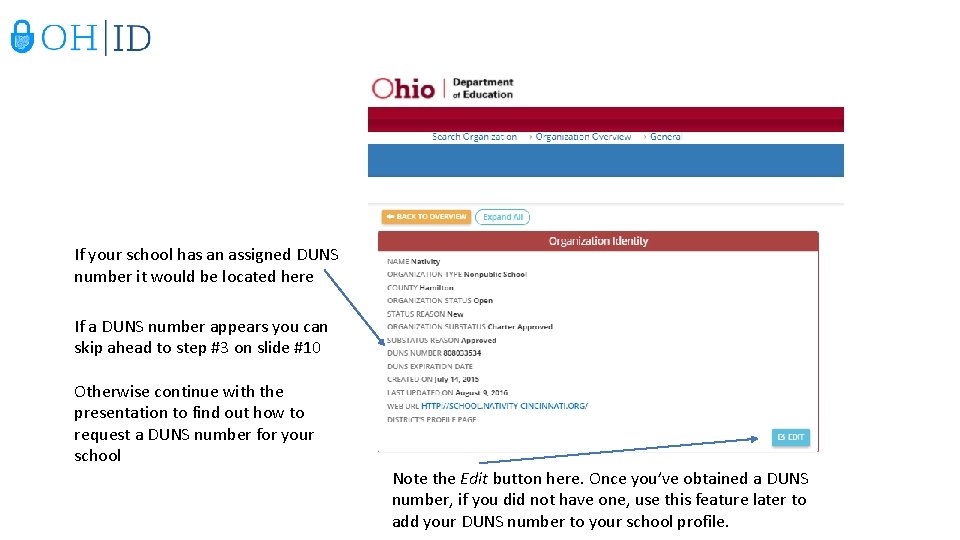
If your school has an assigned DUNS number it would be located here If a DUNS number appears you can skip ahead to step #3 on slide #10 Otherwise continue with the presentation to find out how to request a DUNS number for your school Note the Edit button here. Once you’ve obtained a DUNS number, if you did not have one, use this feature later to add your DUNS number to your school profile.
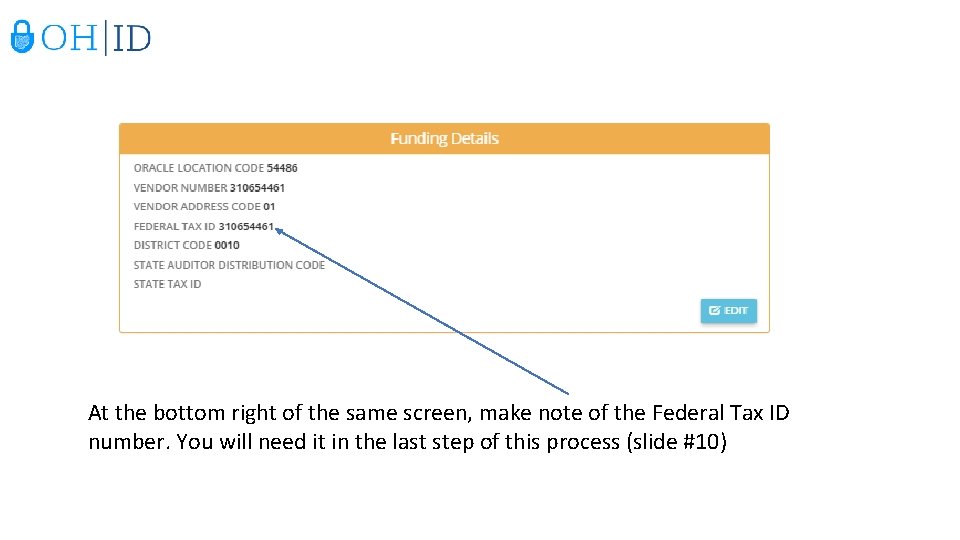
At the bottom right of the same screen, make note of the Federal Tax ID number. You will need it in the last step of this process (slide #10)
Step 2: I’ve determined by looking at my OH/ID profile that my school does NOT have an assigned DUNS number. How do I request one? • Click on this link • Skip down the page to the section How to Register for a DUNS Number • Do NOT utilize the toll free phone number • Click on the link to access the Dun and Bradstreet website to register for a DUNS number • Using the menu on the left side, click on the Begin D-U-N-S Search/Request Process • Follow the prompts to click on the United States of America, click Continue. Click to allow your web browser to open the next page.
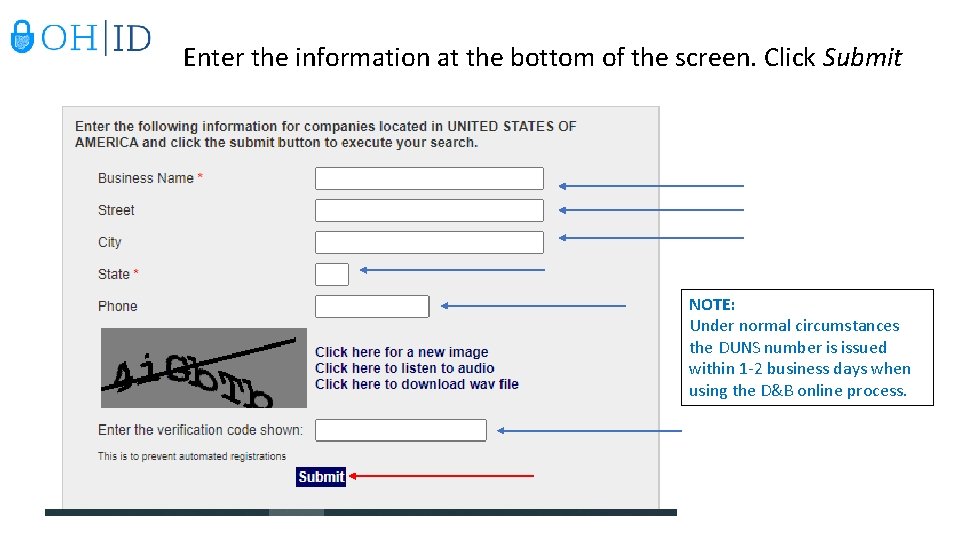
Enter the information at the bottom of the screen. Click Submit NOTE: Under normal circumstances the DUNS number is issued within 1 -2 business days when using the D&B online process.
Step 3: I now have my DUNS number, what’s the last step? (Remember that if you applied for a DUNS number, that it takes 1 -2 business days to process your request) The last step is to register with SAM. Registering with the System for Award Management (SAM) is a required step in order for your organization to be able to apply for federal grants. SAM is a web-based, government-wide application that collects, validates, stores, and disseminates business information about the federal government's trading partners in support of the contract awards, grants, and electronic payment processes. How do I complete the SAM registration process • • • Click this link Scroll down to How to Register with SAM You will need your DUNS number and your Employer Identification Number (Federal Tax ID - from slide #7)
Helpful Links: DUNS Number - Quick Reference Guide Grants Management Quick Reference Guide