
CPU SOFTWARE ARCHITECTURE General Introduction INSTRUCTION SET PART









![• • • [0308]=ABCD, R 7=0308 h, R 6=4321 h add @R 7,](https://slidetodoc.com/presentation_image_h/31ddd83b5f38560e2dd6abd461cc5d2b/image-72.jpg "• • • [0308]=ABCD, R 7=0308 h, R 6=4321 h add @R 7,")

- Slides: 76
CPU: SOFTWARE ARCHITECTURE
General Introduction INSTRUCTION SET (PART 1)
General Introduction (1/5): On Instructions • Instruction operate with data or with the flow of the program • The following information is absolutely needed to define an instruction: – Op. Code: What is the operation to be done – Operands: What operands are involved – Addressing mode: Where is data to be found • Additional information may include size of operands or other modifiers.
General Introduction (2/5): On instructions • The number and type of instructions, i. e. , what they do, depend on the MCU or MPU family and model. • Several types of instructions are found in almost any MCU or MPU – Syntax may be different • An instruction set is not necessarily independent – It may happen that the operation of one instruction may be realized with other with properands.
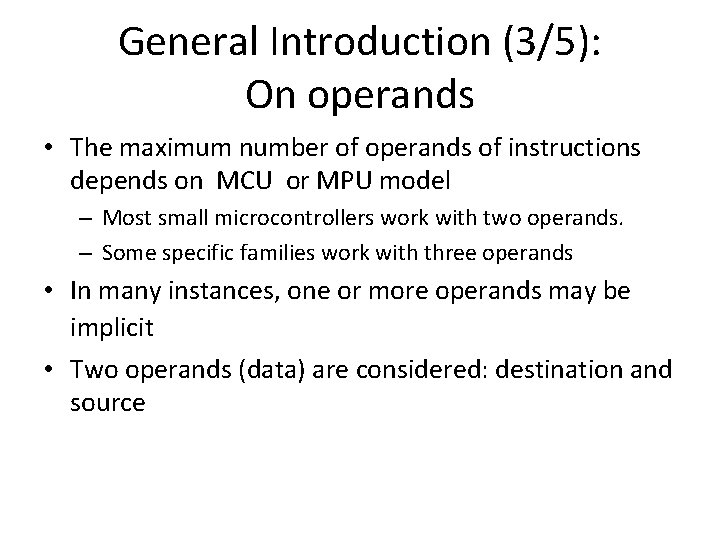
General Introduction (3/5): On operands • The maximum number of operands of instructions depends on MCU or MPU model – Most small microcontrollers work with two operands. – Some specific families work with three operands • In many instances, one or more operands may be implicit • Two operands (data) are considered: destination and source
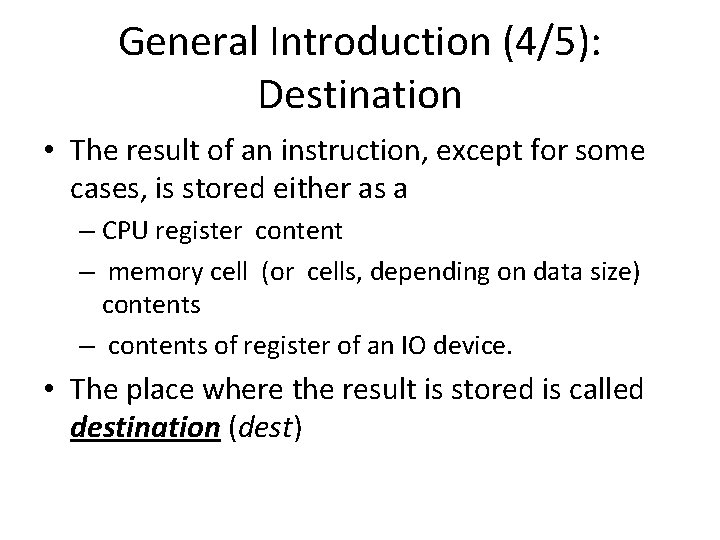
General Introduction (4/5): Destination • The result of an instruction, except for some cases, is stored either as a – CPU register content – memory cell (or cells, depending on data size) contents – contents of register of an IO device. • The place where the result is stored is called destination (dest)
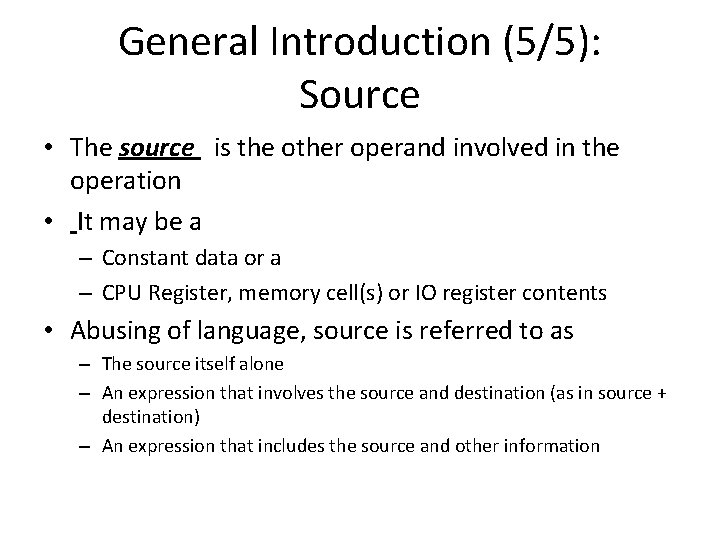
General Introduction (5/5): Source • The source is the other operand involved in the operation • It may be a – Constant data or a – CPU Register, memory cell(s) or IO register contents • Abusing of language, source is referred to as – The source itself alone – An expression that involves the source and destination (as in source + destination) – An expression that includes the source and other information
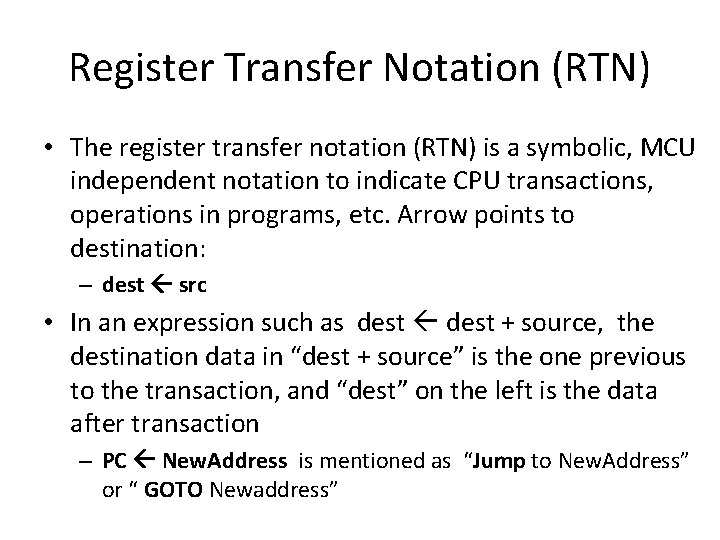
Register Transfer Notation (RTN) • The register transfer notation (RTN) is a symbolic, MCU independent notation to indicate CPU transactions, operations in programs, etc. Arrow points to destination: – dest src • In an expression such as dest + source, the destination data in “dest + source” is the one previous to the transaction, and “dest” on the left is the data after transaction – PC New. Address is mentioned as “Jump to New. Address” or “ GOTO Newaddress”
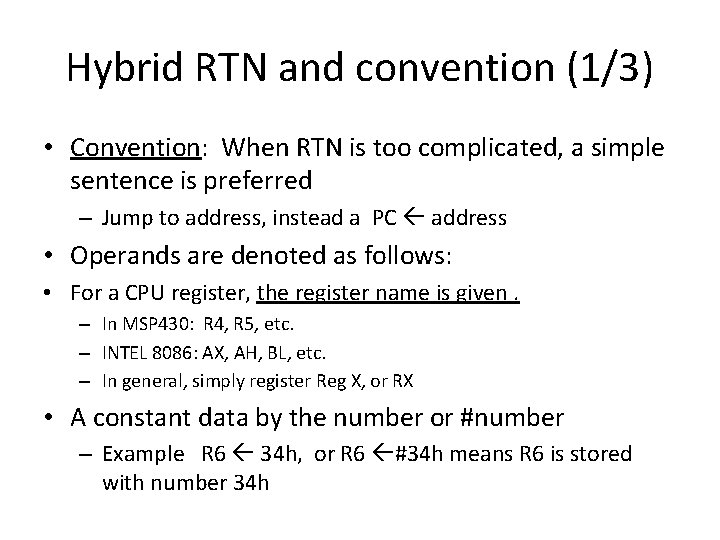
Hybrid RTN and convention (1/3) • Convention: When RTN is too complicated, a simple sentence is preferred – Jump to address, instead a PC address • Operands are denoted as follows: • For a CPU register, the register name is given. – In MSP 430: R 4, R 5, etc. – INTEL 8086: AX, AH, BL, etc. – In general, simply register Reg X, or RX • A constant data by the number or #number – Example R 6 34 h, or R 6 #34 h means R 6 is stored with number 34 h
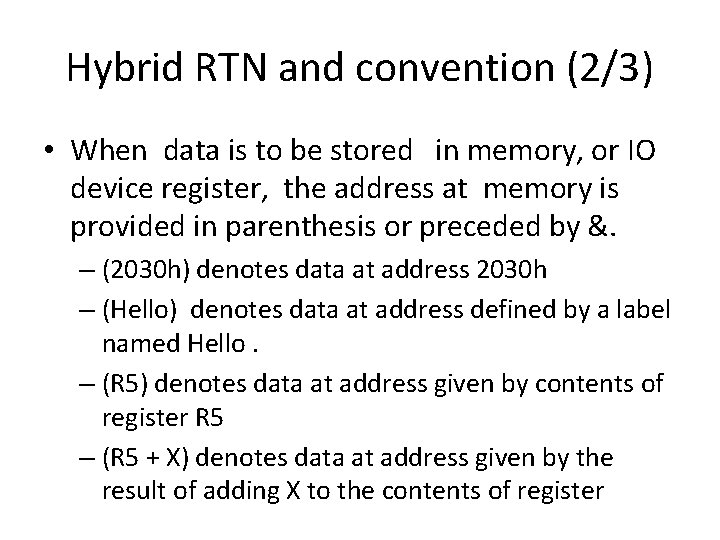
Hybrid RTN and convention (2/3) • When data is to be stored in memory, or IO device register, the address at memory is provided in parenthesis or preceded by &. – (2030 h) denotes data at address 2030 h – (Hello) denotes data at address defined by a label named Hello. – (R 5) denotes data at address given by contents of register R 5 – (R 5 + X) denotes data at address given by the result of adding X to the contents of register
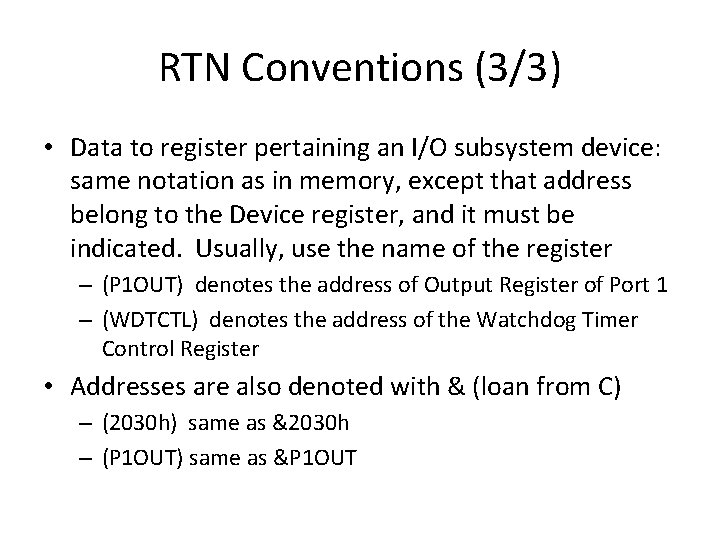
RTN Conventions (3/3) • Data to register pertaining an I/O subsystem device: same notation as in memory, except that address belong to the Device register, and it must be indicated. Usually, use the name of the register – (P 1 OUT) denotes the address of Output Register of Port 1 – (WDTCTL) denotes the address of the Watchdog Timer Control Register • Addresses are also denoted with & (loan from C) – (2030 h) same as &2030 h – (P 1 OUT) same as &P 1 OUT
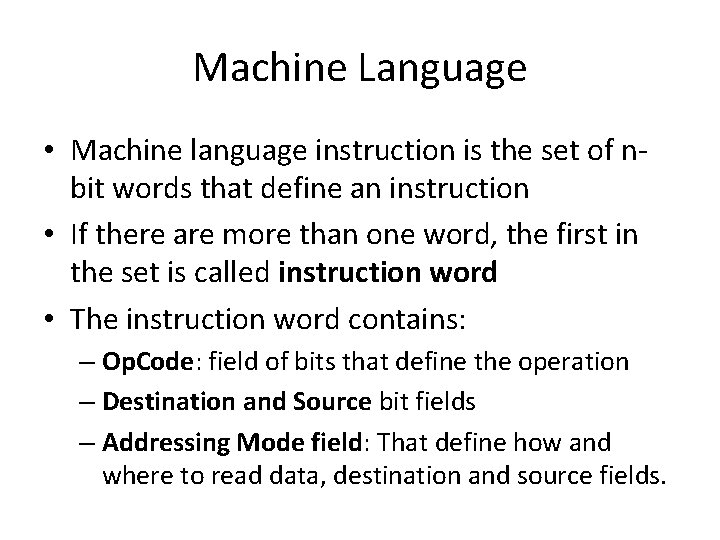
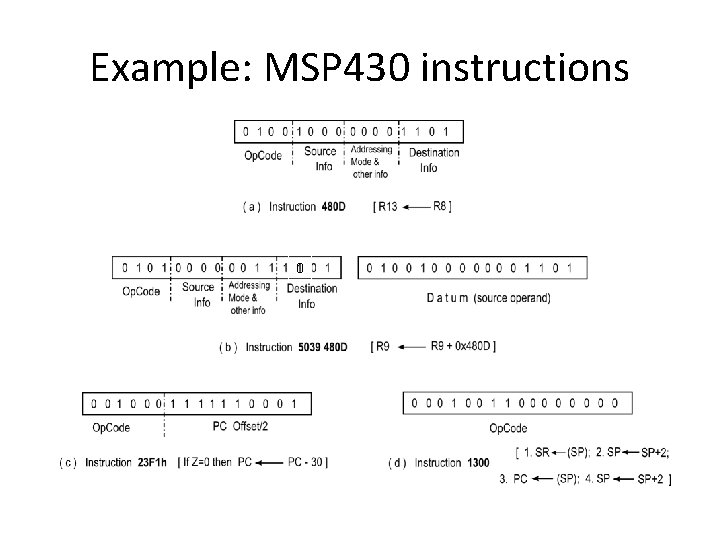
Machine Language • Machine language instruction is the set of nbit words that define an instruction • If there are more than one word, the first in the set is called instruction word • The instruction word contains: – Op. Code: field of bits that define the operation – Destination and Source bit fields – Addressing Mode field: That define how and where to read data, destination and source fields.
Example: MSP 430 instructions 0
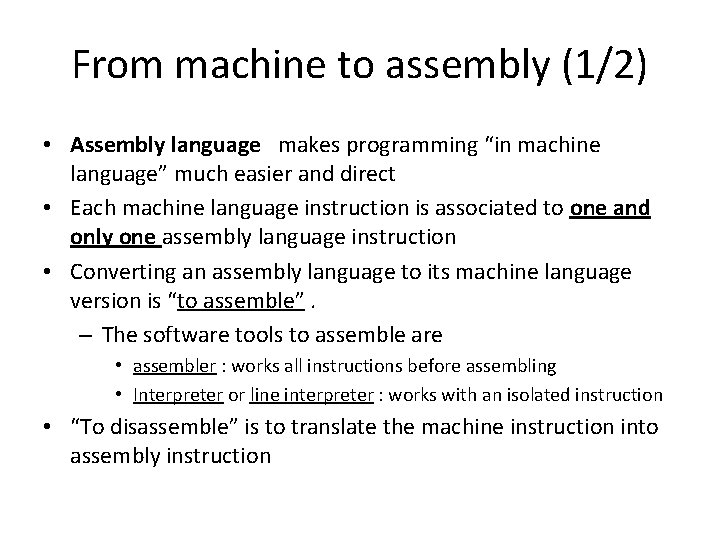
From machine to assembly (1/2) • Assembly language makes programming “in machine language” much easier and direct • Each machine language instruction is associated to one and only one assembly language instruction • Converting an assembly language to its machine language version is “to assemble”. – The software tools to assemble are • assembler : works all instructions before assembling • Interpreter or line interpreter : works with an isolated instruction • “To disassemble” is to translate the machine instruction into assembly instruction
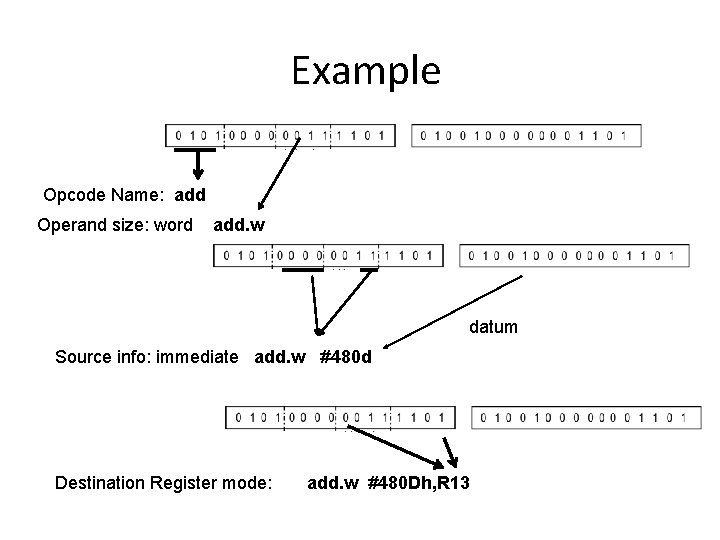
Example Opcode Name: add Operand size: word add. w datum Source info: immediate add. w # 480 d Destination Register mode: add. w #480 Dh, R 13
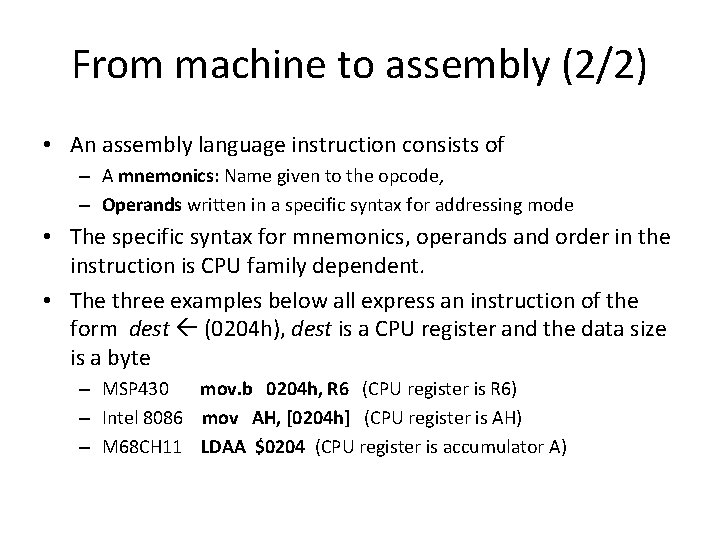
From machine to assembly (2/2) • An assembly language instruction consists of – A mnemonics: Name given to the opcode, – Operands written in a specific syntax for addressing mode • The specific syntax for mnemonics, operands and order in the instruction is CPU family dependent. • The three examples below all express an instruction of the form dest (0204 h), dest is a CPU register and the data size is a byte – MSP 430 mov. b 0204 h, R 6 (CPU register is R 6) – Intel 8086 mov AH, [0204 h] (CPU register is AH) – M 68 CH 11 LDAA $0204 (CPU register is accumulator A)
Instruction Types INSTRUCTION SET (PART 2)
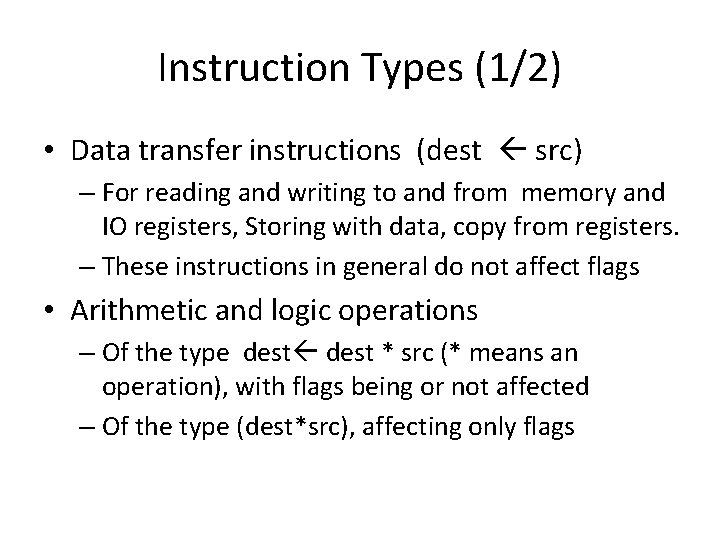
Instruction Types (1/2) • Data transfer instructions (dest src) – For reading and writing to and from memory and IO registers, Storing with data, copy from registers. – These instructions in general do not affect flags • Arithmetic and logic operations – Of the type dest * src (* means an operation), with flags being or not affected – Of the type (dest*src), affecting only flags
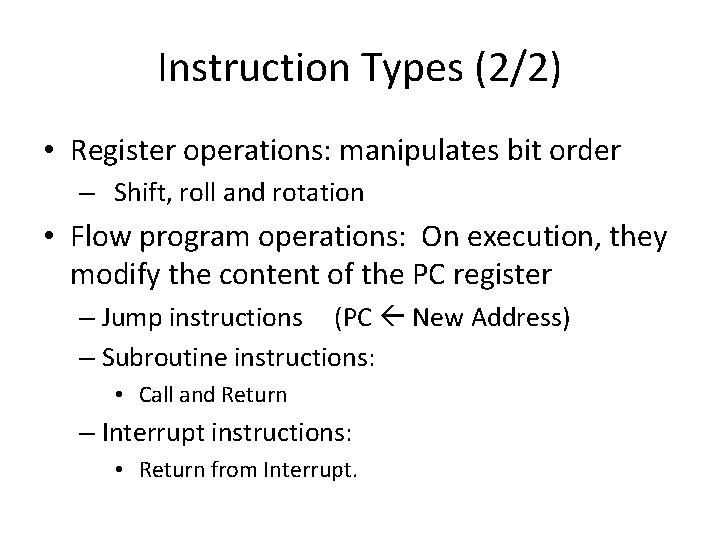
Instruction Types (2/2) • Register operations: manipulates bit order – Shift, roll and rotation • Flow program operations: On execution, they modify the content of the PC register – Jump instructions (PC New Address) – Subroutine instructions: • Call and Return – Interrupt instructions: • Return from Interrupt.
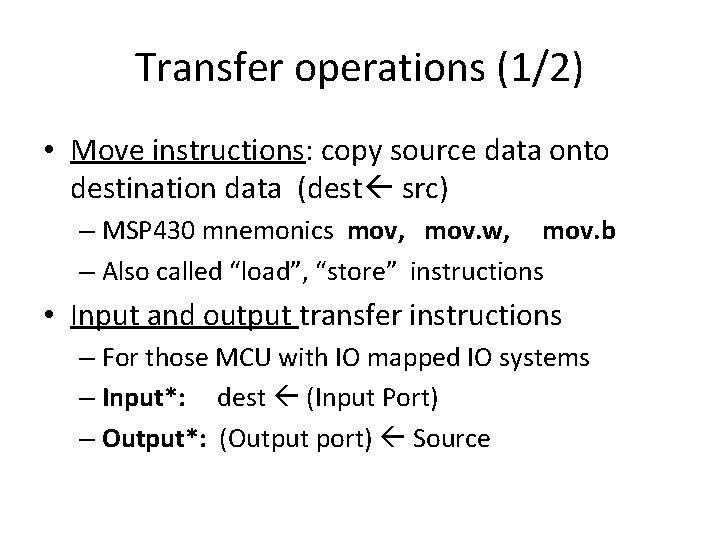
Transfer operations (1/2) • Move instructions: copy source data onto destination data (dest src) – MSP 430 mnemonics mov, mov. w, mov. b – Also called “load”, “store” instructions • Input and output transfer instructions – For those MCU with IO mapped IO systems – Input*: dest (Input Port) – Output*: (Output port) Source
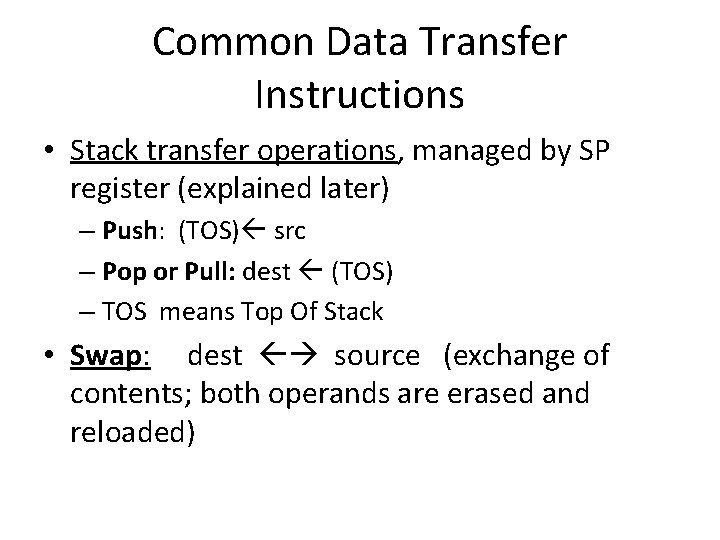
Common Data Transfer Instructions • Stack transfer operations, managed by SP register (explained later) – Push: (TOS) src – Pop or Pull: dest (TOS) – TOS means Top Of Stack • Swap: dest source (exchange of contents; both operands are erased and reloaded)
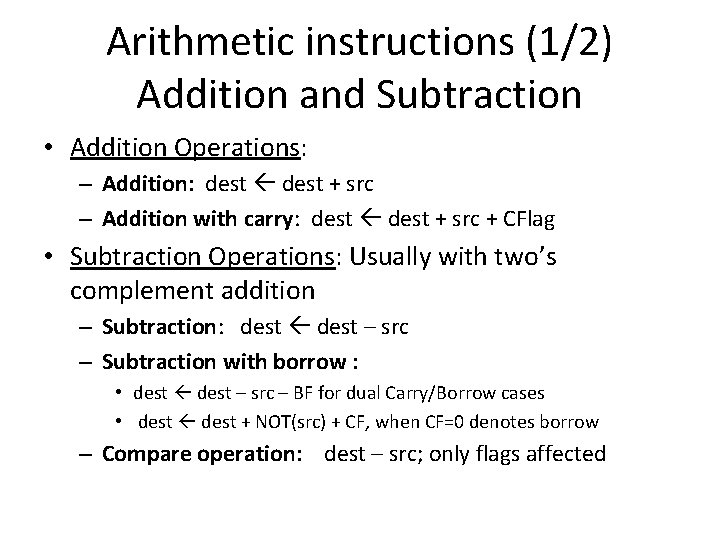
Arithmetic instructions (1/2) Addition and Subtraction • Addition Operations: – Addition: dest + src – Addition with carry: dest + src + CFlag • Subtraction Operations: Usually with two’s complement addition – Subtraction: dest – src – Subtraction with borrow : • dest – src – BF for dual Carry/Borrow cases • dest + NOT(src) + CF, when CF=0 denotes borrow – Compare operation: dest – src; only flags affected
Arithmetic instructions (2/2) Multiplication and division • Not all microcontrollers’ ALU’s implement these operations. • Operands and destination sizes are of outmost importance. • When not supported, these operations are done by software • Special cases are dedicated peripherals.
Logic Instructions General introduction • Bitwise and not bitwise – Most microcontrollers support only bitwise logic operations • Non bitwise logic operation principles: – Yield a boolean result (usually in a flag) – In source, “ 1” means operand is not zero; “ 0” means operand is zero – Used mainly in high performance systems or as part of “high level” instructions
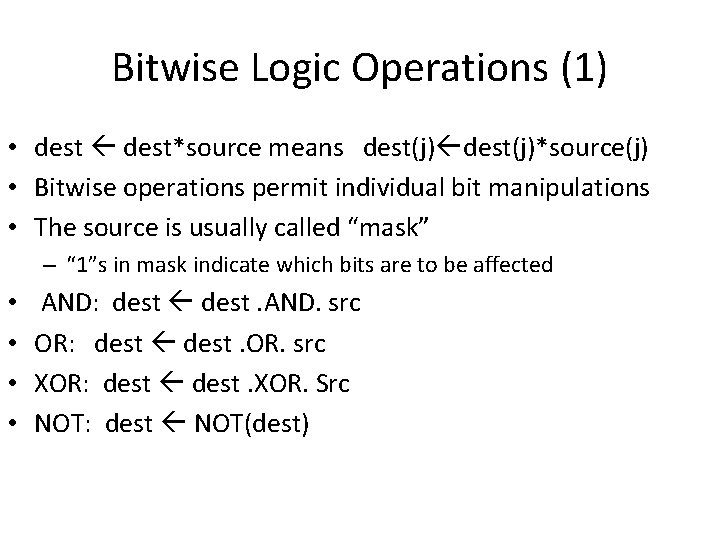
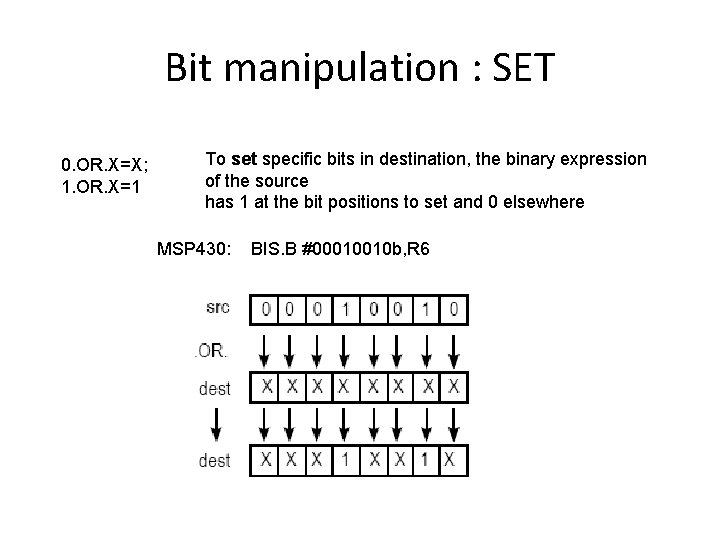
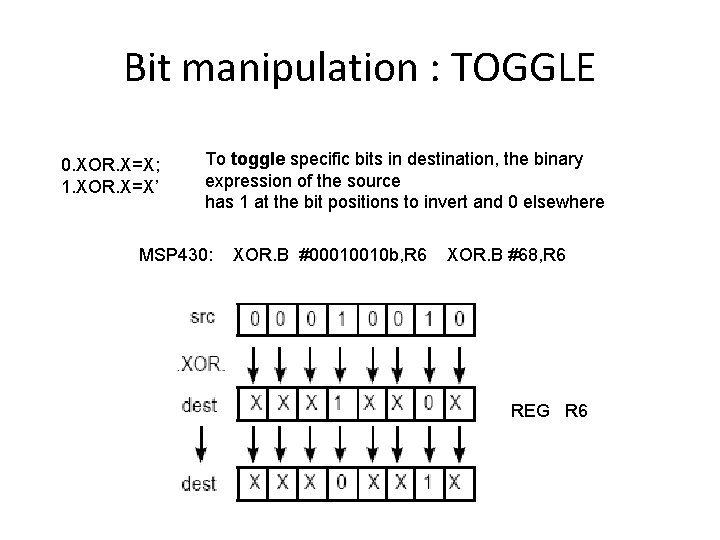
Bitwise Logic Operations (1) • dest*source means dest(j)*source(j) • Bitwise operations permit individual bit manipulations • The source is usually called “mask” – “ 1”s in mask indicate which bits are to be affected • • AND: dest. AND. src OR: dest. OR. src XOR: dest. XOR. Src NOT: dest NOT(dest)
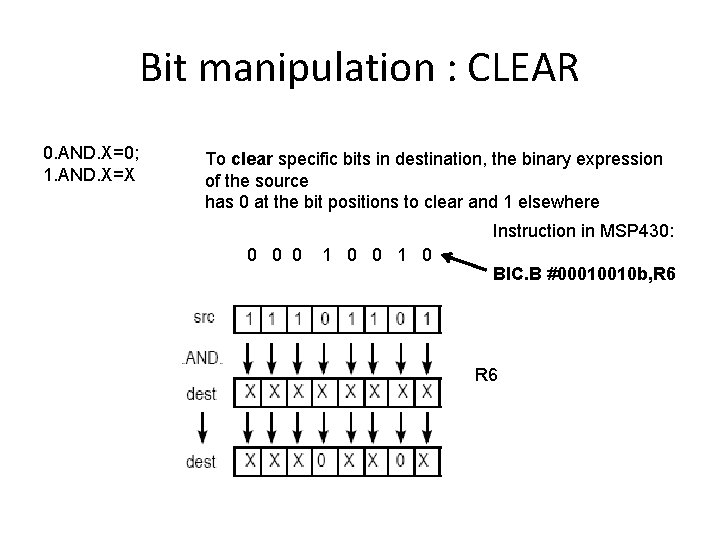
Bit manipulation : CLEAR 0. AND. X=0; 1. AND. X=X To clear specific bits in destination, the binary expression of the source has 0 at the bit positions to clear and 1 elsewhere Instruction in MSP 430: 0 0 0 1 0 BIC. B #00010010 b, R 6
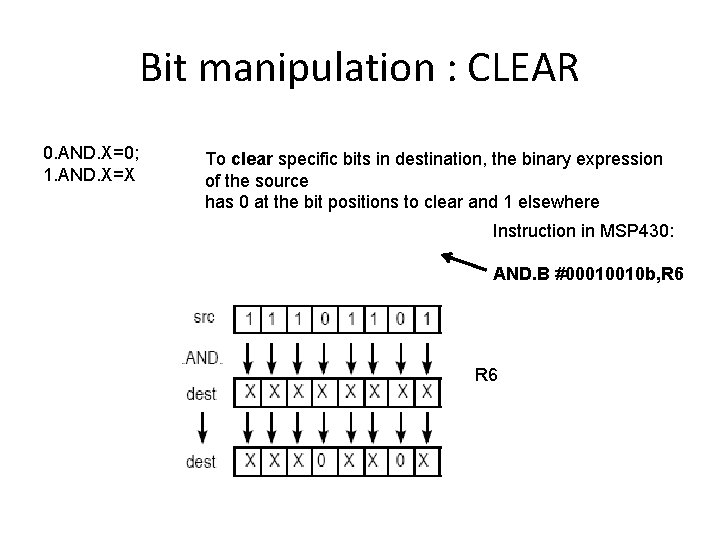
Bit manipulation : CLEAR 0. AND. X=0; 1. AND. X=X To clear specific bits in destination, the binary expression of the source has 0 at the bit positions to clear and 1 elsewhere Instruction in MSP 430: AND. B #00010010 b, R 6
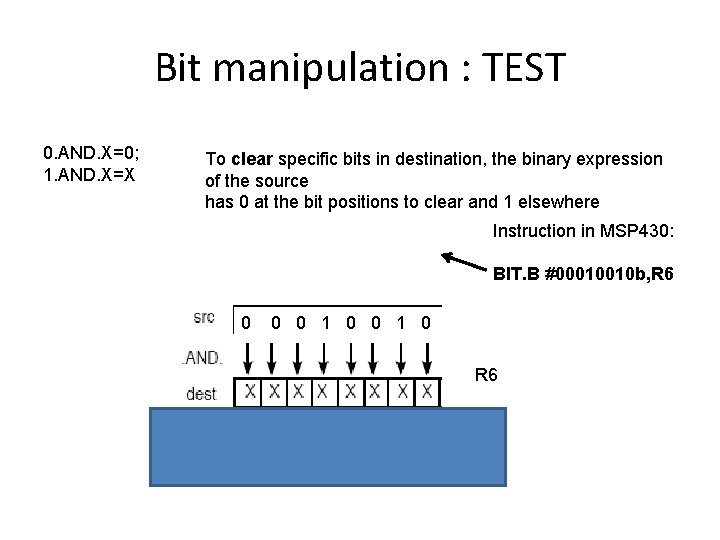
Bit manipulation : TEST 0. AND. X=0; 1. AND. X=X To clear specific bits in destination, the binary expression of the source has 0 at the bit positions to clear and 1 elsewhere Instruction in MSP 430: BIT. B #00010010 b, R 6 0 0 0 1 0 R 6
Bit manipulation : SET 0. OR. X=X; 1. OR. X=1 To set specific bits in destination, the binary expression of the source has 1 at the bit positions to set and 0 elsewhere MSP 430: BIS. B #00010010 b, R 6
Bit manipulation : TOGGLE 0. XOR. X=X; 1. XOR. X=X’ To toggle specific bits in destination, the binary expression of the source has 1 at the bit positions to invert and 0 elsewhere MSP 430: XOR. B #00010010 b, R 6 XOR. B #68, R 6 REG R 6
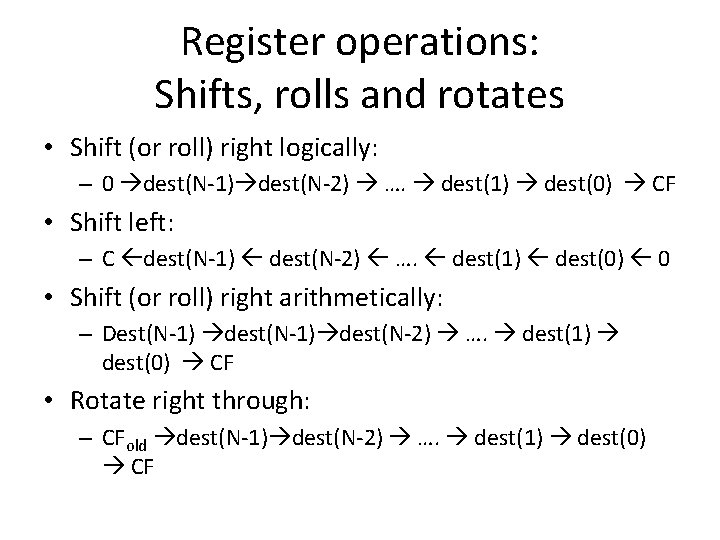
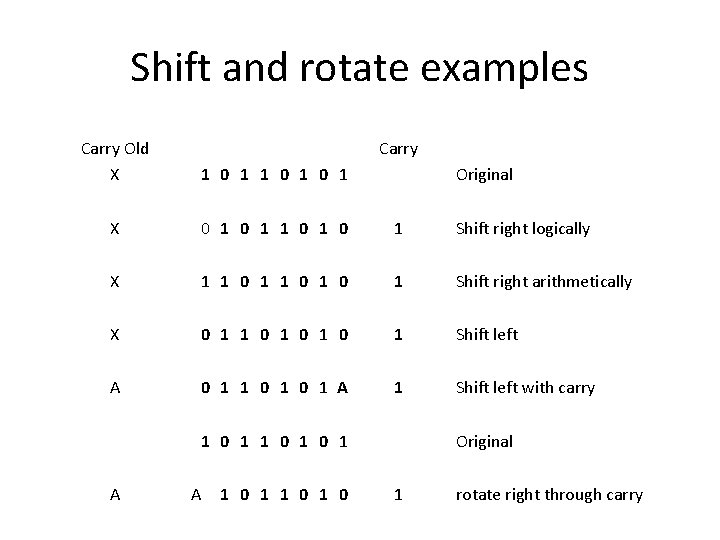
Register operations: Shifts, rolls and rotates • Shift (or roll) right logically: – 0 dest(N-1) dest(N-2) …. dest(1) dest(0) CF • Shift left: – C dest(N-1) dest(N-2) …. dest(1) dest(0) 0 • Shift (or roll) right arithmetically: – Dest(N-1) dest(N-2) …. dest(1) dest(0) CF • Rotate right through: – CFold dest(N-1) dest(N-2) …. dest(1) dest(0) CF
Shift and rotate examples Carry Old X Carry 1 0 1 0 1 X 0 1 1 0 1 Shift right logically X 1 1 0 1 0 1 Shift right arithmetically X 0 1 1 0 1 0 1 Shift left A 0 1 1 0 1 A 1 Shift left with carry Original 1 0 1 0 1 A A 1 0 1 0 Original 1 rotate right through carry
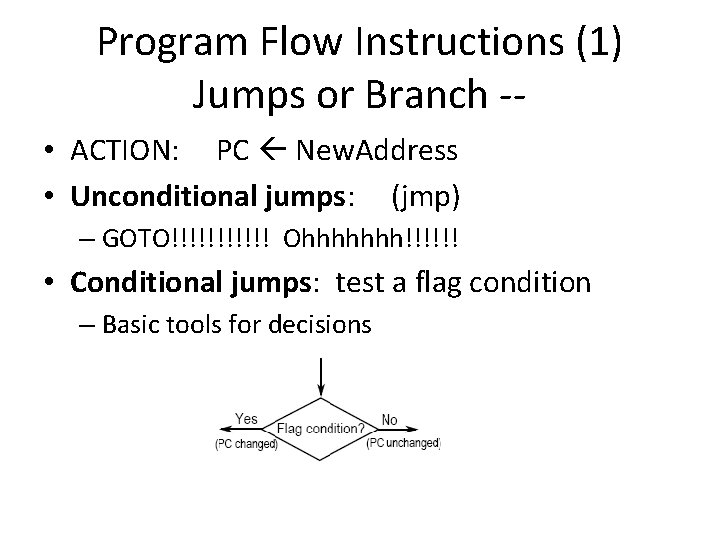
Program Flow Instructions (1) Jumps or Branch - • ACTION: PC New. Address • Unconditional jumps: (jmp) – GOTO!!!!!! Ohhhhhhh!!!!!! • Conditional jumps: test a flag condition – Basic tools for decisions
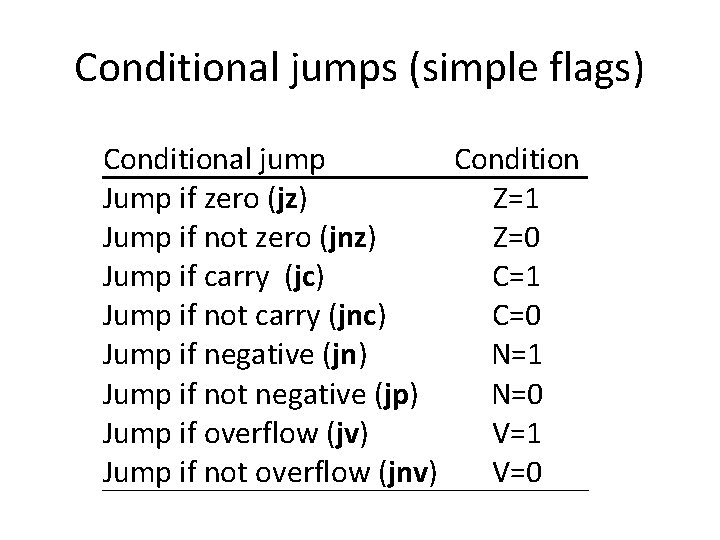
Conditional jumps (simple flags) Conditional jump Condition Jump if zero (jz) Z=1 Jump if not zero (jnz) Z=0 Jump if carry (jc) C=1 Jump if not carry (jnc) C=0 Jump if negative (jn) N=1 Jump if not negative (jp) N=0 Jump if overflow (jv) V=1 Jump if not overflow (jnv) V=0
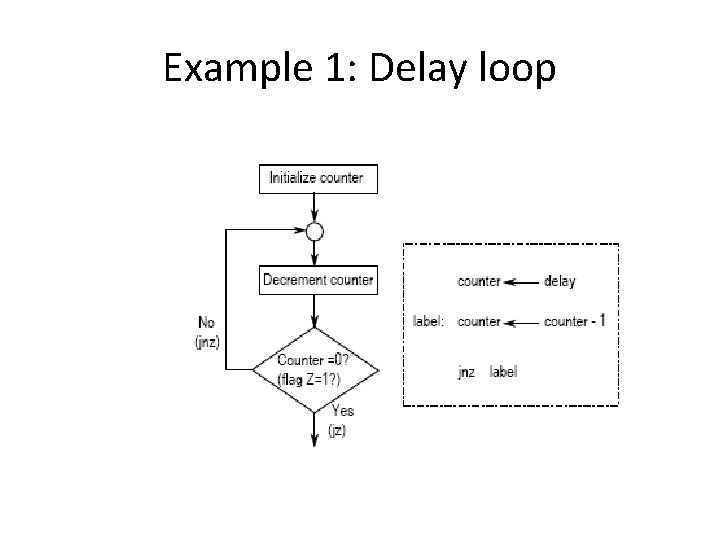
Example 1: Delay loop
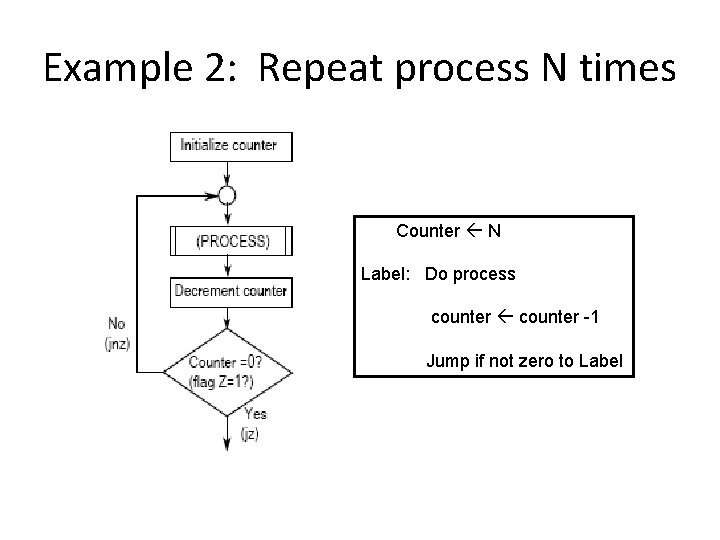
Example 2: Repeat process N times Counter N Label: Do process counter -1 Jump if not zero to Label
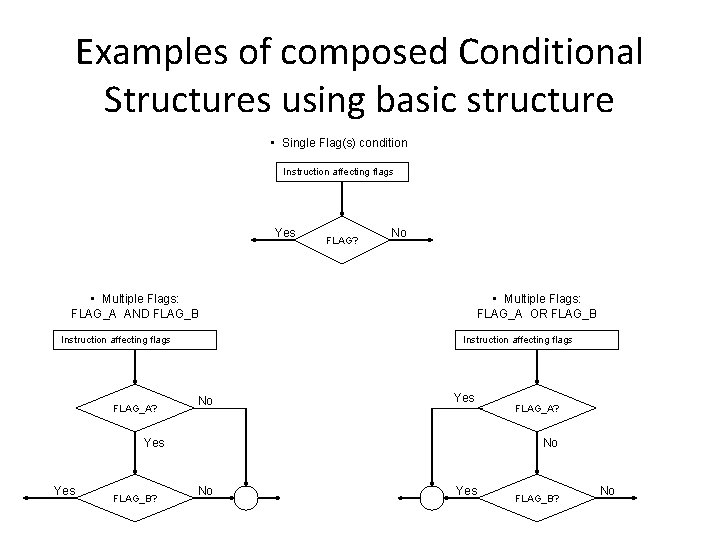
Examples of composed Conditional Structures using basic structure • Single Flag(s) condition Instruction affecting flags Yes FLAG? No • Multiple Flags: FLAG_A AND FLAG_B Instruction affecting flags FLAG_A? • Multiple Flags: FLAG_A OR FLAG_B Instruction affecting flags No Yes Yes FLAG_B? FLAG_A? No No Yes FLAG_B? No
Drawing for “low level”: If sentence (1) Inst. affecting flags NO A true? Yes Block B (NO forces jump)
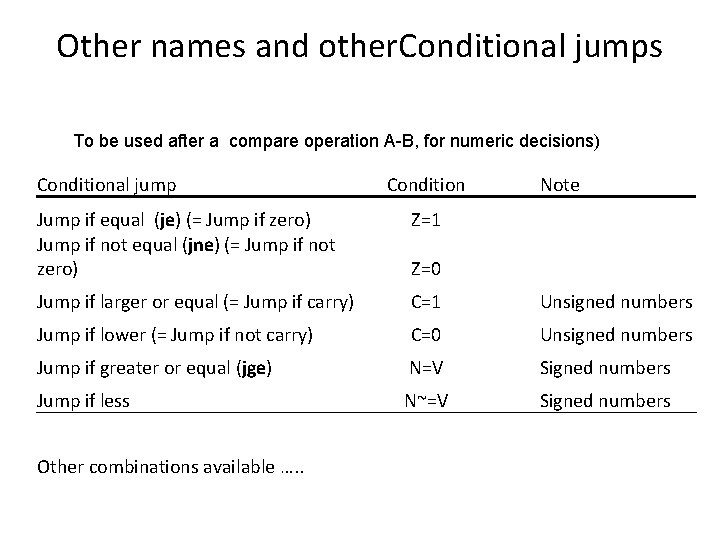
Other names and other. Conditional jumps To be used after a compare operation A-B, for numeric decisions) Conditional jump Condition Note Jump if equal (je) (= Jump if zero) Jump if not equal (jne) (= Jump if not zero) Z=1 Jump if larger or equal (= Jump if carry) C=1 Unsigned numbers Jump if lower (= Jump if not carry) C=0 Unsigned numbers Jump if greater or equal (jge) N=V Signed numbers Jump if less N~=V Other combinations available …. . Z=0 Signed numbers
Remarks on jumps • A jump is also called a “branch instruction” • Unconditional jumps are present in almost any CPU • Not all conditional jumps are necessarily present in the CPU architecture • The use of jumps is indispensable to devise non sequencial programs.
Subroutines and Procedures • Subroutines (also called functions or procedures) are pieces of executable code written and stored apart from the main code • They are to be executed when invoked from main code or other subroutine, but flow must return to original “normal” flow • The Address of first instruction is called Entry Address
Subroutine Instructions: • Call instruction: Saves the present value of the PC register and then loads the PC with the entry address of the subroutine – a) (TOS) PC – PC Sub. Entry Address • Return instruction: Retrieves the address following the call in the main code [PC (TOS)] • Important note: Subroutine programming must ensure that return is well done
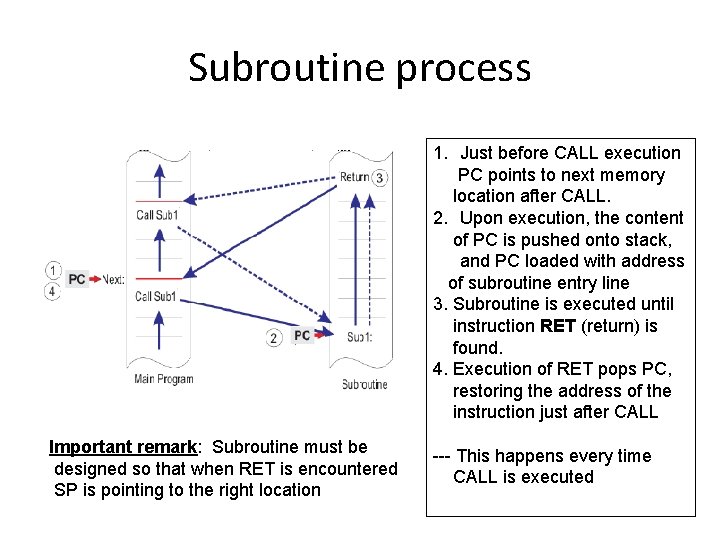
Subroutine process 1. Just before CALL execution PC points to next memory location after CALL. 2. Upon execution, the content of PC is pushed onto stack, and PC loaded with address of subroutine entry line 3. Subroutine is executed until instruction RET (return) is found. 4. Execution of RET pops PC, restoring the address of the instruction just after CALL Important remark: Subroutine must be designed so that when RET is encountered SP is pointing to the right location --- This happens every time CALL is executed
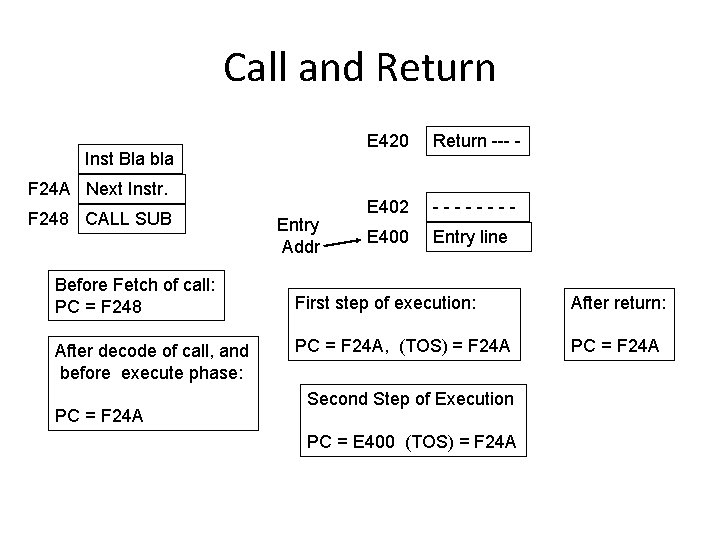
Call and Return Inst Bla bla F 24 A Next Instr. F 248 CALL SUB Before Fetch of call: PC = F 248 After decode of call, and before execute phase: PC = F 24 A Entry Addr E 420 Return --- - E 402 ---- E 400 Entry line First step of execution: After return: PC = F 24 A, (TOS) = F 24 A PC = F 24 A Second Step of Execution PC = E 400 (TOS) = F 24 A
STACK AND STACK POINTER
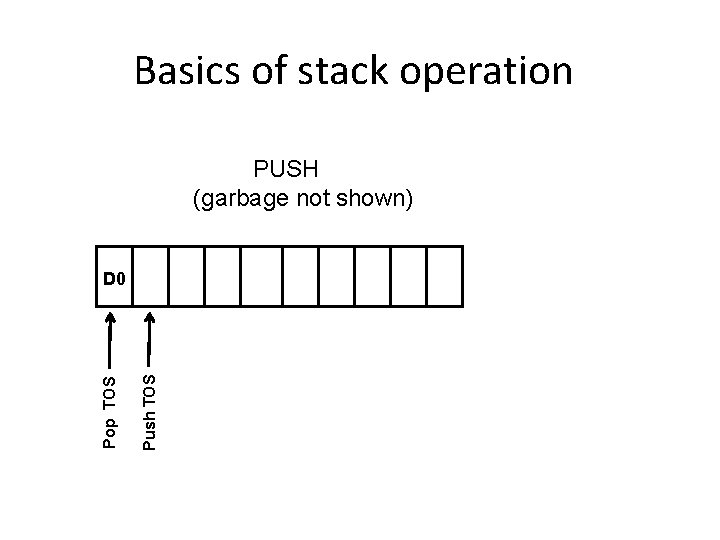
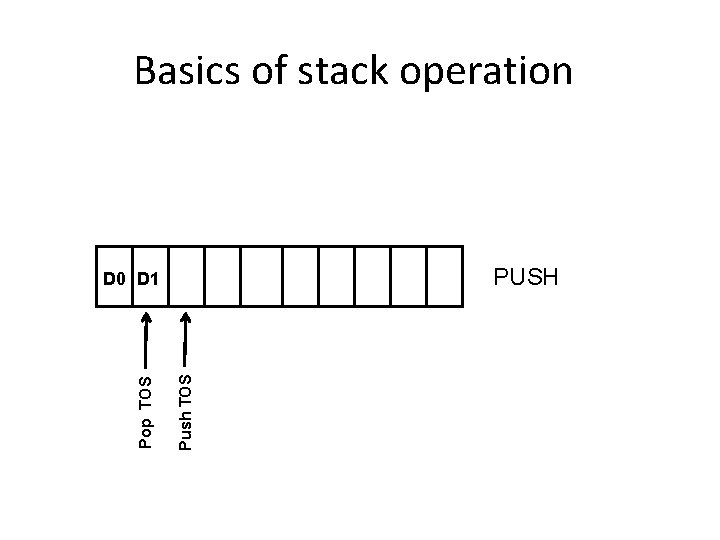
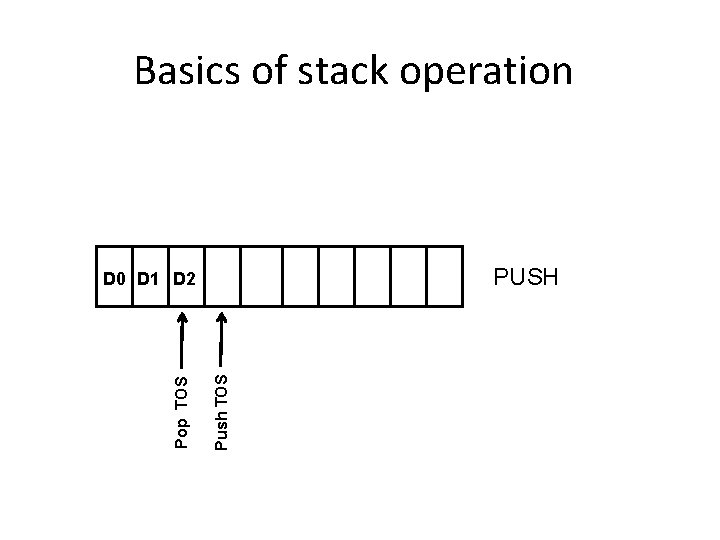
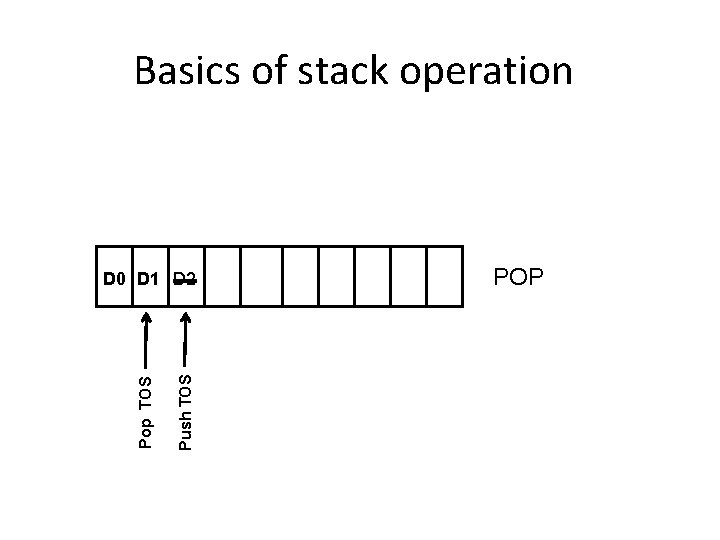
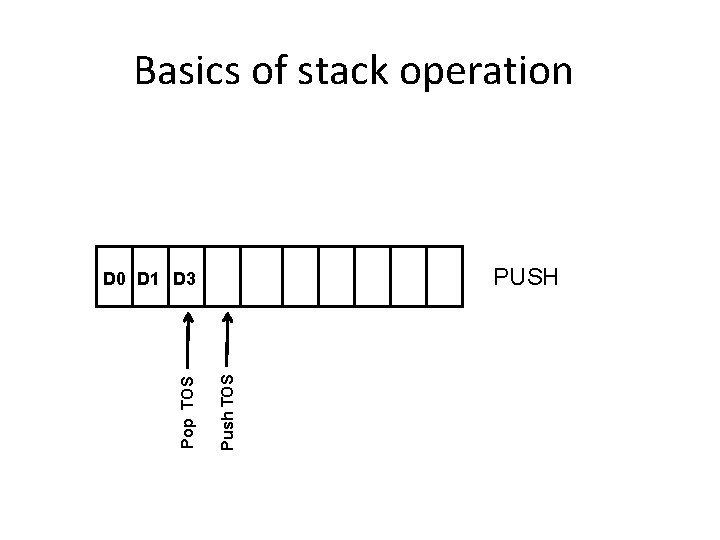
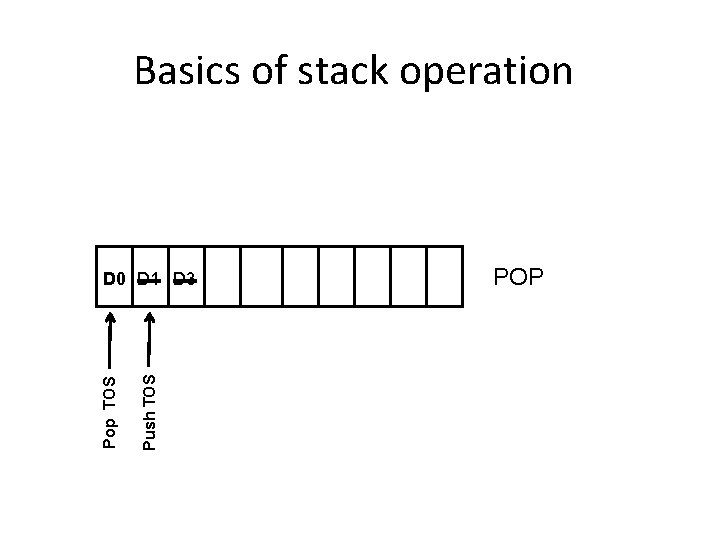
Stack Definition and Characteristics • Stack is a specialized memory segment which works in LIFO (Last In-First Out) mode. Managed by the Stack Pointer Register (SP) – Hardwired stack: physically defined, cannot change – Software defined: First address in stack defined by initialization of SP (by user or by compiler) • Stack Operations: – PUSH: storing a new data at the next available location – POP or PULL: retrieving last data available from the sequence (to be stored in some destination) – Important Note: A retrieved data is not deleted, but cannot be retrieved again with a stack operation • Top of Stack (TOS): memory address used in the stack operation (different for push or pop)
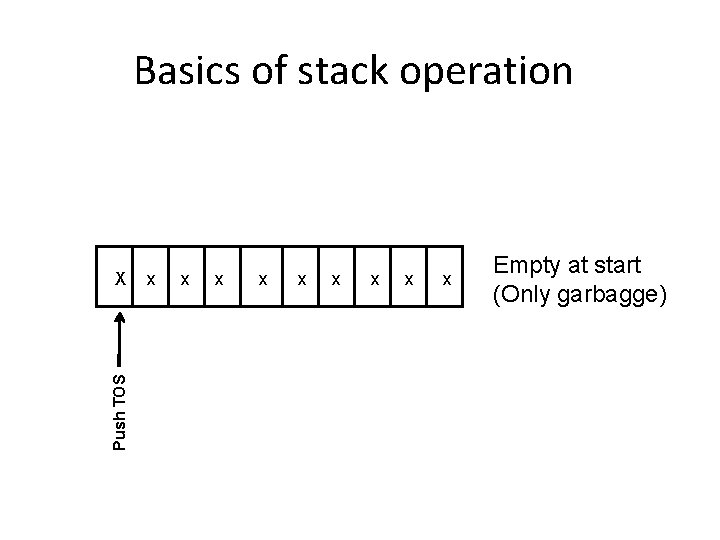
Basics of stack operation Push TOS X x x x x x Empty at start (Only garbagge)
Basics of stack operation PUSH (garbage not shown) Push TOS Pop TOS D 0
Basics of stack operation PUSH Push TOS Pop TOS D 0 D 1
Basics of stack operation PUSH Push TOS Pop TOS D 0 D 1 D 2
Basics of stack operation Push TOS Pop TOS D 0 D 1 D 2 POP
Basics of stack operation PUSH Push TOS Pop TOS D 0 D 1 D 3
Basics of stack operation Push TOS Pop TOS D 0 D 1 D 3 POP
Basics of stack operation Push TOS Pop TOS D 0 D 1 D 3 POP
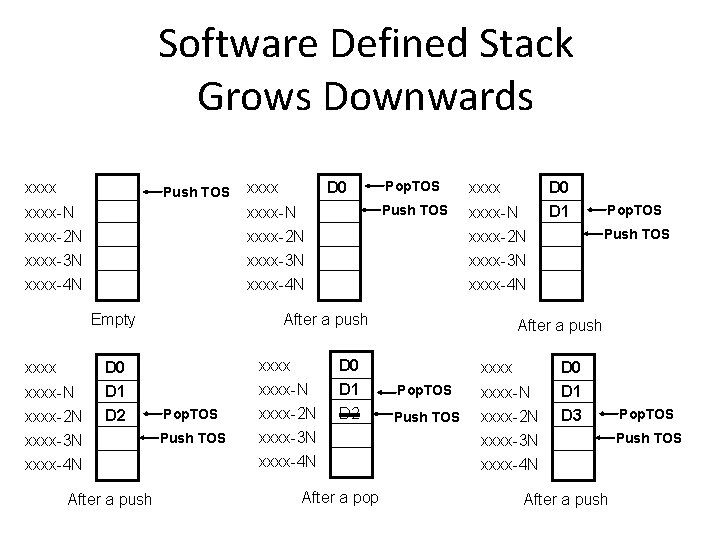
Software Defined Stack Grows Downwards xxxx Push TOS xxxx D 0 xxxx-N xxxx-2 N xxxx-3 N xxxx-4 N Empty xxxx-N xxxx-2 N xxxx-3 N xxxx-4 N D 0 D 1 D 2 After a push Pop. TOS xxxx Push TOS xxxx-N xxxx-2 N xxxx-3 N xxxx-4 N After a push xxxx Pop. TOS Push TOS xxxx-N xxxx-2 N xxxx-3 N xxxx-4 N D 0 D 1 D 2 After a pop D 0 D 1 Pop. TOS Push TOS After a push xxxx Pop. TOS Push TOS xxxx-N xxxx-2 N xxxx-3 N xxxx-4 N D 0 D 1 D 3 After a push Pop. TOS Push TOS
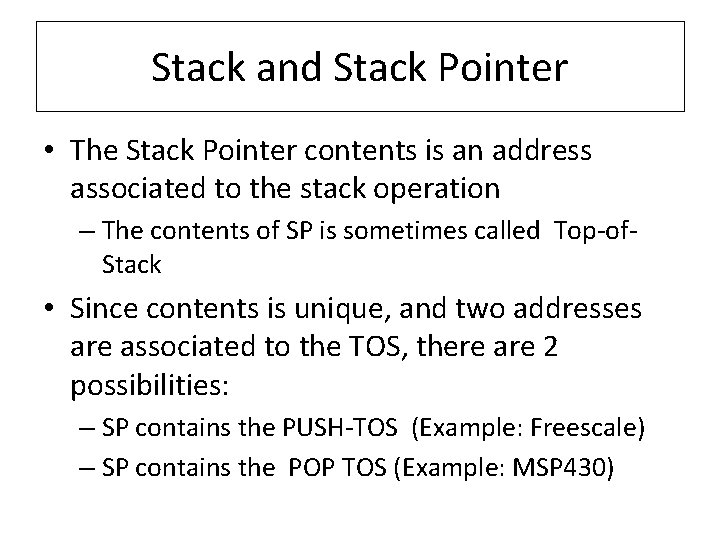
Stack and Stack Pointer • The Stack Pointer contents is an address associated to the stack operation – The contents of SP is sometimes called Top-of. Stack • Since contents is unique, and two addresses are associated to the TOS, there are 2 possibilities: – SP contains the PUSH-TOS (Example: Freescale) – SP contains the POP TOS (Example: MSP 430)
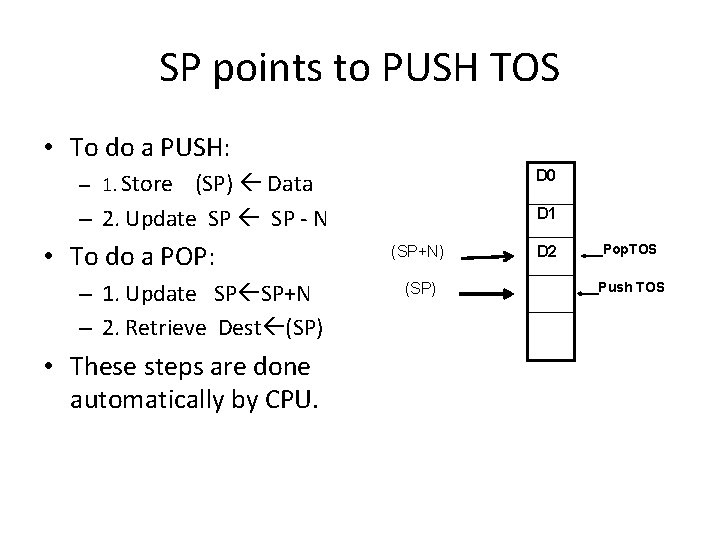
SP points to PUSH TOS • To do a PUSH: – 1. Store (SP) Data D 0 – 2. Update SP - N D 1 • To do a POP: – 1. Update SP SP+N – 2. Retrieve Dest (SP) • These steps are done automatically by CPU. (SP+N) (SP) D 2 Pop. TOS Push TOS
SP points to POP TOS • To do a PUSH: – 1. Update SP -N D 0 – 2. Store (SP) Data D 1 • To do a POP: – 1. Retrieve Dest (SP) – 2. Update SP SP+N • These steps are done automatically by CPU. (SP) (SP-N) D 2 Pop. TOS Push TOS
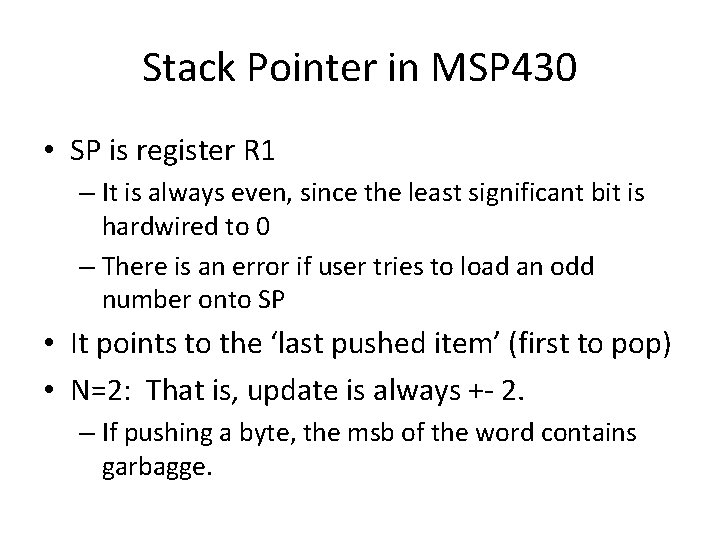
Stack Pointer in MSP 430 • SP is register R 1 – It is always even, since the least significant bit is hardwired to 0 – There is an error if user tries to load an odd number onto SP • It points to the ‘last pushed item’ (first to pop) • N=2: That is, update is always +- 2. – If pushing a byte, the msb of the word contains garbagge.
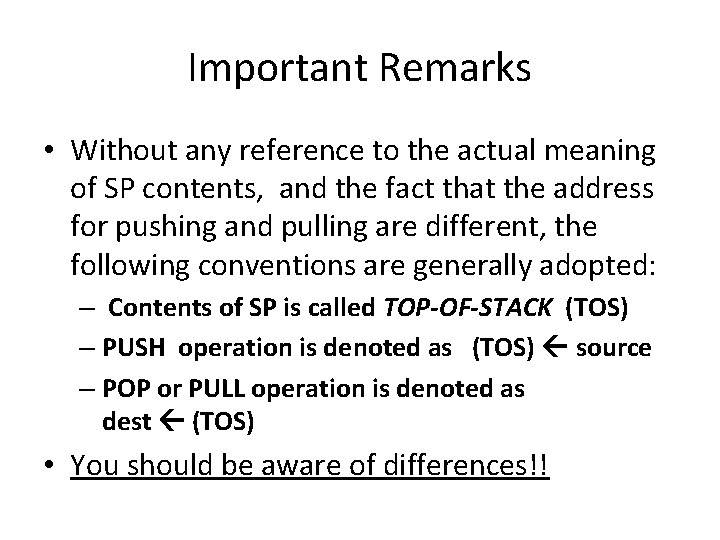
Important Remarks • Without any reference to the actual meaning of SP contents, and the fact that the address for pushing and pulling are different, the following conventions are generally adopted: – Contents of SP is called TOP-OF-STACK (TOS) – PUSH operation is denoted as (TOS) source – POP or PULL operation is denoted as dest (TOS) • You should be aware of differences!!
ADDRESSING MODES
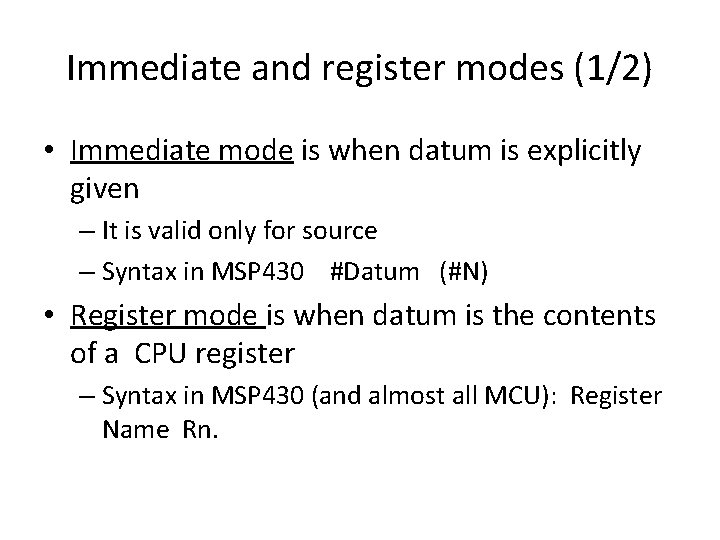
General introduction(1/2) • Addressing mode is the way to denote where to find (or store) the datum used in an operation • A datum or result to store can be referred to – explicitely (immediate mode) – as contents of a CPU register (register mode) – By the address of the memory or IO register(s) where it is to be found
General introduction (2/2) • Actual addressing modes and mode names in a family or model should be consulted in data sheet or user guide – Cases presented here are common, names may differ • Syntax depends on family system – Note: we use msp 430 syntax for examples. • Specific restrictions for use is also family dependent • Orthogonal system: it accepts all registers and addressing modes in both source and destination – Except immediate mode, not valid for destination
WARNING • We use material from chapter 4 to introduce concepts and examples. This material will be identified during class.
Immediate and register modes (1/2) • Immediate mode is when datum is explicitly given – It is valid only for source – Syntax in MSP 430 #Datum (#N) • Register mode is when datum is the contents of a CPU register – Syntax in MSP 430 (and almost all MCU): Register Name Rn.
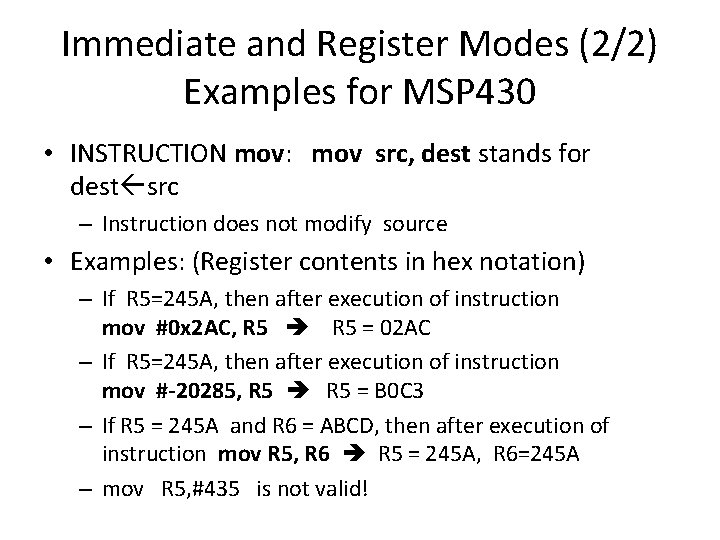
Immediate and Register Modes (2/2) Examples for MSP 430 • INSTRUCTION mov: mov src, dest stands for dest src – Instruction does not modify source • Examples: (Register contents in hex notation) – If R 5=245 A, then after execution of instruction mov #0 x 2 AC, R 5 = 02 AC – If R 5=245 A, then after execution of instruction mov #-20285, R 5 = B 0 C 3 – If R 5 = 245 A and R 6 = ABCD, then after execution of instruction mov R 5, R 6 R 5 = 245 A, R 6=245 A – mov R 5, #435 is not valid!
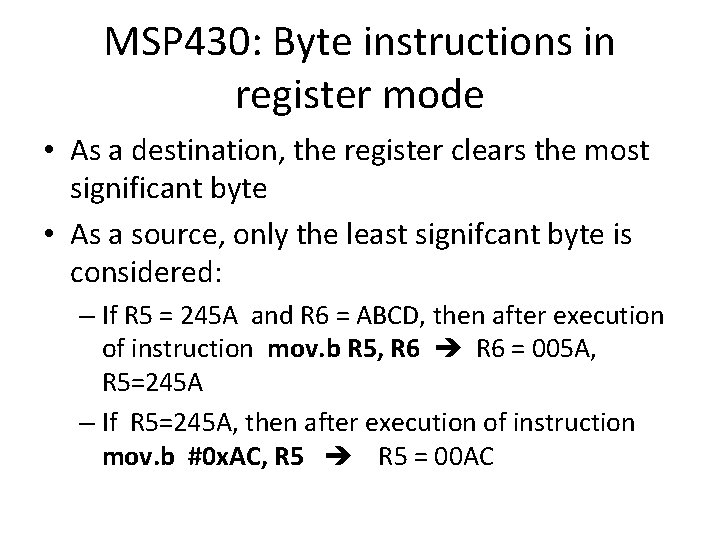
MSP 430: Byte instructions in register mode • As a destination, the register clears the most significant byte • As a source, only the least signifcant byte is considered: – If R 5 = 245 A and R 6 = ABCD, then after execution of instruction mov. b R 5, R 6 = 005 A, R 5=245 A – If R 5=245 A, then after execution of instruction mov. b #0 x. AC, R 5 = 00 AC
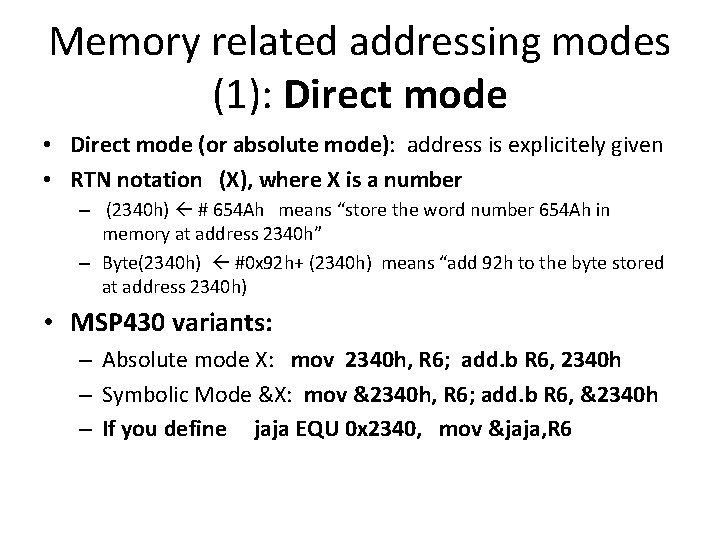
Memory related addressing modes (1): Direct mode • Direct mode (or absolute mode): address is explicitely given • RTN notation (X), where X is a number – (2340 h) # 654 Ah means “store the word number 654 Ah in memory at address 2340 h” – Byte(2340 h) #0 x 92 h+ (2340 h) means “add 92 h to the byte stored at address 2340 h) • MSP 430 variants: – Absolute mode X: mov 2340 h, R 6; add. b R 6, 2340 h – Symbolic Mode &X: mov &2340 h, R 6; add. b R 6, &2340 h – If you define jaja EQU 0 x 2340, mov &jaja, R 6
Memory related addressing modes (2): Register indirect (or indirect) • Register indirect (or indirect): address is given as contents of a CPU register • RTN notation (Reg), where Reg is a CPU register – If R 6=2340 h, (R 6) # 654 Ah means “store the word number 654 Ah in memory at address given by R 6, that is, 2340 h” – Byte(R 6) #0 x 92 h + (R 6) means “add 92 h to the byte stored at address 2340 h) • MSP 430 Notation @Rn, Not valid for destination: – If R 5 = 2340 h and [2340 h]=ABCD: mov @R 5, R 6 yields R 6 =ABCD – add. b R 6, @R 5 is not valid
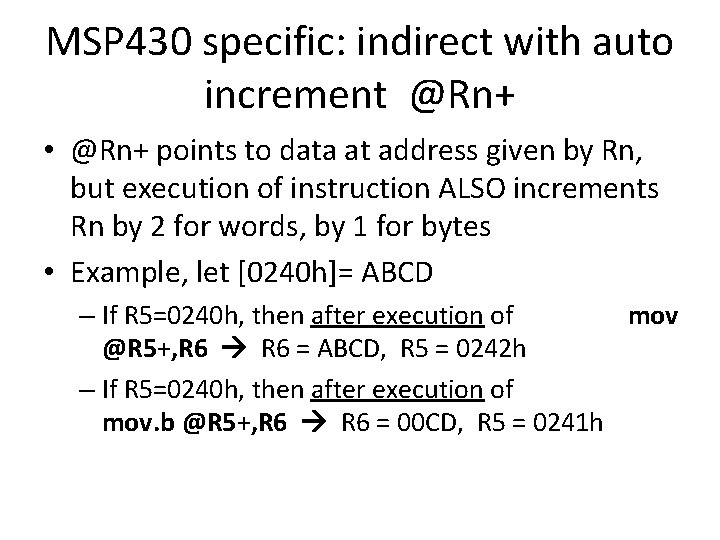
MSP 430 specific: indirect with auto increment @Rn+ • @Rn+ points to data at address given by Rn, but execution of instruction ALSO increments Rn by 2 for words, by 1 for bytes • Example, let [0240 h]= ABCD – If R 5=0240 h, then after execution of mov @R 5+, R 6 = ABCD, R 5 = 0242 h – If R 5=0240 h, then after execution of mov. b @R 5+, R 6 = 00 CD, R 5 = 0241 h
• • • [0308]=ABCD, R 7=0308 h, R 6=4321 h add @R 7, R 6= EEEEh, R 7=0308 h add @R 7+, R 6=EEEEh R 7=030 Ah add. b @R 7, R 6=00 EEh, R 7=0308 h add. b @R 7+, R 6 = 00 EEh, R 7=0309 h
Memory related addressing modes (3): Indexed ( register relative; or base indexed) • Address is given as the addition of a number X and contents of a CPU • Notación RTN: (Reg +X) – If R 6=2340 h, (R 6+4) # 654 Ah means “store the word number 654 Ah in memory at address given by R 6+4, that is, 2344 h • Msp 430 notation: X(Rn) – If R 6=2340 h, mov #654 Ah, 4(R 6) yields [2344 h] = 654 A – If R 6=2340 h, mov #654 Ah, 0(R 6) yields [2340 h] = 654 A • 0(R 6) is equivalent for @R 6, and is valid for destination! • Indexed mode is very useful for array type data
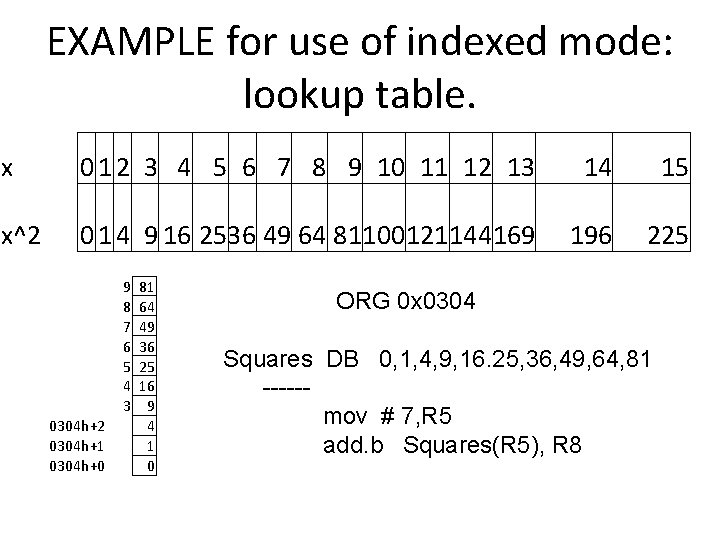
EXAMPLE for use of indexed mode: lookup table. x 0 1 2 3 4 5 6 7 8 9 10 11 12 13 14 15 x^2 0 1 4 9 16 2536 49 64 81100121144169 196 225 9 8 7 6 5 4 3 0304 h+2 0304 h+1 0304 h+0 81 64 49 36 25 16 9 4 1 0 ORG 0 x 0304 Squares DB 0, 1, 4, 9, 16. 25, 36, 49, 64, 81 -----mov # 7, R 5 add. b Squares(R 5), R 8
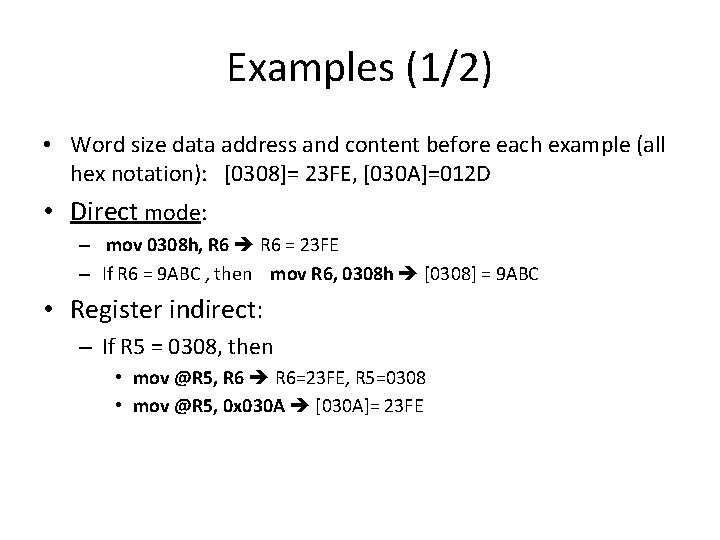
Examples (1/2) • Word size data address and content before each example (all hex notation): [0308]= 23 FE, [030 A]=012 D • Direct mode: – mov 0308 h, R 6 = 23 FE – If R 6 = 9 ABC , then mov R 6, 0308 h [0308] = 9 ABC • Register indirect: – If R 5 = 0308, then • mov @R 5, R 6=23 FE, R 5=0308 • mov @R 5, 0 x 030 A [030 A]= 23 FE
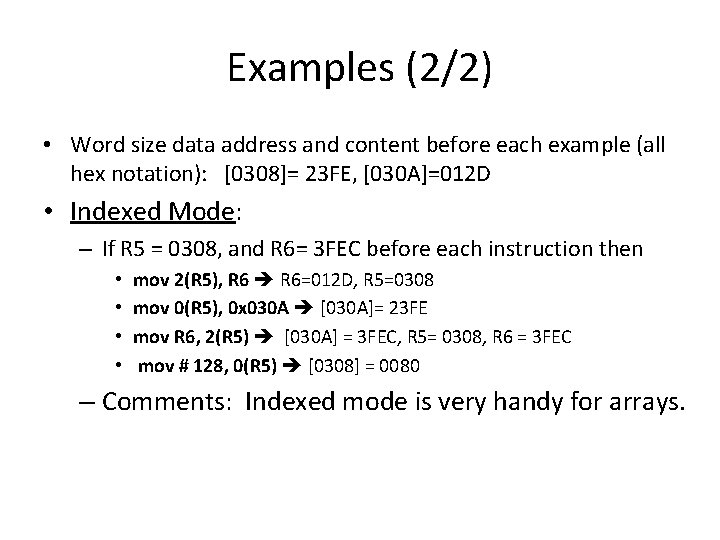
Examples (2/2) • Word size data address and content before each example (all hex notation): [0308]= 23 FE, [030 A]=012 D • Indexed Mode: – If R 5 = 0308, and R 6= 3 FEC before each instruction then • • mov 2(R 5), R 6=012 D, R 5=0308 mov 0(R 5), 0 x 030 A [030 A]= 23 FE mov R 6, 2(R 5) [030 A] = 3 FEC, R 5= 0308, R 6 = 3 FEC mov # 128, 0(R 5) [0308] = 0080 – Comments: Indexed mode is very handy for arrays.