
Cpr E 185 Intro to Problem Solving using
Cpr. E 185: Intro to Problem Solving (using C) Instructor: Alexander Stoytchev http: //www. cs. iastate. edu/~alex/classes/2008_Fall_185/
Arithmetic Expressions Cpr. E 185: Intro to Problem Solving Iowa State University, Ames, IA Copyright © Alexander Stoytchev

Administrative Stuff • Hw 2 is out • Part I is Due on Monday Sep 15 @ 10 am § Paper submission before the start of class. • Part II is Due on Monday Sep 15 @ 8 pm. § Electronic submission on Web. CT

Quick review of the last lecture

Variables • A variable is a name for a location in memory • A variable must be declared by specifying the variable's name and the type of information that it will hold data type variable name int total; int count, temp, result; Multiple variables can be created in one declaration © 2004 Pearson Addison-Wesley. All rights reserved

Assignment • An assignment statement changes the value of a variable • The assignment operator is the = sign total = 55; • The expression on the right is evaluated and the result is stored in the variable on the left • The value that was in total is overwritten • You can only assign a value to a variable that is consistent with the variable's declared type © 2004 Pearson Addison-Wesley. All rights reserved
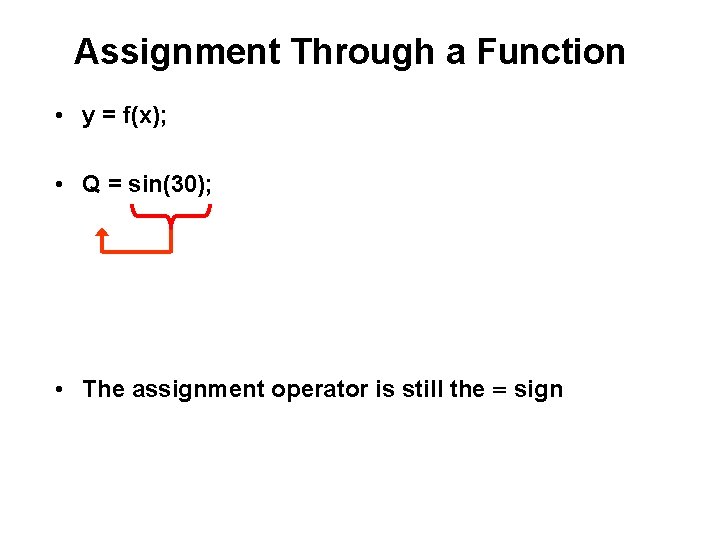
Assignment Through a Function • y = f(x); • Q = sin(30); • The assignment operator is still the = sign
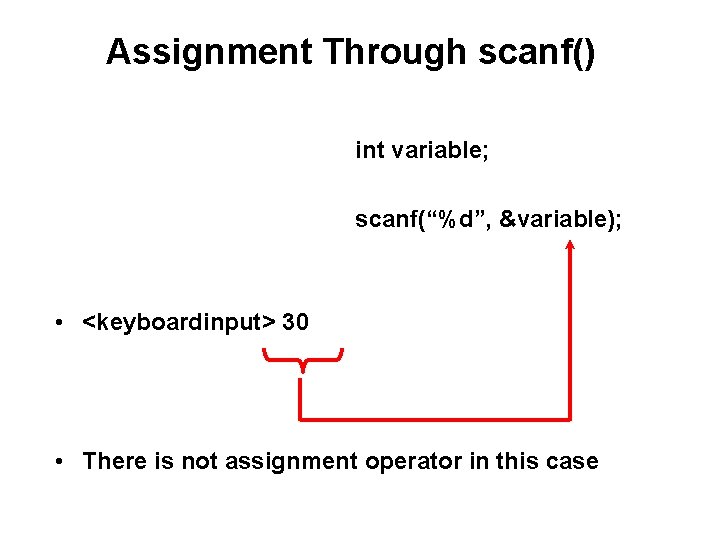
Assignment Through scanf() int variable; scanf(“%d”, &variable); • <keyboardinput> 30 • There is not assignment operator in this case
Some Primitive Data Types • • • char short int long • float • double • long double
![float and double analogy [image fom http: //www. simplylockers. co. uk/images/PLow. Locker. gif]](http://slidetodoc.com/presentation_image_h2/303a40d2e7ce3990e72b44ca73422e29/image-10.jpg "float and double analogy [image fom http: //www. simplylockers. co. uk/images/PLow. Locker. gif]")
float and double analogy [image fom http: //www. simplylockers. co. uk/images/PLow. Locker. gif]
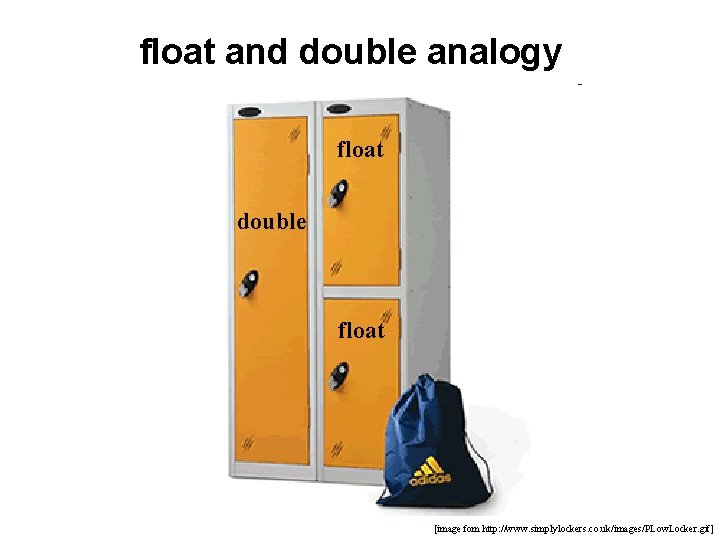
float and double analogy float double float [image fom http: //www. simplylockers. co. uk/images/PLow. Locker. gif]
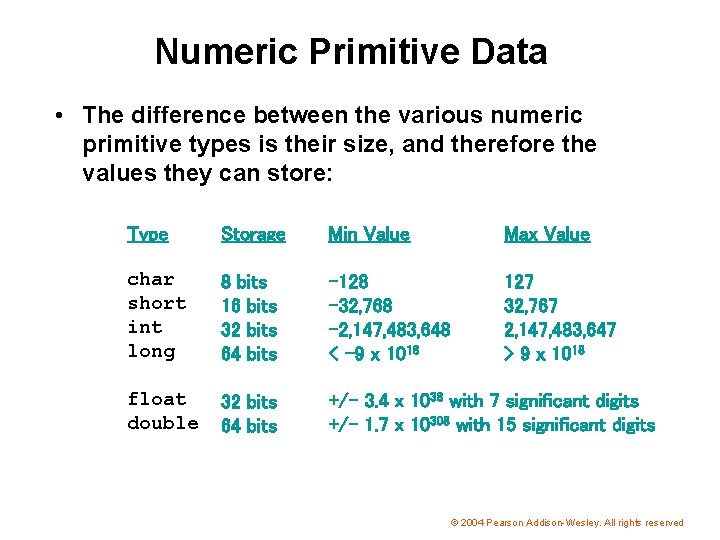
Numeric Primitive Data • The difference between the various numeric primitive types is their size, and therefore the values they can store: Type Storage Min Value Max Value char short int long 8 bits 16 bits 32 bits 64 bits -128 -32, 768 -2, 147, 483, 648 < -9 x 10¹⁸ 127 32, 767 2, 147, 483, 647 > 9 x 10¹⁸ float double 32 bits 64 bits +/- 3. 4 x 1038 with 7 significant digits +/- 1. 7 x 10308 with 15 significant digits © 2004 Pearson Addison-Wesley. All rights reserved
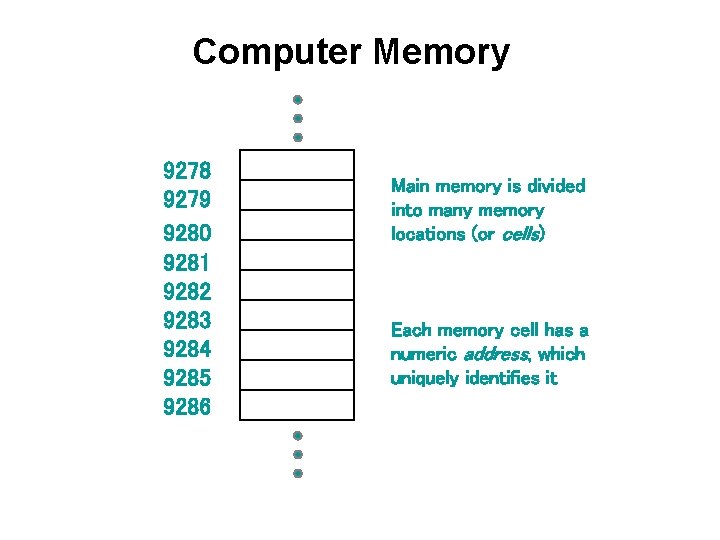
Computer Memory 9278 9279 9280 9281 9282 9283 9284 9285 9286 Main memory is divided into many memory locations (or cells) Each memory cell has a numeric address, which uniquely identifies it
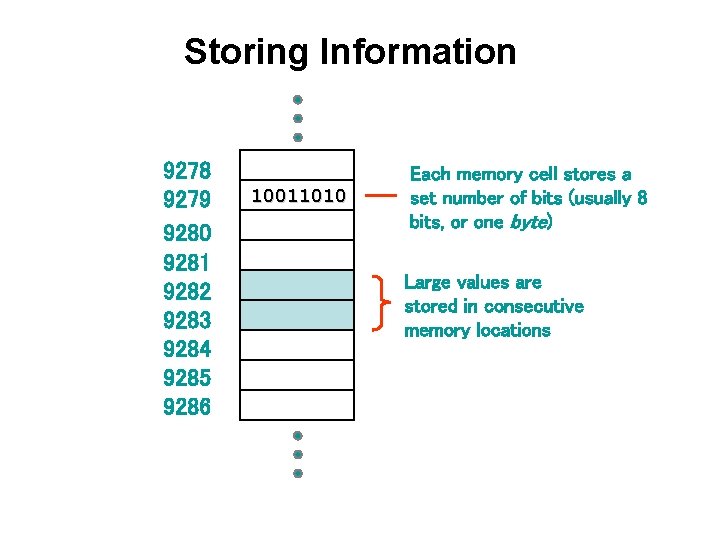
Storing Information 9278 9279 9280 9281 9282 9283 9284 9285 9286 10011010 Each memory cell stores a set number of bits (usually 8 bits, or one byte) Large values are stored in consecutive memory locations
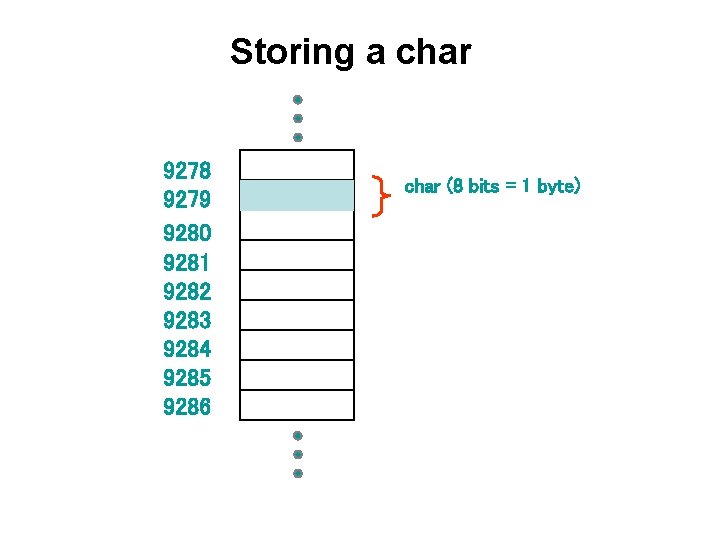
Storing a char 9278 9279 9280 9281 9282 9283 9284 9285 9286 char (8 bits = 1 byte)
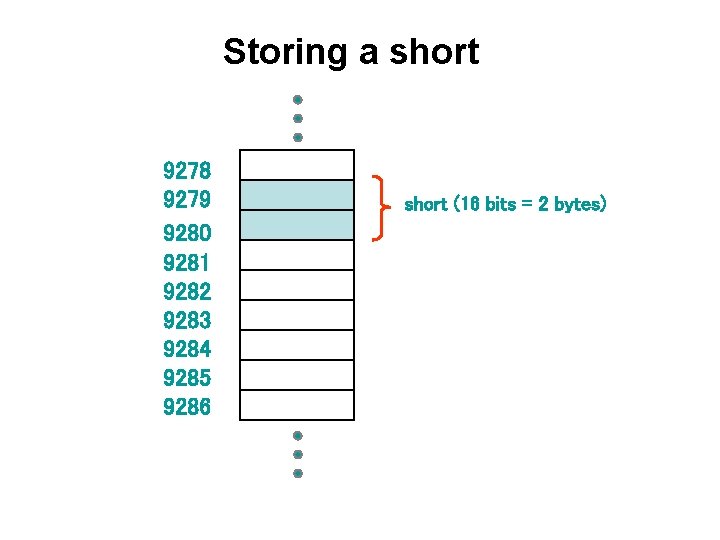
Storing a short 9278 9279 9280 9281 9282 9283 9284 9285 9286 short (16 bits = 2 bytes)
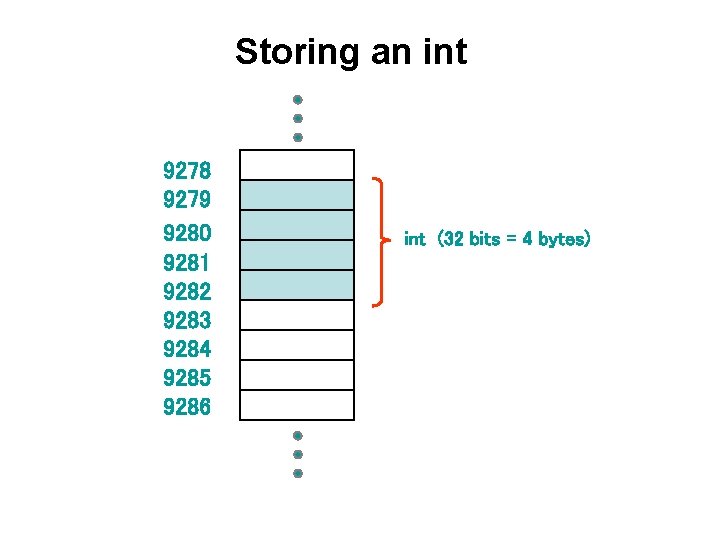
Storing an int 9278 9279 9280 9281 9282 9283 9284 9285 9286 int (32 bits = 4 bytes)
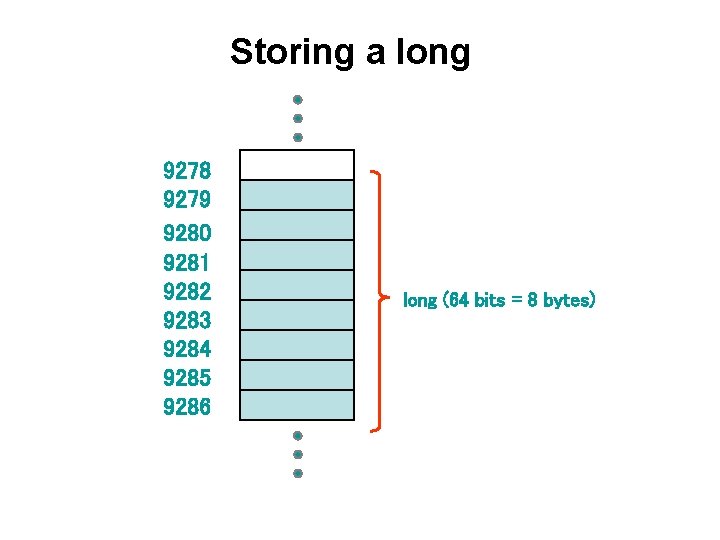
Storing a long 9278 9279 9280 9281 9282 9283 9284 9285 9286 long (64 bits = 8 bytes)
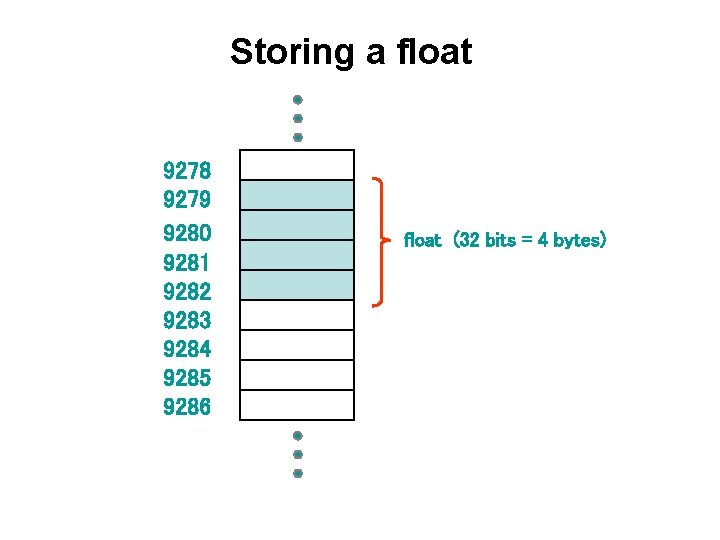
Storing a float 9278 9279 9280 9281 9282 9283 9284 9285 9286 float (32 bits = 4 bytes)
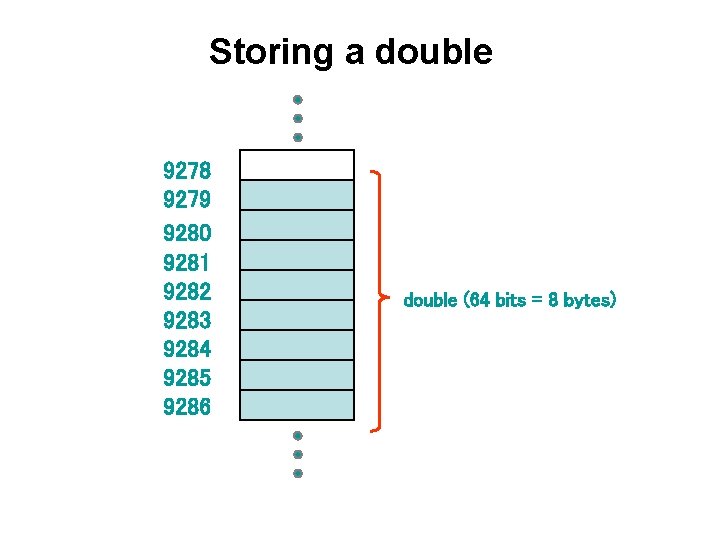
Storing a double 9278 9279 9280 9281 9282 9283 9284 9285 9286 double (64 bits = 8 bytes)
![The sizeof() operator #include <stdio. h> #include <stdlib. h> int main(int argc, char *argv[])](http://slidetodoc.com/presentation_image_h2/303a40d2e7ce3990e72b44ca73422e29/image-21.jpg "The sizeof() operator #include <stdio. h> #include <stdlib. h> int main(int argc, char *argv[])")
The sizeof() operator #include <stdio. h> #include <stdlib. h> int main(int argc, char *argv[]) { printf("Size of char = %d printf("Size of short = %d printf("Size of int = %d printf("Size of long = %d n", n", sizeof(char)); sizeof(short)); sizeof(int)); sizeof(long)); printf("Size of float = %d n", sizeof(float)); printf("Size of double = %d n", sizeof(double)); printf("Size of long double = %d n", sizeof(long double)); system("PAUSE"); return 0; }
Binary Numbers • Once information is digitized, it is represented and stored in memory using the binary number system • A single binary digit (0 or 1) is called a bit • Devices that store and move information are cheaper and more reliable if they have to represent only two states • A single bit can represent two possible states, like a light bulb that is either on (1) or off (0) • Permutations of bits are used to store values
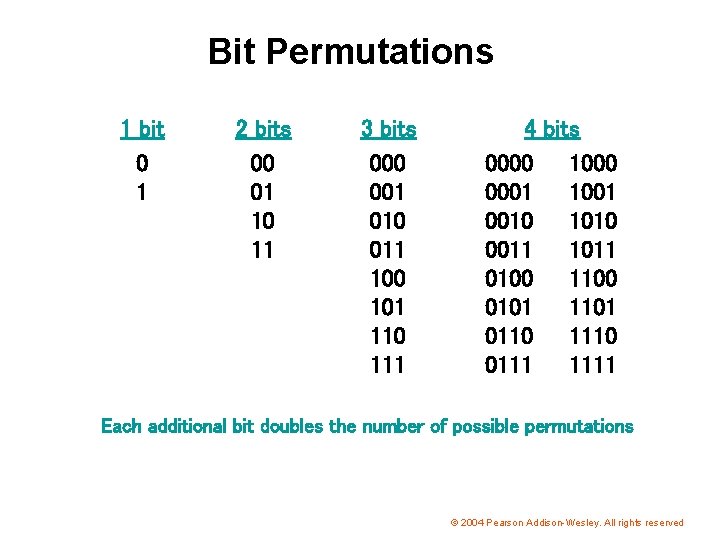
Bit Permutations 1 bit 0 1 2 bits 00 01 10 11 3 bits 000 001 010 011 100 101 110 111 4 bits 0000 1000 0001 1001 0010 1010 0011 1011 0100 1100 0101 1101 0110 1110 0111 1111 Each additional bit doubles the number of possible permutations © 2004 Pearson Addison-Wesley. All rights reserved
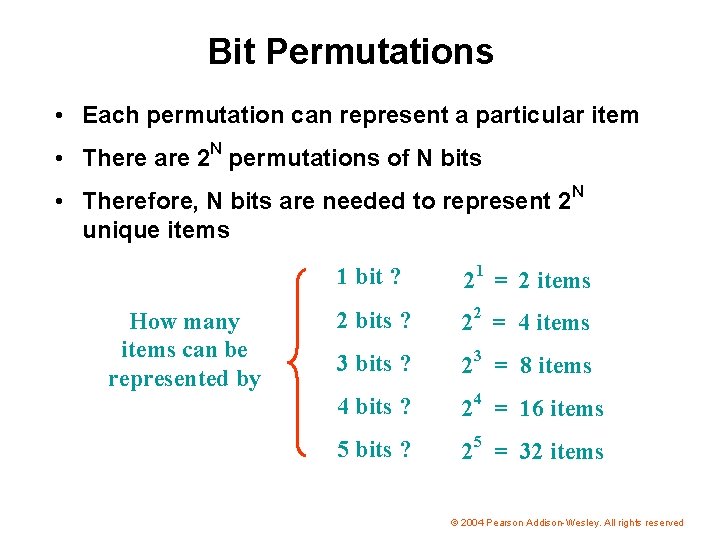
Bit Permutations • Each permutation can represent a particular item • There are 2 N permutations of N bits • Therefore, N bits are needed to represent 2 N unique items How many items can be represented by 1 bit ? 21 = 2 items 2 bits ? 22 = 4 items 3 bits ? 23 = 8 items 4 bits ? 24 = 16 items 5 bits ? 25 = 32 items © 2004 Pearson Addison-Wesley. All rights reserved
![Relationship Between a Byte and a Bit [Figure 1. 5 in the textbook]](http://slidetodoc.com/presentation_image_h2/303a40d2e7ce3990e72b44ca73422e29/image-25.jpg "Relationship Between a Byte and a Bit [Figure 1. 5 in the textbook]")
Relationship Between a Byte and a Bit [Figure 1. 5 in the textbook]
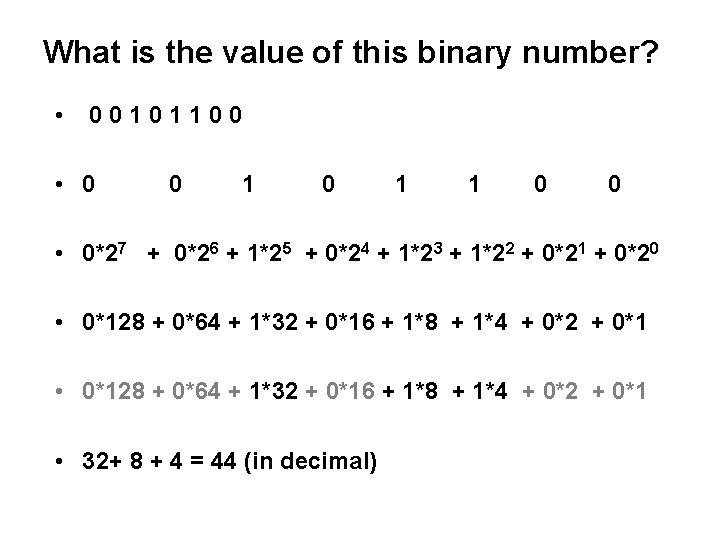
What is the value of this binary number? • 00101100 • 0 0 1 1 0 0 • 0*27 + 0*26 + 1*25 + 0*24 + 1*23 + 1*22 + 0*21 + 0*20 • 0*128 + 0*64 + 1*32 + 0*16 + 1*8 + 1*4 + 0*2 + 0*1 • 32+ 8 + 4 = 44 (in decimal)
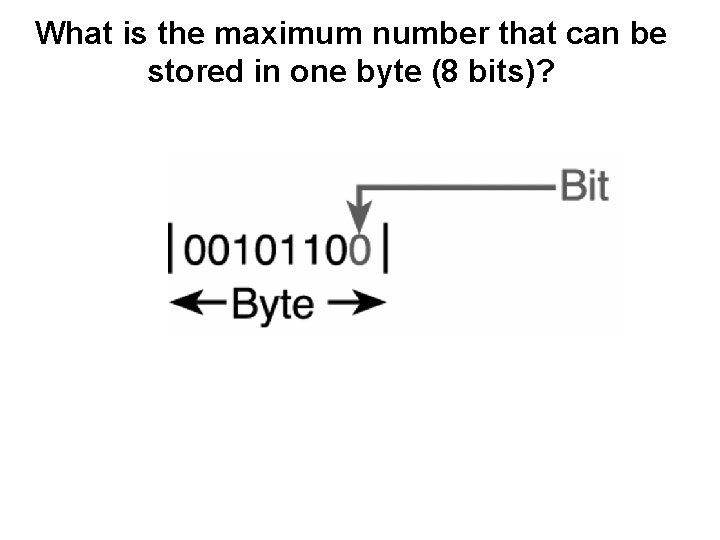
What is the maximum number that can be stored in one byte (8 bits)?
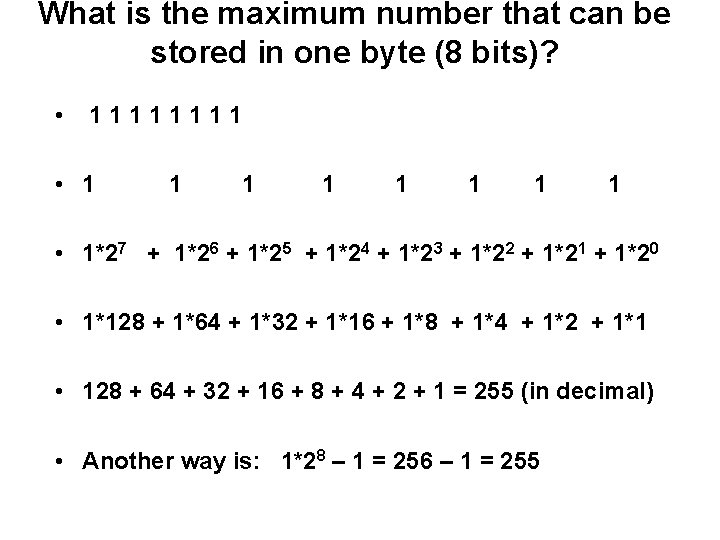
What is the maximum number that can be stored in one byte (8 bits)? • 1111 • 1 1 1 1 • 1*27 + 1*26 + 1*25 + 1*24 + 1*23 + 1*22 + 1*21 + 1*20 • 1*128 + 1*64 + 1*32 + 1*16 + 1*8 + 1*4 + 1*2 + 1*1 • 128 + 64 + 32 + 16 + 8 + 4 + 2 + 1 = 255 (in decimal) • Another way is: 1*28 – 1 = 256 – 1 = 255
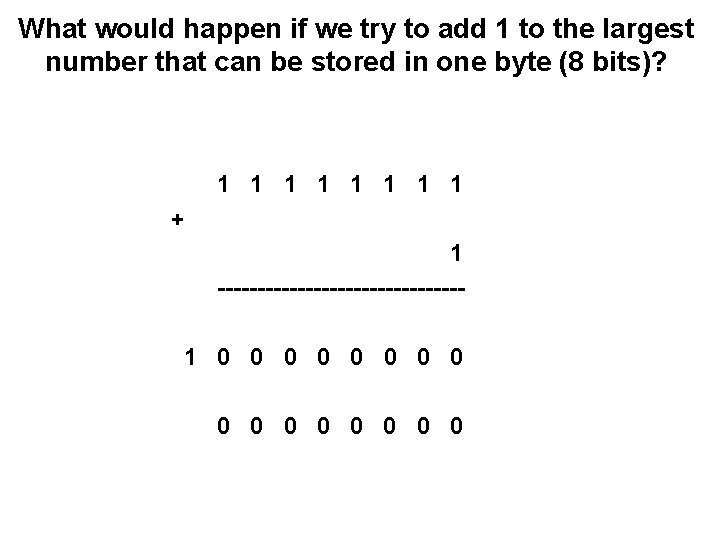
What would happen if we try to add 1 to the largest number that can be stored in one byte (8 bits)? 1 1 1 1 + 1 ---------------1 0 0 0 0
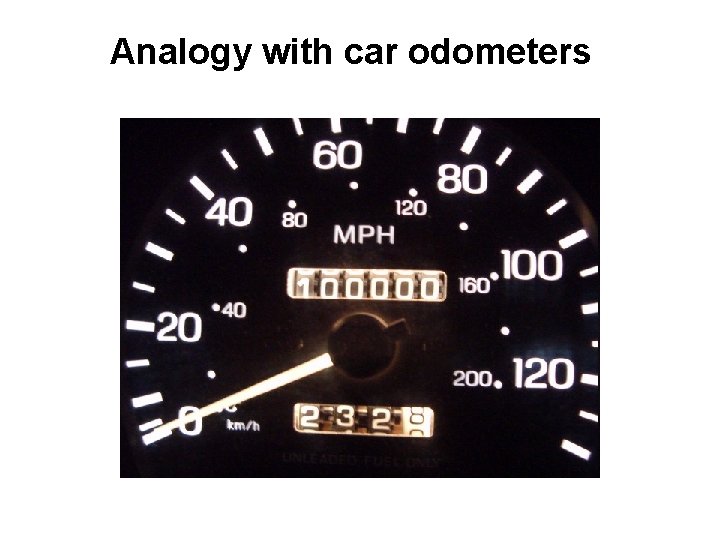
Analogy with car odometers
![Analogy with car odometers [http: //www. hyperocity. com/volvo 240/images/Volvo/odometerrepair/speedo 999999. jpg]](http://slidetodoc.com/presentation_image_h2/303a40d2e7ce3990e72b44ca73422e29/image-31.jpg "Analogy with car odometers [http: //www. hyperocity. com/volvo 240/images/Volvo/odometerrepair/speedo 999999. jpg]")
Analogy with car odometers [http: //www. hyperocity. com/volvo 240/images/Volvo/odometerrepair/speedo 999999. jpg]
Signed integers are more complicated
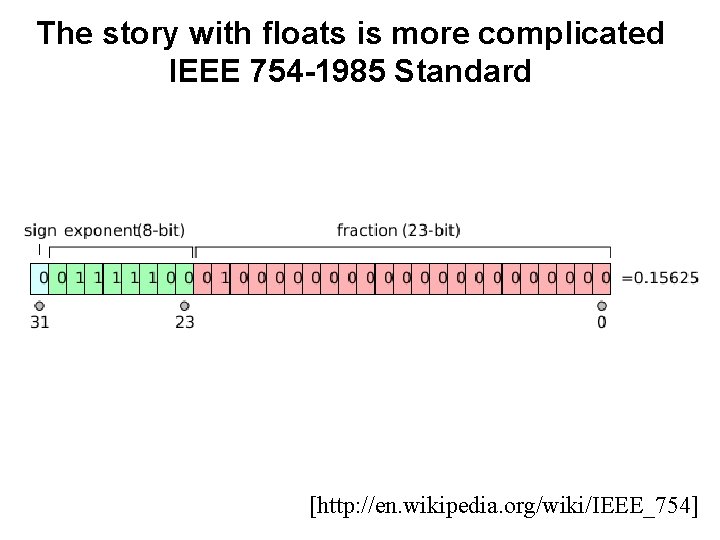
The story with floats is more complicated IEEE 754 -1985 Standard [http: //en. wikipedia. org/wiki/IEEE_754]
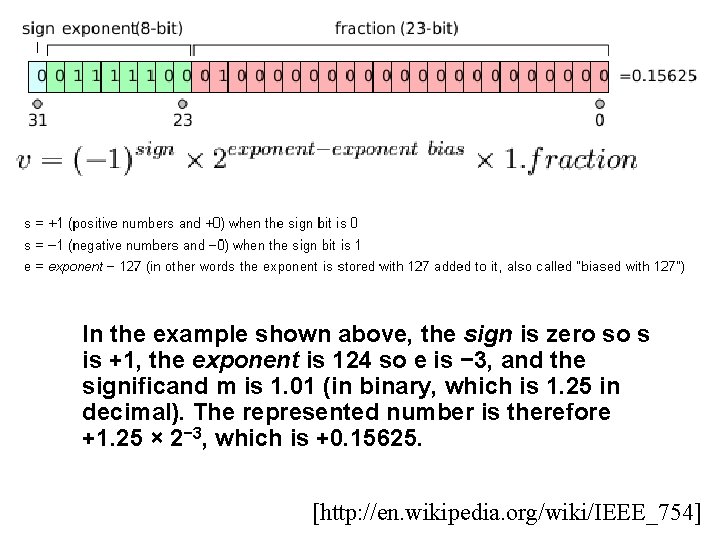
In the example shown above, the sign is zero so s is +1, the exponent is 124 so e is − 3, and the significand m is 1. 01 (in binary, which is 1. 25 in decimal). The represented number is therefore +1. 25 × 2− 3, which is +0. 15625. [http: //en. wikipedia. org/wiki/IEEE_754]
On-line IEEE 754 Converters • http: //www. h-schmidt. net/Float. Applet/IEEE 754. html • http: //babbage. cs. qc. edu/IEEE-754/Decimal. html
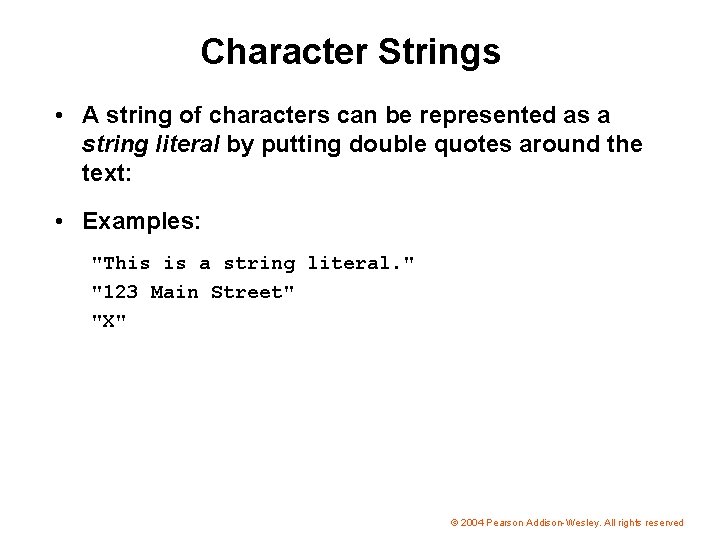
Character Strings • A string of characters can be represented as a string literal by putting double quotes around the text: • Examples: "This is a string literal. " "123 Main Street" "X" © 2004 Pearson Addison-Wesley. All rights reserved
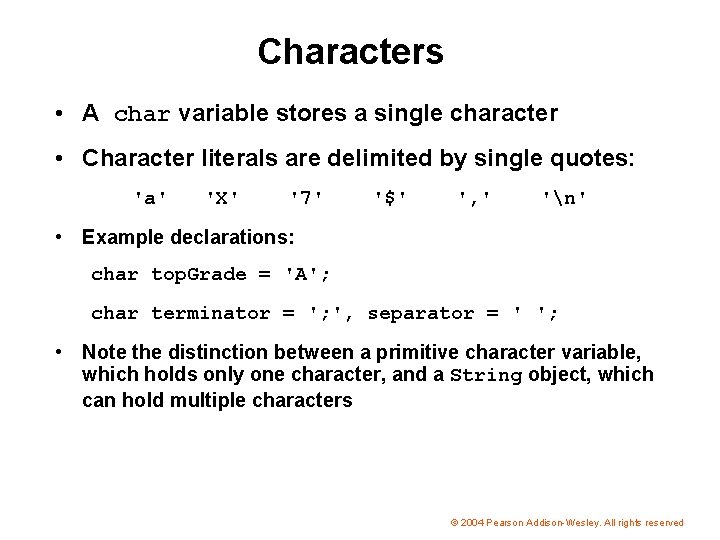
Characters • A char variable stores a single character • Character literals are delimited by single quotes: 'a' 'X' '7' '$' ', ' 'n' • Example declarations: char top. Grade = 'A'; char terminator = '; ', separator = ' '; • Note the distinction between a primitive character variable, which holds only one character, and a String object, which can hold multiple characters © 2004 Pearson Addison-Wesley. All rights reserved
Characters • The ASCII character set is older and smaller than Unicode, but is still quite popular • The ASCII characters are a subset of the Unicode character set, including: uppercase letters lowercase letters punctuation digits special symbols control characters A, B, C, … a, b, c, … period, semi-colon, … 0, 1, 2, … &, |, , … carriage return, tab, . . . © 2004 Pearson Addison-Wesley. All rights reserved
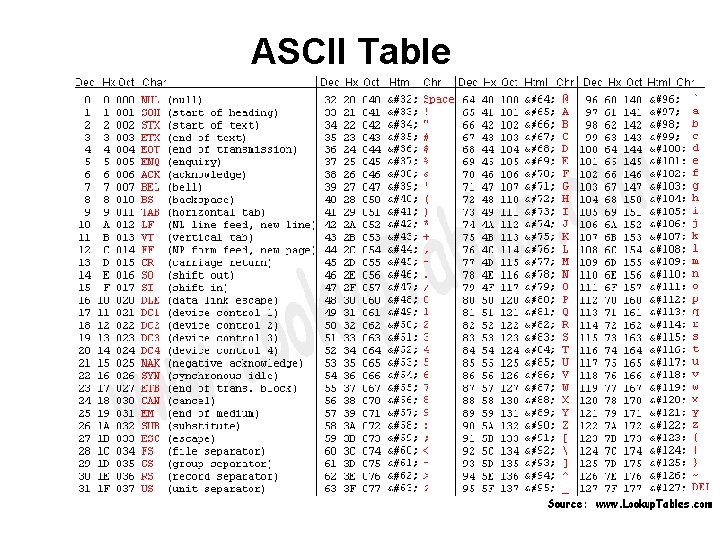
ASCII Table
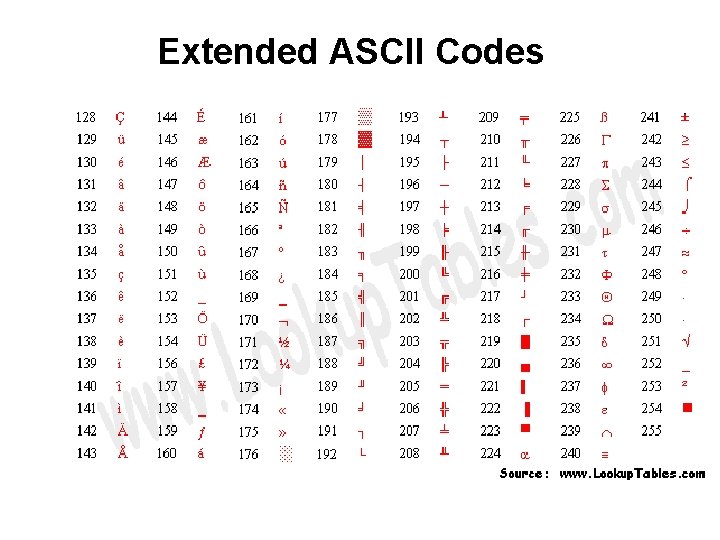
Extended ASCII Codes
The Unicode Character Code • http: //www. unicode. org/charts/
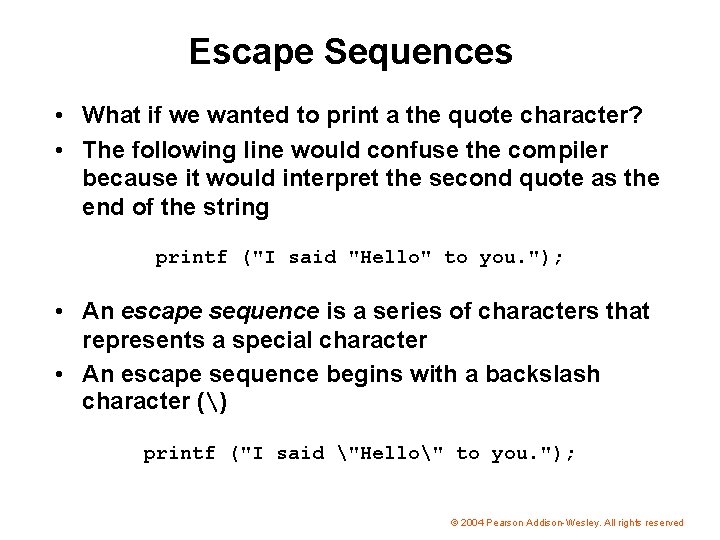
Escape Sequences • What if we wanted to print a the quote character? • The following line would confuse the compiler because it would interpret the second quote as the end of the string printf ("I said "Hello" to you. "); • An escape sequence is a series of characters that represents a special character • An escape sequence begins with a backslash character () printf ("I said "Hello" to you. "); © 2004 Pearson Addison-Wesley. All rights reserved
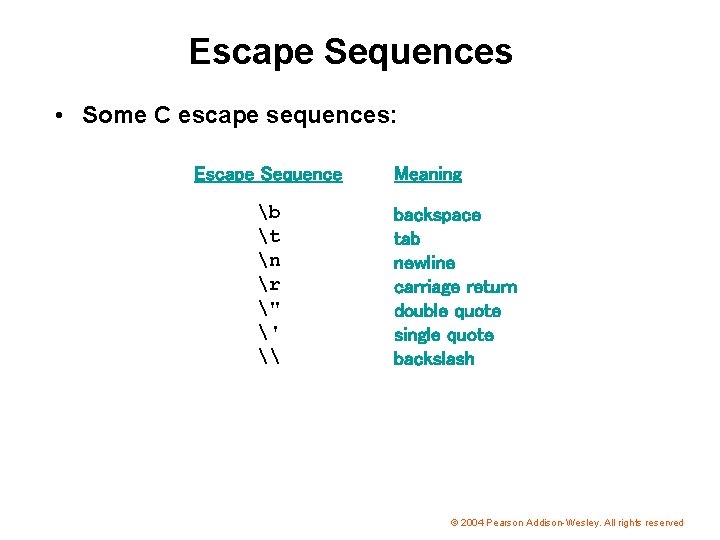
Escape Sequences • Some C escape sequences: Escape Sequence b t n r " ' \ Meaning backspace tab newline carriage return double quote single quote backslash © 2004 Pearson Addison-Wesley. All rights reserved
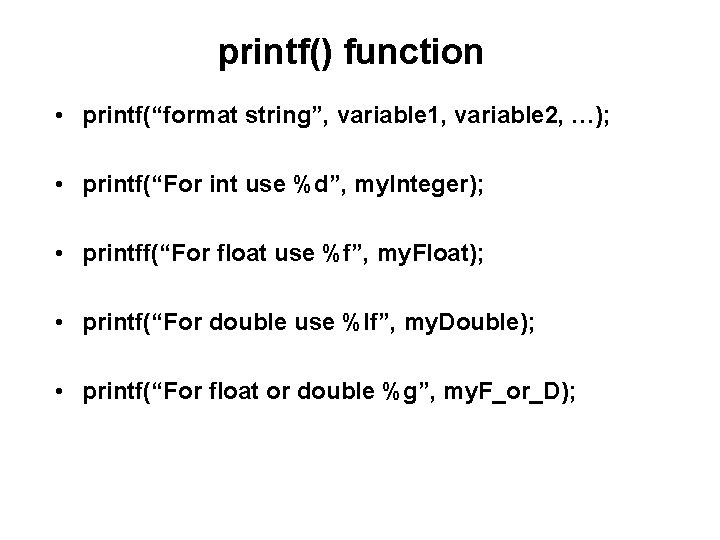
printf() function • printf(“format string”, variable 1, variable 2, …); • printf(“For int use %d”, my. Integer); • printff(“For float use %f”, my. Float); • printf(“For double use %lf”, my. Double); • printf(“For float or double %g”, my. F_or_D);
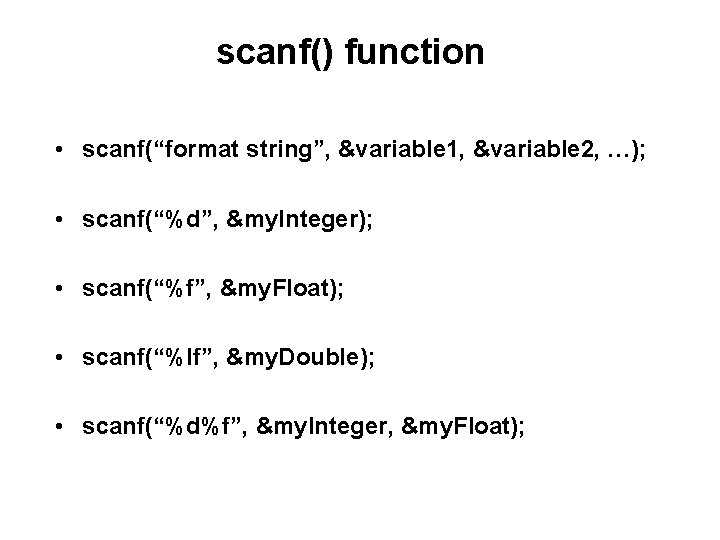
scanf() function • scanf(“format string”, &variable 1, &variable 2, …); • scanf(“%d”, &my. Integer); • scanf(“%f”, &my. Float); • scanf(“%lf”, &my. Double); • scanf(“%d%f”, &my. Integer, &my. Float);
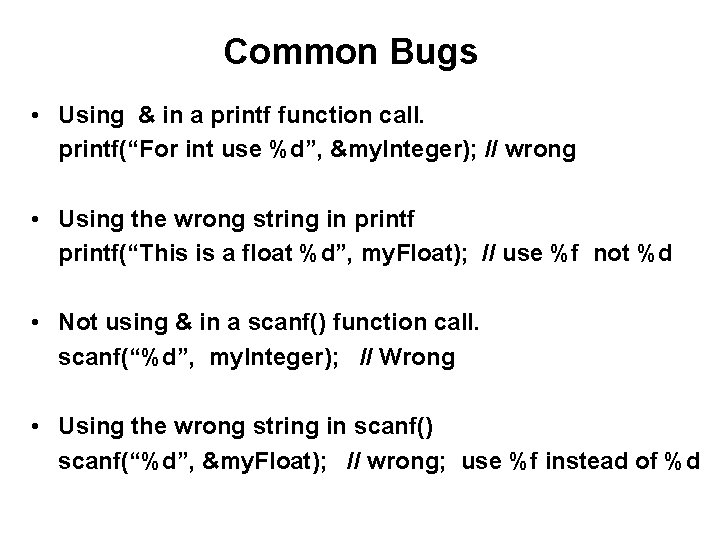
Common Bugs • Using & in a printf function call. printf(“For int use %d”, &my. Integer); // wrong • Using the wrong string in printf(“This is a float %d”, my. Float); // use %f not %d • Not using & in a scanf() function call. scanf(“%d”, my. Integer); // Wrong • Using the wrong string in scanf() scanf(“%d”, &my. Float); // wrong; use %f instead of %d
Why do we need to specify the format of the keyboard input before we can read it?
Evaluating Expressions
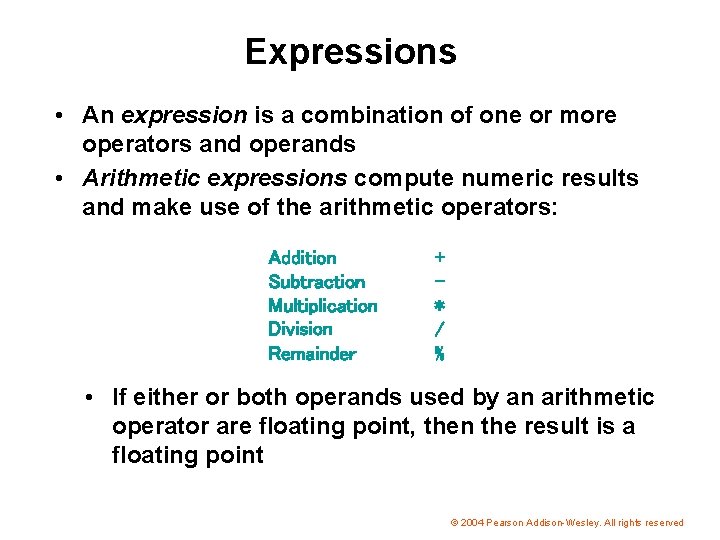
Expressions • An expression is a combination of one or more operators and operands • Arithmetic expressions compute numeric results and make use of the arithmetic operators: Addition Subtraction Multiplication Division Remainder + * / % • If either or both operands used by an arithmetic operator are floating point, then the result is a floating point © 2004 Pearson Addison-Wesley. All rights reserved
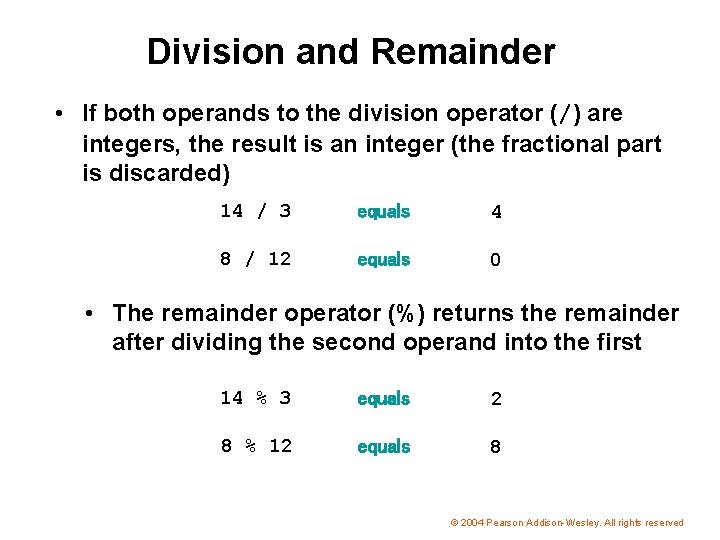
Division and Remainder • If both operands to the division operator (/) are integers, the result is an integer (the fractional part is discarded) 14 / 3 equals 4 8 / 12 equals 0 • The remainder operator (%) returns the remainder after dividing the second operand into the first 14 % 3 equals 2 8 % 12 equals 8 © 2004 Pearson Addison-Wesley. All rights reserved
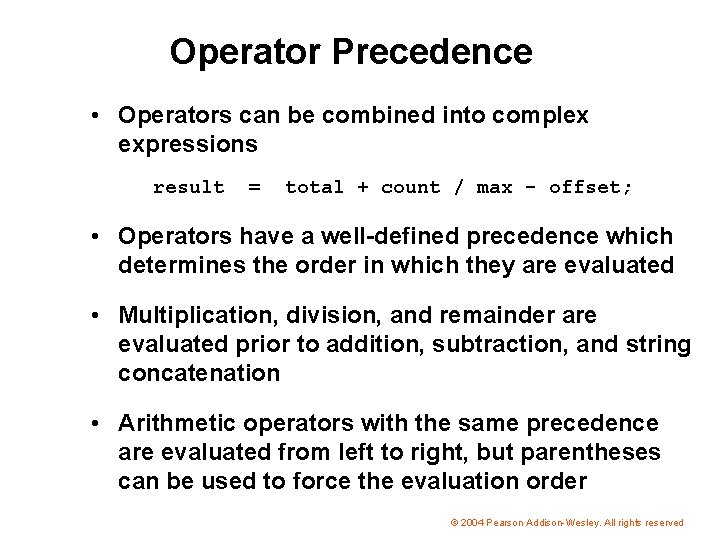
Operator Precedence • Operators can be combined into complex expressions result = total + count / max - offset; • Operators have a well-defined precedence which determines the order in which they are evaluated • Multiplication, division, and remainder are evaluated prior to addition, subtraction, and string concatenation • Arithmetic operators with the same precedence are evaluated from left to right, but parentheses can be used to force the evaluation order © 2004 Pearson Addison-Wesley. All rights reserved
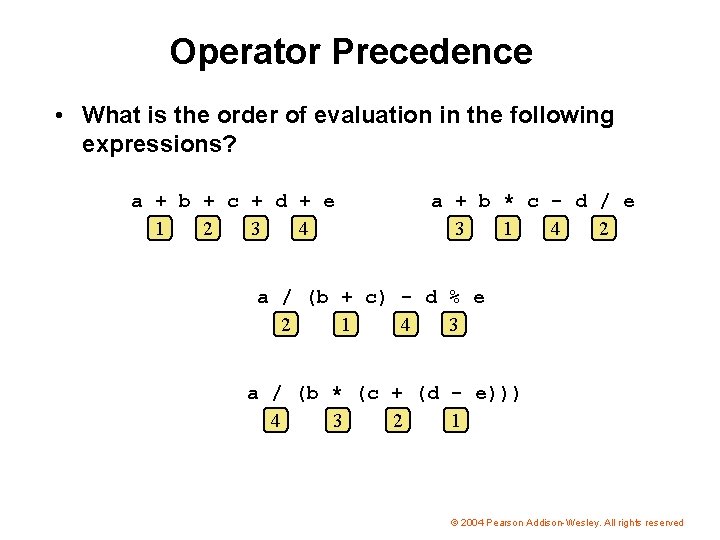
Operator Precedence • What is the order of evaluation in the following expressions? a + b + c + d + e 1 2 3 4 a + b * c - d / e 3 1 4 2 a / (b + c) - d % e 2 1 4 3 a / (b * (c + (d - e))) 4 3 2 1 © 2004 Pearson Addison-Wesley. All rights reserved
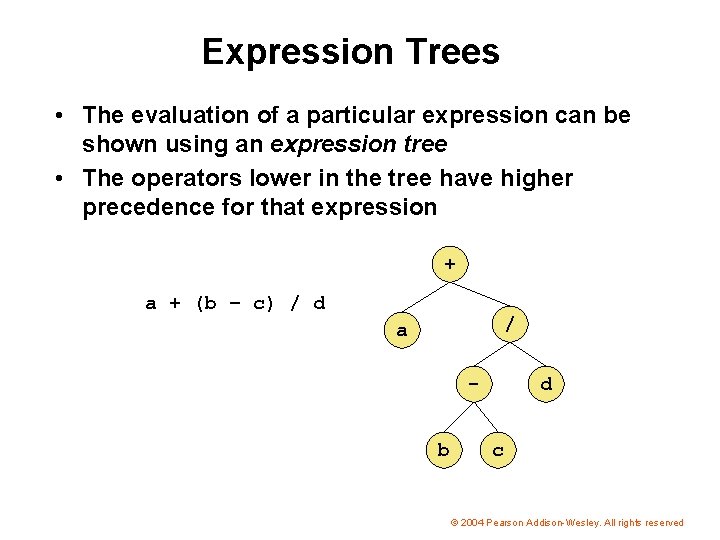
Expression Trees • The evaluation of a particular expression can be shown using an expression tree • The operators lower in the tree have higher precedence for that expression + a + (b – c) / d / a b d c © 2004 Pearson Addison-Wesley. All rights reserved
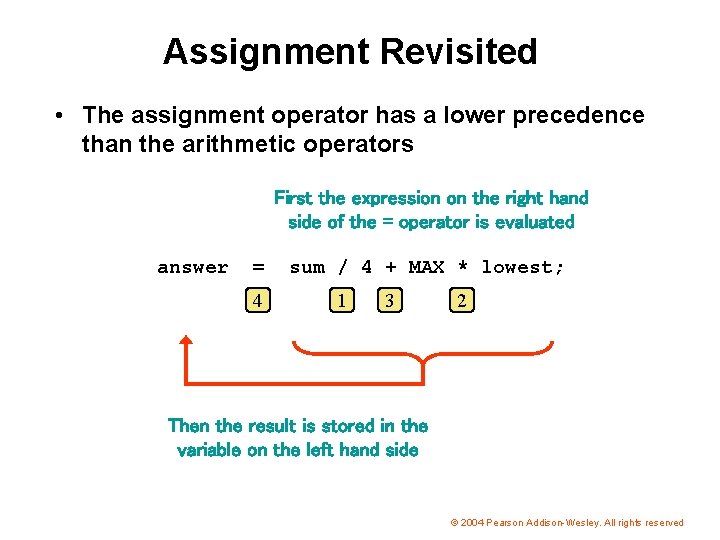
Assignment Revisited • The assignment operator has a lower precedence than the arithmetic operators First the expression on the right hand side of the = operator is evaluated answer = 4 sum / 4 + MAX * lowest; 1 3 2 Then the result is stored in the variable on the left hand side © 2004 Pearson Addison-Wesley. All rights reserved
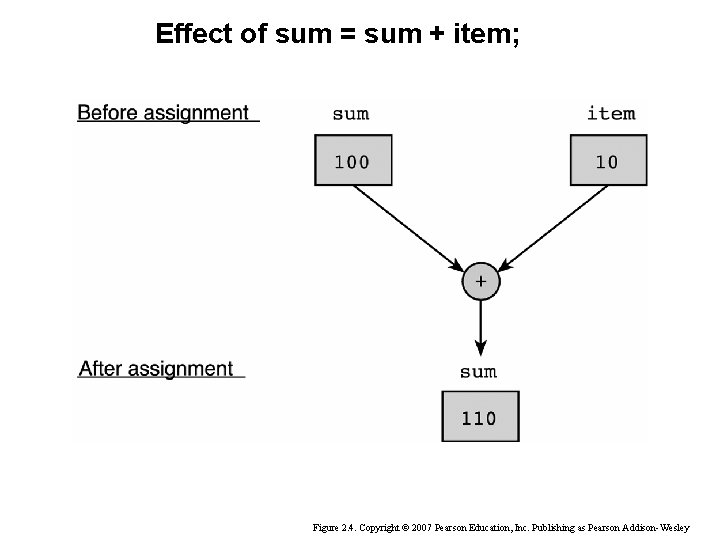
Effect of sum = sum + item; Figure 2. 4. Copyright © 2007 Pearson Education, Inc. Publishing as Pearson Addison-Wesley
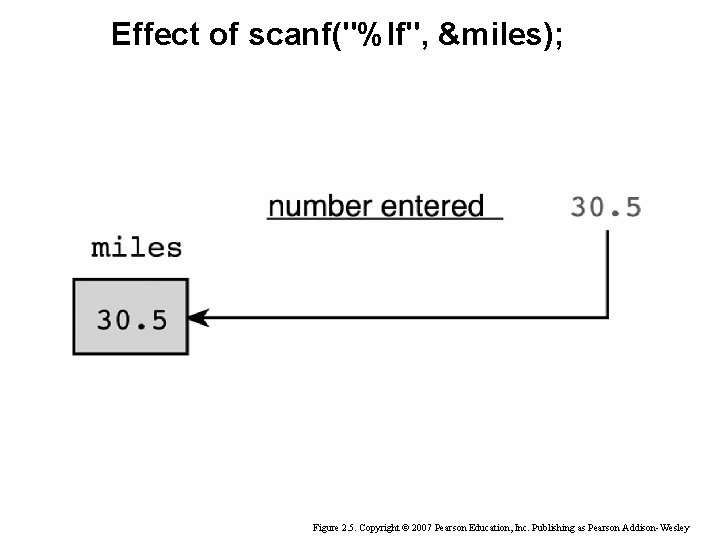
Effect of scanf("%lf", &miles); Figure 2. 5. Copyright © 2007 Pearson Education, Inc. Publishing as Pearson Addison-Wesley
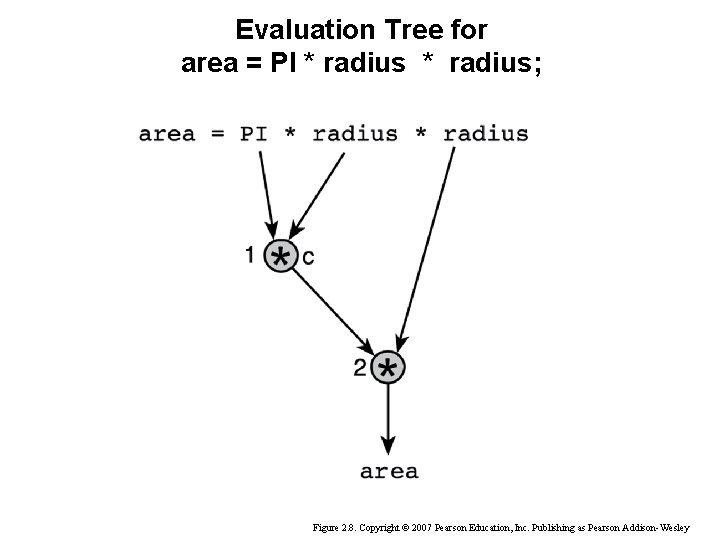
Evaluation Tree for area = PI * radius; Figure 2. 8. Copyright © 2007 Pearson Education, Inc. Publishing as Pearson Addison-Wesley
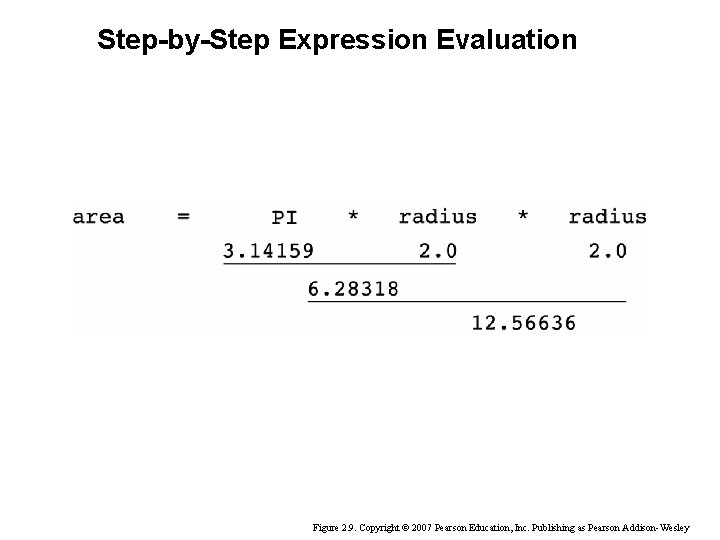
Step-by-Step Expression Evaluation Figure 2. 9. Copyright © 2007 Pearson Education, Inc. Publishing as Pearson Addison-Wesley
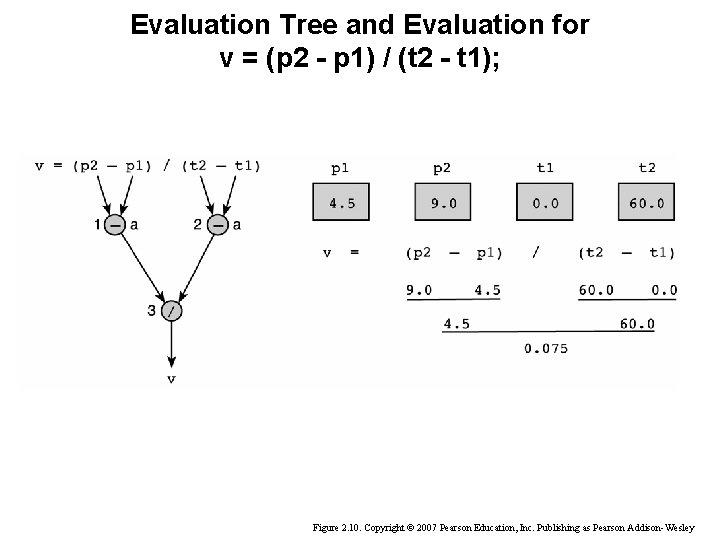
Evaluation Tree and Evaluation for v = (p 2 - p 1) / (t 2 - t 1); Figure 2. 10. Copyright © 2007 Pearson Education, Inc. Publishing as Pearson Addison-Wesley
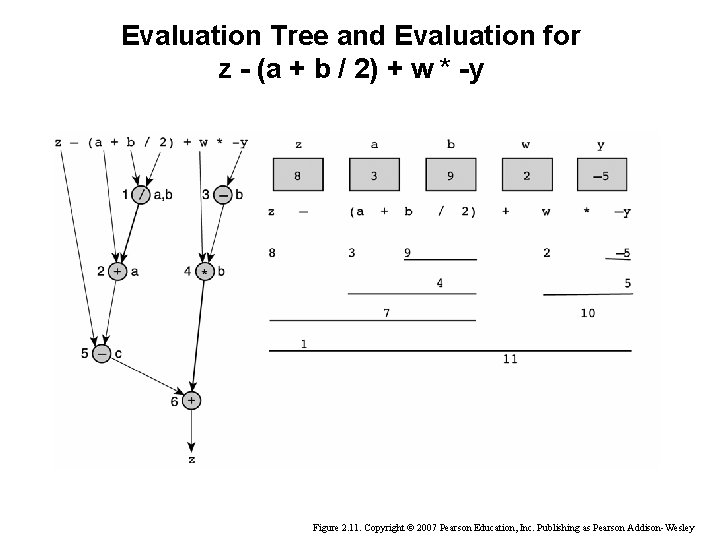
Evaluation Tree and Evaluation for z - (a + b / 2) + w * -y Figure 2. 11. Copyright © 2007 Pearson Education, Inc. Publishing as Pearson Addison-Wesley
Questions?
THE END
- Slides: 62