
CP 5310 Ebusiness Technologies Lecturer Dr Cue Nguyen
CP 5310: E-business Technologies Lecturer: Dr. Cue Nguyen Lab assistant: Dion
About Instructor • Name : Dion Nguyen • Interesting Fields: Web Technology, Social Media, Mobile Learning, Interactive Design and Development • Email: anhduc. nguyen 77000@gmail. com • Discussion Blog: http: //dionnguyenjcu. wordpress. com/
Overview • Modern web technologies nowadays: flash, html, xml, css, javascript, jquery, php and my. SQL. • Weight: • Worth 10% (attendance + practical) • Useful for Web Project (40%) • Many programming questions in final examination ( 30%)
Lab 1: Introduction of Flash
History of Flash • mid-1990 s – Future. Splash Animator • First version of Flash professional • Vector animation program • - 1996 – Macromedia bought it and renamed it Flash • - 2005 – Adobe bought Macromedia • • • Flash CS 3 (2007) – Action Script 3. 0 (OOP) Flash CS 4 (2008) – Animation and Designer Adobe CS 5 (2010) – Basic 3 D Adobe CS 5. 5(2011) Current version: Flash CS 6 • Now – Flash is the leading technology for graphics, animation, and video on the Web
Flash Authoring Environment • Basic structures: • • Stage Tool Panel Timeline Library • Three kinds of files: • Movies : . swf • Documents: . fla • Files with action script: . as
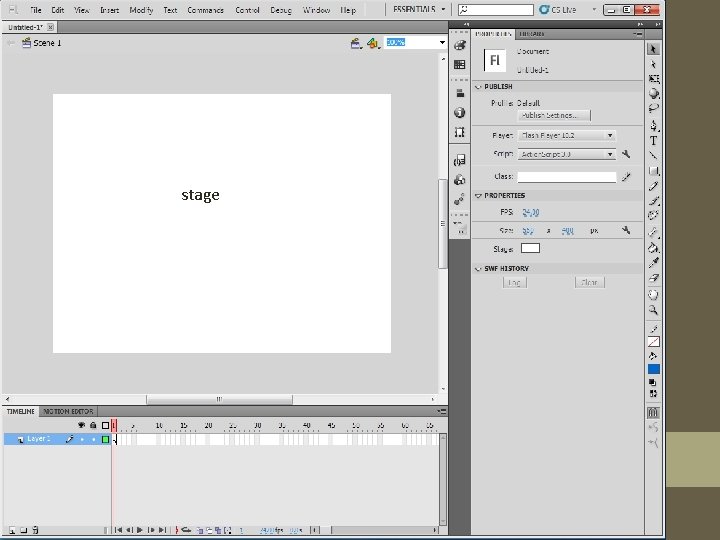
stage
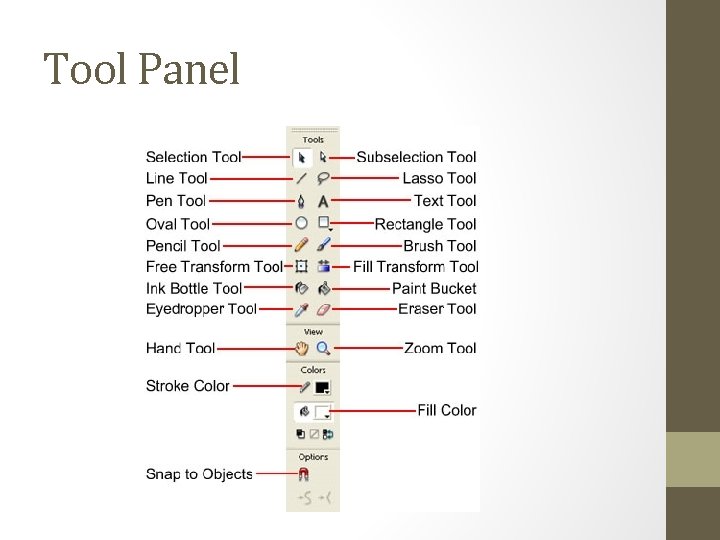
Tool Panel
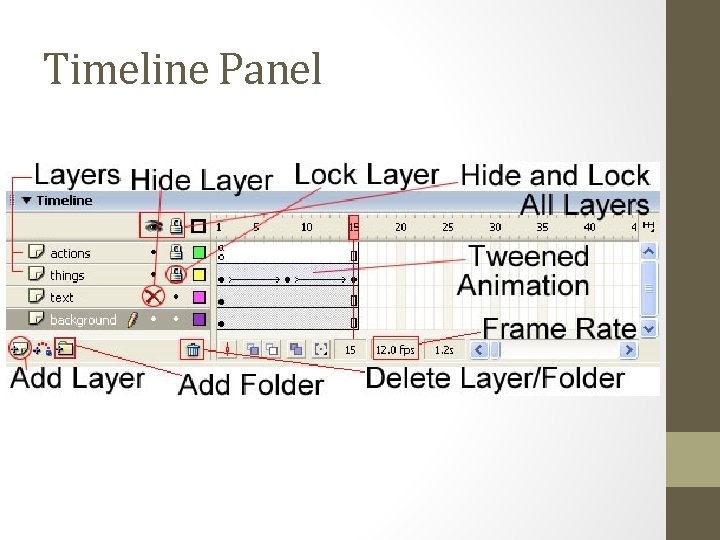
Timeline Panel
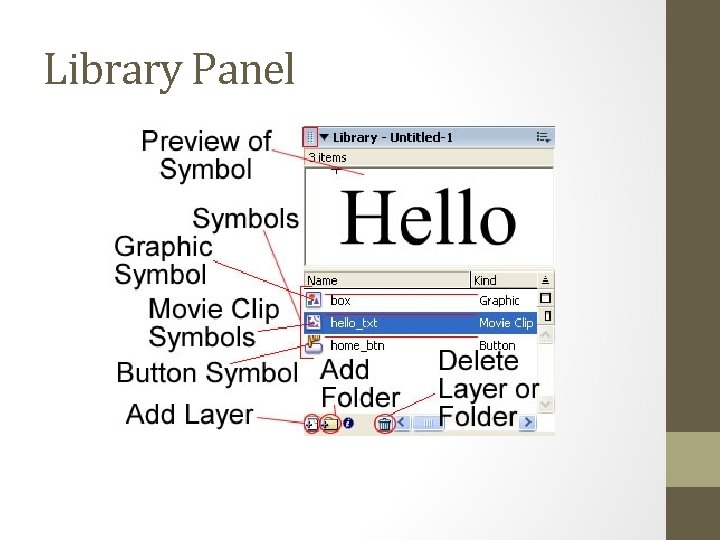
Library Panel
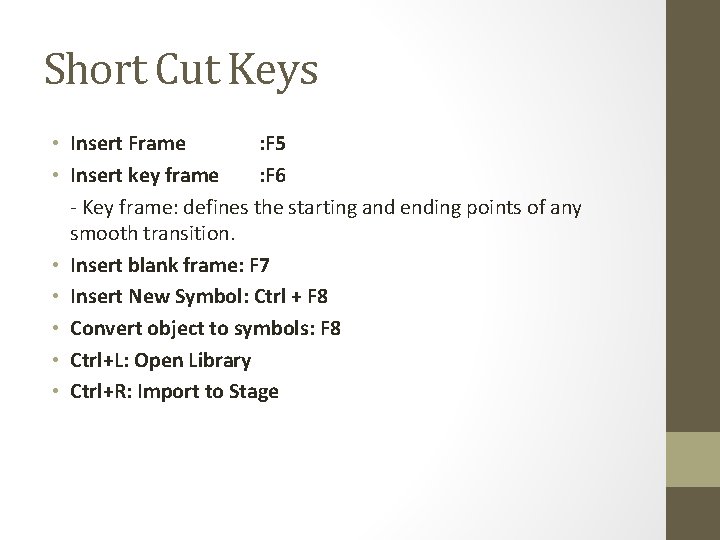
Short Cut Keys • Insert Frame : F 5 • Insert key frame : F 6 - Key frame: defines the starting and ending points of any smooth transition. • Insert blank frame: F 7 • Insert New Symbol: Ctrl + F 8 • Convert object to symbols: F 8 • Ctrl+L: Open Library • Ctrl+R: Import to Stage
Practice Now, Put your hand in!
Drawing Shapes in Flash • • • Fill Stroke Hold Shift key for a perfect square or circle Selection tool, sub-selection tool (specific point on the shape) Click or double-click on a shape and drag it Ctrl-Z to undo Delete a shape, shapes, fill and stroke Primitive rectangles/ovals Shift and click multiple selections
Animation • Frame and Key Frame • http: //www. youtube. com/watch? v=4 mupkh. M 1 LUo • http: //www. youtube. com/watch? v=r 6 JZjrap. V-Q • Shape tweens • Frame-by-frame animation • Motion tweens
• Learn Flash Professional CS 6 • http: //tv. adobe. com/show/learn-flash-professional-cs 6 -/
- Slides: 15