
Cosc 54730 Primer Firebase What is firebase Its
Cosc 5/4730 Primer: Firebase
What is firebase • It's basically middle ware that allows you do a number of things cross platform – Analytics • is a free and unlimited analytics tool to help you get insight on app usage and user engagement. No extra code needed, only console. – Cloud Messaging • Firebase Cloud Messaging lets you deliver and receive messages across platforms reliably. – Notifications • helps you re-engage with users at the right moment. No extra code needed, only console – Authentication • a key feature for protecting the data in your database and storage. – Realtime Database • lets you sync data across all clients in realtime and remains available when your app goes offline. – Storage • lets you store and serve user-generated content, such as photos or videos. Firebase Storage is backed by Google Cloud Storage – Functions • Run your mobile backend code without managing servers
What is firebase (2) • Hosting – provides fast and secure static hosting • Remote Config – change the behavior and appearance of your app without publishing an app update. • App Indexing – With Firebase App Indexing, you can drive organic search traffic to your app, helping potential users of your app become your app’s biggest fans. • Dynamic Links – lets you pull users right to the content they were interested in, keeping them engaged and increasing the likelihood that they will continue to use the app. • Invites – Firebase Invites helps your users share your app with others. referral codes or share content from the app. Uses the Dynamic Links so links survive the install of the app. And do most of the work automatically. • Ad. Words – help you search potential users with online ads. • Ad. Mob – provides easy and powerful ad monetization with full support in Firebase.
What is firebase (3) • Beta products – ML Kit • "use machine learning to solve problems. " Currently, it is just the Vision APIs for text recognition, face detection, barcode scanning, image labeling, and landmark recognition. But this would use the cloud based systems instead of just the device cpu. – Cloud Firestore • Combines cloud database and functions together. Uses a scalable No. SQL cloud database to store and sync data. – A/B Testing • Let you optimize your app experience based on analytics. Change it for different demographics, make it different experience for say a teenage group verses a retired group. Without having to deploy two version of the app. Needs remote config. • Deploy a new feature to a group and evaluate the effect of the changes on app use. – Predictions • Uses remote config, roviding a custom experience based on each of your users' predicted behavior. • You can use Predictions with the Notifications composer to deliver the right message to the right user groups.

Firebase console • Google has a number of "consoles". – These are webpages to control varying things. • Other Examples: – https: //partner. android. com/things/console#/ android things – https: //console. developers. google. com/apis/ for apis like maps – https: //developers. google. com/beacons/dashboard/ for beacons • Firebase has it's own as well. – https: //console. firebase. google. com/
Firebase console (2) • You will need to log into the console – And setup a project. As primer guide, I'm skipping all this. • It can be done pretty easy with android studio. • Last part to remember, this is platform independent. – Can be used on Io. S, Android, Unity, C++, and on the Web as well. • Firebase versions will be listed in the following slides, but see https: //firebase. google. com/docs/android/setup#available_librarie s for the current versions.
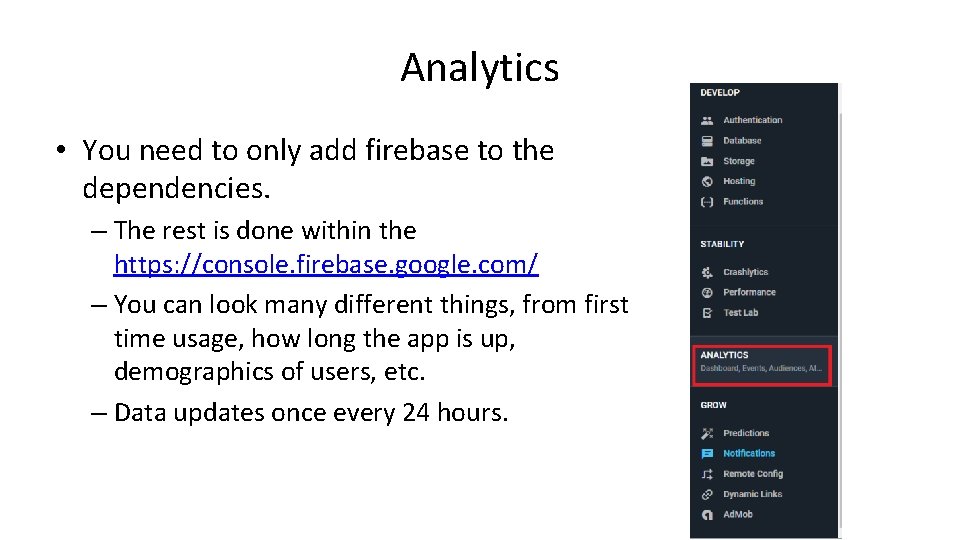
Analytics • You need to only add firebase to the dependencies. – The rest is done within the https: //console. firebase. google. com/ – You can look many different things, from first time usage, how long the app is up, demographics of users, etc. – Data updates once every 24 hours.
Cloud Messaging • Basics, it's a push "notifications" system via google. – Push, meaning the phone don't check for messages (ie pull messaging) and waste battery life and network bandwidth. – Each device gets a unique Token. – You can then have individual devices send messages to each other or group messages, or messages to all, based on the token. • This is left up to complexity the programming wants to get into. – Requires a backend server to work. • Either use googles hosting services or your own Re. ST services.
Cloud Messaging (2) • Device – Implements a firebase. Messaing. Service to receive the messages and decides what to do with them, in the app. • Backend systems. – Need to implement (like a Re. ST based system) to receive the messages the device is sending and forward them to the google site for distribution. • Individual, group, or all.
Notifications • Not to be confused with cloud messaging. • This allows you send a notification to the all (or some) of the devices where your app is instead. – You need on include firebase message in dependencies • implementation 'com. google. firebase: firebase-messaging: 11. 8. 0' • The rest is done in the console.
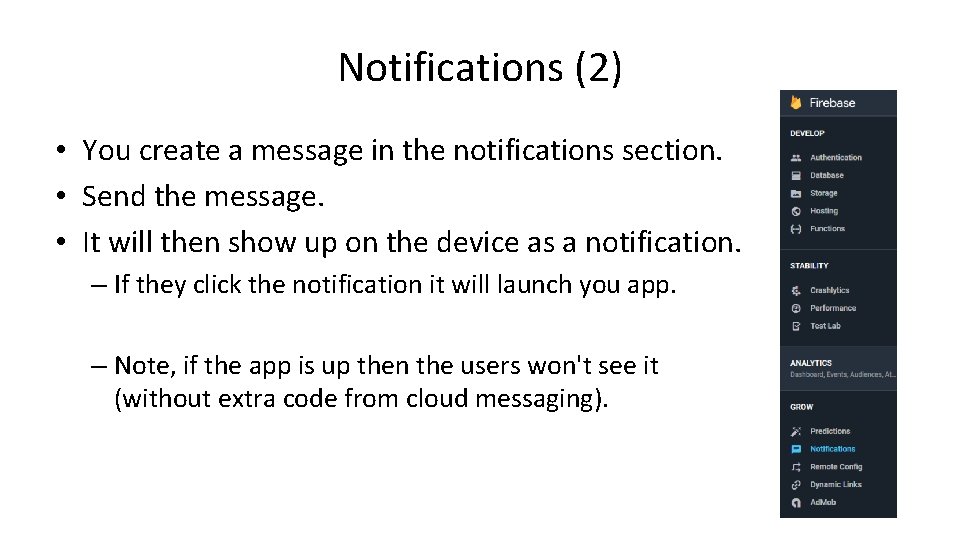
Notifications (2) • You create a message in the notifications section. • Send the message. • It will then show up on the device as a notification. – If they click the notification it will launch you app. – Note, if the app is up then the users won't see it (without extra code from cloud messaging).
Database • Realtime and Firestone were previously covered.
Authentication • Allows the user to "login" to your app. – With any number of services using Firebase. UI • Currently: phone number, email and password, google, facebook, twitter, and github. – Note facebook and twitter require their api key in order for it to work. • You don't write the code, just call the method for sign in or sign out. – It keeps track, even the password for email. – Dependencies, core plus • implementation 'com. google. firebase: firebase-auth: 16. 1. 0' • implementation 'com. firebaseui: firebase-ui-auth: 4. 3. 1' – See https: //github. com/firebase/Firebase. UI-Android
Setup and use • private Firebase. Auth m. Firebase. Auth; • private Firebase. Auth. State. Listener m. Auth. State. Listener; • m. Firebase. Auth = Firebase. Auth. get. Instance();
Setup and use (2) • In on. Resume, m. Firebase. Auth. add. Auth. State. Listener(m. Auth. State. Listener); • Where m. Auth. State. Listener = new Firebase. Auth. State. Listener() { @Override public void on. Auth. State. Changed(@Non. Null Firebase. Auth firebase. Auth) { Firebase. User user = firebase. Auth. get. Current. User(); if (user != null) { // User is signed in user. get. Display. Name() to get the name. } else { // User is signed out start. Activity. For. Result( Auth. UI. get. Instance() //see firebase UI for documentation. . create. Sign. Intent. Builder(). set. Is. Smart. Lock. Enabled(false). set. Available. Providers(Arrays. as. List(new Auth. UI. Idp. Config. Email. Builder(). build(), new Auth. UI. Idp. Config. Google. Builder(). build(), new Auth. UI. Idp. Config. Phone. Builder(). build())). build(), RC_SIGN_IN); } } }; • Again, don't forget to remove the listener in on. Pause() m. Firebase. Auth. remove. Auth. State. Listener(m. Auth. State. Listener);
Storage • This allows for file storage in the cloud – It handles all the networking and syncing between cloud and device. – Again should use authentication. – Can specify any of rules on what the users are allowed to write to/read from the storage. – dependencies • implementation 'com. google. firebase: firebase-storage: 19. 2. 0' or newer.
Setup and use. • private Firebase. Storage m. Firebase. Storage = Firebase. Storage. get. Instance(); • private Storage. Reference m. Chat. Photos. Storage. Reference = m. Firebase. Storage. get. Reference(). child("chat_photos"); – Where chat_photos is directory in storage. See the console to create directories.
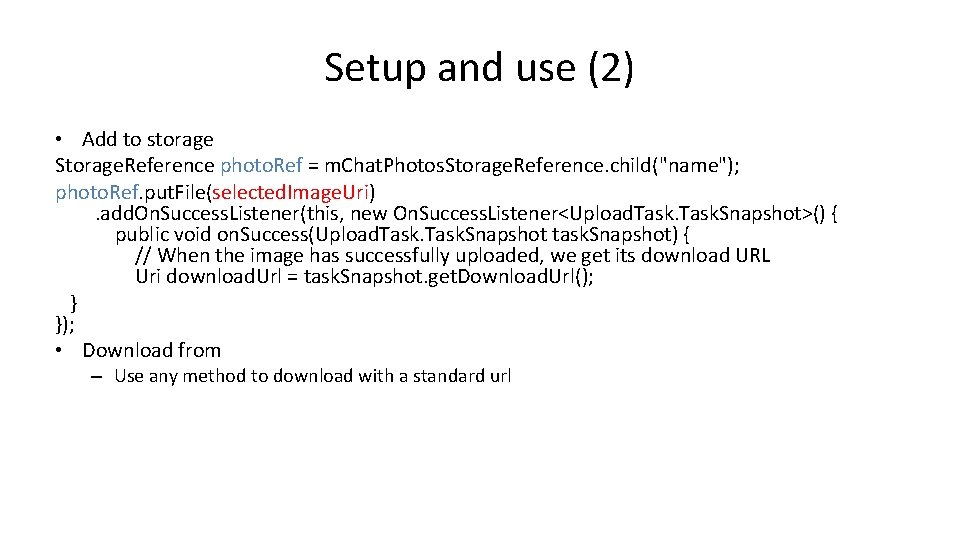
Setup and use (2) • Add to storage Storage. Reference photo. Ref = m. Chat. Photos. Storage. Reference. child("name"); photo. Ref. put. File(selected. Image. Uri). add. On. Success. Listener(this, new On. Success. Listener<Upload. Task. Snapshot>() { public void on. Success(Upload. Task. Snapshot task. Snapshot) { // When the image has successfully uploaded, we get its download URL Uri download. Url = task. Snapshot. get. Download. Url(); } }); • Download from – Use any method to download with a standard url
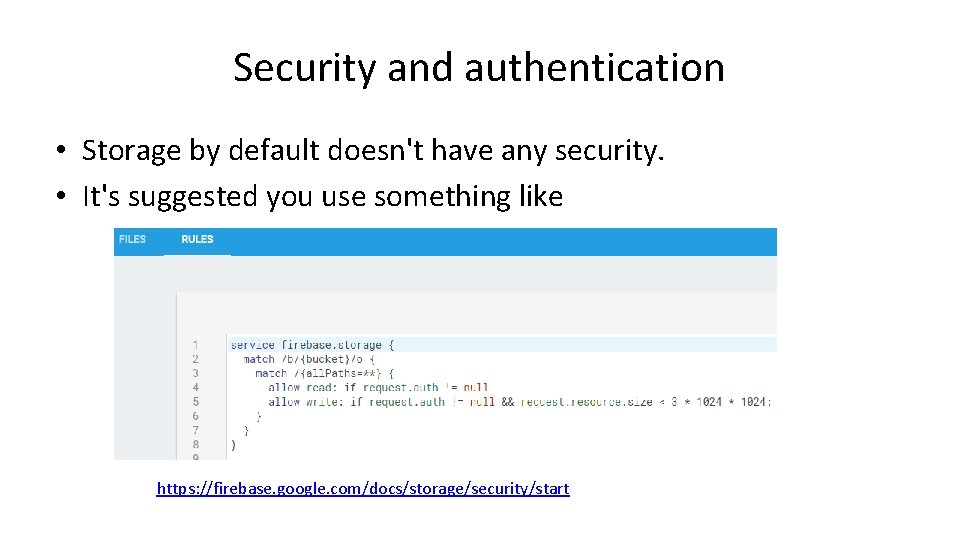
Security and authentication • Storage by default doesn't have any security. • It's suggested you use something like https: //firebase. google. com/docs/storage/security/start
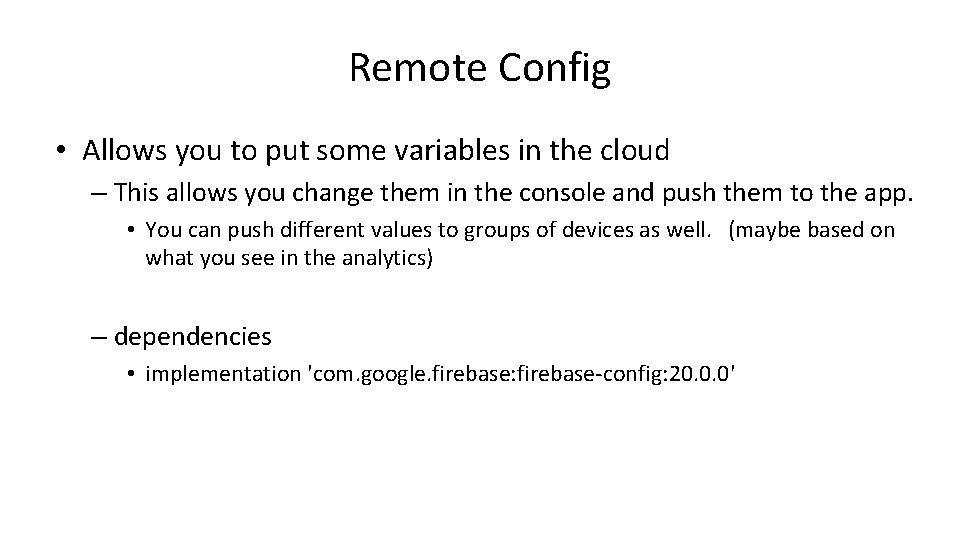
Remote Config • Allows you to put some variables in the cloud – This allows you change them in the console and push them to the app. • You can push different values to groups of devices as well. (maybe based on what you see in the analytics) – dependencies • implementation 'com. google. firebase: firebase-config: 20. 0. 0'
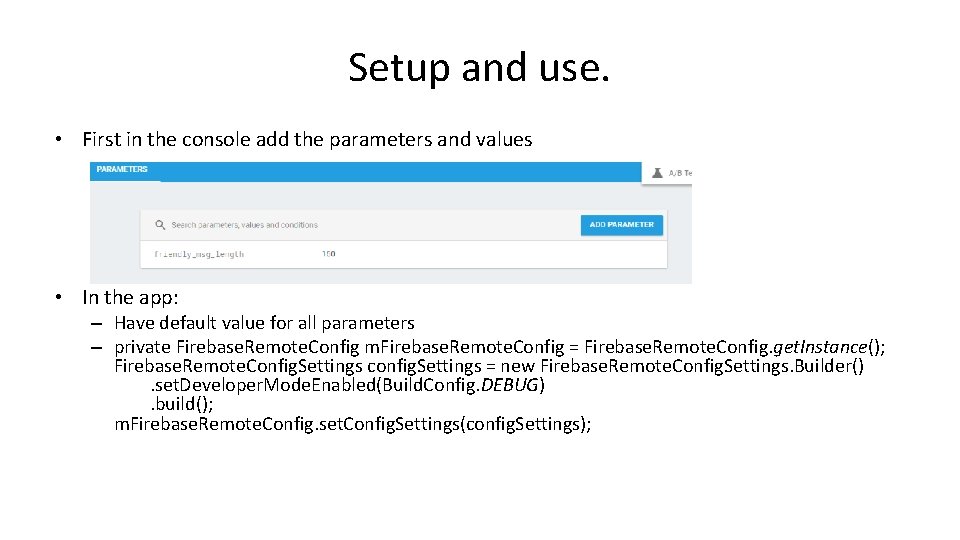
Setup and use. • First in the console add the parameters and values • In the app: – Have default value for all parameters – private Firebase. Remote. Config m. Firebase. Remote. Config = Firebase. Remote. Config. get. Instance(); Firebase. Remote. Config. Settings config. Settings = new Firebase. Remote. Config. Settings. Builder(). set. Developer. Mode. Enabled(Build. Config. DEBUG). build(); m. Firebase. Remote. Config. set. Config. Settings(config. Settings);
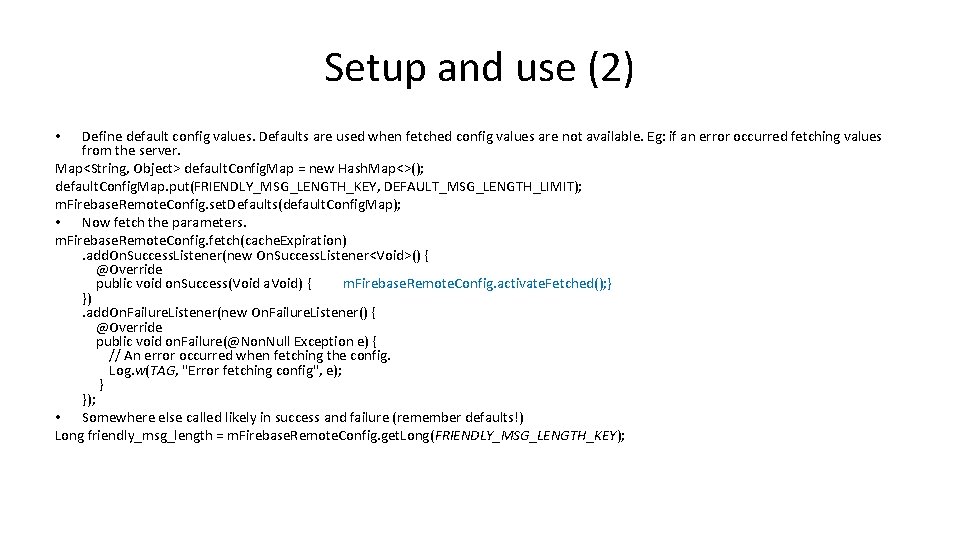
Setup and use (2) Define default config values. Defaults are used when fetched config values are not available. Eg: if an error occurred fetching values from the server. Map<String, Object> default. Config. Map = new Hash. Map<>(); default. Config. Map. put(FRIENDLY_MSG_LENGTH_KEY, DEFAULT_MSG_LENGTH_LIMIT); m. Firebase. Remote. Config. set. Defaults(default. Config. Map); • Now fetch the parameters. m. Firebase. Remote. Config. fetch(cache. Expiration). add. On. Success. Listener(new On. Success. Listener<Void>() { @Override public void on. Success(Void a. Void) { m. Firebase. Remote. Config. activate. Fetched(); } }). add. On. Failure. Listener(new On. Failure. Listener() { @Override public void on. Failure(@Non. Null Exception e) { // An error occurred when fetching the config. Log. w(TAG, "Error fetching config", e); } }); • Somewhere else called likely in success and failure (remember defaults!) Long friendly_msg_length = m. Firebase. Remote. Config. get. Long(FRIENDLY_MSG_LENGTH_KEY); •
Functions • You can write the "functions" you need (via Node. js) and use them on google cloud systems. • Low maintenance and it keeps your logic private and secure (not within the app itself) • Allows for you to use more cpu power then a device has. • These can connect to storage and database. – https: //www. youtube. com/watch? v=bp. FAdh. Nk. A 6 c – You will need Node. js, npm (included in node), and firebase-tools. This all command line, not studio. See https: //firebase. google. com/docs/functions/get-started
References • https: //console. firebase. google. com/ • https: //firebase. google. com/docs/ – Many of the sub doc's where listed on slides. • Code lab: Friendly. Chat app (about 2 ish hours) – https: //codelabs. developers. google. com/codelabs/firebase-android/#0 • Covers database, auth, invites, remote config, admob, analytics, and firebase notifications. • A short course (about 8 hours) Firebase in a weekend – https: //classroom. udacity. com/courses/ud 0352 (free course) • It's a little dated, but still pretty good.
ML Kit • Use machine learning in your apps to solve real-world problems. • ML Kit is a mobile SDK that brings Google's machine learning expertise to Android and i. OS apps in a powerful yet easy-to-use package. Whether you're new or experienced in machine learning, you can implement the functionality you need in just a few lines of code. There's no need to have deep knowledge of neural networks or model optimization to get started. On the other hand, if you are an experienced ML developer, ML Kit provides convenient APIs that help you use your custom Tensor. Flow Lite models in your mobile apps. – On-device or in the cloud – Google's ML technologies, such as the Google Cloud Vision API, Tensor. Flow Lite, and the Android Neural Networks API together in a single SDK. – https: //firebase. google. com/docs/ml-kit/
Example • See the Firebase. MLKit – Which is based on their example https: //github. com/firebase/quickstart-android/tree/master/mlkit

Q&A
- Slides: 27