
Cosc 4735 Firebase Cloud messaging A primer Push
Cosc 4735 Firebase Cloud messaging A primer
Push "notifications" • The basic idea here is this: – We don't want the app to poll a server or other device for new messages. • It's wastes time and resources (think about thousands of apps polling a server!) • Wastes battery on the phones as well. – Push "notifications" are sent to the phone. • No polling necessary.
Basics. • Register the project with firebase cloud messaging. • The app will get a "token", which individual for each phone/device • You then send a specific "message" to that one token or all tokens – Ie one phone or all phones – You can also setup groups (not covered) and send to a set of phones. • You need a backend server. – Can be can be Google Cloud Platform or you own REST services.
Cloud Platform. • A note, we could complete the backend using Google's cloud backend (similar to what was in the google cloud messaging). – https: //cloud. google. com/tools/android-studio/quickstart • We'll going to use our own webserver and php instead, so it's clear how the rest services are working.
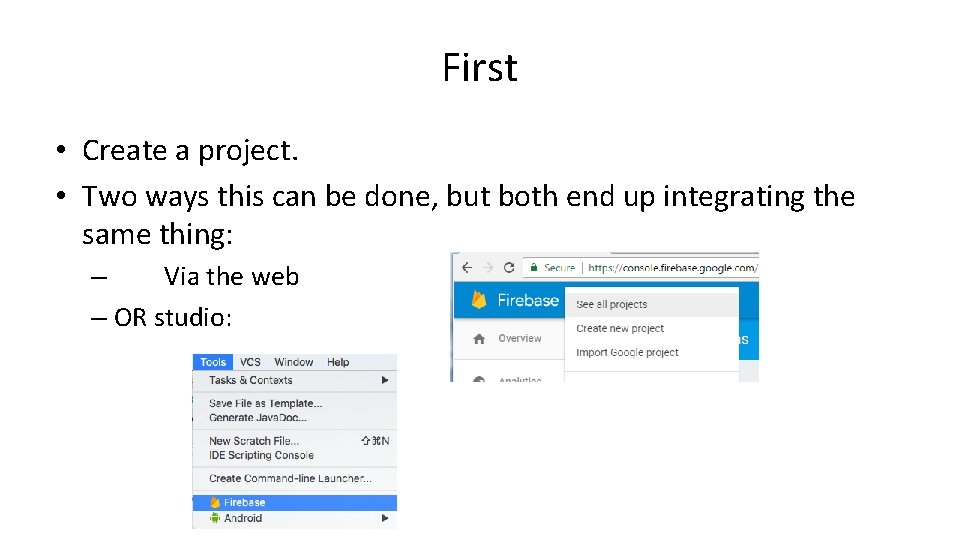
First • Create a project. • Two ways this can be done, but both end up integrating the same thing: – Via the web – OR studio:
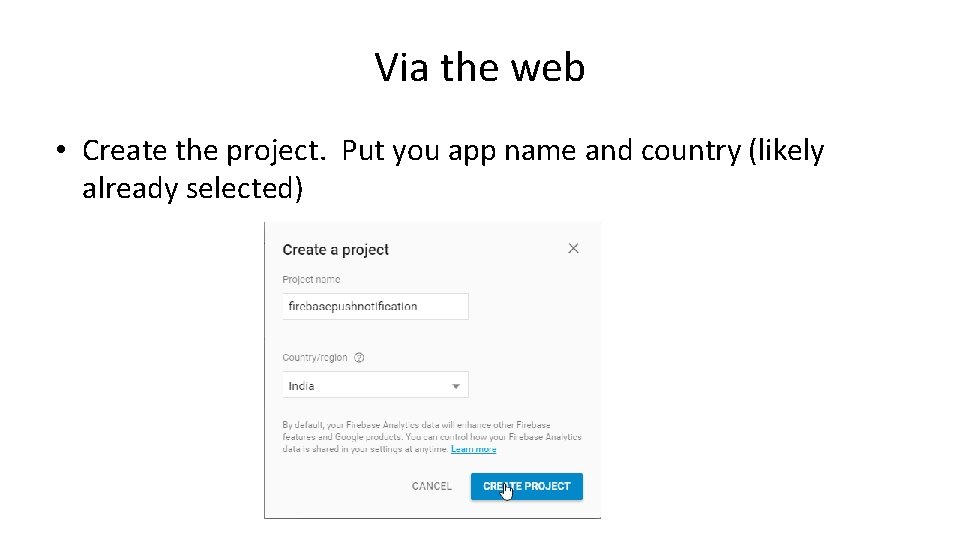
Via the web • Create the project. Put you app name and country (likely already selected)
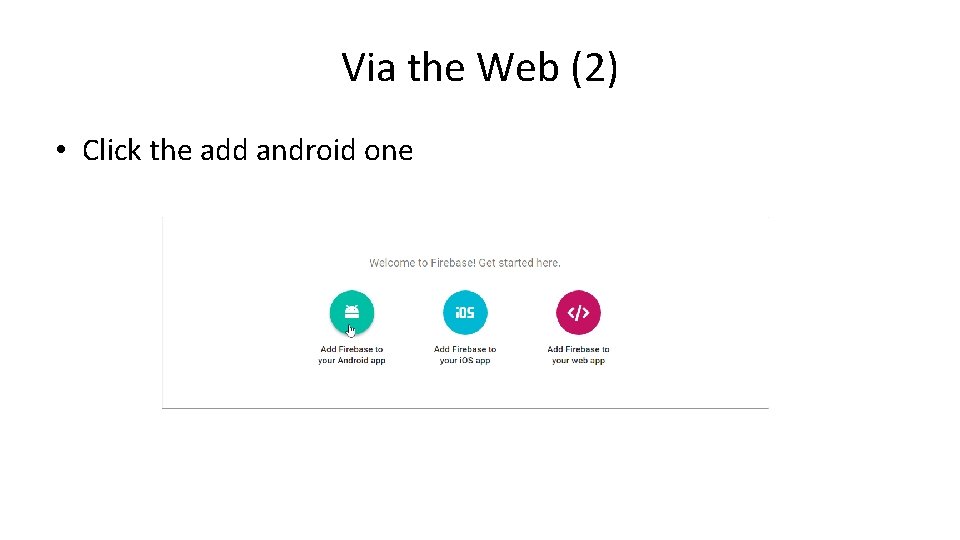
Via the Web (2) • Click the add android one
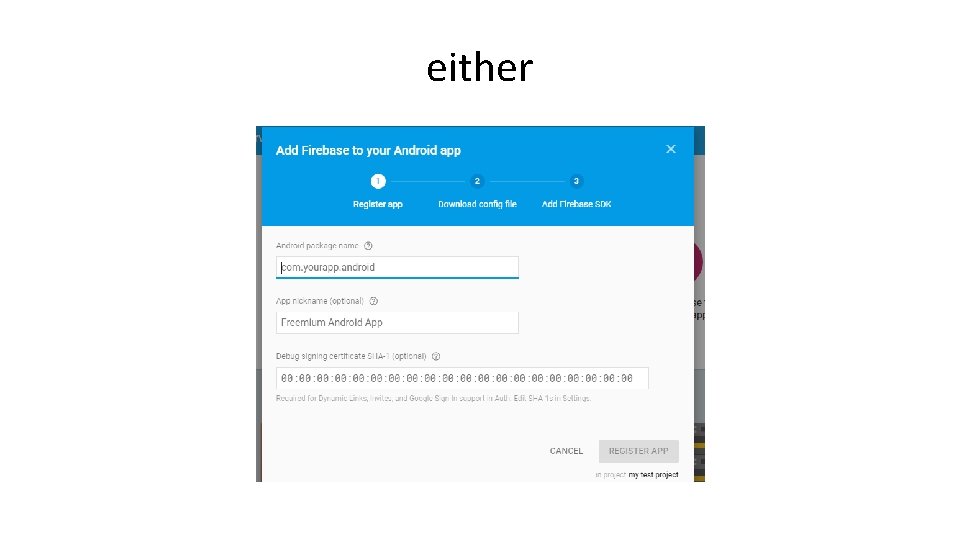
either
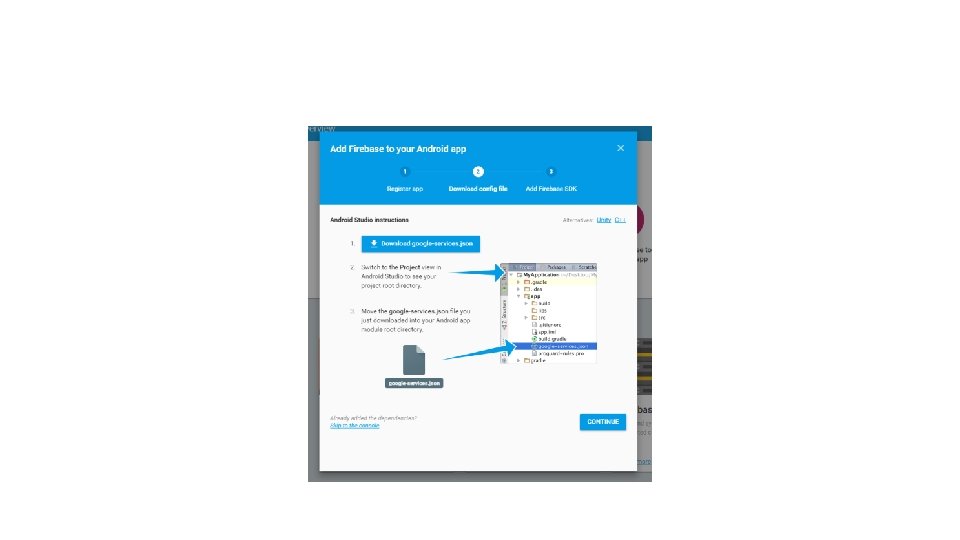


Note • Gradle – Project file • Add classpath 'com. google. gms: google-services: 4. 2. 0' to the dependencies – Module file – Firebase pieces implementation 'com. google. firebase: firebase-core: 16. 0. 7' implementation 'com. google. firebase: firebase-messaging: 17. 3. 4' implementation "androidx. work: work-runtime: 2. 3. 1" //for long run jobs. implementation 'com. android. volley: 1. 1. 1' – //https: //developer. android. com/training/volley/ Add to the bottom of the file after the } apply plugin: 'com. google. gms. google-services'
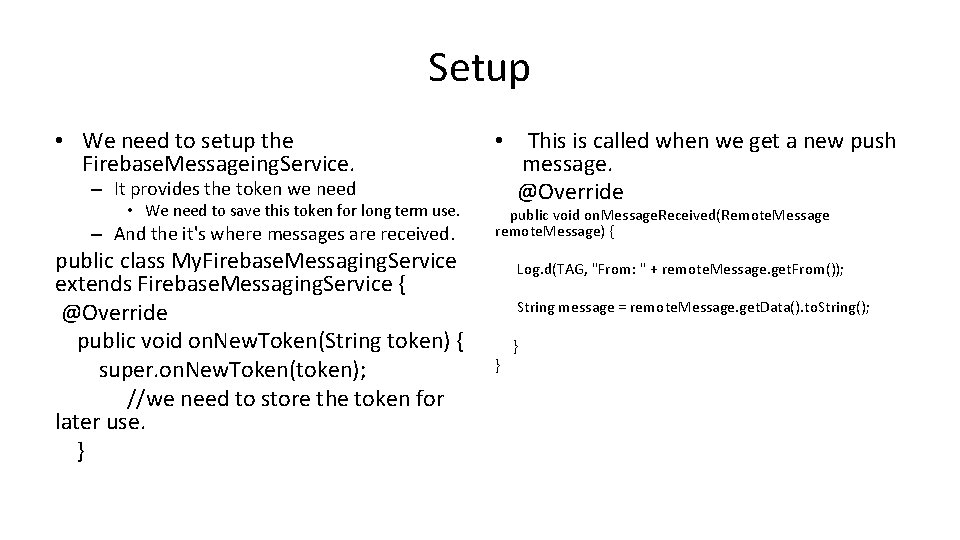
Setup • We need to setup the Firebase. Messageing. Service. – It provides the token we need • We need to save this token for long term use. – And the it's where messages are received. public class My. Firebase. Messaging. Service extends Firebase. Messaging. Service { @Override public void on. New. Token(String token) { super. on. New. Token(token); //we need to store the token for later use. } • This is called when we get a new push message. @Override public void on. Message. Received(Remote. Message remote. Message) { Log. d(TAG, "From: " + remote. Message. get. From()); String message = remote. Message. get. Data(). to. String(); } }
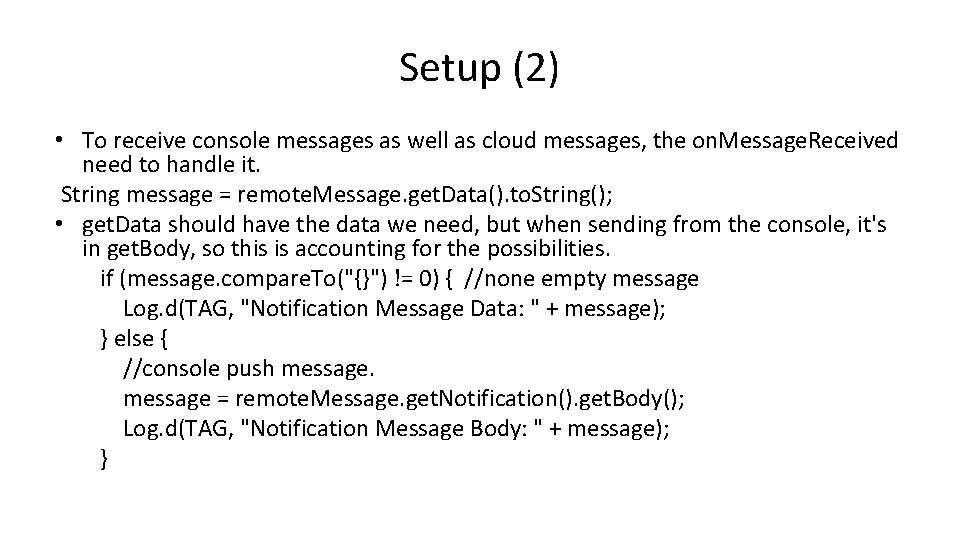
Setup (2) • To receive console messages as well as cloud messages, the on. Message. Received need to handle it. String message = remote. Message. get. Data(). to. String(); • get. Data should have the data we need, but when sending from the console, it's in get. Body, so this is accounting for the possibilities. if (message. compare. To("{}") != 0) { //none empty message Log. d(TAG, "Notification Message Data: " + message); } else { //console push message = remote. Message. get. Notification(). get. Body(); Log. d(TAG, "Notification Message Body: " + message); }
The Rest • The rest involves getting the devices Token, so you can send messages to them. – Or sending to all. – For that we need rest service to hold the "name" and token. – And we can use the rest service to send the messages to the cloud as well.
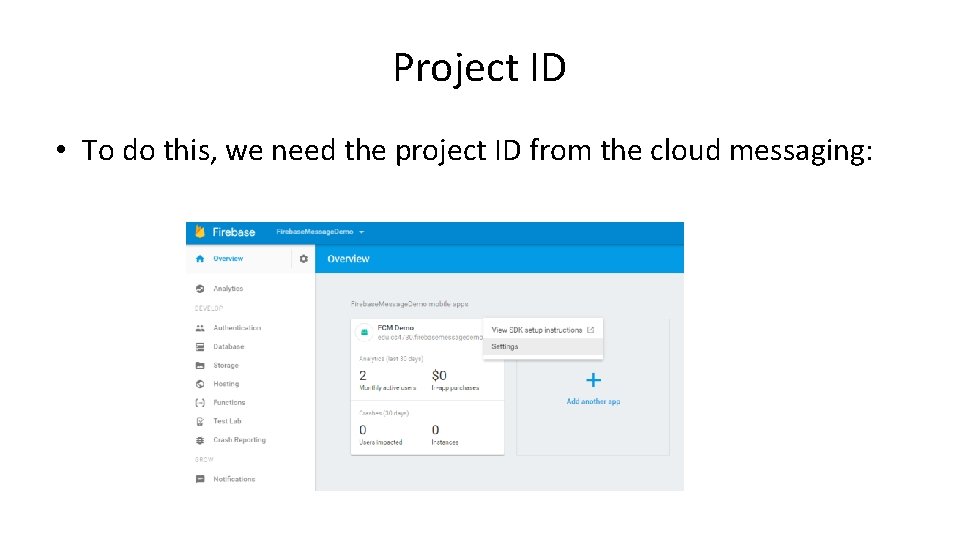
Project ID • To do this, we need the project ID from the cloud messaging:
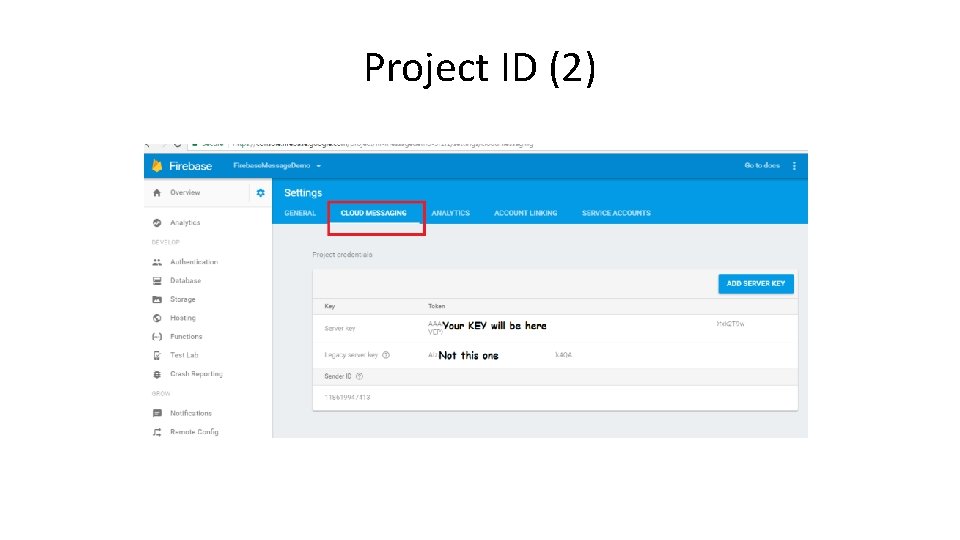
Project ID (2)
The Code • https: //github. com/Jim. Seker/googleplay. API Firebase. Message. Demo • We take a look at the server side code – Which is all php • And then send message code for android as well.

Reference • https: //firebase. google. com/docs/cloud-messaging/ – All the documentation and some howtos. • https: //www. simplifiedcoding. net/firebase-cloud-messaging-tutorial-android/ – Basic howto receive a cloud message. • https: //www. simplifiedcoding. net/firebase-cloud-messaging-android/ – Send and receive individual messages • https: //www. androidtutorialpoint. com/firebase-cloud-messaging-tutorial/ – Sending a message again. This site has a lot more on firebase usage, including database, analysis, and authentication. • https: //www. androidtutorialpoint. com/firebase-android-tutorial-getting-started/ (authentication). • https: //cloud. google. com/tools/android-studio/quickstart – Backend google cloud module, which is not covered in this lecture. But maybe useful to you.

Q&A
- Slides: 19