
COSC 3406 Computer Organization Kalpdrum Passi www cs
![Levels of Representation temp = v[k]; v[k] = v[k+1]; v[k+1] = temp; High Level](https://slidetodoc.com/presentation_image/283faa7c2a9d870e9ff793cbe94081f6/image-5.jpg "Levels of Representation temp = v[k]; v[k] = v[k+1]; v[k+1] = temp; High Level")
- Slides: 29
COSC 3406: Computer Organization Kalpdrum Passi ( www. cs. laurentian. ca/kpassi/cosc 3406. html )
Chapter 1 Computer Abstractions and Technology
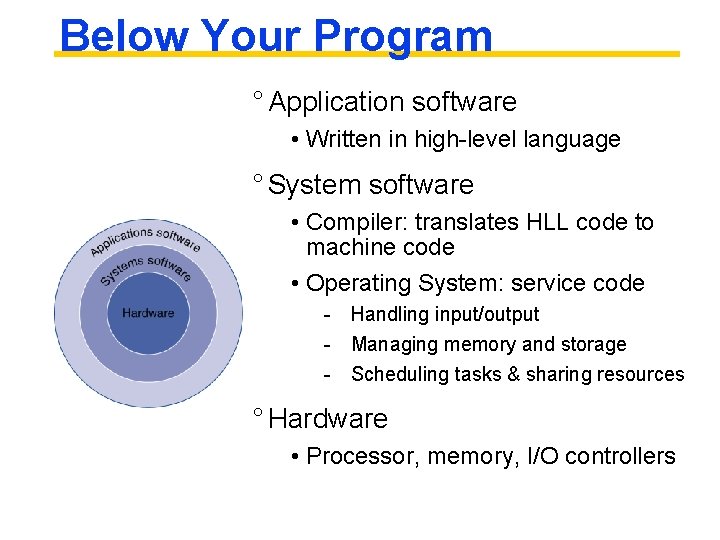
Below Your Program ° Application software • Written in high-level language ° System software • Compiler: translates HLL code to machine code • Operating System: service code - Handling input/output - Managing memory and storage - Scheduling tasks & sharing resources ° Hardware • Processor, memory, I/O controllers
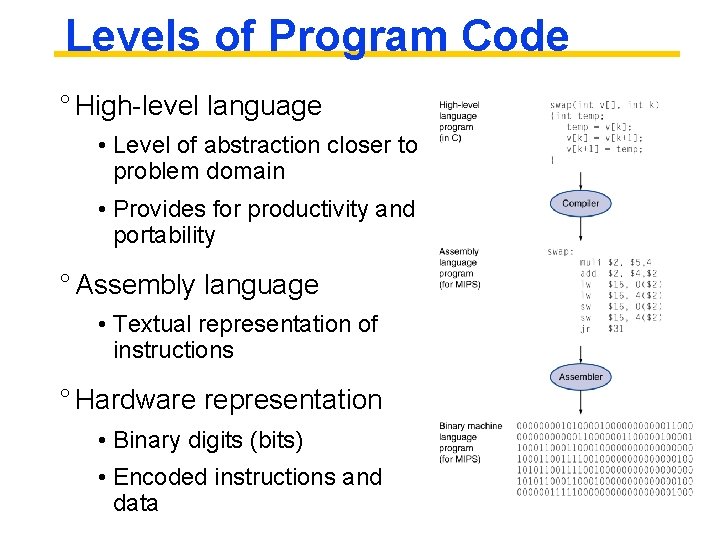
Levels of Program Code ° High-level language • Level of abstraction closer to problem domain • Provides for productivity and portability ° Assembly language • Textual representation of instructions ° Hardware representation • Binary digits (bits) • Encoded instructions and data
Levels of Representation temp = v[k]; v[k] = v[k+1]; v[k+1] = temp; High Level Language Program (e. g. , C) Compiler Assembly Language Program (e. g. , MIPS) Assembler Machine Language Program (MIPS) Machine Interpretation lw lw sw sw 0000 1010 1100 0101 Hardware Architecture Description (e. g. , Verilog Language) Architecture Implementation Logic Circuit Description (Verilog Language) $t 0, 0($2) $t 1, 4($2) $t 1, 0($2) $t 0, 4($2) 1001 1111 0110 1000 1100 0101 1010 0000 0110 1000 1111 1001 1010 0000 0101 1100 1111 1000 0110 0101 1100 0000 1010 1000 0110 1001 1111 wire [31: 0] data. Bus; reg. File registers (databus); ALUBlock (in. A, in. B, databus); wire w 0; XOR (w 0, a, b); AND (s, w 0, a);
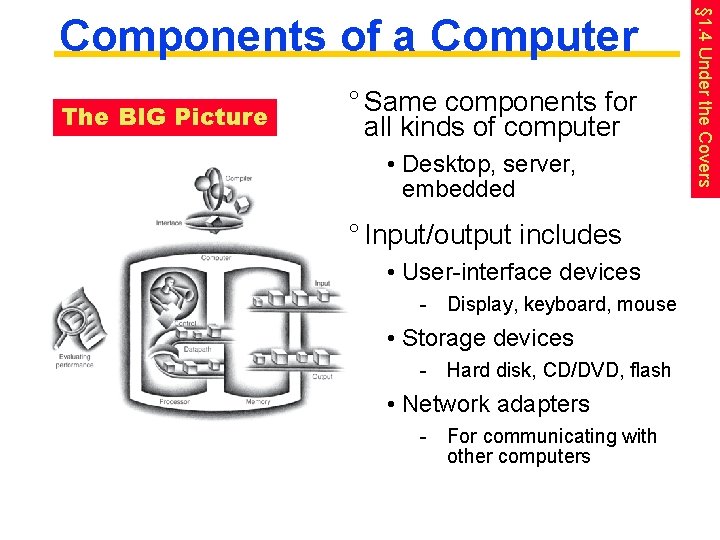
The BIG Picture ° Same components for all kinds of computer • Desktop, server, embedded ° Input/output includes • User-interface devices - Display, keyboard, mouse • Storage devices - Hard disk, CD/DVD, flash • Network adapters - For communicating with other computers § 1. 4 Under the Covers Components of a Computer
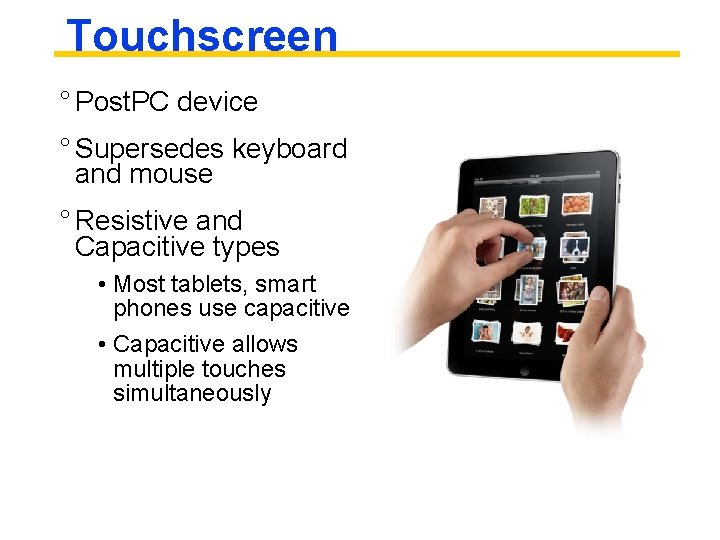
Touchscreen ° Post. PC device ° Supersedes keyboard and mouse ° Resistive and Capacitive types • Most tablets, smart phones use capacitive • Capacitive allows multiple touches simultaneously
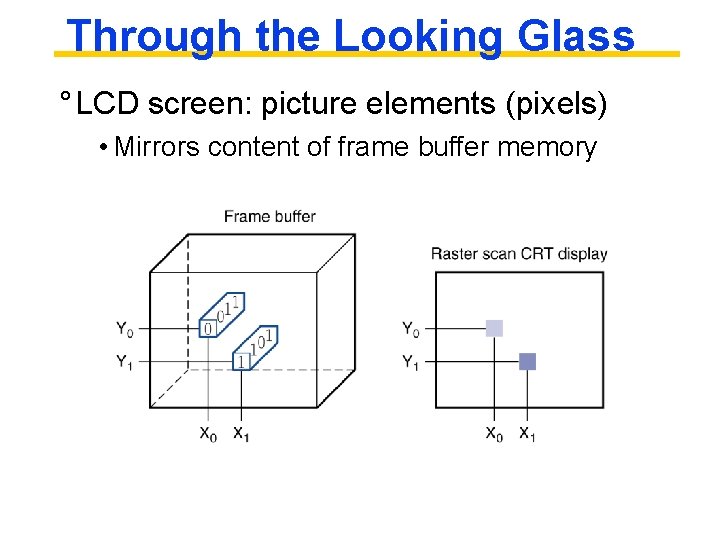
Through the Looking Glass ° LCD screen: picture elements (pixels) • Mirrors content of frame buffer memory
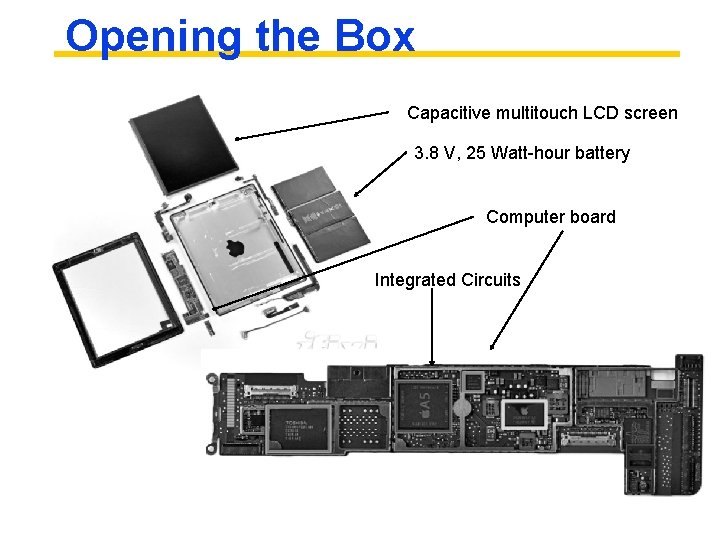
Opening the Box Capacitive multitouch LCD screen 3. 8 V, 25 Watt-hour battery Computer board Integrated Circuits
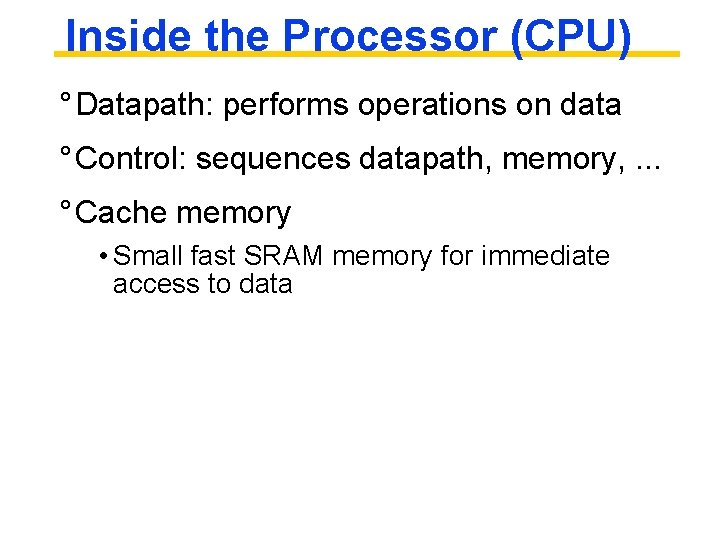
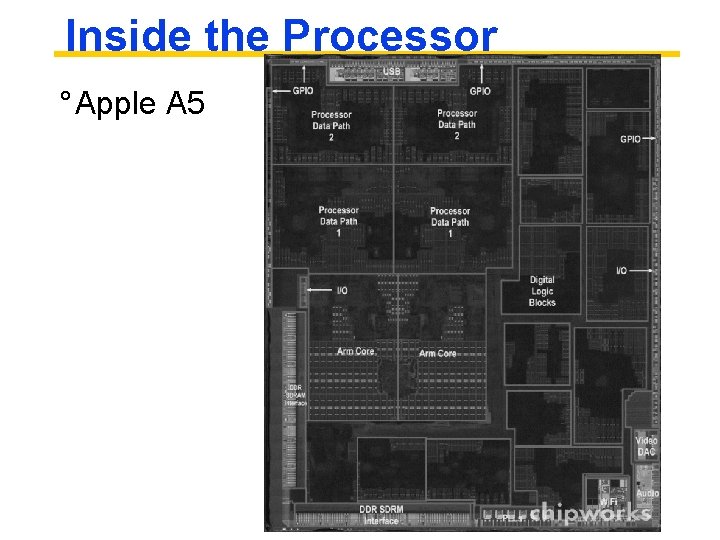
Inside the Processor (CPU) ° Datapath: performs operations on data ° Control: sequences datapath, memory, . . . ° Cache memory • Small fast SRAM memory for immediate access to data
Inside the Processor ° Apple A 5
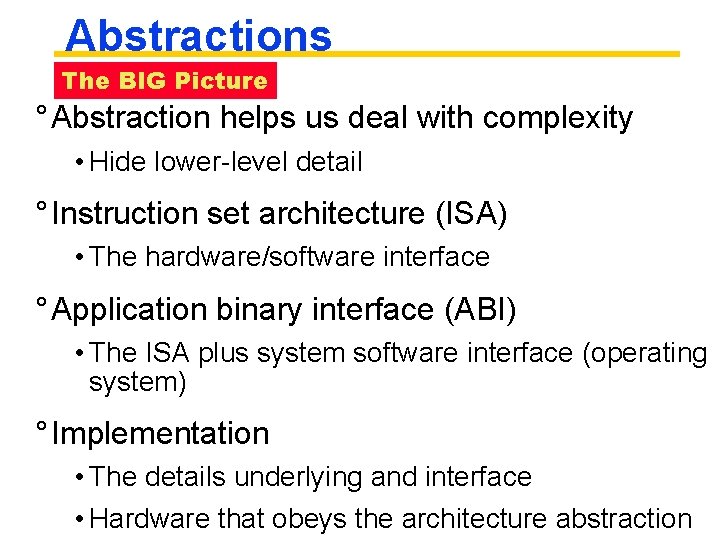
Abstractions The BIG Picture ° Abstraction helps us deal with complexity • Hide lower-level detail ° Instruction set architecture (ISA) • The hardware/software interface ° Application binary interface (ABI) • The ISA plus system software interface (operating system) ° Implementation • The details underlying and interface • Hardware that obeys the architecture abstraction
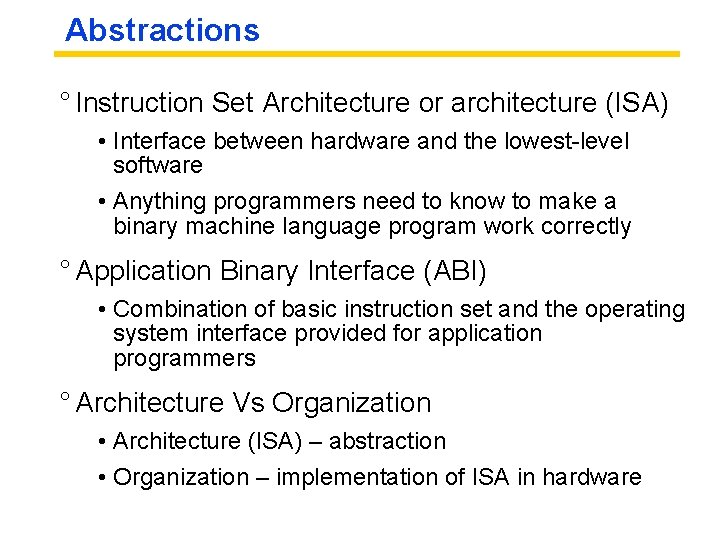
Abstractions ° Instruction Set Architecture or architecture (ISA) • Interface between hardware and the lowest-level software • Anything programmers need to know to make a binary machine language program work correctly ° Application Binary Interface (ABI) • Combination of basic instruction set and the operating system interface provided for application programmers ° Architecture Vs Organization • Architecture (ISA) – abstraction • Organization – implementation of ISA in hardware
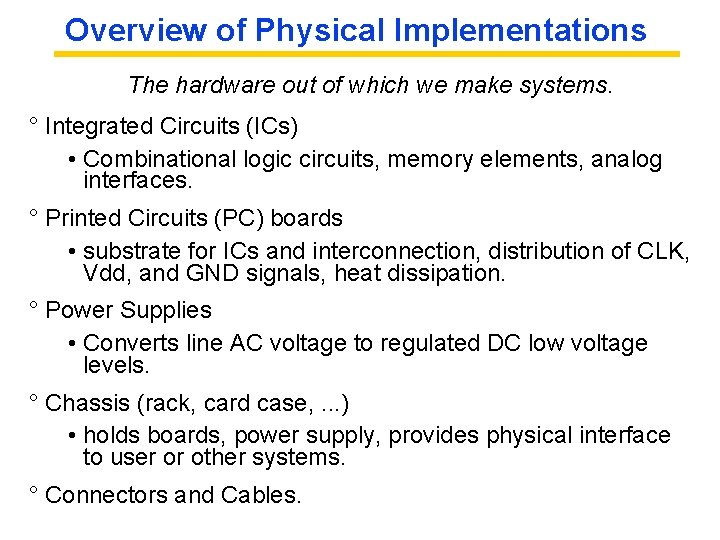
Overview of Physical Implementations The hardware out of which we make systems. ° Integrated Circuits (ICs) • Combinational logic circuits, memory elements, analog interfaces. ° Printed Circuits (PC) boards • substrate for ICs and interconnection, distribution of CLK, Vdd, and GND signals, heat dissipation. ° Power Supplies • Converts line AC voltage to regulated DC low voltage levels. ° Chassis (rack, card case, . . . ) • holds boards, power supply, provides physical interface to user or other systems. ° Connectors and Cables.
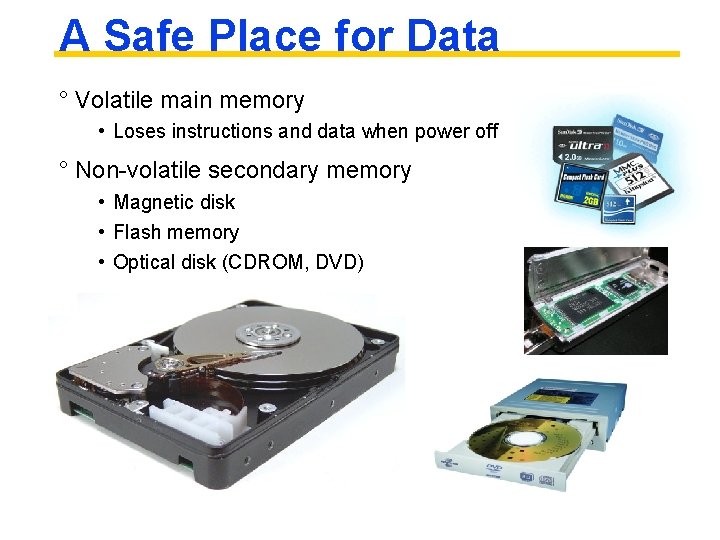
A Safe Place for Data ° Volatile main memory • Loses instructions and data when power off ° Non-volatile secondary memory • Magnetic disk • Flash memory • Optical disk (CDROM, DVD)
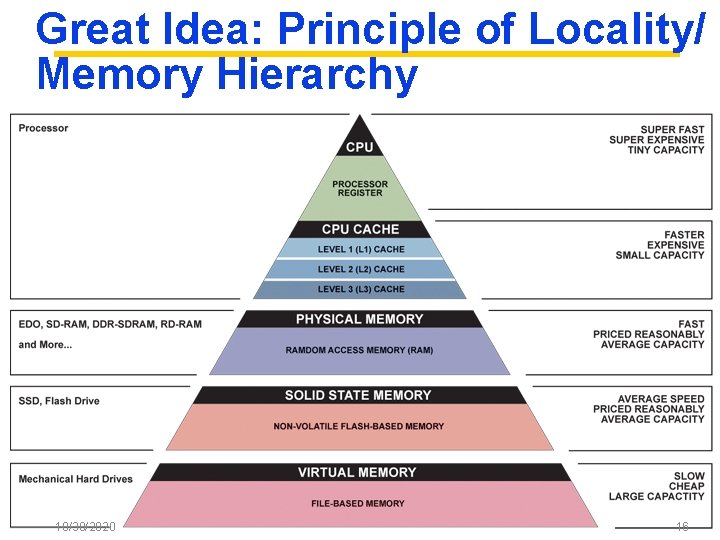
Great Idea: Principle of Locality/ Memory Hierarchy 10/30/2020 16
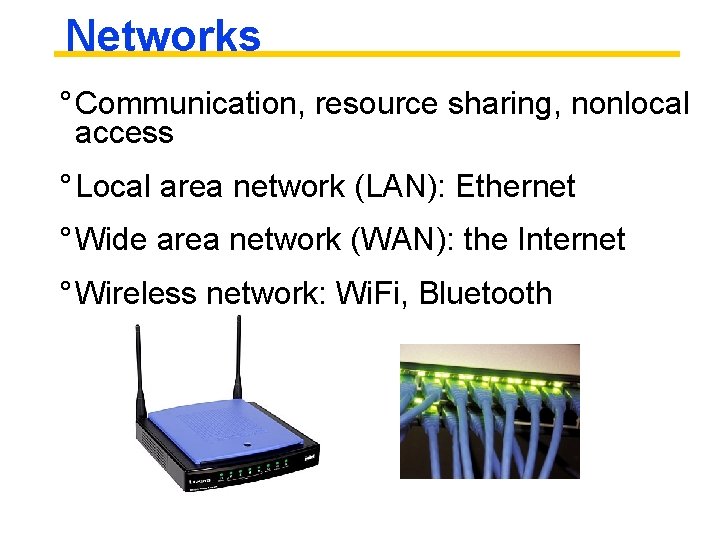
Networks ° Communication, resource sharing, nonlocal access ° Local area network (LAN): Ethernet ° Wide area network (WAN): the Internet ° Wireless network: Wi. Fi, Bluetooth
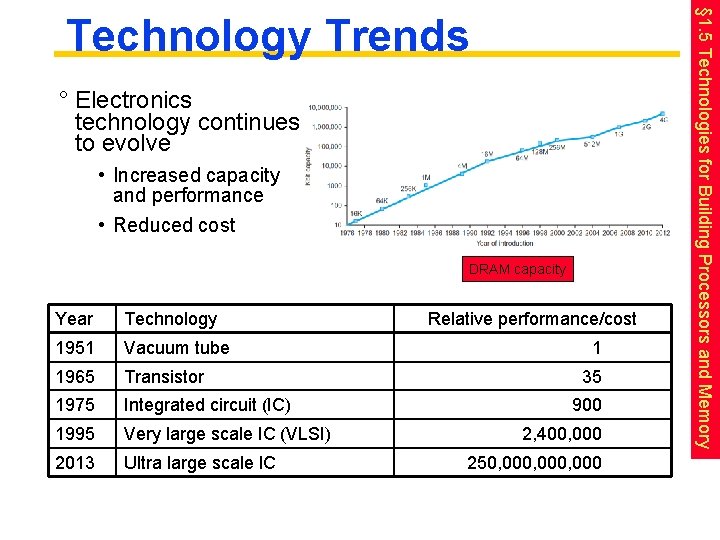
° Electronics technology continues to evolve • Increased capacity and performance • Reduced cost DRAM capacity Year Technology 1951 Vacuum tube 1965 Transistor 1975 Integrated circuit (IC) 1995 Very large scale IC (VLSI) 2013 Ultra large scale IC Relative performance/cost 1 35 900 2, 400, 000 250, 000, 000 § 1. 5 Technologies for Building Processors and Memory Technology Trends
Semiconductor Technology ° Silicon: semiconductor (found in sand) ° Add materials to transform properties: • Conductors (using either microscopic copper or aluminum wire) • Insulators (like plastic sheathing or glass) • Switch (Areas that can conduct or insulate under specific conditions) ° Transistors fall into the last category. ° A VLSI circuit, is just billions of combinations of conductors, insulators, and switches manufactured in a single small package.
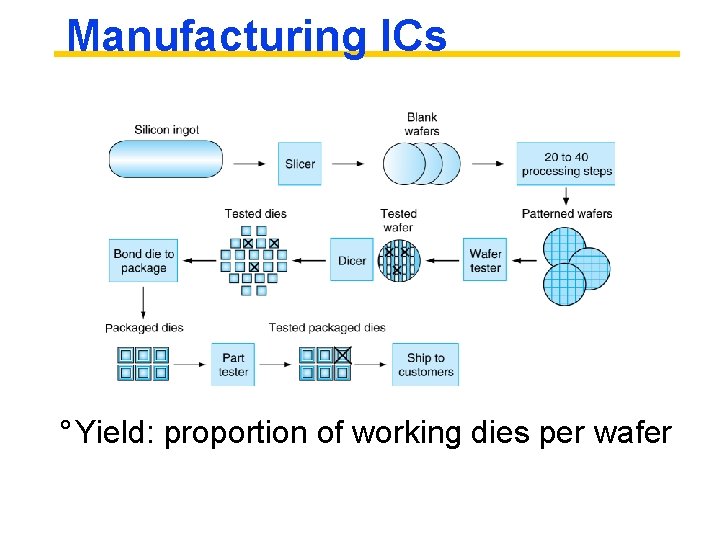
Manufacturing ICs ° Yield: proportion of working dies per wafer
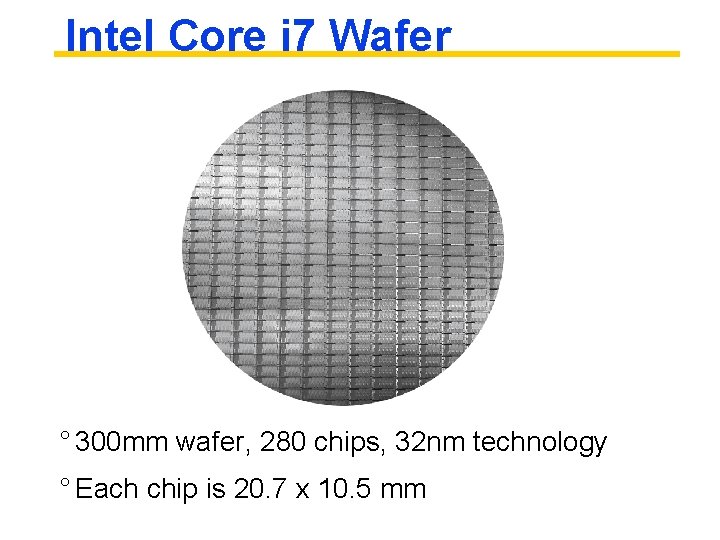
Intel Core i 7 Wafer ° 300 mm wafer, 280 chips, 32 nm technology ° Each chip is 20. 7 x 10. 5 mm
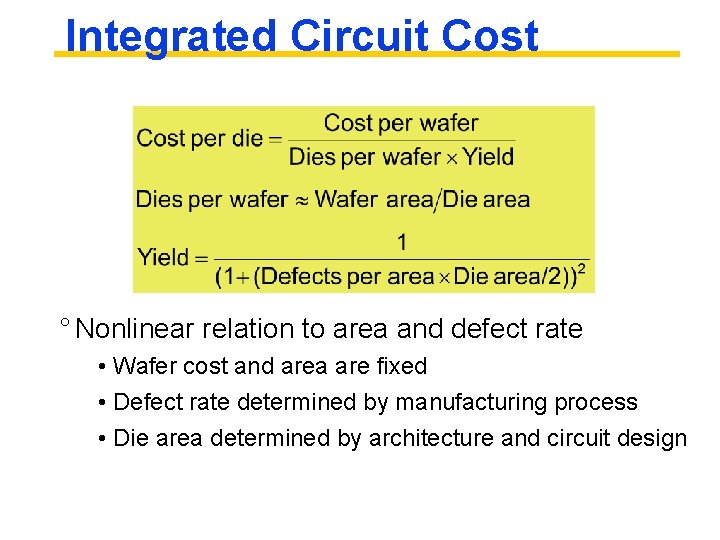
Integrated Circuit Cost ° Nonlinear relation to area and defect rate • Wafer cost and area are fixed • Defect rate determined by manufacturing process • Die area determined by architecture and circuit design
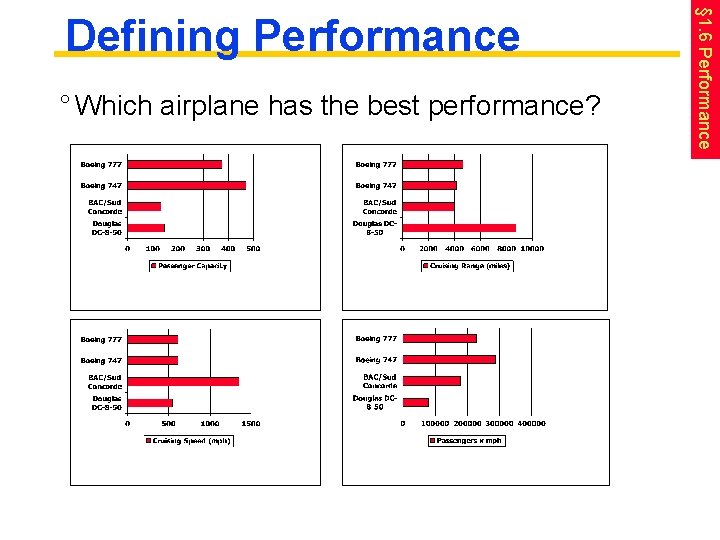
° Which airplane has the best performance? § 1. 6 Performance Defining Performance
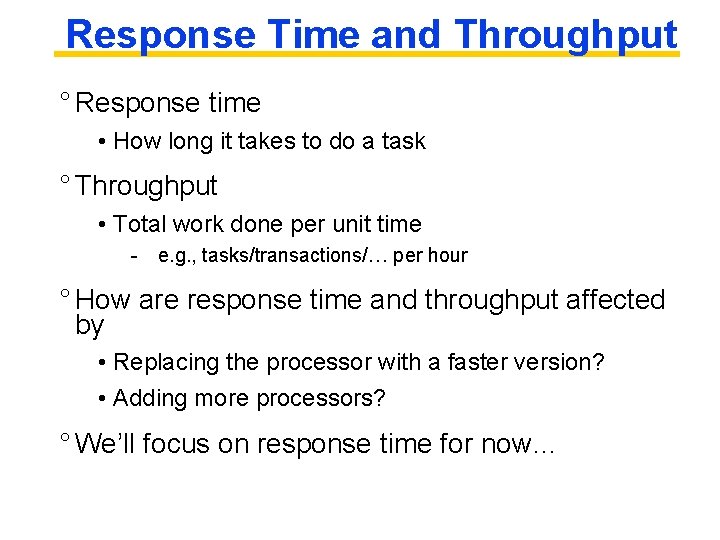
Response Time and Throughput ° Response time • How long it takes to do a task ° Throughput • Total work done per unit time - e. g. , tasks/transactions/… per hour ° How are response time and throughput affected by • Replacing the processor with a faster version? • Adding more processors? ° We’ll focus on response time for now…
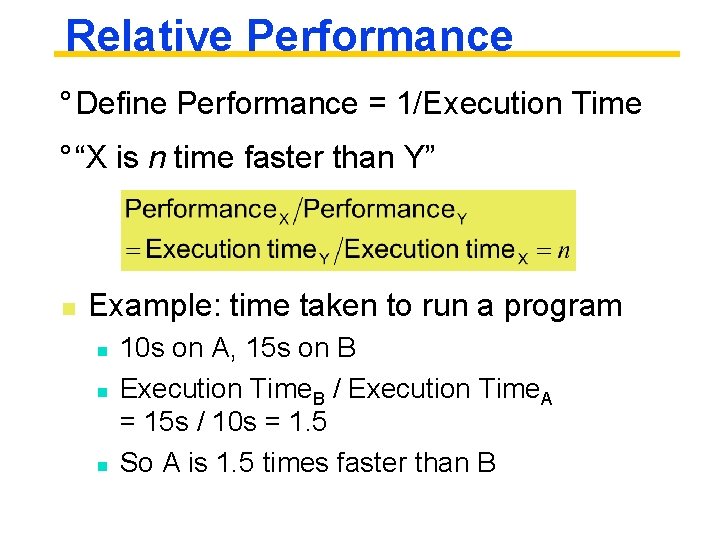
Relative Performance ° Define Performance = 1/Execution Time ° “X is n time faster than Y” n Example: time taken to run a program n n n 10 s on A, 15 s on B Execution Time. B / Execution Time. A = 15 s / 10 s = 1. 5 So A is 1. 5 times faster than B
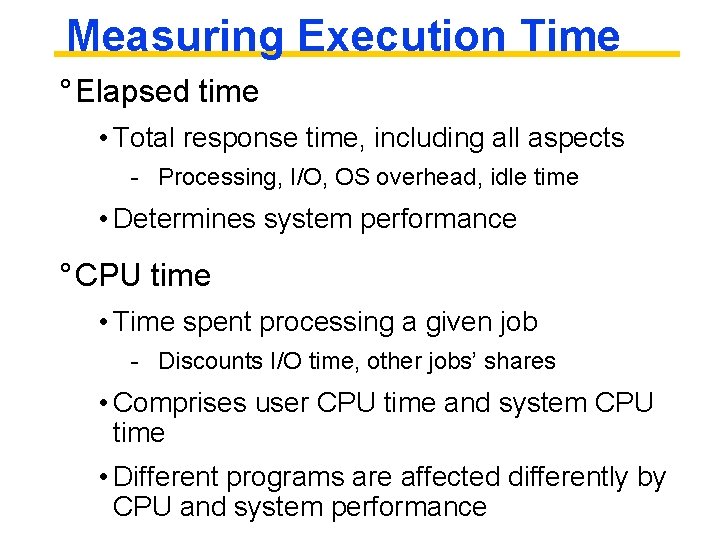
Measuring Execution Time ° Elapsed time • Total response time, including all aspects - Processing, I/O, OS overhead, idle time • Determines system performance ° CPU time • Time spent processing a given job - Discounts I/O time, other jobs’ shares • Comprises user CPU time and system CPU time • Different programs are affected differently by CPU and system performance
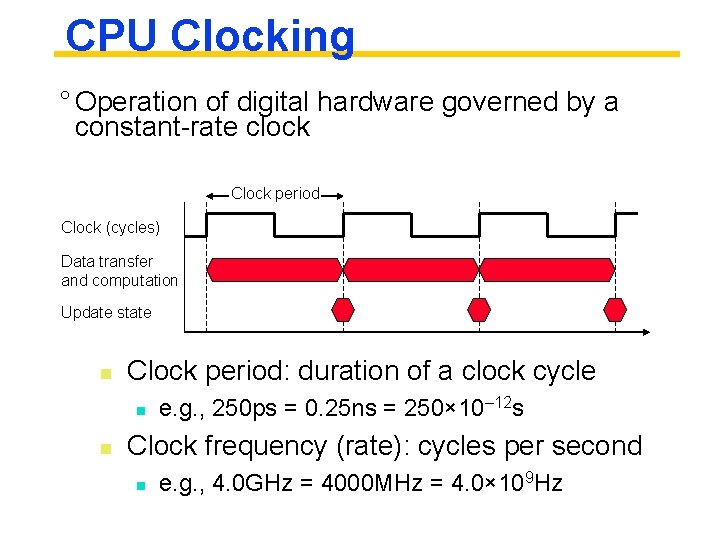
CPU Clocking ° Operation of digital hardware governed by a constant-rate clock Clock period Clock (cycles) Data transfer and computation Update state n Clock period: duration of a clock cycle n n e. g. , 250 ps = 0. 25 ns = 250× 10– 12 s Clock frequency (rate): cycles per second n e. g. , 4. 0 GHz = 4000 MHz = 4. 0× 109 Hz
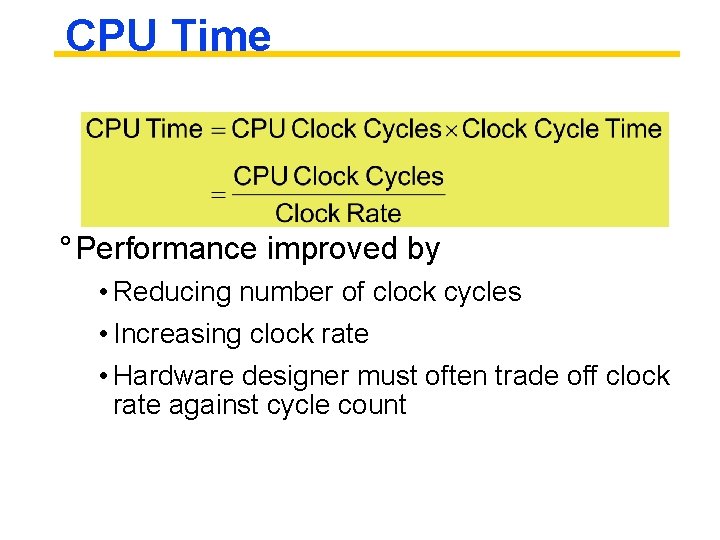
CPU Time ° Performance improved by • Reducing number of clock cycles • Increasing clock rate • Hardware designer must often trade off clock rate against cycle count
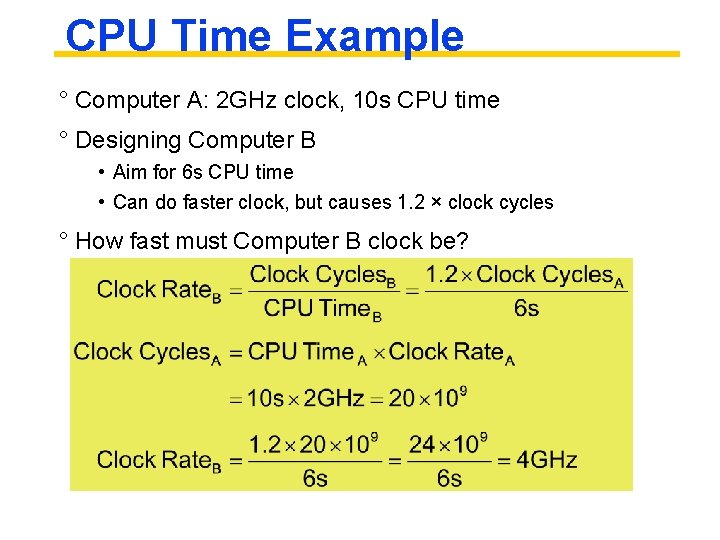
CPU Time Example ° Computer A: 2 GHz clock, 10 s CPU time ° Designing Computer B • Aim for 6 s CPU time • Can do faster clock, but causes 1. 2 × clock cycles ° How fast must Computer B clock be?