
CORBA 1 What options do I have for
CORBA 1
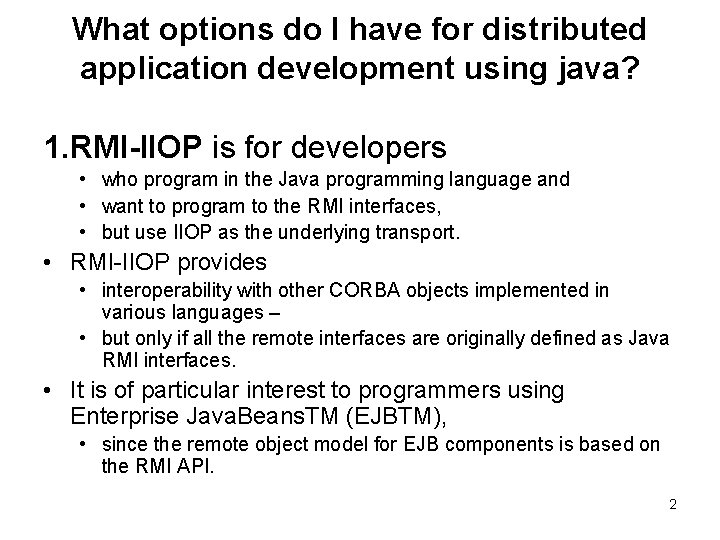
What options do I have for distributed application development using java? 1. RMI-IIOP is for developers • who program in the Java programming language and • want to program to the RMI interfaces, • but use IIOP as the underlying transport. • RMI-IIOP provides • interoperability with other CORBA objects implemented in various languages – • but only if all the remote interfaces are originally defined as Java RMI interfaces. • It is of particular interest to programmers using Enterprise Java. Beans. TM (EJBTM), • since the remote object model for EJB components is based on the RMI API. 2

What options do I have for distributed application development using java? 2. Java. TM RMI technology – • If all of your applications are written in the Java programming language, you will probably want to use Java RMI technology – to enable communication between Java objects on different virtual machines and different physical machines. • Using Java RMI technology without its IIOP option leverages ─ its strengths of code portability, security, and garbage collection. 3
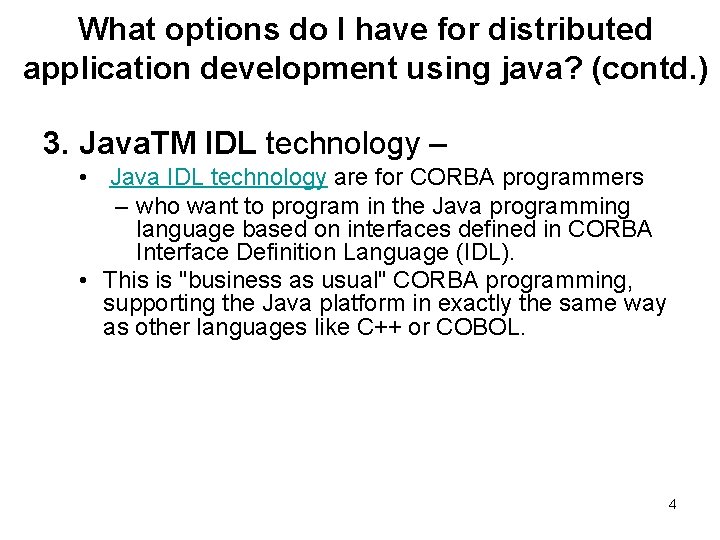
What options do I have for distributed application development using java? (contd. ) 3. Java. TM IDL technology – • Java IDL technology are for CORBA programmers – who want to program in the Java programming language based on interfaces defined in CORBA Interface Definition Language (IDL). • This is "business as usual" CORBA programming, supporting the Java platform in exactly the same way as other languages like C++ or COBOL. 4
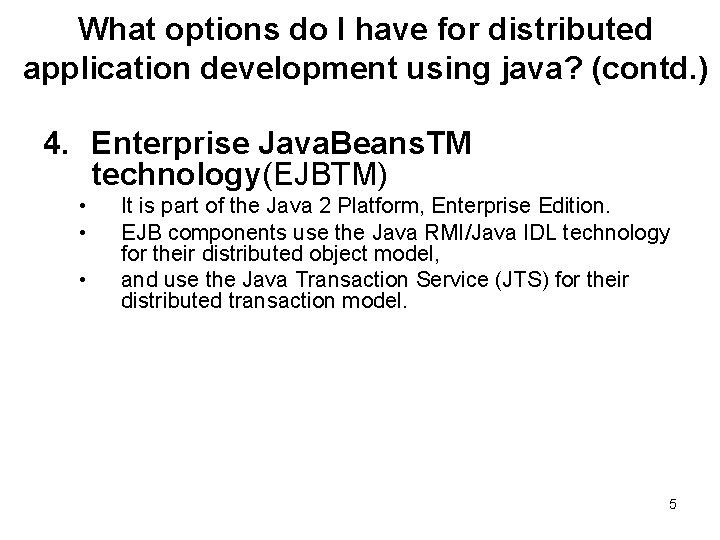
What options do I have for distributed application development using java? (contd. ) 4. Enterprise Java. Beans. TM technology(EJBTM) • • • It is part of the Java 2 Platform, Enterprise Edition. EJB components use the Java RMI/Java IDL technology for their distributed object model, and use the Java Transaction Service (JTS) for their distributed transaction model. 5
What options do I have for distributed application development using java? (contd. ) 4. Enterprise Java. Beans. TM technology (contd. ) – – Enterprise Java. Beans components are implemented using the RMI-IIOP protocol for EJB component has interoperability in heterogeneous server environments, the standard mapping of the EJB architecture to CORBA enables interoperability with • • multivendor ORBs, other EJB servers, and CORBA clients written in programming languages other than the Java programming language. An example application: it uses an EJB server with a CORBA client, 6
What is the Portable Object Adapter (POA)? • An object adapter is the mechanism that connects a request using an object reference with the proper code to service that request. • The Portable Object Adapter, or POA, is a particular type of object adapter that is defined by the CORBA specification. 7
What is the Portable Object Adapter (POA)? (cont. ) • The POA is designed to meet the following goals: – Allow programmers to construct object implementations that are portable between different ORB products. – Provide support for objects with persistent identities. – Provide support for transparent activation of objects. – Allow a single servant to support multiple object identities simultaneously. 8
Getting Started with Java. TM IDL • Java TM IDL is a technology for distributed objects--that is, objects interacting on different platforms across a network. • Java IDL enables objects to interact regardless of whether they're written in the Java programming language or another language such as C, C++, COBOL, or others. – This is possible because Java IDL is based on the Common Object Request Brokerage Architecture (CORBA), • an industry-standard distributed object model. • A key feature of CORBA is IDL, a languageneutral Interface Definition Language. 9
Getting Started with Java. TM IDL (contd. ) • Each language that supports CORBA has its own IDL mapping--and as its name implies, Java IDL supports the mapping for Java. • To support interaction between objects in separate programs, Java IDL provides an Object Request Broker, or ORB. • The ORB is a class library that enables low-level communication between Java IDL applications and other CORBAcompliant applications. 10
Getting Started with Java. TM IDL (contd. ) • These slides teach the basic tasks needed to build a CORBA distributed application using Java IDL. • We will build the classic "Hello World" program as a distributed application. • The Hello World program has a single operation that returns a string to be printed. • Any relationship between distributed objects has two sides: the client and the server. – The server provides a remote interface, and the client calls a remote interface – including Java Remote Method Invocation (RMI, RMI-IIOP) and CORBA. 11
Getting Started with Java. TM IDL (contd. ) • the terms client and server define objectlevel rather than application-level interaction— – any application could be a server for some objects and a client of others. • a single object – could be the client of an interface provided by a remote object and – at the same time implement an interface to be called remotely by other objects. 12
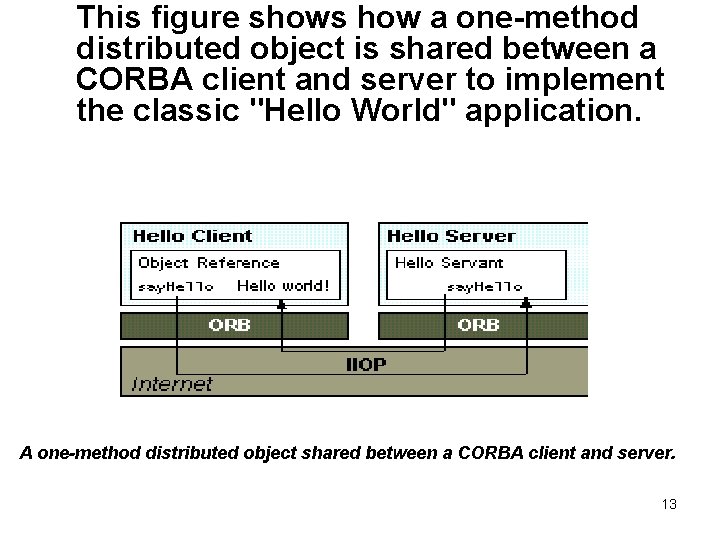
This figure shows how a one-method distributed object is shared between a CORBA client and server to implement the classic "Hello World" application. A one-method distributed object shared between a CORBA client and server. 13
Client-server communication • On the client side, the application includes a reference for the remote object. • The object reference has a stub method, which is a stand-in for the method being called remotely. • The stub is actually wired into the ORB, so that calling it invokes the ORB's connection capabilities, which forwards the invocation to the server. • On the server side, the ORB uses skeleton code to translate the remote invocation into a method call on the local object. • The skeleton translates the call and any parameters to their implementation-specific format and calls the method being invoked. 14
Client-server communication (cont. ) • When the method returns, the skeleton code transforms results or errors, and sends them back to the client via the ORBs. • Between the ORBs, communication proceeds by means of a shared protocol, IIOP--the Internet Inter-ORB Protocol. • IIOP, which is based on the standard TCP/IP internet protocol, defines how CORBA-compliant ORBs pass information back and forth. • Like CORBA and IDL, the IIOP standard is defined by OMG, the Object Management Group. 15
Hello World Example Define the remote interface (step 1) • You define the interface for the remote object using the OMG's Interface Definition Langauge (IDL). • You use IDL instead of the Java language because the idlj compiler automatically maps from IDL, generating all Java language stub and skeleton source files, along with the infrastructure code for connecting to the ORB. • Also, by using IDL, you make it possible for developers to implement clients and servers in any other CORBA-compliant language. 16
Hello World (step 1) • If you're implementing a client for an existing CORBA service, or a server for an existing client, – you would get the IDL interfaces from the implementer --such as a service provider or vendor. • You would then run the idlj compiler over those interfaces and follow these steps. • Writing the IDL file in this tutorial walks you through defining the remote interface for the simple "Hello World" example. 17
Writing Hello. idl • To create the Hello. idl file, 1. Create a new directory, named Hello, for this application. 2. Start your favorite text editor and create a file named Hello. idl in this directory. 3. In your file, enter the code for the interface definition, Hello. idl 18
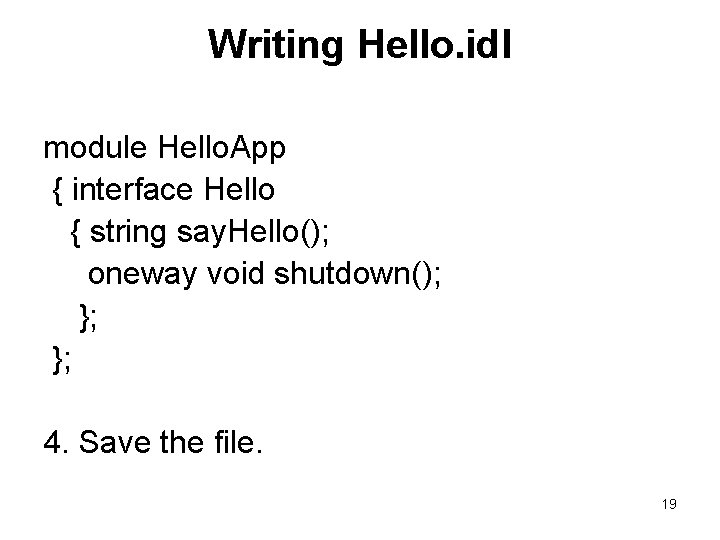
Writing Hello. idl module Hello. App { interface Hello { string say. Hello(); oneway void shutdown(); }; }; 4. Save the file. 19
Understanding the IDL file • OMG IDL is the language used to describe the interfaces that client objects call and object implementations provide. • An interface definition written in OMG IDL completely defines the interface and fully specifies each operation's parameters. • An OMG IDL interface provides the information needed to develop clients that use the interface's operations. • Clients are written in languages for which mappings from OMG IDL concepts have been defined. • The mapping of an OMG IDL concept to a client language construct will depend on the facilities available in the client language. 20
Understanding the IDL file(contd. ) • OMG specifies a mapping from IDL to several different programming languages, including C, C++, Smalltalk, COBOL, Ada, Lisp, Python, and Java. • When mapped, each statement in OMG IDL is translated to a corresponding statement in the programming language of choice. • For example, you could use the tool idlj to map an IDL interface to Java and implement the client class. • When you mapped the same IDL to C++ and implemented the server in that language, the Java client (through the Java ORB) and C++ server (through the C++ ORB) interoperate as though they were written in the same language. 21
Understanding the IDL file (contd. ) • • The IDL for "Hello World" is extremely simple; its single interface has but two operations. You need perform only three steps: a) Declare the CORBA IDL module b) Declare the interface c) Declare the operations 22
a) Declaring the CORBA IDL Module • • • A CORBA module is a namespace that acts as a container for related interfaces and declarations. It corresponds closely to a Java package. Each module statement in an IDL file is mapped to a Java package statement. The module statement looks like this: module Hello. App { // Subsequent lines of code here. }; When you compile the IDL, the module statement will generate a package statement in the Java code. 23
b) Declaring the Interface • Like Java interfaces, CORBA interfaces declare the API contract an object has with other objects. • Each interface statement in the IDL maps to a Java interface statement when mapped. • In your Hello. idl file, the interface statement looks like this: module Hello. App { interface Hello // These lines { // declare the // interface }; // statement. }; • When we compile the IDL, this statement will generate an interface statement in the Java code. 24
c) Declaring the Operations • CORBA operations are the behavior that servers promise to perform on behalf of clients that invoke them. • Each operation statement in the IDL generates a corresponding method statement in the generated Java interface. • In our Hello. idl file, the operation statement looks like this: module Hello. App { interface Hello { string say. Hello(); // This line is an operation statement. oneway void shutdown(); // This line is another }; }; • The interface definition for our little "Hello World" application is now complete. 25
Compile the remote interface (Step 2) • The tool idlj reads OMG IDL files and creates the required Java files. • The idlj compiler defaults to generating only the client-side bindings. • If you need both client-side bindings and serverside skeletons (as you do for our "Hello World" program), you must use the -fall option when running the idlj compiler. . • New in J 2 SE v. 1. 4: The default server-side mapping generated when either the -fall or fserver arguments are used conform to, Portable Object Adapter (POA) of the CORBA 2. 3. 1 Specification (formal/99 -10 -07). 26
Mapping Hello. idl to Java 1. Make sure that the j 2 sdk/bin directory (or the directory containing idlj, javac, and orbd) are in your path. 2. Go to a command line prompt. 3. Change to the directory containing your Hello. idl file. 4. Enter the compiler command: idlj -fall Hello. idl 27
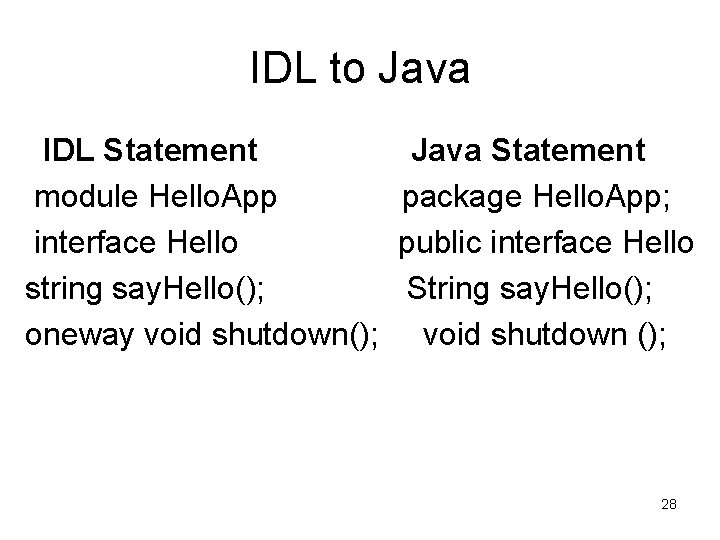
IDL to Java IDL Statement module Hello. App interface Hello string say. Hello(); oneway void shutdown(); Java Statement package Hello. App; public interface Hello String say. Hello(); void shutdown (); 28
Understanding the idlj Compiler Output • Hello. POA. java – This abstract class is the stream-based server skeleton, providing basic CORBA functionality for the server. – It extends org. omg. Portable. Server. Servant, and implements the Invoke. Handler interface and the Hello. Operations interface. – The server class, Hello. Servant, extends Hello. POA. • _Hello. Stub. java – This class is the client stub, providing CORBA functionality for the client. – It extends org. omg. CORBA. portable. Object. Impl and implements the Hello. java interface. • Hello. java – This interface contains the Java version of our IDL interface. The Hello. java interface extends org. omg. CORBA. Object, providing standard CORBA object functionality. – It also extends the Hello. Operations interface and 29 org. omg. CORBA. portable. IDLEntity.
• Understanding the idlj Compiler Output Hello. Helper. java – This class provides auxiliary functionality, notably the narrow() method required to cast CORBA object references to their proper types. – The Helper class is responsible for reading and writing the data type to CORBA streams, and inserting and extracting the data type. – The Holder class delegates to the methods in the Helper class for reading and writing. • Hello. Holder. java – This final class holds a public instance member of type Hello. Whenever the IDL type is an out or an inout parameter, the Holder class is used. – It provides operations for org. omg. CORBA. portable. Output. Stream and org. omg. CORBA. portable. Input. Stream arguments, which CORBA allows, but which do not map easily to Java's semantics. – The Holder class delegates to the methods in the Helper class for reading and writing. It implement org. omg. CORBA. portable. Streamable. • Hello. Operations. java – This interface contains the methods say. Hello() and shutdown(). The IDL-to-Java mapping puts all of the operations defined on the IDL interface into this file, which is shared by both the stubs and skeletons. 30
Implement the server (step 3) • Once you run the idlj compiler, you can use the skeletons it generates to put together your server application. • In addition to implementing the methods of the remote interface, your server code includes a mechanism to start the ORB and wait for invocation from a remote client. • Developing the Hello World Server walks you through writing a simple server for the "Hello World" application. 31
Server implementation The example server consists of two classes, • the servant and the server. • The servant, Hello. Impl, is the implementation of the Hello IDL interface; – each Hello instance is implemented by a Hello. Impl instance. • The servant is a subclass of Hello. POA, which is generated by the idlj compiler from the example IDL. • The servant contains one method for each IDL operation, in this example, the say. Hello() and shutdown() methods. • Servant methods are just like ordinary Java methods; the extra code to deal with the ORB, with marshaling arguments and results, and so on, is provided by the skeleton. 32
The server class has the server's main() method • Creates and initializes an ORB instance • Gets a reference to the root POA and activates the POAManager • Creates a servant instance (the implementation of one CORBA Hello object) and tells the ORB about it • Gets a CORBA object reference for a naming context in which to register the new CORBA object • Gets the root naming context • Registers the new object in the naming context under the name "Hello" • Waits for invocations of the new object from the client 33
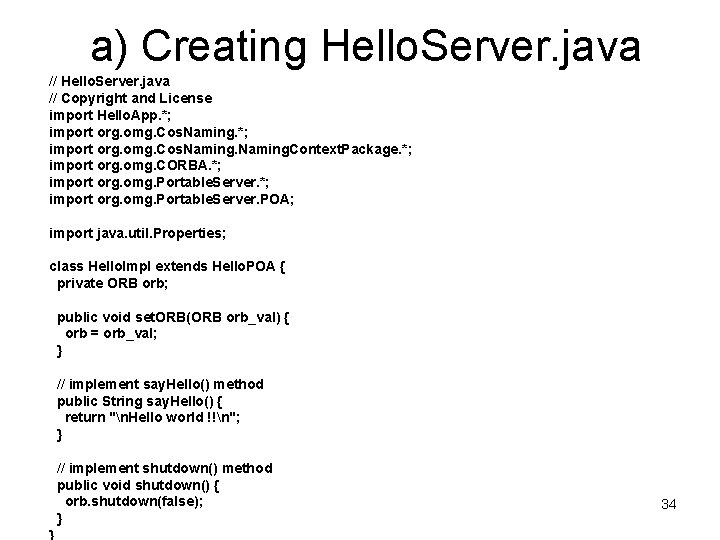
a) Creating Hello. Server. java // Copyright and License import Hello. App. *; import org. omg. Cos. Naming. Context. Package. *; import org. omg. CORBA. *; import org. omg. Portable. Server. POA; import java. util. Properties; class Hello. Impl extends Hello. POA { private ORB orb; public void set. ORB(ORB orb_val) { orb = orb_val; } // implement say. Hello() method public String say. Hello() { return "n. Hello world !!n"; } // implement shutdown() method public void shutdown() { orb. shutdown(false); } 34
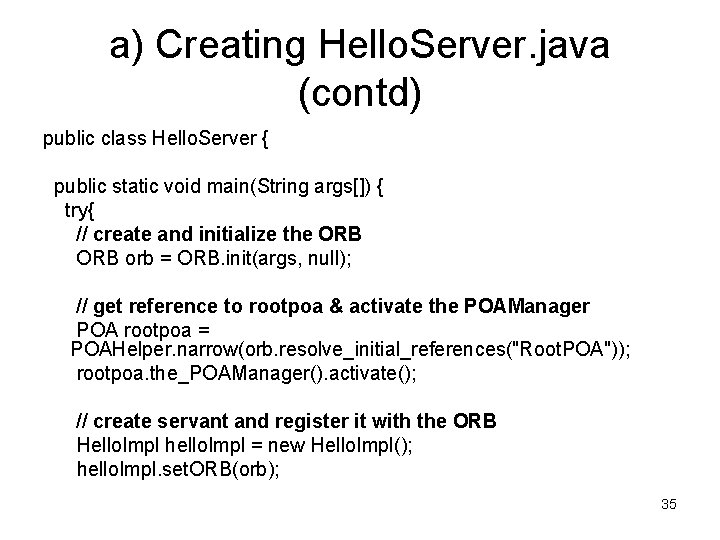
a) Creating Hello. Server. java (contd) public class Hello. Server { public static void main(String args[]) { try{ // create and initialize the ORB orb = ORB. init(args, null); // get reference to rootpoa & activate the POAManager POA rootpoa = POAHelper. narrow(orb. resolve_initial_references("Root. POA")); rootpoa. the_POAManager(). activate(); // create servant and register it with the ORB Hello. Impl hello. Impl = new Hello. Impl(); hello. Impl. set. ORB(orb); 35
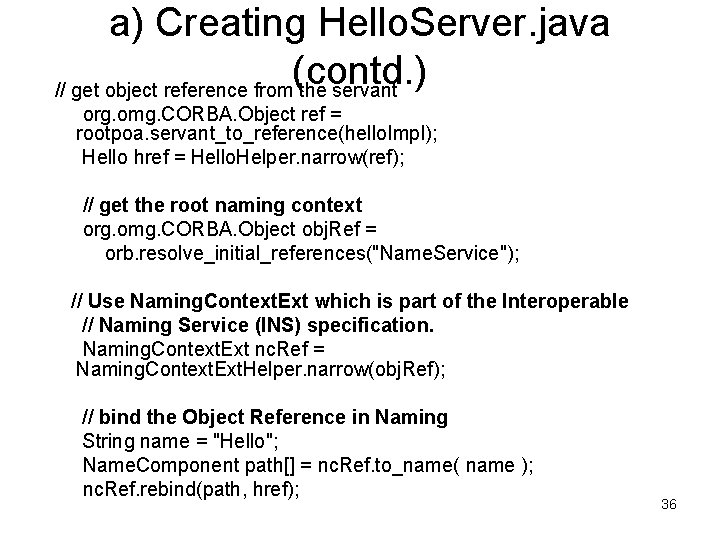
a) Creating Hello. Server. java (contd. ) // get object reference from the servant org. omg. CORBA. Object ref = rootpoa. servant_to_reference(hello. Impl); Hello href = Hello. Helper. narrow(ref); // get the root naming context org. omg. CORBA. Object obj. Ref = orb. resolve_initial_references("Name. Service"); // Use Naming. Context. Ext which is part of the Interoperable // Naming Service (INS) specification. Naming. Context. Ext nc. Ref = Naming. Context. Ext. Helper. narrow(obj. Ref); // bind the Object Reference in Naming String name = "Hello"; Name. Component path[] = nc. Ref. to_name( name ); nc. Ref. rebind(path, href); 36
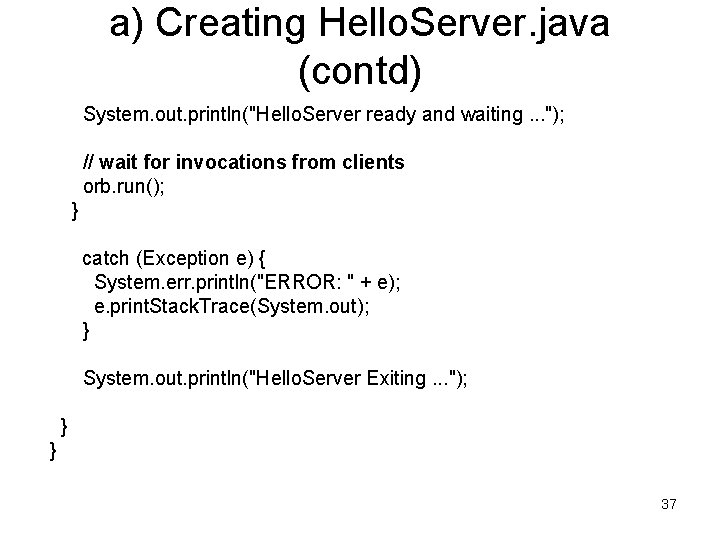
a) Creating Hello. Server. java (contd) System. out. println("Hello. Server ready and waiting. . . "); // wait for invocations from clients orb. run(); } catch (Exception e) { System. err. println("ERROR: " + e); e. print. Stack. Trace(System. out); } System. out. println("Hello. Server Exiting. . . "); } } 37
Creating and Initializing an ORB Object • A CORBA server needs a local ORB object, as does the CORBA client. • Every server instantiates an ORB and registers its servant objects so that the ORB can find the server when it receives an invocation for it. • The ORB variable is declared and initialized inside the try-catch block. • ORB orb = ORB. init(args, null); The call to the ORB's init() method passes in the server's command line arguments, allowing you to set certain properties at runtime. 38
Get a Reference to the Root POA and Activate the POAManager • The ORB obtains the initial object references to services such as the Name Service using the method resolve_initial_references. • The reference to the root POA is retrieved and the POAManager is activated from within the try-catch block. POA rootpoa = POAHelper. narrow(orb. resolve_initial_references("Root. POA")); rootpoa. the_POAManager(). activate(); • The activate() operation changes the state of the POA manager to active, causing associated POAs to start processing requests. • The POA manager encapsulates the processing state of the POAs with which it is associated. • Each POA object has an associated POAManager object. • A POA manager may be associated with one or more POA objects. 39
Managing the Servant Object • A server is a process that instantiates one or more servant objects. • The servant inherits from the interface generated by idlj and actually performs the work of the operations on that interface. • Our Hello. Server needs a Hello. Impl. 40
Instantiating the Servant Object • We instantiate the servant object inside the try-catch block, just after activating the POA manager, as shown: • Hello. Impl hello. Impl = new Hello. Impl(); The section of code describing the servant class was explained previously. • In the next line of code, set. ORB(orb) is defined on the servant so that ORB. shutdown() can be called as part of the shutdown operation. This step is required because of the shutdown() method defined in Hello. idl. • hello. Impl. set. ORB(orb); There are other options for implementing the shutdown operation. In this example, the shutdown() method called on the Object takes care of shutting down an ORB. • In another implementation, the shutdown method implementation could have simply set a flag, which the server could have checked and called shutdown(). 41
Instantiating the Servant Object (contd. ) • The next set of code is used to get the object reference associated with the servant. • The narrow() method is required to cast CORBA object references to their proper types. • org. omg. CORBA. Object ref = rootpoa. servant_to_reference(hello. Impl); Hello href = Hello. Helper. narrow(ref); 42
Working with COS Naming • The Hello. Server works with the Common Object Services (COS) Naming Service to make the servant object's operations available to clients. • The server needs an object reference to the naming service so that it can publish the references to the objects implementing various interfaces. • These object references are used by the clients for invoking methods. • Another way a servant can make the objects available to clients for invocations is by stringifying the object references to a file. • The two options for Naming Services shipped with J 2 SE v. 1. 4 are: – orbd, which includes both a Transient Naming Service and a Persistent Naming Service, in addition to a Server Manager. – tnameserv - a Transient Naming Service. • This example uses orbd. 43
Obtaining the Initial Naming Context • In the try-catch block, below getting the object reference for the servant, we call orb. resolve_initial_references() to get an object reference to the name server: • org. omg. CORBA. Object obj. Ref = orb. resolve_initial_references("Name. Service"); • The string "Name. Service" is defined for all CORBA ORBs. • When you pass in that string, the ORB returns a naming context object that is an object reference for the name service. 44
Obtaining the Initial Naming Context (cont. ) • The string "Name. Service" indicates: – The naming service will be persistent when using ORBD's naming service, as we do in this example. – The naming service will be transient when using tnameserv. – The proprietary string "TName. Service" indicates that the naming service will be transient when using ORBD's naming service. 45
Narrowing the Object Reference • As with all CORBA object references, obj. Ref is a generic CORBA object. • To use it as a Naming. Context. Ext object, you must narrow it to its proper type. • The call to narrow() is just below the previous statement: – Naming. Context. Ext nc. Ref = Naming. Context. Ext. Helper. narrow(obj. Ref); • Here you see the use of an idlj-generated helper class, similar in function to Hello. Helper. • The nc. Ref object is now an org. omg. Cos. Naming. Context. Ext and you can use it to access the naming service and register the server, as shown in the next topic. • The Naming. Context. Ext object is new to J 2 SE v. 1. 4, and is part of the Interoperable Naming Service specification. 46
Registering the Servant with the Name Server • Just below the call to narrow(), we create a new Name. Component array. • Because the path to Hello has a single element, we create the single-element array that Naming. Context. resolve requires for its work: String name = "Hello"; Name. Component path[] = nc. Ref. to_name( name ); • Finally, we pass path and the servant object to the naming service, binding the servant object to the "Hello" id: • nc. Ref. rebind(path, href); • Now, when the client calls resolve("Hello") on the initial naming context, the naming service returns an object 47 reference to the Hello servant.
Waiting for Invocation • The previous slides describe the code that makes the server ready; • the next section explains the code that enables it to simply wait around for a client to request its service. • The following code, which is at the end of (but within) the try-catch block, shows how to accomplish this. • orb. run(); • When called by the main thread, ORB. run() enables the ORB to perform work using the main thread, waiting until an invocation comes from the ORB. • Because of its placement in main(), after an invocation completes and say. Hello() returns, the server will wait again. – This is the reason that the Hello. Client explicitly shuts down the ORB after completing its task. 48
server-side mappings • CORBA supports at least two different server-side mappings for implementing an IDL interface: • a) The Inheritance Model • b) The Delegation Model 49
a) The Inheritance Model • Using the Inheritance Model, you implement the IDL interface using an implementation class that also extends the compiler-generated skeleton. • Inheritance models include: • The OMG-standard, POA. Given an interface My defined in My. idl, the file My. POA. java is generated by the idlj compiler. • You must provide the implementation for My and it must inherit from My. POA, a stream-based skeleton that extends org. omg. Portable. Server. Servant, which serves as the base class for all POA servant implementations 50
b) The Delegation Model • Using the Delegation Model, you implement the IDL interface using two classes: • An IDL-generated Tie class that inherits from the compiler-generated skeleton, but delegates all calls to an implementation class. • A class that implements the IDL-generated operations interface (such as Hello. Operations), which defines the IDL function. • The Delegation model is also known as the Tie model, or the Tie Delegation model. • It inherits from either the POA or Impl. Base compilergenerated skeleton, so the models will be described as POA/Tie or Impl. Base/Tie models in this document. 51
Compiling the Hello World Server • • • Now we will compile the Hello. Server. java so that we can correct any errors before continuing with this tutorial. Windows users note that you should substitute backslashes () for the slashes (/) in all paths in this document. To compile Hello. Server. java, 1. Change to the Hello directory. 2. Run the Java compiler on Hello. Server. java: javac Hello. Server. java Hello. App/*. java 1. Correct any errors in your file and recompile if necessary. 2. The files Hello. Server. class and Hello. Impl. class are generated in the Hello directory. 52
Implement the client (step 4) • Similarly, you use the stubs generated by the idlj compiler as the basis of your client application. • The client code builds on the stubs to start its ORB, look up the server using the name service provided with Java IDL, obtain a reference for the remote object, and call its method. • Developing a Client Application walks you through writing a simple client application. 53
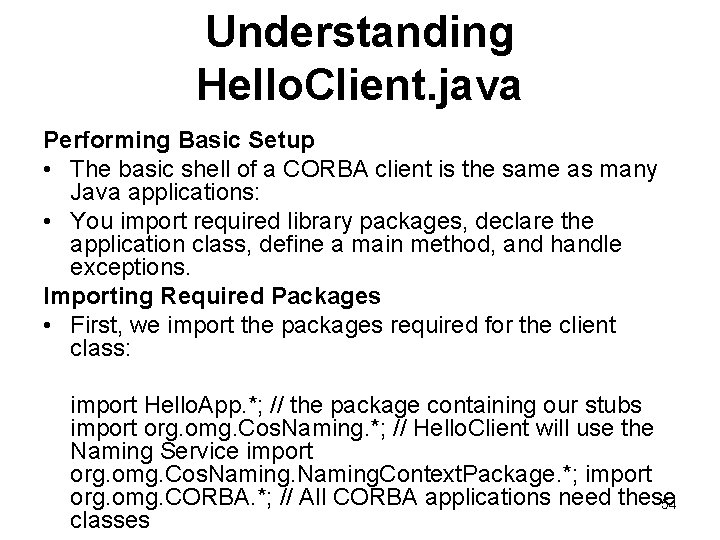
Understanding Hello. Client. java Performing Basic Setup • The basic shell of a CORBA client is the same as many Java applications: • You import required library packages, declare the application class, define a main method, and handle exceptions. Importing Required Packages • First, we import the packages required for the client class: import Hello. App. *; // the package containing our stubs import org. omg. Cos. Naming. *; // Hello. Client will use the Naming Service import org. omg. Cos. Naming. Context. Package. *; import org. omg. CORBA. *; // All CORBA applications need these 54 classes
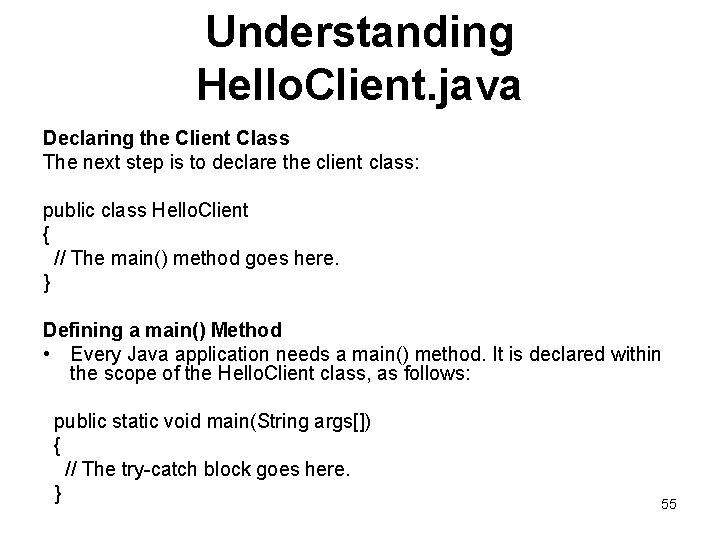
Understanding Hello. Client. java Declaring the Client Class The next step is to declare the client class: public class Hello. Client { // The main() method goes here. } Defining a main() Method • Every Java application needs a main() method. It is declared within the scope of the Hello. Client class, as follows: public static void main(String args[]) { // The try-catch block goes here. } 55
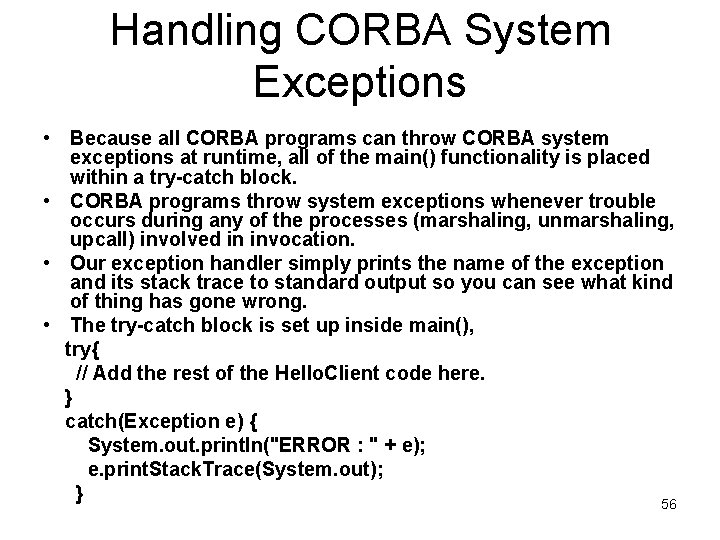
Handling CORBA System Exceptions • Because all CORBA programs can throw CORBA system exceptions at runtime, all of the main() functionality is placed within a try-catch block. • CORBA programs throw system exceptions whenever trouble occurs during any of the processes (marshaling, unmarshaling, upcall) involved in invocation. • Our exception handler simply prints the name of the exception and its stack trace to standard output so you can see what kind of thing has gone wrong. • The try-catch block is set up inside main(), try{ // Add the rest of the Hello. Client code here. } catch(Exception e) { System. out. println("ERROR : " + e); e. print. Stack. Trace(System. out); } 56
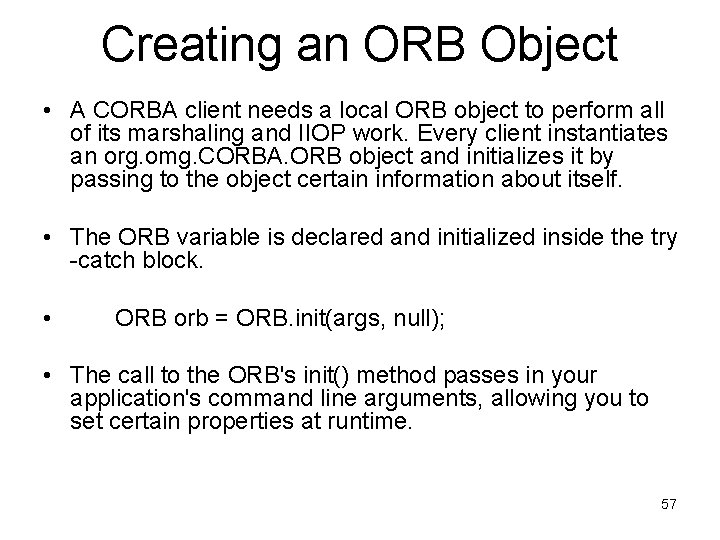
Creating an ORB Object • A CORBA client needs a local ORB object to perform all of its marshaling and IIOP work. Every client instantiates an org. omg. CORBA. ORB object and initializes it by passing to the object certain information about itself. • The ORB variable is declared and initialized inside the try -catch block. • ORB orb = ORB. init(args, null); • The call to the ORB's init() method passes in your application's command line arguments, allowing you to set certain properties at runtime. 57
Finding the Hello Server • Now that the application has an ORB, it can ask the ORB to locate the actual service it needs, in this case the Hello server. • There a number of ways for a CORBA client to get an initial object reference; our client application will use the COS Naming Service specified by OMG and provided with Java IDL. • See Using Stringified Object References for information on how to get an initial object reference when there is no naming service available. • The two options for Naming Services shipped with J 2 SE v. 1. 4 are: – orbd, which is a daemon process containing a Bootstrap Service, a Transient Naming Service, a Persistent Naming Service, and – a Server Manager, and tnameserv, a transient naming 58 service. This example uses orbd.
Obtaining the Initial Naming Context • The first step in using the naming service is to get the initial naming context. In the try-catch block, below your ORB initialization, you call orb. resolve_initial_references() to get an object reference to the name server: org. omg. CORBA. Object obj. Ref = orb. resolve_initial_references("Name. Service"); • The string "Name. Service" is defined for all CORBA ORBs. When you pass in that string, the ORB returns the initial naming context, an object reference to the name service. The string "Name. Service" indicates: • The persistent naming service will be used when using ORBD as the naming service. • The transient naming service will be used when using tnameserv as the naming service. • The string "TName. Service" indicates that the transient naming service will be used when ORBD is the naming service. In this example, we are using the persistent naming service that is a part of orbd. 59
Narrowing the Object Reference • As with all CORBA object references, obj. Ref is a generic CORBA object. • To use it as a Naming. Context. Ext object, you must narrow it to its proper type. • Naming. Context. Ext nc. Ref = Naming. Context. Ext. Helper. narrow(obj. Ref); • Here we see the use of an idlj-generated helper class, similar in function to Hello. Helper. • The nc. Ref object is now an org. omg. Cos. Naming. Context. Ext and you can use it to access the naming service and find other services. • You will do that in the next step. • The Naming. Context. Ext object is new to J 2 SE v. 1. 4, and is part of the Interoperable Naming Service. 60
• Resolve the Object Reference in Naming To publish a reference in the Naming Service to the Hello object implementing the Hello interface, you first need an identifying string for the Hello object. • String name = "Hello"; • Finally, we pass name to the naming service's resolve_str() method to get an object reference to the Hello server and narrow it to a Hello object: • • hello. Impl = Hello. Helper. narrow(nc. Ref. resolve-str(name)); System. out. println("Obtained a handle on server object: " + hello. Impl); • Here you see the Hello. Helper helper class at work. • The resolve-str() method returns a generic CORBA object as you saw above when locating the name service itself. • Therefore, you immediately narrow it to a Hello object, which is the object reference you need to perform the rest of your work. • Then, you send a message to the screen confirming that the object reference has been obtained. 61
Invoking the say. Hello() Operation • CORBA invocations look like a method call on a local object. • The complications of marshaling parameters to the wire, routing them to the server-side ORB, unmarshaling, and placing the upcall to the server method are completely transparent to the client programmer. • Because so much is done for you by generated code, invocation is really the easiest part of CORBA programming. • Finally, we print the results of the invocation to standard output and explicitly shutdown the ORB: • System. out. println(hello. Impl. say. Hello()); hello. Impl. shutdown(); 62
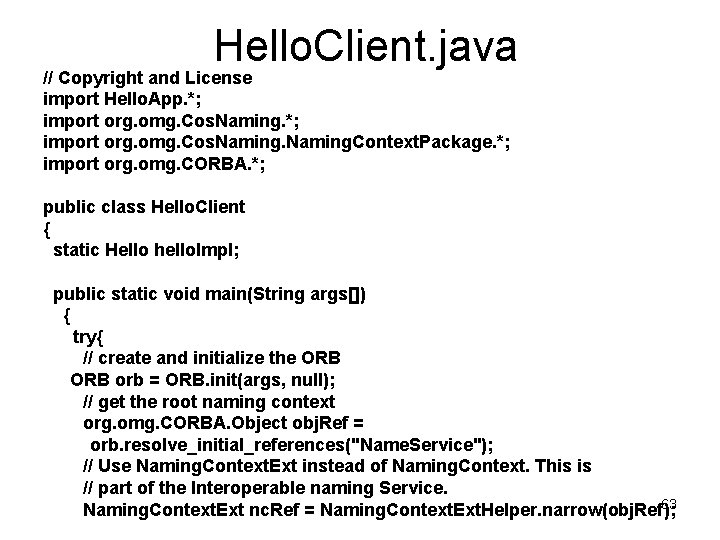
Hello. Client. java // Copyright and License import Hello. App. *; import org. omg. Cos. Naming. Context. Package. *; import org. omg. CORBA. *; public class Hello. Client { static Hello hello. Impl; public static void main(String args[]) { try{ // create and initialize the ORB orb = ORB. init(args, null); // get the root naming context org. omg. CORBA. Object obj. Ref = orb. resolve_initial_references("Name. Service"); // Use Naming. Context. Ext instead of Naming. Context. This is // part of the Interoperable naming Service. 63 Naming. Context. Ext nc. Ref = Naming. Context. Ext. Helper. narrow(obj. Ref);
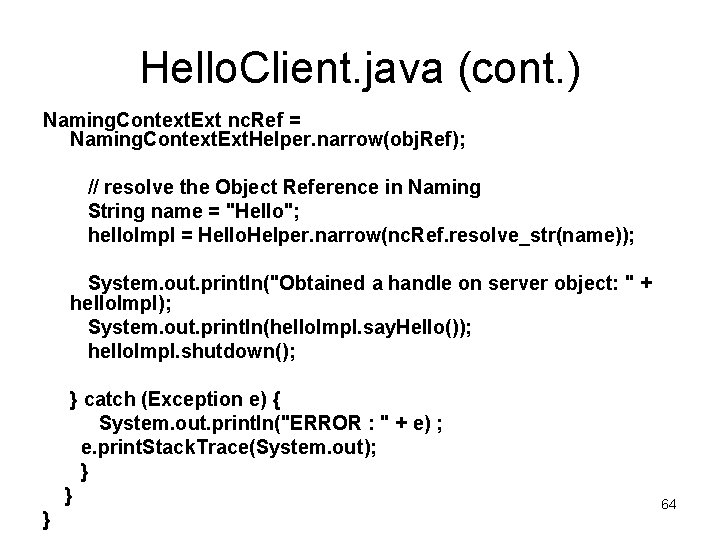
Hello. Client. java (cont. ) Naming. Context. Ext nc. Ref = Naming. Context. Ext. Helper. narrow(obj. Ref); // resolve the Object Reference in Naming String name = "Hello"; hello. Impl = Hello. Helper. narrow(nc. Ref. resolve_str(name)); System. out. println("Obtained a handle on server object: " + hello. Impl); System. out. println(hello. Impl. say. Hello()); hello. Impl. shutdown(); } catch (Exception e) { System. out. println("ERROR : " + e) ; e. print. Stack. Trace(System. out); } } } 64
To compile Hello. Client. java 1. Change to the Hello directory. 2. Run the Java compiler on Hello. Client. java: javac Hello. Client. java Hello. App/*. java 3. Correct any errors in your file and recompile if necessary. 4. The Hello. Client. class is generated to the Hello directory. 65
Start the applications (step 5) • Once we implement a server and a client, we can start the name service, then start the server, then run the client. • Running the Hello World Application walks you through running the server and client program that together make up the "Hello World" application, and the name service that enables them to find one another. 66
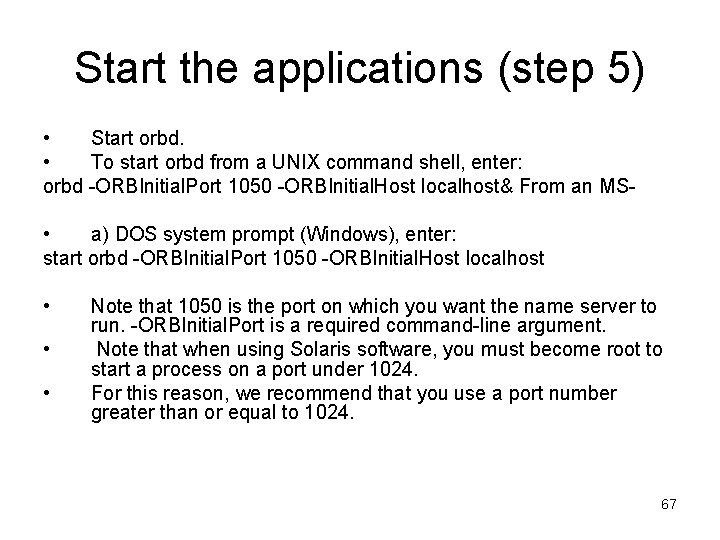
Start the applications (step 5) • Start orbd. • To start orbd from a UNIX command shell, enter: orbd -ORBInitial. Port 1050 -ORBInitial. Host localhost& From an MS • a) DOS system prompt (Windows), enter: start orbd -ORBInitial. Port 1050 -ORBInitial. Host localhost • • • Note that 1050 is the port on which you want the name server to run. -ORBInitial. Port is a required command-line argument. Note that when using Solaris software, you must become root to start a process on a port under 1024. For this reason, we recommend that you use a port number greater than or equal to 1024. 67
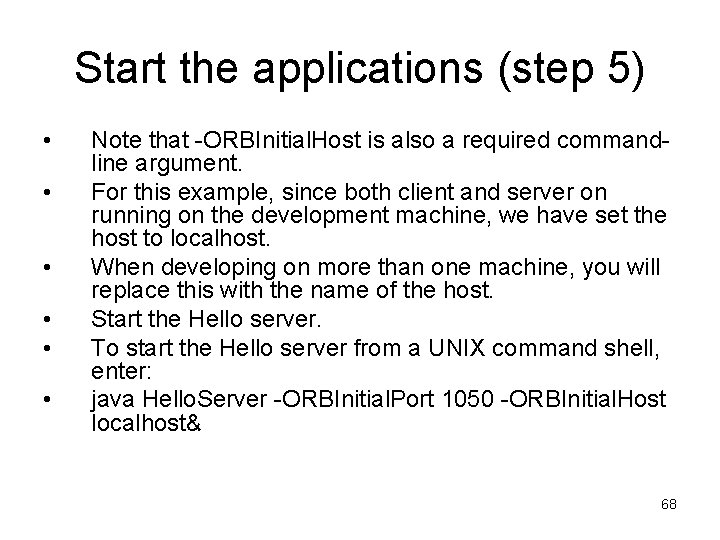
Start the applications (step 5) • • • Note that -ORBInitial. Host is also a required commandline argument. For this example, since both client and server on running on the development machine, we have set the host to localhost. When developing on more than one machine, you will replace this with the name of the host. Start the Hello server. To start the Hello server from a UNIX command shell, enter: java Hello. Server -ORBInitial. Port 1050 -ORBInitial. Host localhost& 68
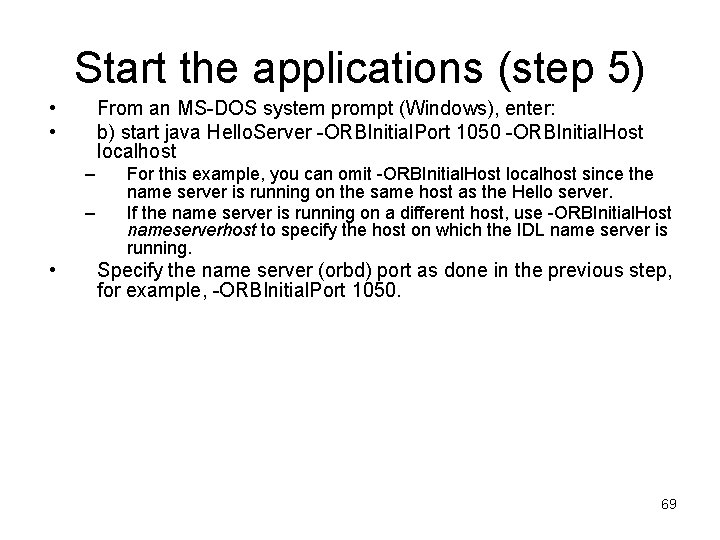
Start the applications (step 5) • • From an MS-DOS system prompt (Windows), enter: b) start java Hello. Server -ORBInitial. Port 1050 -ORBInitial. Host localhost – – • For this example, you can omit -ORBInitial. Host localhost since the name server is running on the same host as the Hello server. If the name server is running on a different host, use -ORBInitial. Host nameserverhost to specify the host on which the IDL name server is running. Specify the name server (orbd) port as done in the previous step, for example, -ORBInitial. Port 1050. 69
Start the applications (step 5) Run the client application: • C) java Hello. Client -ORBInitial. Port 1050 -ORBInitial. Host localhost – – • • For this example, you can omit -ORBInitial. Host localhost since the name server is running on the same host as the Hello client. If the name server is running on a different host, use -ORBInitial. Host nameserverhost to specify the host on which the IDL name server is running. Specify the name server (orbd) port as done in the previous step, for example, -ORBInitial. Port 1050. The client prints the string from the server to the command line: Hello world!! 70
References • Example: http: //java. sun. com/j 2 se/1. 4. 2/docs/guide/idl/tutorial/GSapp. html • http: //java. sun. com/j 2 se/1. 5. 0/docs/guide/idl/tutorial/GSapp. html • Java. TM IDL Technology Documentation http: //java. sun. com/j 2 se/1. 4. 2/docs/guide/idl/index. html • Official Specifications for CORBA support in J 2 SE 1. 4 /1. 5 http: //java. sun. com/j 2 se/1. 4. 2/docs/api/org/omg/CORBA/doc-files/compliance. html http: //java. sun. com/j 2 se/1. 5/docs/api/org/omg/CORBA/doc-files/compliance. html • Portable Object Adapter (POA) http: //java. sun. com/j 2 se/1. 4. 2/docs/guide/idl/POA. html • Getting Started with Java. TM IDL (good starting point) http: //java. sun. com/j 2 se/1. 4. 2/docs/guide/idl/GShome. html http: //java. sun. com/j 2 se/1. 5. 0/docs/guide/idl/GShome. html 71
- Slides: 71