
Copyright OCM University of Minnesota 2005 This work


- Slides: 47
• Copyright OCM, University of Minnesota- 2005. This work is the intellectual property of the Regents of the University of Minnesota. Permission is granted for this material to be shared for non-commercial, educational purposes, provided that this copyright statement appears on the reproduced materials and notice is given that the copying is by permission of the University of Minnesota. To disseminate otherwise or to republish requires written permission from the University of Minnesota.
An Enterprise-Grade Model for Classroom Technology Support Campus-Wide System Design, Implementation and Support. EDUCAUSE 2005, Oct 21 James Gregory, University of Minnesota jgregory@umn. edu
Pedagogical Premise • The Software & Information Industry Association’s Report on the Effectiveness of Technology in Schools consistently finds that the ultimate effectiveness of technology is determined by appropriate implementation of, rather than inherent features in the technology.
The Challenge: • • • Advanced data-projection capability 300+ classrooms Easy-to-use systems Reduced maintenance costs Improved classroom uptime
OCM Technology Upgrade Plan: To bring laptop projection capability, internet access and student wireless networking to all centrally scheduled Twin Cities classrooms (approx. 300) at the University of Minnesota under a Classroom One-Stop umbrella.
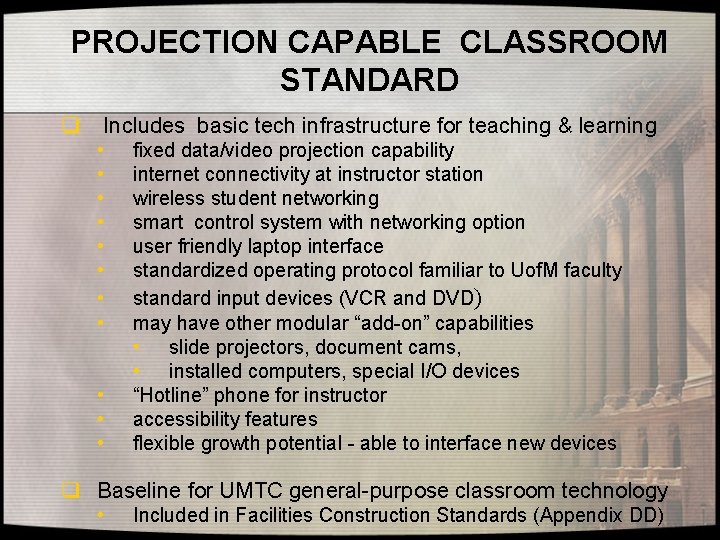
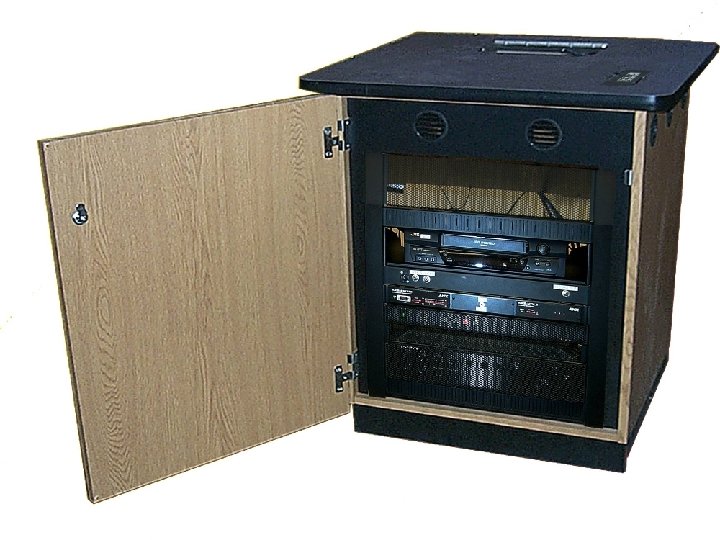
PROJECTION CAPABLE CLASSROOM STANDARD q Includes basic tech infrastructure for teaching & learning • • • fixed data/video projection capability internet connectivity at instructor station wireless student networking smart control system with networking option user friendly laptop interface standardized operating protocol familiar to Uof. M faculty standard input devices (VCR and DVD) may have other modular “add-on” capabilities • slide projectors, document cams, • installed computers, special I/O devices “Hotline” phone for instructor accessibility features flexible growth potential - able to interface new devices q Baseline for UMTC general-purpose classroom technology • Included in Facilities Construction Standards (Appendix DD)
Presentation One-Sentence Summary: Standardized, ubiquitous, easy to use, metacontrolled classroom technology systems will have a measure of success evident in the degree of faculty and student satisfaction, which has long term strategic and financial impact.
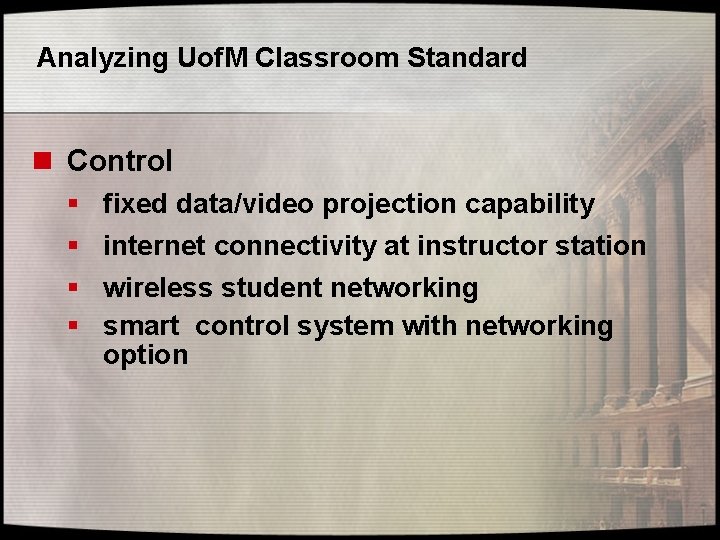
Analyzing Uof. M Classroom Standard n Control § § fixed data/video projection capability internet connectivity at instructor station wireless student networking smart control system with networking option
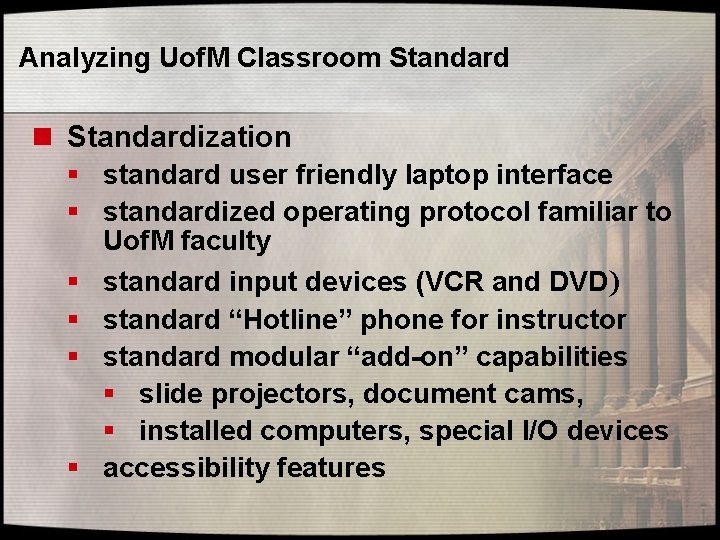
Analyzing Uof. M Classroom Standard n Standardization § standard user friendly laptop interface § standardized operating protocol familiar to Uof. M faculty § standard input devices (VCR and DVD) § standard “Hotline” phone for instructor § standard modular “add-on” capabilities § slide projectors, document cams, § installed computers, special I/O devices § accessibility features
Analyzing Uof. M Classroom Standard n Growth § flexible growth potential – extendibility to § new devices baseline for UMTC general-purpose classroom technology
TECHNOLOGY
Introduction Networked Classroom Control Systems: A New Paradigm for Design, Operation and Support. • Metacontrol = Control of control systems. • CAMS = Classroom Automated Management System
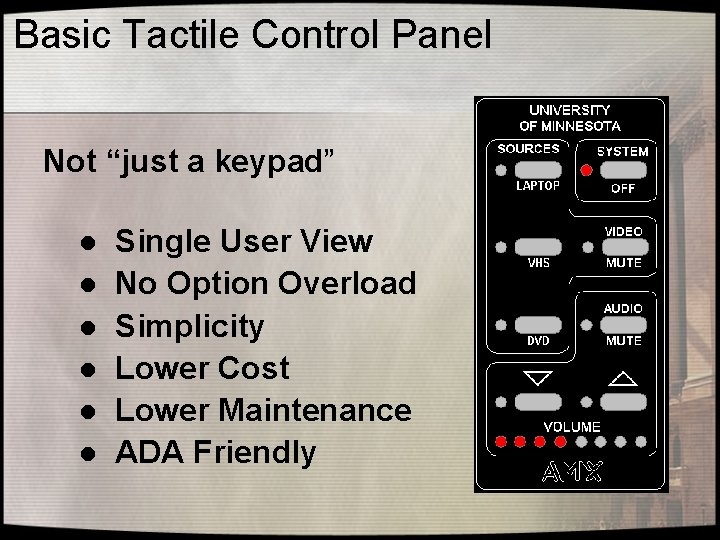
Basic Tactile Control Panel Not “just a keypad” l l l Single User View No Option Overload Simplicity Lower Cost Lower Maintenance ADA Friendly
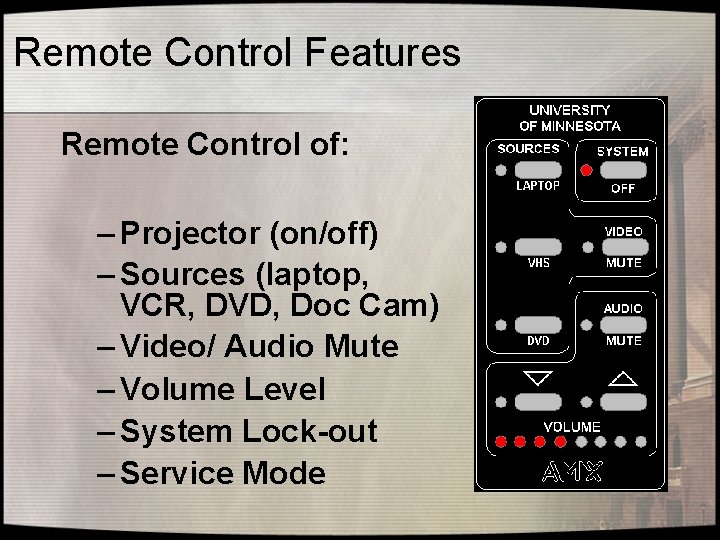
Remote Control Features Remote Control of: – Projector (on/off) – Sources (laptop, VCR, DVD, Doc Cam) – Video/ Audio Mute – Volume Level – System Lock-out – Service Mode
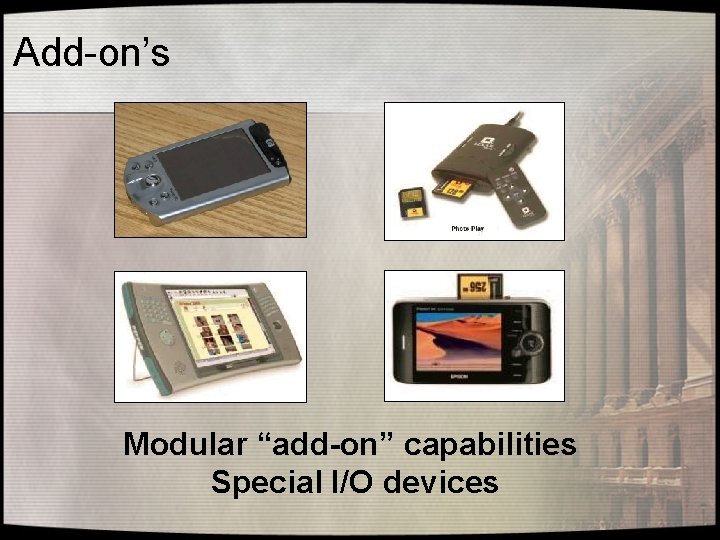
Add-on’s Modular “add-on” capabilities Special I/O devices
Systems are flexible and allow for future technology growth
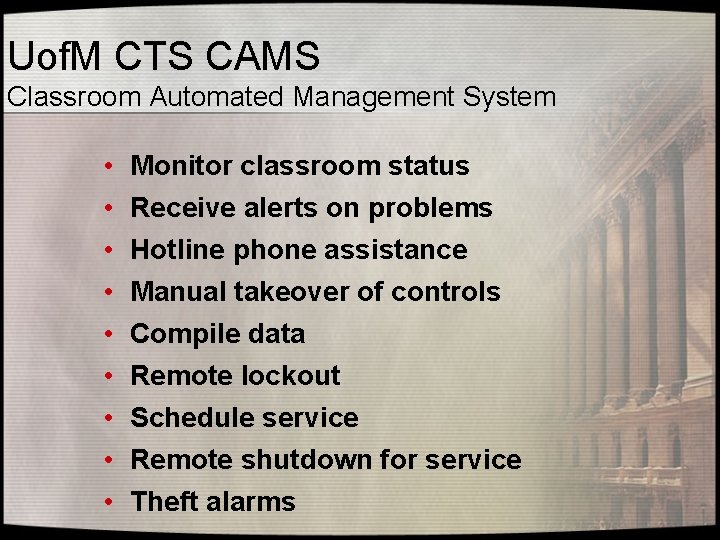
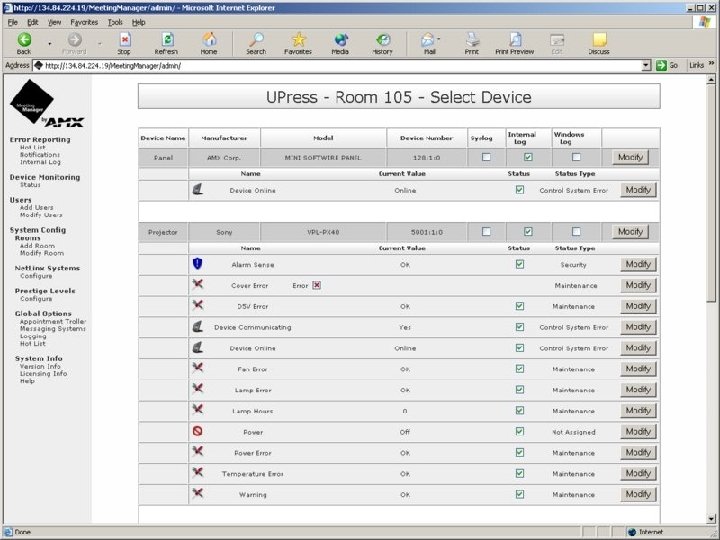
Uof. M CTS CAMS Classroom Automated Management System • • • Monitor classroom status Receive alerts on problems Hotline phone assistance Manual takeover of controls Compile data Remote lockout Schedule service Remote shutdown for service Theft alarms
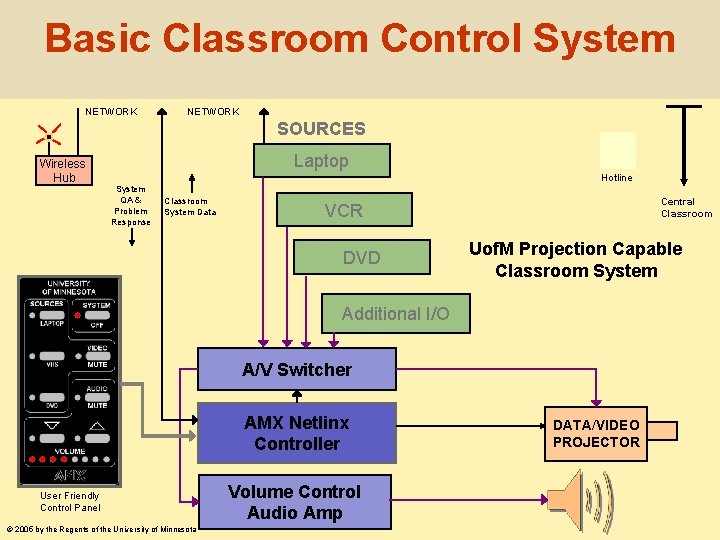
Basic Classroom Control System NETWORK SOURCES Wireless Hub Laptop Hotline System QA & Problem Response Classroom System Data Central Classroom VCR DVD Uof. M Projection Capable Classroom System Additional I/O A/V Switcher AMX Netlinx Controller User Friendly Control Panel © 2005 by the Regents of the University of Minnesota Volume Control Audio Amp DATA/VIDEO PROJECTOR
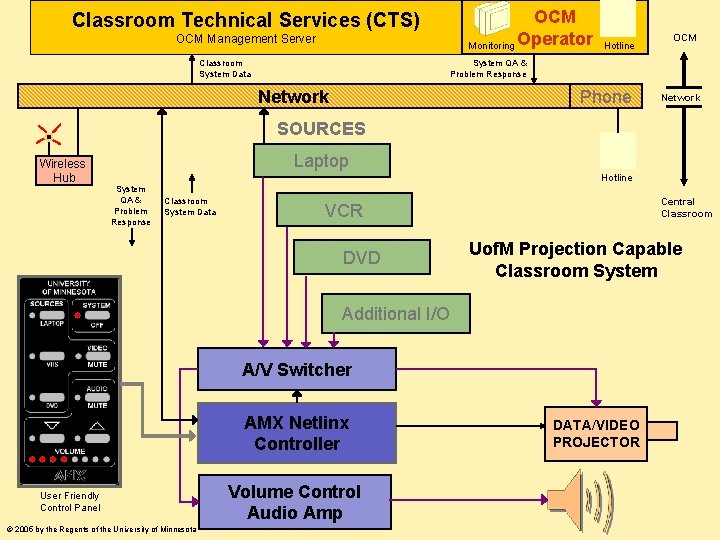
Classroom Technical Services (CTS) OCM Management Server Classroom System Data OCM Monitoring Operator Hotline OCM System QA & Problem Response Network Phone Network SOURCES Wireless Hub Laptop Hotline System QA & Problem Response Classroom System Data Central Classroom VCR DVD Uof. M Projection Capable Classroom System Additional I/O A/V Switcher AMX Netlinx Controller User Friendly Control Panel © 2005 by the Regents of the University of Minnesota Volume Control Audio Amp DATA/VIDEO PROJECTOR
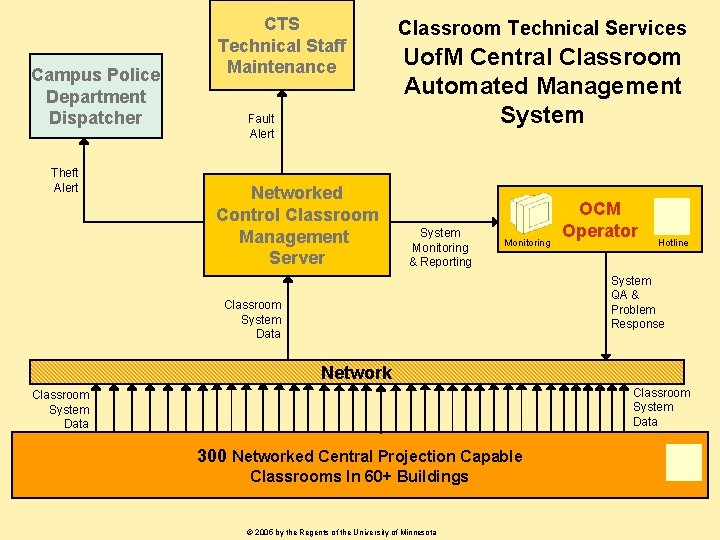
Campus Police Department Dispatcher Theft Alert CTS Technical Staff Maintenance Fault Alert Networked Control Classroom Management Server Classroom Technical Services Uof. M Central Classroom Automated Management System Monitoring & Reporting Monitoring OCM Operator Hotline System QA & Problem Response Classroom System Data Network Classroom System Data 300 Networked Central Projection Capable Classrooms In 60+ Buildings © 2005 by the Regents of the University of Minnesota
IMPLEMENTATION
OCM University of Minnesota Office of Classroom Management OCM is the central point of contact, and single point of responsibility, for all general purpose classroom issues on the three Twin Cities campuses
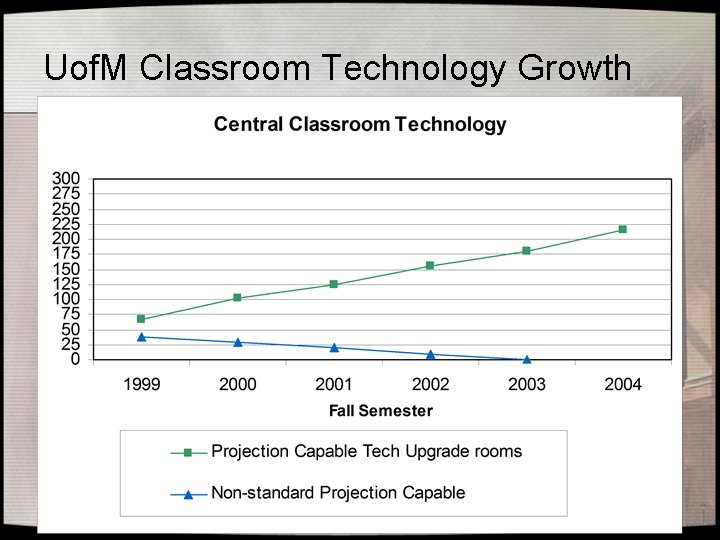
Uof. M Classroom Technology Growth
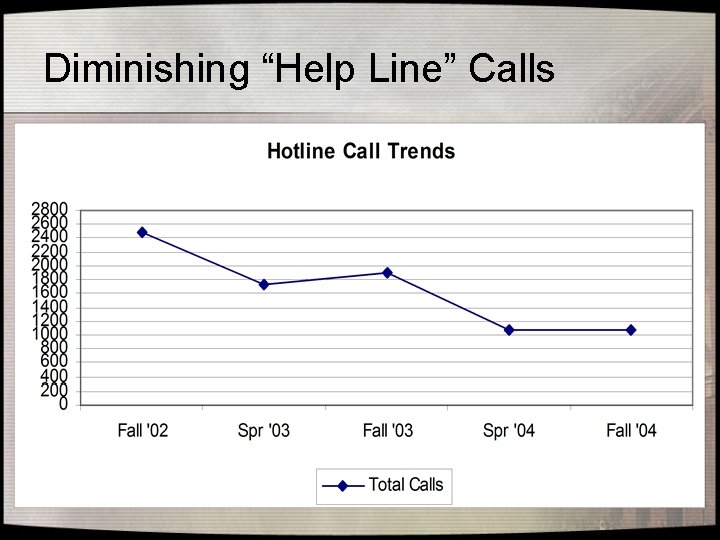
Diminishing “Help Line” Calls
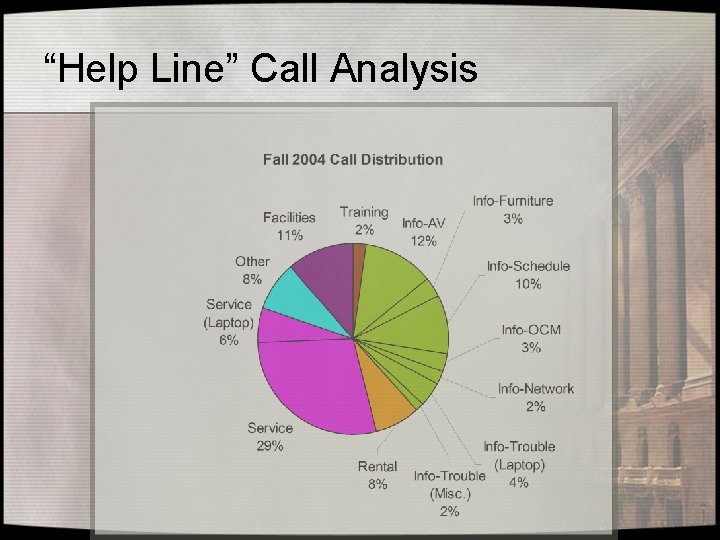
“Help Line” Call Analysis
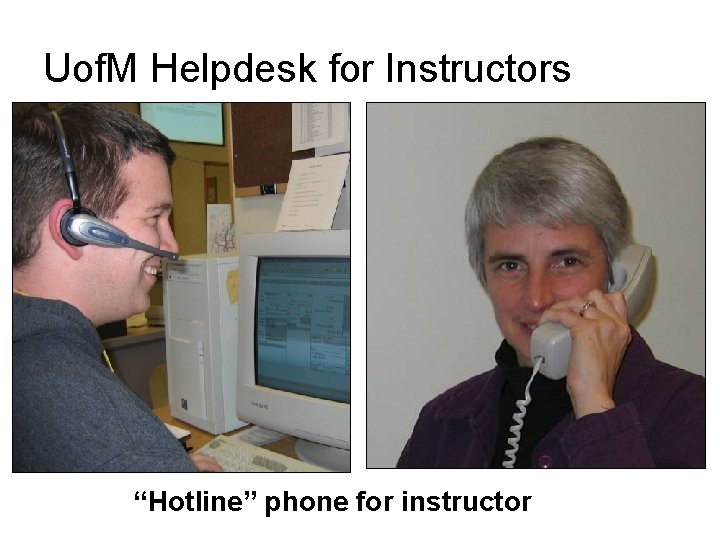
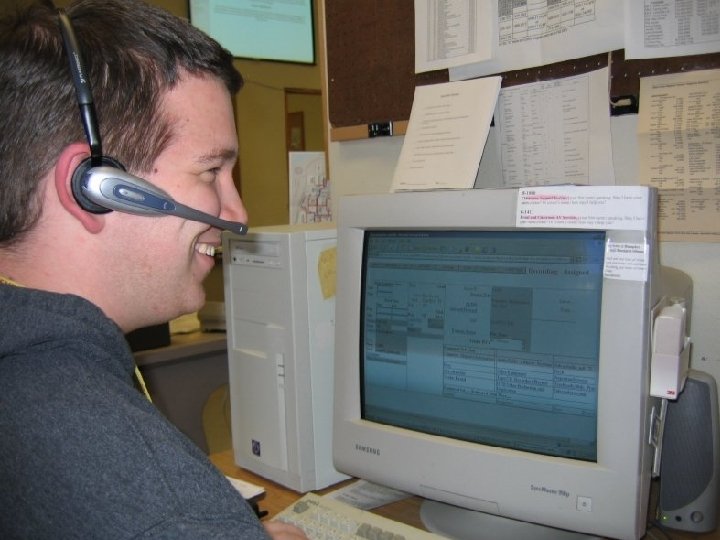
Uof. M Helpdesk for Instructors “Hotline” phone for instructor
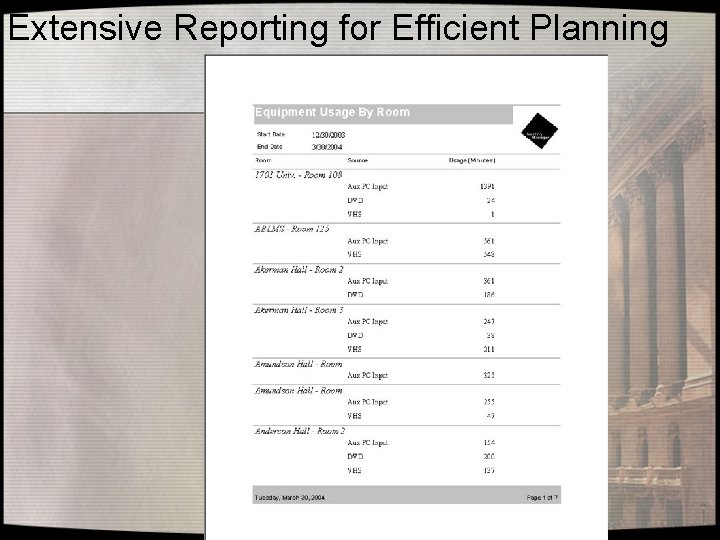
Extensive Reporting for Efficient Planning
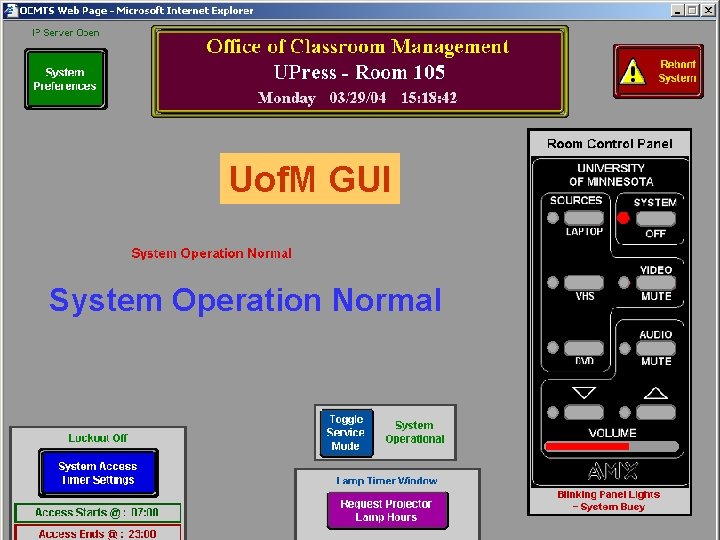
Uof. M GUI System Operation Normal
Theft Prevention – Real time monitoring by the Campus Police through CTS management system – Local alarm and siren activated by removal of projector or control lines – Password protection on classroom data projector
MANAGEMENT
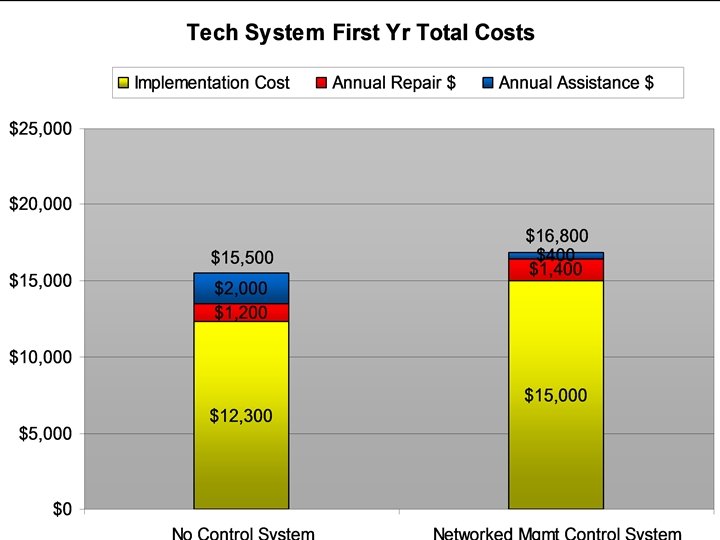
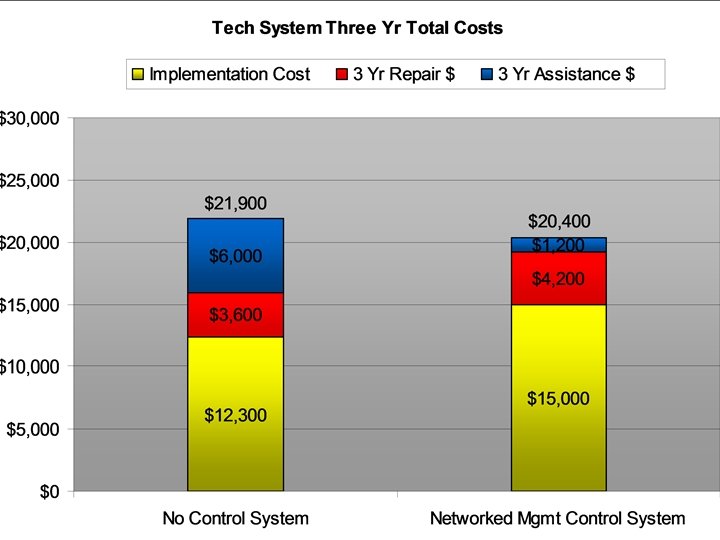
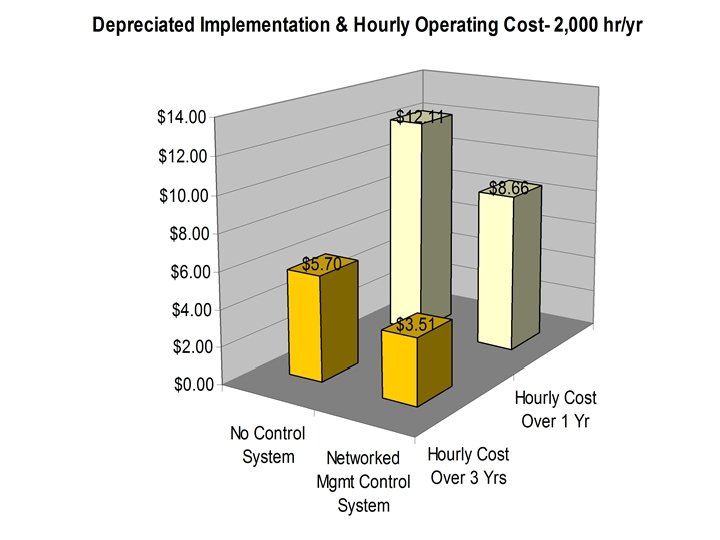
Total Cost of Ownership Includes the obvious and not-so-obvious costs of operating and maintaining the technology systems.
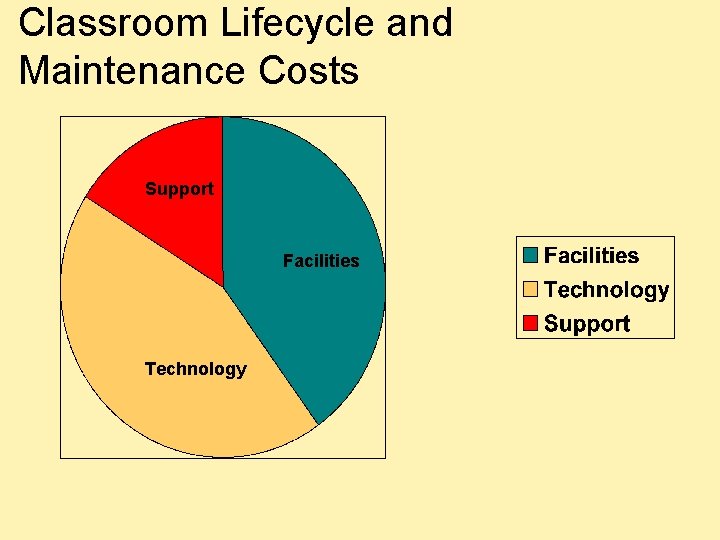
Classroom Lifecycle and Maintenance Costs Support Facilities Technology
IT, Systems and Services in Higher Education (NACUBO document) The more standardized a technology environment is, the lower the costs of support. Faculty, students and even technology staffs scorned this notion for many years until the burdens of support and the consequences of poor support grew so intense they were impossible to ignore.
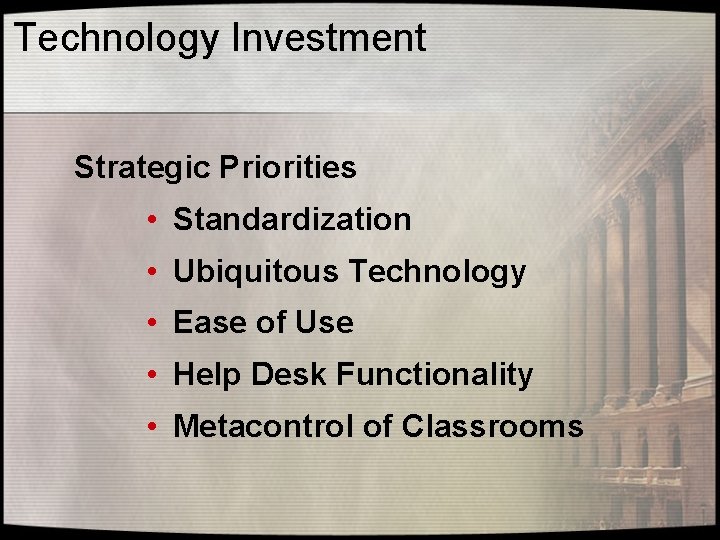
Technology Investment Strategic Priorities • Standardization • Ubiquitous Technology • Ease of Use • Help Desk Functionality • Metacontrol of Classrooms
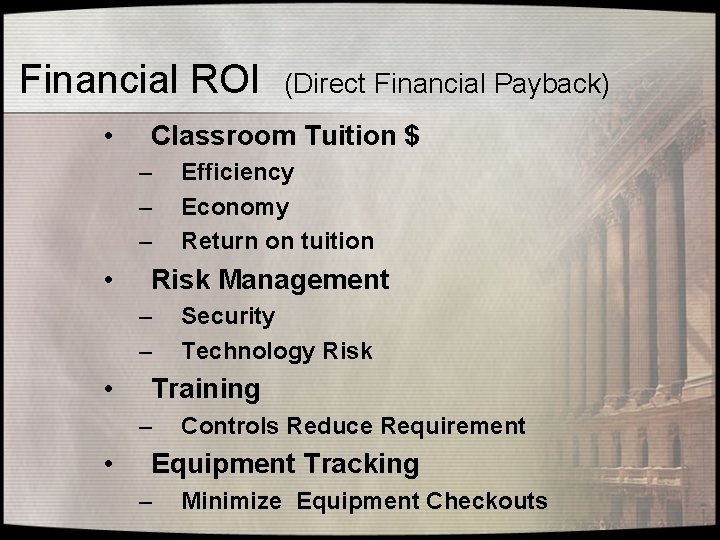
Financial ROI • Classroom Tuition $ – – – • Security Technology Risk Training – • Efficiency Economy Return on tuition Risk Management – – • (Direct Financial Payback) Controls Reduce Requirement Equipment Tracking – Minimize Equipment Checkouts
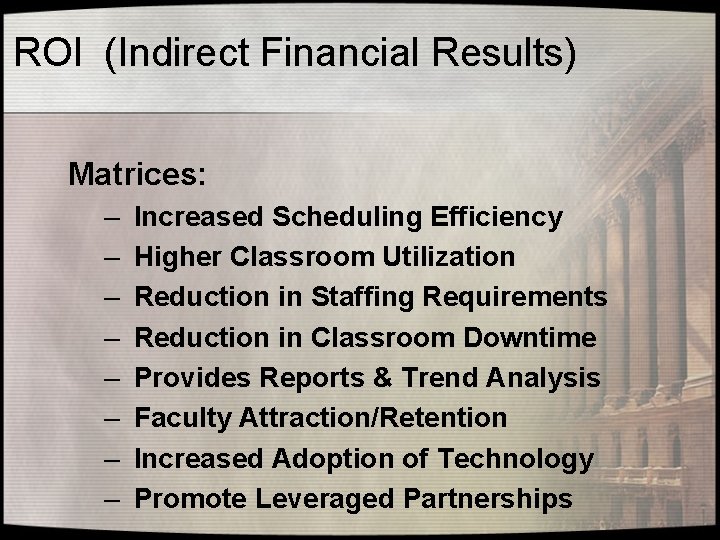
ROI (Indirect Financial Results) Matrices: – – – – Increased Scheduling Efficiency Higher Classroom Utilization Reduction in Staffing Requirements Reduction in Classroom Downtime Provides Reports & Trend Analysis Faculty Attraction/Retention Increased Adoption of Technology Promote Leveraged Partnerships
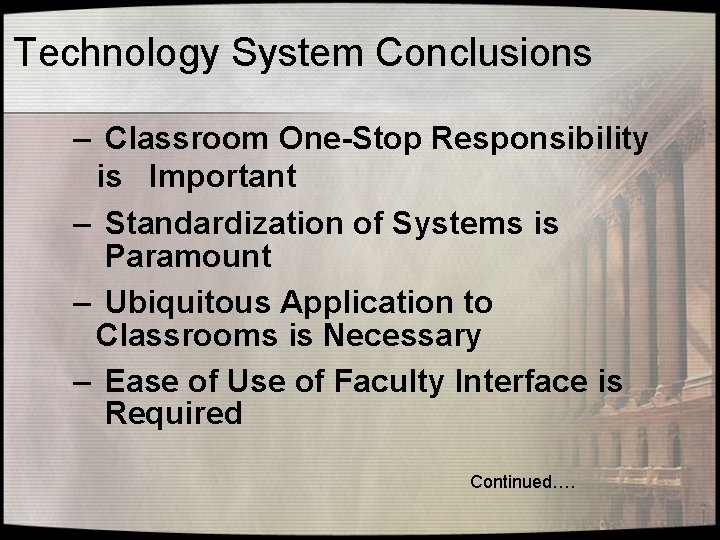
Technology System Conclusions – Classroom One-Stop Responsibility is Important – Standardization of Systems is Paramount – Ubiquitous Application to Classrooms is Necessary – Ease of Use of Faculty Interface is Required Continued….
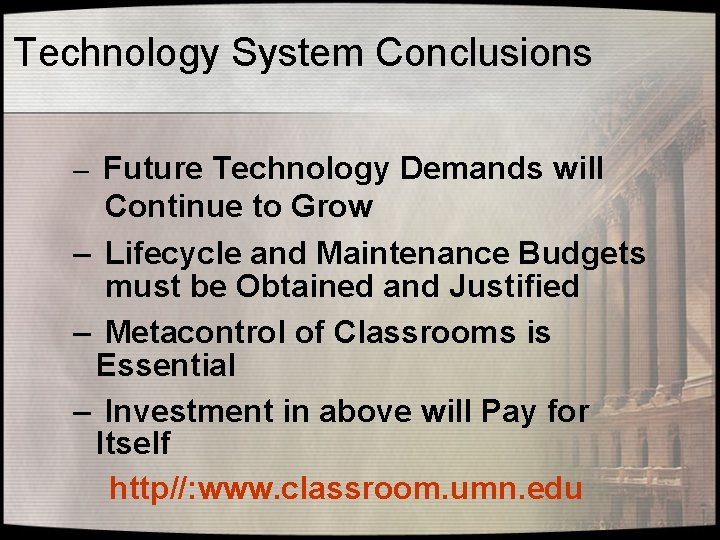
Technology System Conclusions – Future Technology Demands will Continue to Grow – Lifecycle and Maintenance Budgets must be Obtained and Justified – Metacontrol of Classrooms is Essential – Investment in above will Pay for Itself http//: www. classroom. umn. edu
An Enterprise-Grade Model for Classroom Technology Support Campus-Wide System Design, Implementation and Support. EDUCAUSE 2005, Oct 21 James Gregory, University of Minnesota jgregory@umn. edu