
Copyright By wangyoutiannilnul com Free for noncommercial use

Copyright By wangyoutian@nilnul. com Free for non-commercial use. Editable provided that the copyright claim is included.
Notational Conventions n For Heading Slides: l Background u Hue: Red, Yellow, Green, Cyan, Blue, Magenta p as in Iris u Saturation decreases u Brightness increases l Color offset to Background l Font size u decreases l Position u Shifted right n Sideline slides are grey
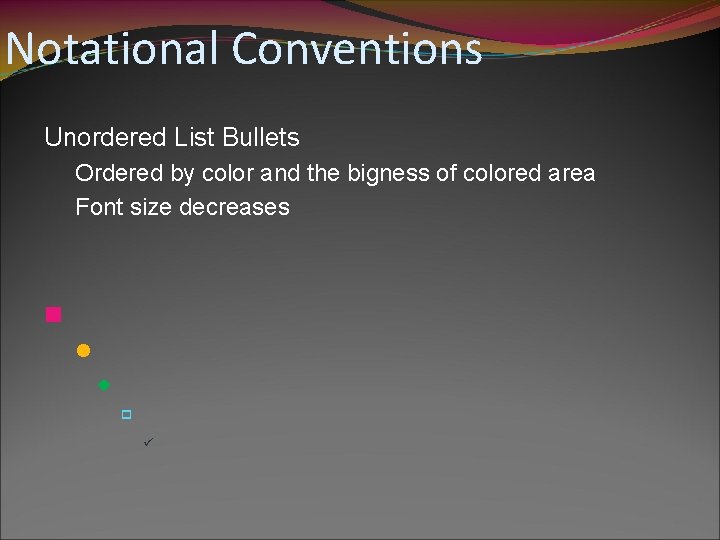
Notational Conventions Unordered List Bullets Ordered by color and the bigness of colored area Font size decreases n l u p ü
ECMASript The most worth-learning language
Contents n Intro l Values u Types u Literal u Var u Function Call p Expression l Statements n objects n Closure n regex
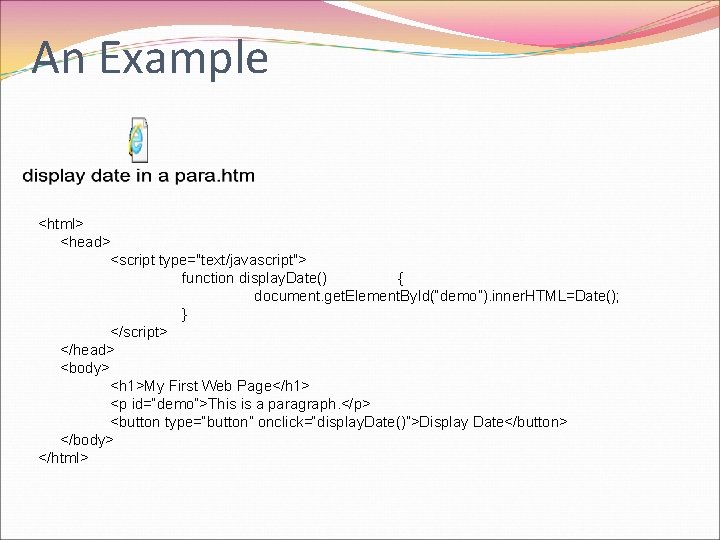
An Example <html> <head> <script type="text/javascript"> function display. Date() { document. get. Element. By. Id(“demo”). inner. HTML=Date(); } </script> </head> <body> <h 1>My First Web Page</h 1> <p id=“demo”>This is a paragraph. </p> <button type=“button” onclick=“display. Date()”>Display Date</button> </body> </html>
The History Of ES n Net. Scape l live. Script l java. Script u Not Java n ECMA
The Script n Java. Script n VBScript
IDE n Notepad n Visual Studio n… l Dream. Weaver

Script & HTML
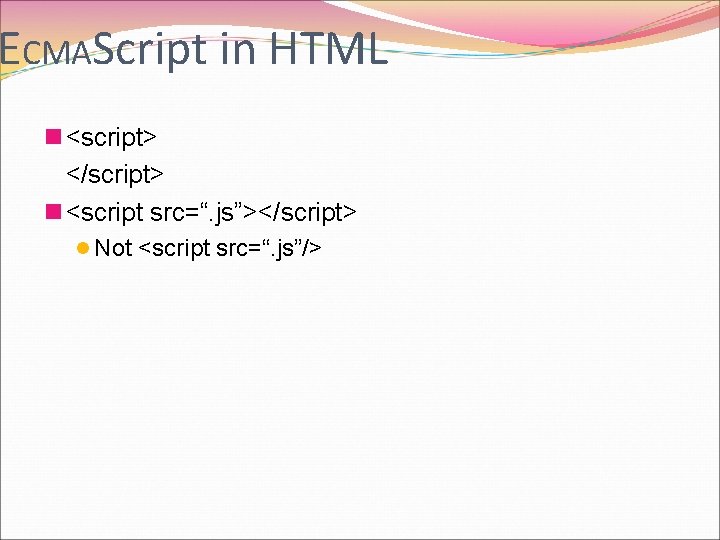
ECMAScript in HTML n <script> </script> n <script src=“. js”></script> l Not <script src=“. js”/>
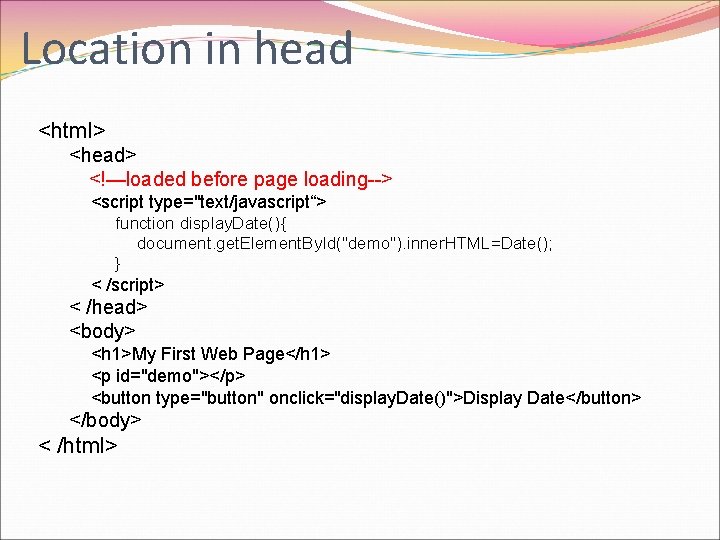
Location in head <html> <head> <!—loaded before page loading--> <script type="text/javascript“> function display. Date(){ document. get. Element. By. Id("demo"). inner. HTML=Date(); } < /script> < /head> <body> <h 1>My First Web Page</h 1> <p id="demo"></p> <button type="button" onclick="display. Date()">Display Date</button> </body> < /html>
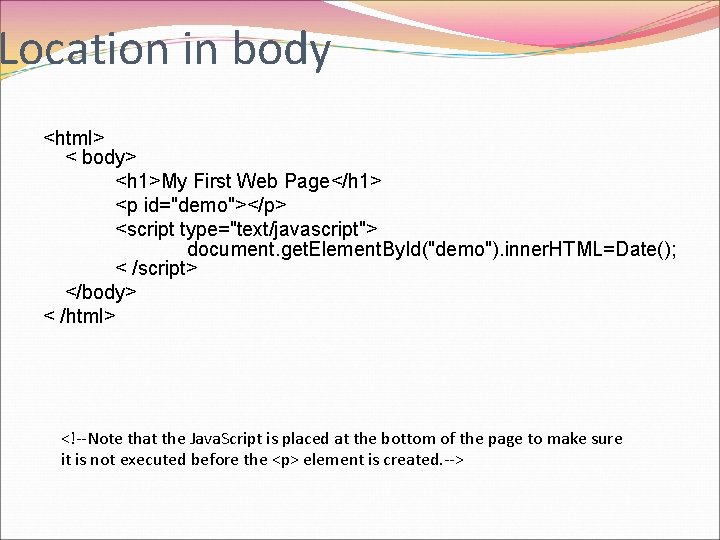
Location in body <html> < body> <h 1>My First Web Page</h 1> <p id="demo"></p> <script type="text/javascript"> document. get. Element. By. Id("demo"). inner. HTML=Date(); < /script> </body> < /html> <!--Note that the Java. Script is placed at the bottom of the page to make sure it is not executed before the <p> element is created. -->
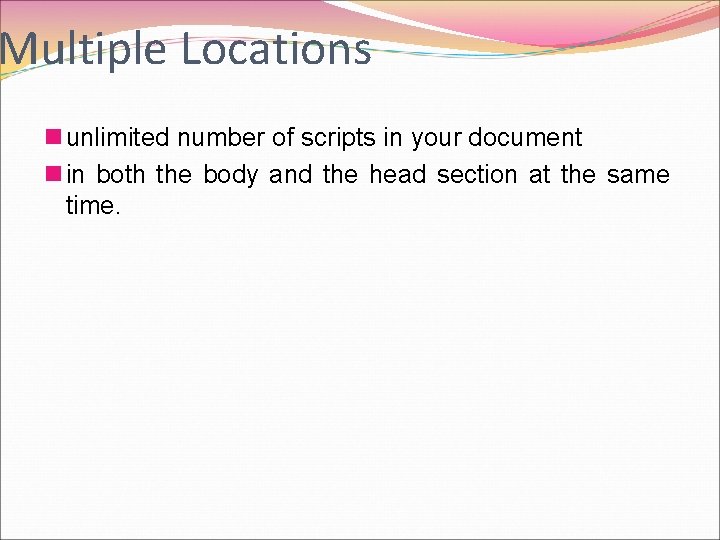
Multiple Locations n unlimited number of scripts in your document n in both the body and the head section at the same time.
n Location Matters
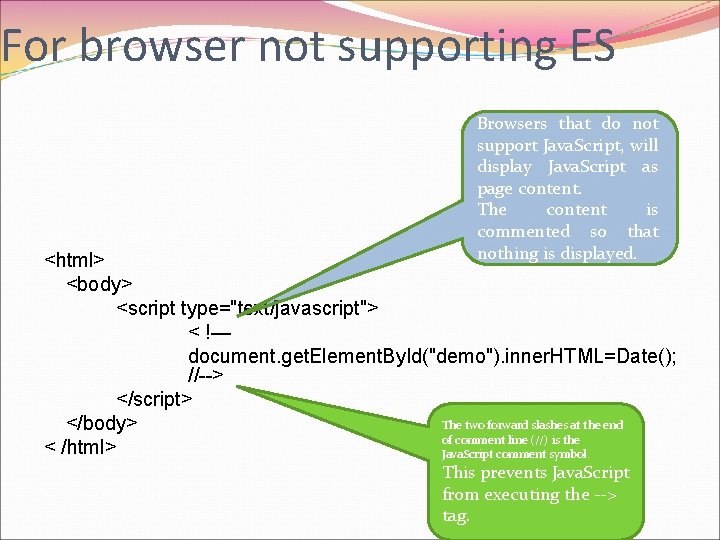
For browser not supporting ES Browsers that do not support Java. Script, will display Java. Script as page content. The content is commented so that nothing is displayed. <html> <body> <script type="text/javascript"> < !— document. get. Element. By. Id("demo"). inner. HTML=Date(); //--> </script> The two forward slashes at the end </body> of comment line (//) is the < /html> Java. Script comment symbol. This prevents Java. Script from executing the --> tag.
Values/Operands Literals, Constants/Variables, Expressions And their types, scopes, etc Values

Type
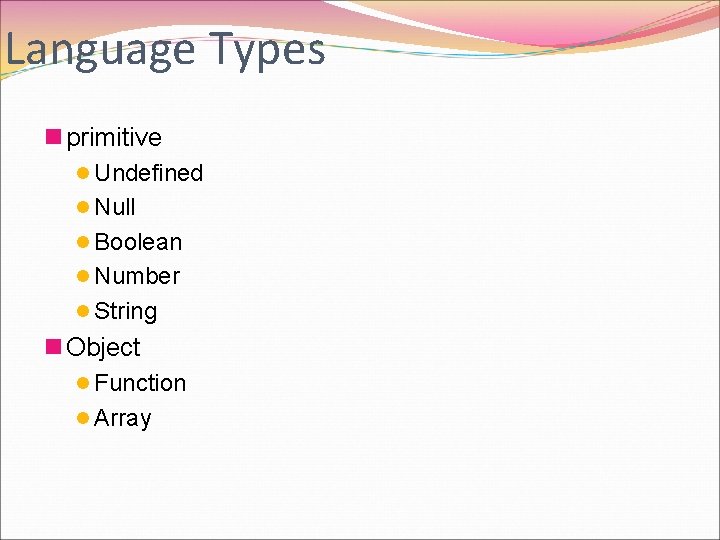
Language Types n primitive l Undefined l Null l Boolean l Number l String n Object l Function l Array
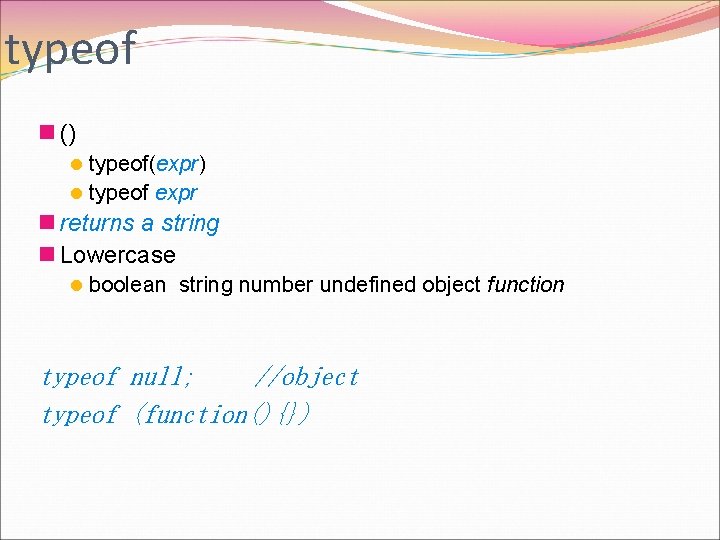
typeof n () l typeof(expr) l typeof expr n returns a string n Lowercase l boolean string number undefined object function typeof null; //object typeof (function(){})
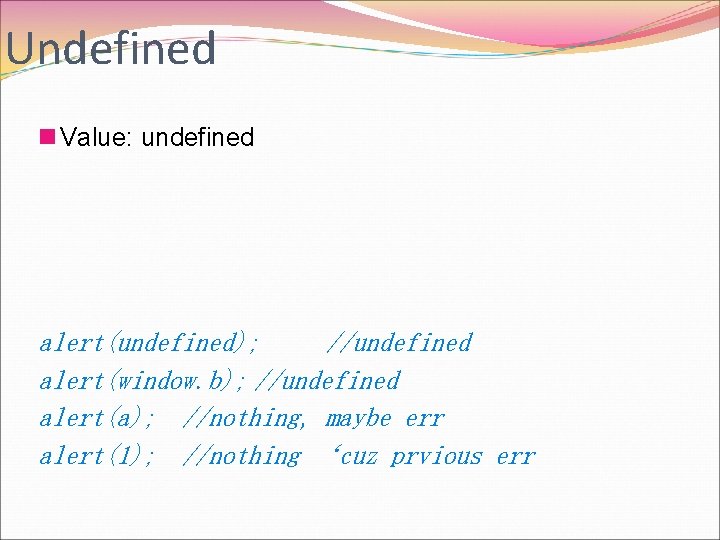
Undefined n Value: undefined alert(undefined); //undefined alert(window. b); //undefined alert(a); //nothing, maybe err alert(1); //nothing ‘cuz prvious err
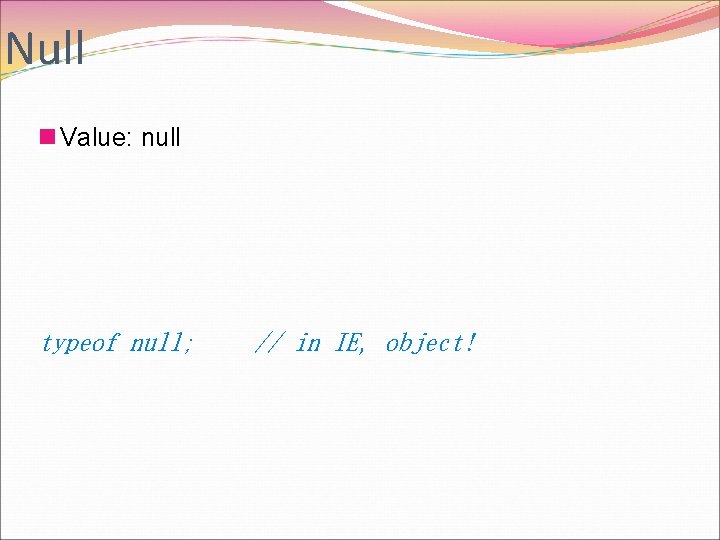
Null n Value: null typeof null; // in IE, object!
Bool true false
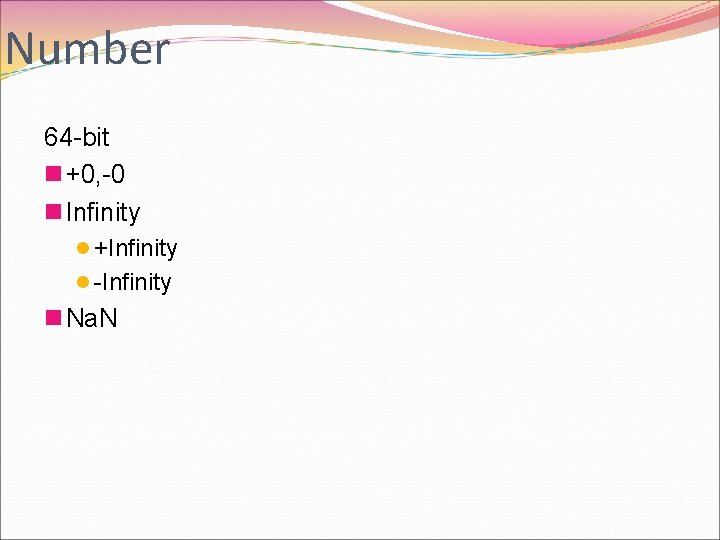
Number 64 -bit n +0, -0 n Infinity l +Infinity l -Infinity n Na. N
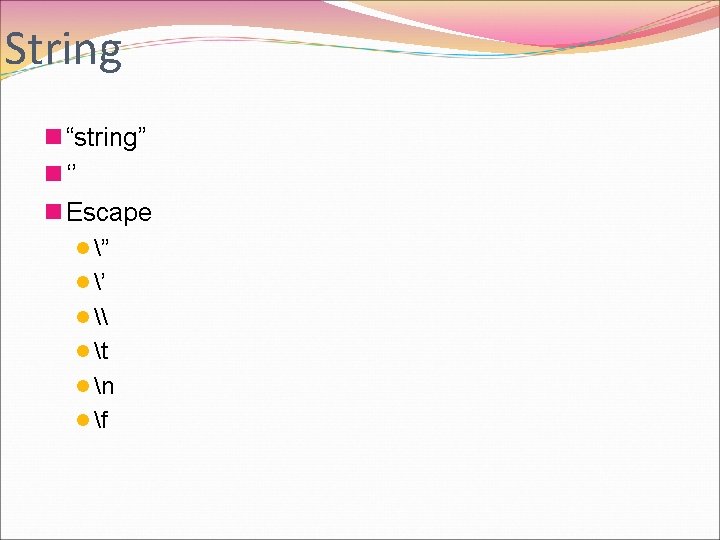
String n “string” n ‘’ n Escape l ” l ’ l \ l t l n l f
![[[object]] new – function as Constructor](http://slidetodoc.com/presentation_image_h2/04c1df686981c0933851750b0b27e8d5/image-26.jpg "[[object]] new – function as Constructor")
[[object]] new – function as Constructor
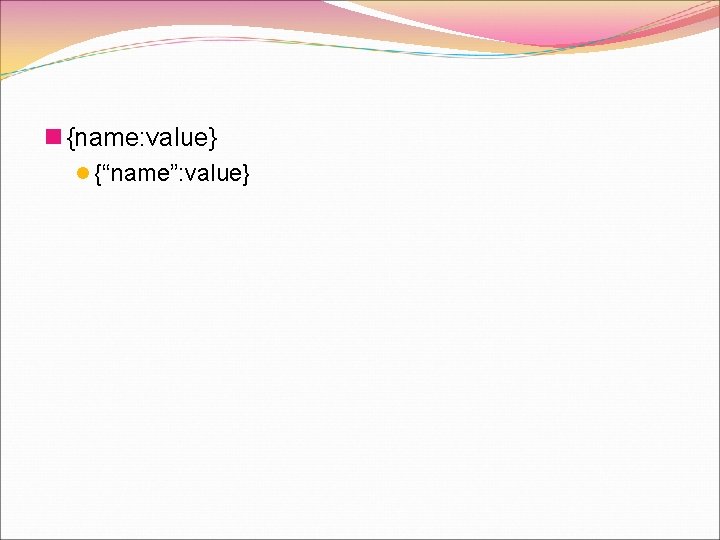
n {name: value} l {“name”: value}
![object the type n Object alert([{}, {i: 1}); //[object Object], [object Object] alert([new Date(),](http://slidetodoc.com/presentation_image_h2/04c1df686981c0933851750b0b27e8d5/image-28.jpg "object the type n Object alert([{}, {i: 1}); //[object Object], [object Object] alert([new Date(),")
object the type n Object alert([{}, {i: 1}); //[object Object], [object Object] alert([new Date(), typeof new Date()]); //date in string, object alert([Math, typeof Math, Math. constructor, Math. prototype]}; //[object Math], object, function (){[native code]}, object Math alert(window); //[object]
![Property Attributes n Data Property Attributes l [[Value]] l [[Writable]] l [[Enumerable]] l [[Configurable]]](http://slidetodoc.com/presentation_image_h2/04c1df686981c0933851750b0b27e8d5/image-29.jpg "Property Attributes n Data Property Attributes l [[Value]] l [[Writable]] l [[Enumerable]] l [[Configurable]]")
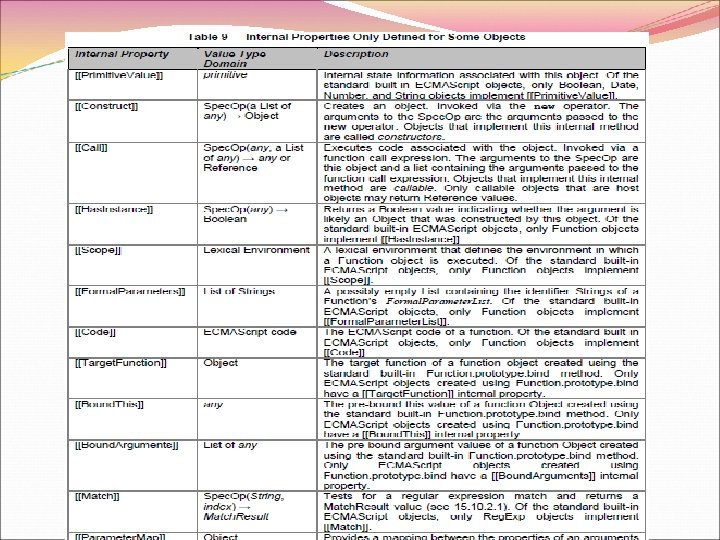
Property Attributes n Data Property Attributes l [[Value]] l [[Writable]] l [[Enumerable]] l [[Configurable]] n Accessor Property Attributes l Get l Set l Configurable l Enumerable n internal
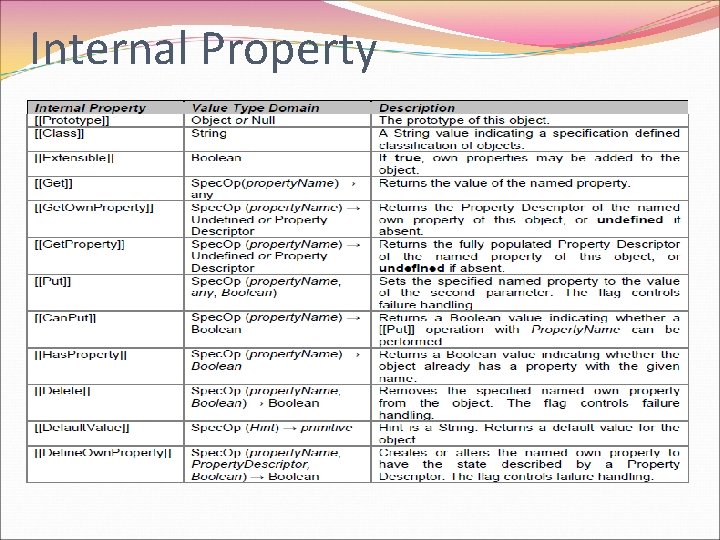
Internal Property
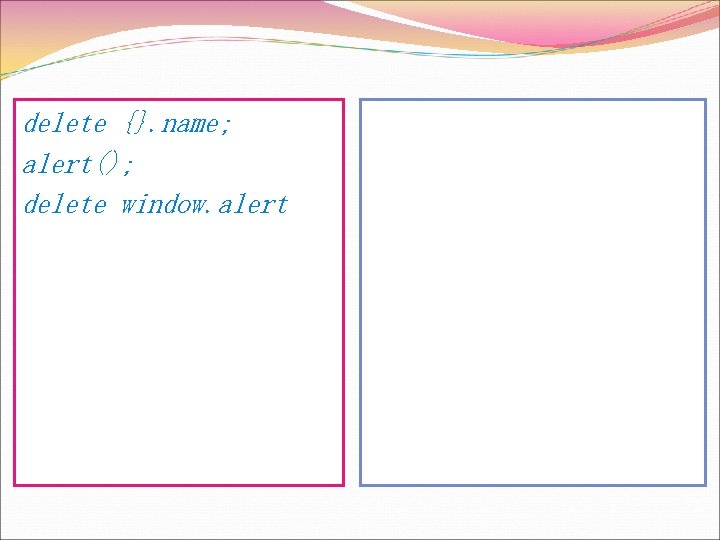
delete {}. name; alert(); delete window. alert
![Array alert([ [], typeof [] ]); //, object //note [] is empty concat-ed alert([](http://slidetodoc.com/presentation_image_h2/04c1df686981c0933851750b0b27e8d5/image-33.jpg "Array alert([ [], typeof [] ]); //, object //note [] is empty concat-ed alert([")
Array alert([ [], typeof [] ]); //, object //note [] is empty concat-ed alert([ new Array(), typeof new Array() ]) //, object alert([ Array(), typeof Array() ]); //, object
![Array as object //{[[Class]]: ”Array”, 0: …, 1: …, } [1, ”a”][3]; //undefined](http://slidetodoc.com/presentation_image_h2/04c1df686981c0933851750b0b27e8d5/image-34.jpg "Array as object //{[[Class]]: ”Array”, 0: …, 1: …, } [1, ”a”][3]; //undefined")
Array as object //{[[Class]]: ”Array”, 0: …, 1: …, } [1, ”a”][3]; //undefined
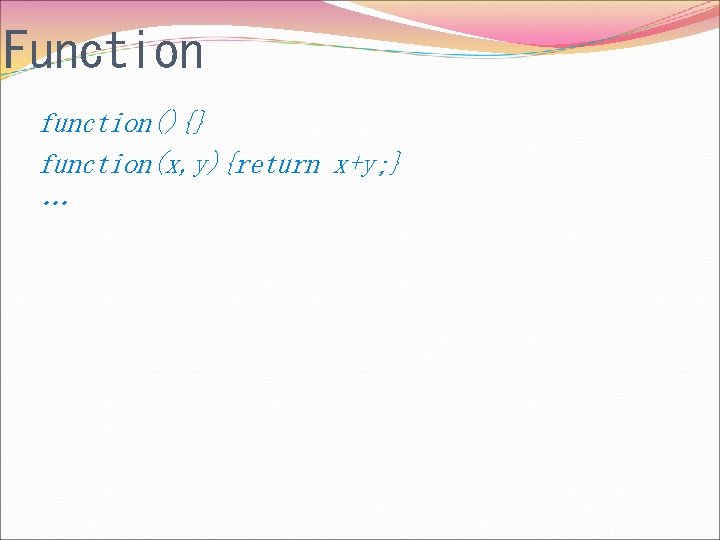
Function function(){} function(x, y){return x+y; } …
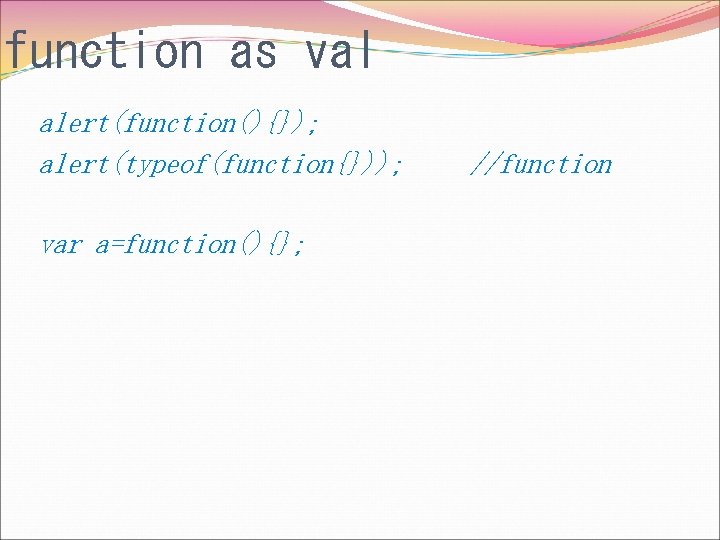
function as val alert(function(){}); alert(typeof(function{})); var a=function(){}; //function
![function as object //{[[Call]] : function(){}, [[Class]]: ”Function”, ……} function(){}. name; function(){}. name=“ 1”;](http://slidetodoc.com/presentation_image_h2/04c1df686981c0933851750b0b27e8d5/image-37.jpg "function as object //{[[Call]] : function(){}, [[Class]]: ”Function”, ……} function(){}. name; function(){}. name=“ 1”;")
function as object //{[[Call]] : function(){}, [[Class]]: ”Function”, ……} function(){}. name; function(){}. name=“ 1”; var a=function(){}; a. name=“ 1”; alert(a); alert(a. name);

Var
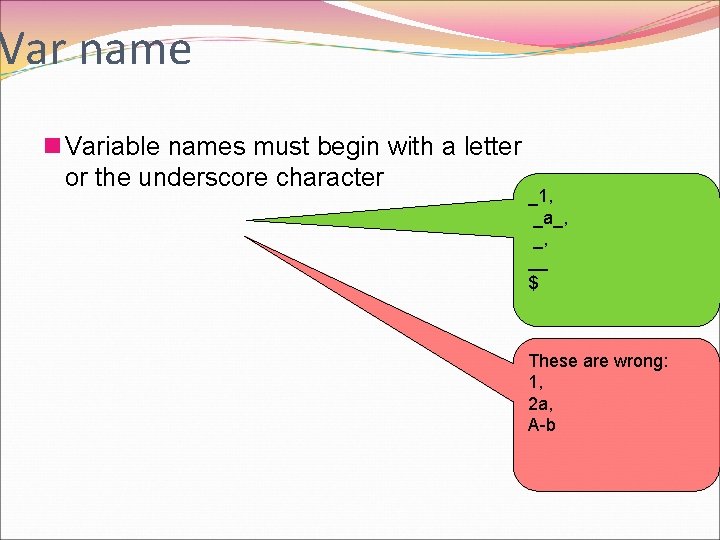
Var name n Variable names must begin with a letter or the underscore character _1, _a_, _, __ $ These are wrong: 1, 2 a, A-b
Var declaration n Declare a var l var a; l A var can be used without declaration
Var type and value n Weak type. l The type of var is mutable u A=1; A=“hello”;
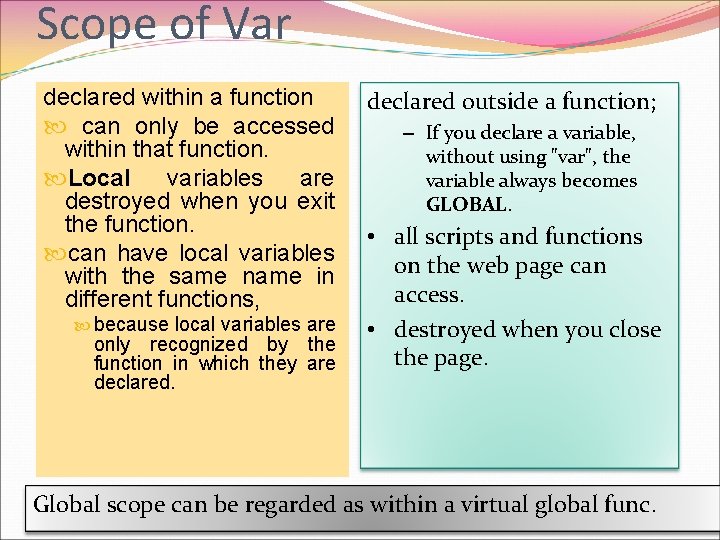
Scope of Var declared within a function can only be accessed within that function. Local variables are destroyed when you exit the function. can have local variables with the same name in different functions, because local variables are only recognized by the function in which they are declared outside a function; – If you declare a variable, without using "var", the variable always becomes GLOBAL. • all scripts and functions on the web page can access. • destroyed when you close the page. Global scope can be regarded as within a virtual global func.
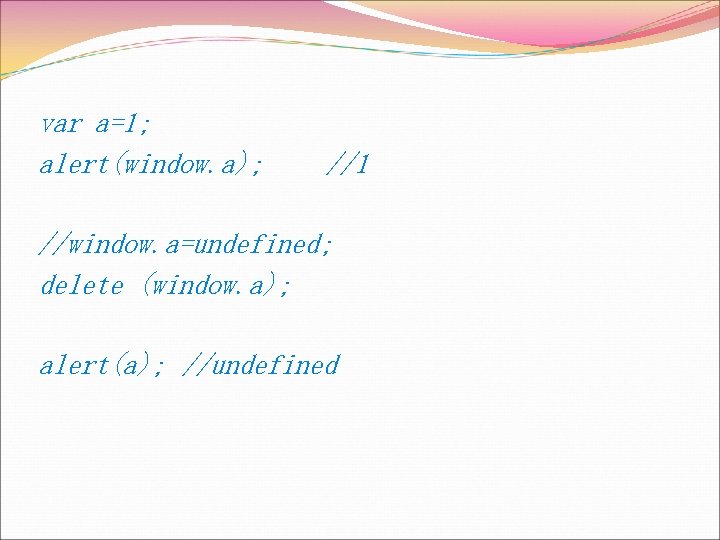
var a=1; alert(window. a); //1 //window. a=undefined; delete (window. a); alert(a); //undefined
Function Call as Expr
![function [[Call]] function has an internal [[Call]] property. To call a function func. Name(a](http://slidetodoc.com/presentation_image_h2/04c1df686981c0933851750b0b27e8d5/image-45.jpg "function [[Call]] function has an internal [[Call]] property. To call a function func. Name(a")
function [[Call]] function has an internal [[Call]] property. To call a function func. Name(a 1, a 2, …);
![Parameter/arguments (function (x 0, x 1){ alert(x 0); alert( [ arguments[1], arguments[2] ] );](http://slidetodoc.com/presentation_image_h2/04c1df686981c0933851750b0b27e8d5/image-46.jpg "Parameter/arguments (function (x 0, x 1){ alert(x 0); alert( [ arguments[1], arguments[2] ] );")
Parameter/arguments (function (x 0, x 1){ alert(x 0); alert( [ arguments[1], arguments[2] ] ); })(1); //1//undefined

Operator
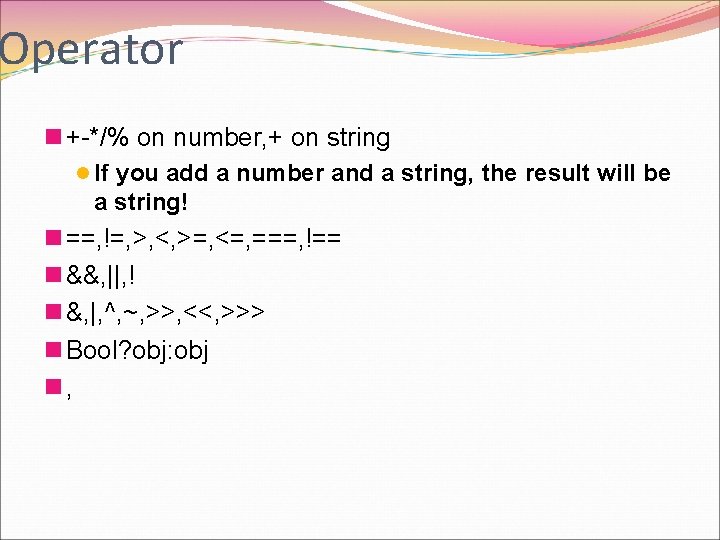
Operator n +-*/% on number, + on string l If you add a number and a string, the result will be a string! n ==, !=, >, <, >=, <=, ===, !== n &&, ||, ! n &, |, ^, ~, >>, <<, >>> n Bool? obj: obj n,
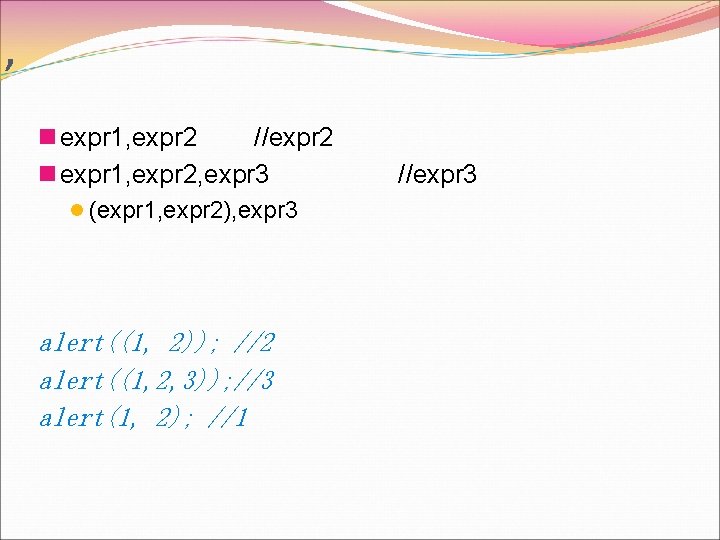
, n expr 1, expr 2 //expr 2 n expr 1, expr 2, expr 3 l (expr 1, expr 2), expr 3 alert((1, 2)); //2 alert((1, 2, 3)); //3 alert(1, 2); //1 //expr 3
![n == l Ref, pointing to the same obj l Val, alert([] == []);](http://slidetodoc.com/presentation_image_h2/04c1df686981c0933851750b0b27e8d5/image-50.jpg "n == l Ref, pointing to the same obj l Val, alert([] == []);")
n == l Ref, pointing to the same obj l Val, alert([] == []); //false alert(1==1); //true; alert(“”==“”); //true
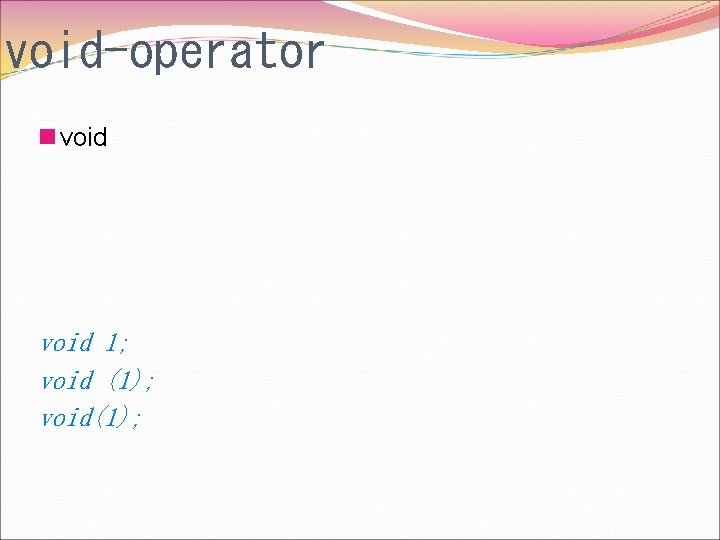
void-operator n void 1; void (1); void(1);
Expressions
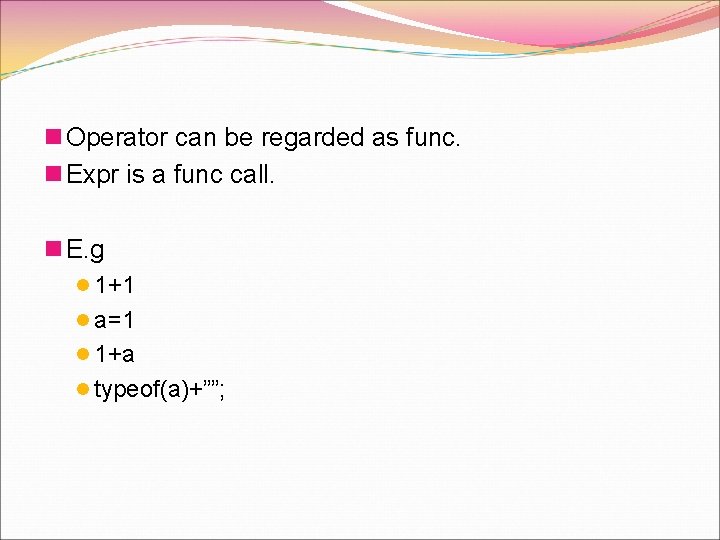
n Operator can be regarded as func. n Expr is a func call. n E. g l 1+1 l a=1 l 1+a l typeof(a)+””;

Statement
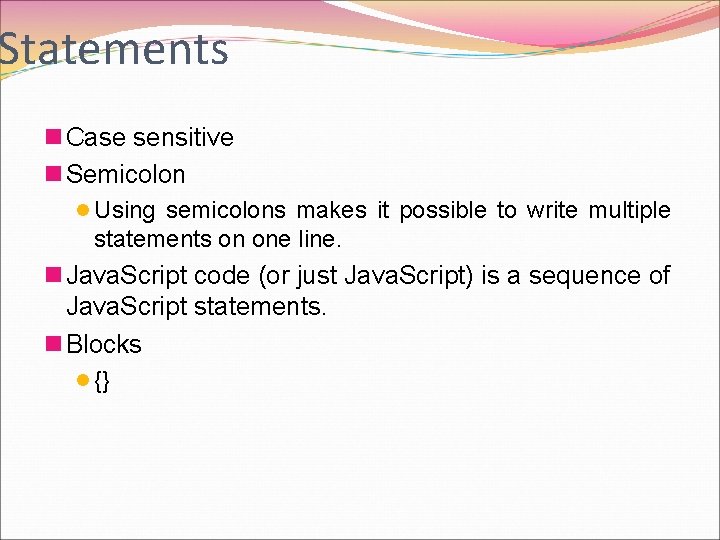
Statements n Case sensitive n Semicolon l Using semicolons makes it possible to write multiple statements on one line. n Java. Script code (or just Java. Script) is a sequence of Java. Script statements. n Blocks l {}
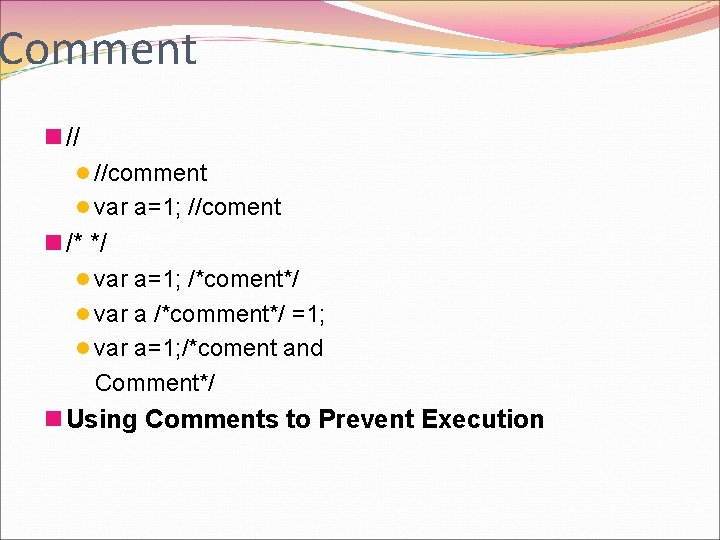
Comment n // l //comment l var a=1; //coment n /* */ l var a=1; /*coment*/ l var a /*comment*/ =1; l var a=1; /*coment and Comment*/ n Using Comments to Prevent Execution
![Var declaration and assignment n var a=1; n =, [+-*/%]=, ++, --, +=on string](http://slidetodoc.com/presentation_image_h2/04c1df686981c0933851750b0b27e8d5/image-57.jpg "Var declaration and assignment n var a=1; n =, [+-*/%]=, ++, --, +=on string")
Var declaration and assignment n var a=1; n =, [+-*/%]=, ++, --, +=on string
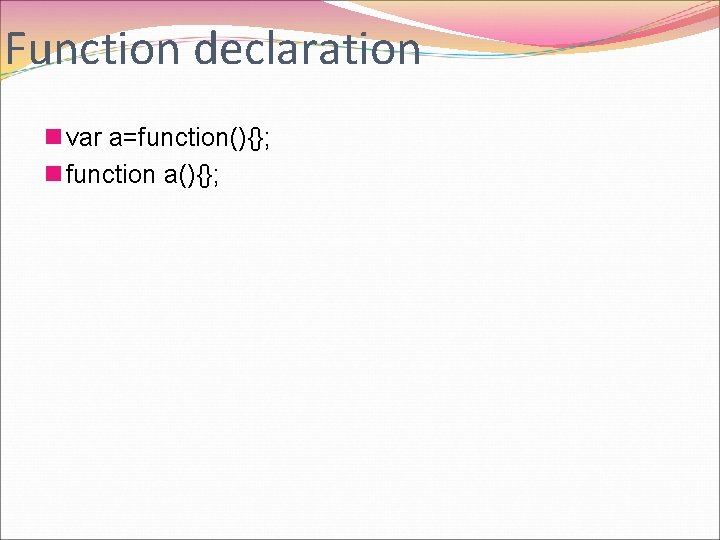
Function declaration n var a=function(){}; n function a(){};

Flow Control
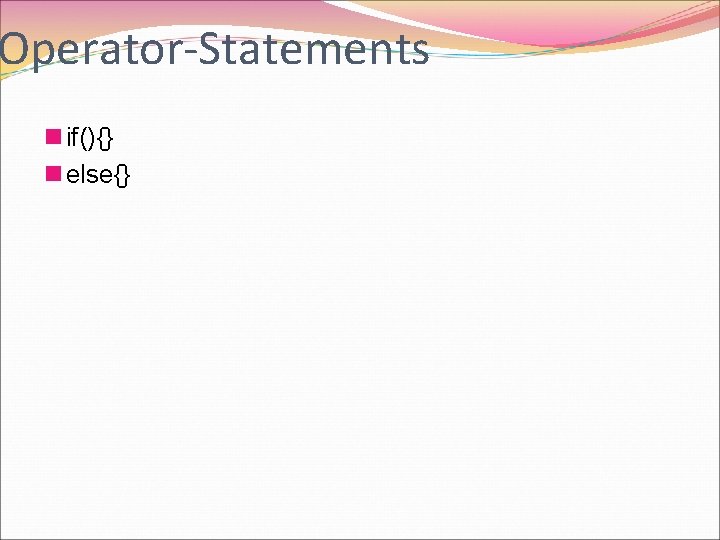
Operator-Statements n if(){} n else{}
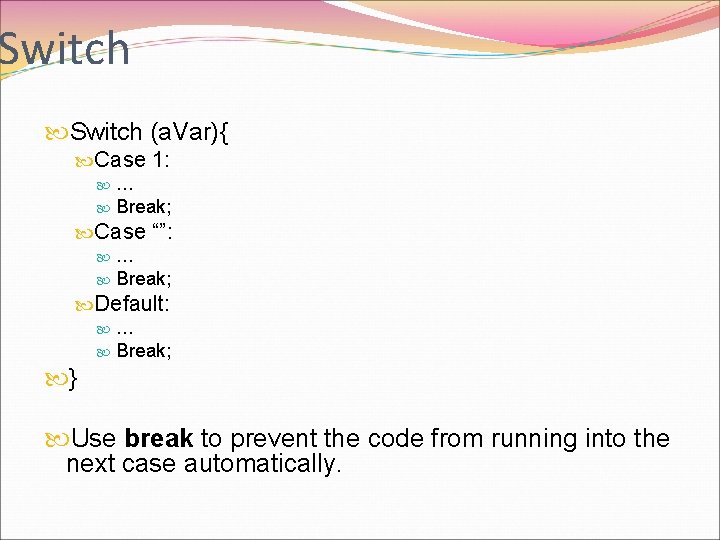
Switch (a. Var){ Case 1: … Break; Case “”: … Break; Default: … Break; } Use break to prevent the code from running into the next case automatically.
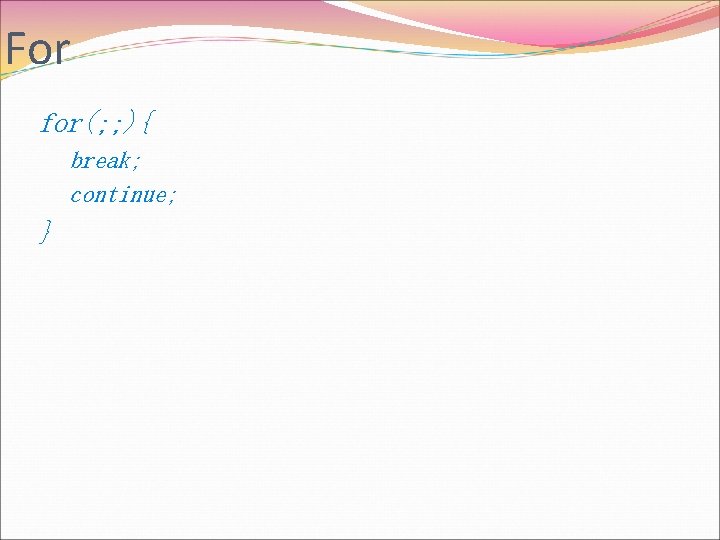
For for(; ; ){ break; continue; }
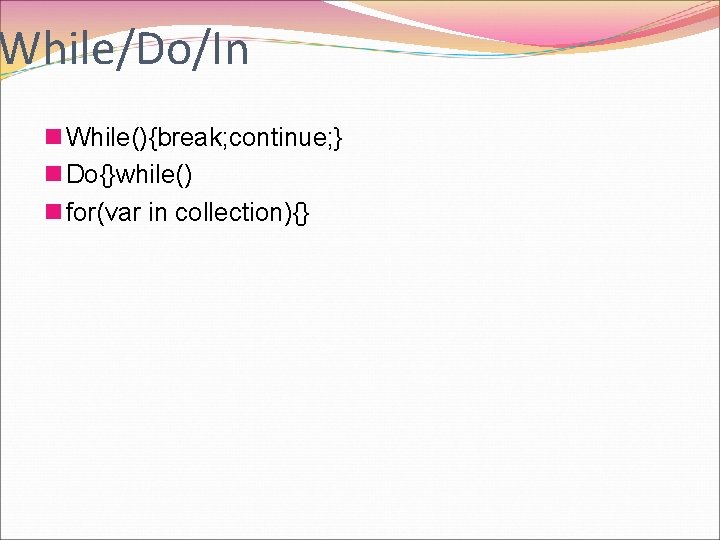
While/Do/In n While(){break; continue; } n Do{}while() n for(var in collection){}
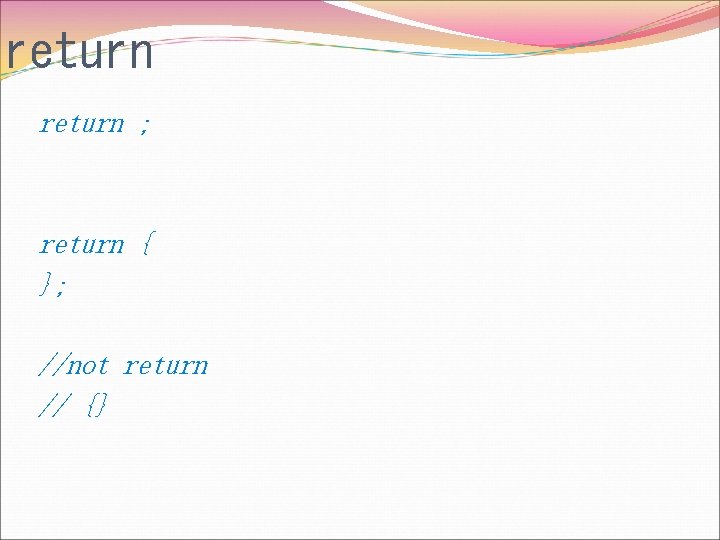
return ; return { }; //not return // {}
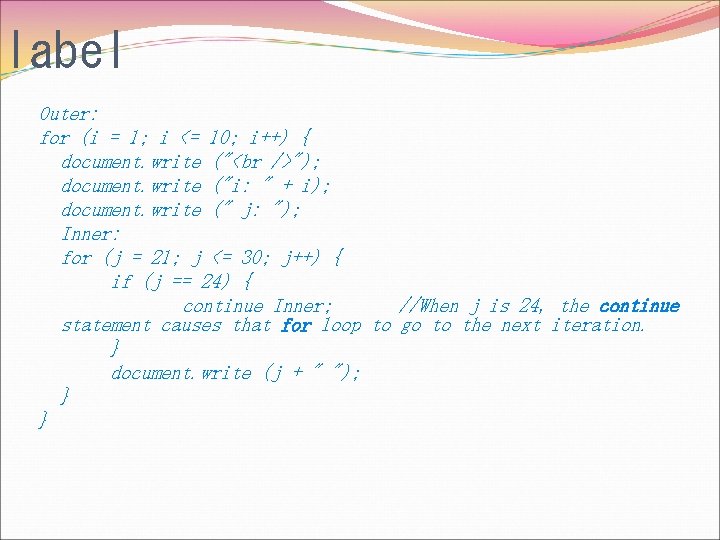
label Outer: for (i = 1; i <= 10; i++) { document. write (" "); document. write ("i: " + i); document. write (" j: "); Inner: for (j = 21; j <= 30; j++) { if (j == 24) { continue Inner; //When j is 24, the continue statement causes that for loop to go to the next iteration. } document. write (j + " "); } }

Error Handling
Try/Catch/Finally n try/catch/finally lets you deal with exceptions gracefully. It does not catch syntax errors, however (for those, you need to use the onerror event).
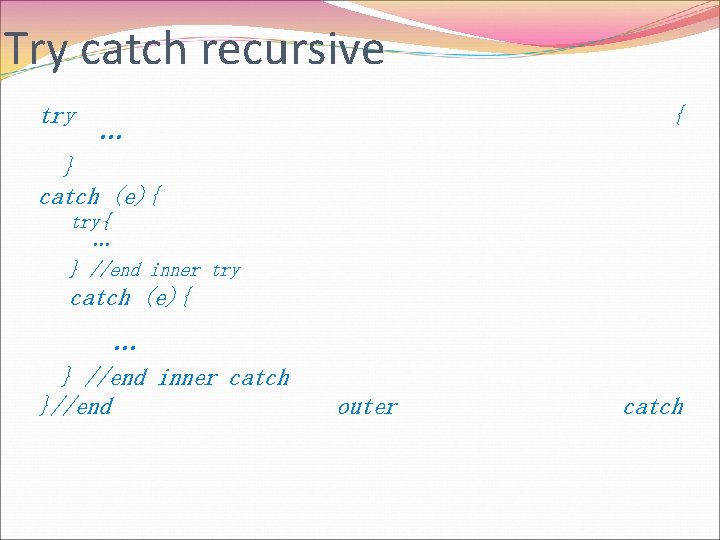
Try catch recursive try { … } catch (e){ try{ … } //end inner try catch (e){ … } //end inner catch }//end outer catch
throw n throw "Err 2"; n The exception can be a string, integer, Boolean or an object
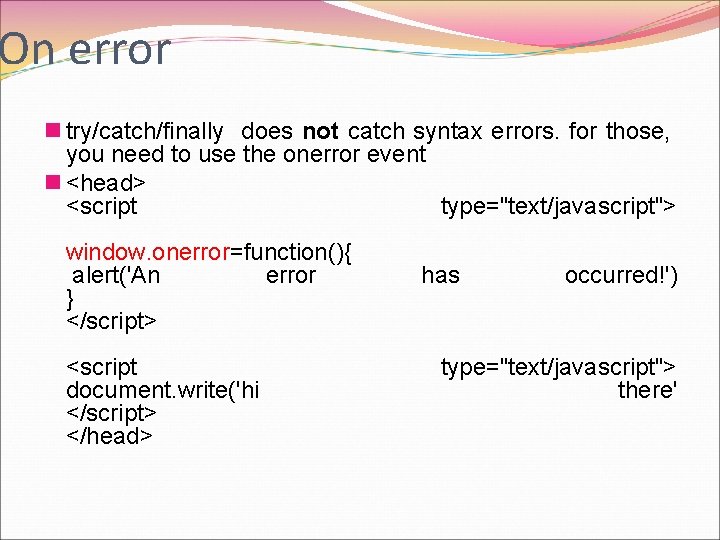
On error n try/catch/finally does not catch syntax errors. for those, you need to use the onerror event n <head> <script type="text/javascript"> window. onerror=function(){ alert('An error } </script> <script document. write('hi </script> </head> has occurred!') type="text/javascript"> there'

debug
Debugger tools n Vs n Fire bug n IE debugging tools
debugger; //tells the debugger to pause here.
debugger n You can place debugger statements anywhere in procedures to suspend execution. n Using the debugger statement is similar to setting a breakpoint in the code. n The debugger statement suspends execution, but it does not close any files or clear any variables. n The debugger statement has no effect unless the script is being debugged.
Prototyping and Constructing of Objects The process a function constructs an object
new Construct objects using constructor
![new- syntax new constructor ([arguments]) ; //The parentheses can be omitted if the constructor](http://slidetodoc.com/presentation_image_h2/04c1df686981c0933851750b0b27e8d5/image-77.jpg "new- syntax new constructor ([arguments]) ; //The parentheses can be omitted if the constructor")
new- syntax new constructor ([arguments]) ; //The parentheses can be omitted if the constructor takes no arguments. new constructor; //=new constructor()
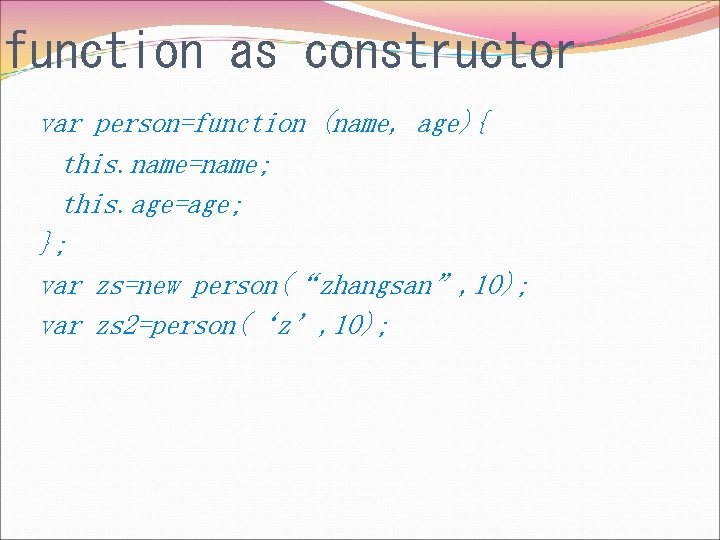
function as constructor var person=function (name, age){ this. name=name; this. age=age; }; var zs=new person(“zhangsan”, 10); var zs 2=person(‘z’, 10);
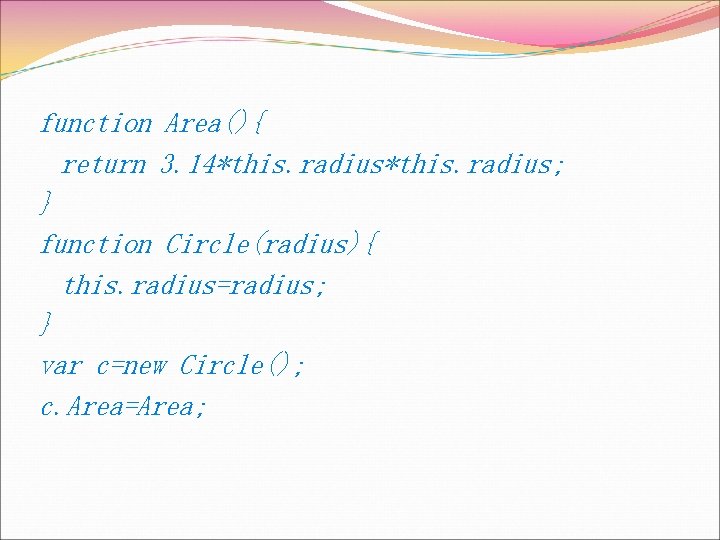
function Area(){ return 3. 14*this. radius; } function Circle(radius){ this. radius=radius; } var c=new Circle(); c. Area=Area;
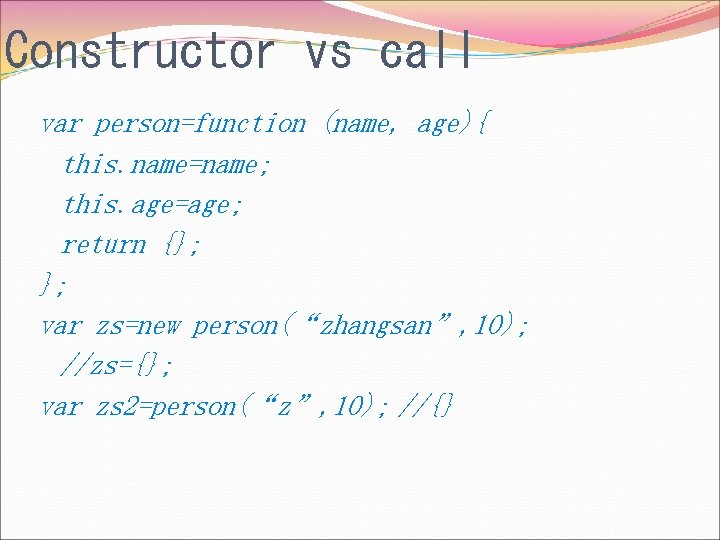
Constructor vs call var person=function (name, age){ this. name=name; this. age=age; return {}; }; var zs=new person(“zhangsan”, 10); //zs={}; var zs 2=person(“z”, 10); //{}
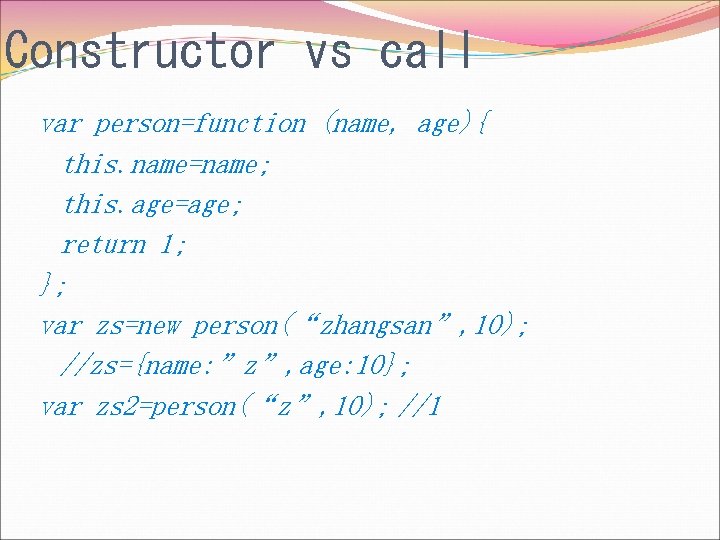
Constructor vs call var person=function (name, age){ this. name=name; this. age=age; return 1; }; var zs=new person(“zhangsan”, 10); //zs={name: ”z”, age: 10}; var zs 2=person(“z”, 10); //1
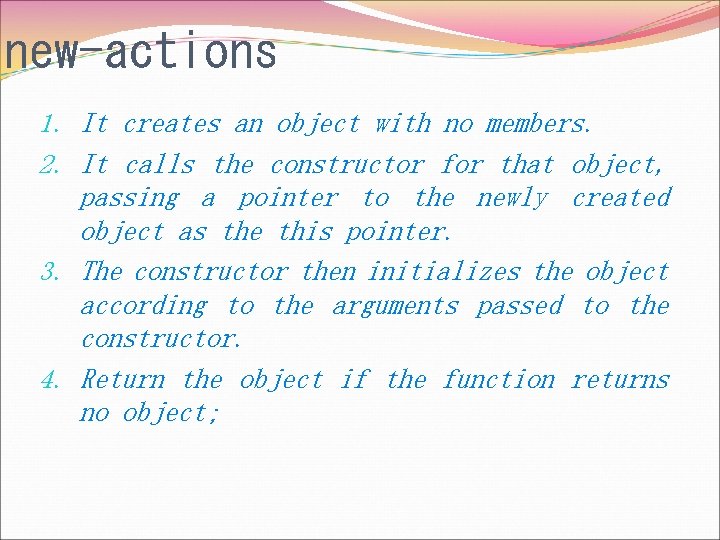
new-actions 1. It creates an object with no members. 2. It calls the constructor for that object, passing a pointer to the newly created object as the this pointer. 3. The constructor then initializes the object according to the arguments passed to the constructor. 4. Return the object if the function returns no object;
. prototype
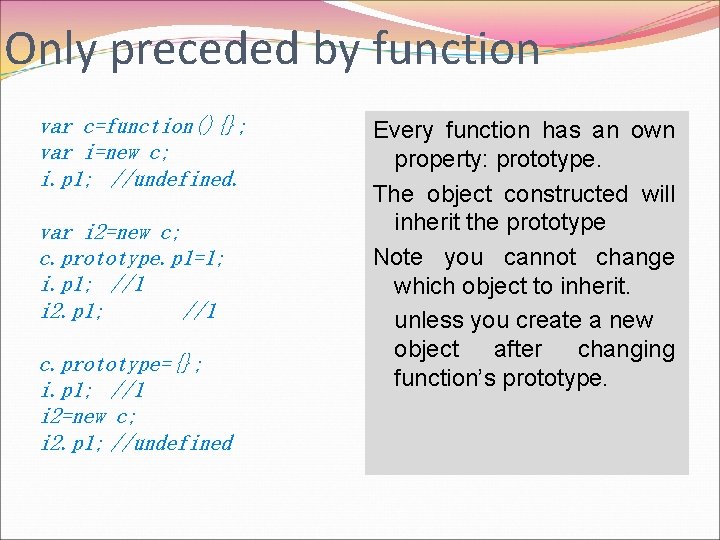
Only preceded by function var c=function(){}; var i=new c; i. p 1; //undefined. var i 2=new c; c. prototype. p 1=1; i. p 1; //1 i 2. p 1; //1 c. prototype={}; i. p 1; //1 i 2=new c; i 2. p 1; //undefined Every function has an own property: prototype. The object constructed will inherit the prototype Note you cannot change which object to inherit. unless you create a new object after changing function’s prototype.
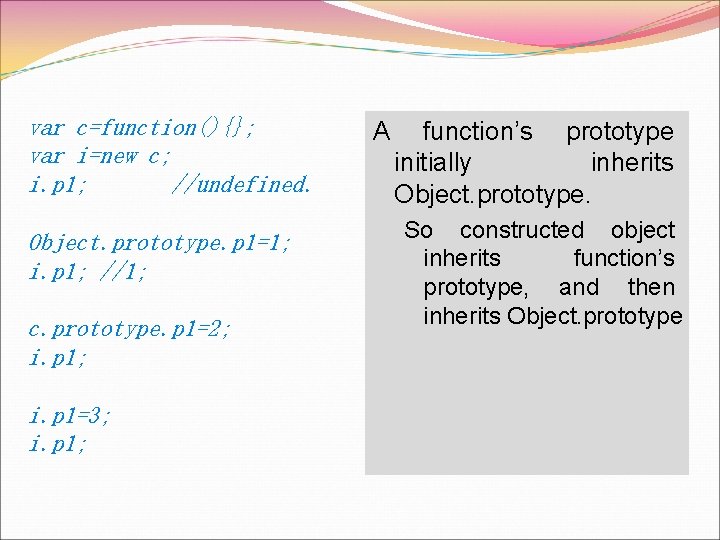
var c=function(){}; var i=new c; i. p 1; //undefined. Object. prototype. p 1=1; i. p 1; //1; c. prototype. p 1=2; i. p 1=3; i. p 1; A function’s prototype initially inherits Object. prototype. So constructed object inherits function’s prototype, and then inherits Object. prototype
All succeeding Object. prototype n Object. prototype is an object, has no predecessor n The function’s prototype can change to any other available objects, which all succeed object. prototype. So newly constructed objects will succeed Object. prototype as well.
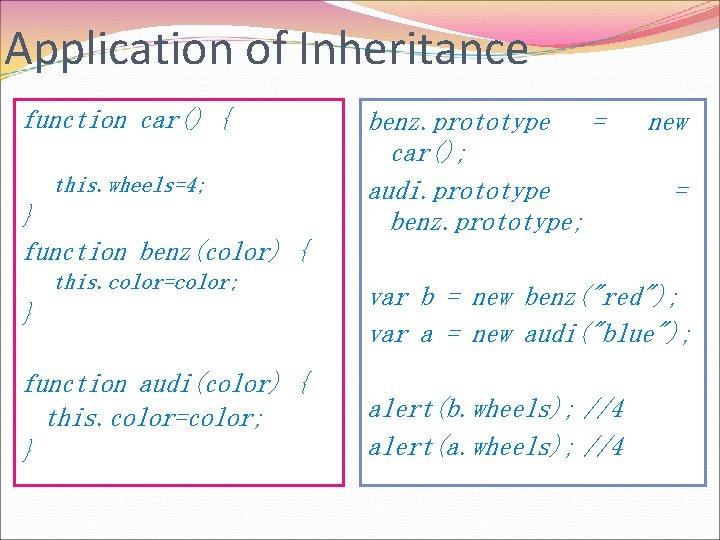
Application of Inheritance function car() { this. wheels=4; } function benz(color) { this. color=color; benz. prototype = car(); audi. prototype benz. prototype; new = } var b = new benz("red"); var a = new audi("blue"); function audi(color) { this. color=color; } alert(b. wheels); //4 alert(a. wheels); //4
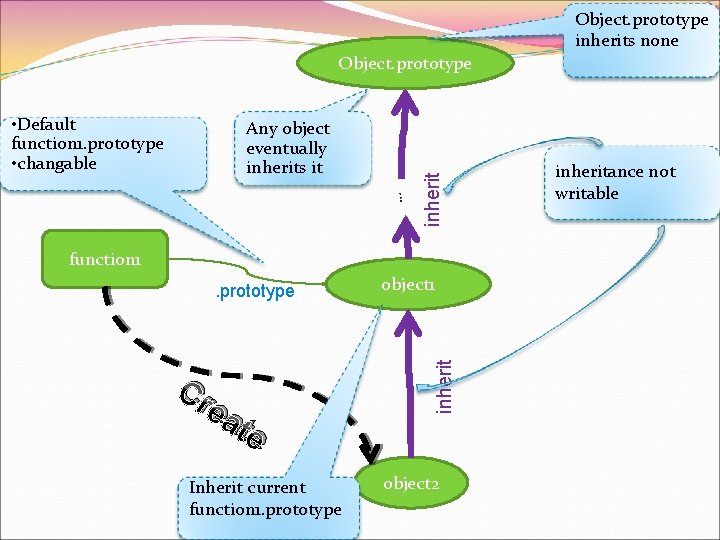
Object. prototype inherits none • Default function 1. prototype • changable Any object eventually inherits it … inherit Object. prototype function 1 Cr ea te Inherit current function 1. prototype object 1 inherit . prototype object 2 inheritance not writable
. constructor
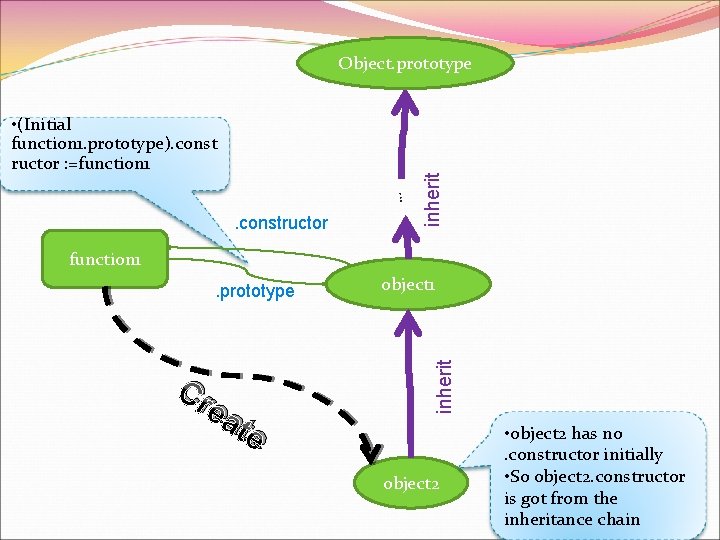
• (Initial function 1. prototype). const ructor : =function 1 … . constructor inherit Object. prototype function 1 Cr ea te object 1 inherit . prototype object 2 • object 2 has no. constructor initially • So object 2. constructor is got from the inheritance chain
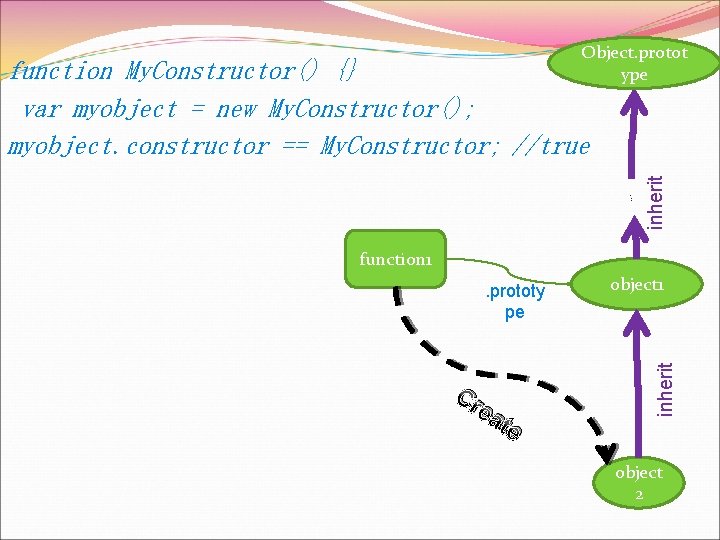
Object. protot ype … inherit function My. Constructor() {} var myobject = new My. Constructor(); myobject. constructor == My. Constructor; //true function 1 Cr ea te object 1 inherit . prototy pe object 2
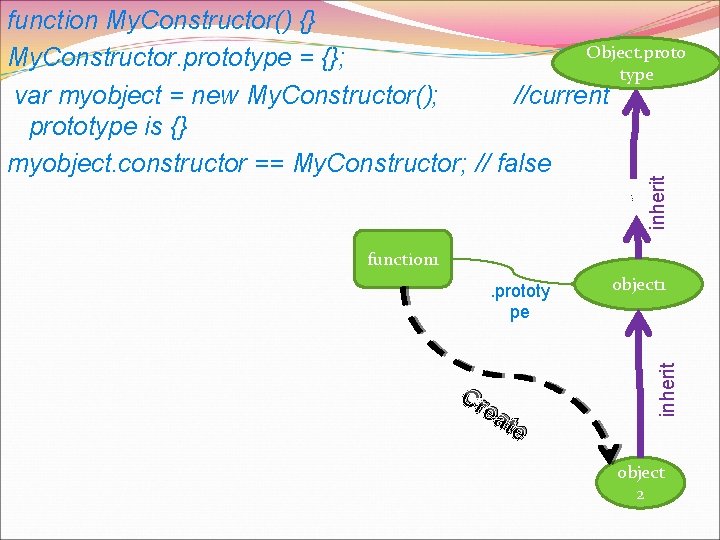
… inherit function My. Constructor() {} Object. proto My. Constructor. prototype = {}; type var myobject = new My. Constructor(); //current prototype is {} myobject. constructor == My. Constructor; // false function 1 Cr ea te object 1 inherit . prototy pe object 2
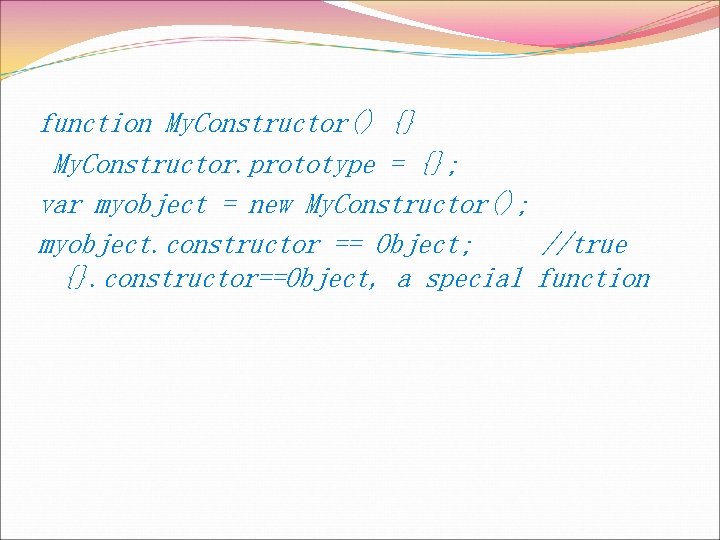
function My. Constructor() {} My. Constructor. prototype = {}; var myobject = new My. Constructor(); myobject. constructor == Object; //true {}. constructor==Object, a special function
instanceof An operator
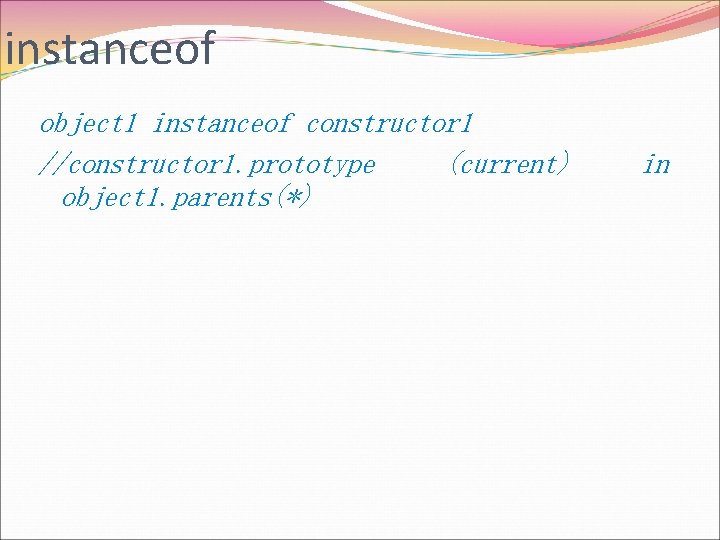
instanceof object 1 instanceof constructor 1 //constructor 1. prototype (current) object 1. parents(*) in
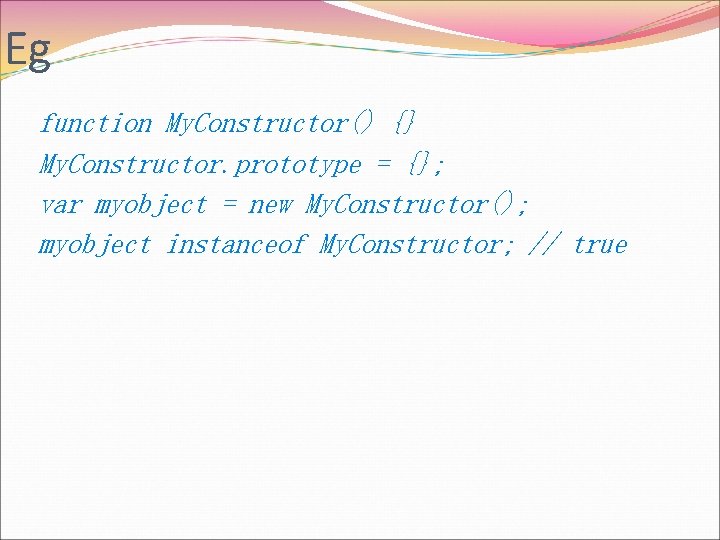
Eg function My. Constructor() {} My. Constructor. prototype = {}; var myobject = new My. Constructor(); myobject instanceof My. Constructor; // true
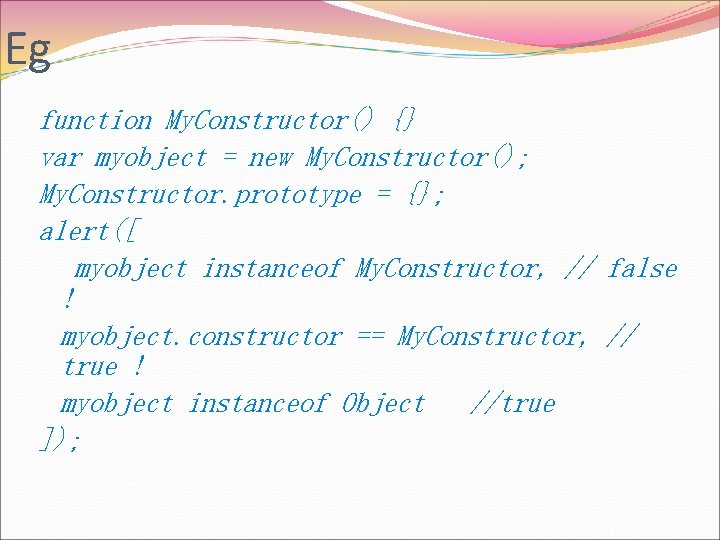
Eg function My. Constructor() {} var myobject = new My. Constructor(); My. Constructor. prototype = {}; alert([ myobject instanceof My. Constructor, // false ! myobject. constructor == My. Constructor, // true ! myobject instanceof Object //true ]);
objects Built in and host objects
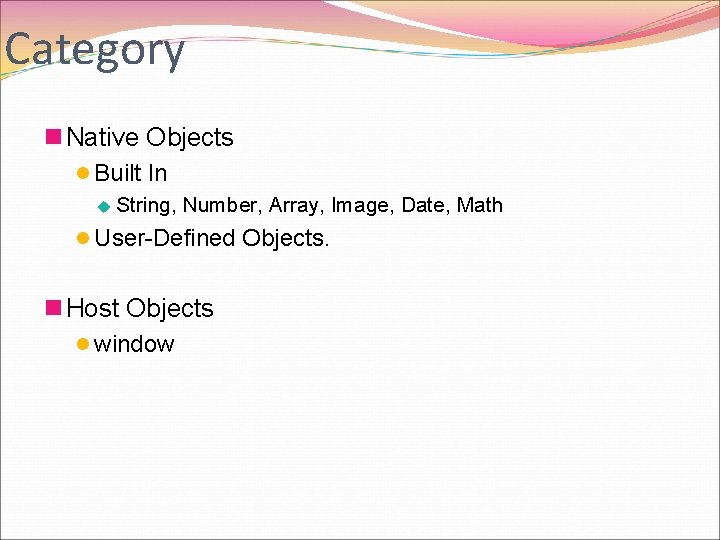
Category n Native Objects l Built In u String, Number, Array, Image, Date, Math l User-Defined Objects. n Host Objects l window
Object
![n Object is of the [object] type. n Object can be used as a](http://slidetodoc.com/presentation_image_h2/04c1df686981c0933851750b0b27e8d5/image-101.jpg "n Object is of the [object] type. n Object can be used as a")
n Object is of the [object] type. n Object can be used as a [function] l Thus a constructor.
![Object. prototype function (){[navti ve code]}. constructor Object Inherit{1} alert(Object instanceof Object); //true alert(Object](http://slidetodoc.com/presentation_image_h2/04c1df686981c0933851750b0b27e8d5/image-102.jpg "Object. prototype function (){[navti ve code]}. constructor Object Inherit{1} alert(Object instanceof Object); //true alert(Object")
Object. prototype function (){[navti ve code]}. constructor Object Inherit{1} alert(Object instanceof Object); //true alert(Object instanceof Function); //true alert(typeof Object); //function inherit Object. pr ototype “C re e” at Object
Object. prototype
![Object. prototype. to. String n switch(this) l undefined u [object Undefined] l null u](http://slidetodoc.com/presentation_image_h2/04c1df686981c0933851750b0b27e8d5/image-104.jpg "Object. prototype. to. String n switch(this) l undefined u [object Undefined] l null u")
Object. prototype. to. String n switch(this) l undefined u [object Undefined] l null u [object Null] l Other u [object Class]
Object. prototype Properties
![n Object. prototype. to. String ( ) l [object class]](http://slidetodoc.com/presentation_image_h2/04c1df686981c0933851750b0b27e8d5/image-106.jpg "n Object. prototype. to. String ( ) l [object class]")
n Object. prototype. to. String ( ) l [object class]
Append Property Extensible, not implementable
![n Unless specified otherwise, the [[Extensible]] internal property of a built-in object initially has](http://slidetodoc.com/presentation_image_h2/04c1df686981c0933851750b0b27e8d5/image-108.jpg "n Unless specified otherwise, the [[Extensible]] internal property of a built-in object initially has")
n Unless specified otherwise, the [[Extensible]] internal property of a built-in object initially has the value true.
Append property n Cannot be assigned l null an object //exception l Primitive: string, number, boolean, undefined u they’re immune to appending n appendable l function l object
Function
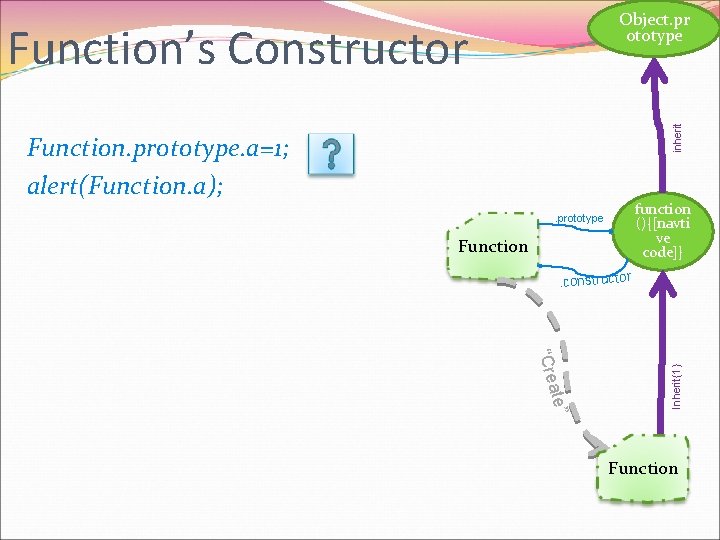
Object. pr ototype inherit Function’s Constructor Function. prototype. a=1; alert(Function. a); function (){[navti ve code]} . prototype Function ate” “Cre Inherit{1} . constructor Function
![Object. pr ototype . prototype Function function (){[navti ve code]} . constructor Cr ea](http://slidetodoc.com/presentation_image_h2/04c1df686981c0933851750b0b27e8d5/image-112.jpg "Object. pr ototype . prototype Function function (){[navti ve code]} . constructor Cr ea")
Object. pr ototype . prototype Function function (){[navti ve code]} . constructor Cr ea te Inherit{1} function f() { } alert(f. constructor); alert(f. constructror. constructor); alert(Function. constructor); alert(f. constructor); inherit (A function)’s Constructor funct ion 1
![Function the [[Class]] Function is a sub[[Class]] of “Object”[[Class]]](http://slidetodoc.com/presentation_image_h2/04c1df686981c0933851750b0b27e8d5/image-113.jpg "Function the [[Class]] Function is a sub[[Class]] of “Object”[[Class]]")
Function the [[Class]] Function is a sub[[Class]] of “Object”[[Class]]
Function. prototype
![n Function prototype object is itself a Function object (its [[Class]] is "Function") that,](http://slidetodoc.com/presentation_image_h2/04c1df686981c0933851750b0b27e8d5/image-115.jpg "n Function prototype object is itself a Function object (its [[Class]] is \"Function\") that,")
n Function prototype object is itself a Function object (its [[Class]] is "Function") that, when invoked, accepts any arguments and returns undefined.
![n Unless specified otherwise, the [[Class]] internal property of a built-in object is "Function"](http://slidetodoc.com/presentation_image_h2/04c1df686981c0933851750b0b27e8d5/image-116.jpg "n Unless specified otherwise, the [[Class]] internal property of a built-in object is \"Function\"")
n Unless specified otherwise, the [[Class]] internal property of a built-in object is "Function" if that built-in object has a [[Call]] internal property, or "Object" if that built-in object does not have a [[Call]] internal property.
Function Instances
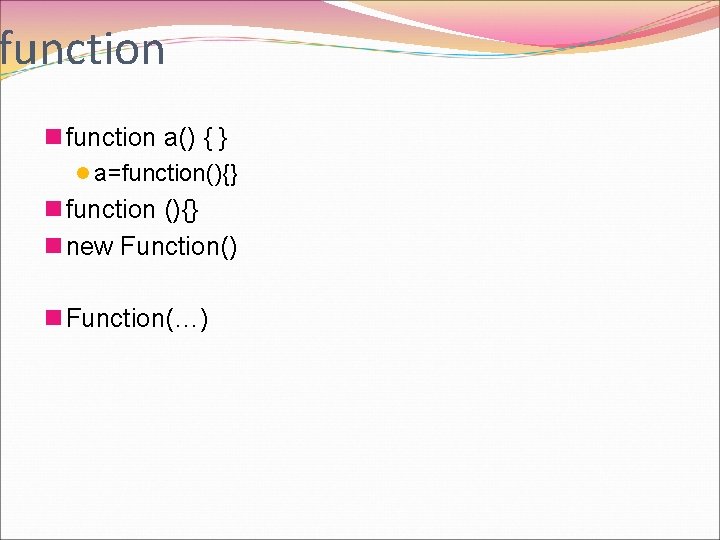
function n function a() { } l a=function(){} n function (){} n new Function() n Function(…)
Built In Objects
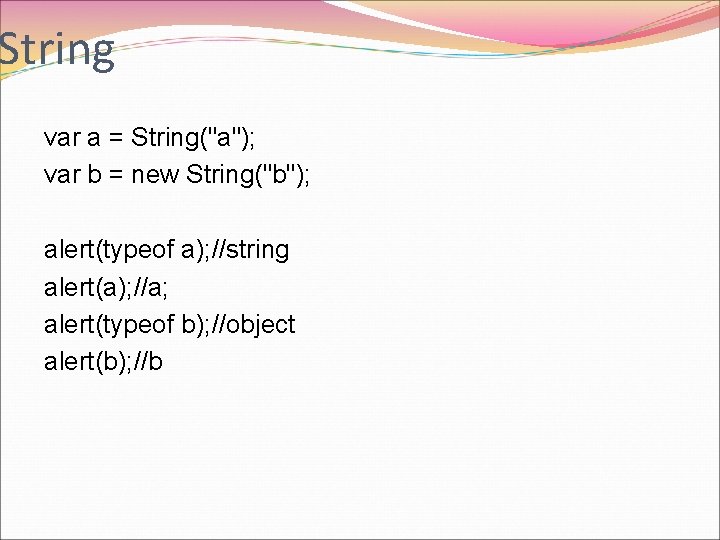
String var a = String("a"); var b = new String("b"); alert(typeof a); //string alert(a); //a; alert(typeof b); //object alert(b); //b
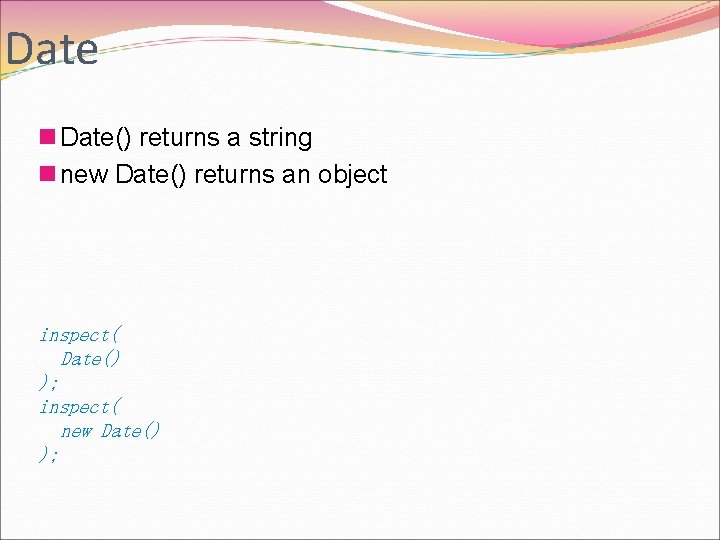
Date n Date() returns a string n new Date() returns an object inspect( Date() ); inspect( new Date() );
![Math n [[Class]] Math](http://slidetodoc.com/presentation_image_h2/04c1df686981c0933851750b0b27e8d5/image-122.jpg "Math n [[Class]] Math")
Math n [[Class]] Math
![Array n [[Class]]: Array](http://slidetodoc.com/presentation_image_h2/04c1df686981c0933851750b0b27e8d5/image-123.jpg "Array n [[Class]]: Array")
Array n [[Class]]: Array
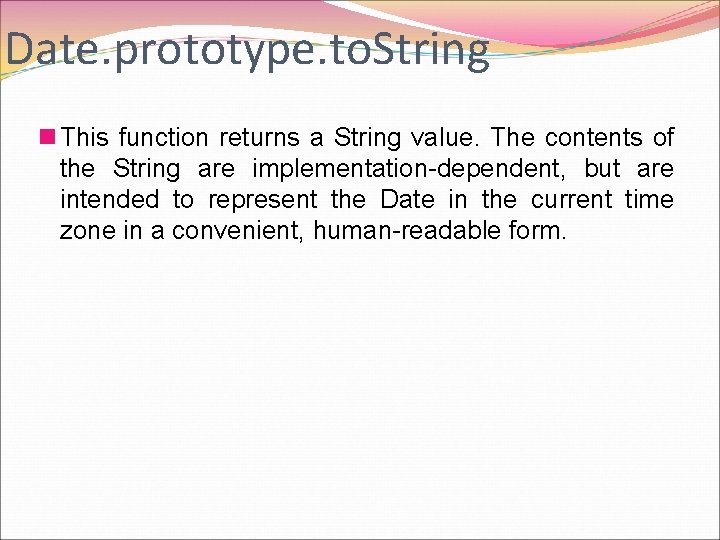
Date. prototype. to. String n This function returns a String value. The contents of the String are implementation-dependent, but are intended to represent the Date in the current time zone in a convenient, human-readable form.
![JSON n contains two functions, parse and stringify, n [[Class]] JSON n Extensible n](http://slidetodoc.com/presentation_image_h2/04c1df686981c0933851750b0b27e8d5/image-125.jpg "JSON n contains two functions, parse and stringify, n [[Class]] JSON n Extensible n")
JSON n contains two functions, parse and stringify, n [[Class]] JSON n Extensible n [[Construct]] false n [[Call]] false

Reg. Ex
Host Objects Such as DOM
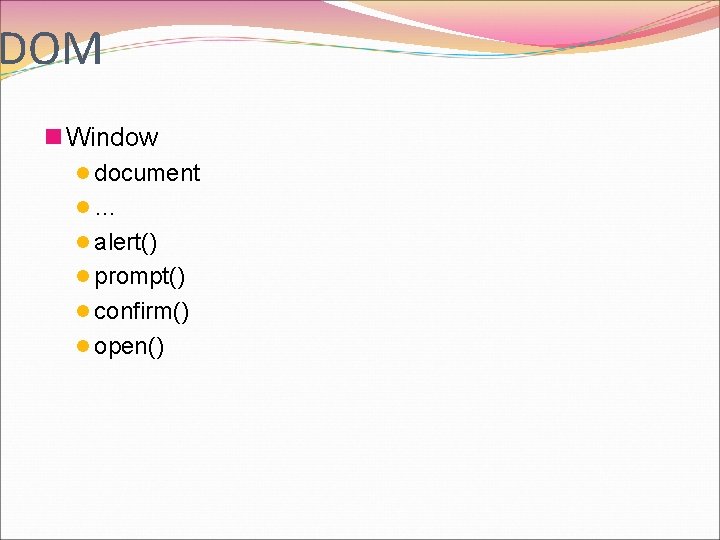
DOM n Window l document l… l alert() l prompt() l confirm() l open()
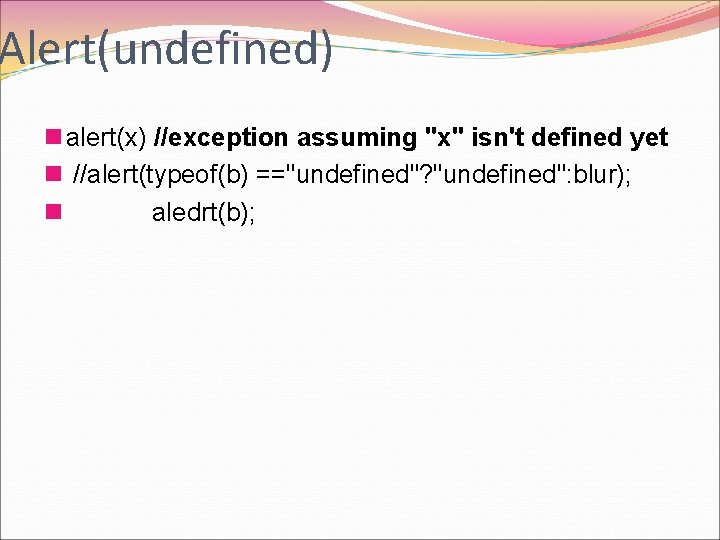
Alert(undefined) n alert(x) //exception assuming "x" isn't defined yet n //alert(typeof(b) =="undefined"? "undefined": blur); n aledrt(b);
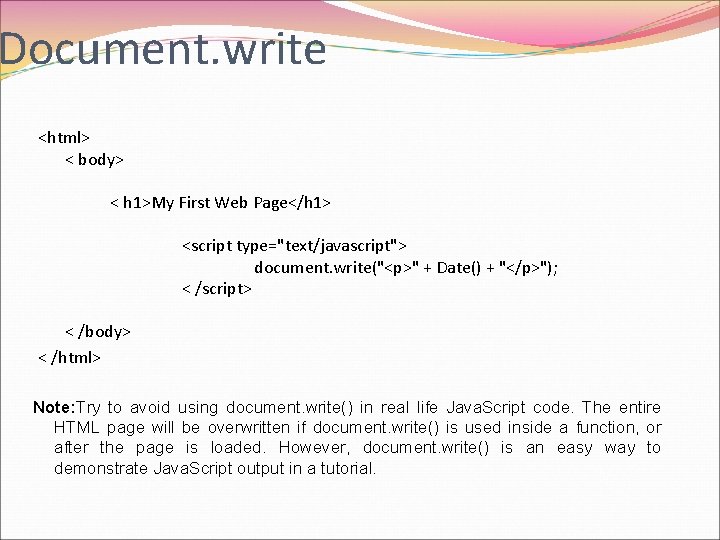
Document. write <html> < body> < h 1>My First Web Page</h 1> <script type="text/javascript"> document. write("<p>" + Date() + "</p>"); < /script> < /body> < /html> Note: Try to avoid using document. write() in real life Java. Script code. The entire HTML page will be overwritten if document. write() is used inside a function, or after the page is loaded. However, document. write() is an easy way to demonstrate Java. Script output in a tutorial.
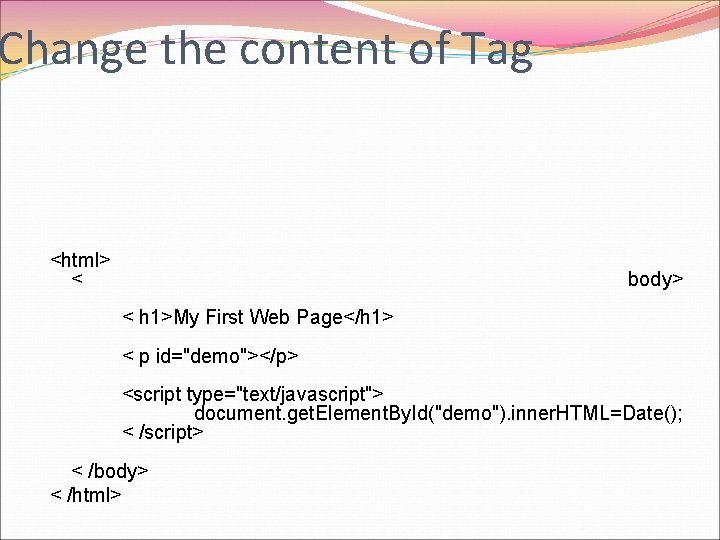
Change the content of Tag <html> < body> < h 1>My First Web Page</h 1> < p id="demo"></p> <script type="text/javascript"> document. get. Element. By. Id("demo"). inner. HTML=Date(); < /script> < /body> < /html>
Event Fired by Host Objects
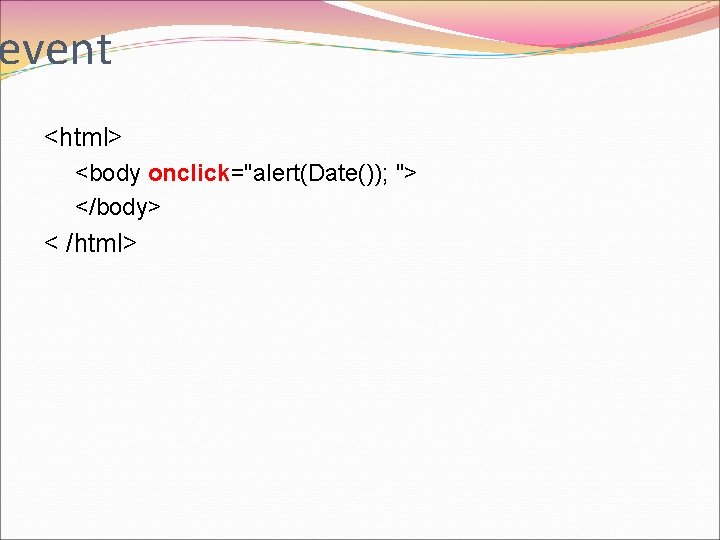
event <html> <body onclick="alert(Date()); "> </body> < /html>

Closure
Types of Execution Code n Global n Eval n function
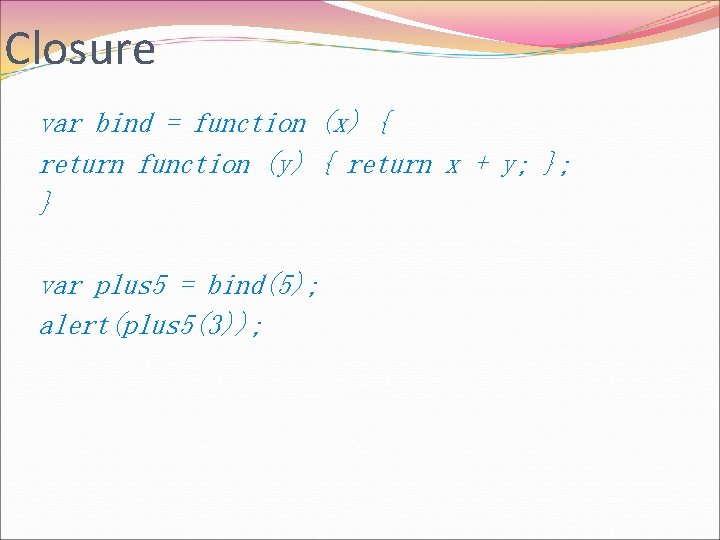
Closure var bind = function (x) { return function (y) { return x + y; }; } var plus 5 = bind(5); alert(plus 5(3));
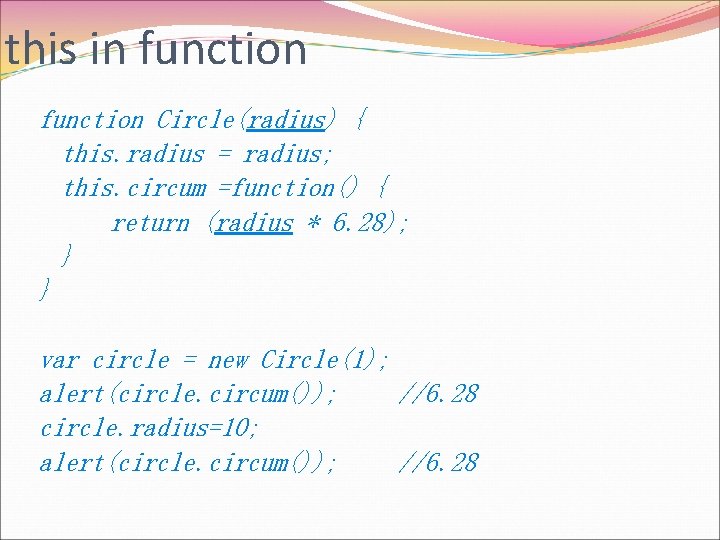
this in function Circle(radius) { this. radius = radius; this. circum =function() { return (radius * 6. 28); } } var circle = new Circle(1); alert(circle. circum()); //6. 28 circle. radius=10; alert(circle. circum()); //6. 28
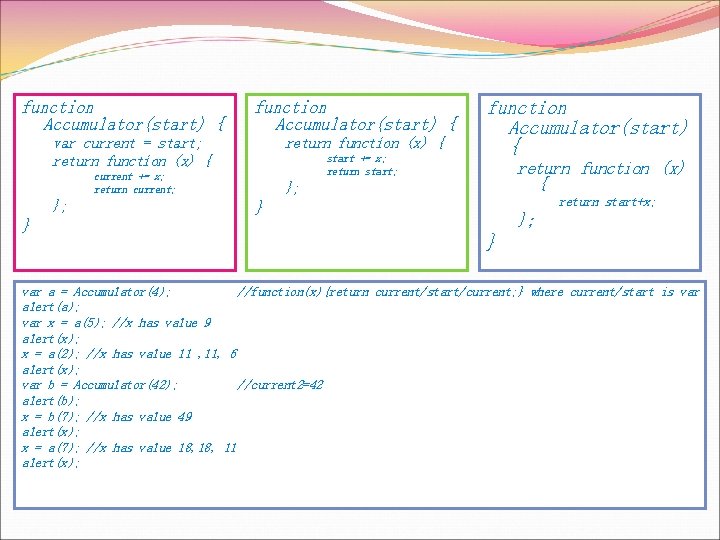
function Accumulator(start) { var current = start; return function (x) { start += x; return start; current += x; return current; } function Accumulator(start) { return function (x) { }; return start+x; } }; } var a = Accumulator(4); //function(x){return current/start/current; } where current/start is var alert(a); var x = a(5); //x has value 9 alert(x); x = a(2); //x has value 11 , 11, 6 alert(x); var b = Accumulator(42); //current 2=42 alert(b); x = b(7); //x has value 49 alert(x); x = a(7); //x has value 18, 11 alert(x);
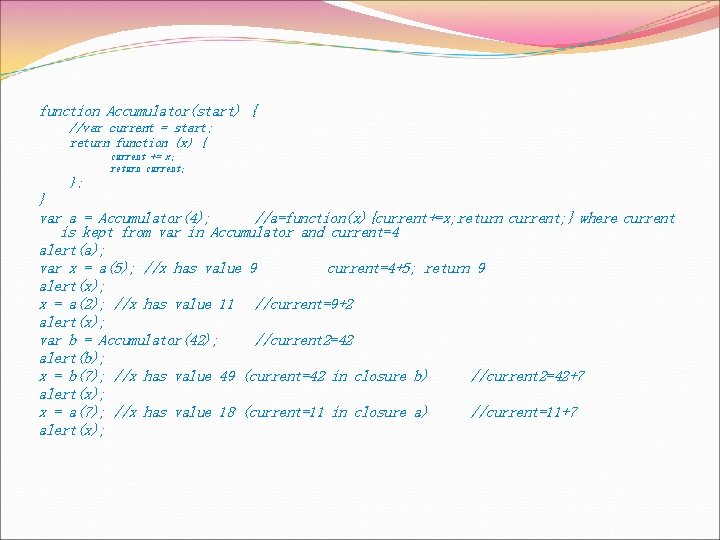
function Accumulator(start) { //var current = start; return function (x) { current += x; return current; } var a = Accumulator(4); //a=function(x){current+=x; return current; } where current is kept from var in Accumulator and current=4 alert(a); var x = a(5); //x has value 9 current=4+5; return 9 alert(x); x = a(2); //x has value 11 //current=9+2 alert(x); var b = Accumulator(42); //current 2=42 alert(b); x = b(7); //x has value 49 (current=42 in closure b) //current 2=42+7 alert(x); x = a(7); //x has value 18 (current=11 in closure a) //current=11+7 alert(x);
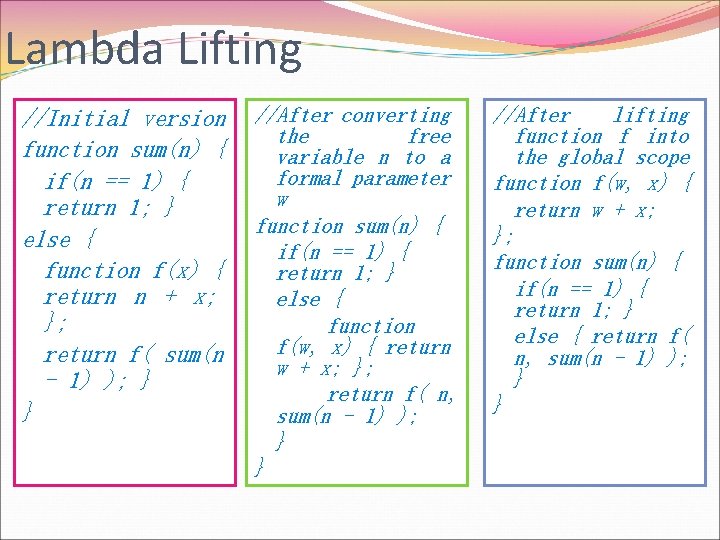
Lambda Lifting //Initial version function sum(n) { if(n == 1) { return 1; } else { function f(x) { return n + x; }; return f( sum(n - 1) ); } } //After converting the free variable n to a formal parameter w function sum(n) { if(n == 1) { return 1; } else { function f(w, x) { return w + x; }; return f( n, sum(n - 1) ); } } //After lifting function f into the global scope function f(w, x) { return w + x; }; function sum(n) { if(n == 1) { return 1; } else { return f( n, sum(n - 1) ); } }

Further Reading n W 3 schools. com n Ecma-international. org n Google. com n… l web
The End Thank You!

HTML 5

Canvas

DOM Window/navigator/document manipulation

CSS

Run at address box

Local. Storage

Cookie

Ajax
Xml. Http. Request n jquery

Jquery

JSONP

Cross. Domain Issue

Script vs Program n. Suppose you went back to Ada Lovelace and asked her the difference between a script and a program. She‘d probably look at you funny, then a script is what you give the actors, but a program is what you give the audience. That say something like: Well, Ada was one sharp lady…
- Slides: 157