
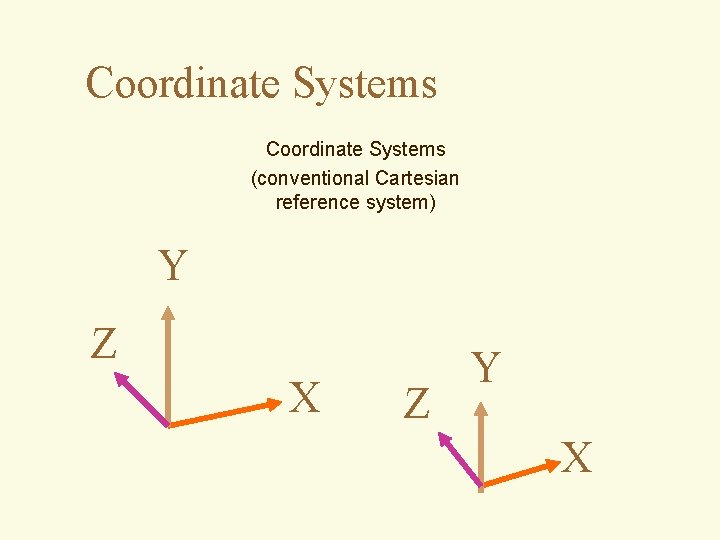
Coordinate Systems conventional Cartesian reference system Y Z







- Slides: 52
Coordinate Systems (conventional Cartesian reference system) Y Z X Z Y X
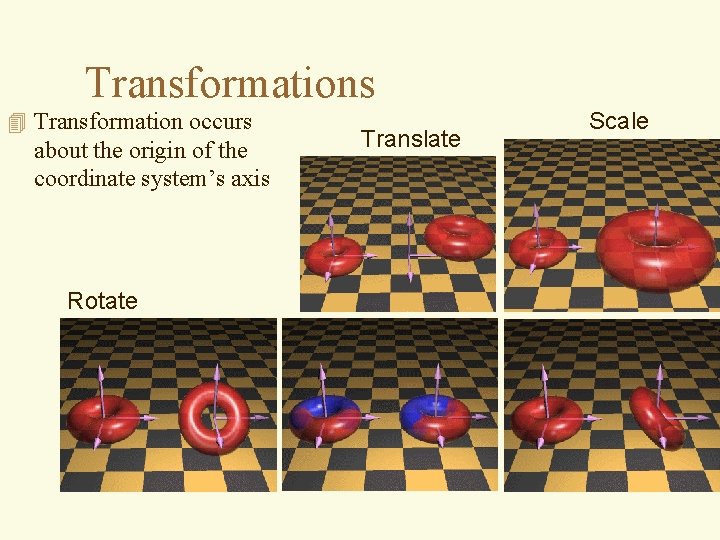
Transformations 4 Transformation occurs about the origin of the coordinate system’s axis Rotate Translate Scale
Order of Transformations Make a Difference Box centered at origin Rotate about Z 45; Translate along X 1; Rotate about Z 45
Hierarchy of Coordinate Systems Local coordinate system 4 Also called: – Scene graphs – Tree structures
The Camera Projection Plane Near Clipping Plane Far Clipping Plane View Volume
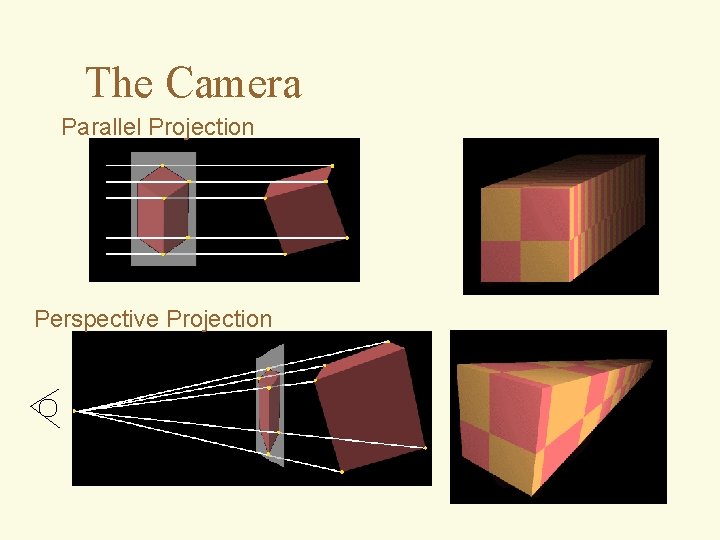
The Camera Parallel Projection Perspective Projection
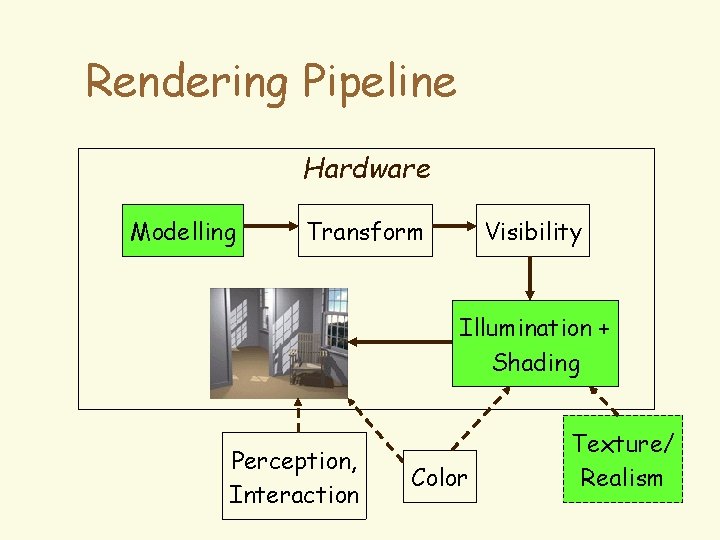
Rendering Pipeline Hardware Modelling Transform Visibility Illumination + Shading Perception, Interaction Color Texture/ Realism
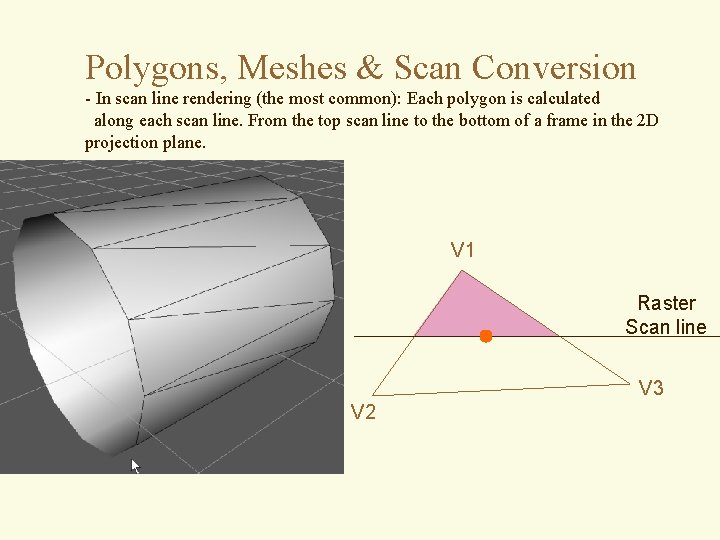
Polygons, Meshes & Scan Conversion - In scan line rendering (the most common): Each polygon is calculated along each scan line. From the top scan line to the bottom of a frame in the 2 D projection plane. V 1 Raster Scan line V 3 V 2
Approximating Curved Surfaces with Flat Polygons Flat Shading – each polygon face has a normal that is used to perform lighting calculations.
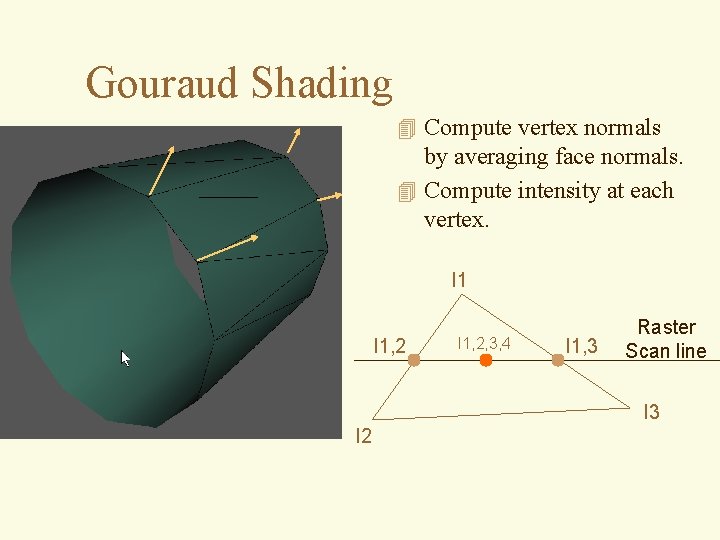
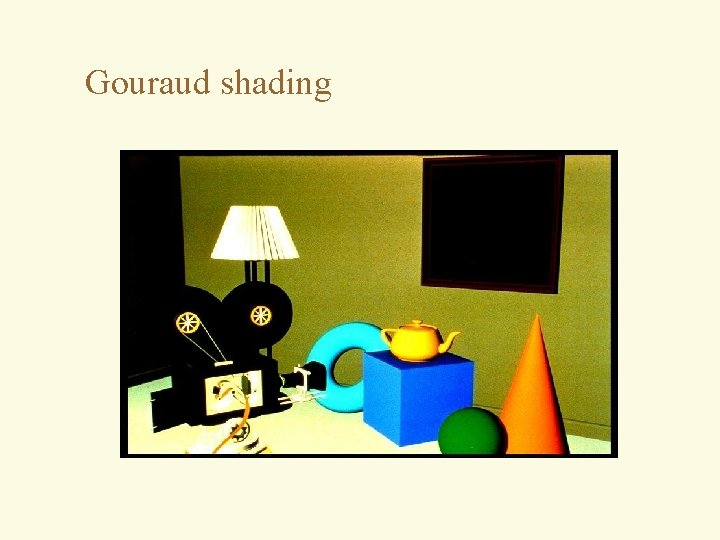
Gouraud Shading 4 Compute vertex normals by averaging face normals. 4 Compute intensity at each vertex. I 1, 2, 3, 4 I 1, 3 Raster Scan line I 3 I 2
Illumination / Shading 4 Distinction between illumination and shading models – illumination - calculate intensity at a point on surface – shading - uses calculated intensities to shade polygons (uses illumination models) 4 we’ll review the important models
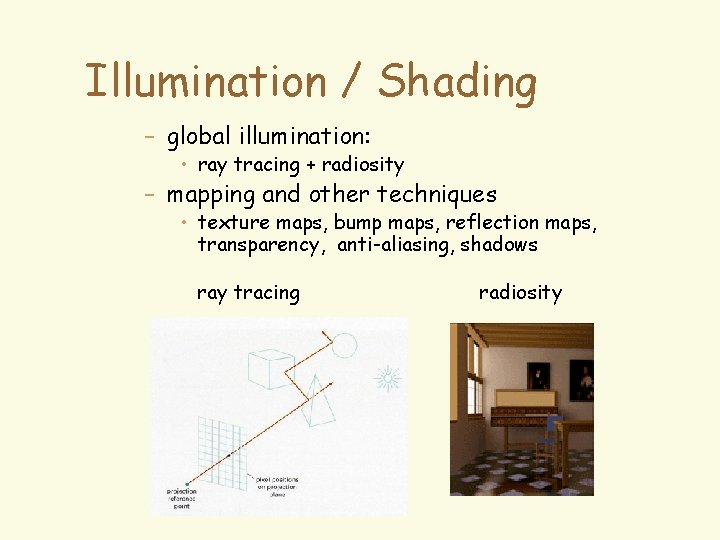
Illumination / Shading – global illumination: • ray tracing + radiosity – mapping and other techniques • texture maps, bump maps, reflection maps, transparency, anti-aliasing, shadows ray tracing radiosity
Local Illumination 4 Local vs. global illumination models – local (typically) - how is one point of the scene illuminated directly by the light source • is light source only source of illumination? • Simple models lump the rest into a single ambient term • do not account for reflections within the environment
Local Illumination 4 Local vs. global illumination models – global - illuminates the whole scene • typically makes use of local illumination model • incorporates inter-reflectance of objects
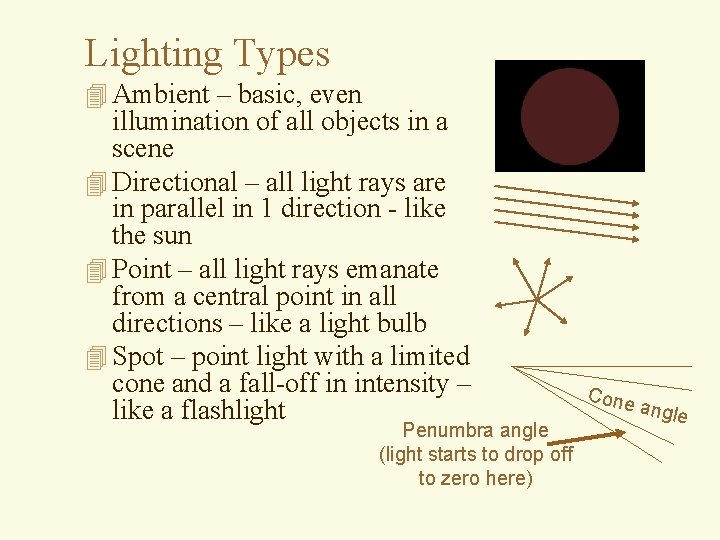
Lighting Types 4 Ambient – basic, even illumination of all objects in a scene 4 Directional – all light rays are in parallel in 1 direction - like the sun 4 Point – all light rays emanate from a central point in all directions – like a light bulb 4 Spot – point light with a limited cone and a fall-off in intensity – like a flashlight Penumbra angle (light starts to drop off to zero here) Cone a ngle
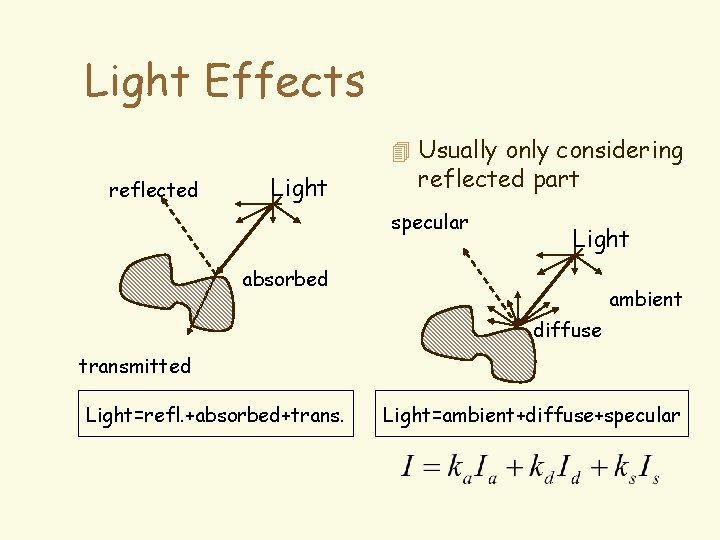
Light Effects 4 Usually only considering reflected Light reflected part specular Light absorbed ambient diffuse transmitted Light=refl. +absorbed+trans. Light=ambient+diffuse+specular
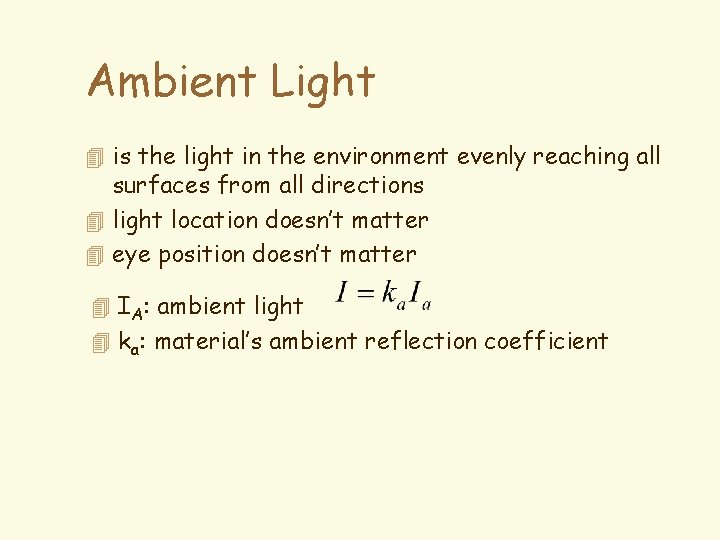
Ambient Light 4 is the light in the environment evenly reaching all surfaces from all directions 4 light location doesn’t matter 4 eye position doesn’t matter 4 IA: ambient light 4 ka: material’s ambient reflection coefficient
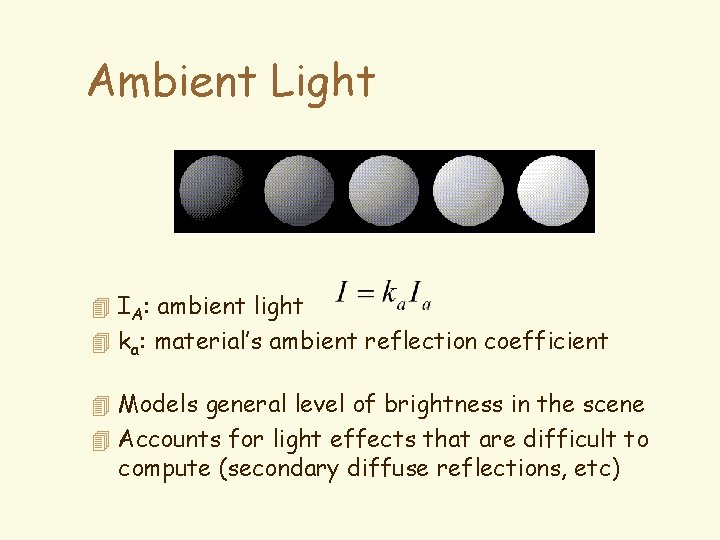
Ambient Light 4 IA: ambient light 4 ka: material’s ambient reflection coefficient 4 Models general level of brightness in the scene 4 Accounts for light effects that are difficult to compute (secondary diffuse reflections, etc)
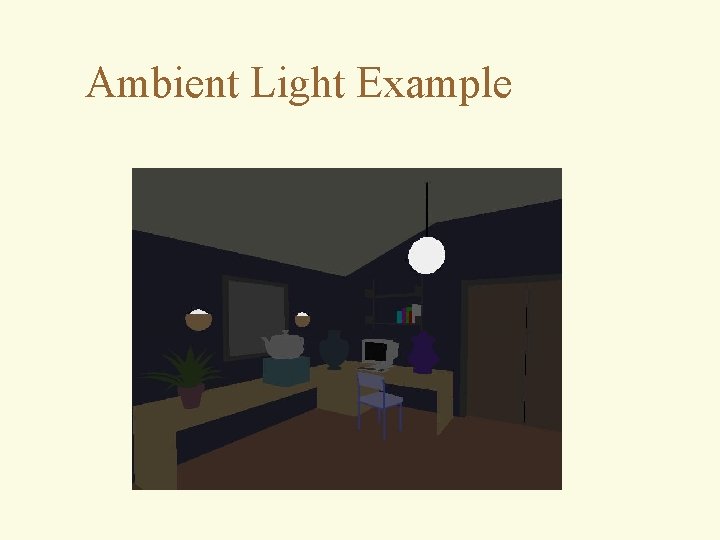
Ambient Light Example
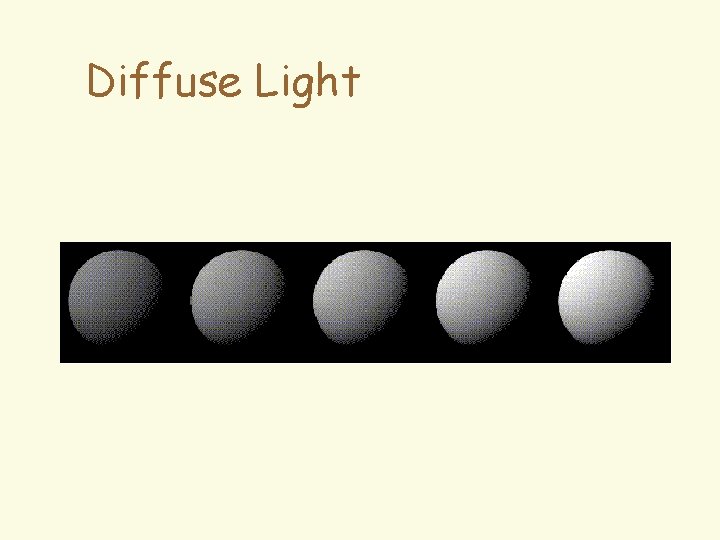
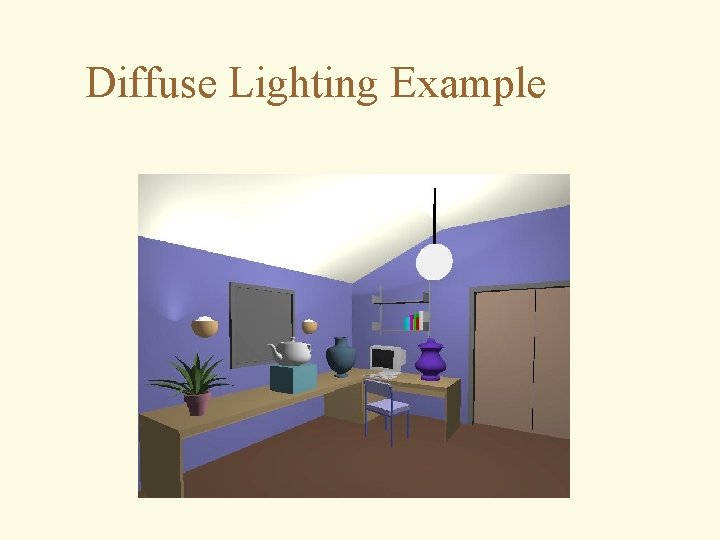
Diffuse Light 4 Light absorbed by the surface and then reflected equally to all directions 4 Models dullness, roughness of a surface Lambert’s Law: (perfectly diffuse surface) 4 Id: intensity of light source Light N f 4 kd: material’s diffuse reflection coefficient 4 N: normal vector (normalized) 4 L: light source vector (normalized) L
Diffuse Light
Diffuse Lighting Example
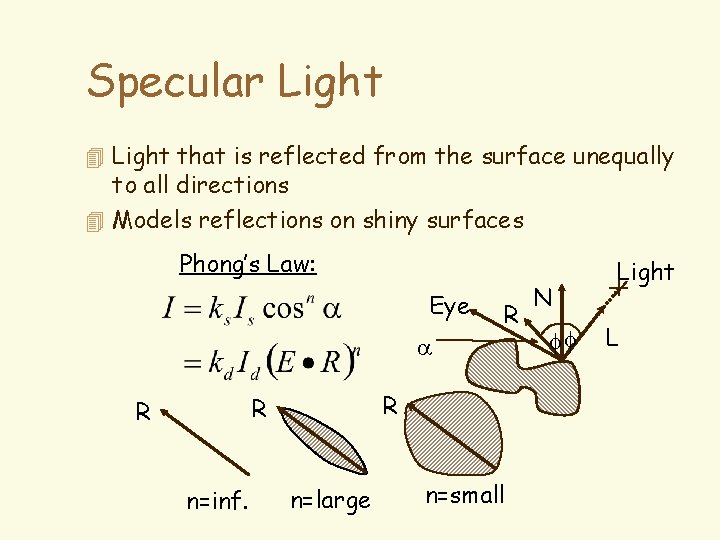
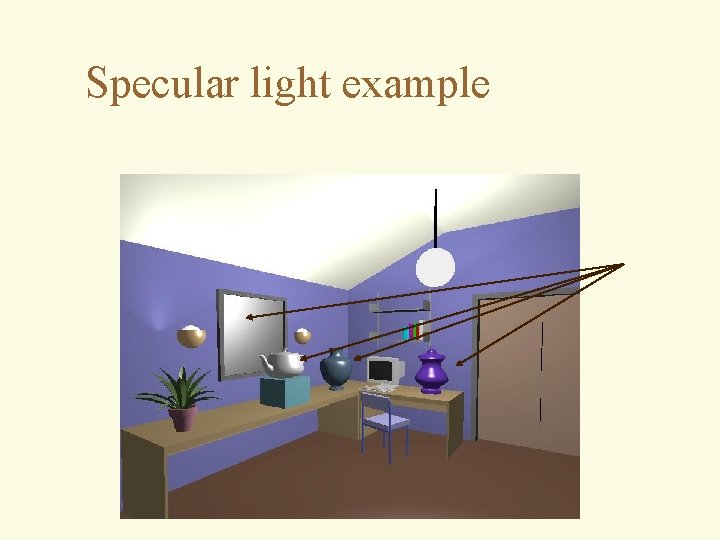
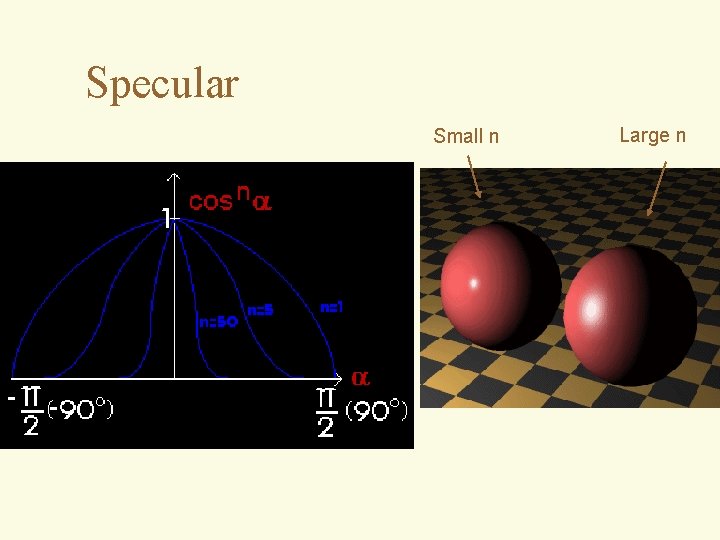
Specular Light 4 Light that is reflected from the surface unequally to all directions 4 Models reflections on shiny surfaces Phong’s Law: Eye R a R R R n=inf. n=large n=small N ff Light L
Specular light example
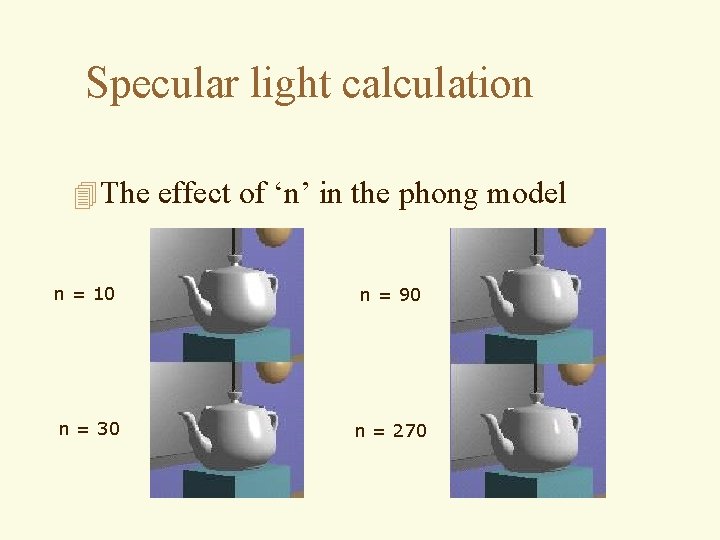
Specular light calculation 4 The effect of ‘n’ in the phong model n = 10 n = 90 n = 30 n = 270
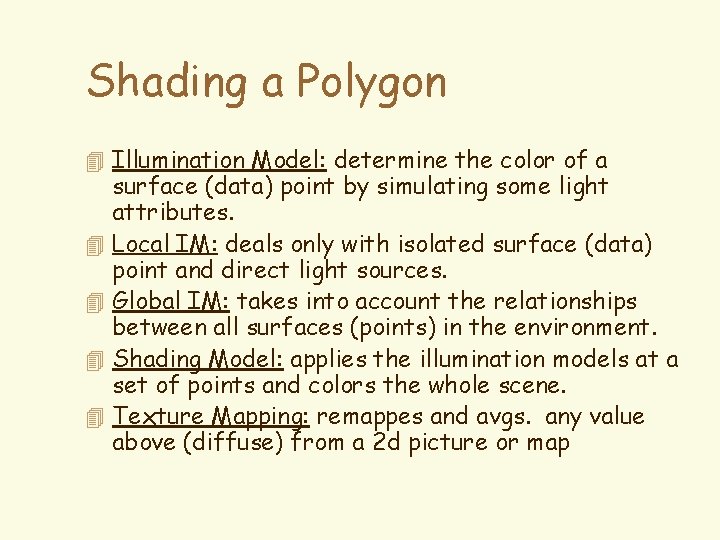
Shading a Polygon 4 Illumination Model: determine the color of a 4 4 surface (data) point by simulating some light attributes. Local IM: deals only with isolated surface (data) point and direct light sources. Global IM: takes into account the relationships between all surfaces (points) in the environment. Shading Model: applies the illumination models at a set of points and colors the whole scene. Texture Mapping: remappes and avgs. any value above (diffuse) from a 2 d picture or map
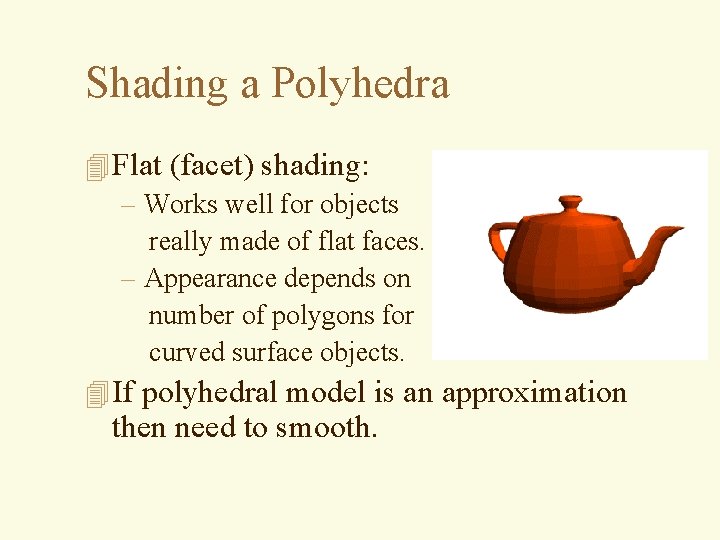
Shading a Polyhedra 4 Flat (facet) shading: – Works well for objects really made of flat faces. – Appearance depends on number of polygons for curved surface objects. 4 If polyhedral model is an approximation then need to smooth.
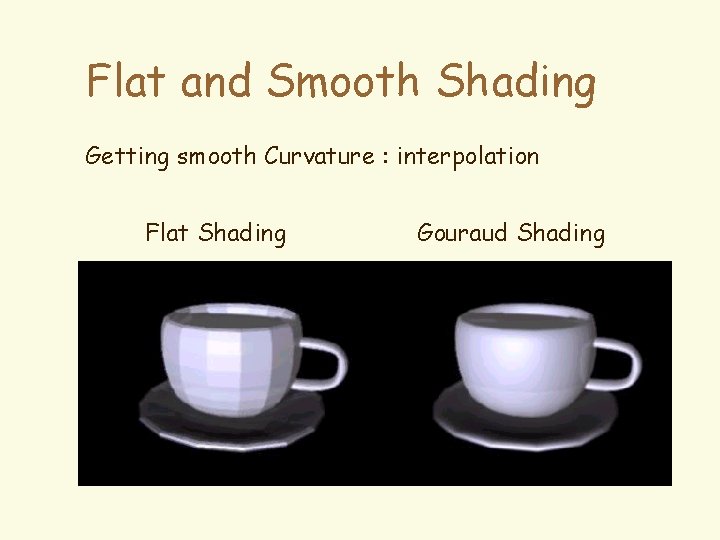
Flat and Smooth Shading Getting smooth Curvature : interpolation Flat Shading Gouraud Shading
Flat Shading 4 Polygon meshes approximate smooth curved surfaces with planar facets. Using the previous methods does not generate an illusion of smooth curved surface. N 1 N 2 4 Reason: discontinuity of the normal vectors.
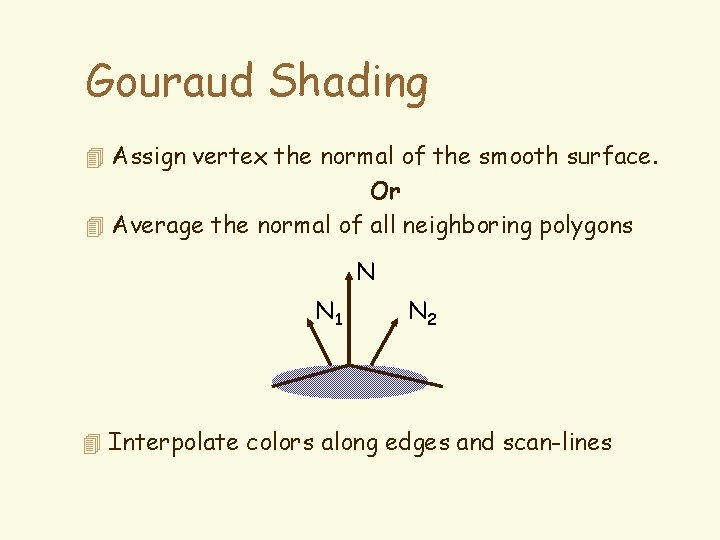
Gouraud Shading 4 Assign vertex the normal of the smooth surface. Or 4 Average the normal of all neighboring polygons N N 1 N 2 4 Interpolate colors along edges and scan-lines
Gouraud shading
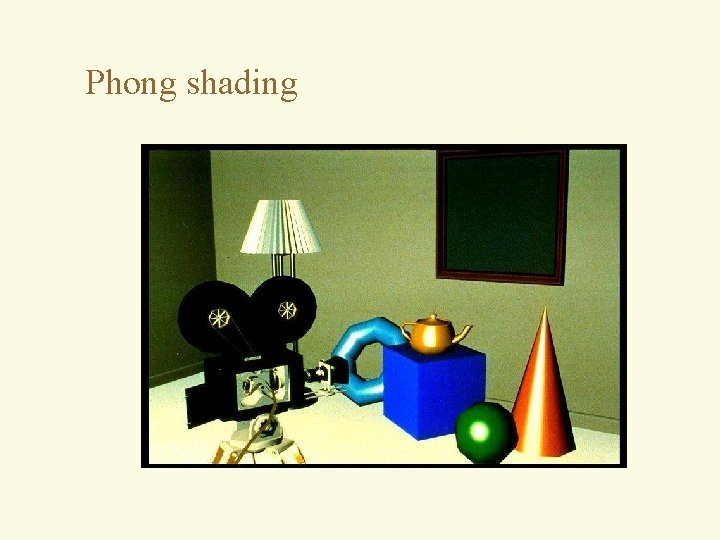
Phong shading
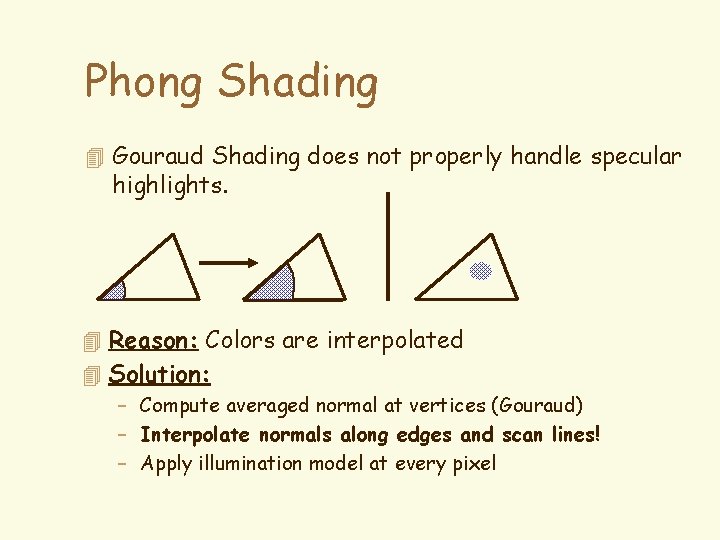
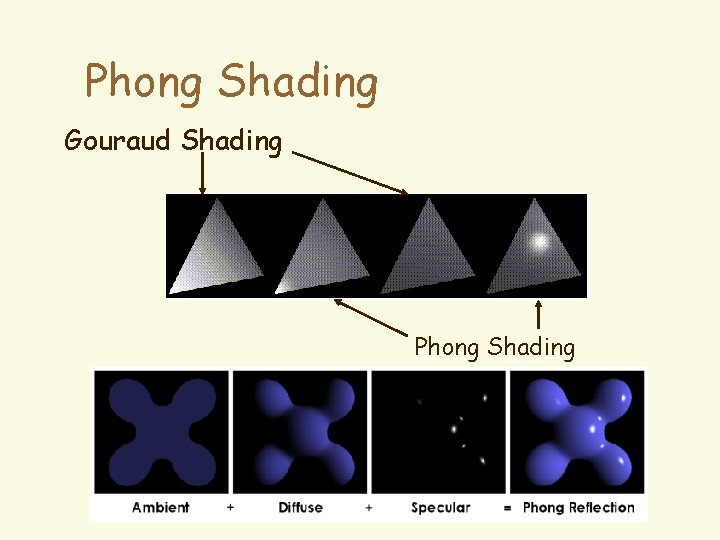
Phong Shading 4 Gouraud Shading does not properly handle specular highlights. 4 Reason: Colors are interpolated 4 Solution: – Compute averaged normal at vertices (Gouraud) – Interpolate normals along edges and scan lines! – Apply illumination model at every pixel
Phong Shading Gouraud Shading Phong Shading
Specular Small n Large n
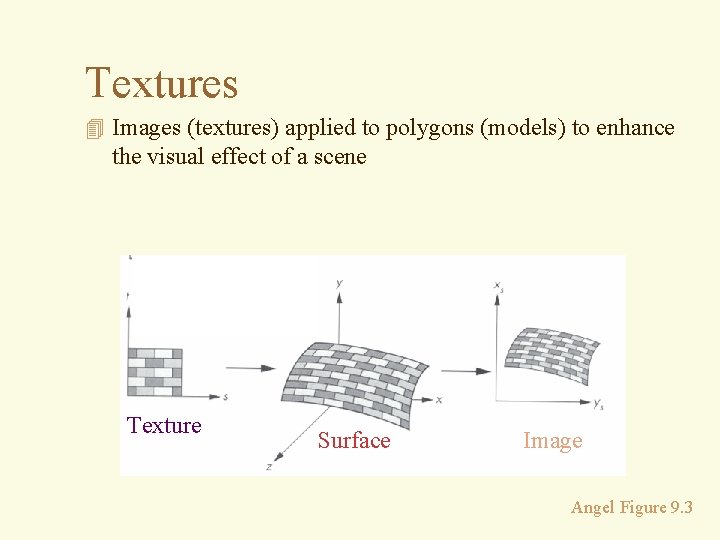
Textures 4 Images (textures) applied to polygons (models) to enhance the visual effect of a scene Texture Surface Image Angel Figure 9. 3
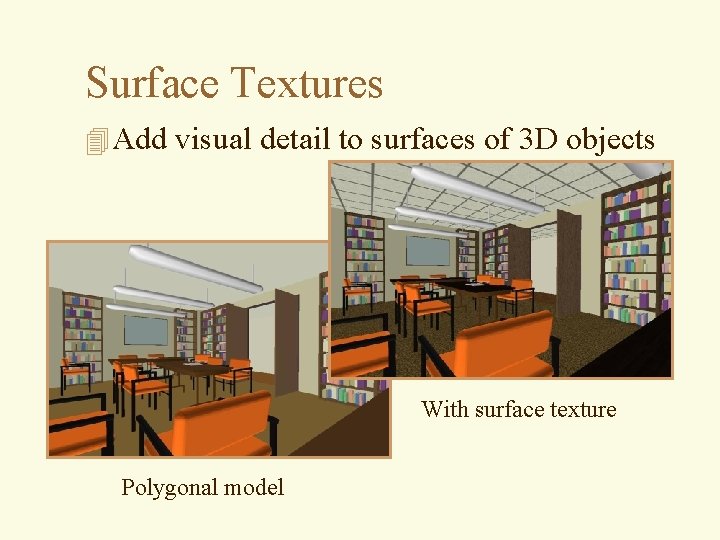
Surface Textures 4 Add visual detail to surfaces of 3 D objects With surface texture Polygonal model
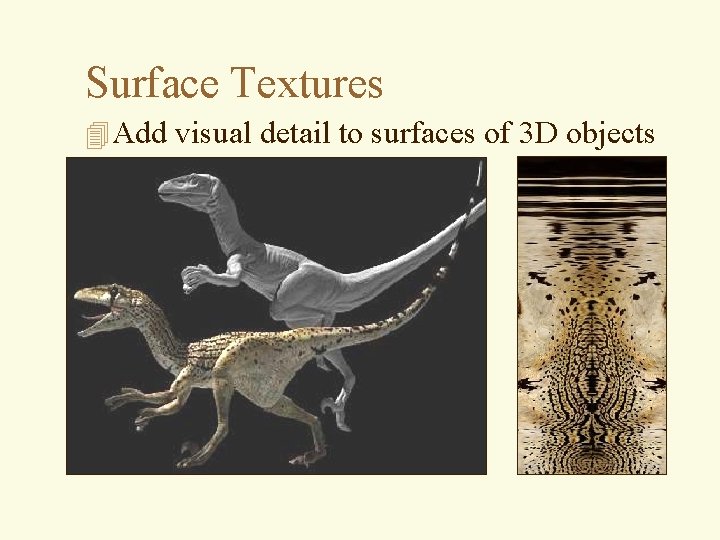
Surface Textures 4 Add visual detail to surfaces of 3 D objects
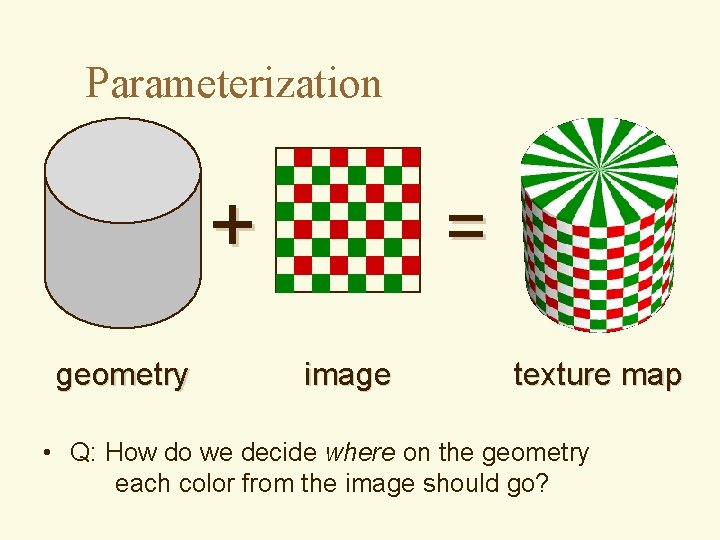
Parameterization + geometry = image texture map • Q: How do we decide where on the geometry each color from the image should go?
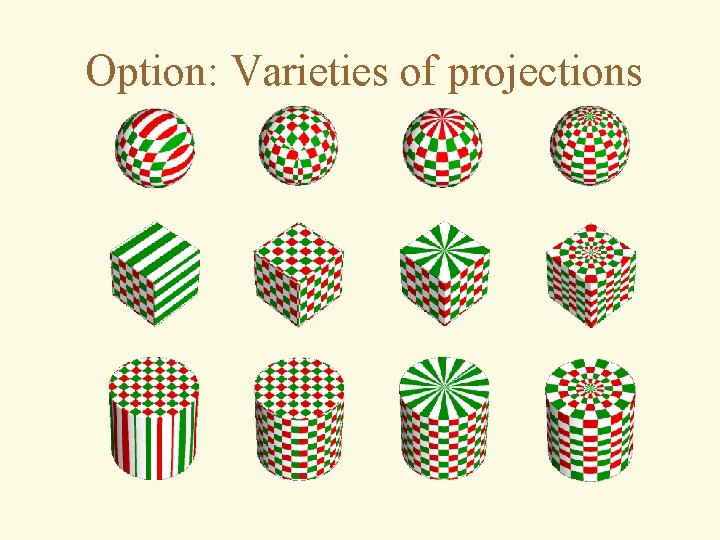
Option: Varieties of projections
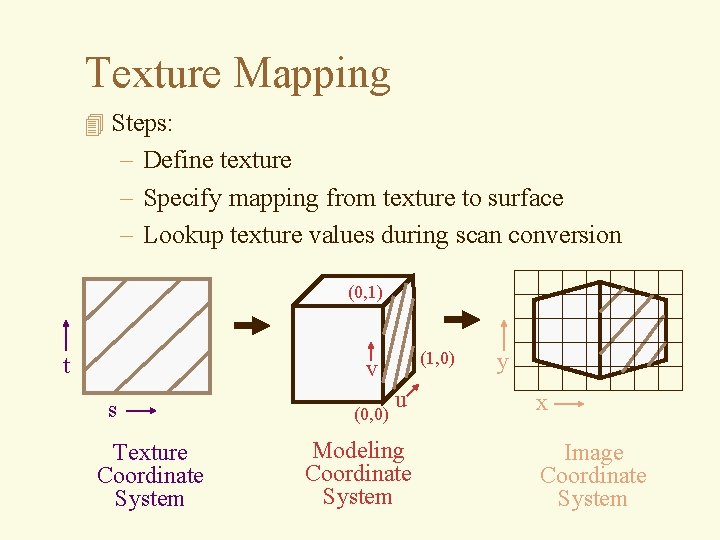
Texture Mapping 4 Steps: – Define texture – Specify mapping from texture to surface – Lookup texture values during scan conversion (0, 1) t (1, 0) v s Texture Coordinate System (0, 0) u Modeling Coordinate System y x Image Coordinate System
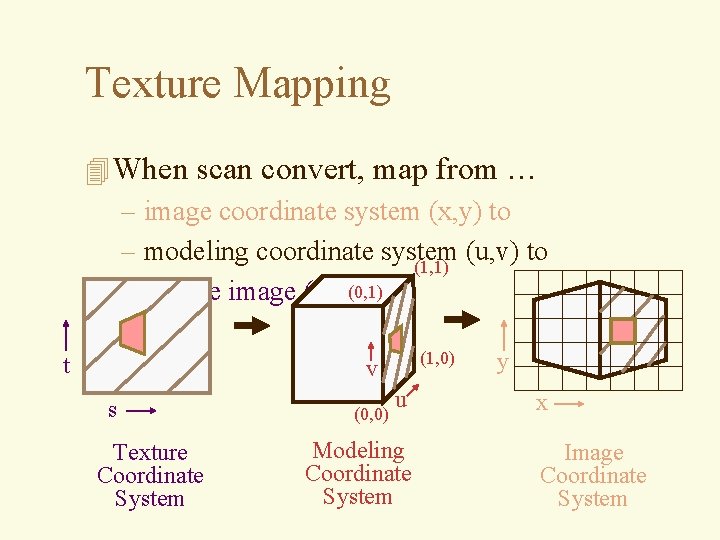
Texture Mapping 4 When scan convert, map from … – image coordinate system (x, y) to – modeling coordinate system (u, v) to (1, 1) – texture image (t, s)(0, 1) t (1, 0) v s Texture Coordinate System (0, 0) u Modeling Coordinate System y x Image Coordinate System
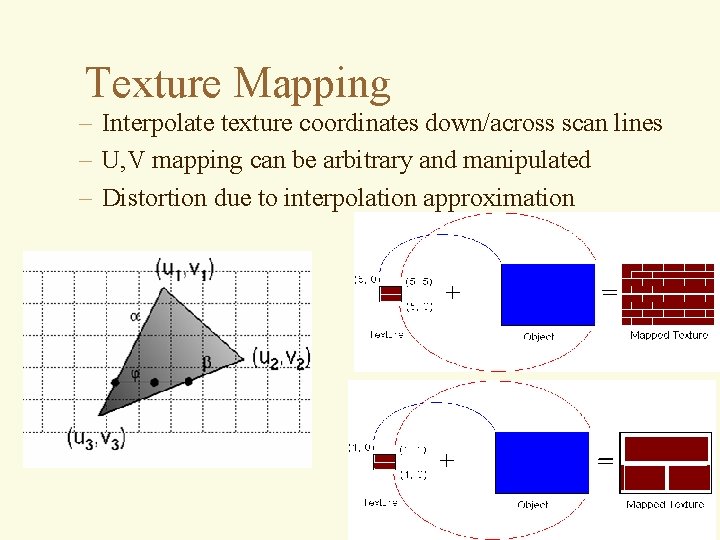
Texture Mapping – Interpolate texture coordinates down/across scan lines – U, V mapping can be arbitrary and manipulated – Distortion due to interpolation approximation
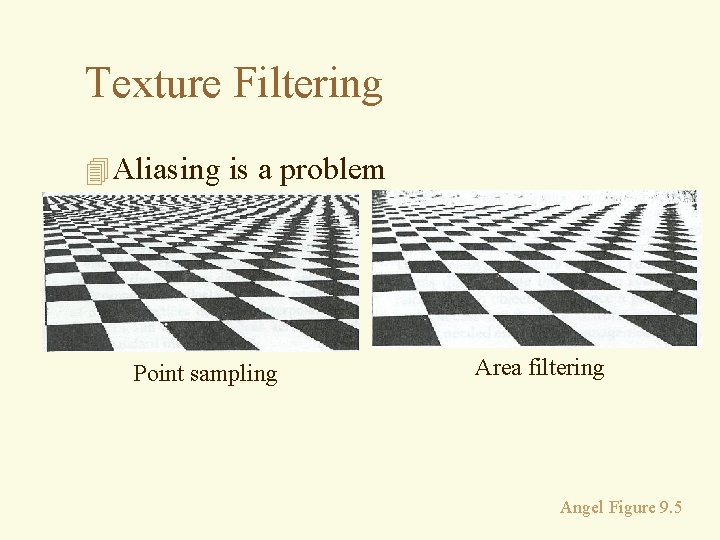
Texture Filtering 4 Aliasing is a problem Point sampling Area filtering Angel Figure 9. 5
Texture Filtering 4 Size of filter depends on projective warp – Can prefiltering images Magnification Minification Angel Figure 9. 14
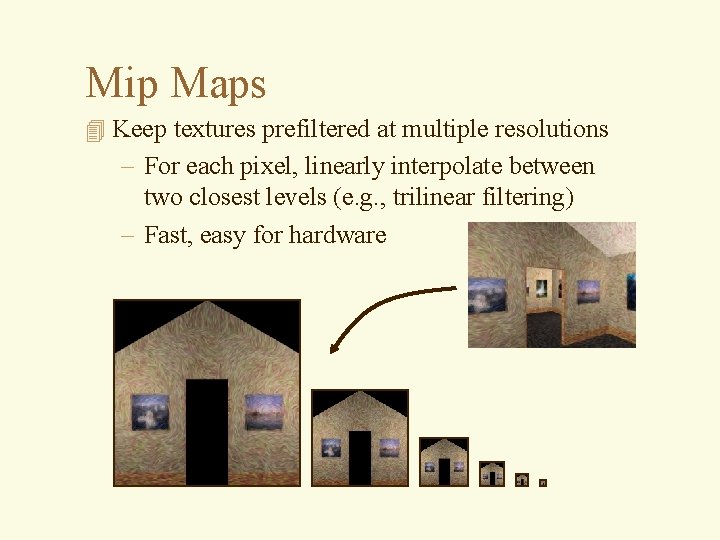
Mip Maps 4 Keep textures prefiltered at multiple resolutions – For each pixel, linearly interpolate between two closest levels (e. g. , trilinear filtering) – Fast, easy for hardware
What is a Texture? 4 MAP surface detail from a predefined (easy table (“texture”) to a simple polygon 4 Color 4 Specular ‘color’ (environment map) 4 Normal vector deviation (bumpmap) 4 displacement mapping 4 transparency 4. . .
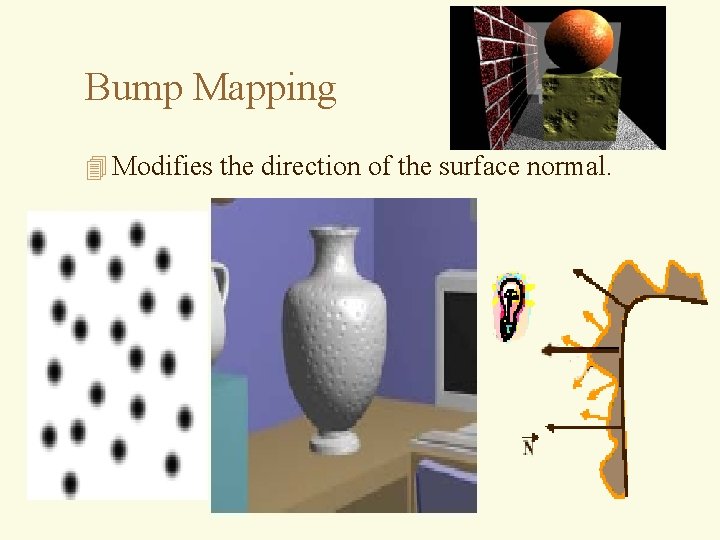
Bump Mapping 4 Modifies the direction of the surface normal.
Texture and Bump Mapping 4 Diffuse and normal remapping
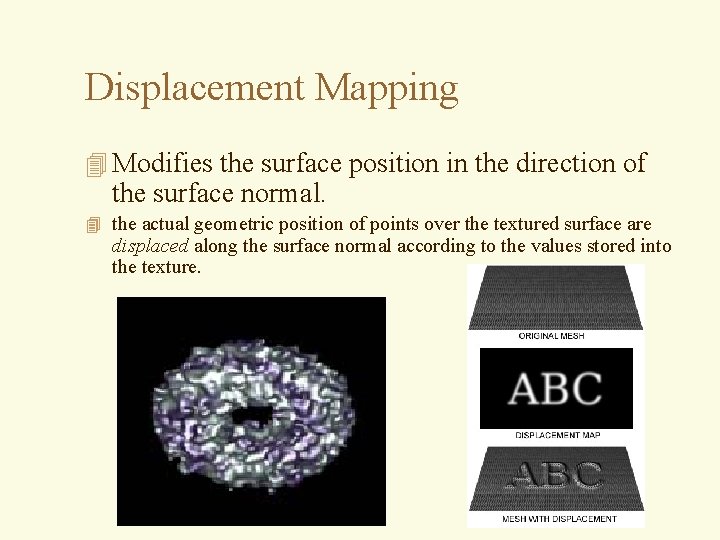
Displacement Mapping 4 Modifies the surface position in the direction of the surface normal. 4 the actual geometric position of points over the textured surface are displaced along the surface normal according to the values stored into the texture.
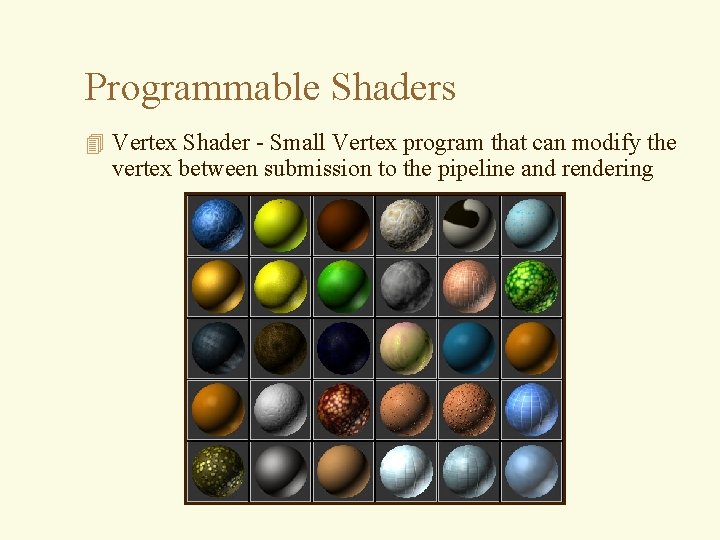
Programmable Shaders 4 Vertex Shader - Small Vertex program that can modify the vertex between submission to the pipeline and rendering
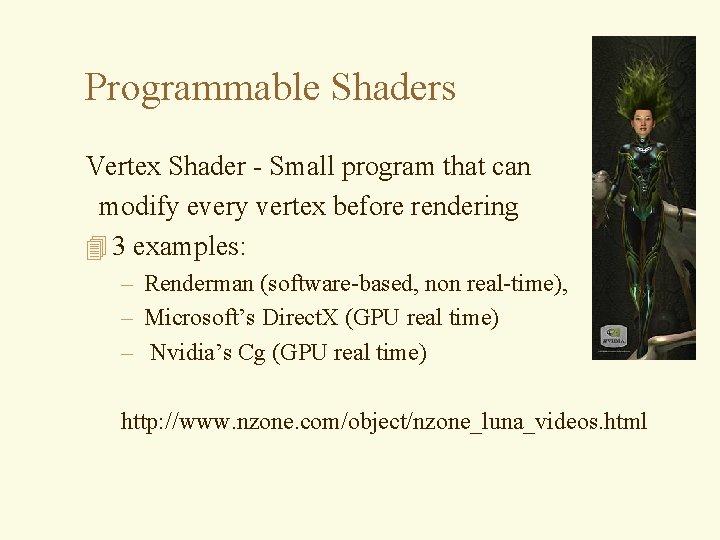
Programmable Shaders Vertex Shader - Small program that can modify every vertex before rendering 4 3 examples: – Renderman (software-based, non real-time), – Microsoft’s Direct. X (GPU real time) – Nvidia’s Cg (GPU real time) http: //www. nzone. com/object/nzone_luna_videos. html