
Controls v Control naming convention Label lbl Name
Controls v Control naming convention – Label: lbl. Name – Command Button: cmd. Name – Text Box: txt. Name Slide 1
Variables Variable: Temporary storage location for information v Variable declaration: each variable can be declared with the dim statement v – Dim x as integer Single declaration statement must not contain more than one variable without specifying its type. v Set VB to Require variable declarations in order to avoid misspelling a variable v – (Tools, Options, Editor – Require Variable Declaration) – This way VB gives an error if a variable is not declared Slide 2
Variables v Naming convention (using prefix) – – – – s : String n : Integer l : Long Integer f : Single d : Double c : Currency b : Boolean v : Variant Slide 3
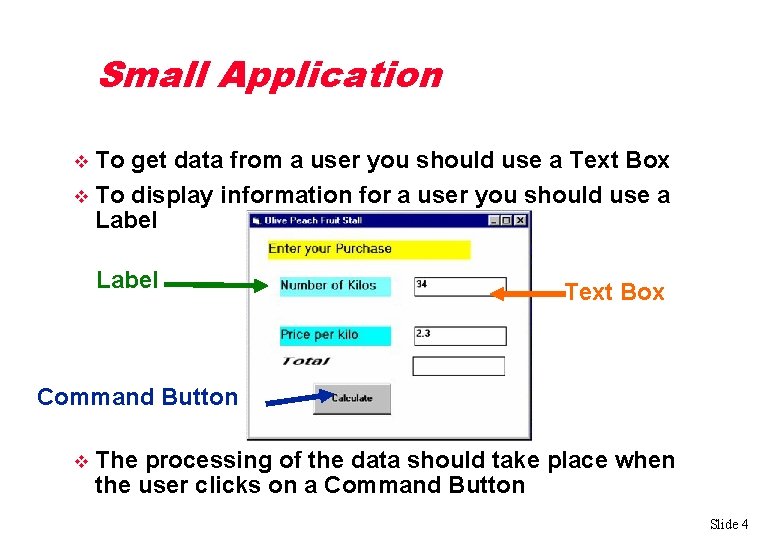
Small Application To get data from a user you should use a Text Box v To display information for a user you should use a Label v Label Text Box Command Button v The processing of the data should take place when the user clicks on a Command Button Slide 4
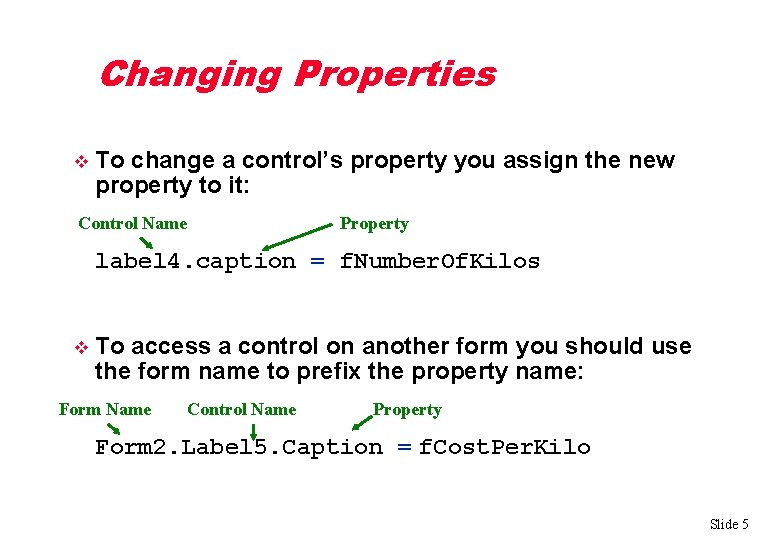
Changing Properties v To change a control’s property you assign the new property to it: Control Name Property label 4. caption = f. Number. Of. Kilos v To access a control on another form you should use the form name to prefix the property name: Form Name Control Name Property Form 2. Label 5. Caption = f. Cost. Per. Kilo Slide 5
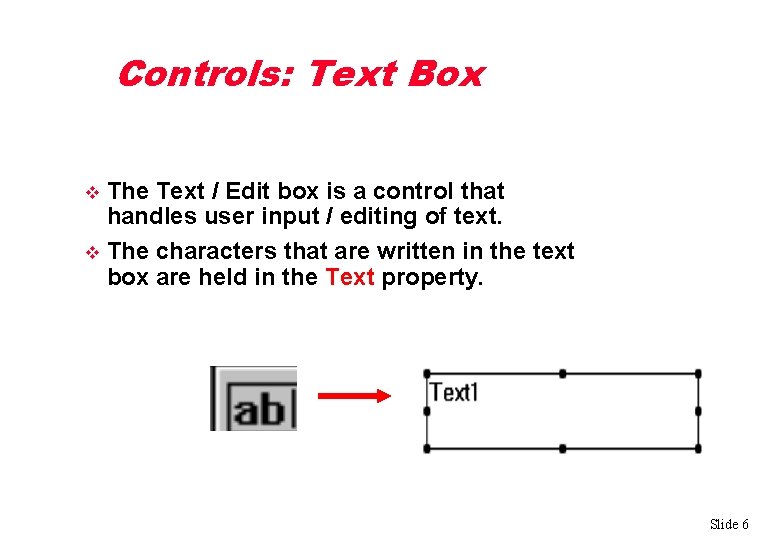
Controls: Text Box The Text / Edit box is a control that handles user input / editing of text. v The characters that are written in the text box are held in the Text property. v Slide 6
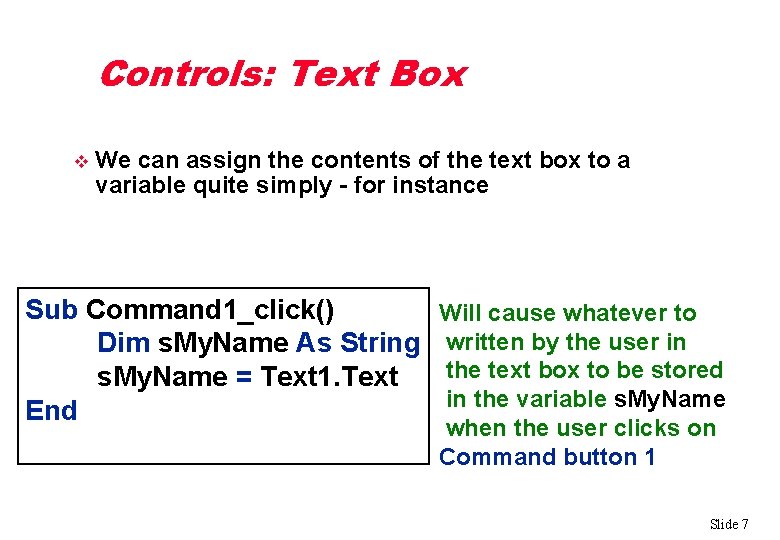
Controls: Text Box v We can assign the contents of the text box to a variable quite simply - for instance Sub Command 1_click() Dim s. My. Name As String s. My. Name = Text 1. Text End Will cause whatever to written by the user in the text box to be stored in the variable s. My. Name when the user clicks on Command button 1 Slide 7
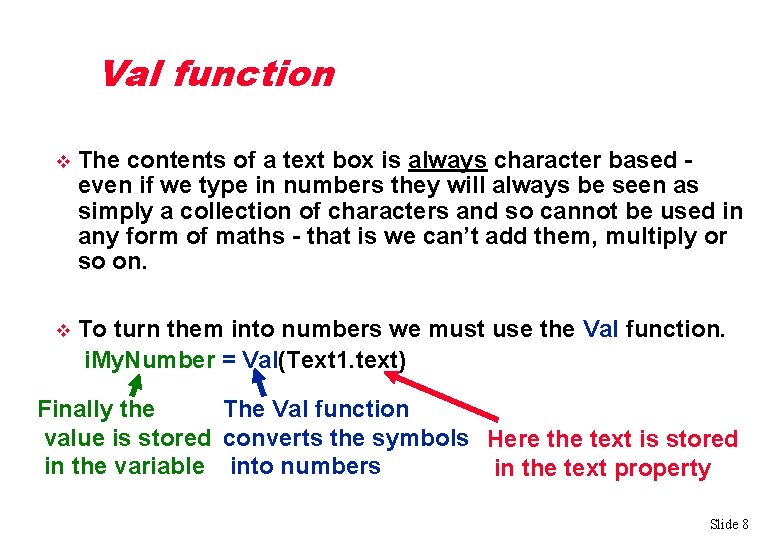
Val function v The contents of a text box is always character based even if we type in numbers they will always be seen as simply a collection of characters and so cannot be used in any form of maths - that is we can’t add them, multiply or so on. v To turn them into numbers we must use the Val function. i. My. Number = Val(Text 1. text) Finally the The Val function value is stored converts the symbols Here the text is stored in the variable into numbers in the text property Slide 8
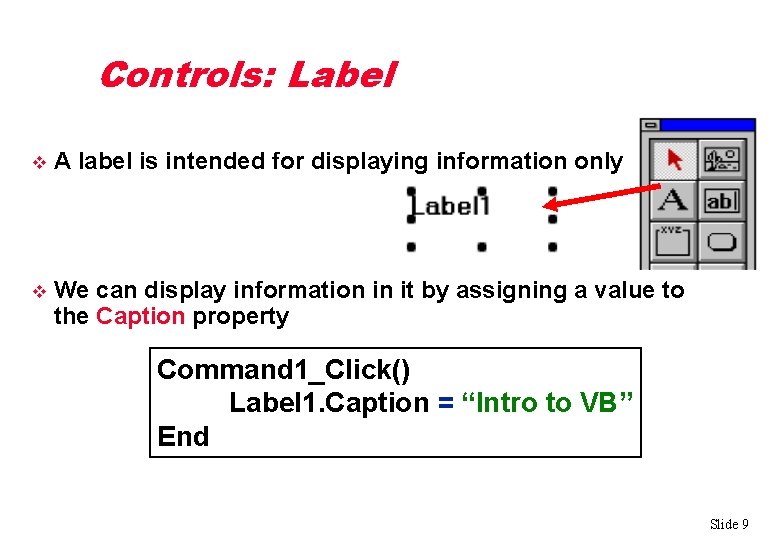
Controls: Label v A label is intended for displaying information only v We can display information in it by assigning a value to the Caption property Command 1_Click() Label 1. Caption = “Intro to VB” End Slide 9
Running a Program Click the Start button on the VB toolbar OR v Choose Run – Start OR v Press F 5 v Slide 10
- Slides: 10