
controlling an LED with a switch the magical
- Slides: 15
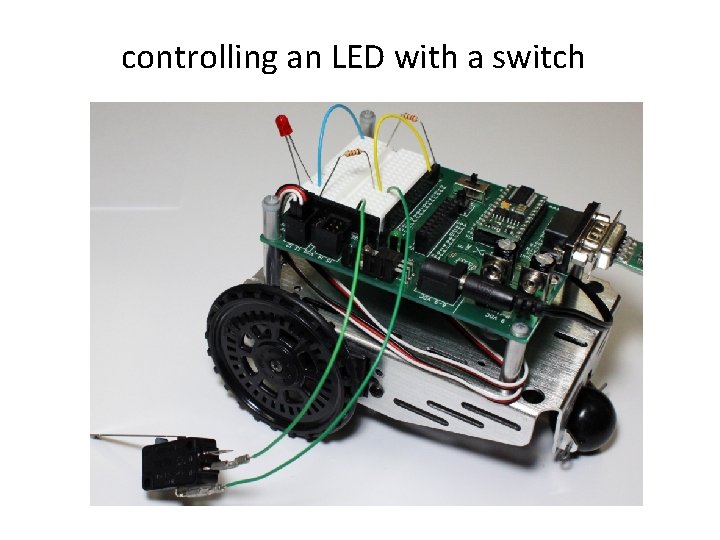
controlling an LED with a switch
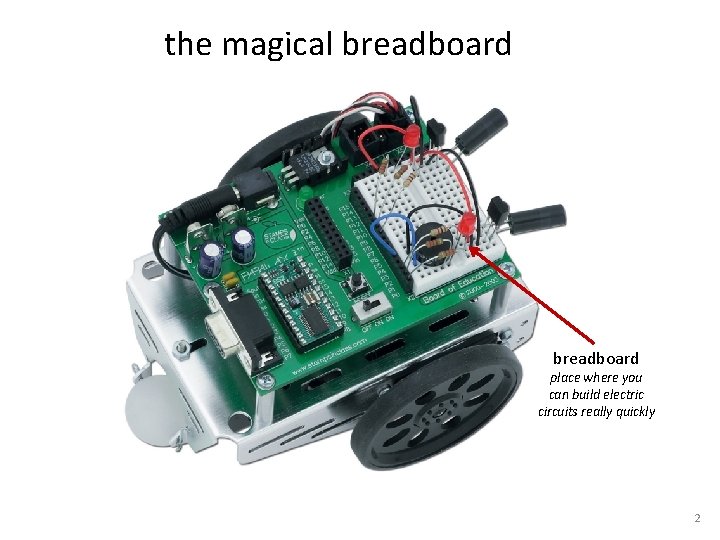
the magical breadboard place where you can build electric circuits really quickly 2
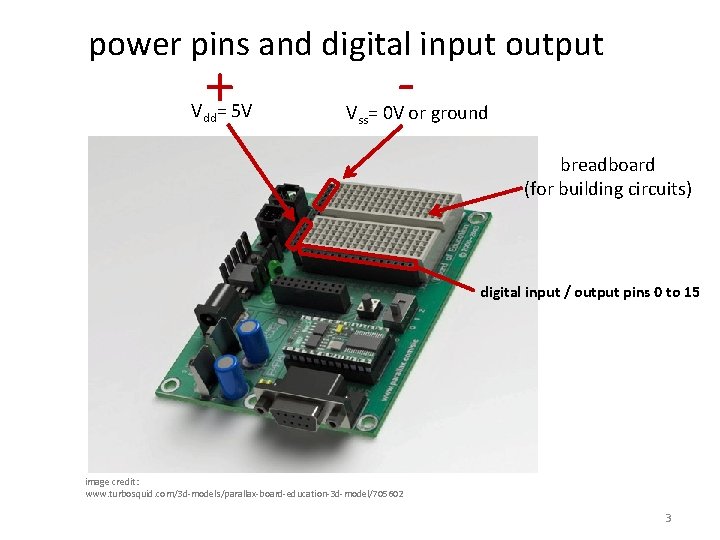
power pins and digital input output + Vdd= 5 V - Vss= 0 V or ground breadboard (for building circuits) digital input / output pins 0 to 15 image credit: www. turbosquid. com/3 d-models/parallax-board-education-3 d-model/705602 3
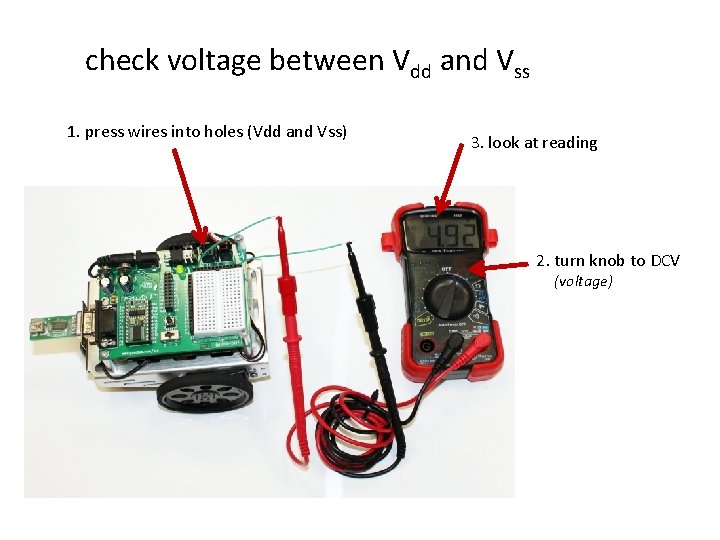
check voltage between Vdd and Vss 1. press wires into holes (Vdd and Vss) 3. look at reading 2. turn knob to DCV (voltage)
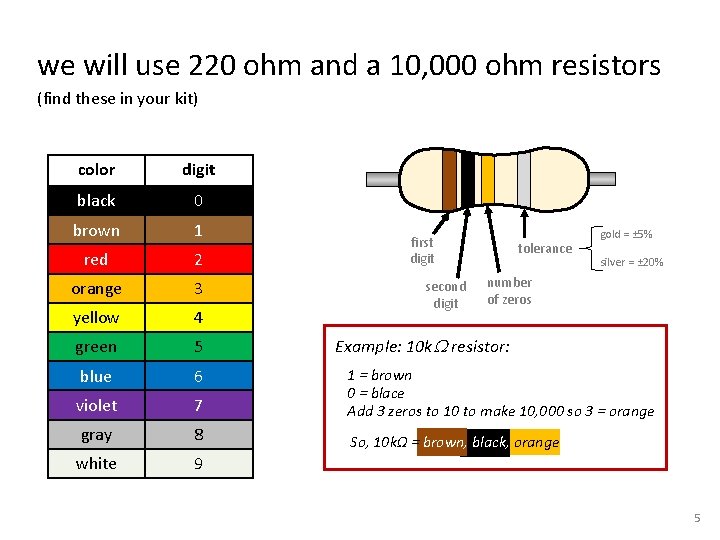
we will use 220 ohm and a 10, 000 ohm resistors (find these in your kit) color digit black 0 brown 1 red 2 orange 3 yellow 4 green 5 blue 6 violet 7 1 = brown 0 = blace Add 3 zeros to 10 to make 10, 000 so 3 = orange gray 8 So, 10 kΩ = brown, black, orange white 9 first digit second digit tolerance gold = ± 5% silver = ± 20% number of zeros Example: 10 k. W resistor: 5
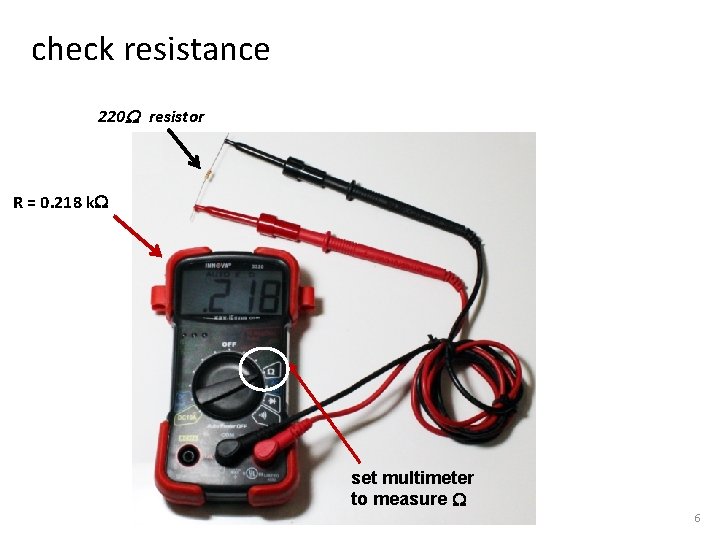
check resistance 220 W resistor R = 0. 218 k. W set multimeter to measure W 6
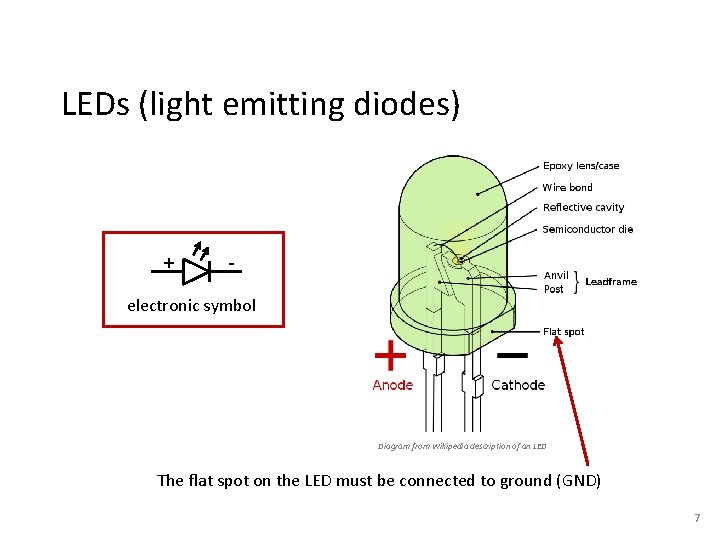
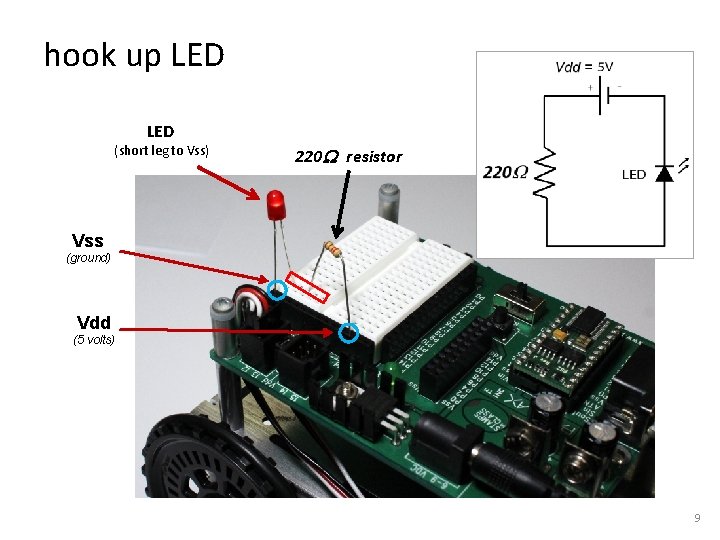
LEDs (light emitting diodes) + - electronic symbol Diagram from Wikipedia description of an LED The flat spot on the LED must be connected to ground (GND) 7
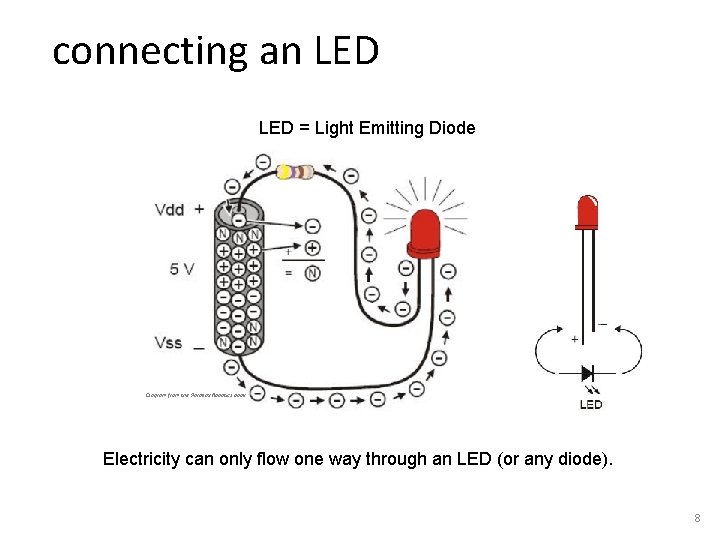
connecting an LED = Light Emitting Diode Diagram from the Parallax Robotics book Electricity can only flow one way through an LED (or any diode). 8
hook up LED (short leg to Vss) 220 W resistor Vss (ground) Vdd (5 volts) 9
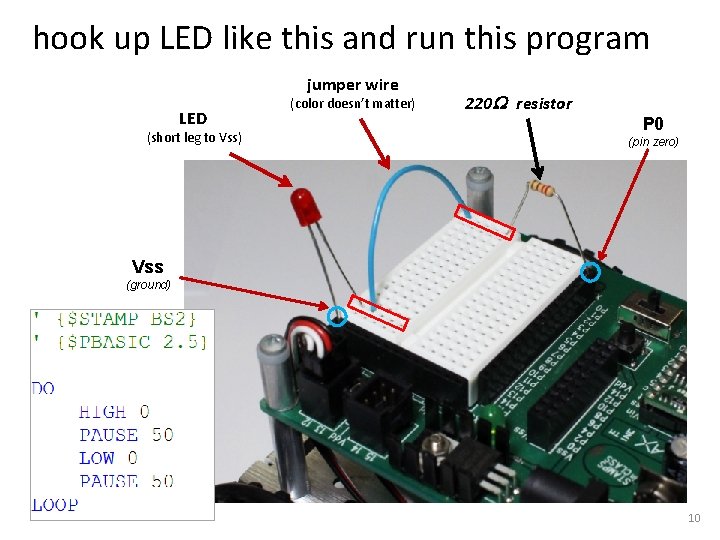
hook up LED like this and run this program jumper wire LED (short leg to Vss) (color doesn’t matter) 220 W resistor P 0 (pin zero) Vss (ground) 10
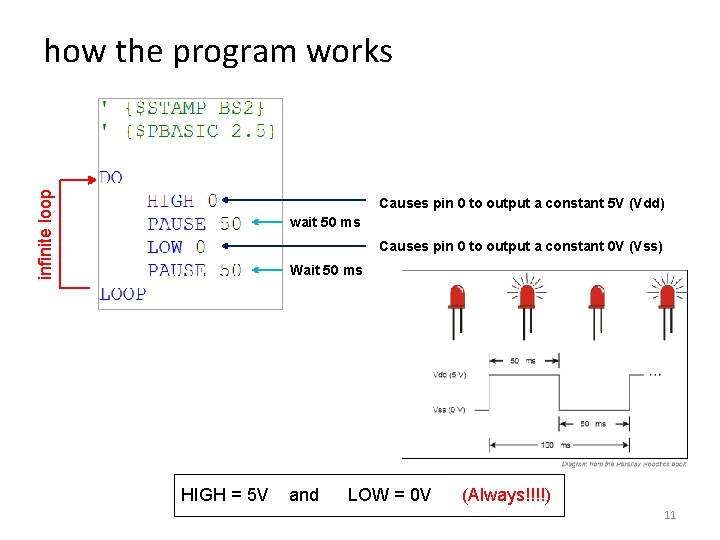
infinite loop how the program works Causes pin 0 to output a constant 5 V (Vdd) wait 50 ms Causes pin 0 to output a constant 0 V (Vss) Wait 50 ms HIGH = 5 V and LOW = 0 V (Always!!!!) 11
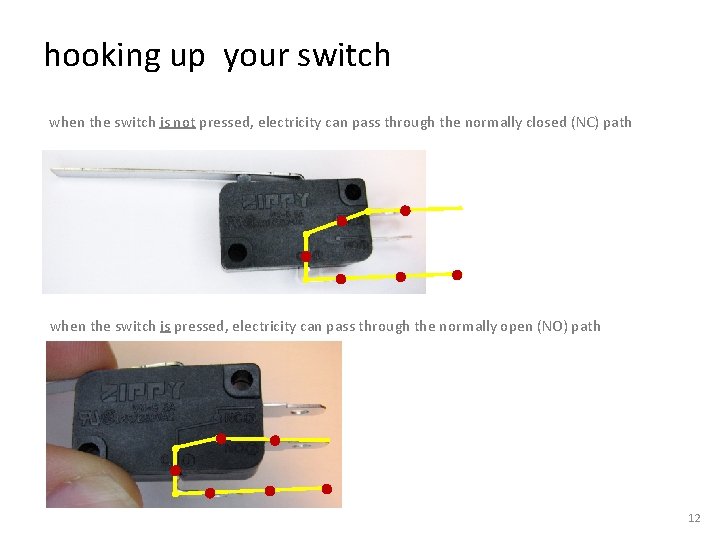
hooking up your switch when the switch is not pressed, electricity can pass through the normally closed (NC) path when the switch is pressed, electricity can pass through the normally open (NO) path 12
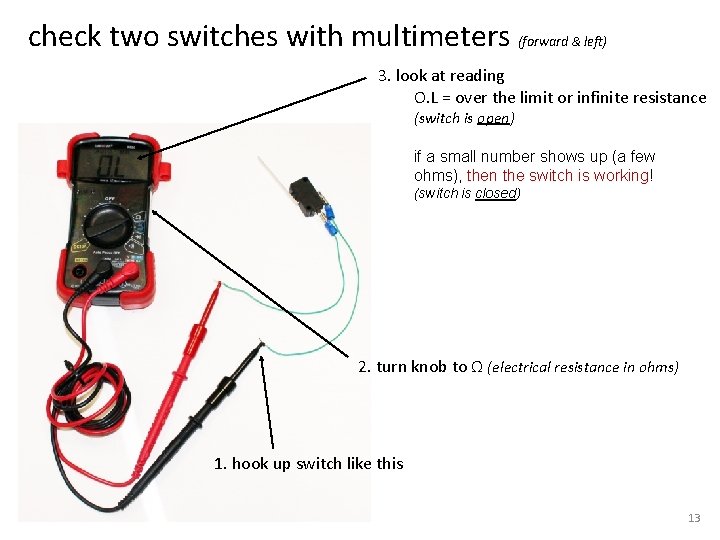
check two switches with multimeters (forward & left) 3. look at reading O. L = over the limit or infinite resistance (switch is open) if a small number shows up (a few ohms), then the switch is working! (switch is closed) 2. turn knob to Ω (electrical resistance in ohms) 1. hook up switch like this 13
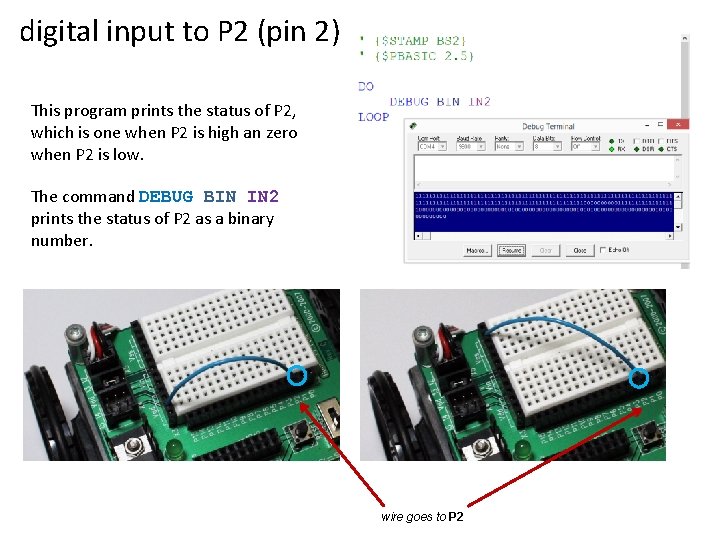
digital input to P 2 (pin 2) This program prints the status of P 2, which is one when P 2 is high an zero when P 2 is low. The command DEBUG BIN IN 2 prints the status of P 2 as a binary number. wire goes to P 2
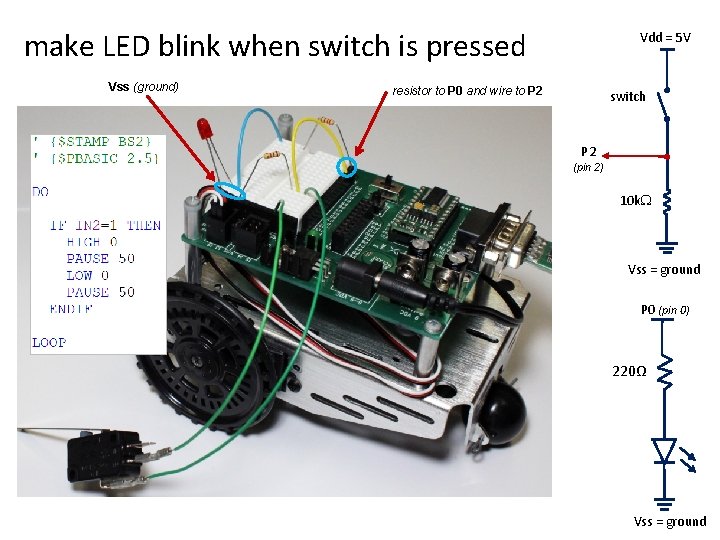
make LED blink when switch is pressed Vss (ground) Vdd = 5 V resistor to P 0 and wire to P 2 switch P 2 (pin 2) 10 k. W Vss = ground P 0 (pin 0) 220Ω Vss = ground