
Control Structures Combine individual statements into a single
Control Structures • Combine individual statements into a single logical unit with one entry point and one exit point. • Used to regulate the flow of execution • Three types Sequential Selection Repetition Professor John Carelli Kutztown University Source: Pearson Education
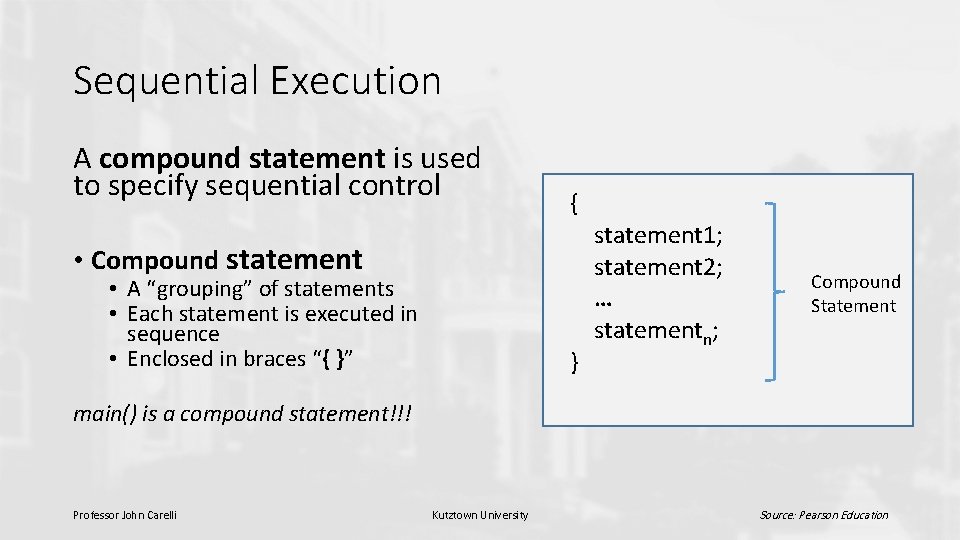
Sequential Execution A compound statement is used to specify sequential control { • Compound statement • A “grouping” of statements • Each statement is executed in sequence • Enclosed in braces “{ }” } statement 1; statement 2; … statementn; Compound Statement main() is a compound statement!!! Professor John Carelli Kutztown University Source: Pearson Education
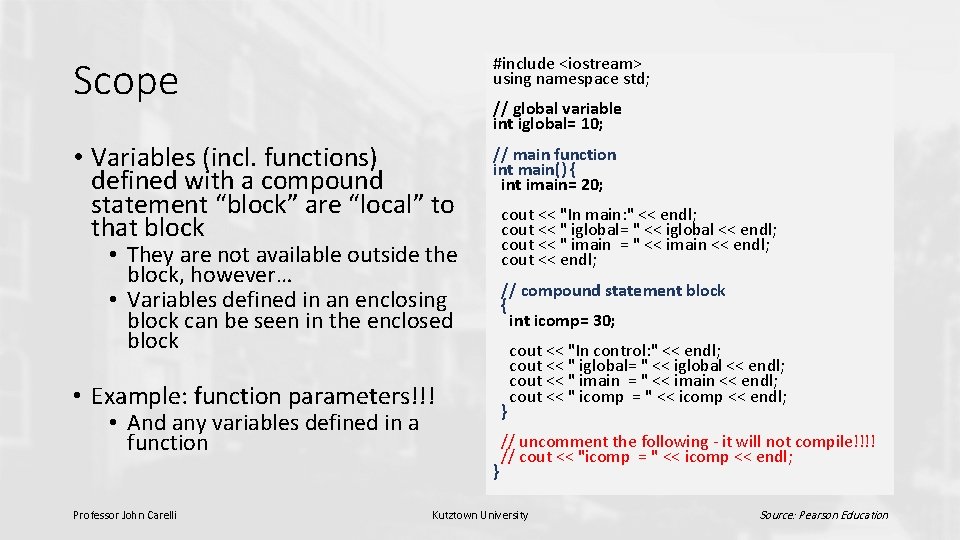
Scope #include <iostream> using namespace std; • Variables (incl. functions) defined with a compound statement “block” are “local” to that block // main function int main() { int imain= 20; // global variable int iglobal= 10; cout << "In main: " << endl; cout << " iglobal= " << iglobal << endl; cout << " imain = " << imain << endl; cout << endl; • They are not available outside the block, however… • Variables defined in an enclosing block can be seen in the enclosed block // compound statement block { int icomp= 30; • Example: function parameters!!! } • And any variables defined in a function } Professor John Carelli cout << "In control: " << endl; cout << " iglobal= " << iglobal << endl; cout << " imain = " << imain << endl; cout << " icomp = " << icomp << endl; // uncomment the following - it will not compile!!!! // cout << "icomp = " << icomp << endl; Kutztown University Source: Pearson Education

Global Variables • A variable (or identifier) is global if it is defined outside of any compound block (including a function) • It is accessible inside a compound block (or a function) if: • It is declared before the block/function definition • Does not have the same name as local variables in the block • Local variables with the same name will override the global identifier • Use of globals is generally discouraged • Potential problem: a function might change the value of a global that gets used in another function in an undesirable way Professor John Carelli Kutztown University Source: Pearson Education

Selection statements Control structures that conditionally execute statements • Enables decision making • if statement • Uses a Boolean expression to decide whether the statements inside a compound statement should be executed • switch statement • Executes statements based on whether a value matches one of a list of specified alternatives Professor John Carelli Kutztown University Computer Science Department
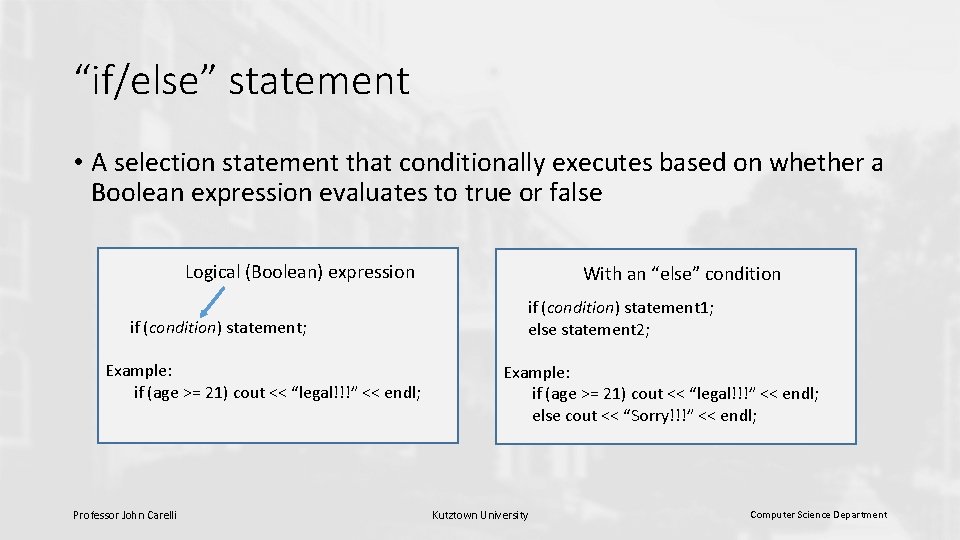
“if/else” statement • A selection statement that conditionally executes based on whether a Boolean expression evaluates to true or false Logical (Boolean) expression if (condition) statement; Example: if (age >= 21) cout << “legal!!!” << endl; Professor John Carelli With an “else” condition if (condition) statement 1; else statement 2; Example: if (age >= 21) cout << “legal!!!” << endl; else cout << “Sorry!!!” << endl; Kutztown University Computer Science Department
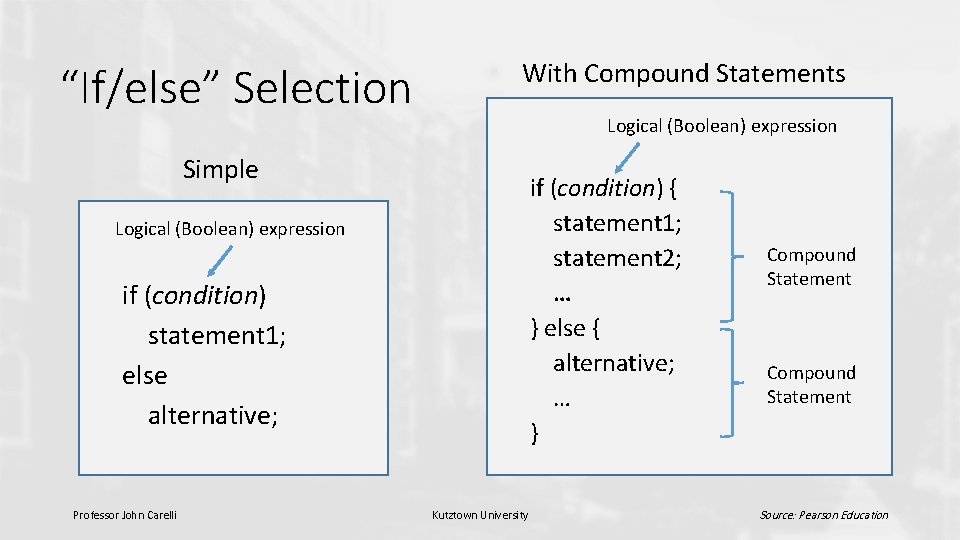
“If/else” Selection With Compound Statements Logical (Boolean) expression Simple if (condition) { statement 1; statement 2; … } else { alternative; … } Logical (Boolean) expression if (condition) statement 1; else alternative; Professor John Carelli Kutztown University Compound Statement Source: Pearson Education
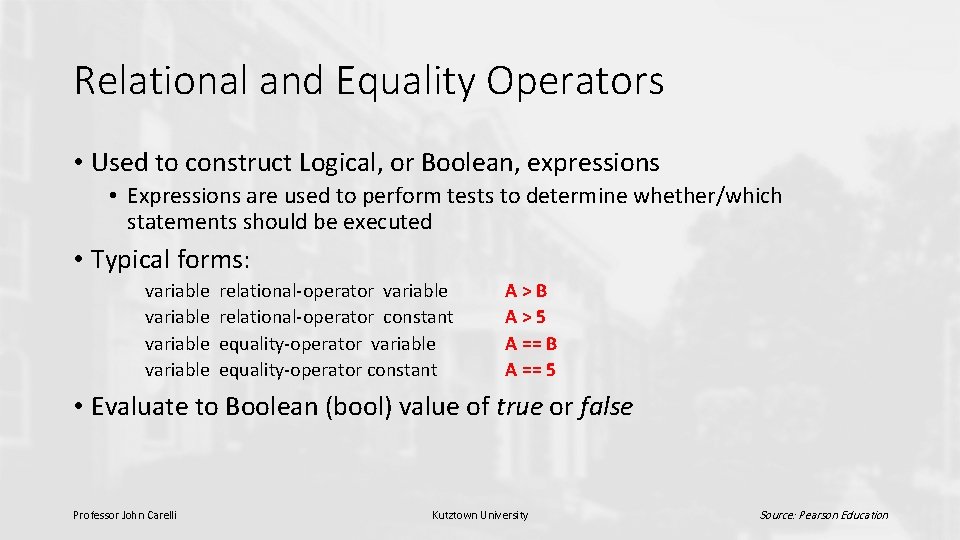
Relational and Equality Operators • Used to construct Logical, or Boolean, expressions • Expressions are used to perform tests to determine whether/which statements should be executed • Typical forms: variable relational-operator variable relational-operator constant equality-operator variable equality-operator constant A>B A>5 A == B A == 5 • Evaluate to Boolean (bool) value of true or false Professor John Carelli Kutztown University Source: Pearson Education

Selection (with a compound statement) Logical (Boolean) expression “A>B” Relational operator “>” if (A > B) { statement 1; statement 2; … } Professor John Carelli Kutztown University Compound Statement Source: Pearson Education
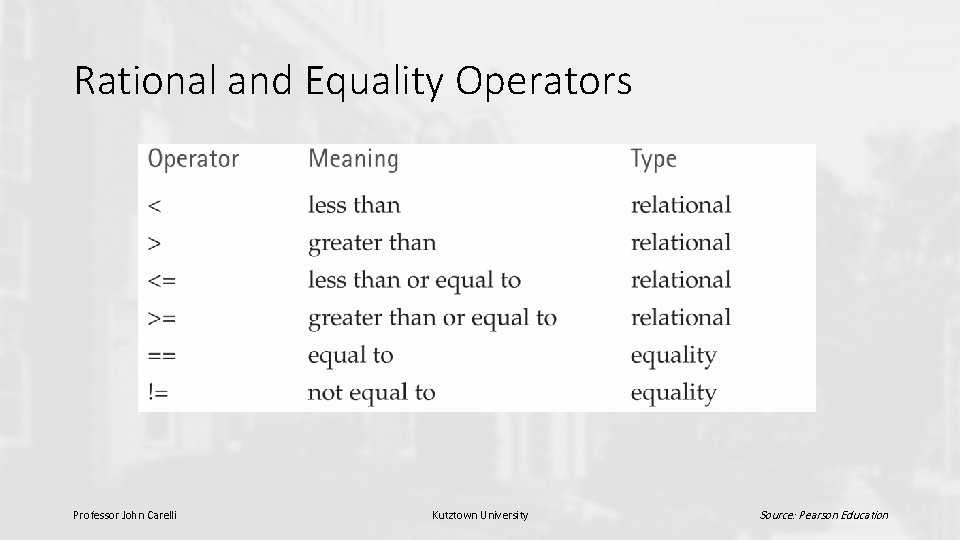
Rational and Equality Operators Professor John Carelli Kutztown University Source: Pearson Education
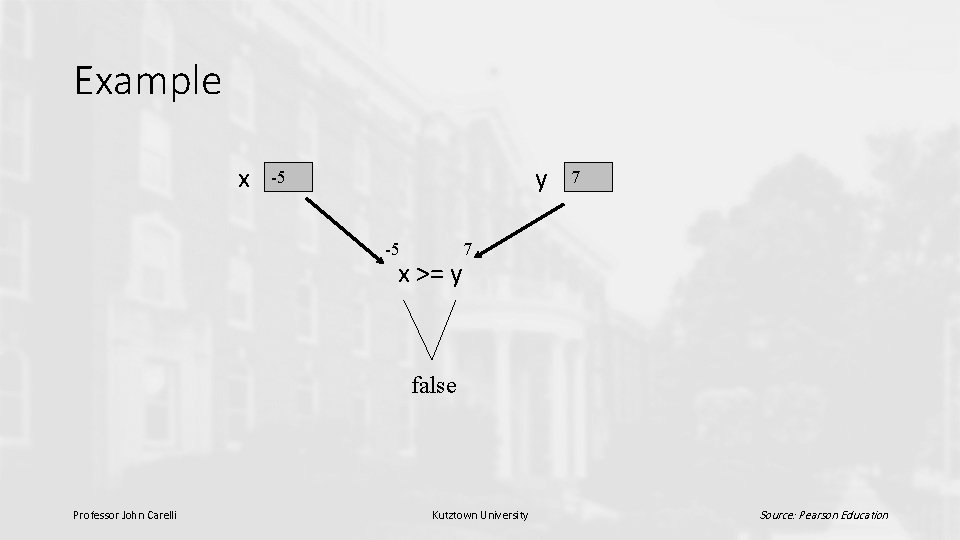
Example x y -5 -5 x >= y 7 7 false Professor John Carelli Kutztown University Source: Pearson Education
Logical Operators • && (and) • || (or) • ! (not) • Used to form more complex conditions, e. g. (salary < min. Salary) || (dependents > 5) (temperature > 90. 0) && (humidity > 0. 90) winning. Record && (!probation) Professor John Carelli Kutztown University Source: Pearson Education
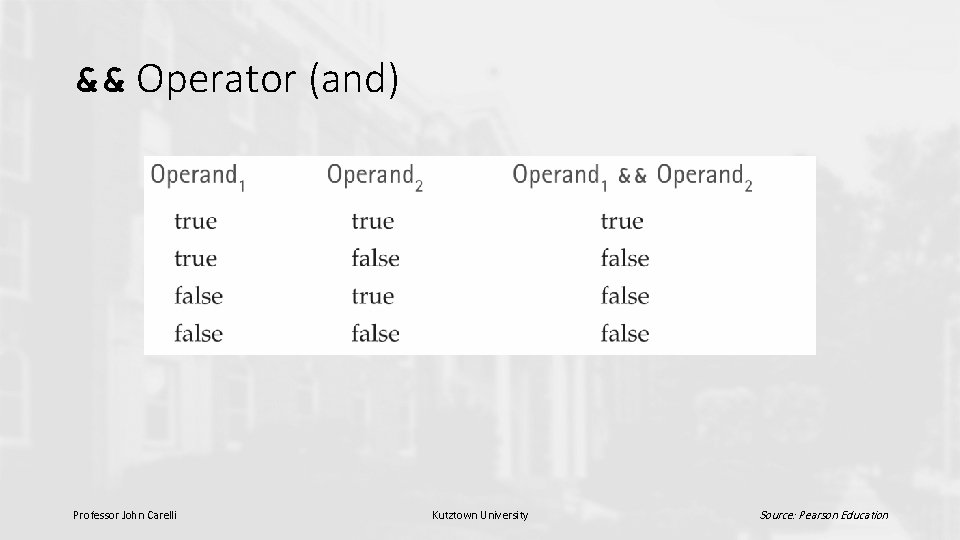
&& Operator (and) Professor John Carelli Kutztown University Source: Pearson Education
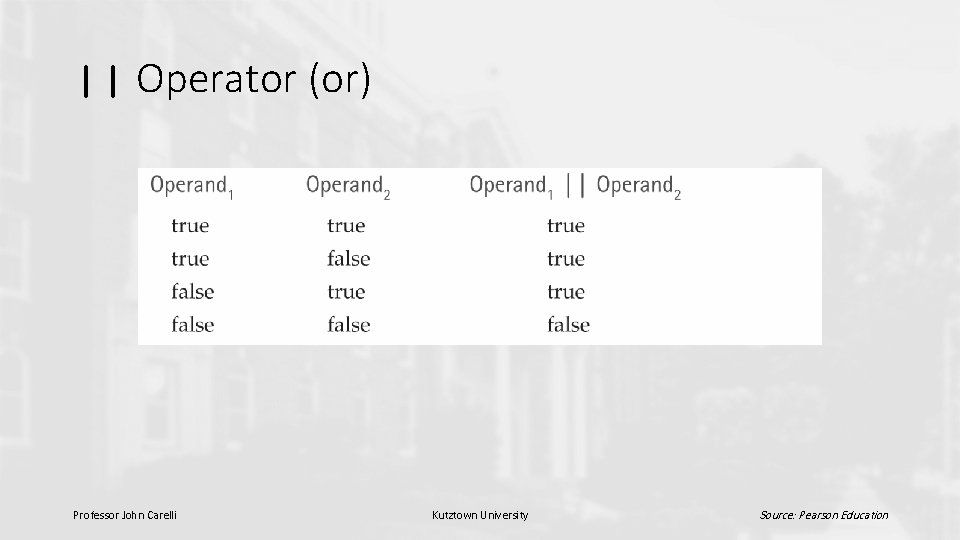
|| Operator (or) Professor John Carelli Kutztown University Source: Pearson Education
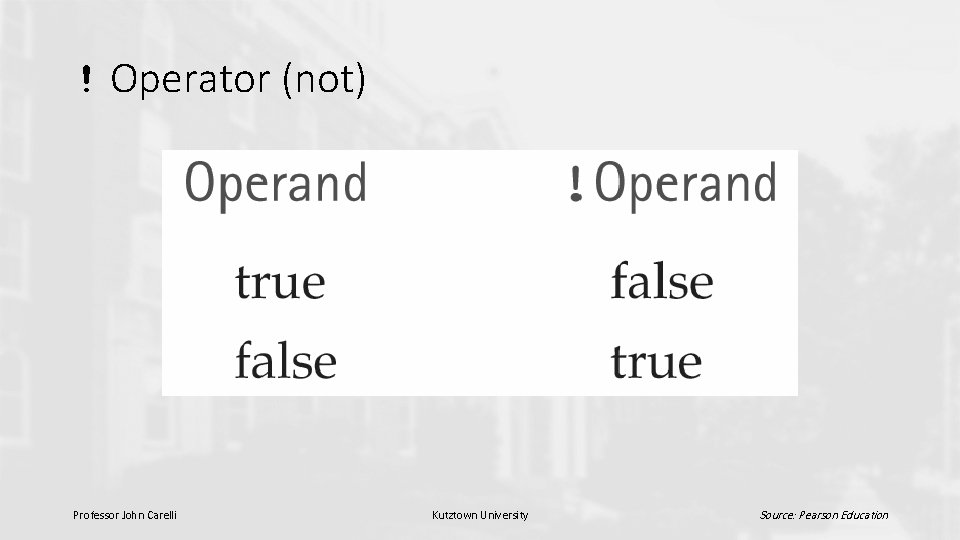
! Operator (not) Professor John Carelli Kutztown University Source: Pearson Education
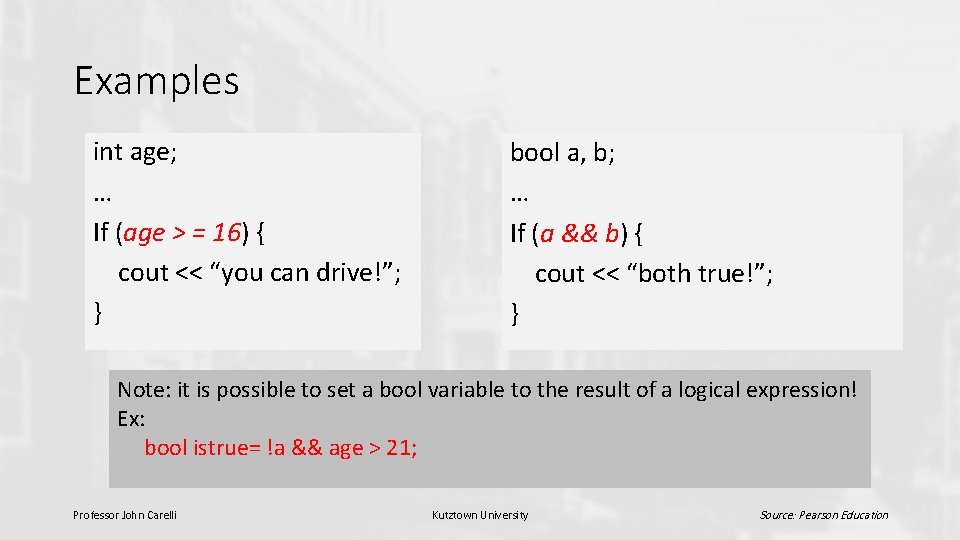
Examples int age; … If (age > = 16) { cout << “you can drive!”; } bool a, b; … If (a && b) { cout << “both true!”; } Note: it is possible to set a bool variable to the result of a logical expression! Ex: bool istrue= !a && age > 21; Professor John Carelli Kutztown University Source: Pearson Education
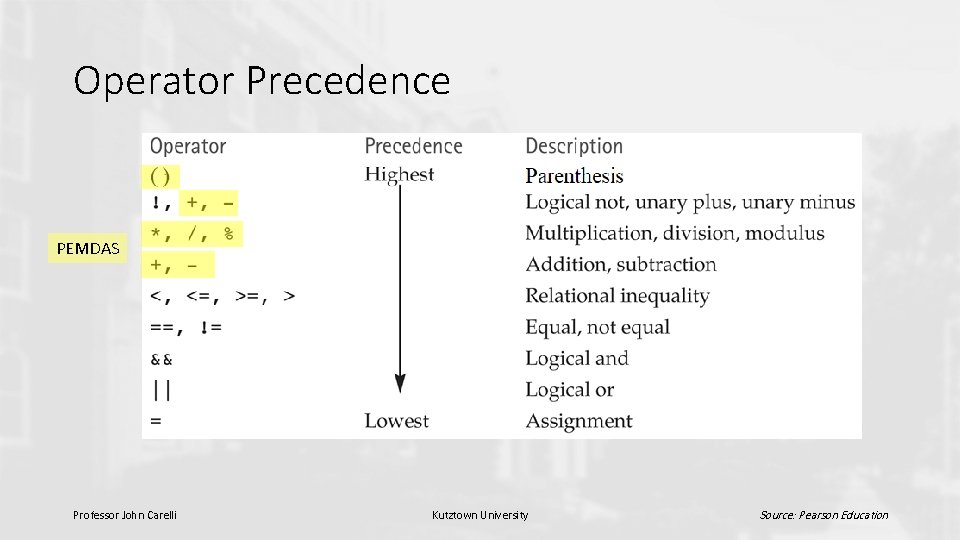
Operator Precedence v PEMDAS Professor John Carelli Kutztown University Source: Pearson Education
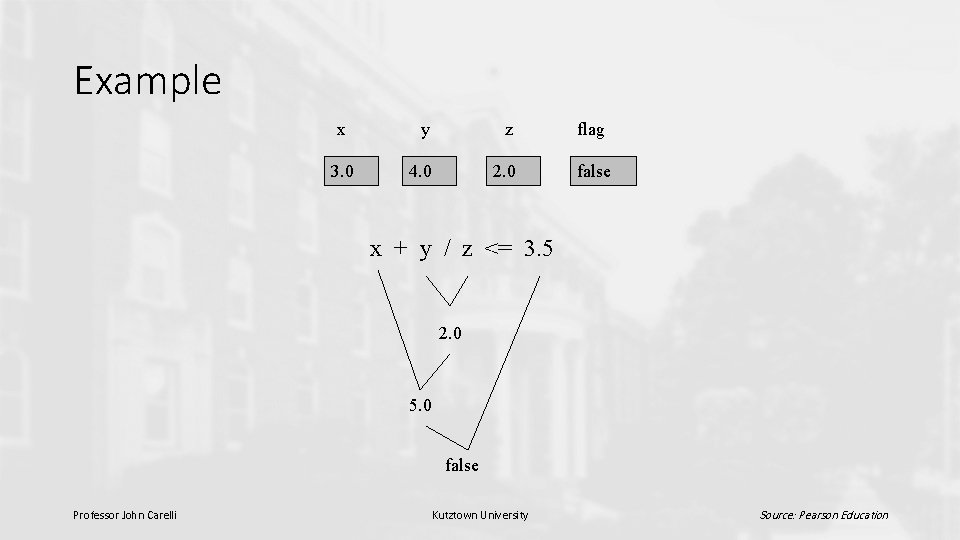
Example x y z flag 3. 0 4. 0 2. 0 false x + y / z <= 3. 5 2. 0 5. 0 false Professor John Carelli Kutztown University Source: Pearson Education
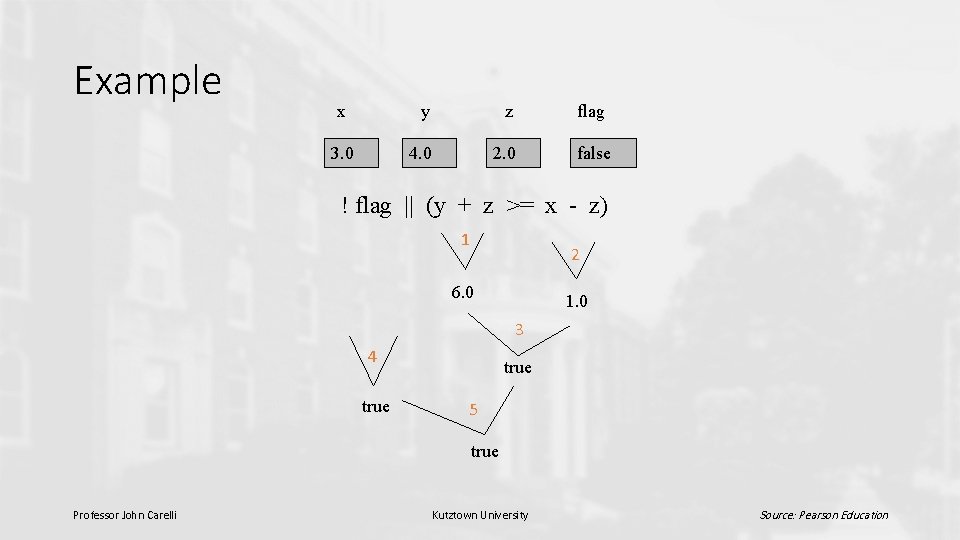
Example x y z flag 3. 0 4. 0 2. 0 false ! flag || (y + z >= x - z) 1 2 6. 0 1. 0 3 4 true 5 true Professor John Carelli Kutztown University Source: Pearson Education
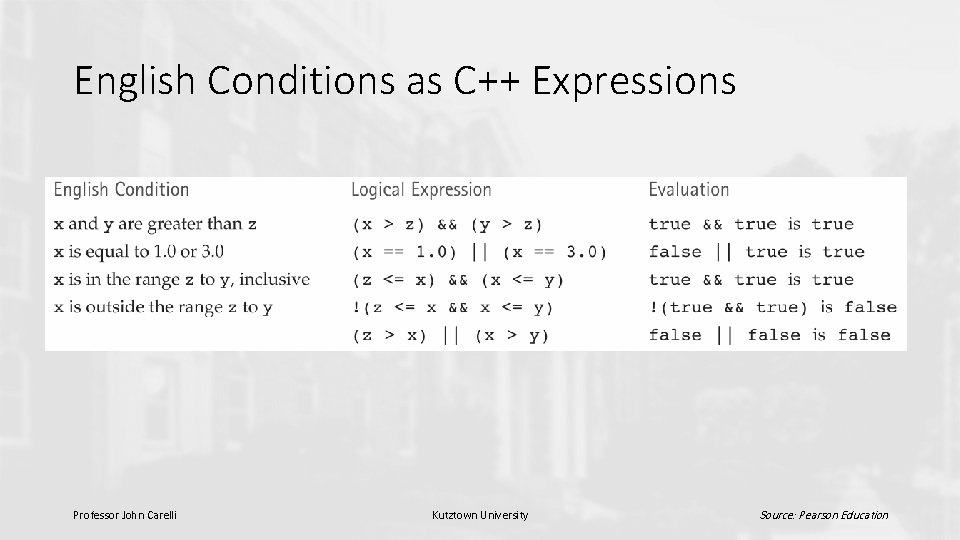
English Conditions as C++ Expressions Professor John Carelli Kutztown University Source: Pearson Education
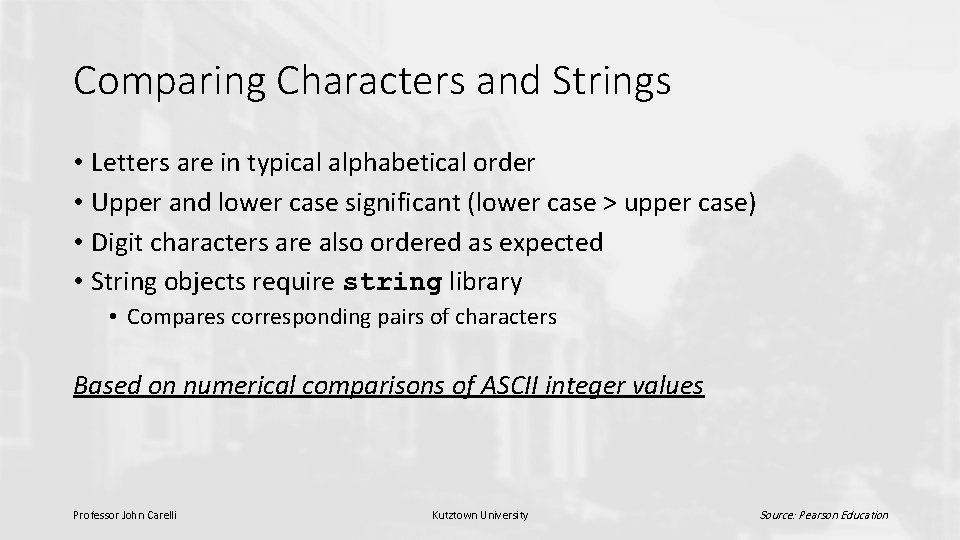
Comparing Characters and Strings • Letters are in typical alphabetical order • Upper and lower case significant (lower case > upper case) • Digit characters are also ordered as expected • String objects require string library • Compares corresponding pairs of characters Based on numerical comparisons of ASCII integer values Professor John Carelli Kutztown University Source: Pearson Education
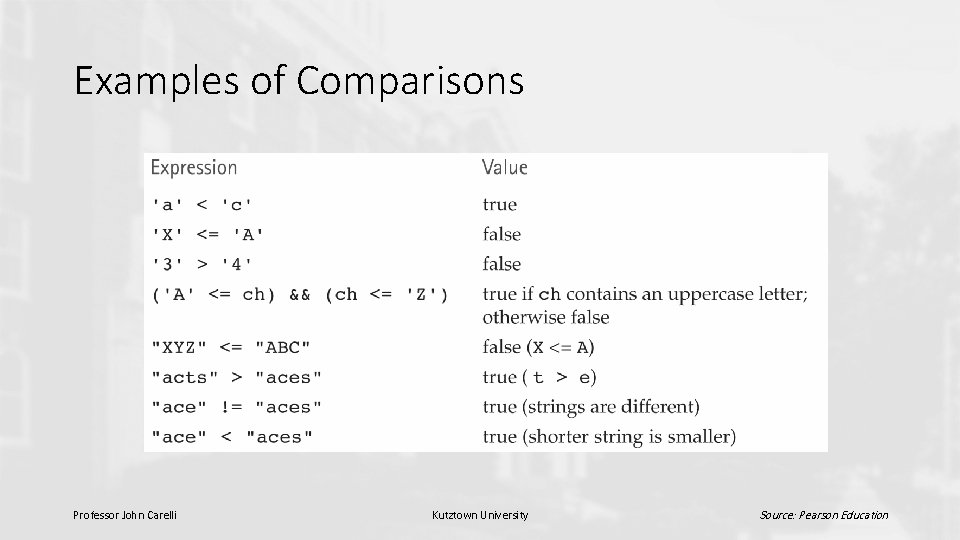
Examples of Comparisons Professor John Carelli Kutztown University Source: Pearson Education
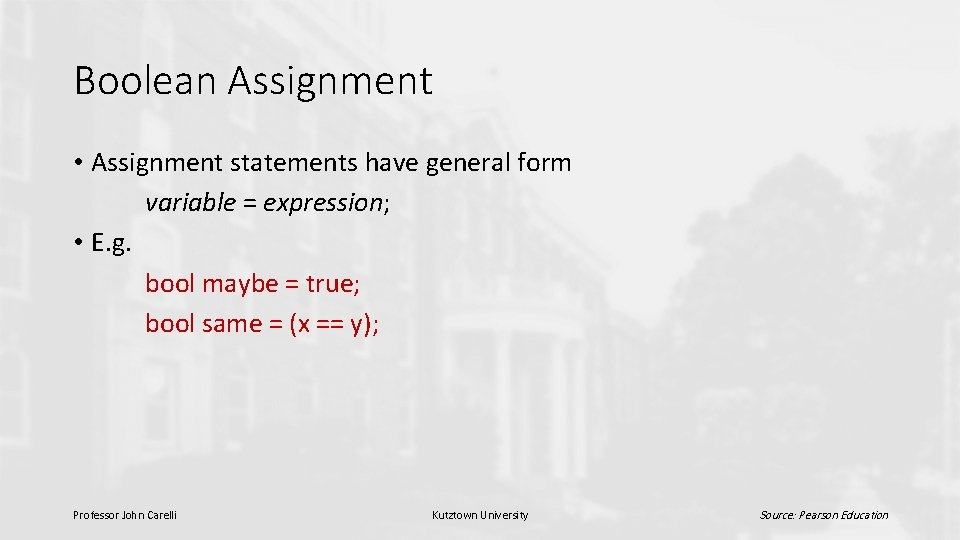
Boolean Assignment • Assignment statements have general form variable = expression; • E. g. bool maybe = true; bool same = (x == y); Professor John Carelli Kutztown University Source: Pearson Education
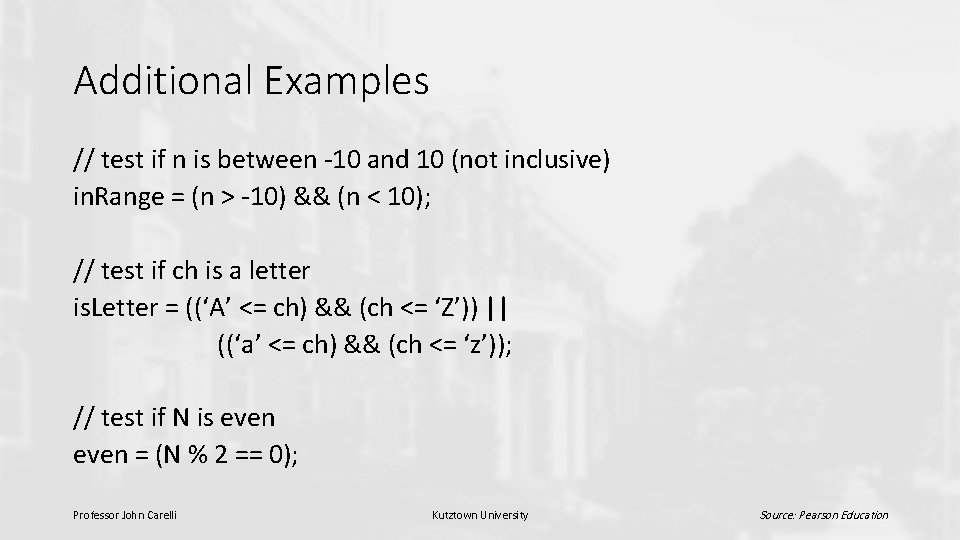
Additional Examples // test if n is between -10 and 10 (not inclusive) in. Range = (n > -10) && (n < 10); // test if ch is a letter is. Letter = ((‘A’ <= ch) && (ch <= ‘Z’)) || ((‘a’ <= ch) && (ch <= ‘z’)); // test if N is even = (N % 2 == 0); Professor John Carelli Kutztown University Source: Pearson Education
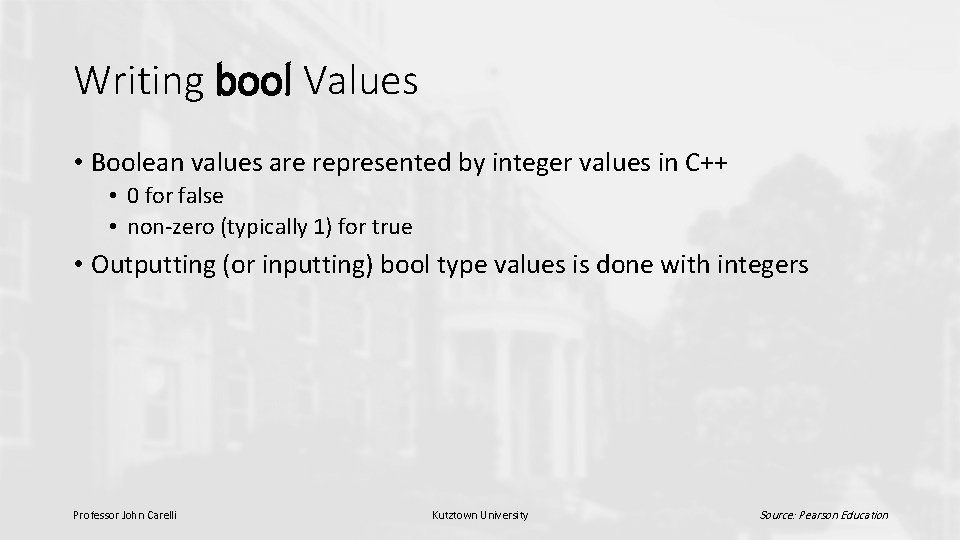
Writing bool Values • Boolean values are represented by integer values in C++ • 0 for false • non-zero (typically 1) for true • Outputting (or inputting) bool type values is done with integers Professor John Carelli Kutztown University Source: Pearson Education
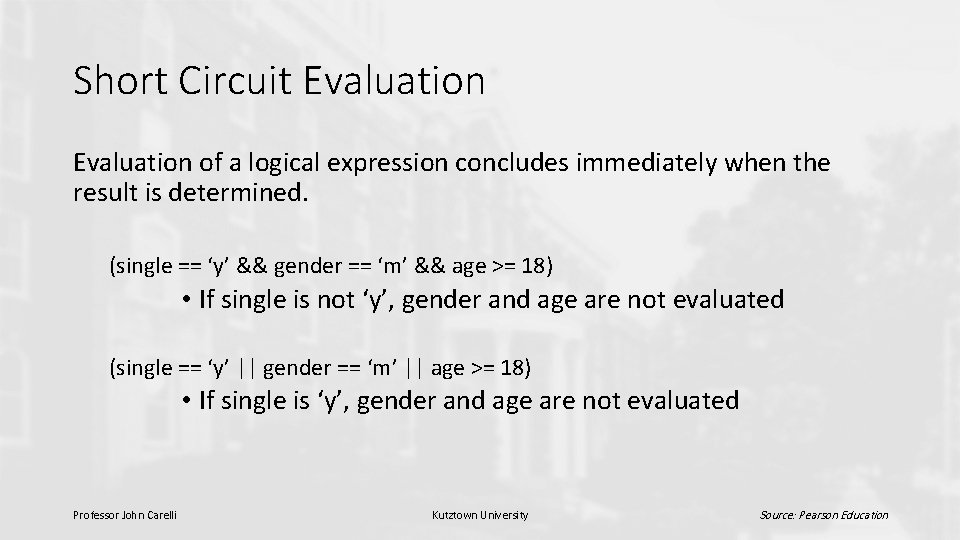
Short Circuit Evaluation of a logical expression concludes immediately when the result is determined. (single == ‘y’ && gender == ‘m’ && age >= 18) • If single is not ‘y’, gender and age are not evaluated (single == ‘y’ || gender == ‘m’ || age >= 18) • If single is ‘y’, gender and age are not evaluated Professor John Carelli Kutztown University Source: Pearson Education
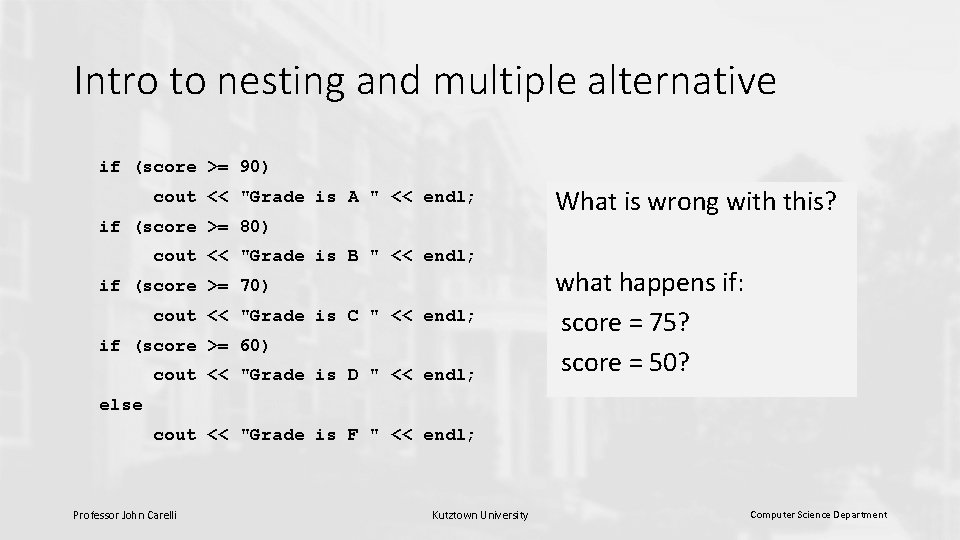
Intro to nesting and multiple alternative if (score >= 90) cout << "Grade is A " << endl; if (score >= 80) cout << "Grade is B " << endl; if (score >= 70) cout << "Grade is C " << endl; if (score >= 60) cout << "Grade is D " << endl; What is wrong with this? what happens if: score = 75? score = 50? else cout << "Grade is F " << endl; Professor John Carelli Kutztown University Computer Science Department
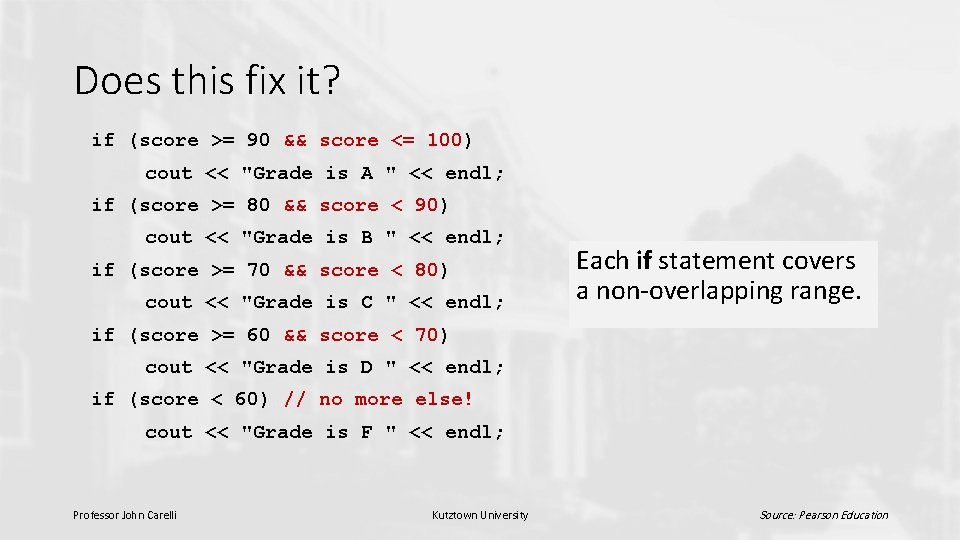
Does this fix it? if (score >= 90 && score <= 100) cout << "Grade is A " << endl; if (score >= 80 && score < 90) cout << "Grade is B " << endl; if (score >= 70 && score < 80) cout << "Grade is C " << endl; Each if statement covers a non-overlapping range. if (score >= 60 && score < 70) cout << "Grade is D " << endl; if (score < 60) // no more else! cout << "Grade is F " << endl; Professor John Carelli Kutztown University Source: Pearson Education
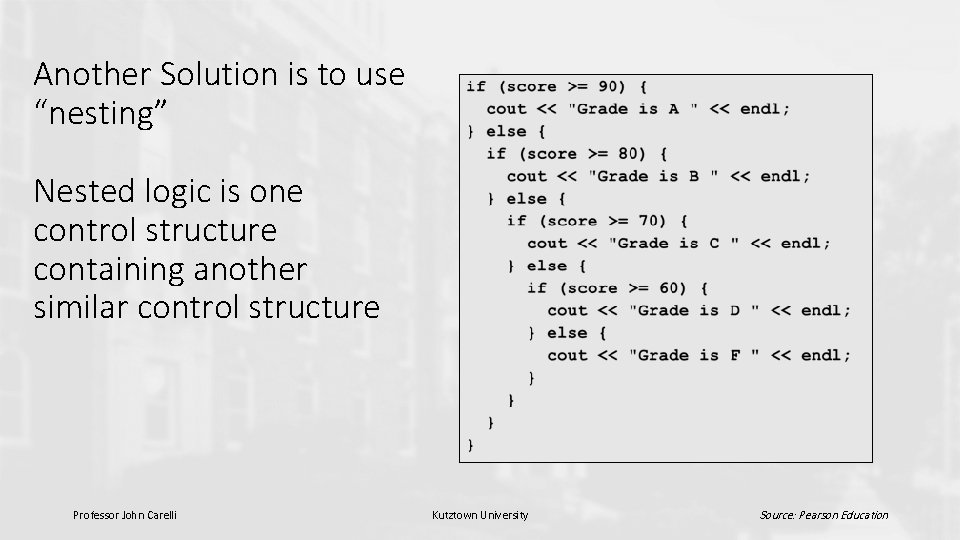
Another Solution is to use “nesting” Nested logic is one control structure containing another similar control structure Professor John Carelli Kutztown University Source: Pearson Education
Writing a Nested if as a Multiple. Alternative Decision • Nested if statements can become quite complex. If there are more than three alternatives and indentation is not consistent, it may be difficult to determine the logical structure of the if statement. • So, another approach is to use “multiple-alternative” coding Professor John Carelli Kutztown University Source: Pearson Education
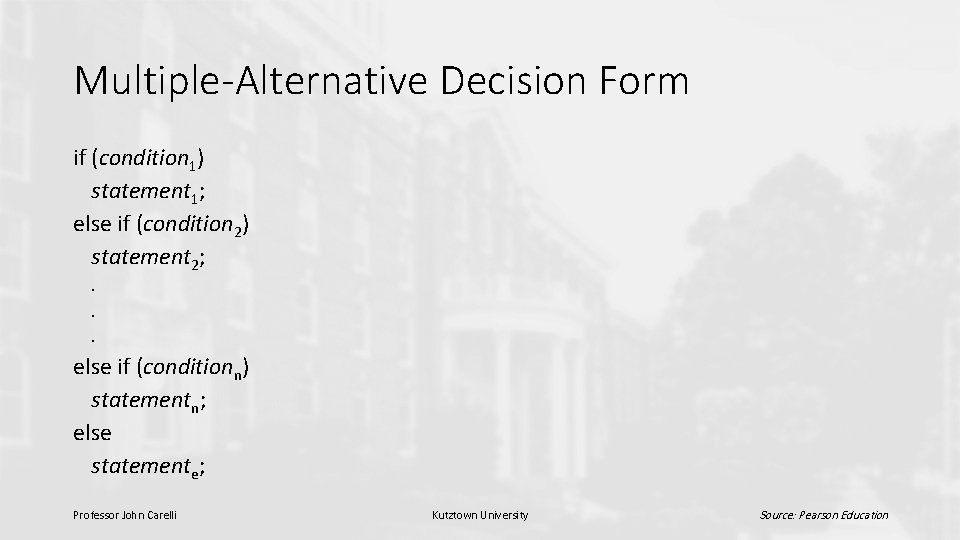
Multiple-Alternative Decision Form if (condition 1) statement 1; else if (condition 2) statement 2; . . . else if (conditionn) statementn; else statemente; Professor John Carelli Kutztown University Source: Pearson Education
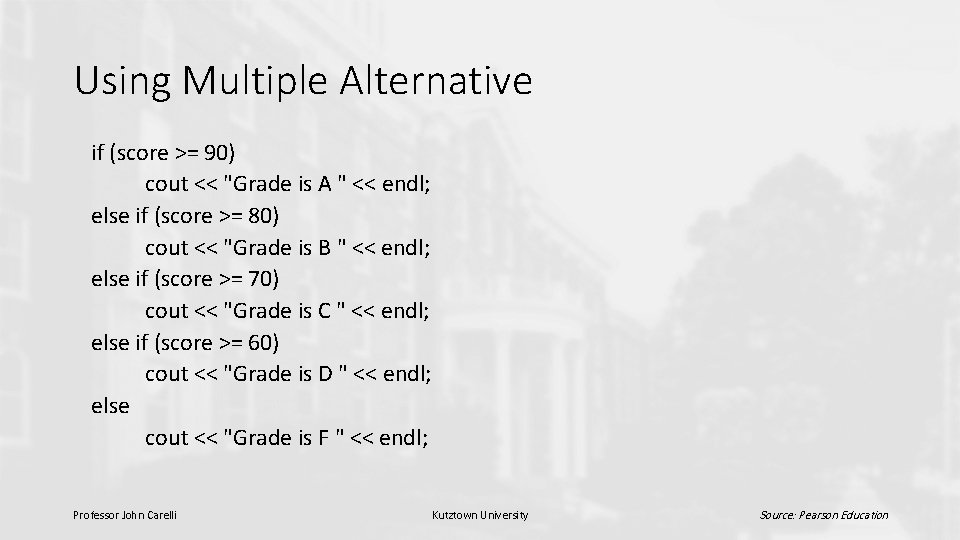
Using Multiple Alternative if (score >= 90) cout << "Grade is A " << endl; else if (score >= 80) cout << "Grade is B " << endl; else if (score >= 70) cout << "Grade is C " << endl; else if (score >= 60) cout << "Grade is D " << endl; else cout << "Grade is F " << endl; Professor John Carelli Kutztown University Source: Pearson Education
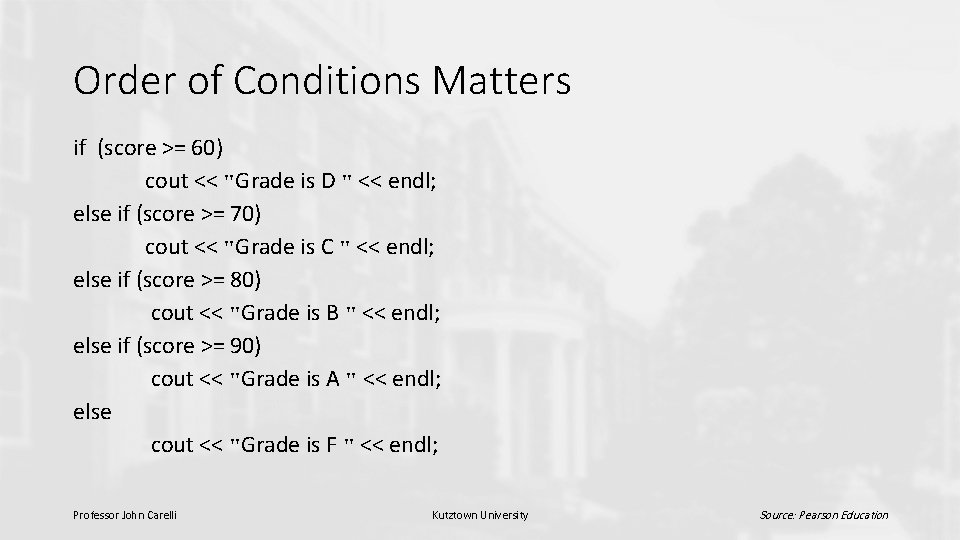
Order of Conditions Matters if (score >= 60) cout << "Grade is D " << endl; else if (score >= 70) cout << "Grade is C " << endl; else if (score >= 80) cout << "Grade is B " << endl; else if (score >= 90) cout << "Grade is A " << endl; else cout << "Grade is F " << endl; Professor John Carelli Kutztown University Source: Pearson Education
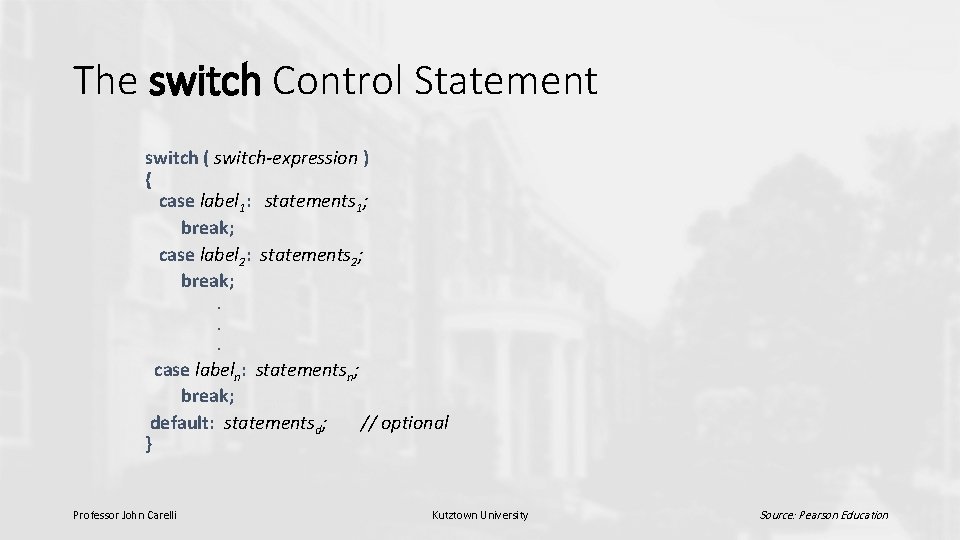
The switch Control Statement switch ( switch-expression ) { case label 1: statements 1; break; case label 2: statements 2; break; . . . case labeln: statementsn; break; default: statementsd; // optional } Professor John Carelli Kutztown University Source: Pearson Education
Switch Control Statement • Alternative to multiple if statements in some cases • Most useful when switch selector is single variable or simple expression • Switch selector must be an integral type (int, char, bool) Professor John Carelli Kutztown University Source: Pearson Education
Switch Control Statement • Switch selector value compared to each case label. When there is an exact match, statements for that case are executed. • If no case label matches the selector, the entire switch body is skipped unless it contains a default case label. • break is typically used between cases to avoid fall through. Professor John Carelli Kutztown University Source: Pearson Education
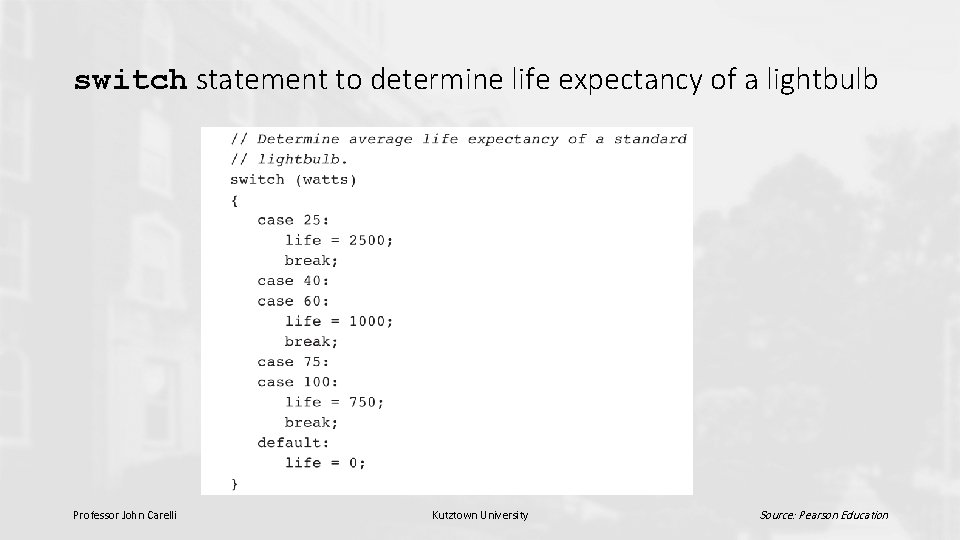
switch statement to determine life expectancy of a lightbulb Professor John Carelli Kutztown University Source: Pearson Education
Avoid Programming Errors • Use parentheses to clarify complex expressions • Use logical operators only with logical expressions • Use brackets { } to group multiple statements for use in control structures Professor John Carelli Kutztown University Source: Pearson Education
Avoid Programming Errors • When writing a nested if statement, use multiple-alternative form if possible • if conditions are not mutually exclusive, put the most restrictive condition first • Make sure switch selector and case labels are the same type. • Provide a default case for a switch statement whenever possible. Professor John Carelli Kutztown University Source: Pearson Education
- Slides: 39