
Control Statements What is a Control Statement The
- Slides: 37
Control Statements
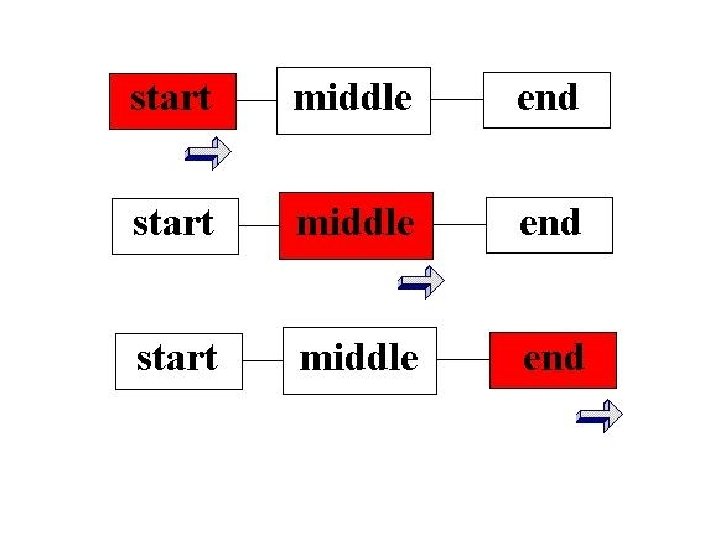
What is a Control Statement? The flow of control – When a programmer is crafting a program, it is good practice to break the program down into pieces that can be thought of independently. Once the program has been completed, we can think of its execution as being a series of these pieces that work together in a certain sequence. These pieces then pass the control of the program between each other. While one piece has the control, the other pieces are inactive. This is known as the flow of control in a program. If our program had three parts, called Start, Middle, and End, the flow of control could look like:
control statements – Control Statements, then, are ways for a programmer to control what pieces of the program are to be executed at certain times. The syntax of Control statements are very similar to regular english, and are very similar to choices that we make every day. There are two basic types of control statements: branching statements and loops.
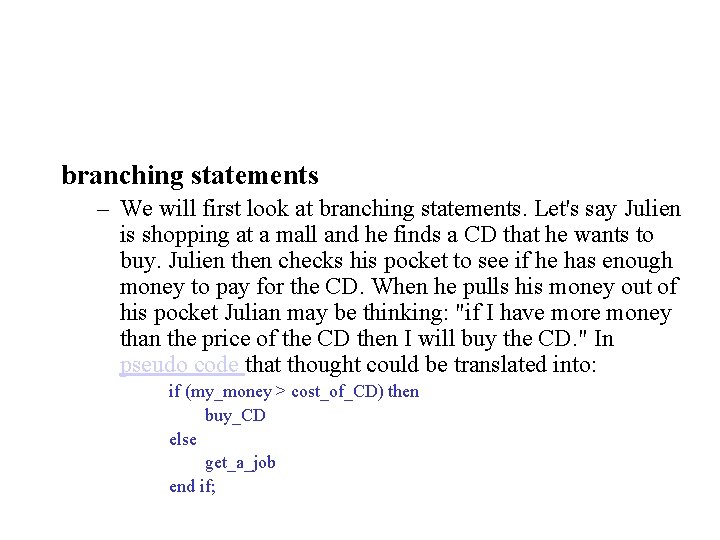
branching statements – We will first look at branching statements. Let's say Julien is shopping at a mall and he finds a CD that he wants to buy. Julien then checks his pocket to see if he has enough money to pay for the CD. When he pulls his money out of his pocket Julian may be thinking: "if I have more money than the price of the CD then I will buy the CD. " In pseudo code that thought could be translated into: if (my_money > cost_of_CD) then buy_CD else get_a_job end if;
• Note that the pseudocode statement end if means "end the previous if statement. " This is to make it clear what statements are inside the if statement and what statements are outside of the if statement. • Depending on a certain condition a certain series of events will be executed. Another type of branching statement is called a switch statement. A switch statement is just a shorter way of writing a lot of if statements. Switch statements will be explained in more detail in the next subsection.
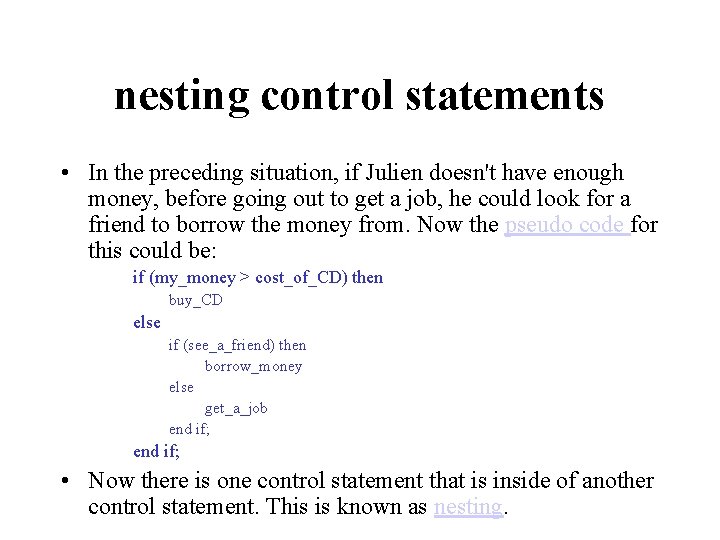
nesting control statements • In the preceding situation, if Julien doesn't have enough money, before going out to get a job, he could look for a friend to borrow the money from. Now the pseudo code for this could be: if (my_money > cost_of_CD) then buy_CD else if (see_a_friend) then borrow_money else get_a_job end if; • Now there is one control statement that is inside of another control statement. This is known as nesting.
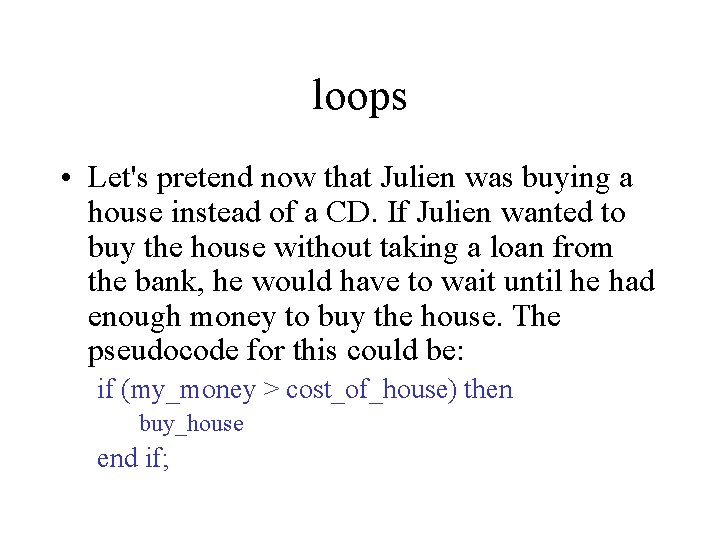
loops • Let's pretend now that Julien was buying a house instead of a CD. If Julien wanted to buy the house without taking a loan from the bank, he would have to wait until he had enough money to buy the house. The pseudocode for this could be: if (my_money > cost_of_house) then buy_house end if;
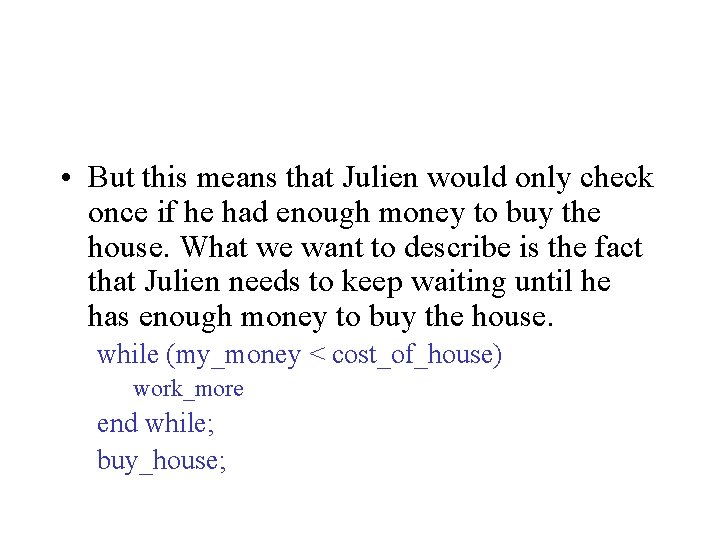
• But this means that Julien would only check once if he had enough money to buy the house. What we want to describe is the fact that Julien needs to keep waiting until he has enough money to buy the house. while (my_money < cost_of_house) work_more end while; buy_house;
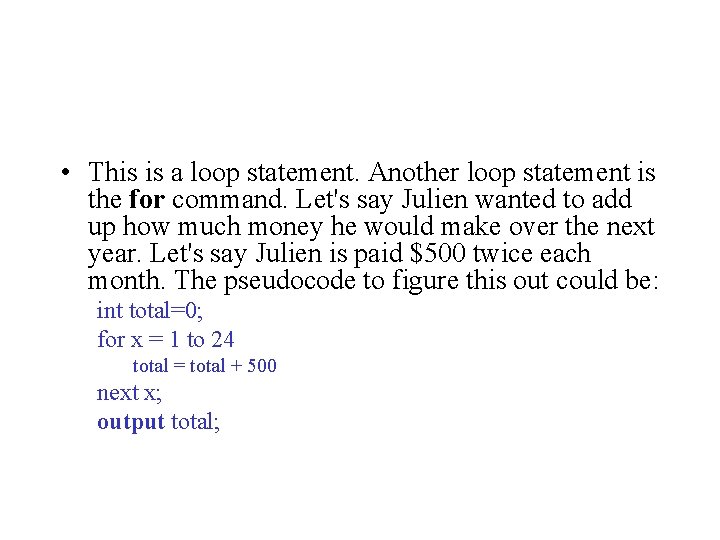
• This is a loop statement. Another loop statement is the for command. Let's say Julien wanted to add up how much money he would make over the next year. Let's say Julien is paid $500 twice each month. The pseudocode to figure this out could be: int total=0; for x = 1 to 24 total = total + 500 next x; output total;
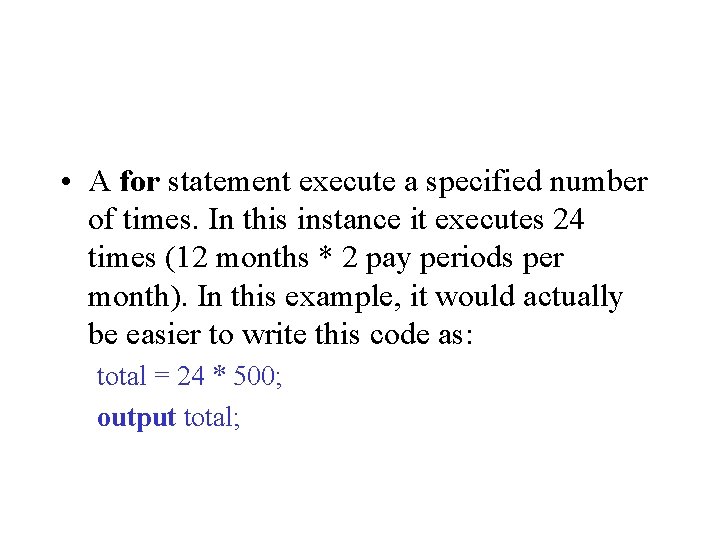
• A for statement execute a specified number of times. In this instance it executes 24 times (12 months * 2 pay periods per month). In this example, it would actually be easier to write this code as: total = 24 * 500; output total;
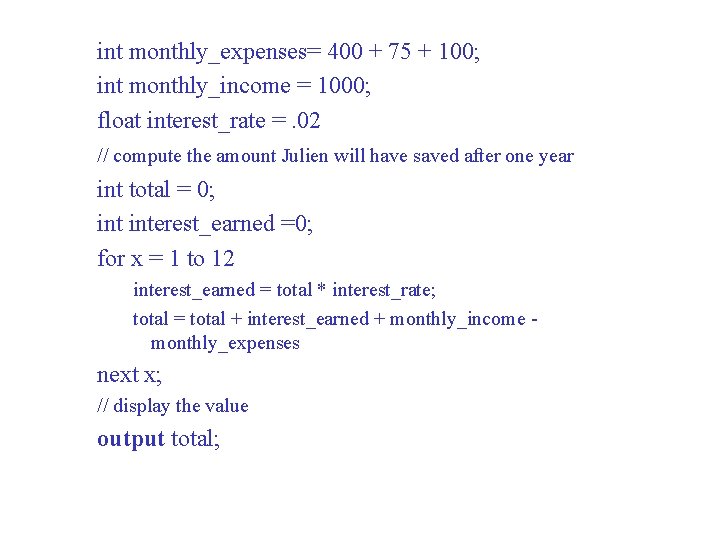
• But, what if Julien earns interest on any money that he saves? Now a for statement will be a handy tool. Let's decide that Julien spends $400 a month on rent, $75 a month on food, and $100 a month on other expenses. Let's also assume that Julien earns 2% per month on any money that he saves. Now our pseudocode could look like:
int monthly_expenses= 400 + 75 + 100; int monthly_income = 1000; float interest_rate =. 02 // compute the amount Julien will have saved after one year int total = 0; interest_earned =0; for x = 1 to 12 interest_earned = total * interest_rate; total = total + interest_earned + monthly_income monthly_expenses next x; // display the value output total;
• Control statements allow a programmer to craft a program so that certain parts of code execute multiple times, or not at all based on the current state of the program. Control statements are the most basic form of logical control within a program.
Branching Statements (if, else, switch)
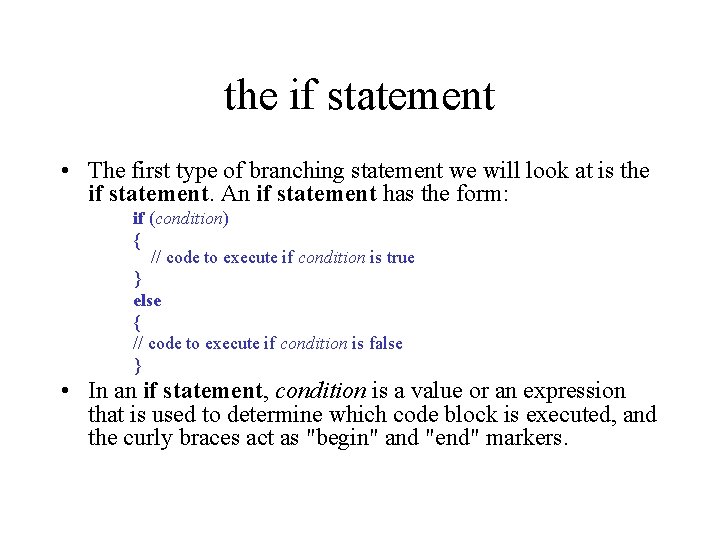
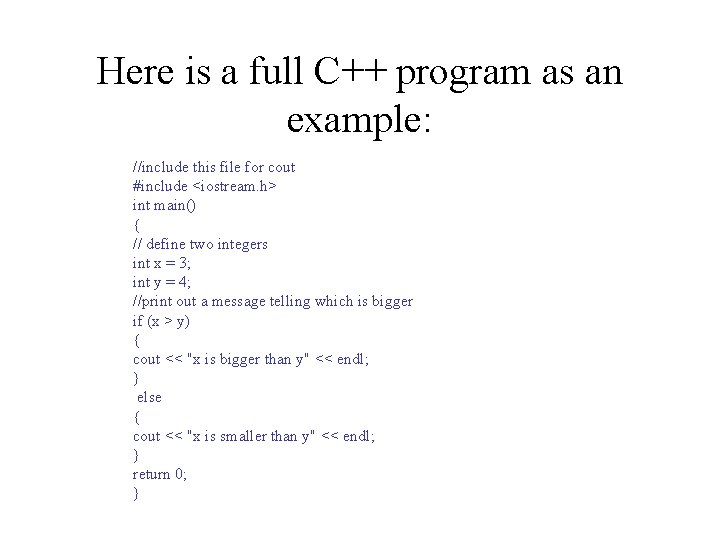
the if statement • The first type of branching statement we will look at is the if statement. An if statement has the form: if (condition) { // code to execute if condition is true } else { // code to execute if condition is false } • In an if statement, condition is a value or an expression that is used to determine which code block is executed, and the curly braces act as "begin" and "end" markers.
Here is a full C++ program as an example: //include this file for cout #include <iostream. h> int main() { // define two integers int x = 3; int y = 4; //print out a message telling which is bigger if (x > y) { cout << "x is bigger than y" << endl; } else { cout << "x is smaller than y" << endl; } return 0; }
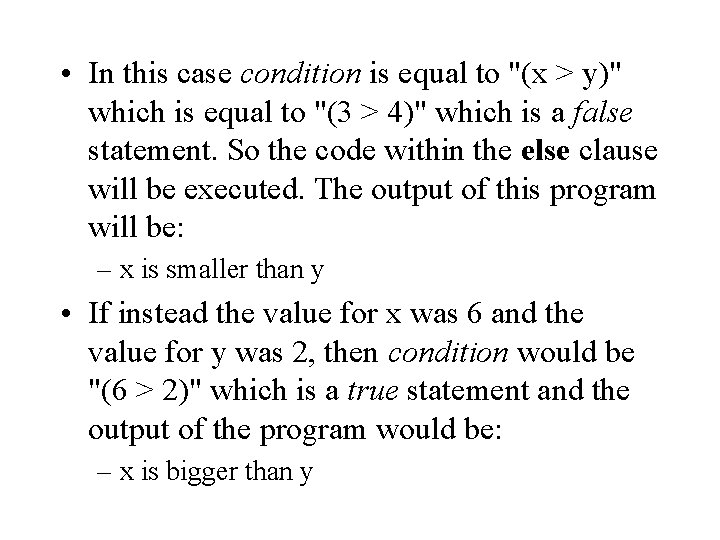
• In this case condition is equal to "(x > y)" which is equal to "(3 > 4)" which is a false statement. So the code within the else clause will be executed. The output of this program will be: – x is smaller than y • If instead the value for x was 6 and the value for y was 2, then condition would be "(6 > 2)" which is a true statement and the output of the program would be: – x is bigger than y
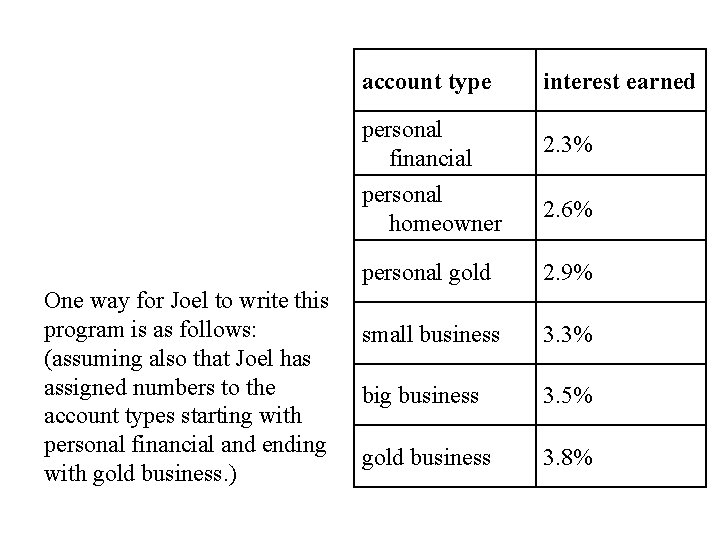
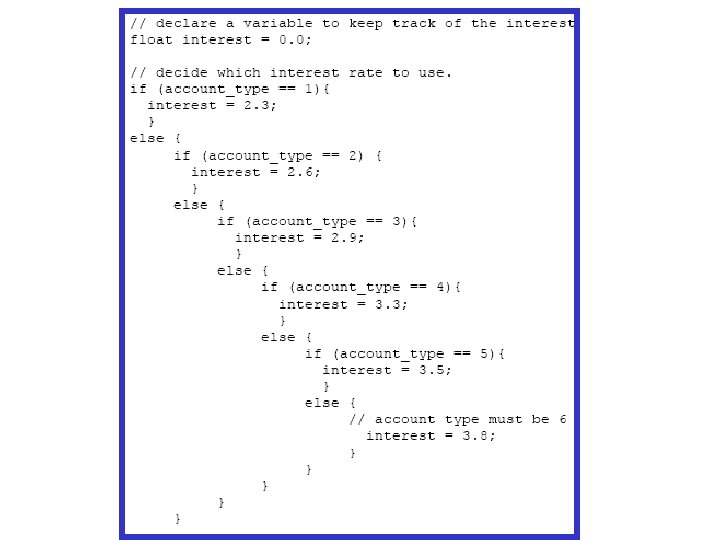
the switch statement • The next branching statement is called a switch statement. A switch statement is used in place of many if statements. • Let's consider the following case: Joel is writing a program that figures interest on money that is held in a bank. The amount of interest that money earns in this bank depends on which type of account the money is in. There are 6 different types of accounts and they earn interest as follows:
One way for Joel to write this program is as follows: (assuming also that Joel has assigned numbers to the account types starting with personal financial and ending with gold business. ) account type interest earned personal financial 2. 3% personal homeowner 2. 6% personal gold 2. 9% small business 3. 3% big business 3. 5% gold business 3. 8%
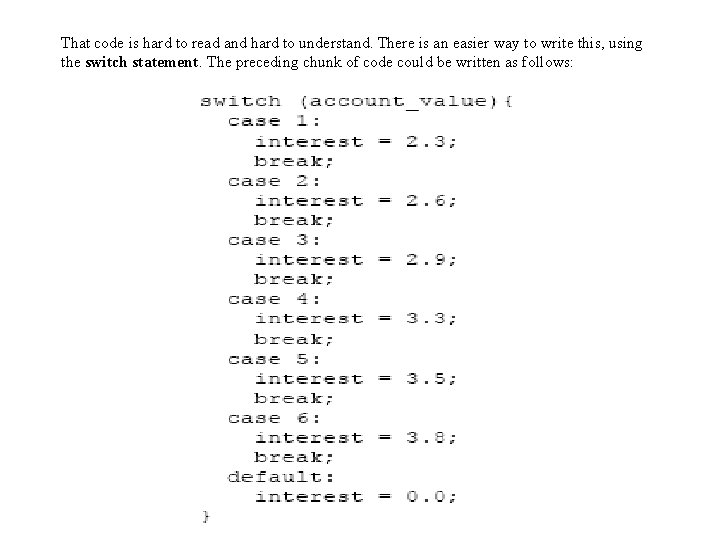
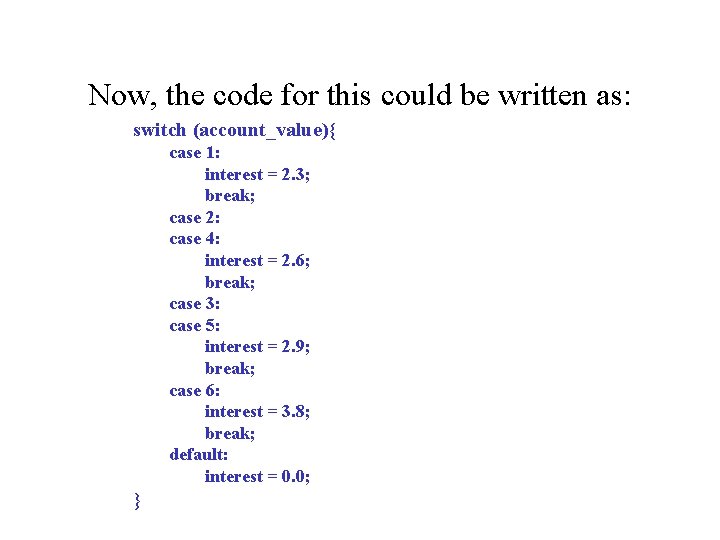
That code is hard to read and hard to understand. There is an easier way to write this, using the switch statement. The preceding chunk of code could be written as follows:
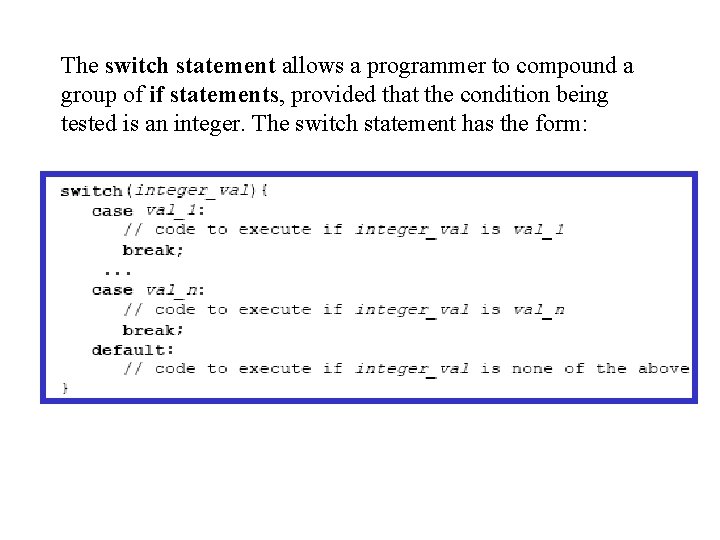
The switch statement allows a programmer to compound a group of if statements, provided that the condition being tested is an integer. The switch statement has the form:
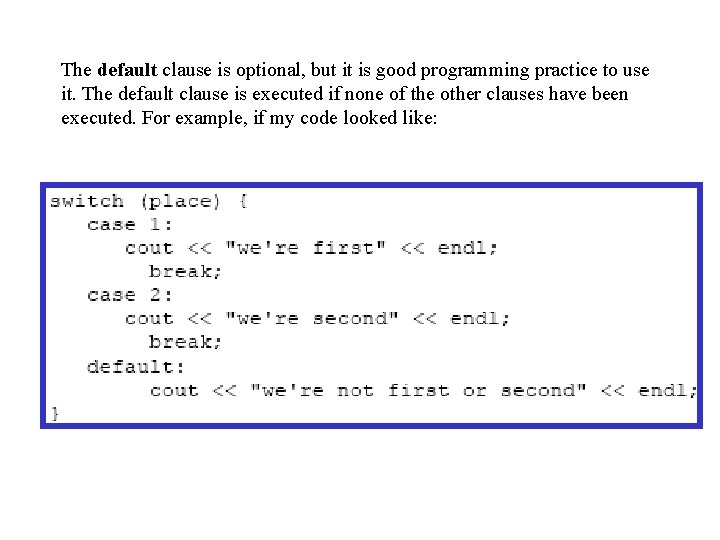
The default clause is optional, but it is good programming practice to use it. The default clause is executed if none of the other clauses have been executed. For example, if my code looked like:
• This switch statement will write "we're first" if the variable place is equal to 1, it will write "we're second" if place is equal to 2, and will write "we're not first or second" if place is any other value.
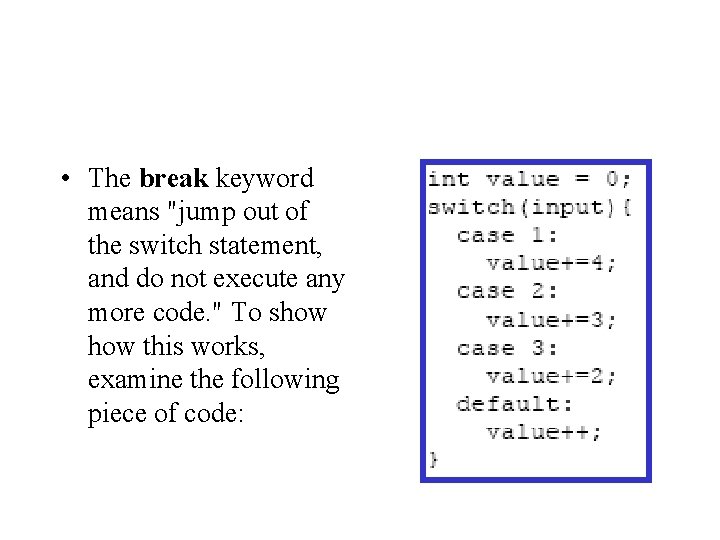
• The break keyword means "jump out of the switch statement, and do not execute any more code. " To show this works, examine the following piece of code:
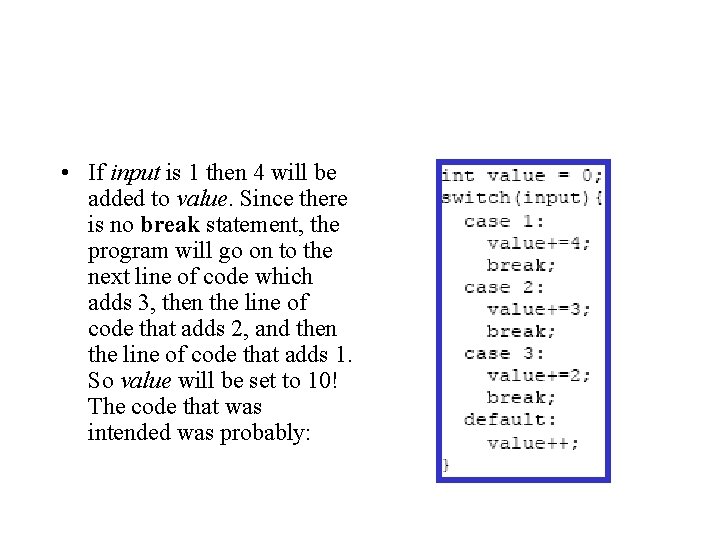
• If input is 1 then 4 will be added to value. Since there is no break statement, the program will go on to the next line of code which adds 3, then the line of code that adds 2, and then the line of code that adds 1. So value will be set to 10! The code that was intended was probably:
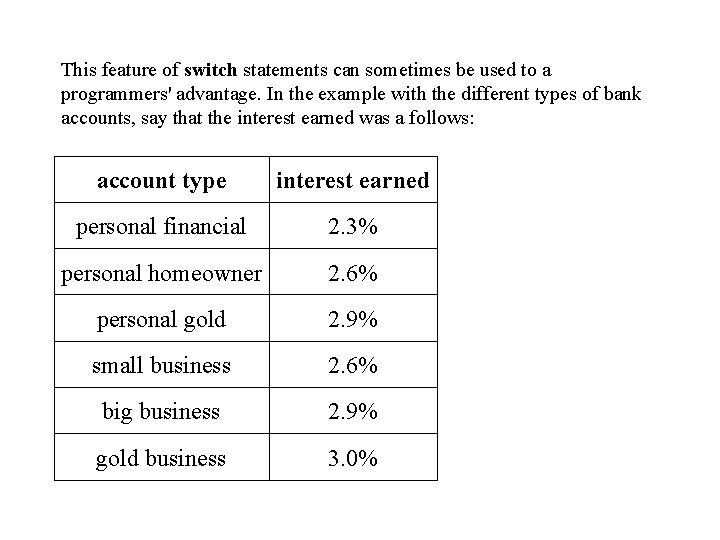
This feature of switch statements can sometimes be used to a programmers' advantage. In the example with the different types of bank accounts, say that the interest earned was a follows: account type interest earned personal financial 2. 3% personal homeowner 2. 6% personal gold 2. 9% small business 2. 6% big business 2. 9% gold business 3. 0%
Now, the code for this could be written as: switch (account_value){ case 1: interest = 2. 3; break; case 2: case 4: interest = 2. 6; break; case 3: case 5: interest = 2. 9; break; case 6: interest = 3. 8; break; default: interest = 0. 0; }
Loops (for, while, do)
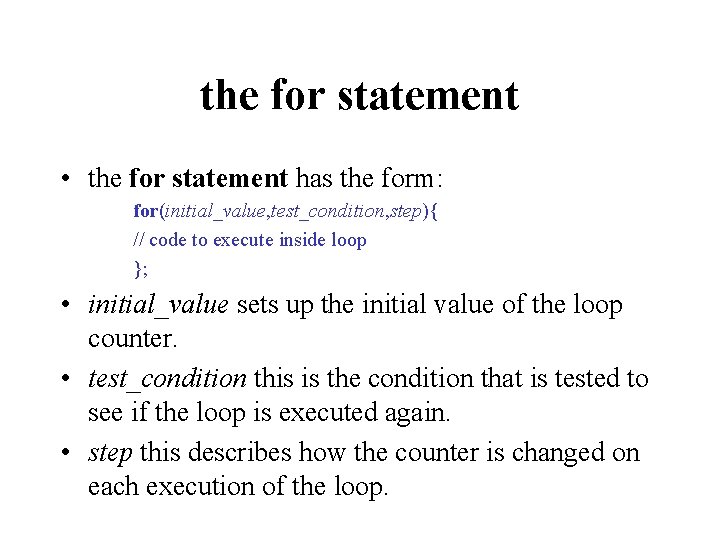
the for statement • the for statement has the form: for(initial_value, test_condition, step){ // code to execute inside loop }; • initial_value sets up the initial value of the loop counter. • test_condition this is the condition that is tested to see if the loop is executed again. • step this describes how the counter is changed on each execution of the loop.
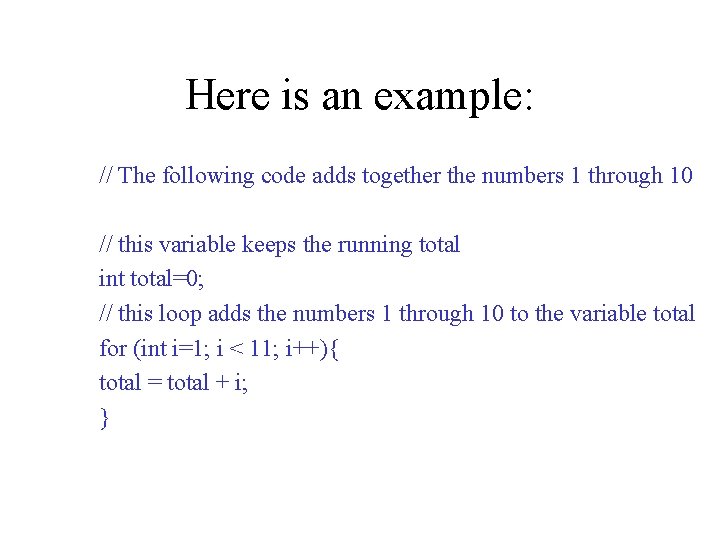
Here is an example: // The following code adds together the numbers 1 through 10 // this variable keeps the running total int total=0; // this loop adds the numbers 1 through 10 to the variable total for (int i=1; i < 11; i++){ total = total + i; }
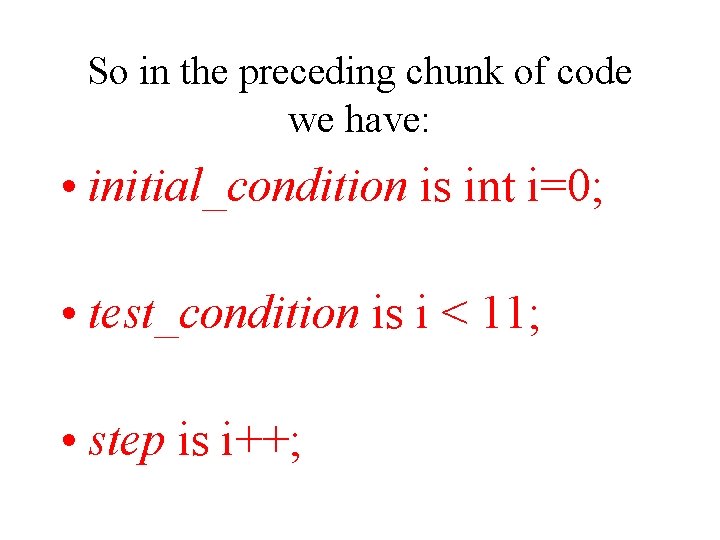
So in the preceding chunk of code we have: • initial_condition is int i=0; • test_condition is i < 11; • step is i++;
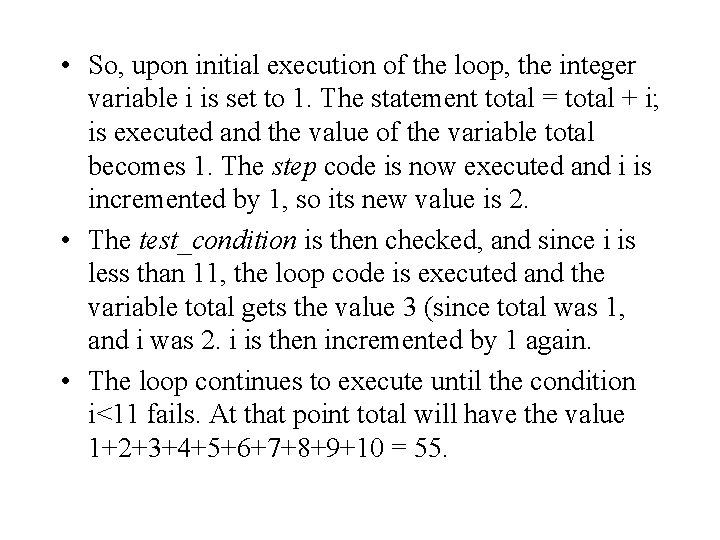
• So, upon initial execution of the loop, the integer variable i is set to 1. The statement total = total + i; is executed and the value of the variable total becomes 1. The step code is now executed and i is incremented by 1, so its new value is 2. • The test_condition is then checked, and since i is less than 11, the loop code is executed and the variable total gets the value 3 (since total was 1, and i was 2. i is then incremented by 1 again. • The loop continues to execute until the condition i<11 fails. At that point total will have the value 1+2+3+4+5+6+7+8+9+10 = 55.
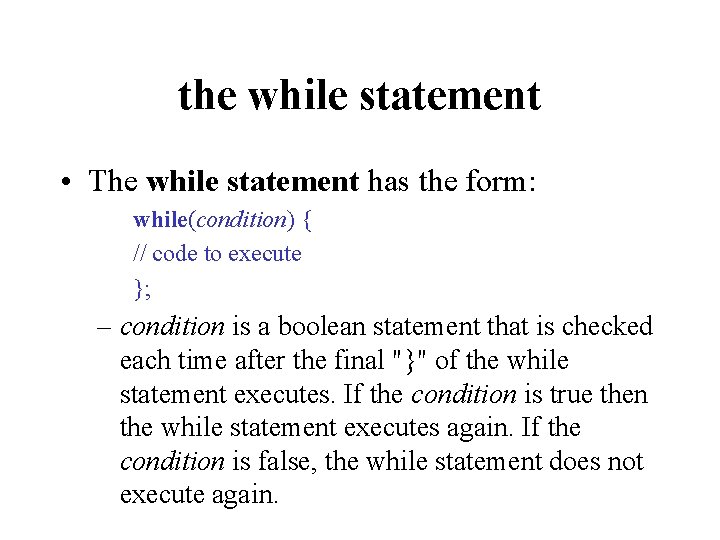
the while statement • The while statement has the form: while(condition) { // code to execute }; – condition is a boolean statement that is checked each time after the final "}" of the while statement executes. If the condition is true then the while statement executes again. If the condition is false, the while statement does not execute again.
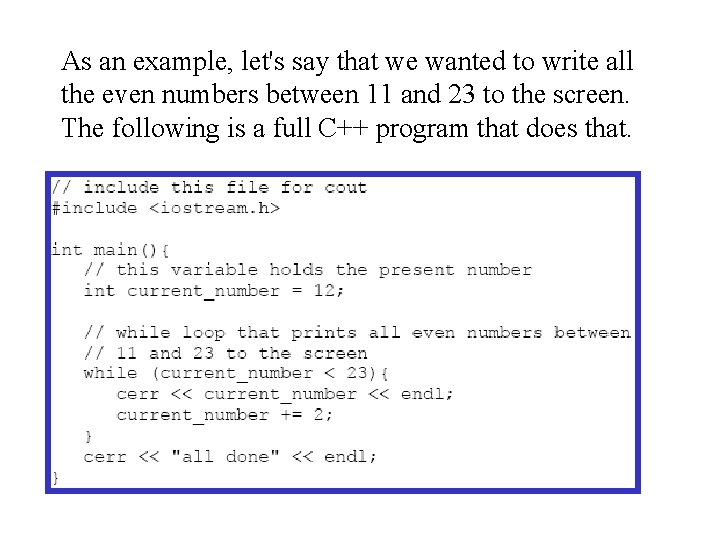
As an example, let's say that we wanted to write all the even numbers between 11 and 23 to the screen. The following is a full C++ program that does that.
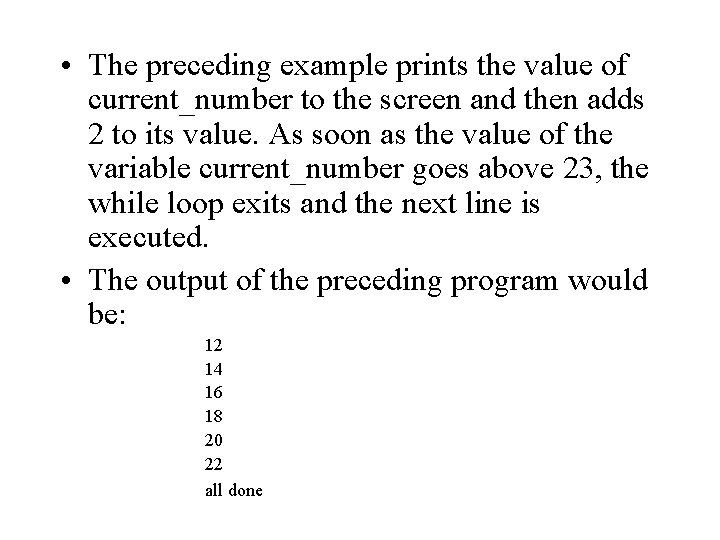
• The preceding example prints the value of current_number to the screen and then adds 2 to its value. As soon as the value of the variable current_number goes above 23, the while loop exits and the next line is executed. • The output of the preceding program would be: 12 14 16 18 20 22 all done