
Control Statements Part 2 Logical Operators Chapter 5
- Slides: 73
Control Statements: Part 2; Logical Operators Chapter 5 of C++ How to Program, 10/e © 1992 -2017 by Pearson Education, Inc. All Rights Reserved.
5. 1 Introduction This chapter continues our presentation of structured-programming theory and principles. Demonstrates C++’s for, do…while and switch statements. We explore the essentials of counter-controlled iteration. We introduce the break and continue programcontrol statements. We discuss C++’s logical operators, which enable you to combine simple conditions in control statements. © 1992 -2017 by Pearson Education, Inc. All Rights Reserved.
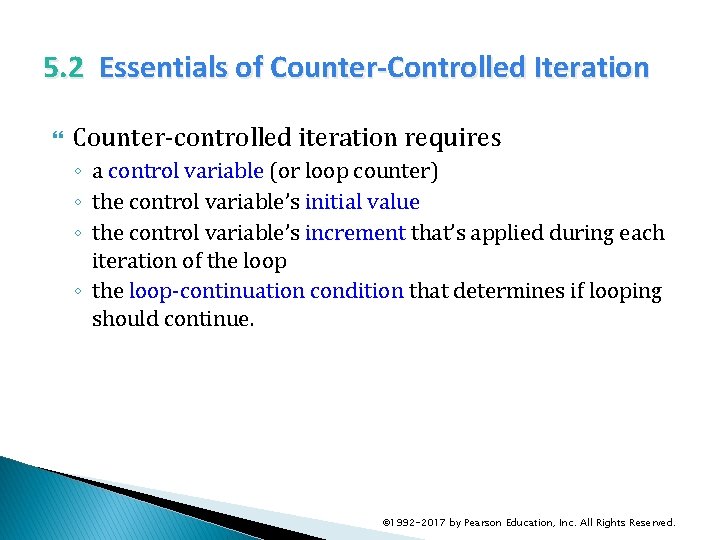
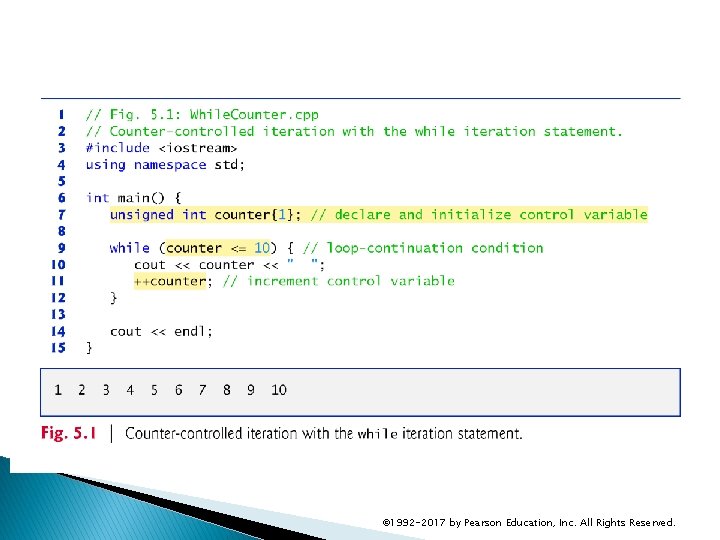
5. 2 Essentials of Counter-Controlled Iteration Counter-controlled iteration requires ◦ a control variable (or loop counter) ◦ the control variable’s initial value ◦ the control variable’s increment that’s applied during each iteration of the loop ◦ the loop-continuation condition that determines if looping should continue. © 1992 -2017 by Pearson Education, Inc. All Rights Reserved.
© 1992 -2017 by Pearson Education, Inc. All Rights Reserved.
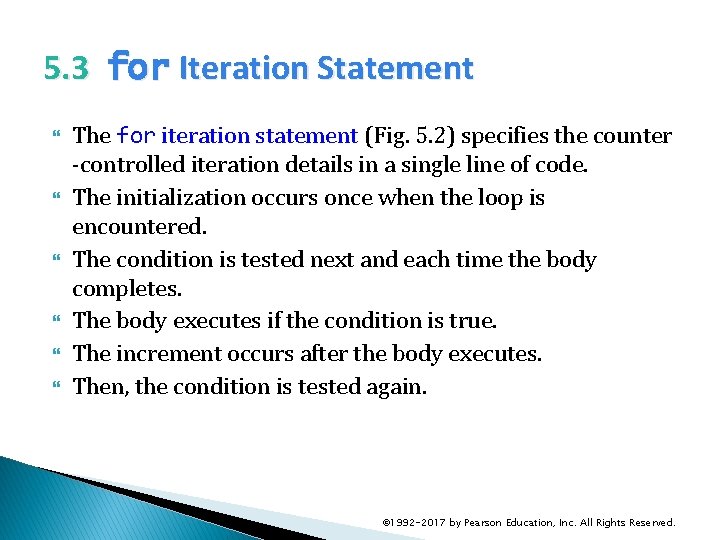
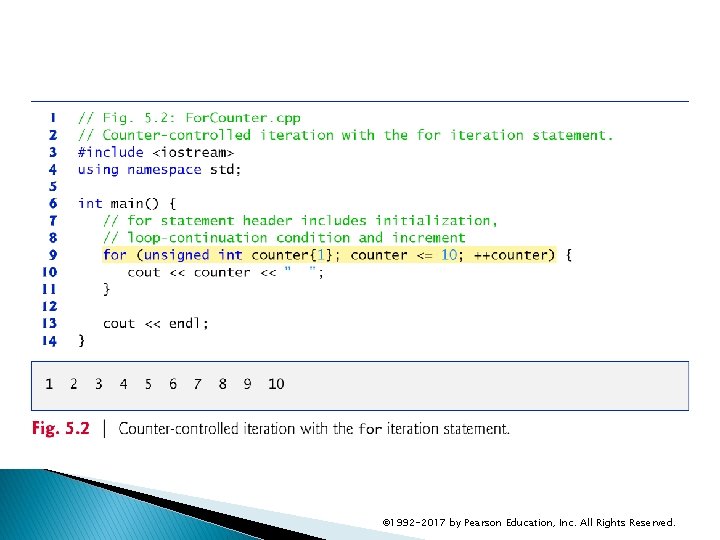
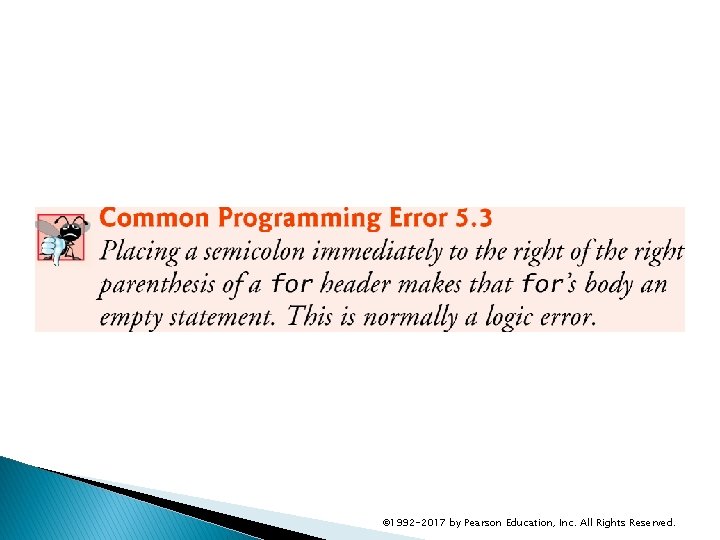
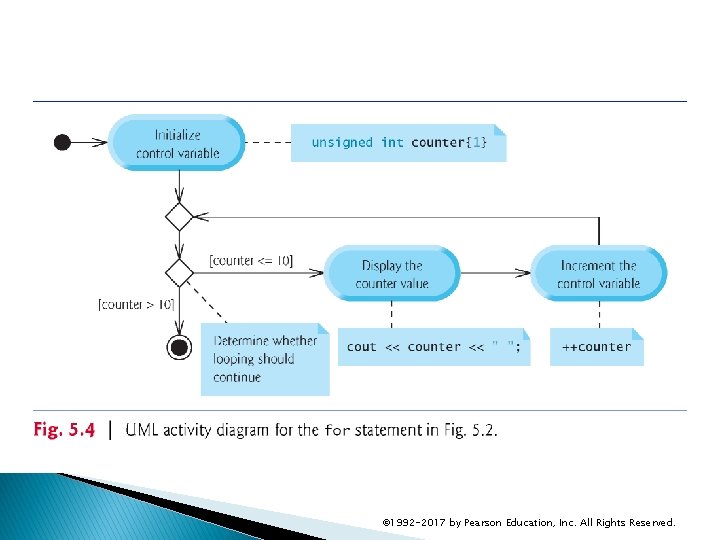
5. 3 for Iteration Statement The for iteration statement (Fig. 5. 2) specifies the counter -controlled iteration details in a single line of code. The initialization occurs once when the loop is encountered. The condition is tested next and each time the body completes. The body executes if the condition is true. The increment occurs after the body executes. Then, the condition is tested again. © 1992 -2017 by Pearson Education, Inc. All Rights Reserved.
© 1992 -2017 by Pearson Education, Inc. All Rights Reserved.
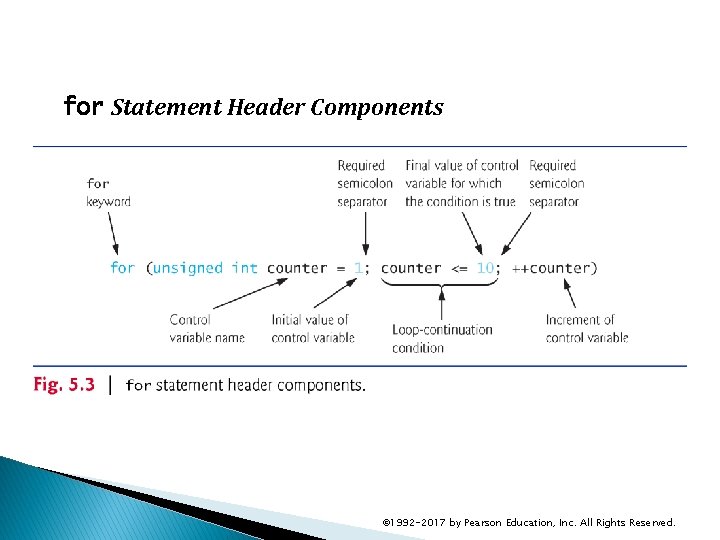
for Statement Header Components © 1992 -2017 by Pearson Education, Inc. All Rights Reserved.
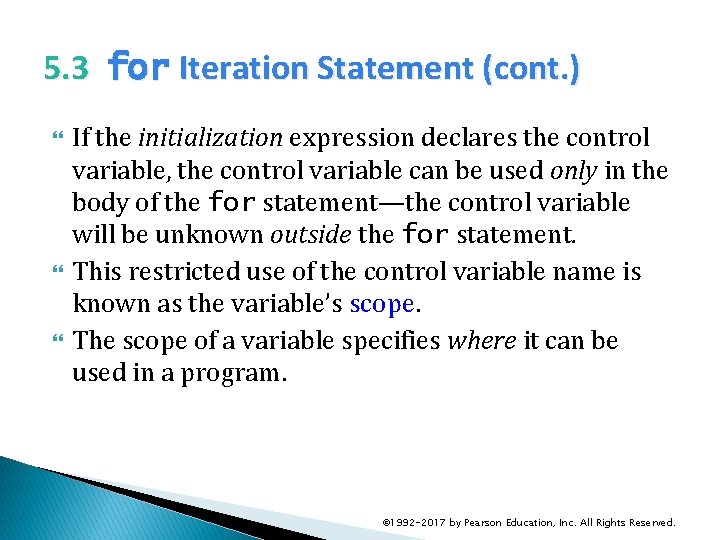
5. 3 for Iteration Statement (cont. ) If the initialization expression declares the control variable, the control variable can be used only in the body of the for statement—the control variable will be unknown outside the for statement. This restricted use of the control variable name is known as the variable’s scope. The scope of a variable specifies where it can be used in a program. © 1992 -2017 by Pearson Education, Inc. All Rights Reserved.
5. 3 for Iteration Statement (cont. ) The three expressions in the for statement header are optional (but the two semicolon separators are required). If the loop. Continuation. Condition is omitted, C++ assumes that the condition is true, thus creating an infinite loop. One might omit the initialization expression if the control variable is initialized earlier in the program. One might omit the increment expression if the increment is calculated by statements in the body of the for or if no increment is needed. © 1992 -2017 by Pearson Education, Inc. All Rights Reserved.
© 1992 -2017 by Pearson Education, Inc. All Rights Reserved.
5. 3 for Iteration Statement (cont. ) The “increment” of a for statement can be negative, in which case it’s really a decrement and the loop actually counts downward. If the loop-continuation condition is initially false, the body of the for statement is not performed. © 1992 -2017 by Pearson Education, Inc. All Rights Reserved.
© 1992 -2017 by Pearson Education, Inc. All Rights Reserved.
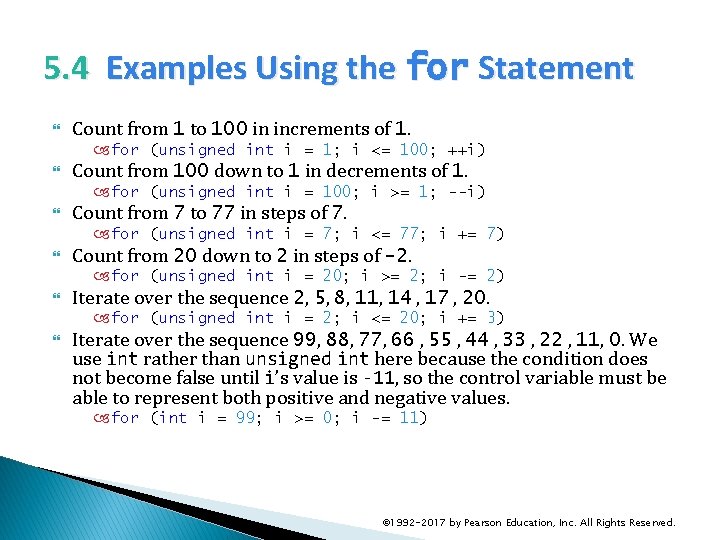
5. 4 Examples Using the for Statement Count from 1 to 100 in increments of 1. for (unsigned int i = 1; i <= 100; ++i) Count from 100 down to 1 in decrements of 1. for (unsigned int i = 100; i >= 1; --i) Count from 7 to 77 in steps of 7. for (unsigned int i = 7; i <= 77; i += 7) Count from 20 down to 2 in steps of -2. for (unsigned int i = 20; i >= 2; i -= 2) Iterate over the sequence 2, 5, 8, 11, 14 , 17 , 20. for (unsigned int i = 2; i <= 20; i += 3) Iterate over the sequence 99, 88, 77, 66 , 55 , 44 , 33 , 22 , 11, 0. We use int rather than unsigned int here because the condition does not become false until i’s value is -11, so the control variable must be able to represent both positive and negative values. for (int i = 99; i >= 0; i -= 11) © 1992 -2017 by Pearson Education, Inc. All Rights Reserved.
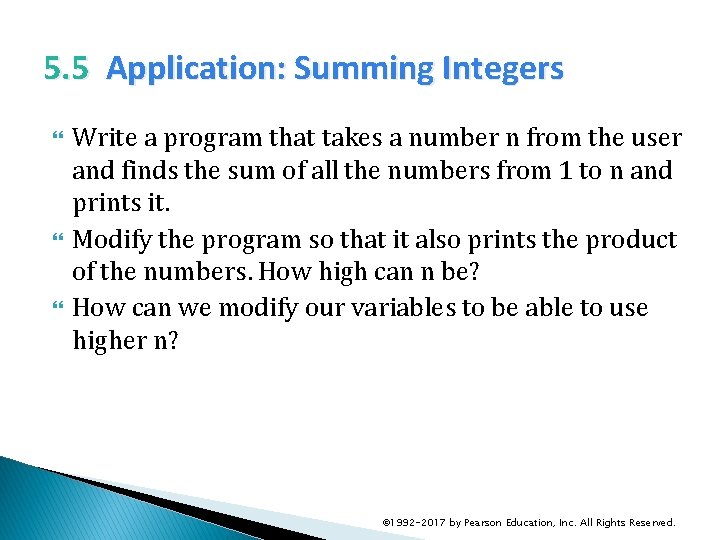
5. 5 Application: Summing Integers Write a program that takes a number n from the user and finds the sum of all the numbers from 1 to n and prints it. Modify the program so that it also prints the product of the numbers. How high can n be? How can we modify our variables to be able to use higher n? © 1992 -2017 by Pearson Education, Inc. All Rights Reserved.
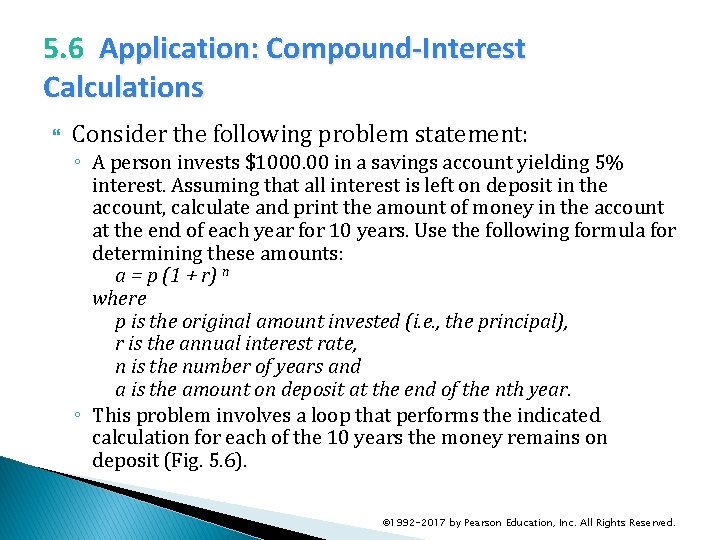
5. 6 Application: Compound-Interest Calculations Consider the following problem statement: ◦ A person invests $1000. 00 in a savings account yielding 5% interest. Assuming that all interest is left on deposit in the account, calculate and print the amount of money in the account at the end of each year for 10 years. Use the following formula for determining these amounts: a = p (1 + r) n where p is the original amount invested (i. e. , the principal), r is the annual interest rate, n is the number of years and a is the amount on deposit at the end of the nth year. ◦ This problem involves a loop that performs the indicated calculation for each of the 10 years the money remains on deposit (Fig. 5. 6). © 1992 -2017 by Pearson Education, Inc. All Rights Reserved.
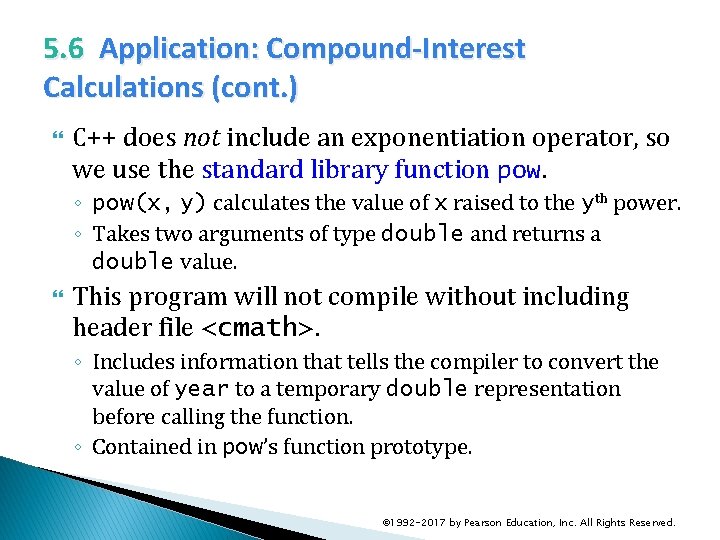
5. 6 Application: Compound-Interest Calculations (cont. ) C++ does not include an exponentiation operator, so we use the standard library function pow. ◦ pow(x, y) calculates the value of x raised to the yth power. ◦ Takes two arguments of type double and returns a double value. This program will not compile without including header file <cmath>. ◦ Includes information that tells the compiler to convert the value of year to a temporary double representation before calling the function. ◦ Contained in pow’s function prototype. © 1992 -2017 by Pearson Education, Inc. All Rights Reserved.
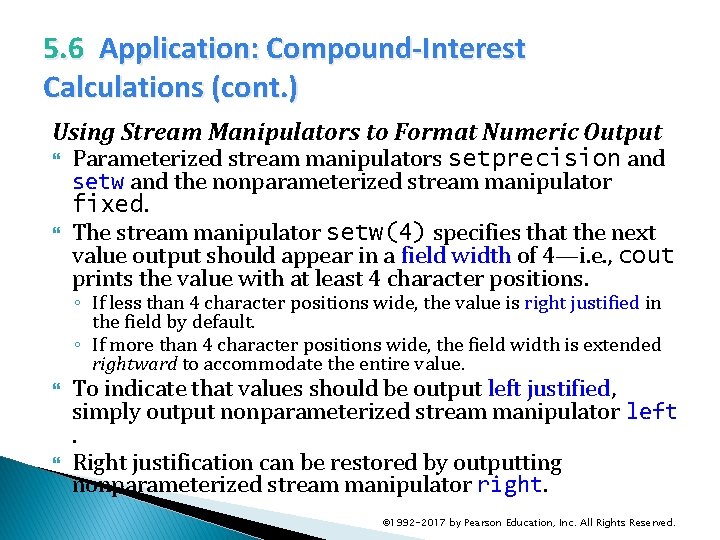
5. 6 Application: Compound-Interest Calculations (cont. ) Using Stream Manipulators to Format Numeric Output Parameterized stream manipulators setprecision and setw and the nonparameterized stream manipulator fixed. The stream manipulator setw(4) specifies that the next value output should appear in a field width of 4—i. e. , cout prints the value with at least 4 character positions. ◦ If less than 4 character positions wide, the value is right justified in the field by default. ◦ If more than 4 character positions wide, the field width is extended rightward to accommodate the entire value. To indicate that values should be output left justified, simply output nonparameterized stream manipulator left. Right justification can be restored by outputting nonparameterized stream manipulator right. © 1992 -2017 by Pearson Education, Inc. All Rights Reserved.
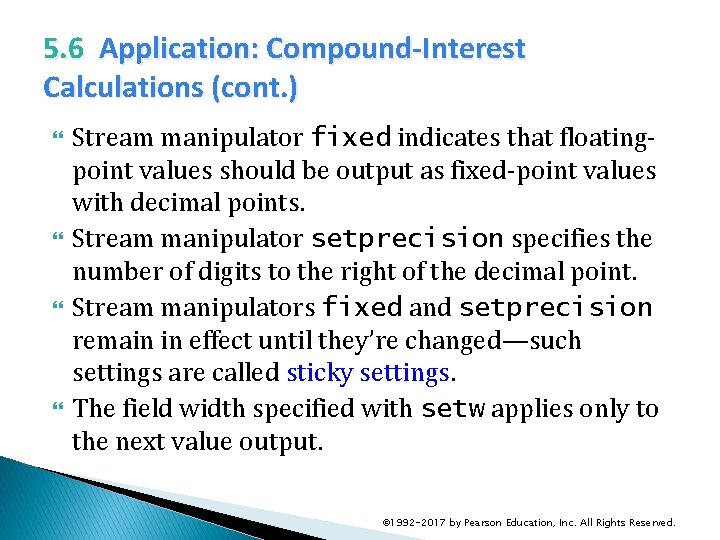
5. 6 Application: Compound-Interest Calculations (cont. ) Stream manipulator fixed indicates that floatingpoint values should be output as fixed-point values with decimal points. Stream manipulator setprecision specifies the number of digits to the right of the decimal point. Stream manipulators fixed and setprecision remain in effect until they’re changed—such settings are called sticky settings. The field width specified with setw applies only to the next value output. © 1992 -2017 by Pearson Education, Inc. All Rights Reserved.
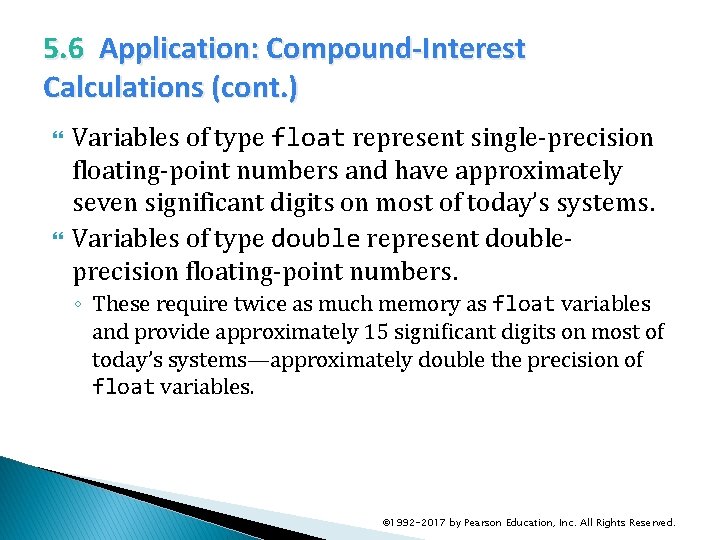
5. 6 Application: Compound-Interest Calculations (cont. ) Variables of type float represent single-precision floating-point numbers and have approximately seven significant digits on most of today’s systems. Variables of type double represent doubleprecision floating-point numbers. ◦ These require twice as much memory as float variables and provide approximately 15 significant digits on most of today’s systems—approximately double the precision of float variables. © 1992 -2017 by Pearson Education, Inc. All Rights Reserved.
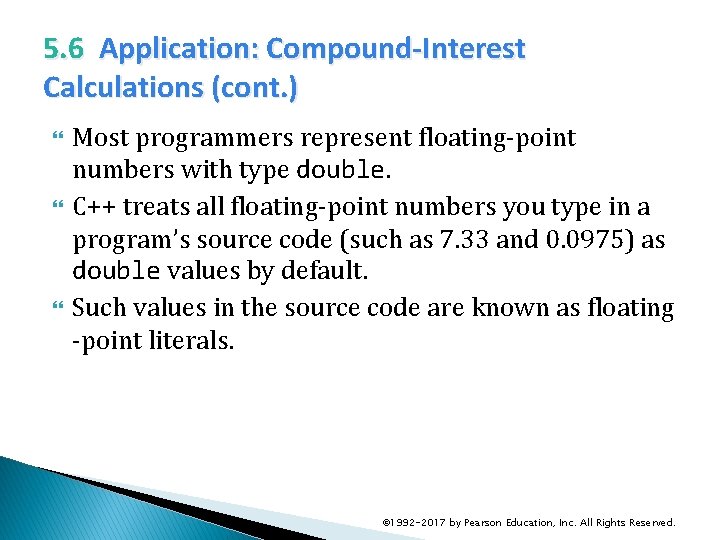
5. 6 Application: Compound-Interest Calculations (cont. ) Most programmers represent floating-point numbers with type double. C++ treats all floating-point numbers you type in a program’s source code (such as 7. 33 and 0. 0975) as double values by default. Such values in the source code are known as floating -point literals. © 1992 -2017 by Pearson Education, Inc. All Rights Reserved.
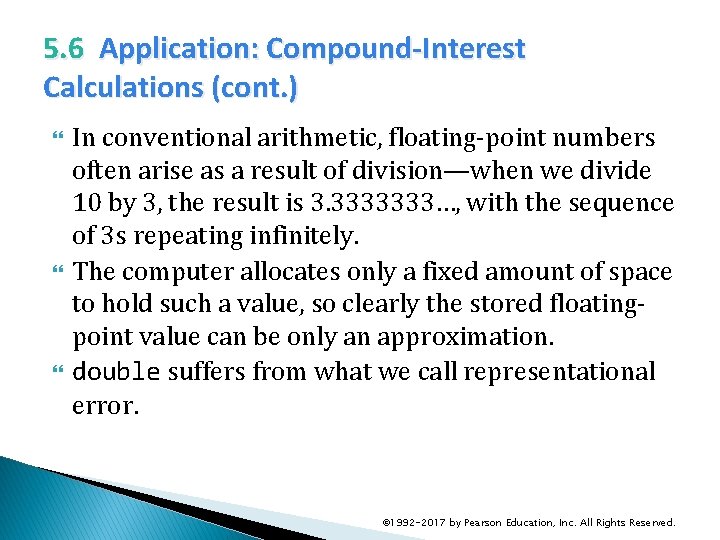
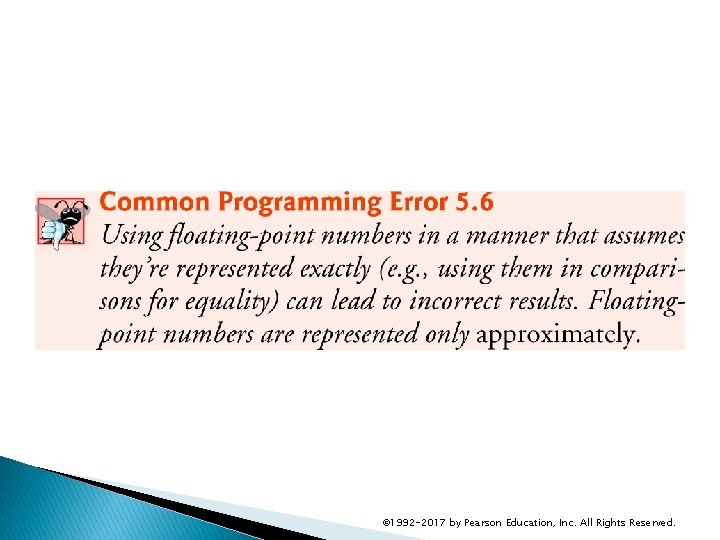
5. 6 Application: Compound-Interest Calculations (cont. ) In conventional arithmetic, floating-point numbers often arise as a result of division—when we divide 10 by 3, the result is 3. 3333333…, with the sequence of 3 s repeating infinitely. The computer allocates only a fixed amount of space to hold such a value, so clearly the stored floatingpoint value can be only an approximation. double suffers from what we call representational error. © 1992 -2017 by Pearson Education, Inc. All Rights Reserved.
© 1992 -2017 by Pearson Education, Inc. All Rights Reserved.
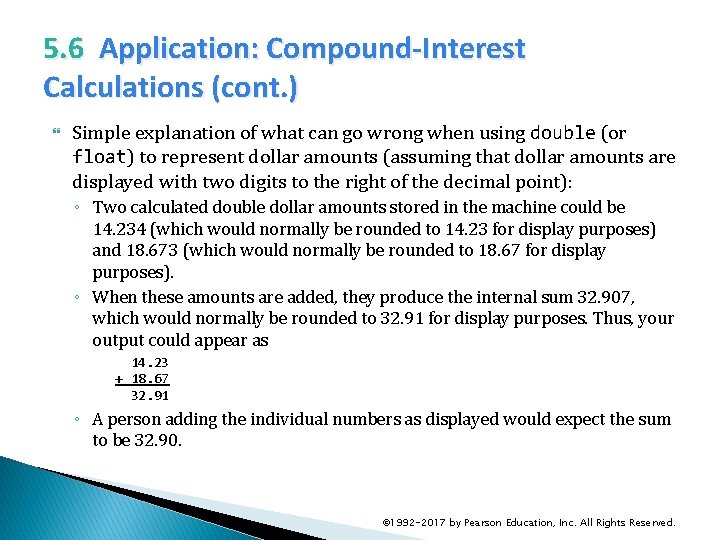
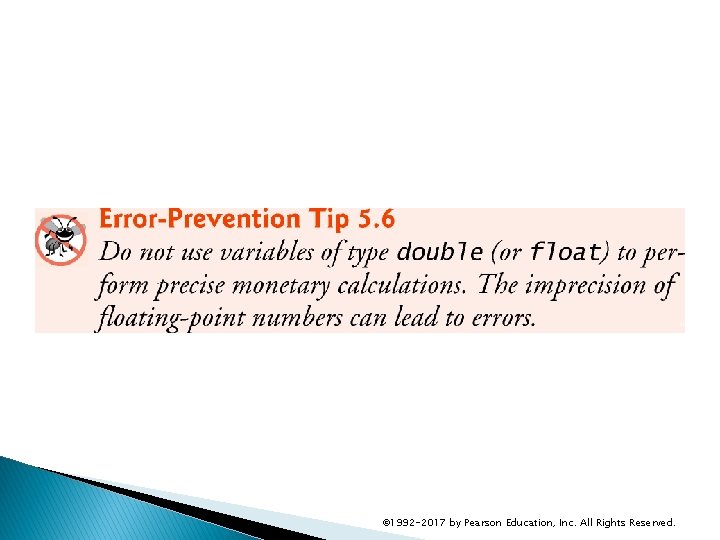
5. 6 Application: Compound-Interest Calculations (cont. ) Simple explanation of what can go wrong when using double (or float) to represent dollar amounts (assuming that dollar amounts are displayed with two digits to the right of the decimal point): ◦ Two calculated double dollar amounts stored in the machine could be 14. 234 (which would normally be rounded to 14. 23 for display purposes) and 18. 673 (which would normally be rounded to 18. 67 for display purposes). ◦ When these amounts are added, they produce the internal sum 32. 907, which would normally be rounded to 32. 91 for display purposes. Thus, your output could appear as 14. 23 + 18. 67 32. 91 ◦ A person adding the individual numbers as displayed would expect the sum to be 32. 90. © 1992 -2017 by Pearson Education, Inc. All Rights Reserved.
© 1992 -2017 by Pearson Education, Inc. All Rights Reserved.
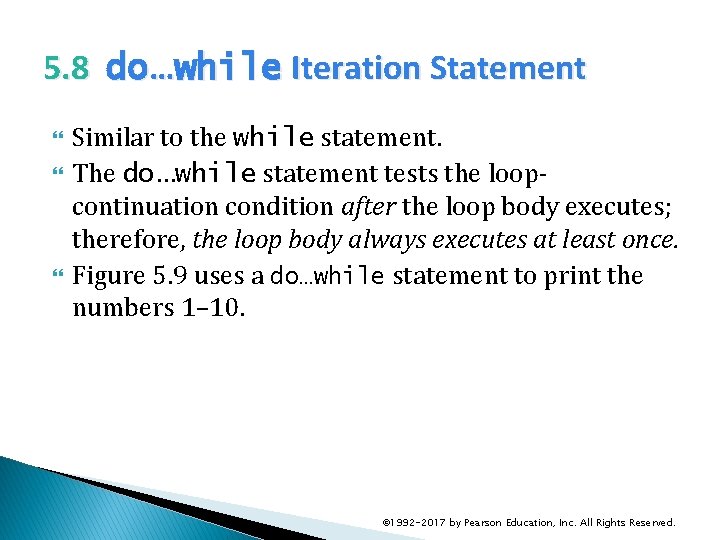
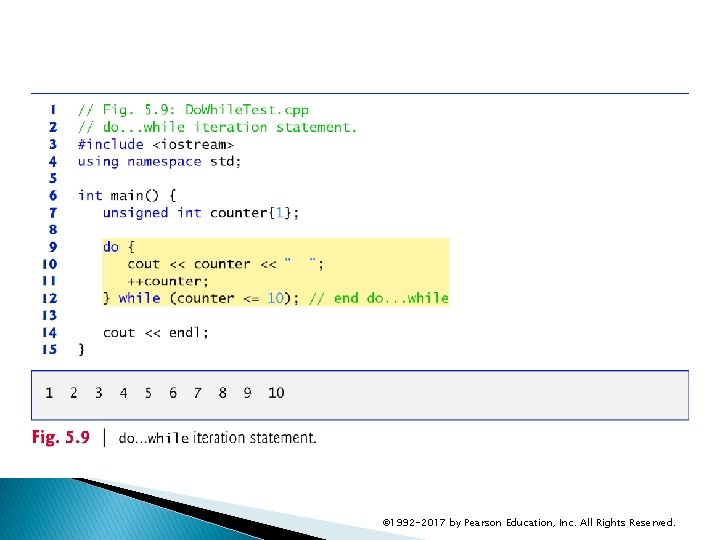
5. 8 do…while Iteration Statement Similar to the while statement. The do…while statement tests the loopcontinuation condition after the loop body executes; therefore, the loop body always executes at least once. Figure 5. 9 uses a do…while statement to print the numbers 1– 10. © 1992 -2017 by Pearson Education, Inc. All Rights Reserved.
© 1992 -2017 by Pearson Education, Inc. All Rights Reserved.
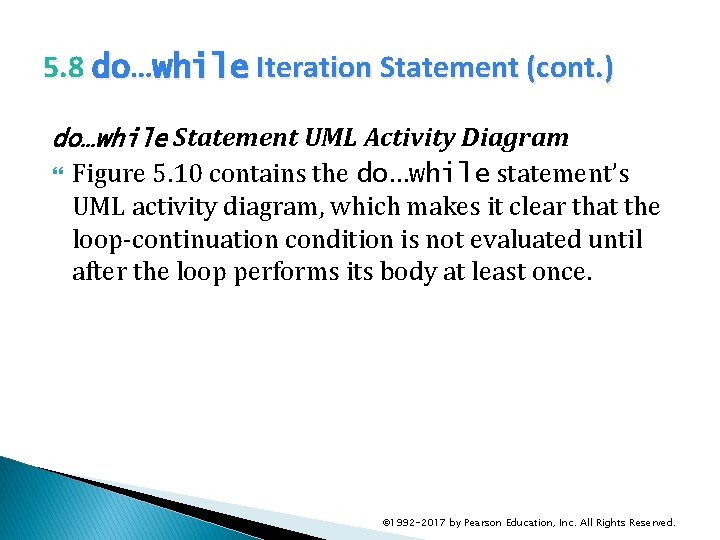
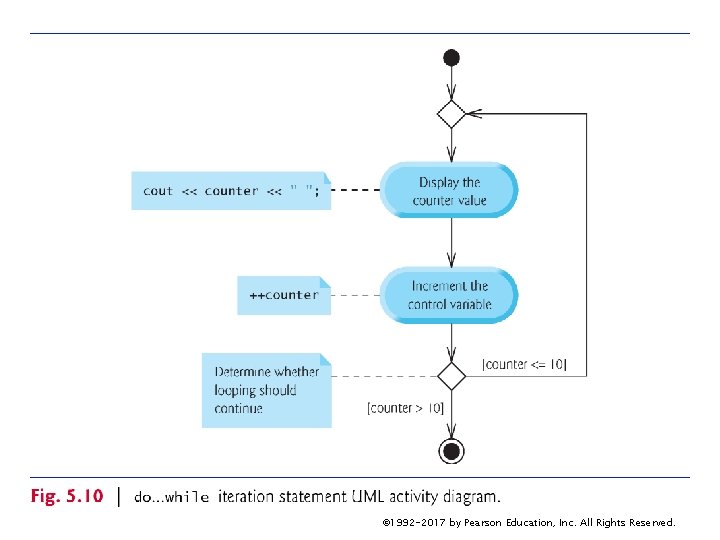
5. 8 do…while Iteration Statement (cont. ) do…while Statement UML Activity Diagram Figure 5. 10 contains the do…while statement’s UML activity diagram, which makes it clear that the loop-continuation condition is not evaluated until after the loop performs its body at least once. © 1992 -2017 by Pearson Education, Inc. All Rights Reserved.
© 1992 -2017 by Pearson Education, Inc. All Rights Reserved.
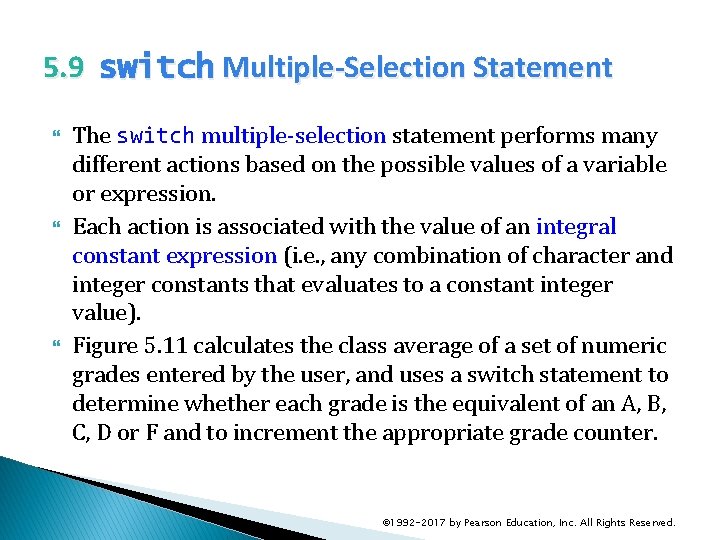
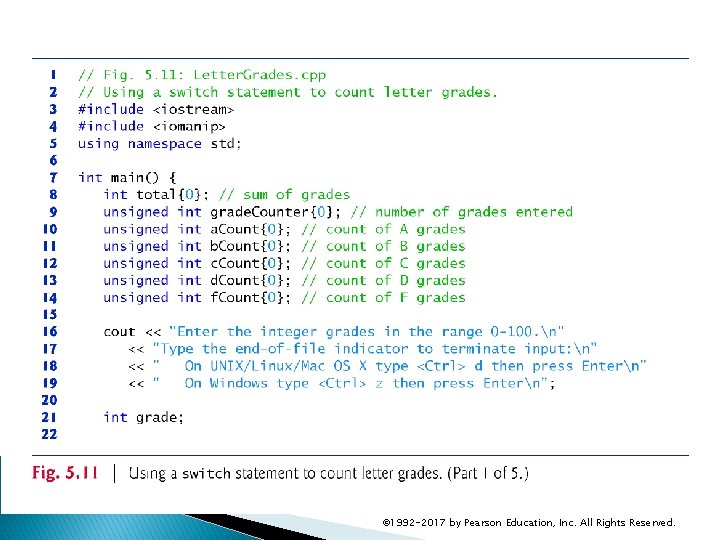
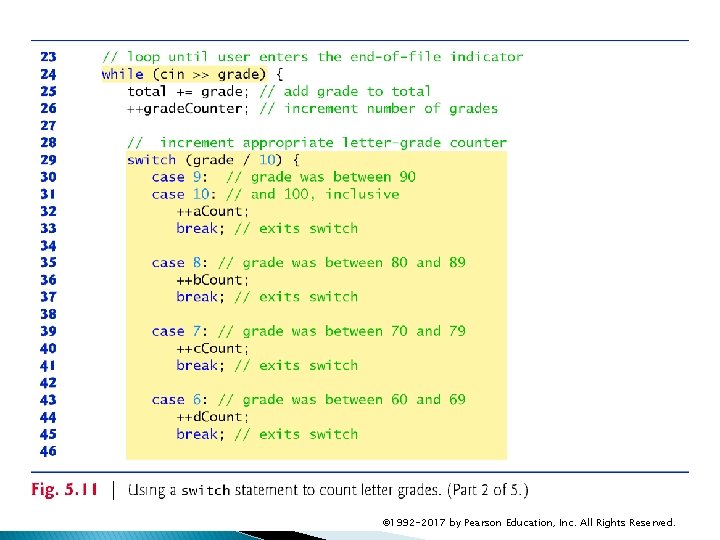
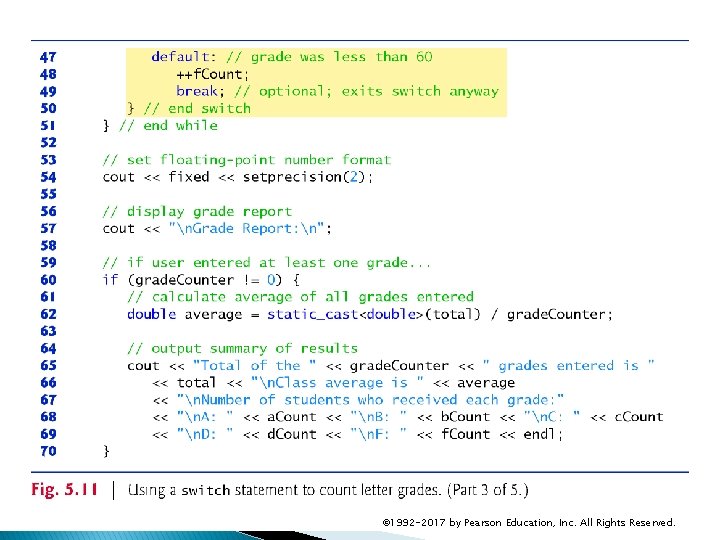
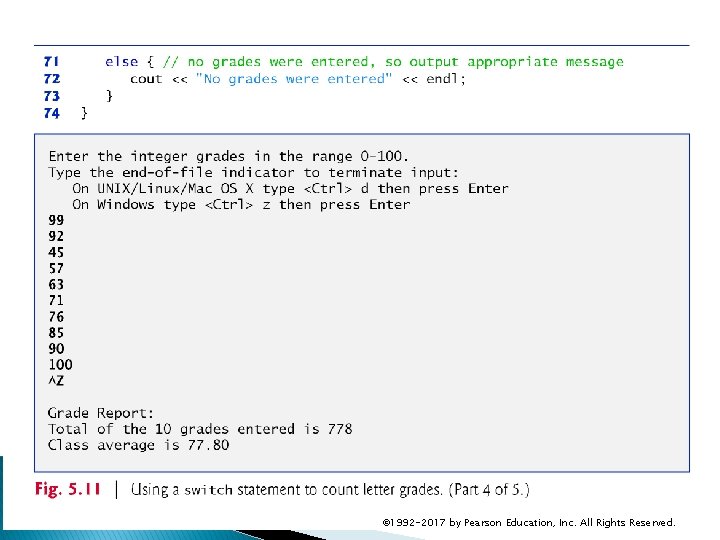
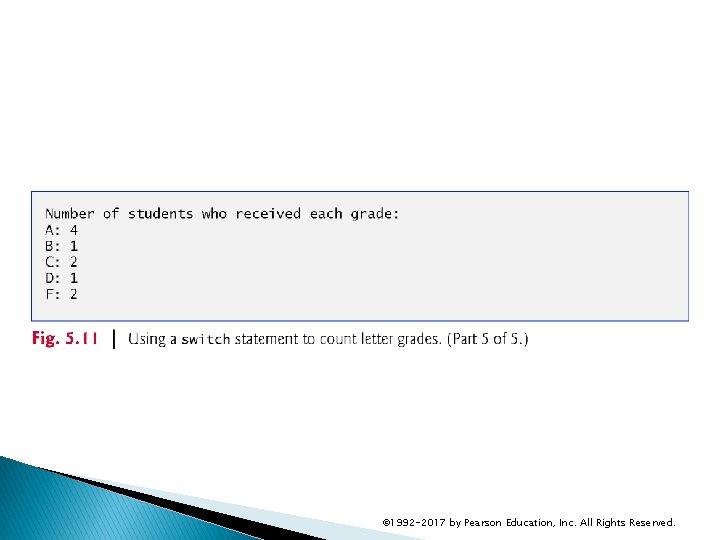
5. 9 switch Multiple-Selection Statement The switch multiple-selection statement performs many different actions based on the possible values of a variable or expression. Each action is associated with the value of an integral constant expression (i. e. , any combination of character and integer constants that evaluates to a constant integer value). Figure 5. 11 calculates the class average of a set of numeric grades entered by the user, and uses a switch statement to determine whether each grade is the equivalent of an A, B, C, D or F and to increment the appropriate grade counter. © 1992 -2017 by Pearson Education, Inc. All Rights Reserved.
© 1992 -2017 by Pearson Education, Inc. All Rights Reserved.
© 1992 -2017 by Pearson Education, Inc. All Rights Reserved.
© 1992 -2017 by Pearson Education, Inc. All Rights Reserved.
© 1992 -2017 by Pearson Education, Inc. All Rights Reserved.
© 1992 -2017 by Pearson Education, Inc. All Rights Reserved.
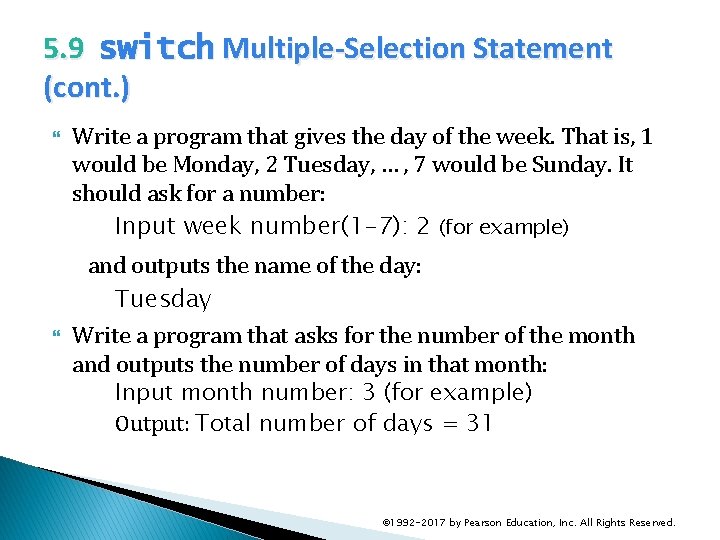
5. 9 switch Multiple-Selection Statement (cont. ) Write a program that gives the day of the week. That is, 1 would be Monday, 2 Tuesday, … , 7 would be Sunday. It should ask for a number: Input week number(1 -7): 2 (for example) and outputs the name of the day: Tuesday Write a program that asks for the number of the month and outputs the number of days in that month: Input month number: 3 (for example) Output: Total number of days = 31 © 1992 -2017 by Pearson Education, Inc. All Rights Reserved.
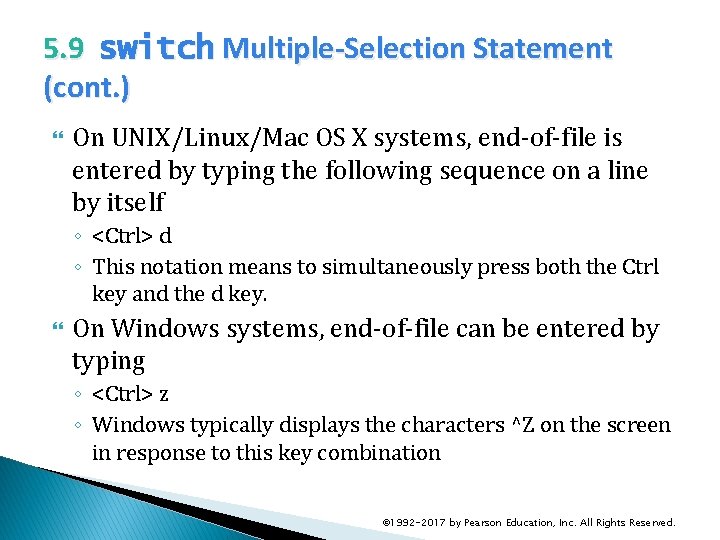
5. 9 switch Multiple-Selection Statement (cont. ) On UNIX/Linux/Mac OS X systems, end-of-file is entered by typing the following sequence on a line by itself ◦ <Ctrl> d ◦ This notation means to simultaneously press both the Ctrl key and the d key. On Windows systems, end-of-file can be entered by typing ◦ <Ctrl> z ◦ Windows typically displays the characters ^Z on the screen in response to this key combination © 1992 -2017 by Pearson Education, Inc. All Rights Reserved.
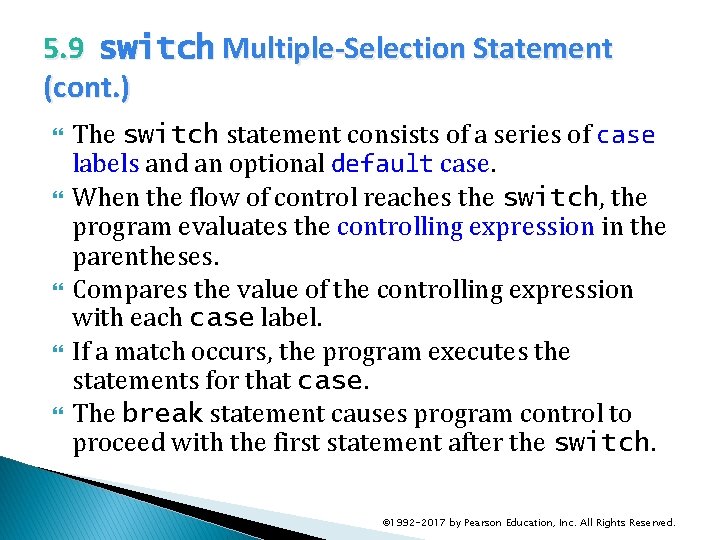
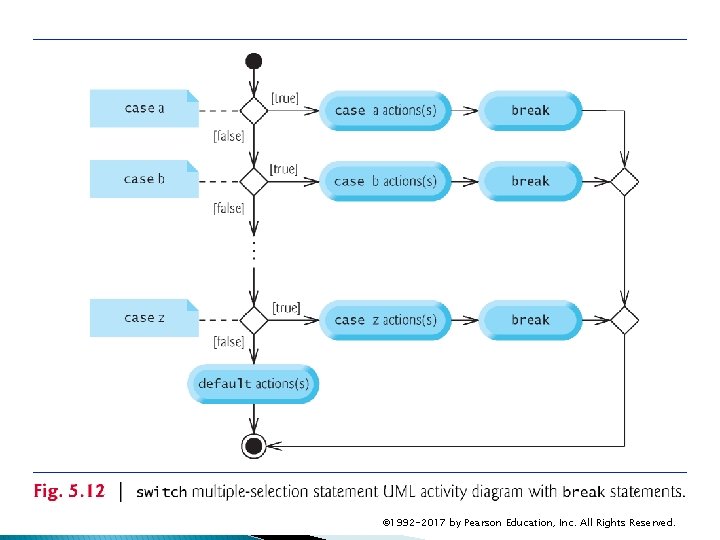
5. 9 switch Multiple-Selection Statement (cont. ) The switch statement consists of a series of case labels and an optional default case. When the flow of control reaches the switch, the program evaluates the controlling expression in the parentheses. Compares the value of the controlling expression with each case label. If a match occurs, the program executes the statements for that case. The break statement causes program control to proceed with the first statement after the switch. © 1992 -2017 by Pearson Education, Inc. All Rights Reserved.
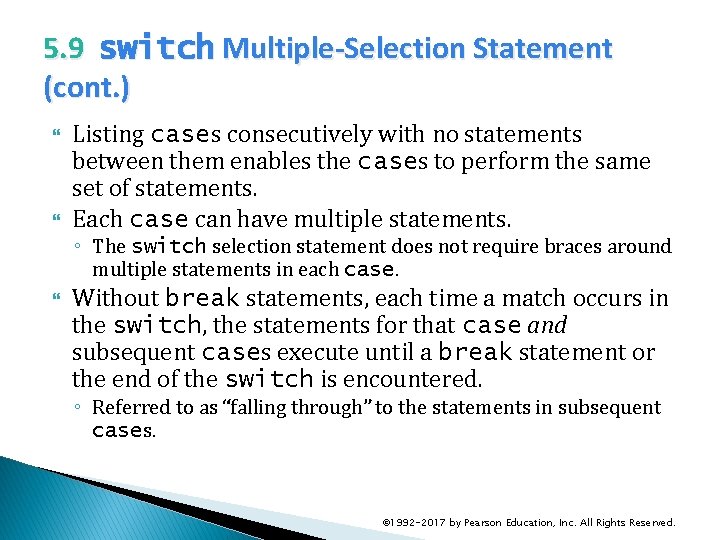
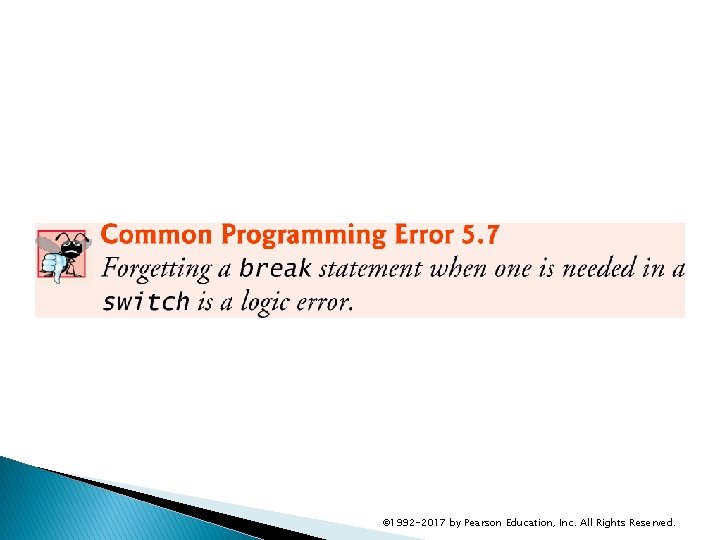
5. 9 switch Multiple-Selection Statement (cont. ) Listing cases consecutively with no statements between them enables the cases to perform the same set of statements. Each case can have multiple statements. ◦ The switch selection statement does not require braces around multiple statements in each case. Without break statements, each time a match occurs in the switch, the statements for that case and subsequent cases execute until a break statement or the end of the switch is encountered. ◦ Referred to as “falling through” to the statements in subsequent cases. © 1992 -2017 by Pearson Education, Inc. All Rights Reserved.
© 1992 -2017 by Pearson Education, Inc. All Rights Reserved.
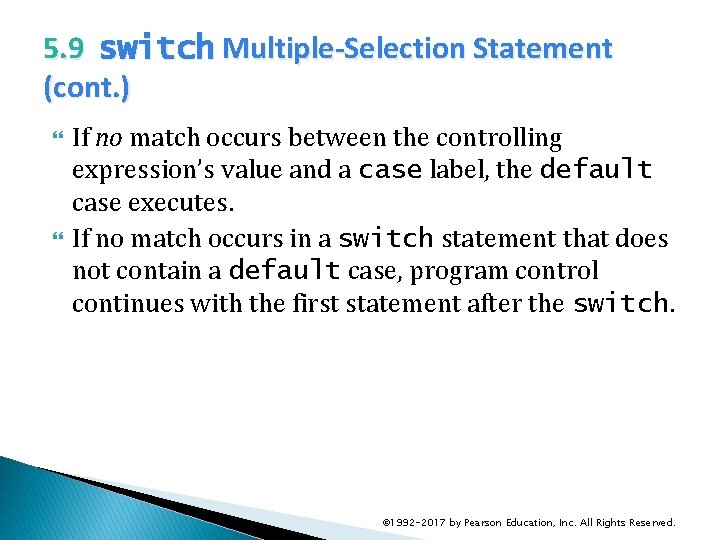
5. 9 switch Multiple-Selection Statement (cont. ) If no match occurs between the controlling expression’s value and a case label, the default case executes. If no match occurs in a switch statement that does not contain a default case, program control continues with the first statement after the switch. © 1992 -2017 by Pearson Education, Inc. All Rights Reserved.
© 1992 -2017 by Pearson Education, Inc. All Rights Reserved.
© 1992 -2017 by Pearson Education, Inc. All Rights Reserved.
© 1992 -2017 by Pearson Education, Inc. All Rights Reserved.
© 1992 -2017 by Pearson Education, Inc. All Rights Reserved.
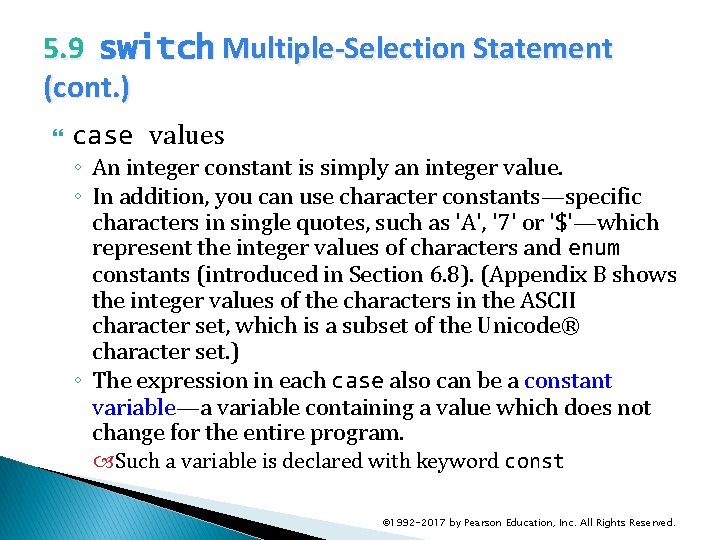
5. 9 switch Multiple-Selection Statement (cont. ) case values ◦ An integer constant is simply an integer value. ◦ In addition, you can use character constants—specific characters in single quotes, such as 'A', '7' or '$'—which represent the integer values of characters and enum constants (introduced in Section 6. 8). (Appendix B shows the integer values of the characters in the ASCII character set, which is a subset of the Unicode® character set. ) ◦ The expression in each case also can be a constant variable—a variable containing a value which does not change for the entire program. Such a variable is declared with keyword const © 1992 -2017 by Pearson Education, Inc. All Rights Reserved.
5. 10 break and continue Statements In addition to selection and iteration statements, C++ provides statements break (which we discussed in the context of the switch statement) and continue to alter the flow of control. © 1992 -2017 by Pearson Education, Inc. All Rights Reserved.
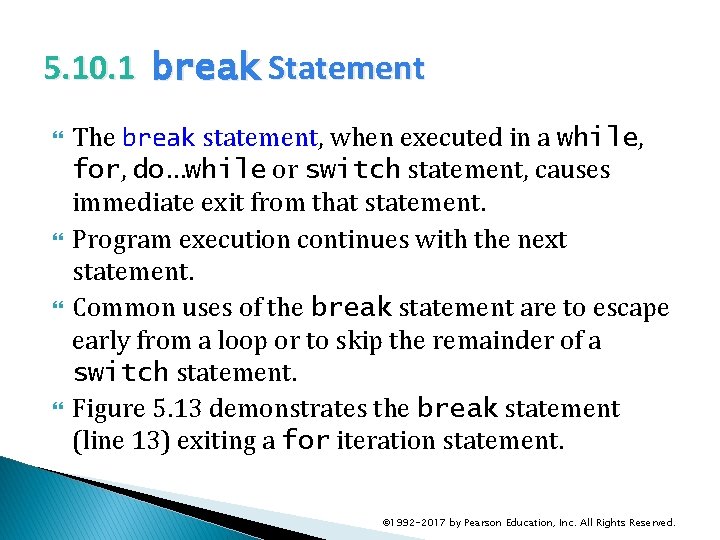
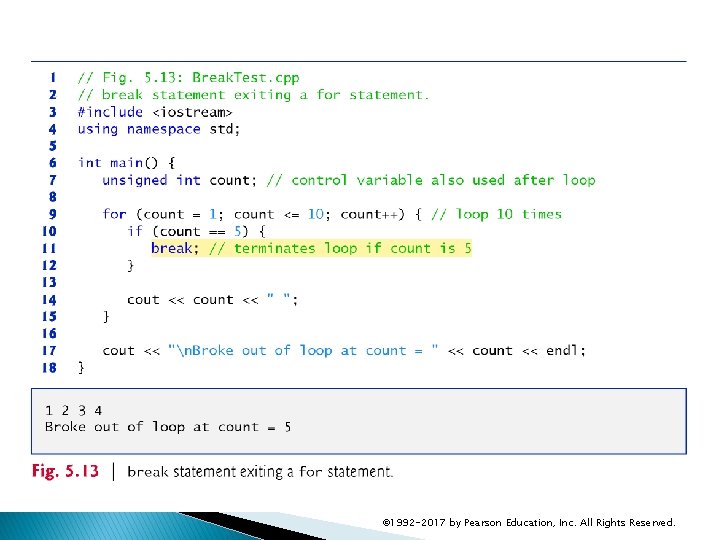
5. 10. 1 break Statement The break statement, when executed in a while, for, do…while or switch statement, causes immediate exit from that statement. Program execution continues with the next statement. Common uses of the break statement are to escape early from a loop or to skip the remainder of a switch statement. Figure 5. 13 demonstrates the break statement (line 13) exiting a for iteration statement. © 1992 -2017 by Pearson Education, Inc. All Rights Reserved.
© 1992 -2017 by Pearson Education, Inc. All Rights Reserved.
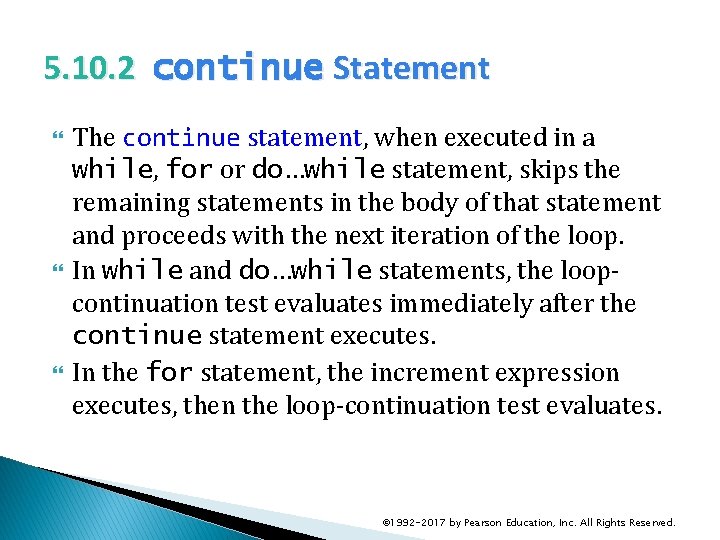
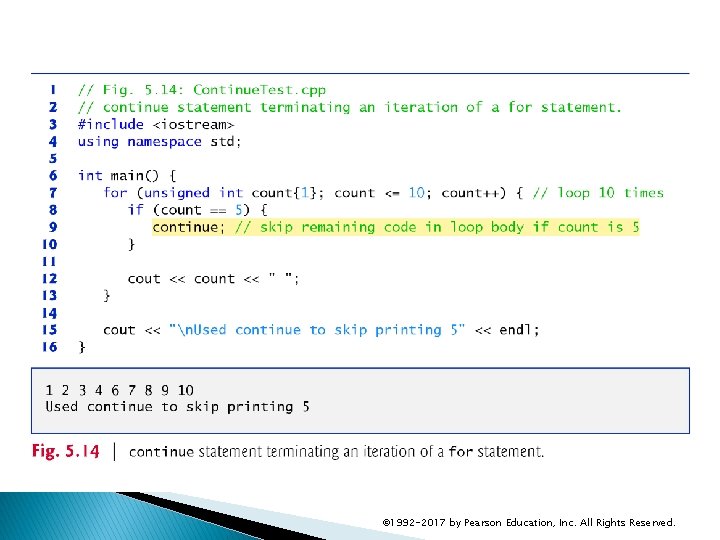
5. 10. 2 continue Statement The continue statement, when executed in a while, for or do…while statement, skips the remaining statements in the body of that statement and proceeds with the next iteration of the loop. In while and do…while statements, the loopcontinuation test evaluates immediately after the continue statement executes. In the for statement, the increment expression executes, then the loop-continuation test evaluates. © 1992 -2017 by Pearson Education, Inc. All Rights Reserved.
© 1992 -2017 by Pearson Education, Inc. All Rights Reserved.
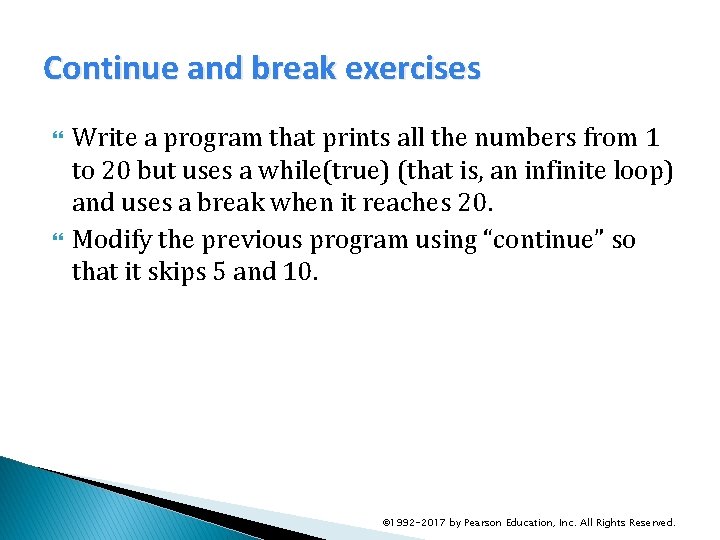
Continue and break exercises Write a program that prints all the numbers from 1 to 20 but uses a while(true) (that is, an infinite loop) and uses a break when it reaches 20. Modify the previous program using “continue” so that it skips 5 and 10. © 1992 -2017 by Pearson Education, Inc. All Rights Reserved.
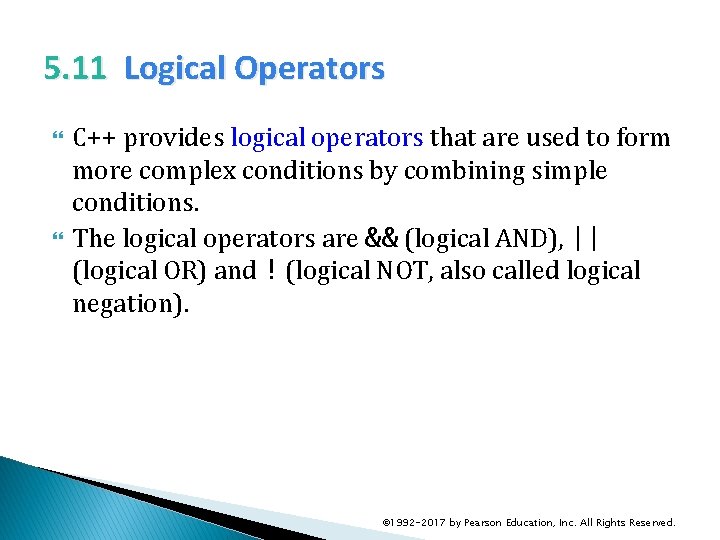
5. 11 Logical Operators C++ provides logical operators that are used to form more complex conditions by combining simple conditions. The logical operators are && (logical AND), || (logical OR) and ! (logical NOT, also called logical negation). © 1992 -2017 by Pearson Education, Inc. All Rights Reserved.
5. 11. 1 Logical AND (&&) Operator The && (logical AND) operator is used to ensure that two conditions are both true before we choose a certain path of execution. The simple condition to the left of the && operator evaluates first. If necessary, the simple condition to the right of the && operator evaluates next. The right side of a logical AND expression is evaluated only if the left side is true. © 1992 -2017 by Pearson Education, Inc. All Rights Reserved.
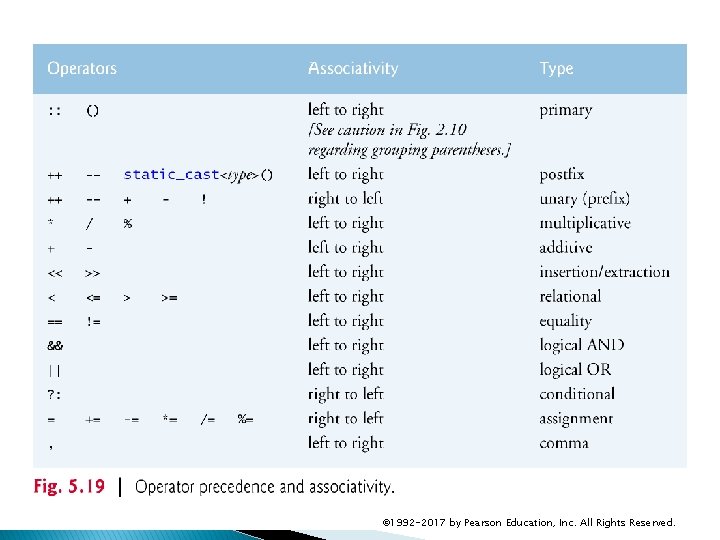
5. 11. 2 Logical OR (||) Operator The || (logical OR) operator determines if either or both of two conditions are true before we choose a certain path of execution. The && operator has a higher precedence than the || operator. Both operators associate from left to right. © 1992 -2017 by Pearson Education, Inc. All Rights Reserved.
5. 11. 4 Logical Negation (!) Operator The ! (logical negation, also called logical NOT or logical complement) operator “reverses” the meaning of a condition. Unlike the logical operators && and ||, which are binary operators that combine two conditions, the logical negation operator is a unary operator that has only one condition as an operand. © 1992 -2017 by Pearson Education, Inc. All Rights Reserved.
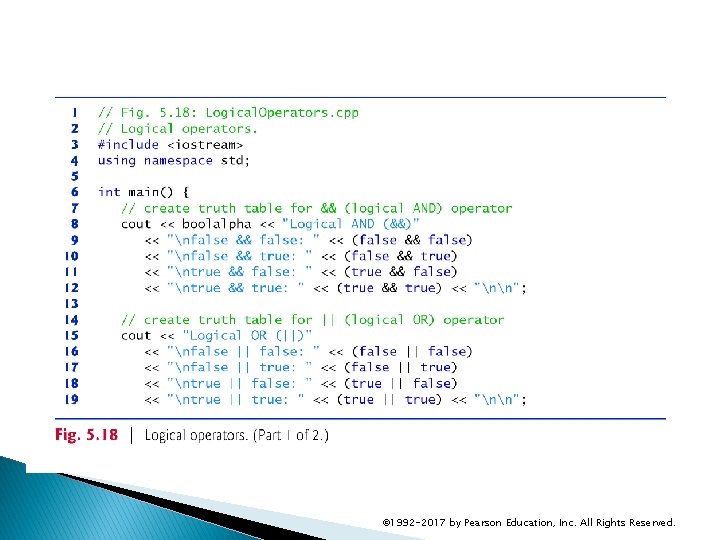
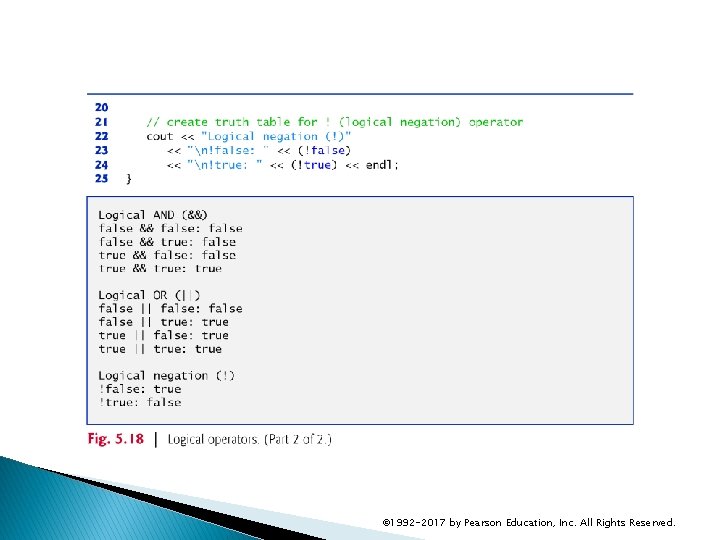
5. 11. 5 Logical Operators Example Figure 5. 18 demonstrates the logical operators by producing their truth tables. The output shows each expression that is evaluated and its bool result. By default, bool values true and false are displayed by cout and the stream insertion operator as 1 and 0, respectively. Stream manipulator boolalpha (a sticky manipulator) specifies that the value of each bool expression should be displayed as either the word “true” or the word “false. ” © 1992 -2017 by Pearson Education, Inc. All Rights Reserved.
© 1992 -2017 by Pearson Education, Inc. All Rights Reserved.
© 1992 -2017 by Pearson Education, Inc. All Rights Reserved.
5. 11. 5 Logical Operators (cont. ) Figure 5. 19 adds the logical and comma operators to the operator precedence and associativity chart. The operators are shown from top to bottom, in decreasing order of precedence. © 1992 -2017 by Pearson Education, Inc. All Rights Reserved.
© 1992 -2017 by Pearson Education, Inc. All Rights Reserved.
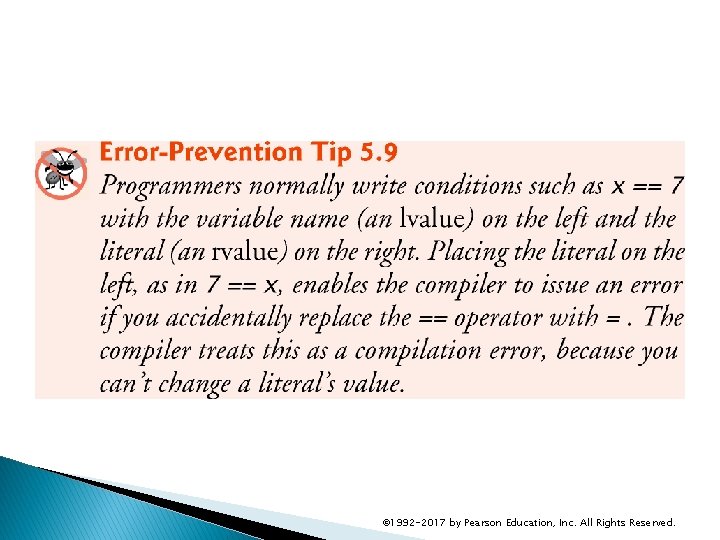
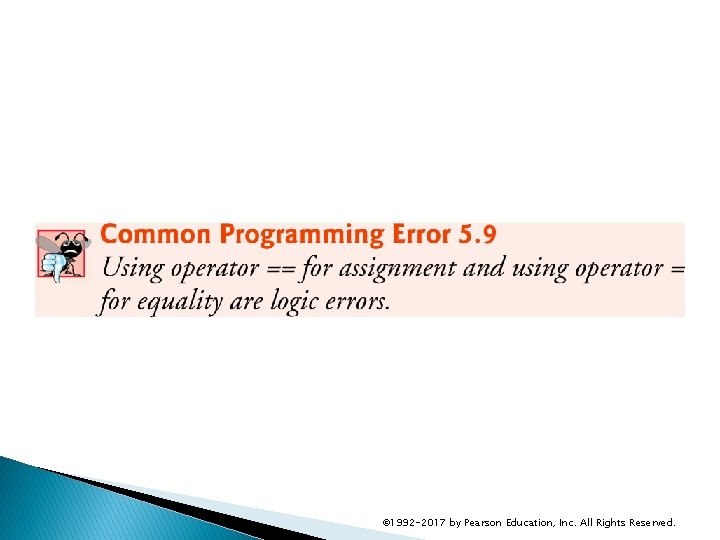
5. 12 Confusing the Equality (==) and Assignment (=) Operators Accidentally swapping the operators == (equality) and = (assignment). Damaging because they ordinarily do not cause syntax errors. Rather, statements with these errors tend to compile correctly and the programs run to completion, often generating incorrect results through runtime logic errors. Any nonzero value is interpreted as true. © 1992 -2017 by Pearson Education, Inc. All Rights Reserved.
5. 12 Confusing the Equality (==) and Assignment (=) Operators (cont. ) Variable names are said to be lvalues (for “left values”) because they can be used on the left side of an assignment operator. Constants are said to be rvalues (for “right values”) because they can be used on only the right side of an assignment operator. Lvalues can also be used as rvalues, but not vice versa. © 1992 -2017 by Pearson Education, Inc. All Rights Reserved.
© 1992 -2017 by Pearson Education, Inc. All Rights Reserved.
© 1992 -2017 by Pearson Education, Inc. All Rights Reserved.
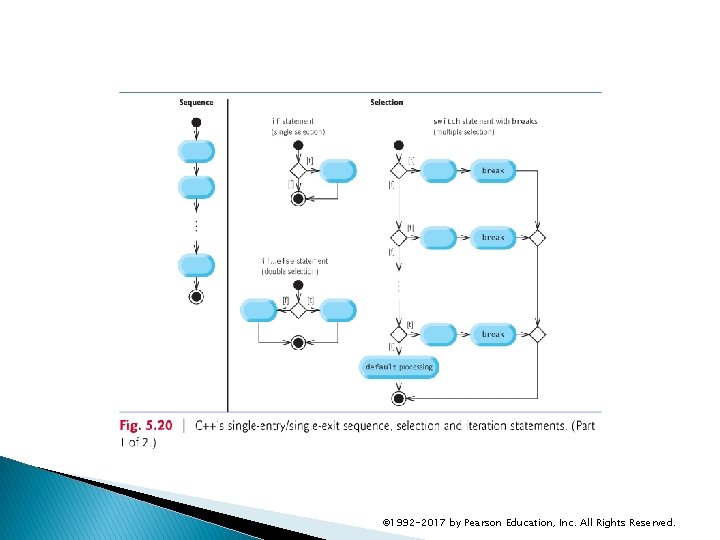
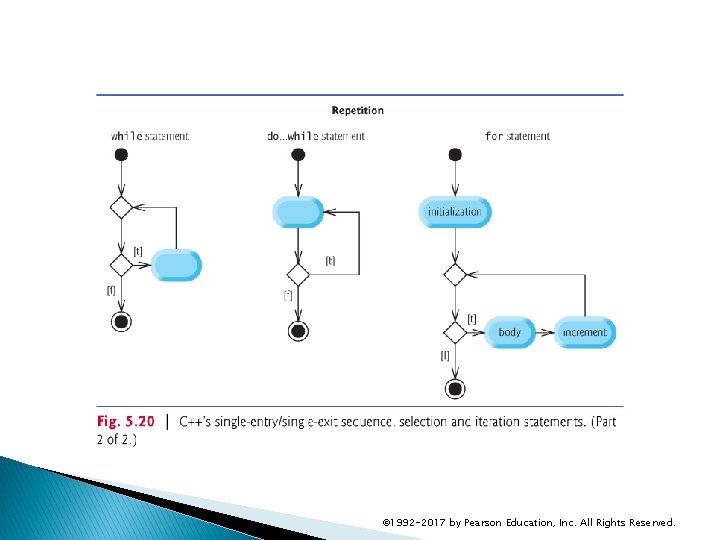
5. 13 Structured Programming Summary We’ve learned that structured programming produces programs that are easier than unstructured programs to understand, test, debug, modify, and even prove correct in a mathematical sense. Figure 5. 20 uses activity diagrams to summarize C++’s control statements. The initial and final states indicate the single entry point and the single exit point of each control statement. © 1992 -2017 by Pearson Education, Inc. All Rights Reserved.
© 1992 -2017 by Pearson Education, Inc. All Rights Reserved.
© 1992 -2017 by Pearson Education, Inc. All Rights Reserved.
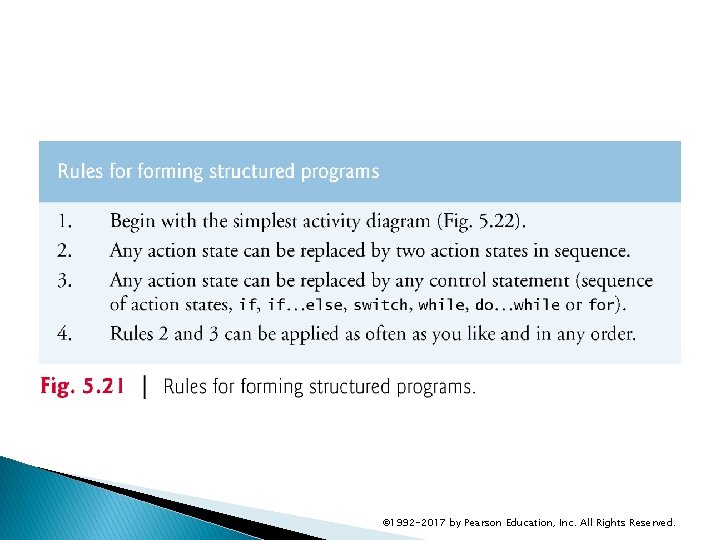
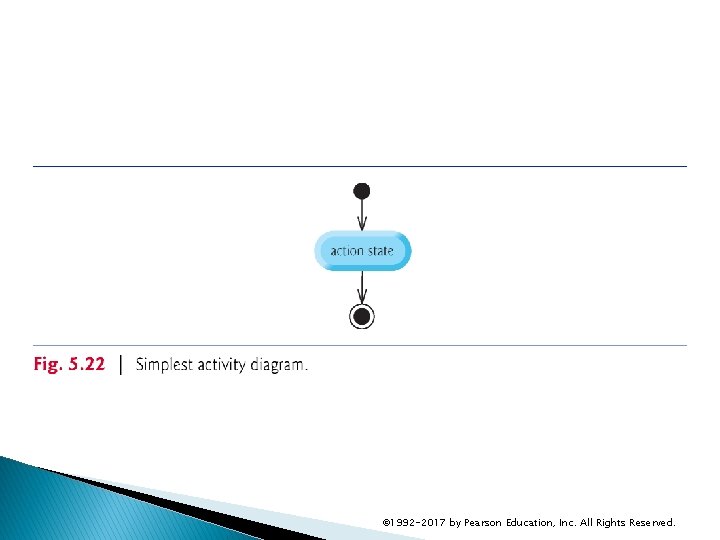
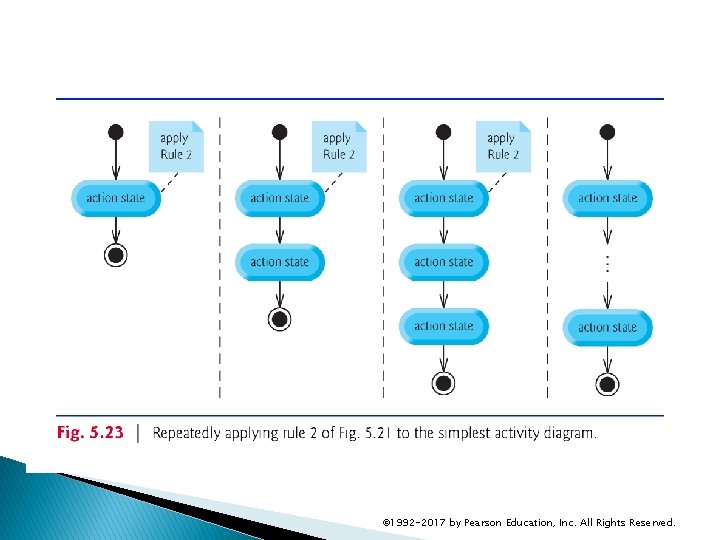
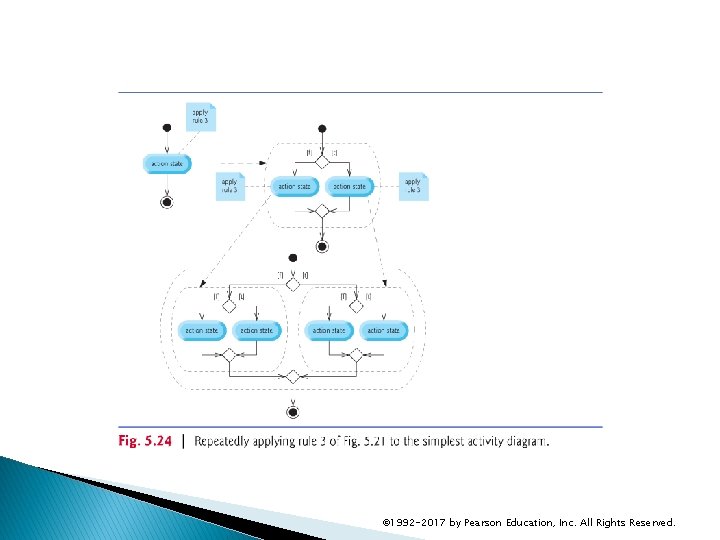
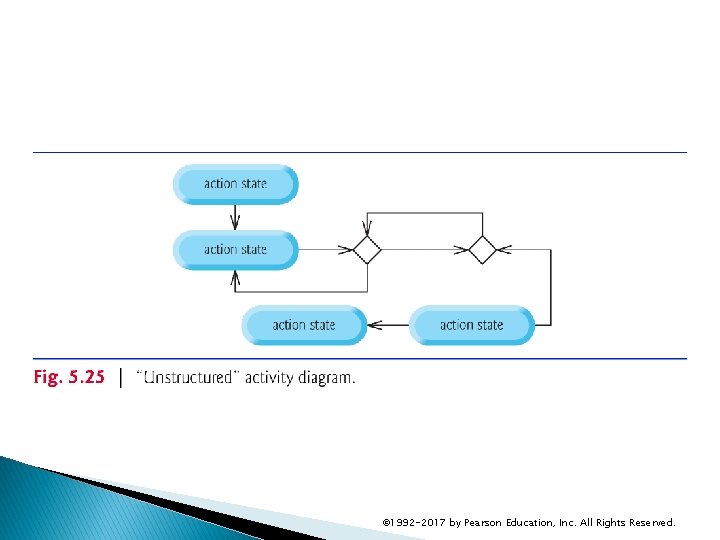
5. 13 Structured Programming Summary (cont. ) Figure 5. 21 shows the rules forming structured programs. The rules assume that action states may be used to indicate any action. The rules also assume that we begin with the so-called simplest activity diagram (Fig. 5. 22), consisting of only an initial state, an action state, a final state and transition arrows. Applying the rules of Fig. 5. 21 always results in an activity diagram with a neat, building-block appearance. Rule 2 generates a stack of control statements, so let’s call Rule 2 the stacking rule. Rule 3 is the nesting rule. © 1992 -2017 by Pearson Education, Inc. All Rights Reserved.
© 1992 -2017 by Pearson Education, Inc. All Rights Reserved.
© 1992 -2017 by Pearson Education, Inc. All Rights Reserved.
© 1992 -2017 by Pearson Education, Inc. All Rights Reserved.
© 1992 -2017 by Pearson Education, Inc. All Rights Reserved.
© 1992 -2017 by Pearson Education, Inc. All Rights Reserved.