
Continuous Testing in Eclipse David Saff Michael D
- Slides: 26
Continuous Testing in Eclipse David Saff, Michael D. Ernst MIT CSAIL e. TX 2004, Barcelona, Spain
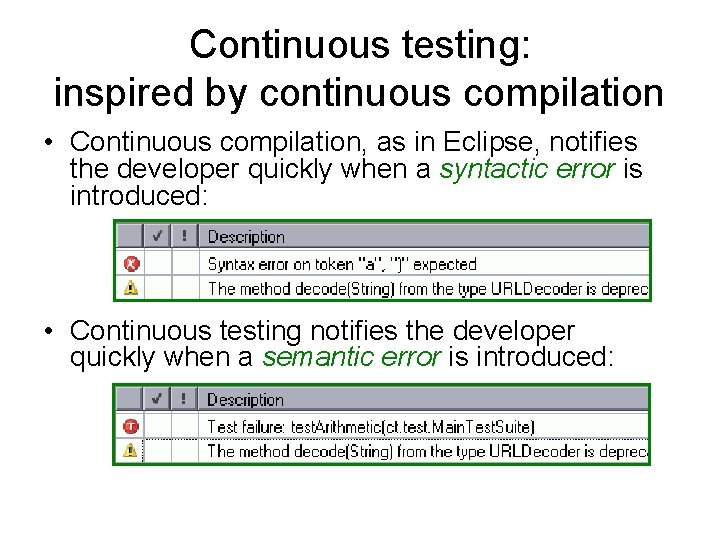
Continuous testing: inspired by continuous compilation • Continuous compilation, as in Eclipse, notifies the developer quickly when a syntactic error is introduced: • Continuous testing notifies the developer quickly when a semantic error is introduced:
Outline • Continuous testing: defined and motivated • Eclipse plug-in: – Design principles – User interface design: demo – Software design • Next steps
Outline • Continuous testing: defined and motivated • Eclipse plug-in: – Design principles – User interface design: demo – Software design • Next steps
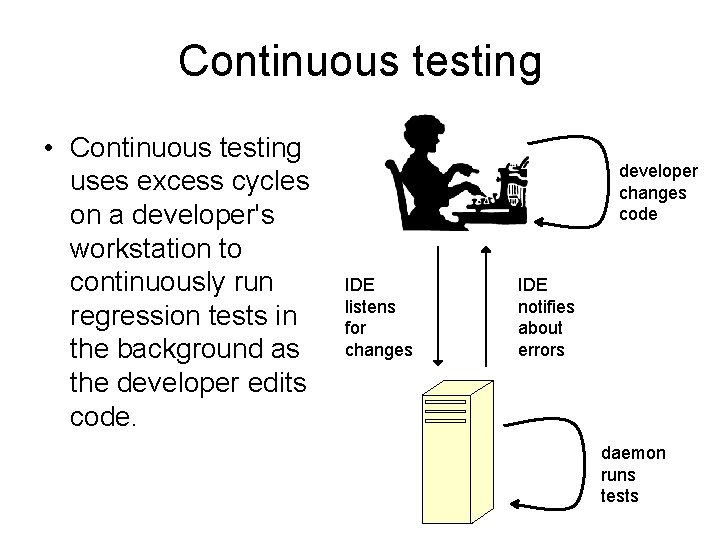
Continuous testing • Continuous testing uses excess cycles on a developer's workstation to continuously run regression tests in the background as the developer edits code. developer changes code IDE listens for changes IDE notifies about errors daemon runs tests
Goals of continuous testing Continuous testing: • No longer forces the developer to decide whether to test and what tests to run. • Prevents long-standing regression errors. * • Makes developer confident, not annoyed. * Saff, Ernst, ISSRE 2003: Reducing wasted development time via continuous testing
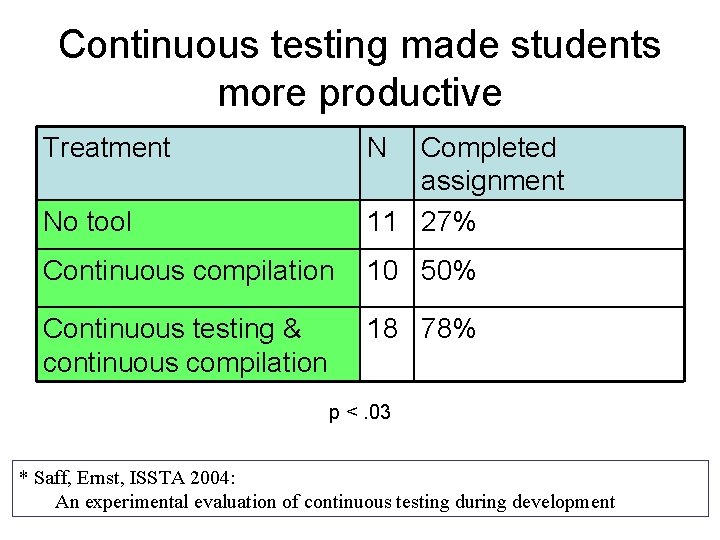
Continuous testing made students more productive Treatment N No tool Completed assignment 11 27% Continuous compilation 10 50% Continuous testing & continuous compilation 18 78% p <. 03 * Saff, Ernst, ISSTA 2004: An experimental evaluation of continuous testing during development
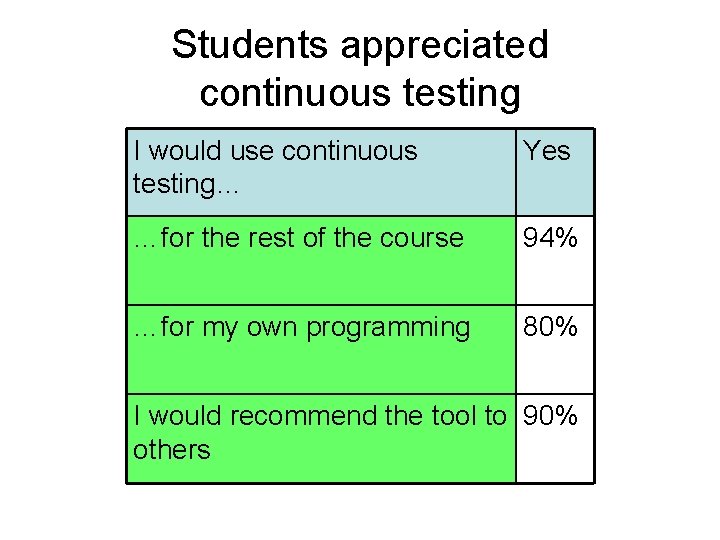
Students appreciated continuous testing I would use continuous testing… Yes …for the rest of the course 94% …for my own programming 80% I would recommend the tool to 90% others
Outline • Continuous testing: defined and motivated • Eclipse plug-in: – Design principles – User interface design: demo – Software design • Next steps
Design principles, 1 of 2 • Reuse – Whenever possible, plug in and reuse • Future reuse – When reuse is impossible, copy and paste to show where Eclipse could be more flexible
Design principles, 2 of 2 • Consistent experience – Don’t change expected behavior – Build on current developer metaphors • Minimal distraction – Don’t swamp benefits by sapping attention • Testability – Add testing-specific API’s when necessary
Outline • Continuous testing: defined and motivated • Eclipse plug-in: – Design principles – User interface design: demo – Software design • Next steps
Outline • Continuous testing: defined and motivated • Eclipse plug-in: – Design principles – User interface design: demo – Software design • Next steps
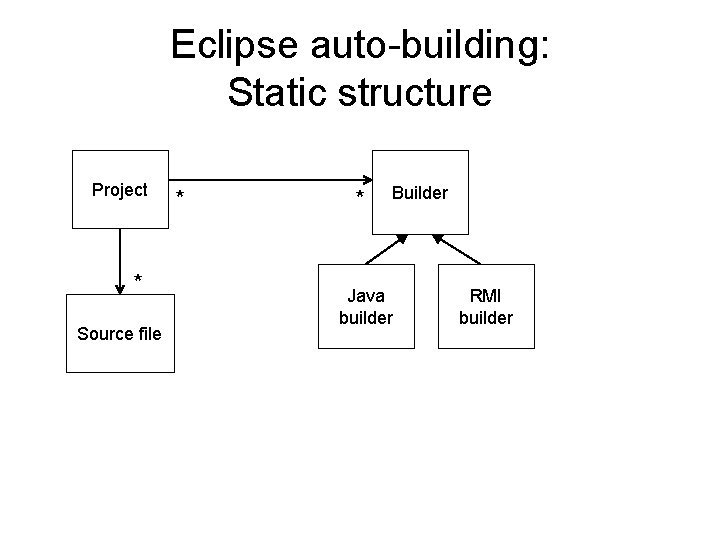
Eclipse auto-building: Static structure Project * Source file * * Builder Java builder RMI builder
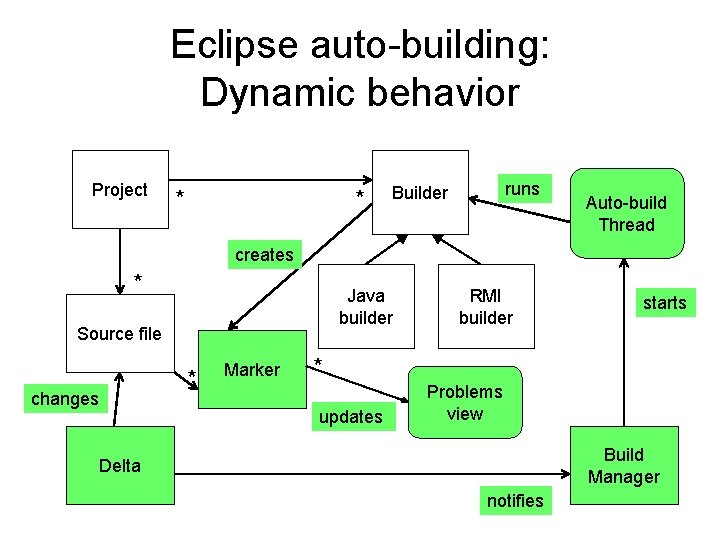
Eclipse auto-building: Dynamic behavior Project * * runs Builder Auto-build Thread creates * Java builder Source file changes * Marker RMI builder starts * updates Problems view Build Manager Delta notifies
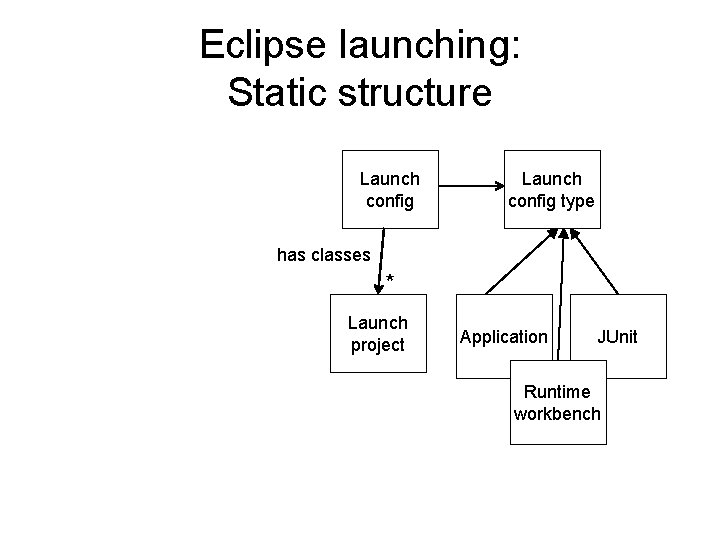
Eclipse launching: Static structure Launch config type has classes * Launch project Application JUnit Runtime workbench
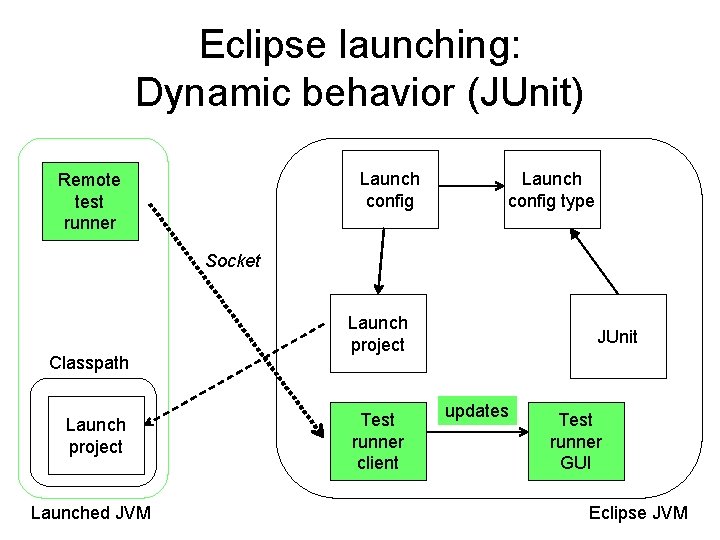
Eclipse launching: Dynamic behavior (JUnit) Launch config Remote test runner Launch config type Socket Classpath Launch project Launched JVM Launch project Test runner client JUnit updates Test runner GUI Eclipse JVM
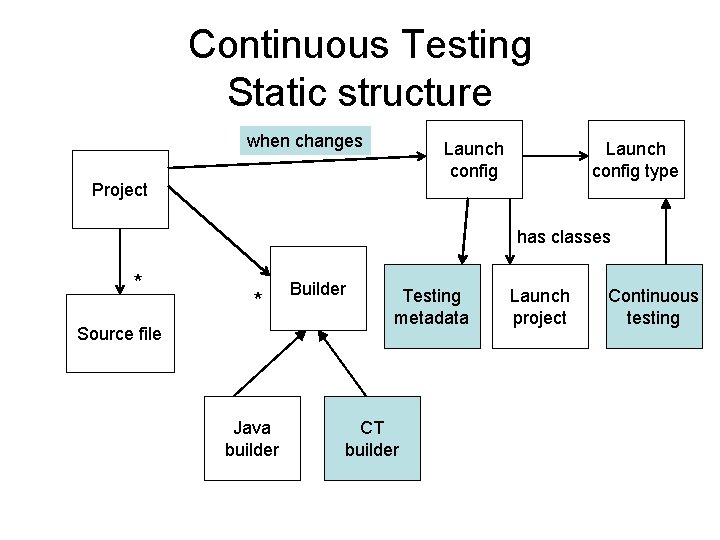
Continuous Testing Static structure when changes Launch config Project Launch config type has classes * * Source file Java builder Builder Testing metadata CT builder Launch project Continuous testing
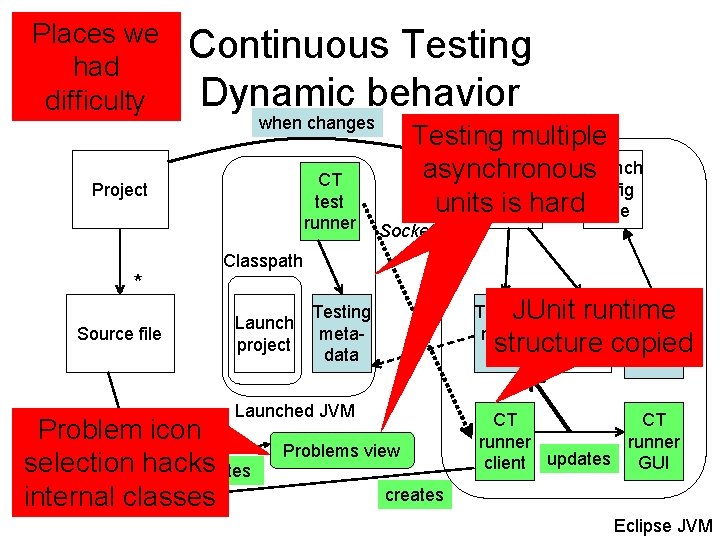
Places we had difficulty Continuous Testing Dynamic behavior when changes CT test runner Project * Source file Testing multiple Launch asynchronous Launch config units is hard type Socket Classpath Launch project Testing JUnit runtime Launch meta. CT project copied structure data Testing metadata Launched JVM Problem* icon selection updates Marker hacks internal classes Problems view CT CT runner client updates GUI creates Eclipse JVM
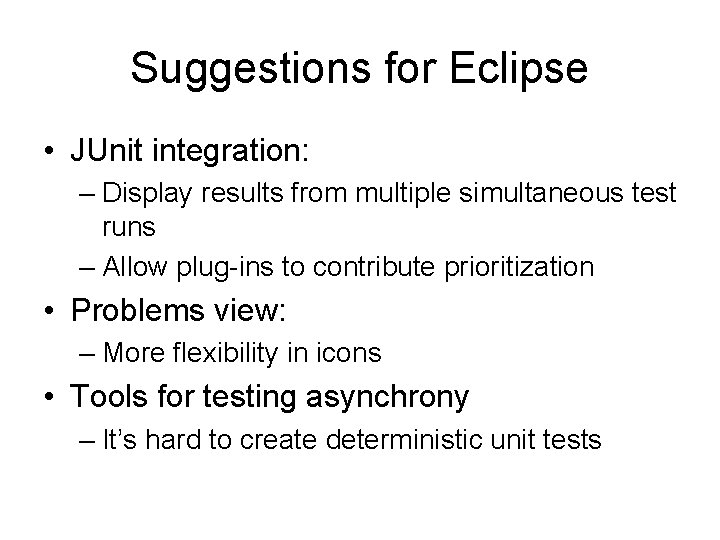
Suggestions for Eclipse • JUnit integration: – Display results from multiple simultaneous test runs – Allow plug-ins to contribute prioritization • Problems view: – More flexibility in icons • Tools for testing asynchrony – It’s hard to create deterministic unit tests
Outline • Continuous testing: defined and motivated • Eclipse plug-in: – Design principles – User interface design: demo – Software design • Next steps
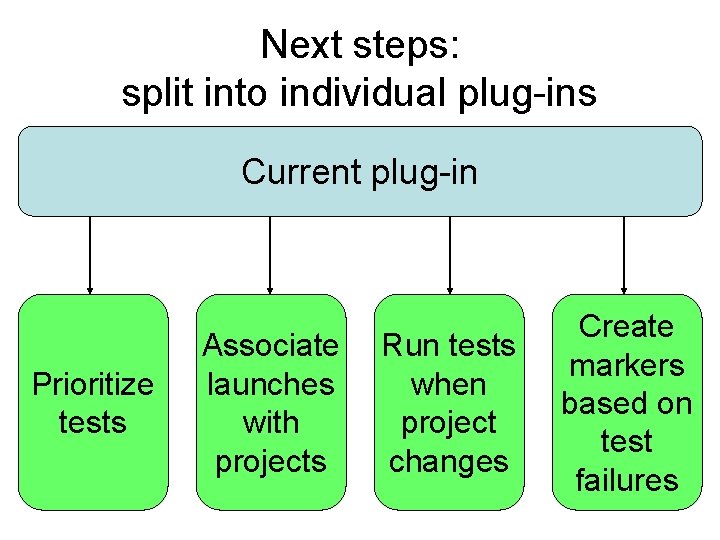
Next steps: split into individual plug-ins Current plug-in Prioritize tests Associate launches with projects Run tests when project changes Create markers based on test failures
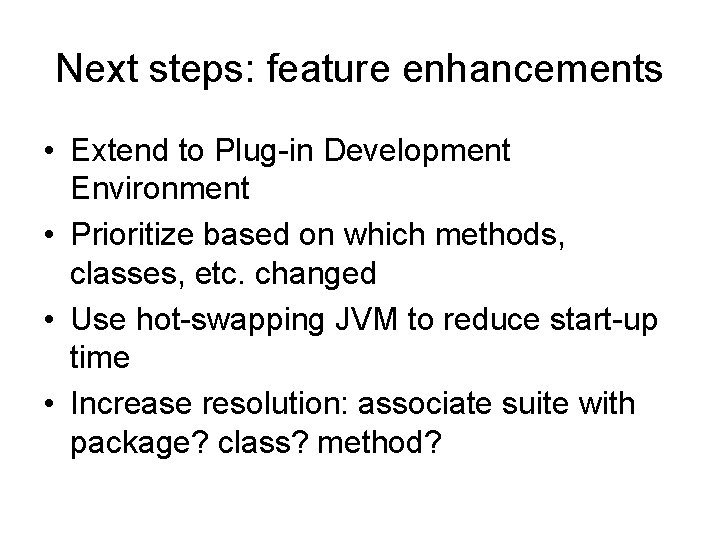
Next steps: feature enhancements • Extend to Plug-in Development Environment • Prioritize based on which methods, classes, etc. changed • Use hot-swapping JVM to reduce start-up time • Increase resolution: associate suite with package? class? method?
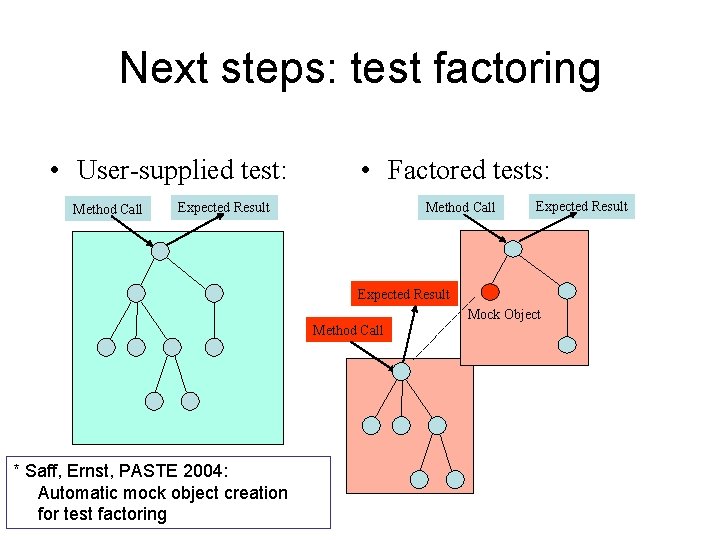
Next steps: test factoring • User-supplied test: Method Call • Factored tests: Expected Result Method Call Expected Result Mock Object Method Call * Saff, Ernst, PASTE 2004: Automatic mock object creation for test factoring
Further reading • Model of developer behavior – Saff, Ernst, ISSRE 2003: Reducing wasted development time via continuous testing • Controlled student experiment – Saff, Ernst, ISSTA 2004: An experimental evaluation of continuous testing during development • Test factoring – Saff, Ernst, PASTE 2004: Automatic mock object creation for test factoring
Conclusion • Plug-in is publicly available at http: //pag. csail. mit. edu/~saff/continuoustesting. html • Many are using and enjoying continuous testing: give it a try! • Eclipse was an excellent platform for meeting our design goals. • Research and implementation continues