
Contents Understanding Join Conditions Join Types Using Simple
- Slides: 34
Contents �Understanding Join Conditions �Join Types �Using Simple Functions 2/12/2022 Course: Data base Technologies, Instructor: Dr Ali Daud 1
Understanding Join Conditions and Join Types
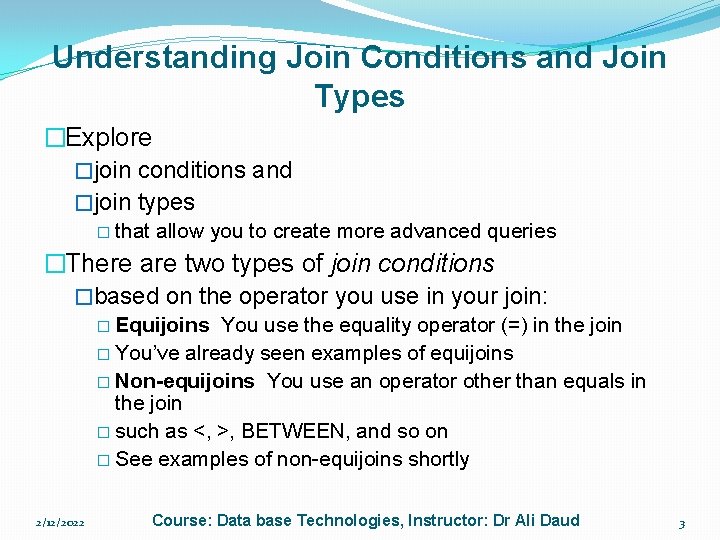
Understanding Join Conditions and Join Types �Explore �join conditions and �join types � that allow you to create more advanced queries �There are two types of join conditions �based on the operator you use in your join: � Equijoins You use the equality operator (=) in the join � You’ve already seen examples of equijoins � Non-equijoins You use an operator other than equals in the join � such as <, >, BETWEEN, and so on � See examples of non-equijoins shortly 2/12/2022 Course: Data base Technologies, Instructor: Dr Ali Daud 3
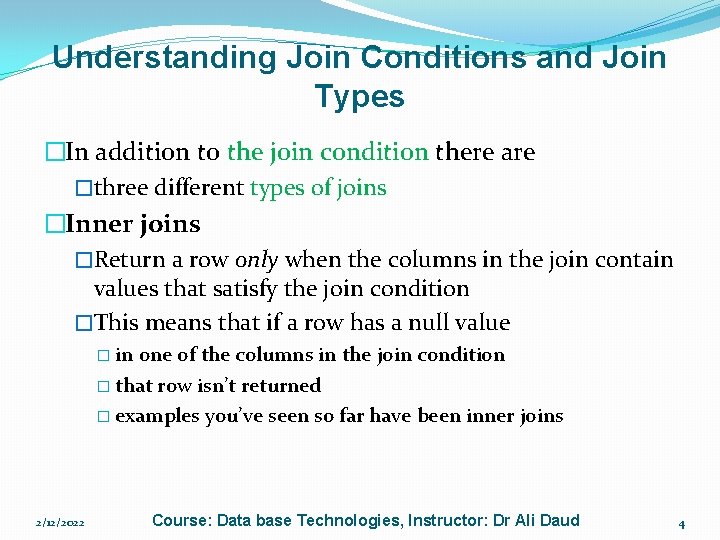
Understanding Join Conditions and Join Types �In addition to the join condition there are �three different types of joins �Inner joins �Return a row only when the columns in the join contain values that satisfy the join condition �This means that if a row has a null value � in one of the columns in the join condition � that row isn’t returned � examples you’ve seen so far have been inner joins 2/12/2022 Course: Data base Technologies, Instructor: Dr Ali Daud 4
Understanding Join Conditions and Join Types �Outer joins �Can return a row even when one of the columns in the join condition contains a null value �Self joins �Return rows joined on the same table 2/12/2022 Course: Data base Technologies, Instructor: Dr Ali Daud 5
Understanding Non-equijoins �A non-equijoin uses �an operator other than the equality operator in the join � Examples of non-equality operators are � not-equal (<>) � less than (<) � greater than (>) � less than or equal to (<=) � greater than or equal to (>=) � LIKE � IN and � BETWEEN 2/12/2022 Course: Data base Technologies, Instructor: Dr Ali Daud 6
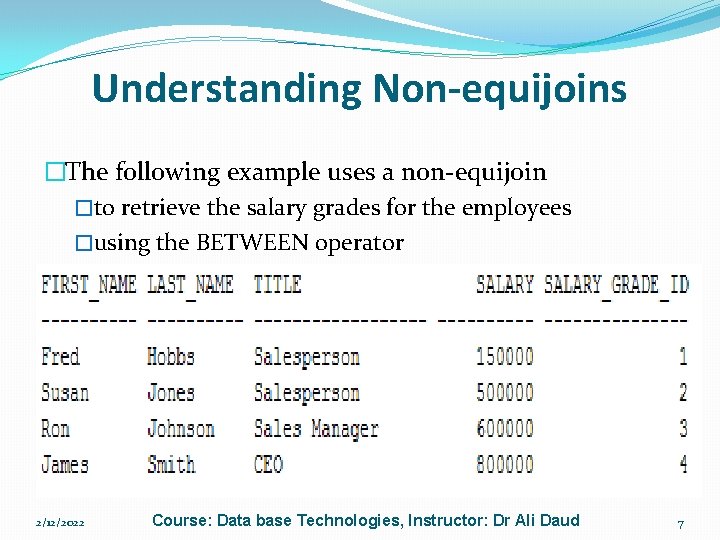
Understanding Non-equijoins �The following example uses a non-equijoin �to retrieve the salary grades for the employees �using the BETWEEN operator �SELECT e. first_name, e. last_name, e. title, e. salary, sg. salary_grade_id FROM employees e, salary_grades sg WHERE e. salary BETWEEN sg. low_salary AND sg. high_salary; 2/12/2022 Course: Data base Technologies, Instructor: Dr Ali Daud 7
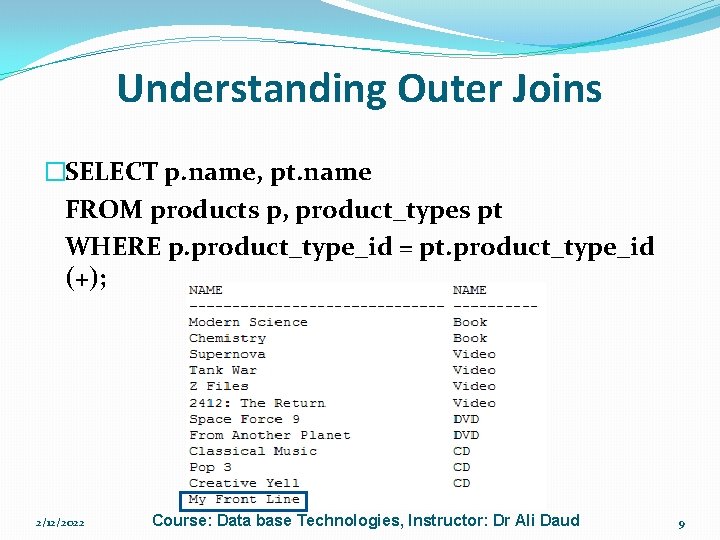
Understanding Outer Joins �An outer join retrieves a row �even when one of the columns in the join contains a null value �Perform an outer join by supplying the outer join operator in the join condition � the outer join operator is a plus character in parentheses (+) � �Remember the query earlier that didn’t show �the “My Front Line” product because its � product_type_id is null � You can use an outer join to get that row � notice that the outer join operator (+) is on the opposite side of the product_type_id column in the product table � this is the column that contains the null value 2/12/2022 Course: Data base Technologies, Instructor: Dr Ali Daud 8
Understanding Outer Joins �SELECT p. name, pt. name FROM products p, product_types pt WHERE p. product_type_id = pt. product_type_id (+); 2/12/2022 Course: Data base Technologies, Instructor: Dr Ali Daud 9
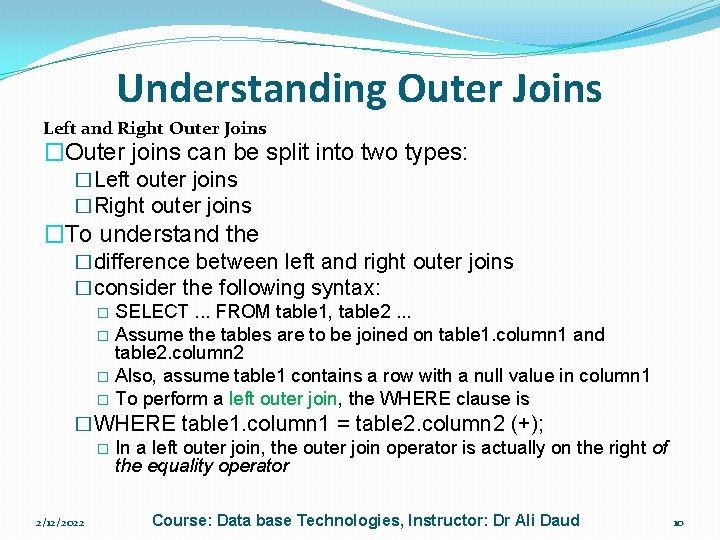
Understanding Outer Joins Left and Right Outer Joins �Outer joins can be split into two types: �Left outer joins �Right outer joins �To understand the �difference between left and right outer joins �consider the following syntax: � SELECT. . . FROM table 1, table 2. . . � Assume the tables are to be joined on table 1. column 1 and table 2. column 2 � Also, assume table 1 contains a row with a null value in column 1 � To perform a left outer join, the WHERE clause is �WHERE table 1. column 1 = table 2. column 2 (+); � In a left outer join, the outer join operator is actually on the right of the equality operator 2/12/2022 Course: Data base Technologies, Instructor: Dr Ali Daud 10
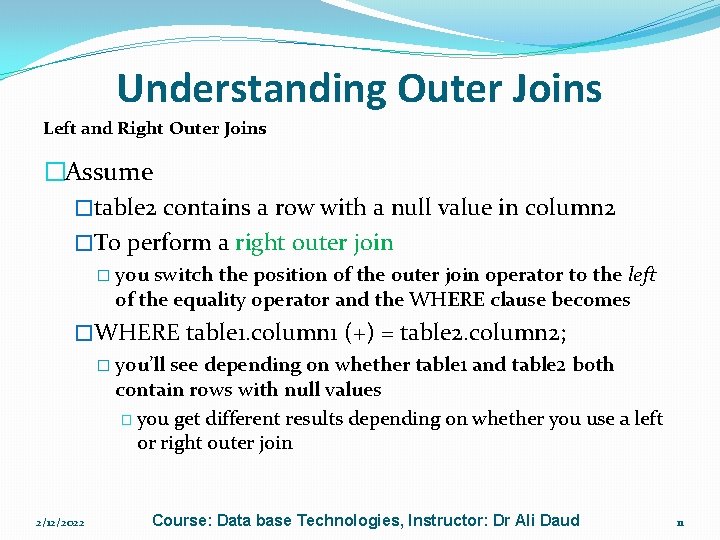
Understanding Outer Joins Left and Right Outer Joins �Assume �table 2 contains a row with a null value in column 2 �To perform a right outer join � you switch the position of the outer join operator to the left of the equality operator and the WHERE clause becomes �WHERE table 1. column 1 (+) = table 2. column 2; � you’ll see depending on whether table 1 and table 2 both contain rows with null values � you get different results depending on whether you use a left or right outer join 2/12/2022 Course: Data base Technologies, Instructor: Dr Ali Daud 11
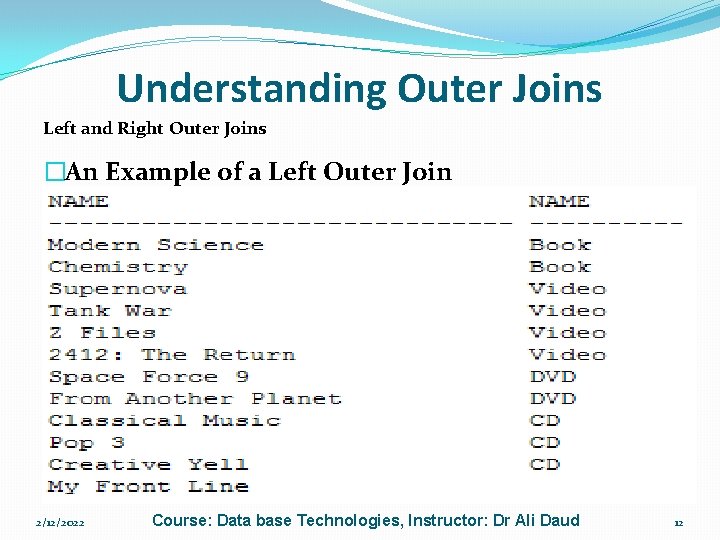
Understanding Outer Joins Left and Right Outer Joins �An Example of a Left Outer Join �The following example shows the use of a left outer join � Notice that the outer join operator appears on the right of the equality operator: �SELECT p. name, pt. name FROM products p, product_types pt WHERE p. product_type_id = pt. product_type_id (+); 2/12/2022 Course: Data base Technologies, Instructor: Dr Ali Daud 12
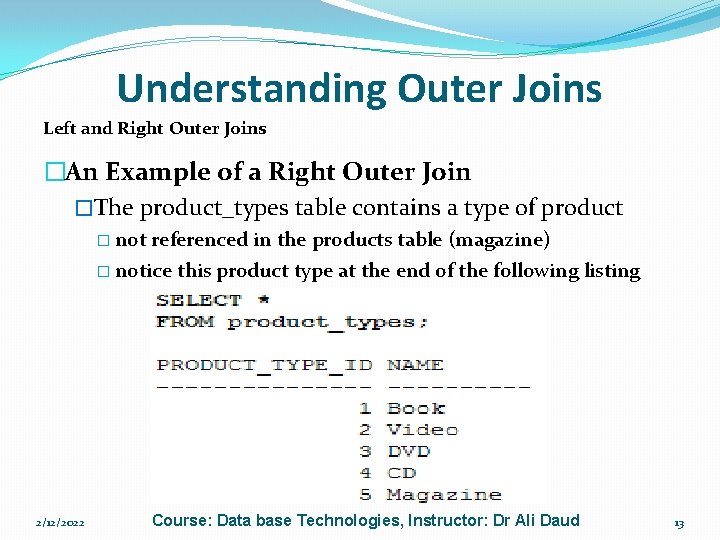
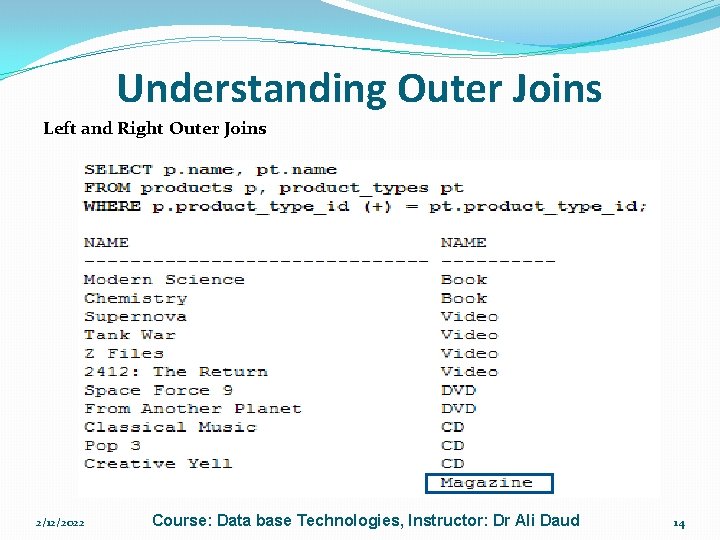
Understanding Outer Joins Left and Right Outer Joins �An Example of a Right Outer Join �The product_types table contains a type of product � not referenced in the products table (magazine) � notice this product type at the end of the following listing 2/12/2022 Course: Data base Technologies, Instructor: Dr Ali Daud 13
Understanding Outer Joins Left and Right Outer Joins 2/12/2022 Course: Data base Technologies, Instructor: Dr Ali Daud 14
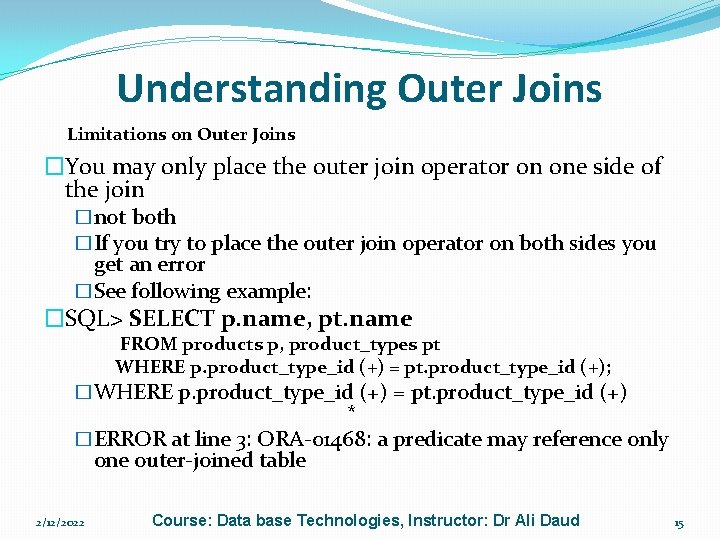
Understanding Outer Joins Limitations on Outer Joins �You may only place the outer join operator on one side of the join �not both �If you try to place the outer join operator on both sides you get an error �See following example: �SQL> SELECT p. name, pt. name FROM products p, product_types pt WHERE p. product_type_id (+) = pt. product_type_id (+); �WHERE p. product_type_id (+) = pt. product_type_id (+) * �ERROR at line 3: ORA-01468: a predicate may reference only one outer-joined table 2/12/2022 Course: Data base Technologies, Instructor: Dr Ali Daud 15
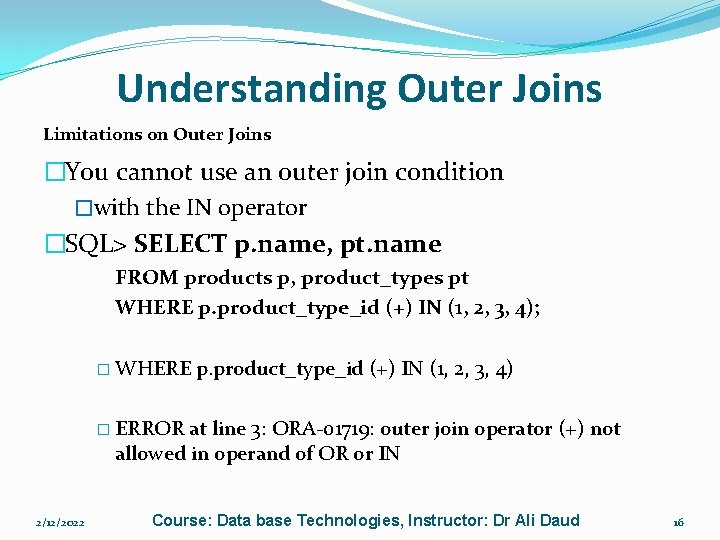
Understanding Outer Joins Limitations on Outer Joins �You cannot use an outer join condition �with the IN operator �SQL> SELECT p. name, pt. name FROM products p, product_types pt WHERE p. product_type_id (+) IN (1, 2, 3, 4); � WHERE p. product_type_id (+) IN (1, 2, 3, 4) � ERROR at line 3: ORA-01719: outer join operator (+) not allowed in operand of OR or IN 2/12/2022 Course: Data base Technologies, Instructor: Dr Ali Daud 16
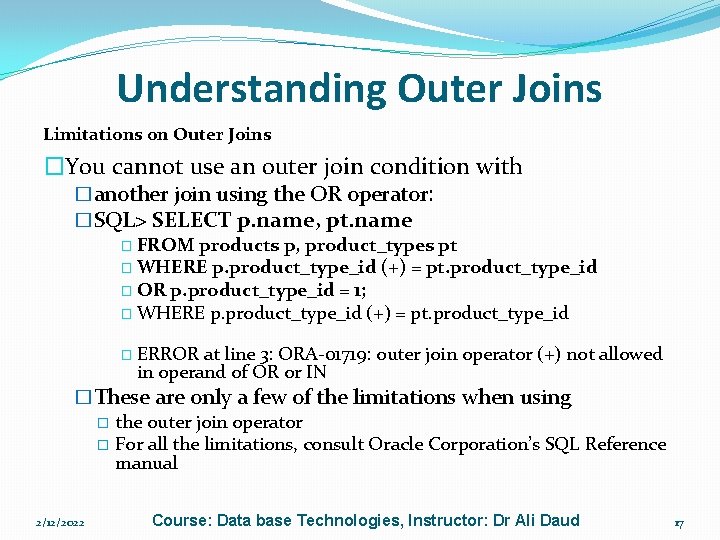
Understanding Outer Joins Limitations on Outer Joins �You cannot use an outer join condition with �another join using the OR operator: �SQL> SELECT p. name, pt. name � FROM products p, product_types pt � WHERE p. product_type_id (+) = pt. product_type_id � OR p. product_type_id = 1; � WHERE p. product_type_id (+) = pt. product_type_id � ERROR at line 3: ORA-01719: outer join operator (+) not allowed in operand of OR or IN �These are only a few of the limitations when using � the outer join operator � For all the limitations, consult Oracle Corporation’s SQL Reference manual 2/12/2022 Course: Data base Technologies, Instructor: Dr Ali Daud 17
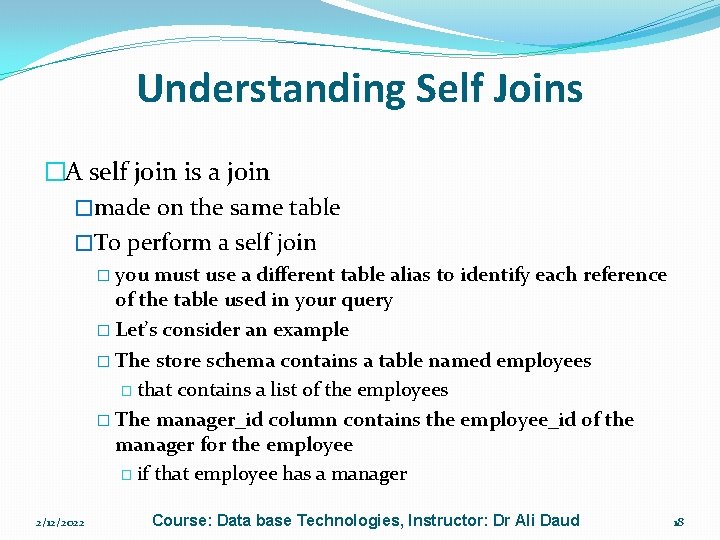
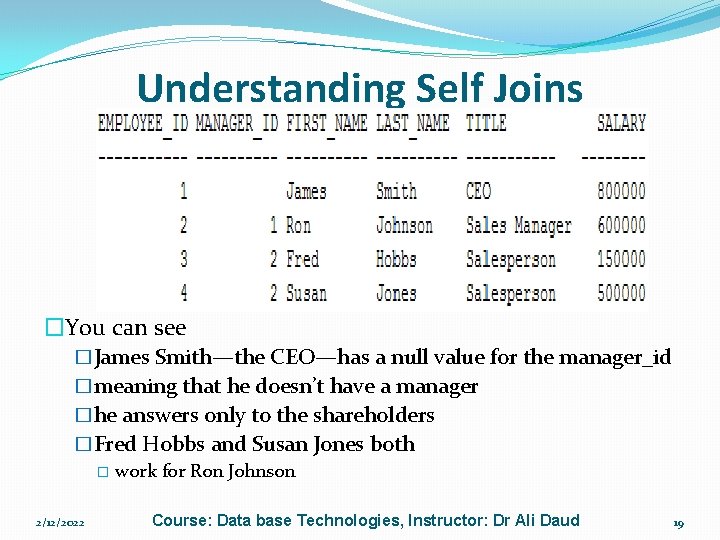
Understanding Self Joins �A self join is a join �made on the same table �To perform a self join � you must use a different table alias to identify each reference of the table used in your query � Let’s consider an example � The store schema contains a table named employees � that contains a list of the employees � The manager_id column contains the employee_id of the manager for the employee � if that employee has a manager 2/12/2022 Course: Data base Technologies, Instructor: Dr Ali Daud 18
Understanding Self Joins �You can see �James Smith—the CEO—has a null value for the manager_id �meaning that he doesn’t have a manager �he answers only to the shareholders �Fred Hobbs and Susan Jones both � work for Ron Johnson 2/12/2022 Course: Data base Technologies, Instructor: Dr Ali Daud 19
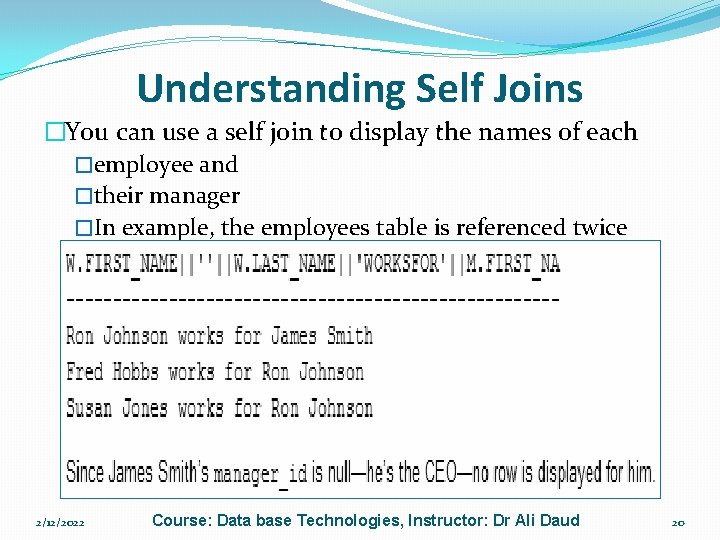
Understanding Self Joins �You can use a self join to display the names of each �employee and �their manager �In example, the employees table is referenced twice � using two aliases w and m � The w alias is used to get the worker name and � the m alias is used to get the manager name � The self join is made between w. manager_id and m. employee_id: � SELECT w. first_name || ' ' || w. last_name || ' works for '|| m. first_name || ' ' || m. last_name FROM employees w, employees m WHERE w. manager_id = m. employee_id; 2/12/2022 Course: Data base Technologies, Instructor: Dr Ali Daud 20
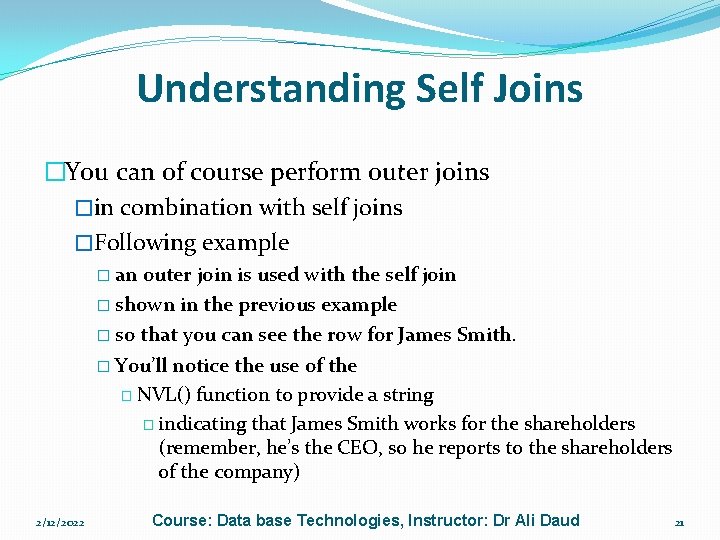
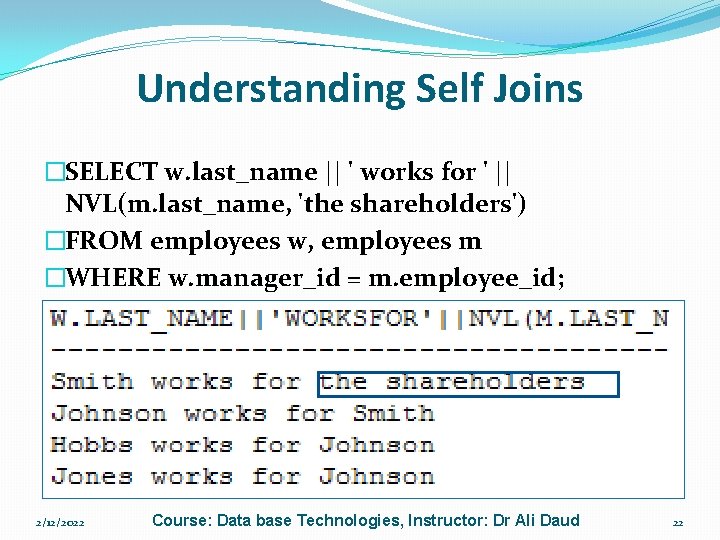
Understanding Self Joins �You can of course perform outer joins �in combination with self joins �Following example � an outer join is used with the self join � shown in the previous example � so that you can see the row for James Smith. � You’ll notice the use of the � NVL() function to provide a string � indicating that James Smith works for the shareholders (remember, he’s the CEO, so he reports to the shareholders of the company) 2/12/2022 Course: Data base Technologies, Instructor: Dr Ali Daud 21
Understanding Self Joins �SELECT w. last_name || ' works for ' || NVL(m. last_name, 'the shareholders') �FROM employees w, employees m �WHERE w. manager_id = m. employee_id; 2/12/2022 Course: Data base Technologies, Instructor: Dr Ali Daud 22
Using Simple Functions 2/12/2022 Course: Data base Technologies, Instructor: Dr Ali Daud 23
�In this chapter, you’ll learn about some of the Oracle database’s built-in functions. A function accepts zero or more input parameters and returns an output parameter. There are two main types of functions you can use in an Oracle database: 2/12/2022 Course: Data base Technologies, Instructor: Dr Ali Daud 24
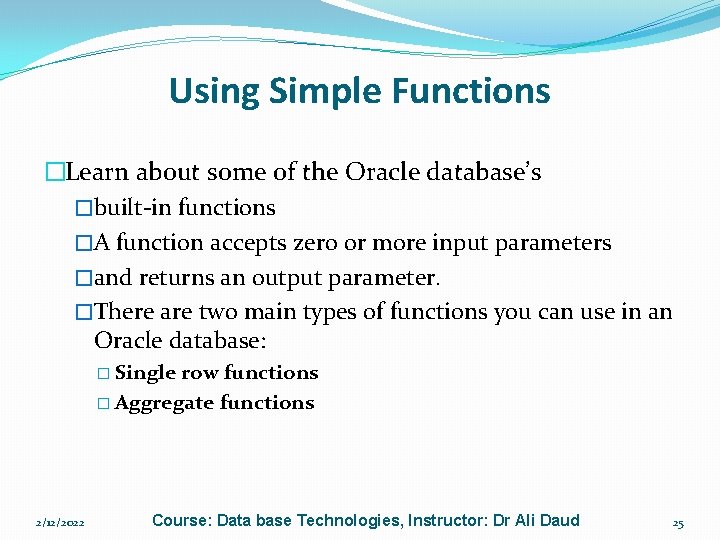
Using Simple Functions �Learn about some of the Oracle database’s �built-in functions �A function accepts zero or more input parameters �and returns an output parameter. �There are two main types of functions you can use in an Oracle database: � Single row functions � Aggregate functions 2/12/2022 Course: Data base Technologies, Instructor: Dr Ali Daud 25
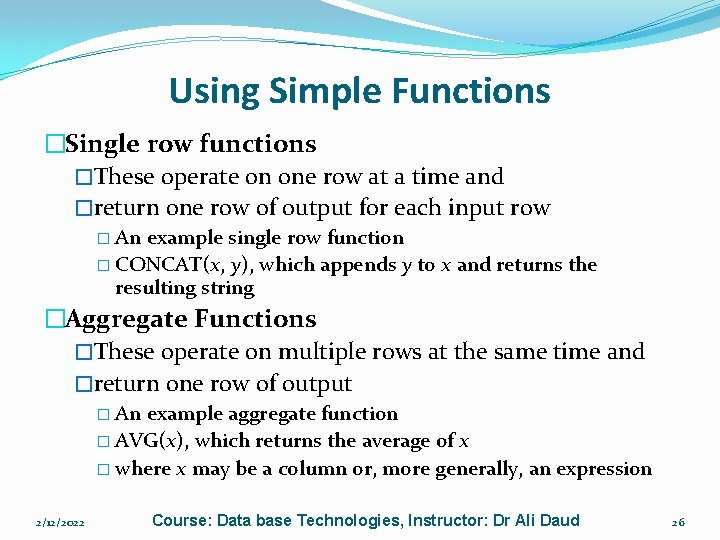
Using Simple Functions �Single row functions �These operate on one row at a time and �return one row of output for each input row � An example single row function � CONCAT(x, y), which appends y to x and returns the resulting string �Aggregate Functions �These operate on multiple rows at the same time and �return one row of output � An example aggregate function � AVG(x), which returns the average of x � where x may be a column or, more generally, an expression 2/12/2022 Course: Data base Technologies, Instructor: Dr Ali Daud 26
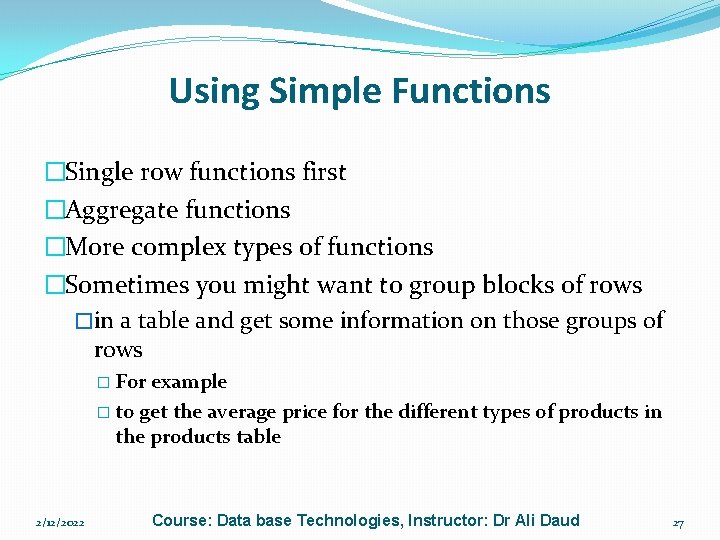
Using Simple Functions �Single row functions first �Aggregate functions �More complex types of functions �Sometimes you might want to group blocks of rows �in a table and get some information on those groups of rows � For example � to get the average price for the different types of products in the products table 2/12/2022 Course: Data base Technologies, Instructor: Dr Ali Daud 27
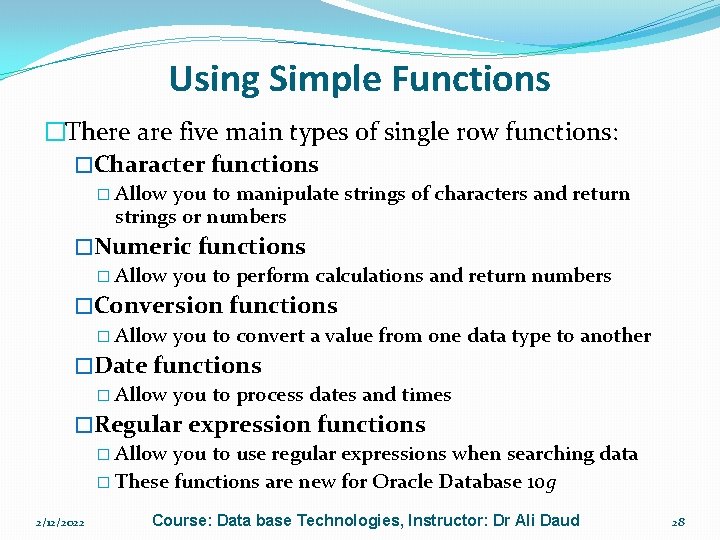
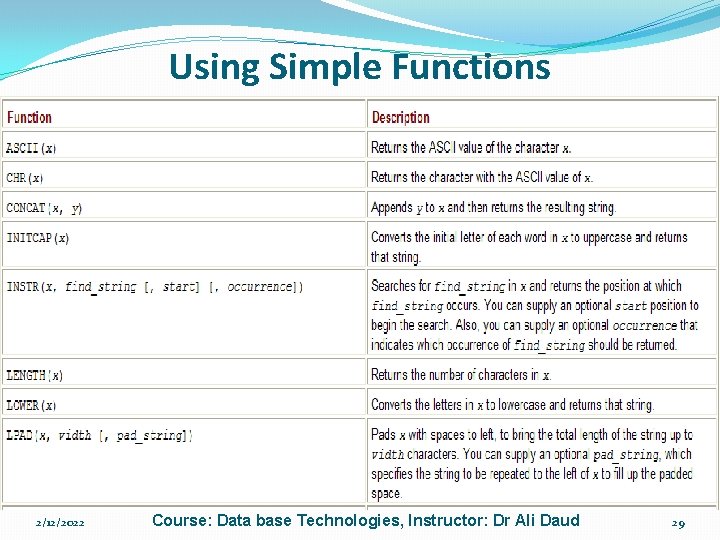
Using Simple Functions �There are five main types of single row functions: �Character functions � Allow you to manipulate strings of characters and return strings or numbers �Numeric functions � Allow you to perform calculations and return numbers �Conversion functions � Allow you to convert a value from one data type to another �Date functions � Allow you to process dates and times �Regular expression functions � Allow you to use regular expressions when searching data � These functions are new for Oracle Database 10 g 2/12/2022 Course: Data base Technologies, Instructor: Dr Ali Daud 28
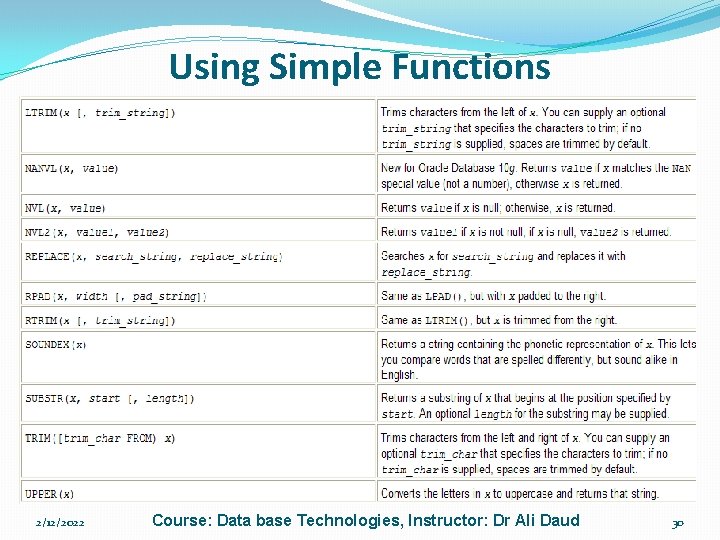
Using Simple Functions �Character Functions �These functions accept character input �which may come from a column in a table or �more generally from any expression �Input is then processed in some way and a result returned �One example function � UPPER(), which converts all the letters in a character string � to uppercase and returns the new string � NVL(), which converts a null value to a value passed to the function 2/12/2022 Course: Data base Technologies, Instructor: Dr Ali Daud 29
Using Simple Functions 2/12/2022 Course: Data base Technologies, Instructor: Dr Ali Daud 30
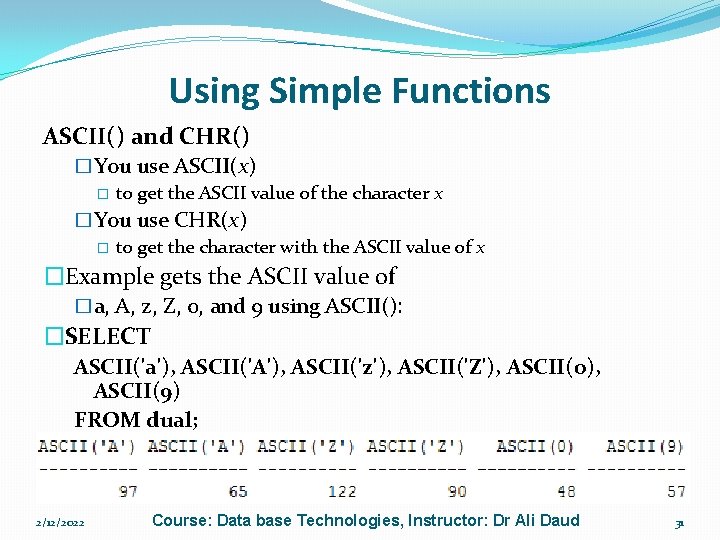
Using Simple Functions ASCII() and CHR() �You use ASCII(x) � to get the ASCII value of the character x �You use CHR(x) � to get the character with the ASCII value of x �Example gets the ASCII value of �a, A, z, Z, 0, and 9 using ASCII(): �SELECT ASCII('a'), ASCII('A'), ASCII('z'), ASCII('Z'), ASCII(0), ASCII(9) FROM dual; � 2/12/2022 Course: Data base Technologies, Instructor: Dr Ali Daud 31
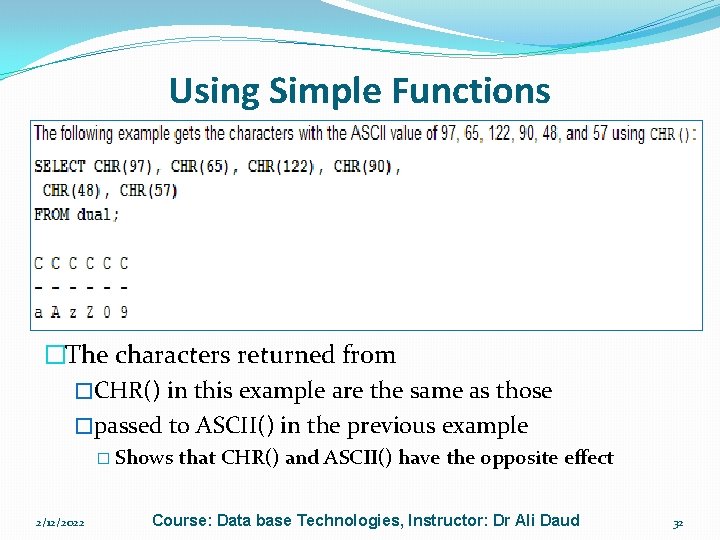
Using Simple Functions �The dual table is used �As you saw in the slides � the dual table contains a single row � through which you may perform queries � that don’t go against a particular table �The characters returned from �CHR() in this example are the same as those �passed to ASCII() in the previous example � Shows 2/12/2022 that CHR() and ASCII() have the opposite effect Course: Data base Technologies, Instructor: Dr Ali Daud 32
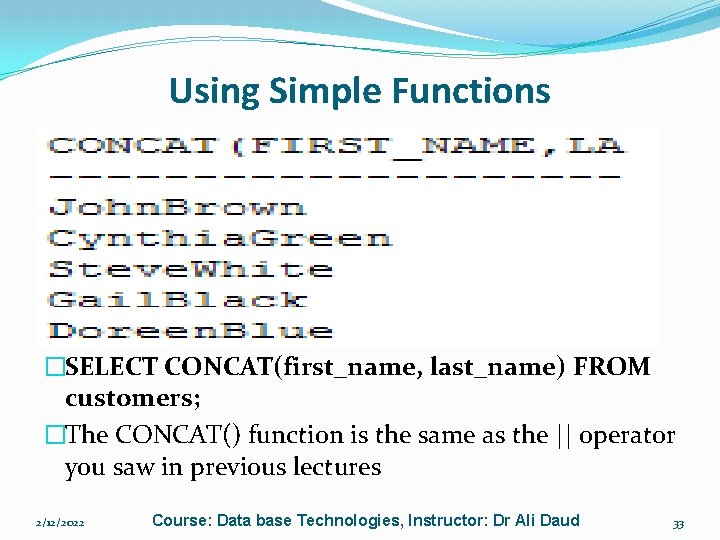
Using Simple Functions CONCAT() �You use CONCAT(x, y) to append y to x �CONCAT() then returns the resulting string � Following example selects the � first_name and last_name columns from the products table � appending last_name to first_name using CONCAT(): �SELECT CONCAT(first_name, last_name) FROM customers; �The CONCAT() function is the same as the || operator you saw in previous lectures 2/12/2022 Course: Data base Technologies, Instructor: Dr Ali Daud 33
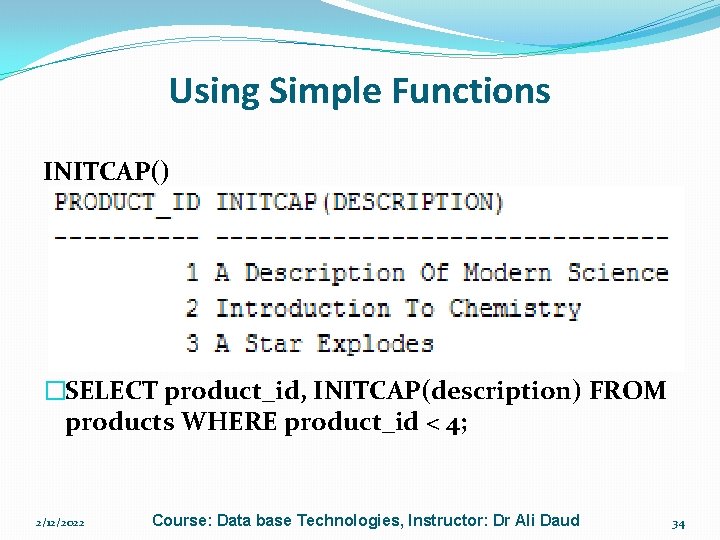
Using Simple Functions INITCAP() �You use INITCAP(x) to convert the �initial letter of each word in x to uppercase � Following example selects the � product_id and description columns from the products table � and uses INITCAP() to convert the first letter of each word in description to uppercase: �SELECT product_id, INITCAP(description) FROM products WHERE product_id < 4; 2/12/2022 Course: Data base Technologies, Instructor: Dr Ali Daud 34