
Containerizing Notebooks for Serverless Execution Kevin M Mc
Containerizing Notebooks for Serverless Execution Kevin M. Mc. Cormick Amazon Sage. Maker, Sr. Engineer Jupyter. Con, NYC, 2018 © 2018, Amazon Web Services, Inc. or its Affiliates. All rights reserved.
Welcome! ? ? What a “containerized” notebook or kernel? What is it good for? © 2018, Amazon Web Services, Inc. or its Affiliates. All rights reserved. How does it work? How can I get started?
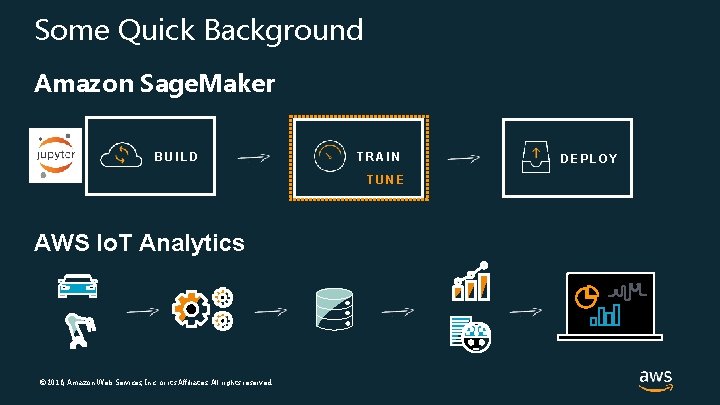
Some Quick Background Amazon Sage. Maker BUILD TRAIN TUNE AWS Io. T Analytics © 2018, Amazon Web Services, Inc. or its Affiliates. All rights reserved. DEPLOY
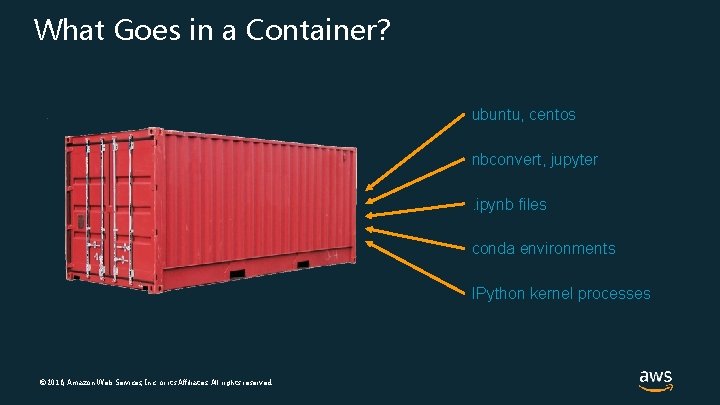
What Goes in a Container? ubuntu, centos nbconvert, jupyter. ipynb files conda environments IPython kernel processes © 2018, Amazon Web Services, Inc. or its Affiliates. All rights reserved.
A Tale of Two Davids (and Oleg, and Xiang) © 2018, Amazon Web Services, Inc. or its Affiliates. All rights reserved. X O D #2 D #1 to be continued…
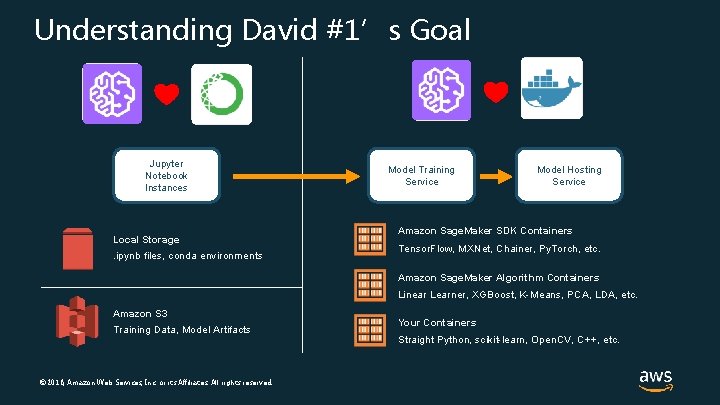
Understanding David #1’s Goal Jupyter Notebook Instances Local Storage . ipynb files, conda environments Model Training Service Model Hosting Service Amazon Sage. Maker SDK Containers Tensor. Flow, MXNet, Chainer, Py. Torch, etc. Amazon Sage. Maker Algorithm Containers Linear Learner, XGBoost, K-Means, PCA, LDA, etc. Amazon S 3 Training Data, Model Artifacts © 2018, Amazon Web Services, Inc. or its Affiliates. All rights reserved. Your Containers Straight Python, scikit-learn, Open. CV, C++, etc.
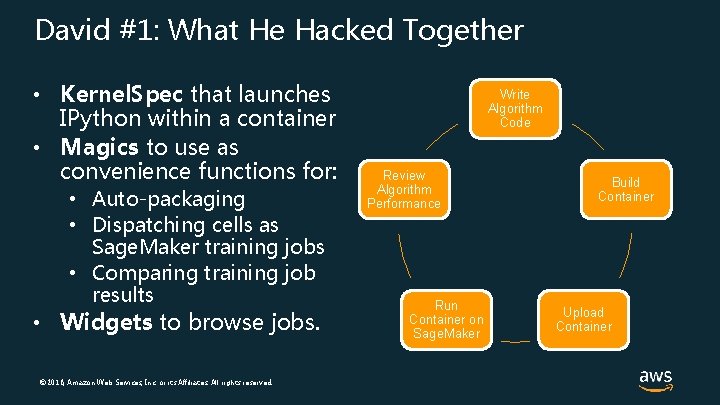
David #1: What He Hacked Together • Kernel. Spec that launches IPython within a container • Magics to use as convenience functions for: • Auto-packaging • Dispatching cells as Sage. Maker training jobs • Comparing training job results • Widgets to browse jobs. © 2018, Amazon Web Services, Inc. or its Affiliates. All rights reserved. Write Algorithm Code Review Algorithm Performance Run Container on Sage. Maker Build Container Upload Container
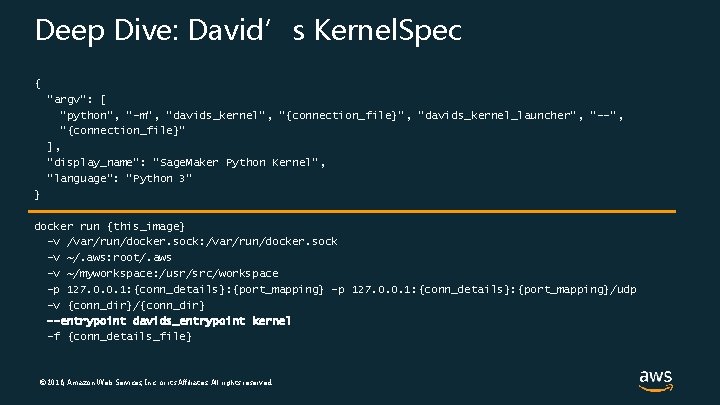
Deep Dive: David’s Kernel. Spec { "argv": [ "python", "-m", “davids_kernel", "{connection_file}", “davids_kernel_launcher", "--", "{connection_file}" ], "display_name": "Sage. Maker Python Kernel", "language": "Python 3“ } docker run {this_image} -v /var/run/docker. sock: /var/run/docker. sock -v ~/. aws: root/. aws -v ~/myworkspace: /usr/src/workspace -p 127. 0. 0. 1: {conn_details}: {port_mapping}/udp -v {conn_dir}/{conn_dir} --entrypoint davids_entrypoint kernel -f {conn_details_file} © 2018, Amazon Web Services, Inc. or its Affiliates. All rights reserved.
David #1: Other Tidbits • Tinkered a bit further: • Used the nteract/papermill library to run an entire notebook on the training service, not just a single cell • Added a ‘local’ feature to skip the upload step • Demoed his work at an AWS-internal meet-up • The local feature later influenced Sage. Maker Local Mode. • One of these people in attendance was David #2 from Io. T… © 2018, Amazon Web Services, Inc. or its Affiliates. All rights reserved.
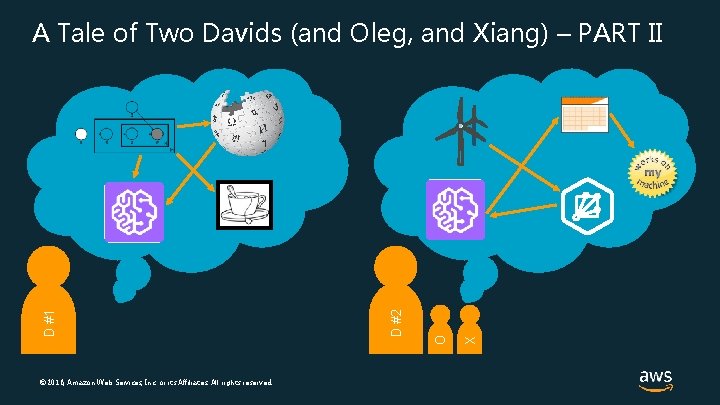
© 2018, Amazon Web Services, Inc. or its Affiliates. All rights reserved. X O D #2 D #1 A Tale of Two Davids (and Oleg, and Xiang) – PART II
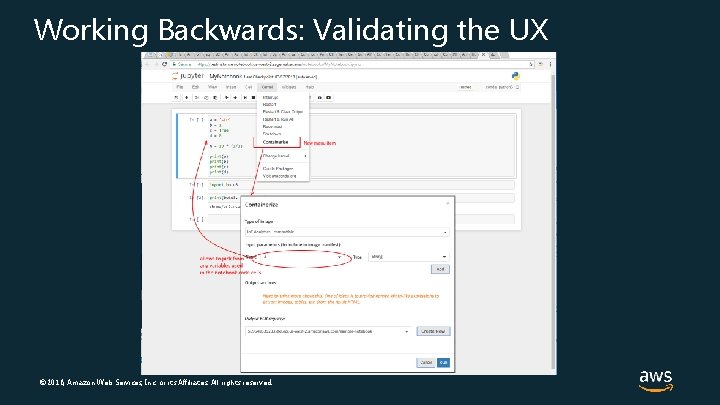
Working Backwards: Validating the UX © 2018, Amazon Web Services, Inc. or its Affiliates. All rights reserved.
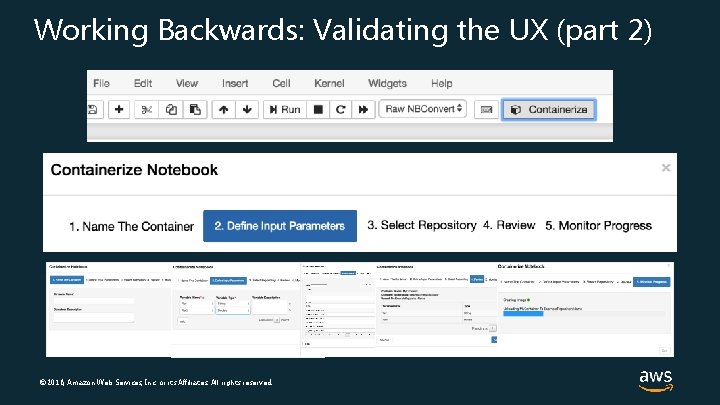
Working Backwards: Validating the UX (part 2) © 2018, Amazon Web Services, Inc. or its Affiliates. All rights reserved.
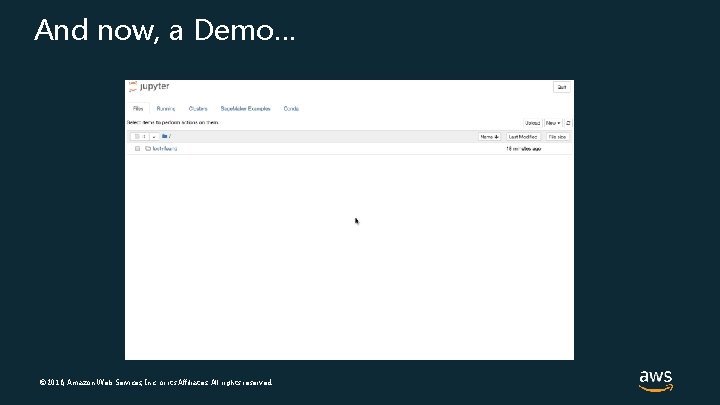
And now, a Demo… © 2018, Amazon Web Services, Inc. or its Affiliates. All rights reserved.
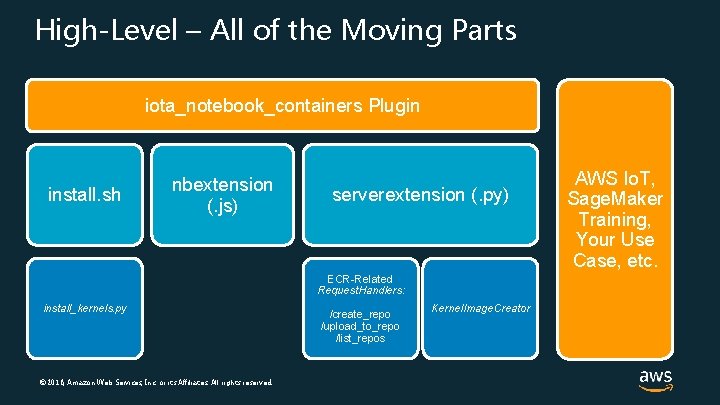
High-Level – All of the Moving Parts iota_notebook_containers Plugin install. sh nbextension (. js) serverextension (. py) ECR-Related Request. Handlers: install_kernels. py © 2018, Amazon Web Services, Inc. or its Affiliates. All rights reserved. /create_repo /upload_to_repo /list_repos Kernel. Image. Creator AWS Io. T, Sage. Maker Training, Your Use Case, etc.
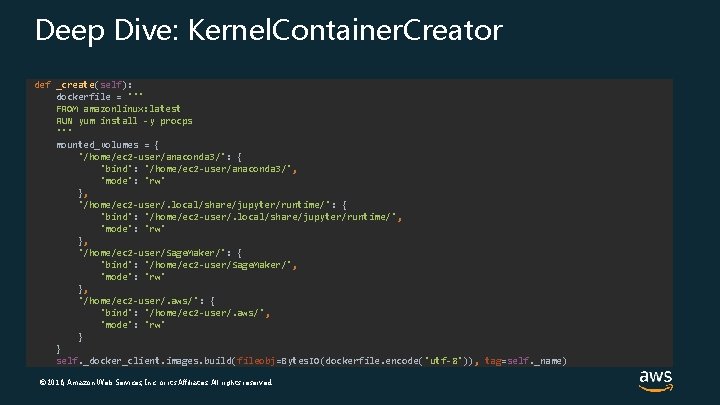
Deep Dive: Kernel. Container. Creator def _create(self): dockerfile = ''' FROM amazonlinux: latest RUN yum install -y procps ''' mounted_volumes = { '/home/ec 2 -user/anaconda 3/': { 'bind': '/home/ec 2 -user/anaconda 3/', 'mode': 'rw' }, '/home/ec 2 -user/. local/share/jupyter/runtime/': { 'bind': '/home/ec 2 -user/. local/share/jupyter/runtime/', 'mode': 'rw' }, '/home/ec 2 -user/Sage. Maker/': { 'bind': '/home/ec 2 -user/Sage. Maker/', 'mode': 'rw' }, '/home/ec 2 -user/. aws/': { 'bind': '/home/ec 2 -user/. aws/', 'mode': 'rw' } } self. _docker_client. images. build(fileobj=Bytes. IO(dockerfile. encode('utf-8')), tag=self. _name) © 2018, Amazon Web Services, Inc. or its Affiliates. All rights reserved.
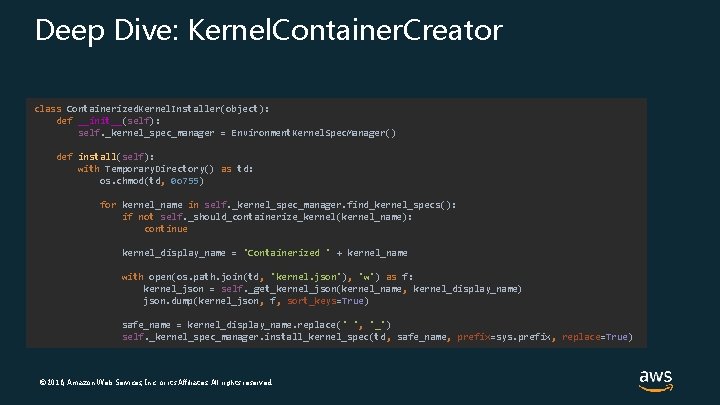
Deep Dive: Kernel. Container. Creator class Containerized. Kernel. Installer(object): def __init__(self): self. _kernel_spec_manager = Environment. Kernel. Spec. Manager() def install(self): with Temporary. Directory() as td: os. chmod(td, 0 o 755) for kernel_name in self. _kernel_spec_manager. find_kernel_specs(): if not self. _should_containerize_kernel(kernel_name): continue kernel_display_name = 'Containerized ' + kernel_name with open(os. path. join(td, 'kernel. json'), 'w') as f: kernel_json = self. _get_kernel_json(kernel_name, kernel_display_name) json. dump(kernel_json, f, sort_keys=True) safe_name = kernel_display_name. replace(' ', '_') self. _kernel_spec_manager. install_kernel_spec(td, safe_name, prefix=sys. prefix, replace=True) © 2018, Amazon Web Services, Inc. or its Affiliates. All rights reserved.
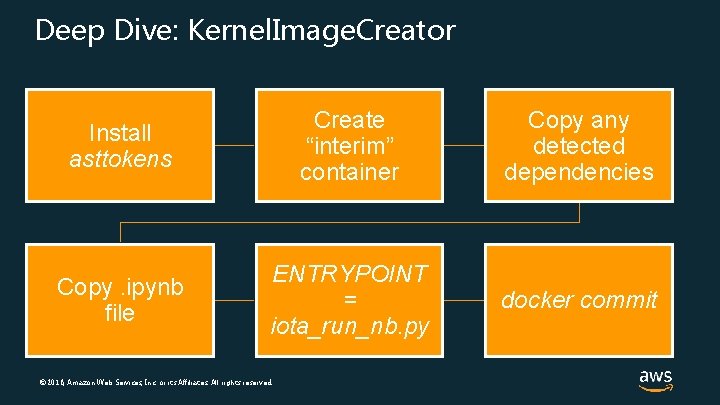
Deep Dive: Kernel. Image. Creator Install asttokens Create “interim” container Copy any detected dependencies Copy. ipynb file ENTRYPOINT = iota_run_nb. py docker commit © 2018, Amazon Web Services, Inc. or its Affiliates. All rights reserved.
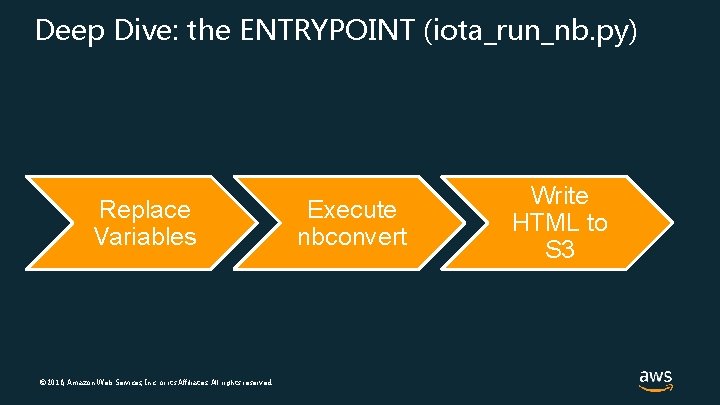
Deep Dive: the ENTRYPOINT (iota_run_nb. py) Replace Variables © 2018, Amazon Web Services, Inc. or its Affiliates. All rights reserved. Execute nbconvert Write HTML to S 3
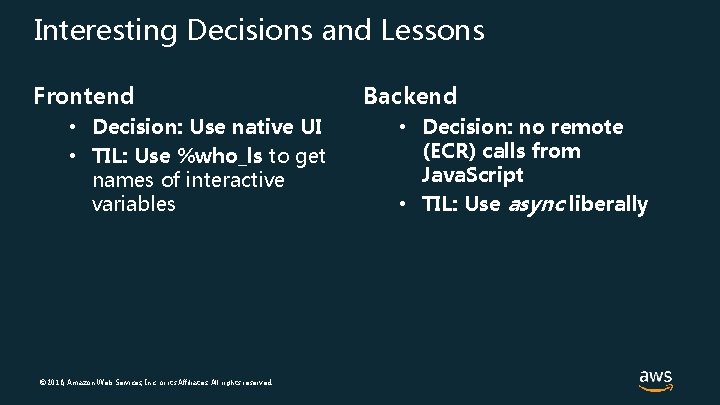
Interesting Decisions and Lessons Frontend • Decision: Use native UI • TIL: Use %who_ls to get names of interactive variables © 2018, Amazon Web Services, Inc. or its Affiliates. All rights reserved. Backend • Decision: no remote (ECR) calls from Java. Script • TIL: Use async liberally
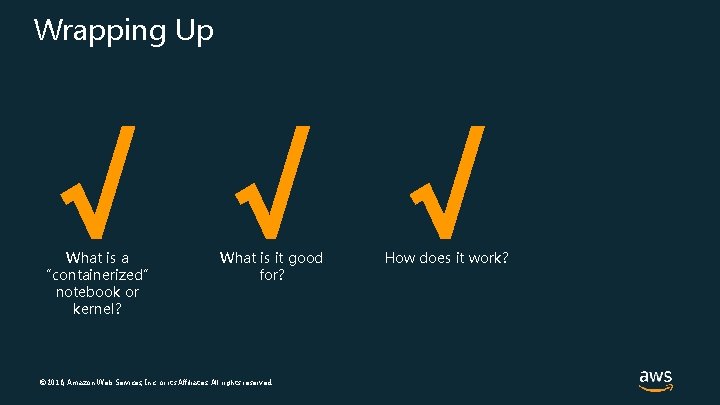
Wrapping Up √ √ √ What is a “containerized” notebook or kernel? What is it good for? © 2018, Amazon Web Services, Inc. or its Affiliates. All rights reserved. How does it work?
How do I get started? • Download some of our sample code… • Try out the Io. T containerization plugin yourself… • INSIDER TIP! You don’t need to use Io. T to install this plugin! • INSIDER TIP #2! This plugin might work in your Jupyter installation! • Try to implement your own containerized notebooks, and tell us how you did it! © 2018, Amazon Web Services, Inc. or its Affiliates. All rights reserved.
Thank you! Looking forward to your contributions! • https: //github. com/awslabs/aws-iot-analytics-notebookcontainers/ …and your questions! • https: //stackoverflow. com/questions/tagged/amazon-sagemaker • https: //stackoverflow. com/questions/tagged/aws-iot © 2018, Amazon Web Services, Inc. or its Affiliates. All rights reserved.
- Slides: 22