
Console Title Dim month As Integer season As
- Slides: 31
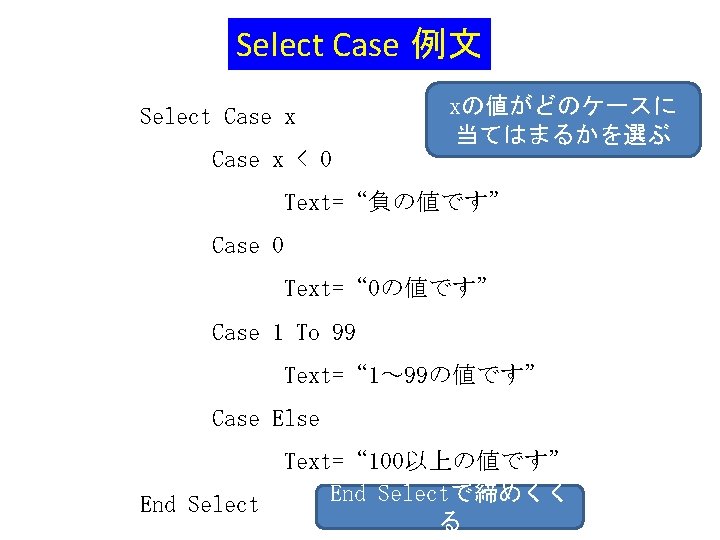
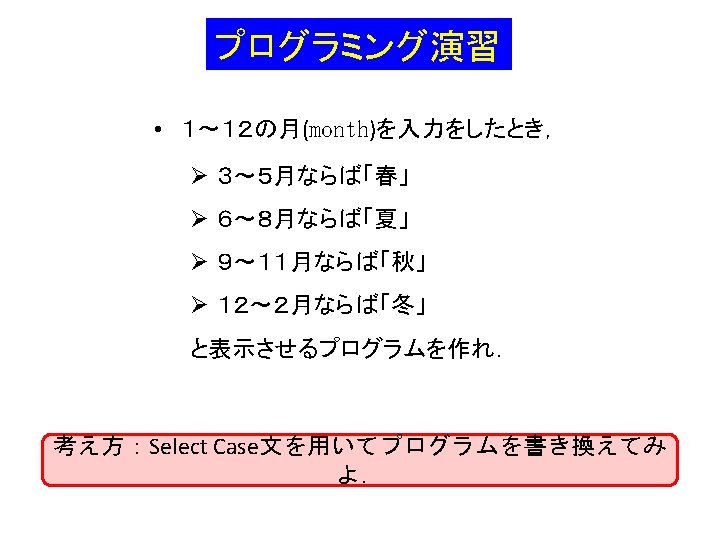
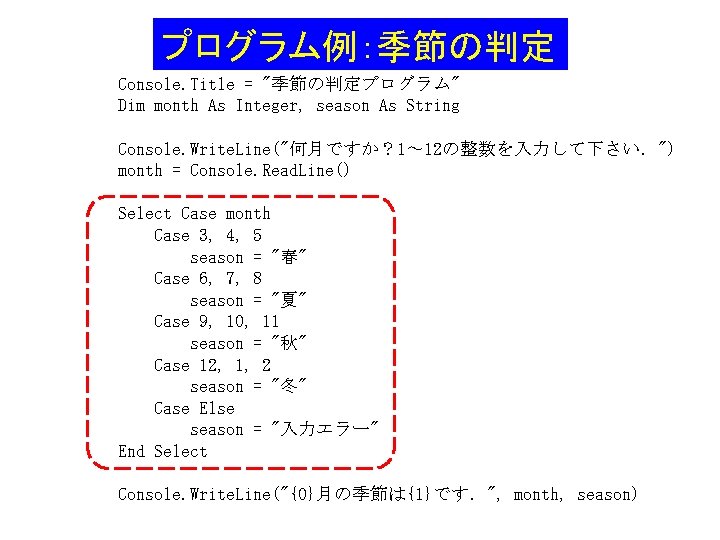
プログラム例:季節の判定 Console. Title = "季節の判定プログラム" Dim month As Integer, season As String Console. Write. Line("何月ですか? 1~ 12の整数を入力して下さい.") month = Console. Read. Line() Select Case month Case 3, 4, 5 season = "春" Case 6, 7, 8 season = "夏" Case 9, 10, 11 season = "秋" Case 12, 1, 2 season = "冬" Case Else season = "入力エラー" End Select Console. Write. Line("{0}月の季節は{1}です.", month, season)
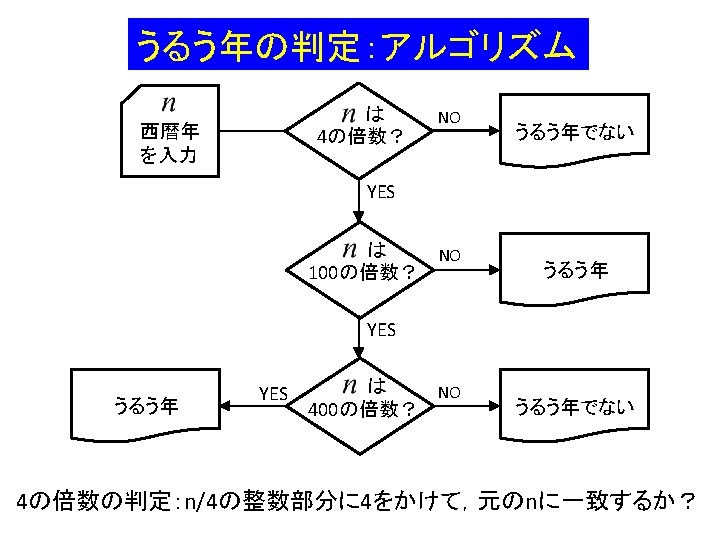
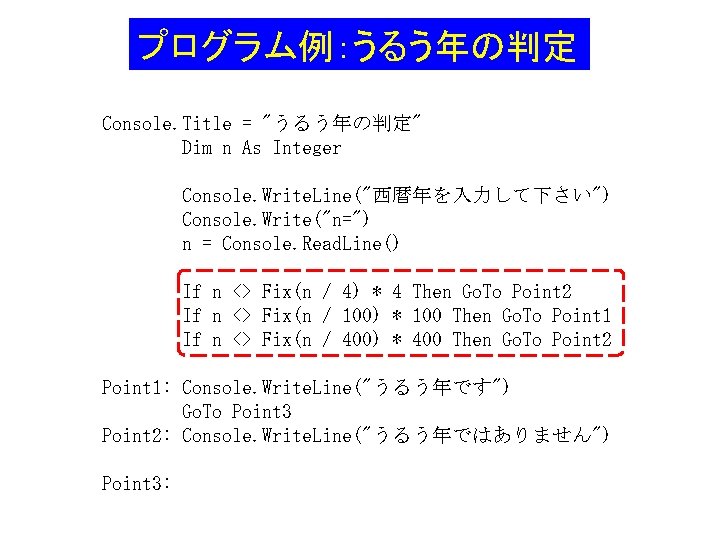
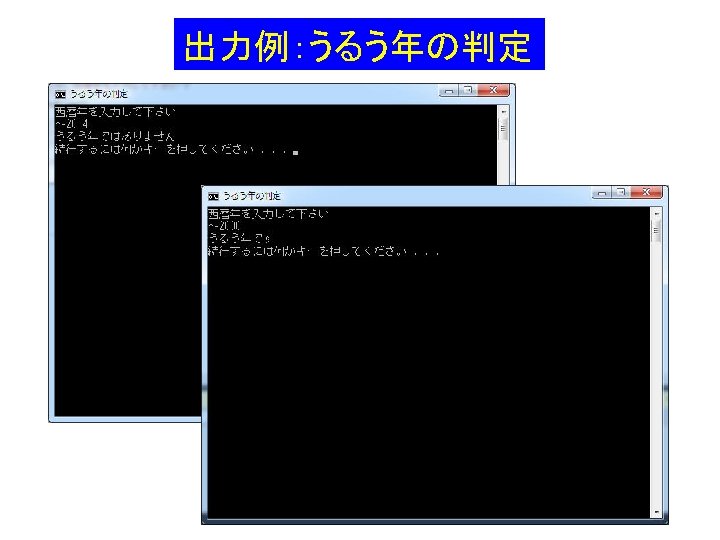
プログラム例:うるう年の判定 Console. Title = "うるう年の判定" Dim n As Integer Console. Write. Line("西暦年を入力して下さい") Console. Write("n=") n = Console. Read. Line() If n <> Fix(n / 4) * 4 Then Go. To Point 2 If n <> Fix(n / 100) * 100 Then Go. To Point 1 If n <> Fix(n / 400) * 400 Then Go. To Point 2 Point 1: Console. Write. Line("うるう年です") Go. To Point 3 Point 2: Console. Write. Line("うるう年ではありません") Point 3:
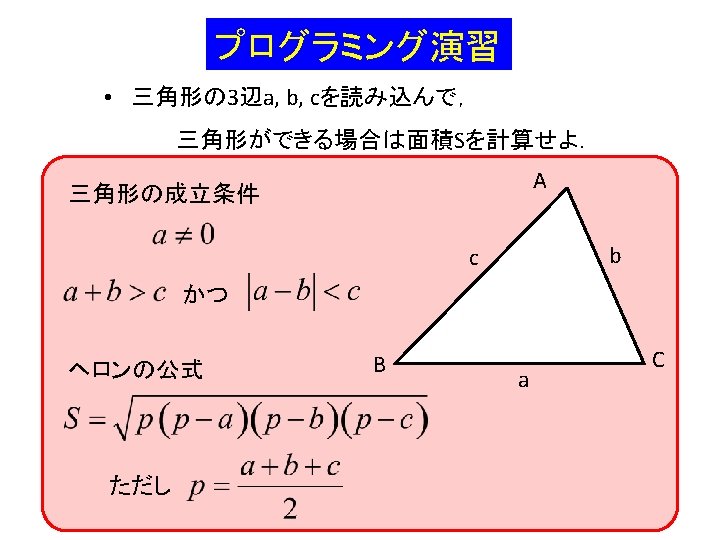
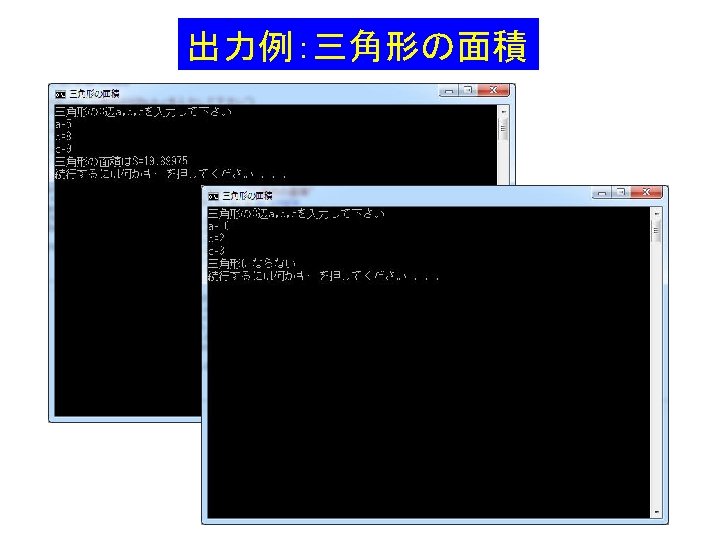
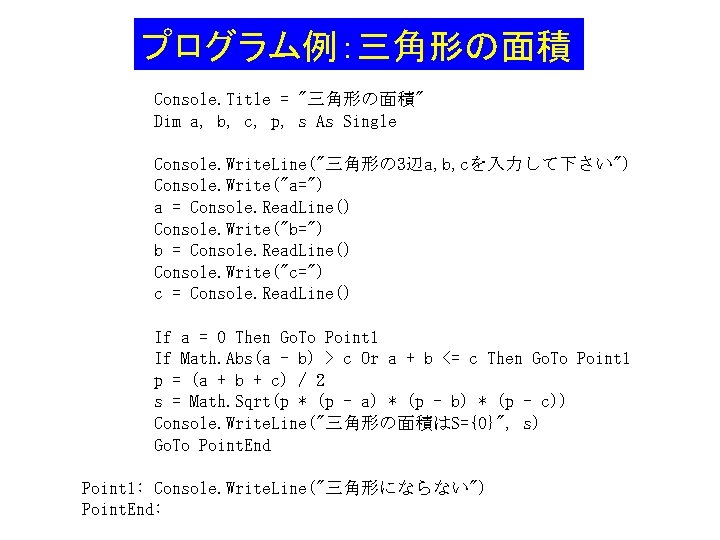
プログラム例:三角形の面積 Console. Title = "三角形の面積" Dim a, b, c, p, s As Single Console. Write. Line("三角形の 3辺a, b, cを入力して下さい") Console. Write("a=") a = Console. Read. Line() Console. Write("b=") b = Console. Read. Line() Console. Write("c=") c = Console. Read. Line() If a = 0 Then Go. To Point 1 If Math. Abs(a - b) > c Or a + b <= c Then Go. To Point 1 p = (a + b + c) / 2 s = Math. Sqrt(p * (p - a) * (p - b) * (p - c)) Console. Write. Line("三角形の面積はS={0}", s) Go. To Point. End Point 1: Console. Write. Line("三角形にならない") Point. End:
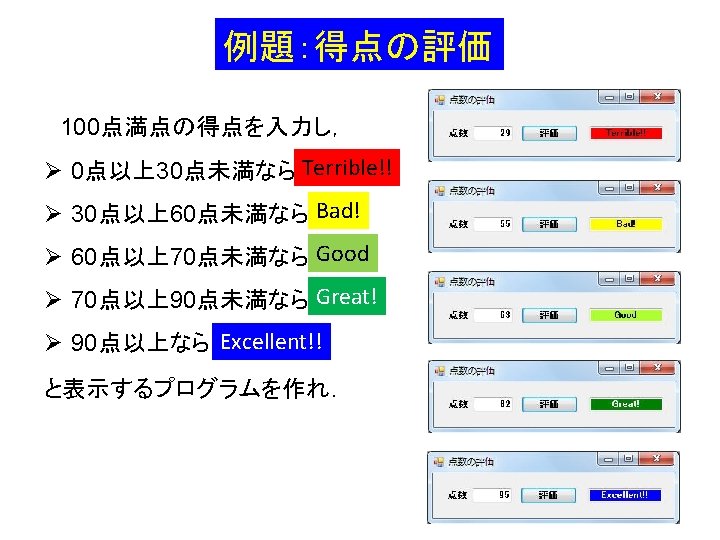
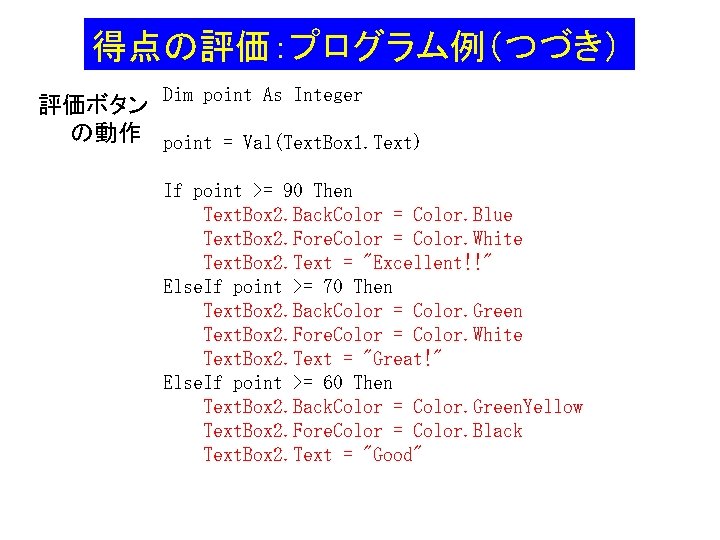
得点の評価:プログラム例(つづき) 評価ボタン Dim point As Integer の動作 point = Val(Text. Box 1. Text) If point >= 90 Then Text. Box 2. Back. Color = Color. Blue Text. Box 2. Fore. Color = Color. White Text. Box 2. Text = "Excellent!!" Else. If point >= 70 Then Text. Box 2. Back. Color = Color. Green Text. Box 2. Fore. Color = Color. White Text. Box 2. Text = "Great!" Else. If point >= 60 Then Text. Box 2. Back. Color = Color. Green. Yellow Text. Box 2. Fore. Color = Color. Black Text. Box 2. Text = "Good"
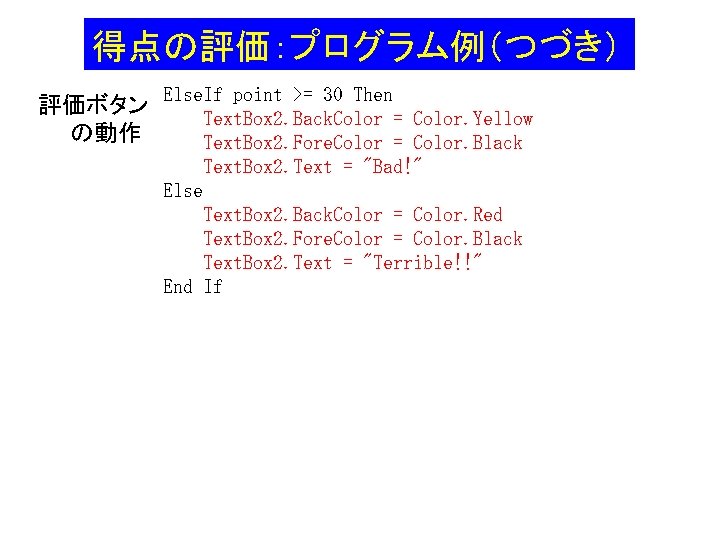
得点の評価:プログラム例(つづき) 評価ボタン Else. If point >= 30 Then Text. Box 2. Back. Color = Color. Yellow の動作 Text. Box 2. Fore. Color = Color. Black Text. Box 2. Text = "Bad!" Else Text. Box 2. Back. Color = Color. Red Text. Box 2. Fore. Color = Color. Black Text. Box 2. Text = "Terrible!!" End If
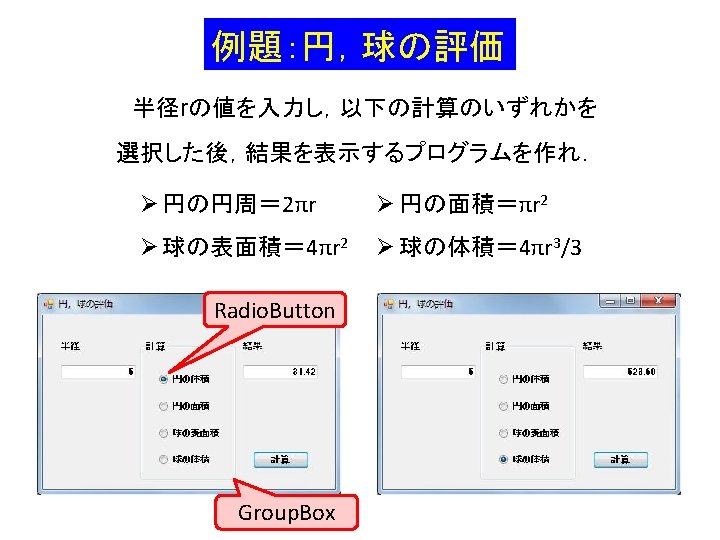
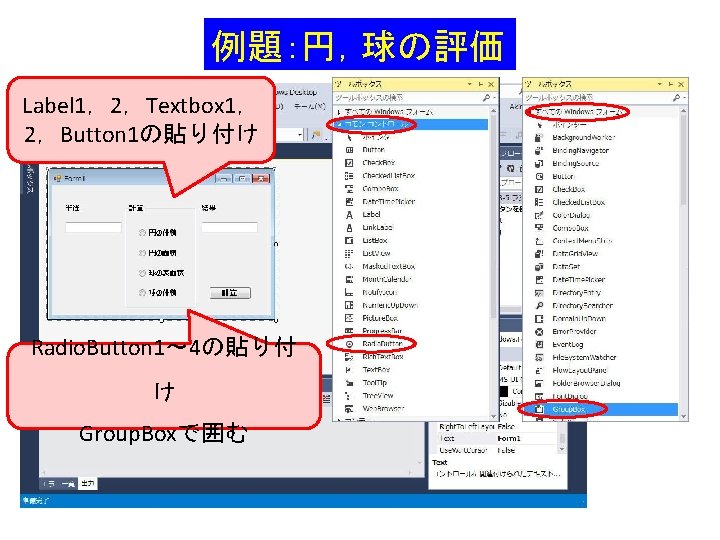
例題:円,球の評価 Label 1,2,Textbox 1, 2,Button 1の貼り付け Radio. Button 1~ 4の貼り付 け Group. Boxで囲む
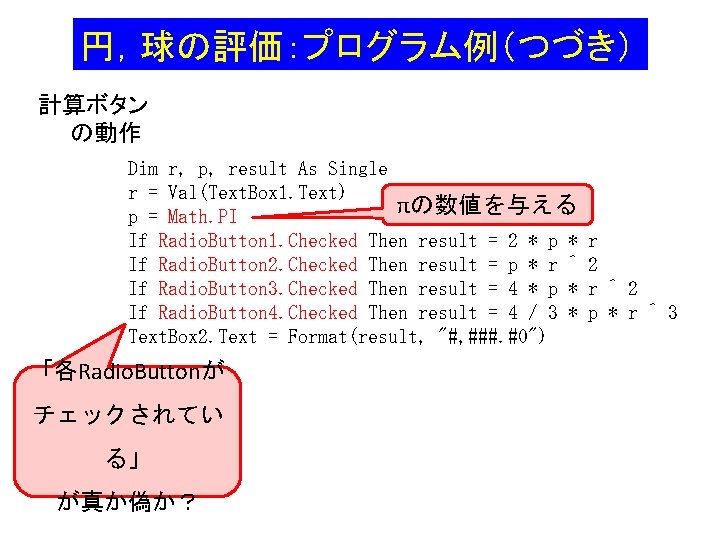
円,球の評価:プログラム例(つづき) 計算ボタン の動作 Dim r, p, result As Single r = Val(Text. Box 1. Text) πの数値を与える p = Math. PI If Radio. Button 1. Checked Then result = 2 * p * If Radio. Button 2. Checked Then result = p * r ^ If Radio. Button 3. Checked Then result = 4 * p * If Radio. Button 4. Checked Then result = 4 / 3 * Text. Box 2. Text = Format(result, "#, ###. #0") 「各Radio. Buttonが チェックされてい る」 が真か偽か? r 2 r ^ 2 p * r ^ 3
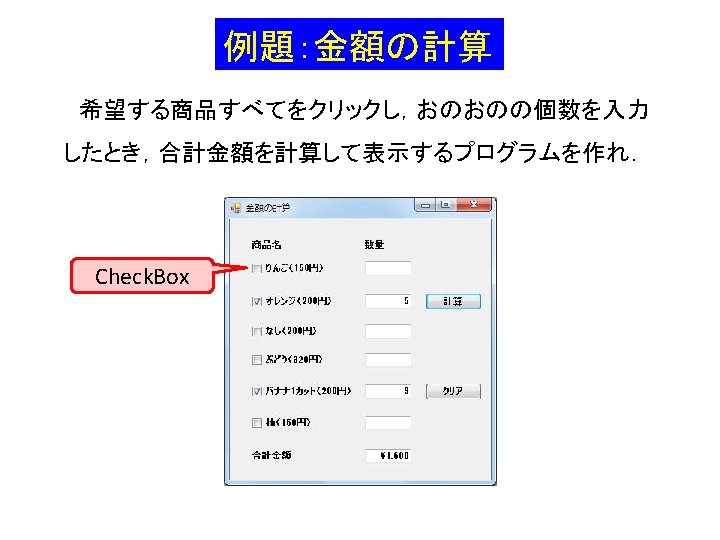
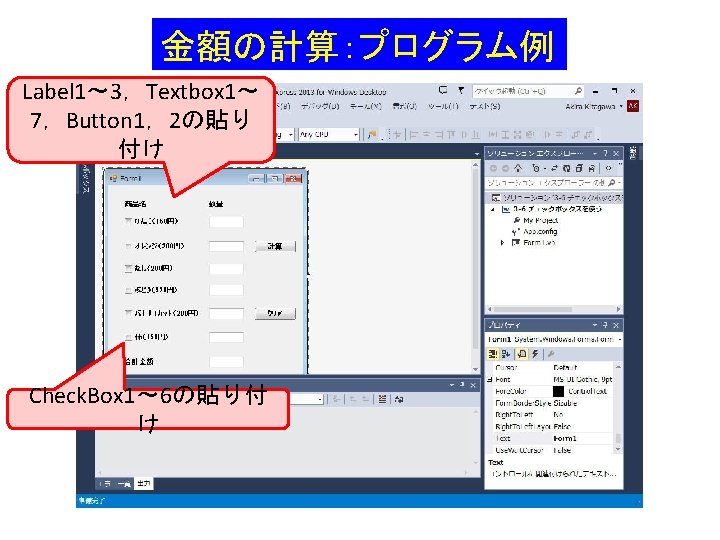
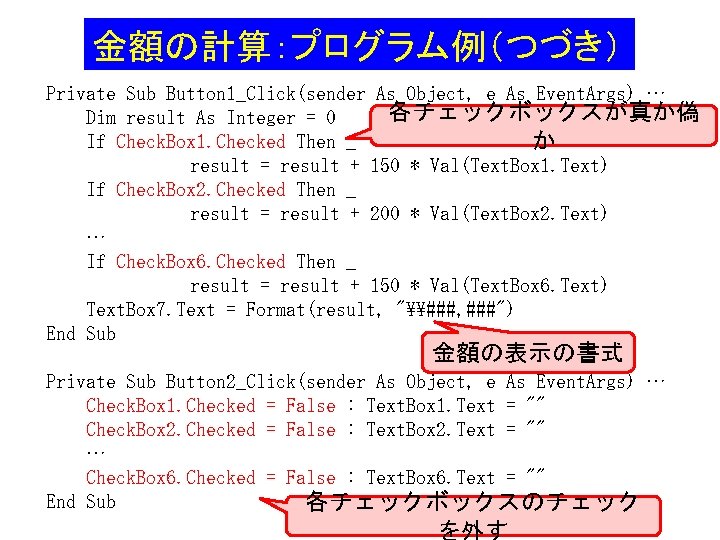
金額の計算:プログラム例(つづき) Private Sub Button 1_Click(sender As Object, e As Event. Args) … 各チェックボックスが真か偽 Dim result As Integer = 0 If Check. Box 1. Checked Then _ か result = result + 150 * Val(Text. Box 1. Text) If Check. Box 2. Checked Then _ result = result + 200 * Val(Text. Box 2. Text) … If Check. Box 6. Checked Then _ result = result + 150 * Val(Text. Box 6. Text) Text. Box 7. Text = Format(result, "\###, ###") End Sub 金額の表示の書式 Private Sub Button 2_Click(sender As Object, e As Event. Args) … Check. Box 1. Checked = False : Text. Box 1. Text = "" Check. Box 2. Checked = False : Text. Box 2. Text = "" … Check. Box 6. Checked = False : Text. Box 6. Text = "" End Sub 各チェックボックスのチェック を外す