
Connecting with Computer Science Objectives Learn what a
Connecting with Computer Science
Objectives • Learn what a program is and how it can be developed • Understand the difference between a low-level and high-level language • Be introduced to low-level languages using the Assembly programming language as an example • Learn about the structure of a program, including algorithms and pseudocode Connecting with Computer Science 2

Objectives (continued) • Gain an understanding of the basics of high-level programming languages using Java as an example • Learn about variables and how they are used • Be introduced to the Java operators • Explore the different control structures used in programming • Understand the terms associated with object-oriented programming Connecting with Computer Science 3
What Is a Program? • A collection of statements that solve a problem • Must be converted into a language that the computer understands – Algorithm: logically ordered set of statements – Conversion process uses an interpreter or compiler • Interpreter translates statements one-by-one • Compiler reads all of the statements and creates a finished program Connecting with Computer Science 4
I Speak Computer • Determine what language you want to use – Assembly for controlling hardware – Java and Java. Script for Internet applications – Lisp for working with artificial intelligence – Visual Basic for a simple yet powerful GUI programming environment – Others include. C, C++, Smalltalk, Delphi, and ADA, FORTRAN, and COBOL Connecting with Computer Science 5
Types of Programming Languages • Low-level – Geared towards computer – less understandable or like human language – Machine language is lowest-level language – Assembly resides between lowest-level and higherlevel languages • Assembler converts assembly code to machine language • High-level – Human-friendly language Connecting with Computer Science 6
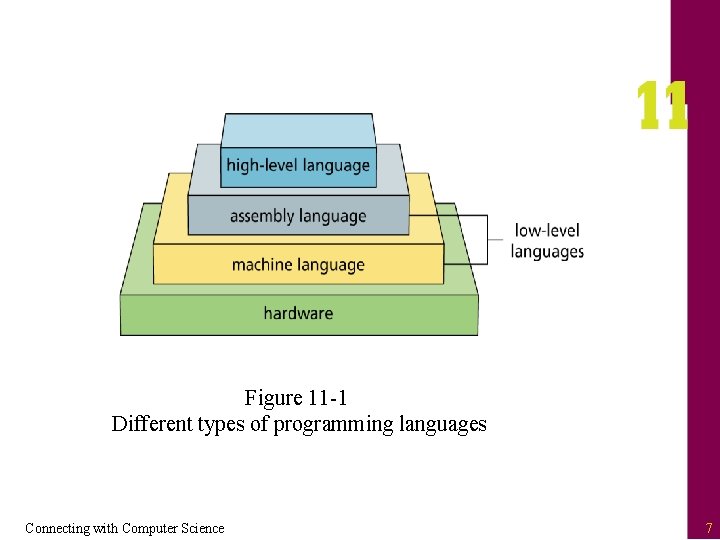
Figure 11 -1 Different types of programming languages Connecting with Computer Science 7
Low-level Languages • Machine language includes only binary numbers • Assembly uses more English-like statements – Each statement corresponds to one machine instruction – Programs run faster than programs in higher-level languages – Closely tied to particular CPU type – Harder to read and understand than higher-level languages Connecting with Computer Science 8
Assembly Language Statements • Consists of alphabetic instructions with operations and register indications – moves values around mov cx, 8 – adds one to value to another mov cx, 3 mov dx, 8 add dx, cx – subtracts one value from another Connecting with Computer Science 9
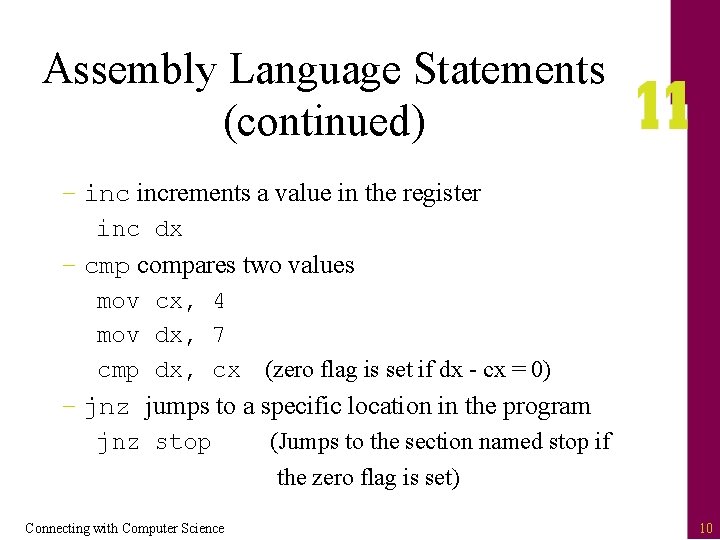
Assembly Language Statements (continued) – increments a value in the register inc dx – cmp compares two values mov cx, 4 mov dx, 7 cmp dx, cx (zero flag is set if dx - cx = 0) – jnz jumps to a specific location in the program jnz stop (Jumps to the section named stop if the zero flag is set) Connecting with Computer Science 10
High-level Languages • Easier to write, read, and maintain than low-level languages • Accomplishes much more in a single statement • Generally slower – Must be either compiler or interpreted • Many incorporate IDEs (integrated development environment’s) – Interface that includes an editor, compiler, graphic designer, and more Connecting with Computer Science 11
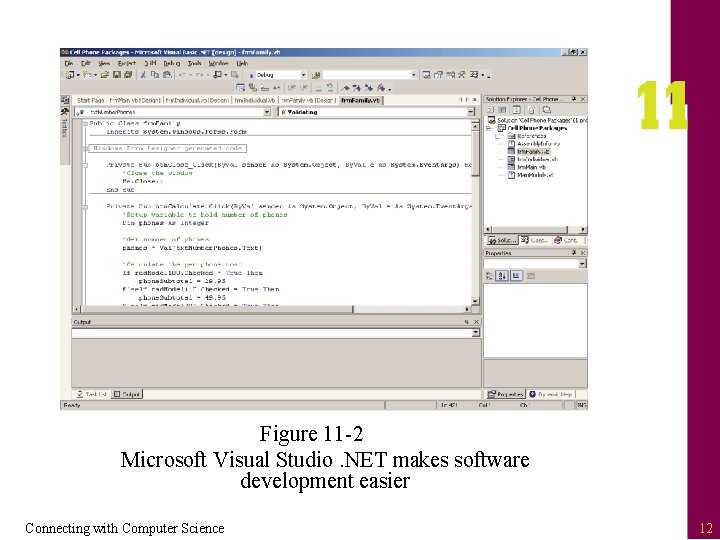
Figure 11 -2 Microsoft Visual Studio. NET makes software development easier Connecting with Computer Science 12
Structure of a Program • Program structure is based upon algorithms, and is often represented using pseudocode – Algorithm: consists of executable steps to solve a problem – Pseudocode: readable description of an algorithm written in human language • Template for what needs to be converted into programming language syntax Connecting with Computer Science 13
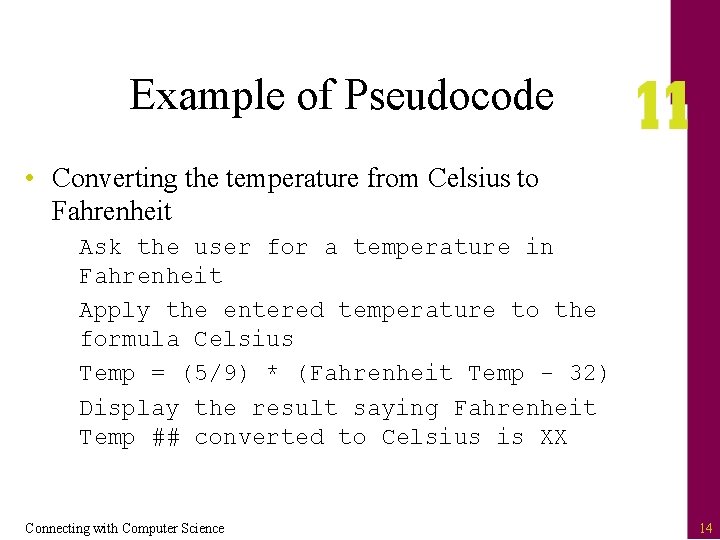
Example of Pseudocode • Converting the temperature from Celsius to Fahrenheit Ask the user for a temperature in Fahrenheit Apply the entered temperature to the formula Celsius Temp = (5/9) * (Fahrenheit Temp - 32) Display the result saying Fahrenheit Temp ## converted to Celsius is XX Connecting with Computer Science 14
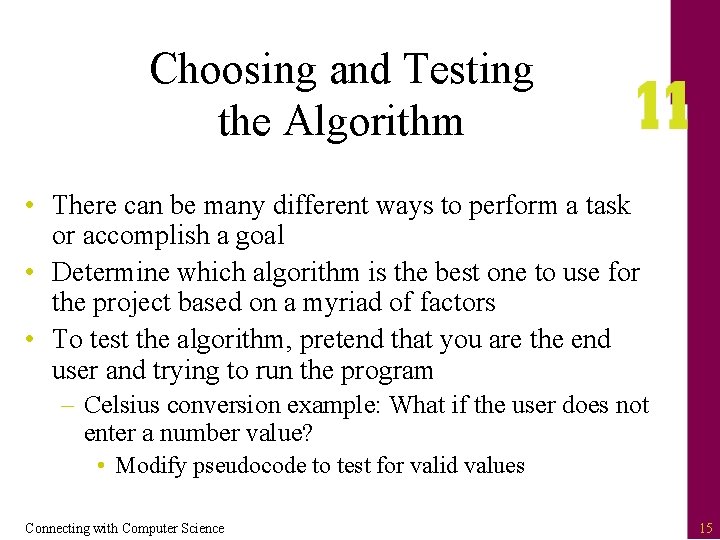
Choosing and Testing the Algorithm • There can be many different ways to perform a task or accomplish a goal • Determine which algorithm is the best one to use for the project based on a myriad of factors • To test the algorithm, pretend that you are the end user and trying to run the program – Celsius conversion example: What if the user does not enter a number value? • Modify pseudocode to test for valid values Connecting with Computer Science 15
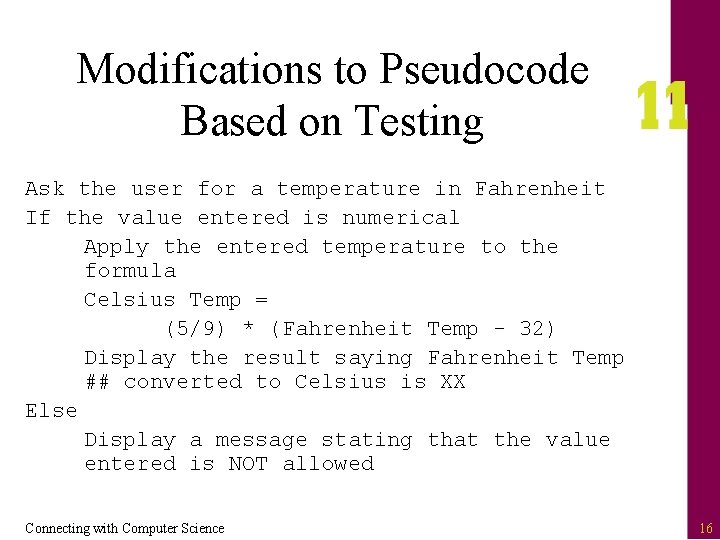
Modifications to Pseudocode Based on Testing Ask the user for a temperature in Fahrenheit If the value entered is numerical Apply the entered temperature to the formula Celsius Temp = (5/9) * (Fahrenheit Temp - 32) Display the result saying Fahrenheit Temp ## converted to Celsius is XX Else Display a message stating that the value entered is NOT allowed Connecting with Computer Science 16
Syntax of a Programming Language • Writing a program can be compared to following a recipe (the algorithm and pseudocode) to correctly combine the ingredients to produce a result (program) • Ingredients include – – Variables Operators Control Structures Objects Connecting with Computer Science 17
Learning to Cook With Java • Java is a high-level programming language developed by Sun Corporation – Familiar syntax (similar syntax to C++) – Portable • Can run on other computers without recompiling – Powerful • Rich library of routines for many tasks – Popular • Used to develop a variety of applications Connecting with Computer Science 18
Variables • Variable: name used to identify a certain location and value in computer memory – Provides way to access computer memory without knowing actual hardware address – When you associate an identifier with a variable, it is called declaring that variable – Declarations usually define attributes such as identifier name, type, and content int num. Tickets. Bought; Connecting with Computer Science 19
Identifiers and Naming Conventions • Rules for declaring a variable in Java – Use only letters, underscores, and numbers – Begin the name with a letter – Avoid Java reserved words that have specific programming meanings • Naming conventions – Give variables meaningful names – Lowercase the first character of the first word and uppercase the first letter of subsequent words Connecting with Computer Science 20
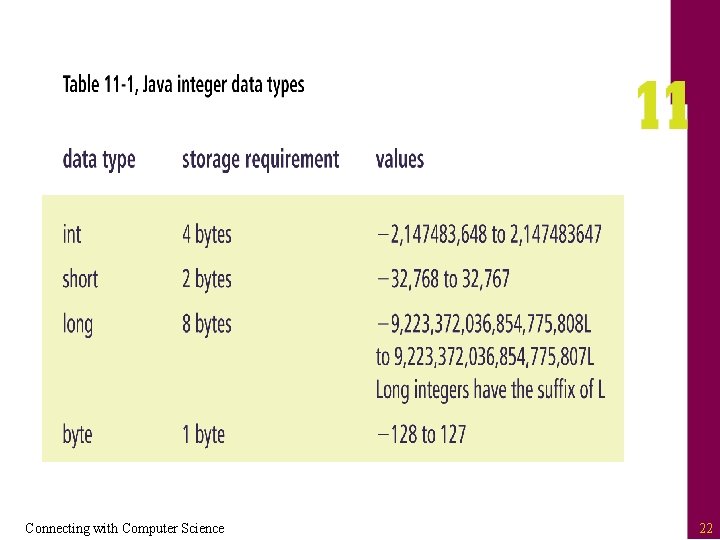
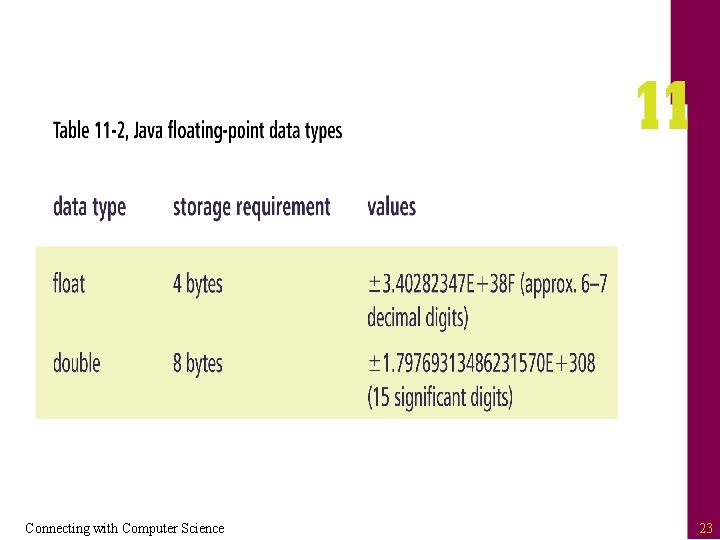
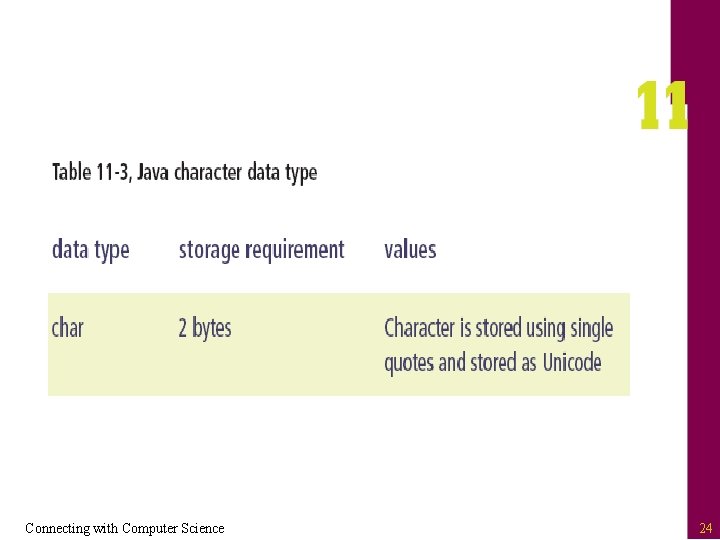
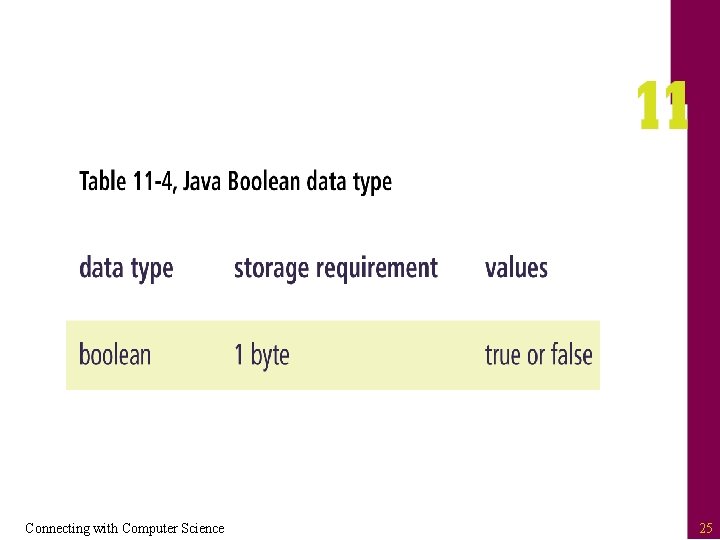
Variable Types • All variables are strongly typed – Must declare the type of data each variable can hold – Eight different types (see Tables 11 -1 to 11 -4) • Syntax for declaring a variable type variable. Name; s • Examples float salary; boolean deserve. Raise; Connecting with Computer Science 21
Connecting with Computer Science 22
Connecting with Computer Science 23
Connecting with Computer Science 24
Connecting with Computer Science 25
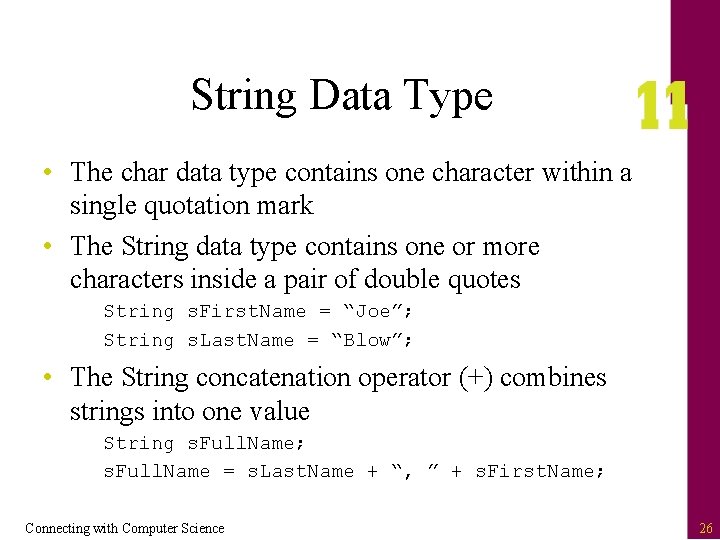
String Data Type • The char data type contains one character within a single quotation mark • The String data type contains one or more characters inside a pair of double quotes String s. First. Name = “Joe”; String s. Last. Name = “Blow”; • The String concatenation operator (+) combines strings into one value String s. Full. Name; s. Full. Name = s. Last. Name + “, ” + s. First. Name; Connecting with Computer Science 26
Hungarian Notation • Variable naming method – Gives each variable an identifier at the beginning of the variable name describing the data type of the variable – Only used for the sake of readability – Does not require the variable to hold the specified data type Connecting with Computer Science 27
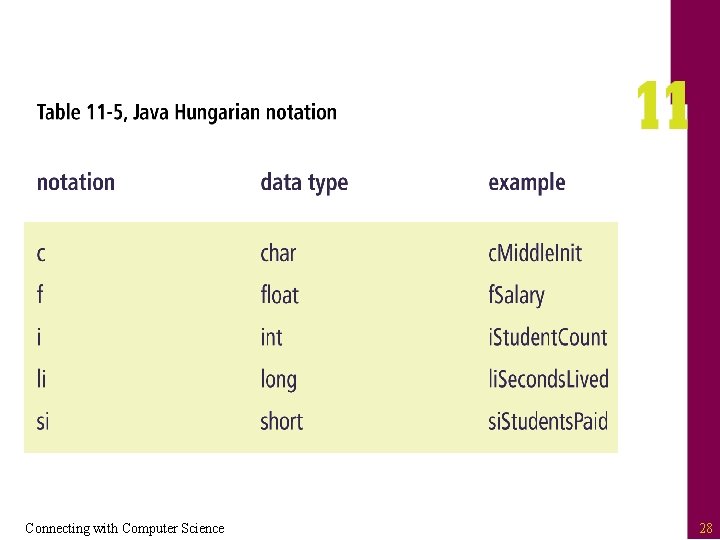
Connecting with Computer Science 28
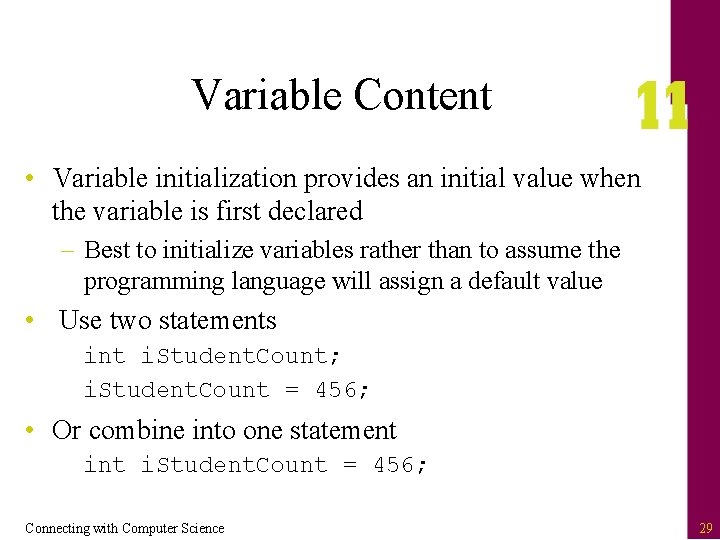
Variable Content • Variable initialization provides an initial value when the variable is first declared – Best to initialize variables rather than to assume the programming language will assign a default value • Use two statements int i. Student. Count; i. Student. Count = 456; • Or combine into one statement i. Student. Count = 456; Connecting with Computer Science 29
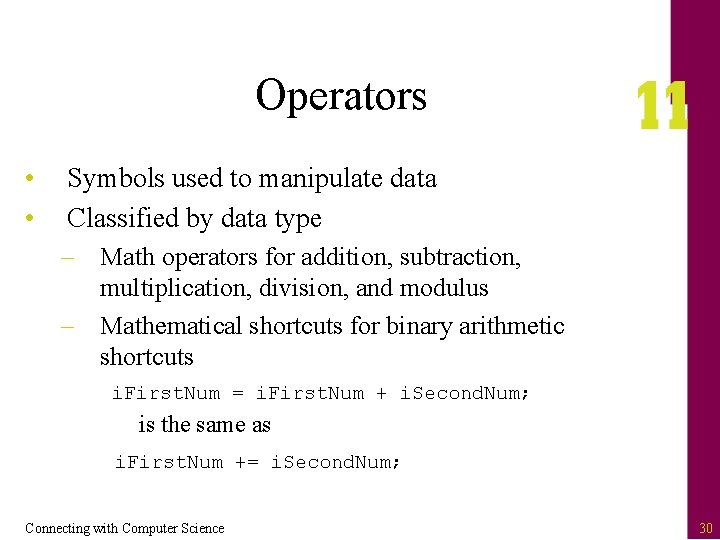
Operators • • Symbols used to manipulate data Classified by data type – Math operators for addition, subtraction, multiplication, division, and modulus – Mathematical shortcuts for binary arithmetic shortcuts i. First. Num = i. First. Num + i. Second. Num; is the same as i. First. Num += i. Second. Num; Connecting with Computer Science 30
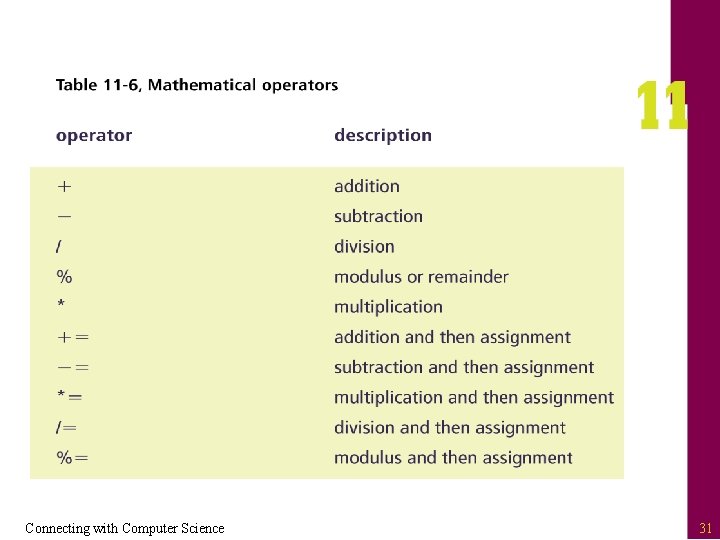
Connecting with Computer Science 31
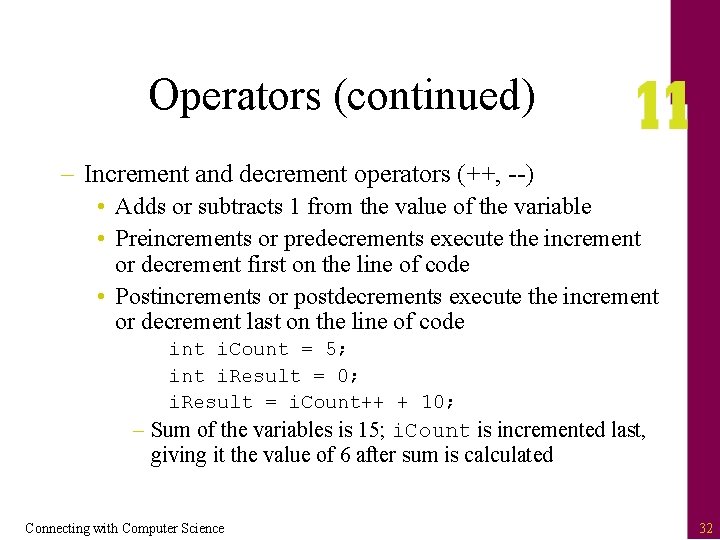
Operators (continued) – Increment and decrement operators (++, --) • Adds or subtracts 1 from the value of the variable • Preincrements or predecrements execute the increment or decrement first on the line of code • Postincrements or postdecrements execute the increment or decrement last on the line of code int i. Count = 5; int i. Result = 0; i. Result = i. Count++ + 10; – Sum of the variables is 15; i. Count is incremented last, giving it the value of 6 after sum is calculated Connecting with Computer Science 32
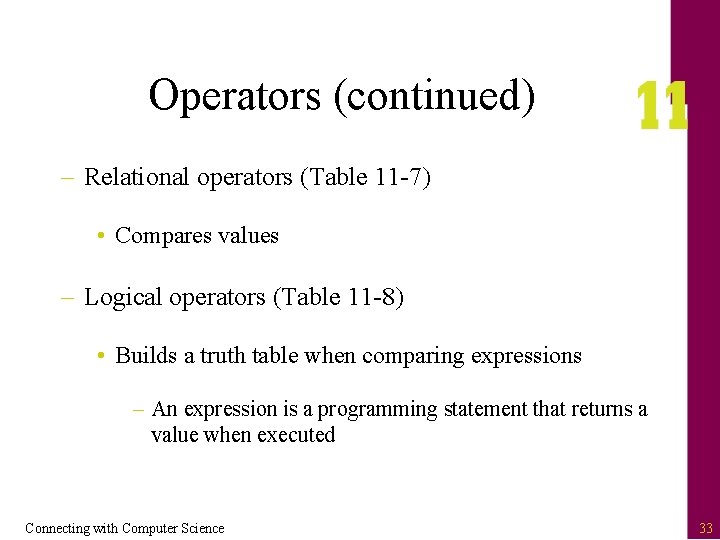
Operators (continued) – Relational operators (Table 11 -7) • Compares values – Logical operators (Table 11 -8) • Builds a truth table when comparing expressions – An expression is a programming statement that returns a value when executed Connecting with Computer Science 33
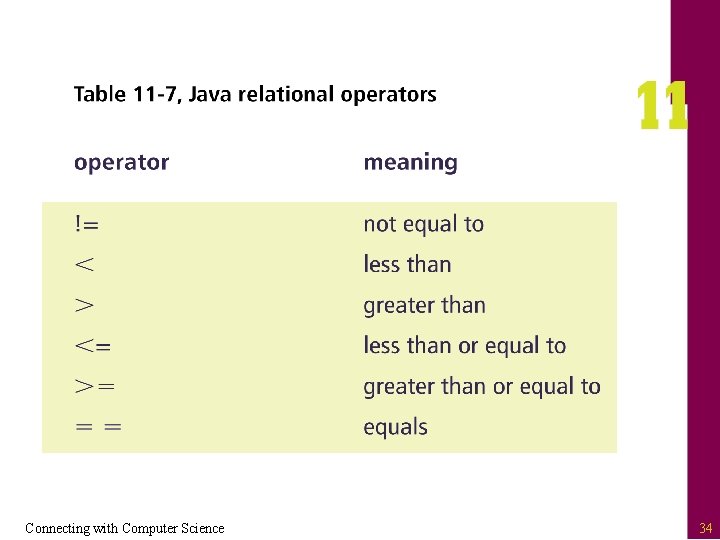
Connecting with Computer Science 34
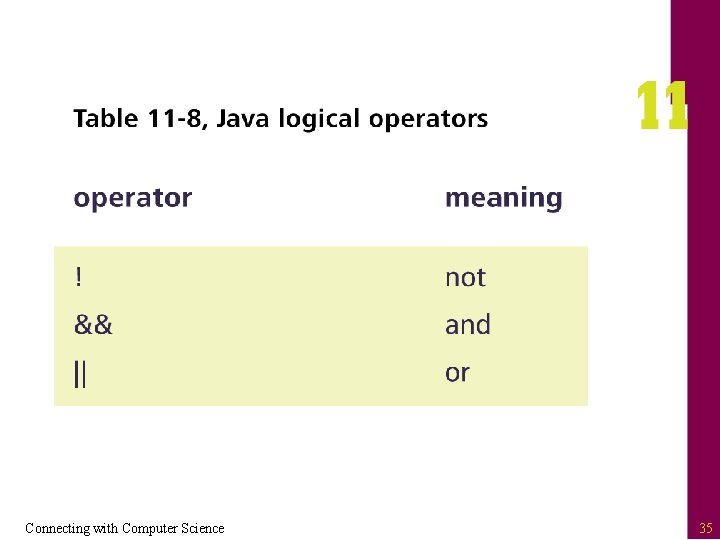
Connecting with Computer Science 35
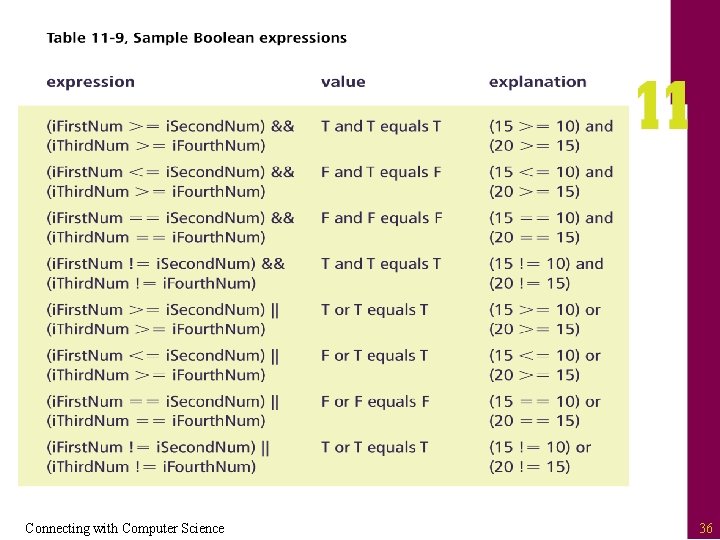
Connecting with Computer Science 36
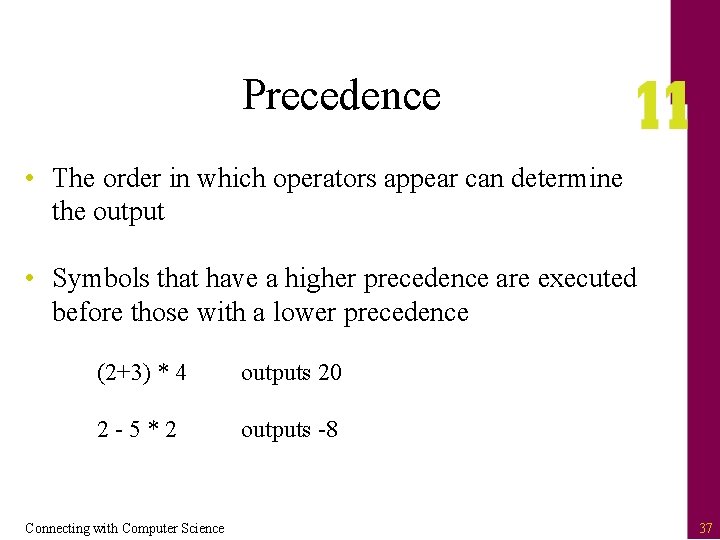
Precedence • The order in which operators appear can determine the output • Symbols that have a higher precedence are executed before those with a lower precedence (2+3) * 4 outputs 20 2 -5*2 outputs -8 Connecting with Computer Science 37
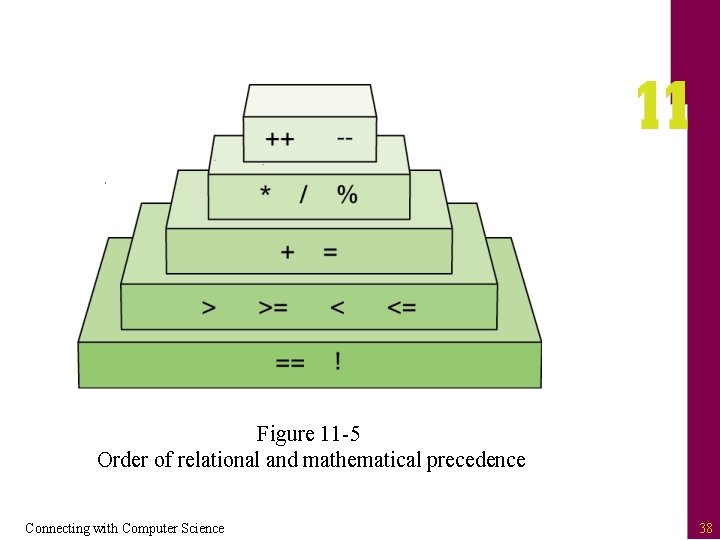
Figure 11 -5 Order of relational and mathematical precedence Connecting with Computer Science 38
Java Control Structures and Program Flow • A control structure is an instruction that dictates the order in which program statements are executed • Four type of control structures in high-level languages – – Invocation Top down Selection Repetition Connecting with Computer Science 39
Invocation • Every Java program has a function called “main” as the starting point public static void main(String[] args) {} – “public” scope means that it is visible for any other source code to use – “static” indicates that the function belongs to the class – “void” indicates that there is no return value – “String[] args” can receive parameters or values when the program is executed Connecting with Computer Science 40
Top Down (Also Called Sequence) • Program statements are executed in series, from the top line to the bottom line one at a time • Most common form of programming control structure, found in every programming language • Implemented by typing in statements that do not call other pieces of source code Connecting with Computer Science 41
Blocks of Code • A single block statement encloses several statements with an opening and closing brace – Enclosed statements are related in functionality – Leaving out braces can cause your program to function incorrectly – Braces are required in some circumstances • Most often used when working with control structures such as invocation, selection, and repetition Connecting with Computer Science 42
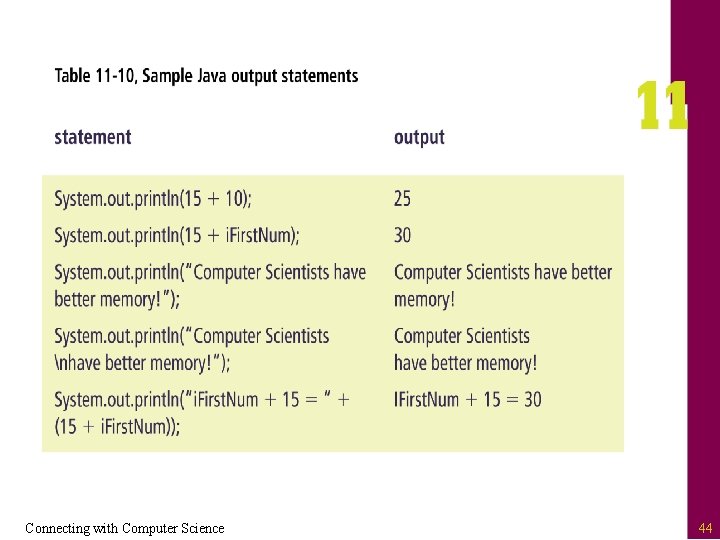
Output Data • You can output data to the current output device through the use of the System. out. print() or System. out. println() statements – print() leaves the current insertion point of the cursor at the end of the data being output – println() moves the insertion point to the next line after the data is output – The “n” (newline escape sequence) tells the system to move to the next line – The expression can use concatenation (+ operator) Connecting with Computer Science 43
Connecting with Computer Science 44
Input Data • System. in provides methods for retrieving data from the current input device – Involves creating new variables to read in characters from the input stream – The characters are read one by one into another variable that acts as a memory buffer holding the newly created string – This value can then be assigned to a declared String variable by calling the read. Line() method Connecting with Computer Science 45
More on Invocation • Invocation is the act of calling something or someone • Java implements invocation through the use of calling functions and methods – A function performs a task and can return a value – A method is a function that belongs to a class – When a function name is encountered, the system passes control to the first line of code within that function – The system returns control to the original calling point after the function is executed Connecting with Computer Science 46
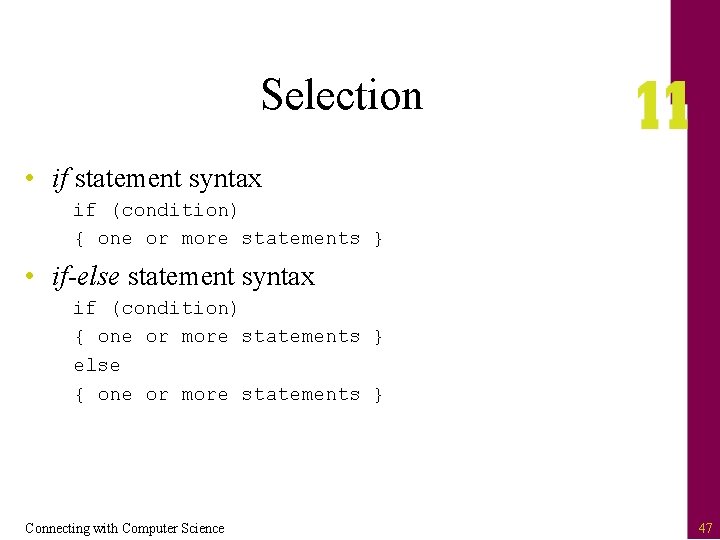
Selection • if statement syntax if (condition) { one or more statements } • if-else statement syntax if (condition) { one or more statements } else { one or more statements } Connecting with Computer Science 47
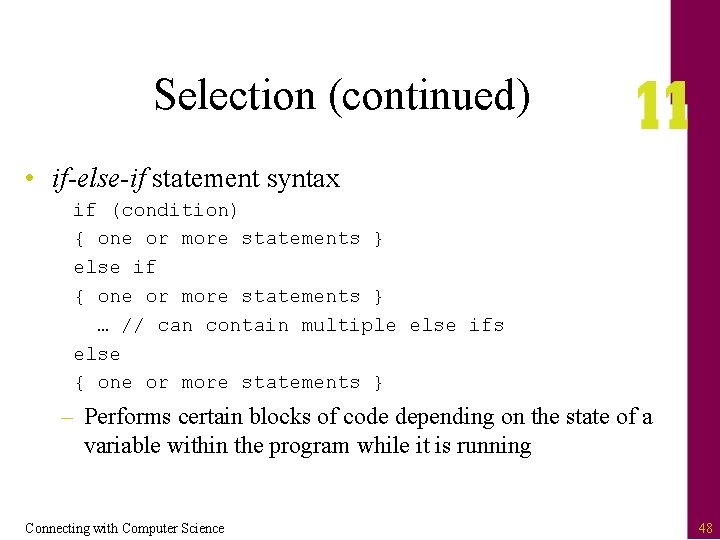
Selection (continued) • if-else-if statement syntax if (condition) { one or more statements } else if { one or more statements } … // can contain multiple else ifs else { one or more statements } – Performs certain blocks of code depending on the state of a variable within the program while it is running Connecting with Computer Science 48
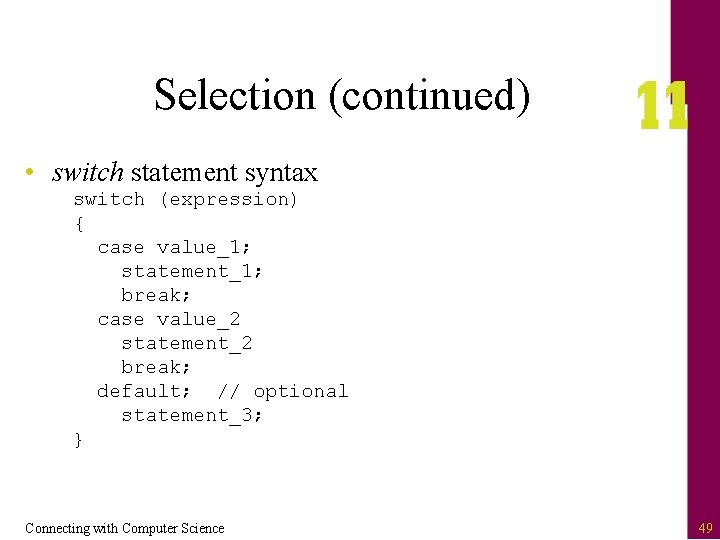
Selection (continued) • switch statement syntax switch (expression) { case value_1; statement_1; break; case value_2 statement_2 break; default; // optional statement_3; } Connecting with Computer Science 49
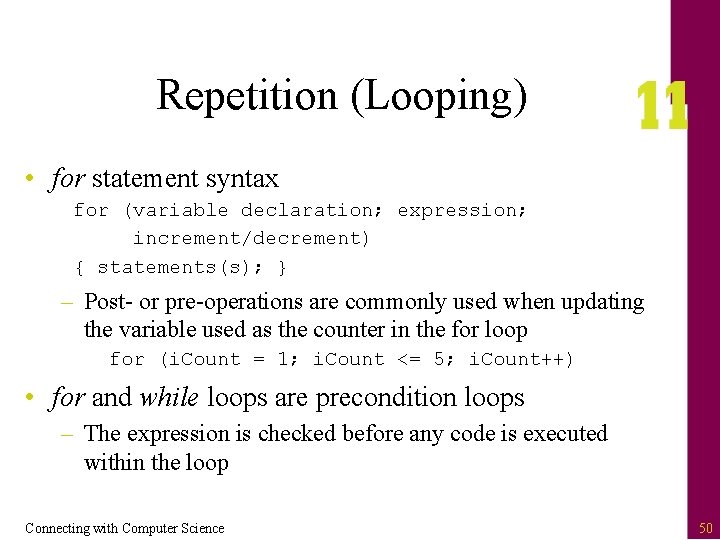
Repetition (Looping) • for statement syntax for (variable declaration; expression; increment/decrement) { statements(s); } – Post- or pre-operations are commonly used when updating the variable used as the counter in the for loop for (i. Count = 1; i. Count <= 5; i. Count++) • for and while loops are precondition loops – The expression is checked before any code is executed within the loop Connecting with Computer Science 50
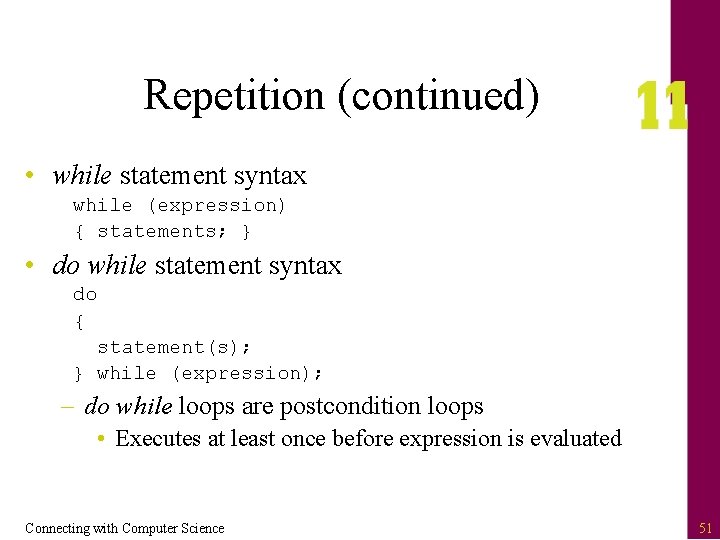
Repetition (continued) • while statement syntax while (expression) { statements; } • do while statement syntax do { statement(s); } while (expression); – do while loops are postcondition loops • Executes at least once before expression is evaluated Connecting with Computer Science 51
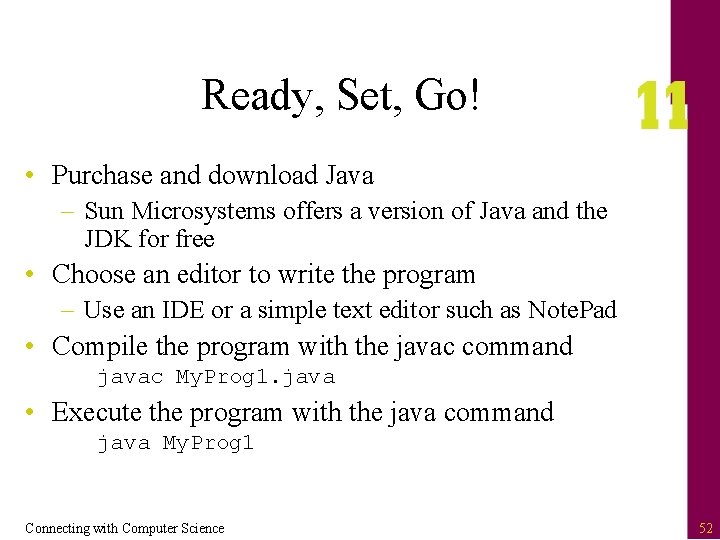
Ready, Set, Go! • Purchase and download Java – Sun Microsystems offers a version of Java and the JDK for free • Choose an editor to write the program – Use an IDE or a simple text editor such as Note. Pad • Compile the program with the javac command javac My. Prog 1. java • Execute the program with the java command java My. Prog 1 Connecting with Computer Science 52
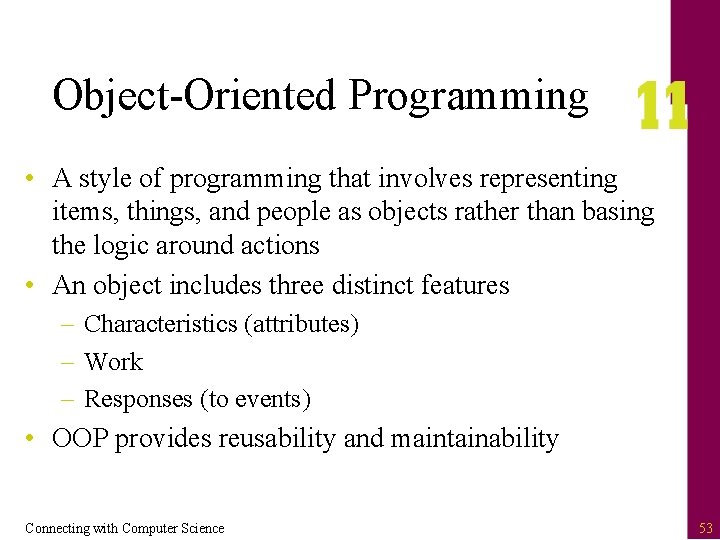
Object-Oriented Programming • A style of programming that involves representing items, things, and people as objects rather than basing the logic around actions • An object includes three distinct features – Characteristics (attributes) – Work – Responses (to events) • OOP provides reusability and maintainability Connecting with Computer Science 53
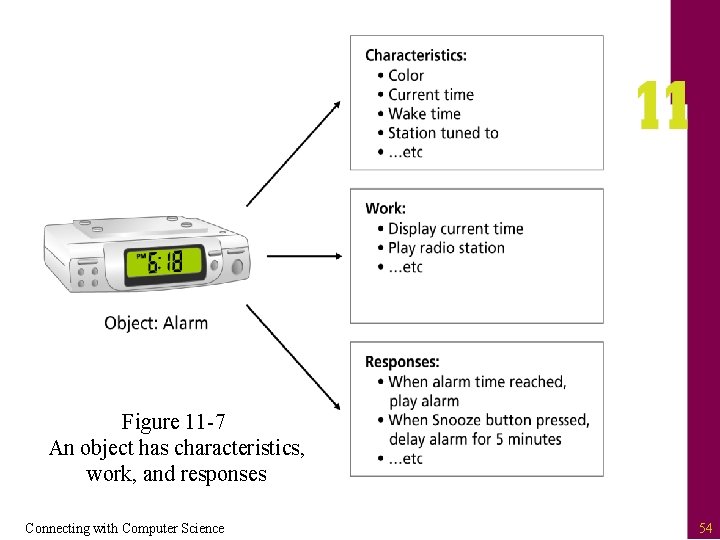
Figure 11 -7 An object has characteristics, work, and responses Connecting with Computer Science 54
How OOP Works • Making a mold – Implement a class or template • Creating the figure – Define the characteristic of the mold • Putting the figure to work – Define the actions the figure can perform, as well as its responses to certain events Connecting with Computer Science 55
OOP Terminology • Class – A template used for defining new object types along with their properties and behavior • Object – A self-contained entity that consists of both data and procedures • Instantiation – The process of creating an object based on a class • Constructor – A class method used for instantiating an object Connecting with Computer Science 56
OOP Terminology (continued) • Property (also called attribute) – Characteristic of an object • Method – Work performed by an object; defined within the class • Event – An action recognized by a class • Event handler – How a class responds to an event Connecting with Computer Science 57
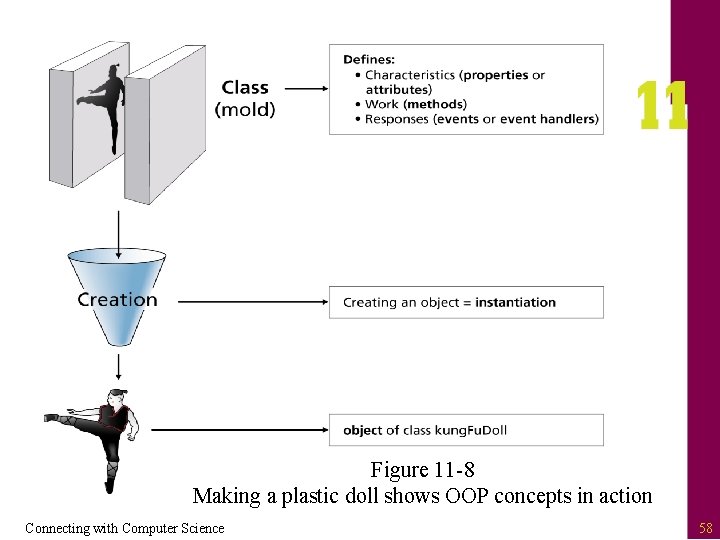
Figure 11 -8 Making a plastic doll shows OOP concepts in action Connecting with Computer Science 58
Inheritance • The process of providing more class functions by creating more specific classes based on generic classes • Parent class – Generic class from which other classes can be created • Subclass – A more specific class based upon a parent class – Calling a method is a chain reaction up through parent classes until it is found Connecting with Computer Science 59
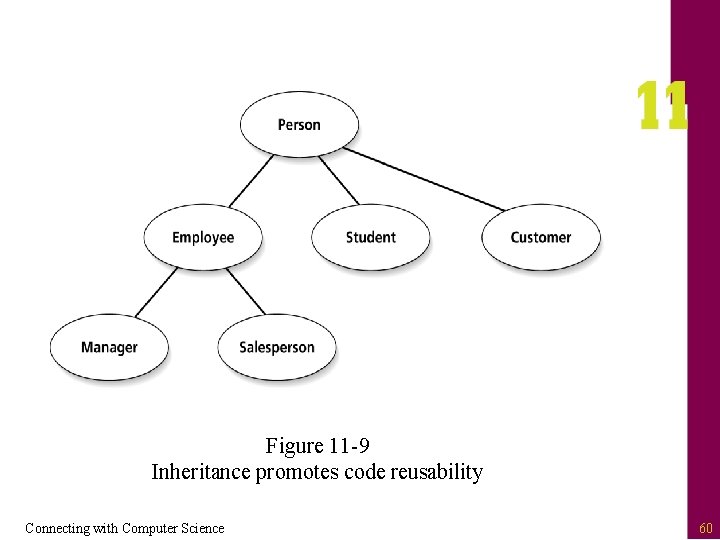
Figure 11 -9 Inheritance promotes code reusability Connecting with Computer Science 60
Encapsulation • Process of hiding an object’s operations from other objects • Treats an object as a black box – Do not have to know how an object works in order to use it • Helps cut down on the potential errors to occur – Isolates errors to the problem object Connecting with Computer Science 61
Polymorphism • An object’s ability to use the same expression to denote different operations • When an operation is called, the system at runtime determines how the operation is used – Example: Using the Draw operation for all geometric shapes (squares, triangles, and circles) • When Draw is called, the system decides which object’s method to call to display the shape correctly Connecting with Computer Science 62
Java and OOP • Everything in Java revolves around classes and their properties and methods • You can reduce the amount of code you are producing by reusing objects you have created or by using someone else’s objects • Use resources to show the available objects and libraries you can use • Programs, algorithms and tasks have already been implemented by someone else Connecting with Computer Science 63
Choosing a Programming Language • Considerations – – – – Functionality Vendor stability Popularity Job market Price Ease of learning Performance Connecting with Computer Science 64
One Last Thought • A program will do whatever you tell it to do • In most cases, if the program doesn’t work correctly, it is the fault of the person who wrote the program, not the computer – Be a responsible programmer • You can create new and wonderful programs to help society • Or…the program you write might have serious ramifications on society Connecting with Computer Science 65
Summary • A program is only as good as the programmer(s) who wrote it • Programs are used everywhere and in almost everything you do • A program can either be interpreted or compiled • Low-level languages are more closely related to the machine languages that a computer understands • Assembler is a low-level programming language Connecting with Computer Science 66
Summary (continued) • High-level languages are more closely related to human language • Algorithms are created for solving problems through some logical method • Pseudocode is a way to use human language to map out how a program is suppose to work • Creating the algorithm is one of the most important steps in writing a program Connecting with Computer Science 67
Summary (continued) • Java is a high-level programming language that was initially designed for the Internet • Variables are temporary storage locations with a specific data type – Used for calculations and storage • Java uses mathematical, relational, and logical operators • Four control structures used within a program: top down, invocation, selection, and repetition Connecting with Computer Science 68
Summary (continued) • Object-oriented programming (OOP) allows programmers to reuse code and make their programs more maintainable • OOP creates classes, which are like templates or molds from which objects can be created • Objects can have properties, methods, and event handlers • Java is tied very closely to the OOP model • In order to become a good programmer you must practice, and practice some more! Connecting with Computer Science 69
- Slides: 69