
Connecting to Classweb Setup Instructions Handouts Power Point

Connecting to Classweb
Setup Instructions • Handouts, Power. Point, and Support Information: https: //it. unt. edu/classweb-support
Connecting to Classweb Personal Device
Installing Cyberduck • Visit cyberduck. io/download/ • Download Corresponding Version for your Device
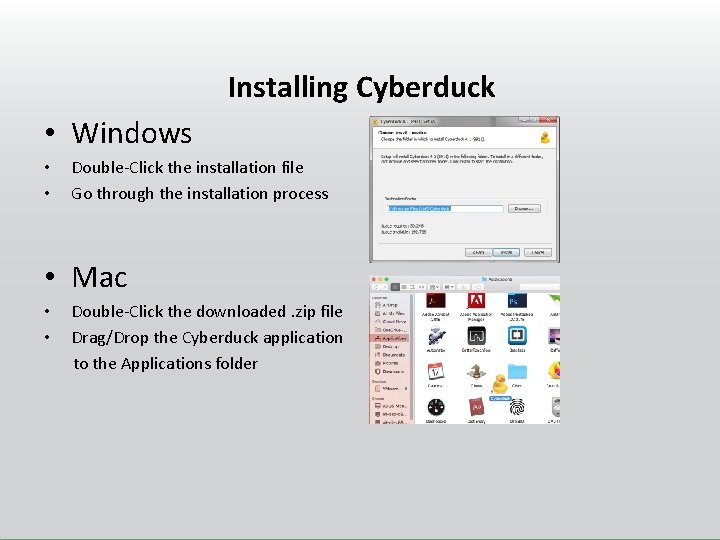
Installing Cyberduck • Windows • • Double-Click the installation file Go through the installation process • Mac • • Double-Click the downloaded. zip file Drag/Drop the Cyberduck application to the Applications folder
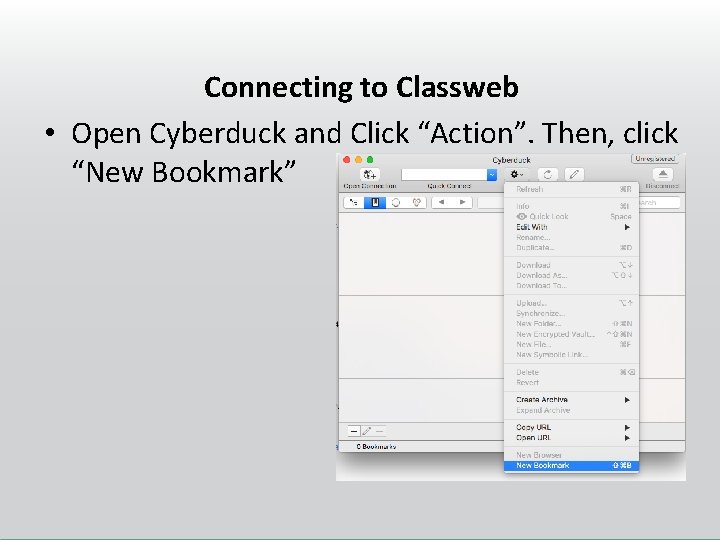
Connecting to Classweb • Open Cyberduck and Click “Action”. Then, click “New Bookmark”
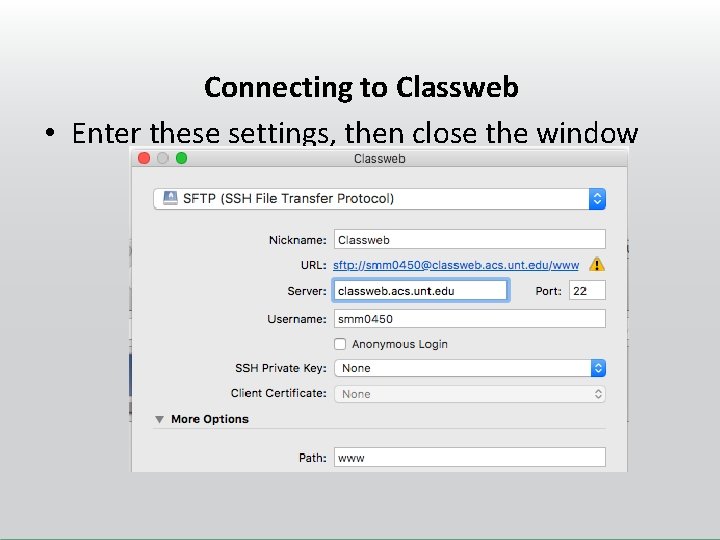
Connecting to Classweb • Enter these settings, then close the window
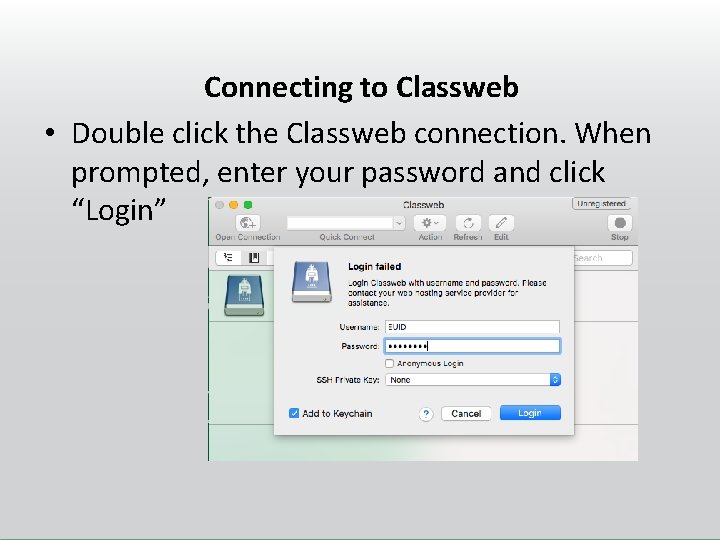
Connecting to Classweb • Double click the Classweb connection. When prompted, enter your password and click “Login”
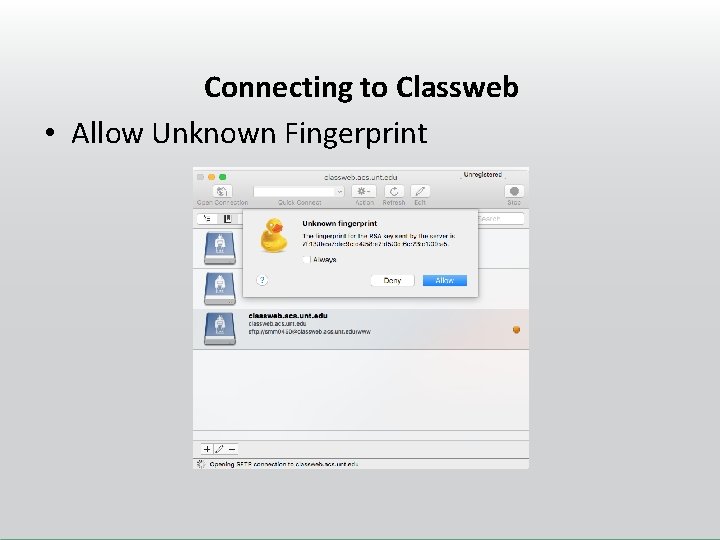
Connecting to Classweb • Allow Unknown Fingerprint
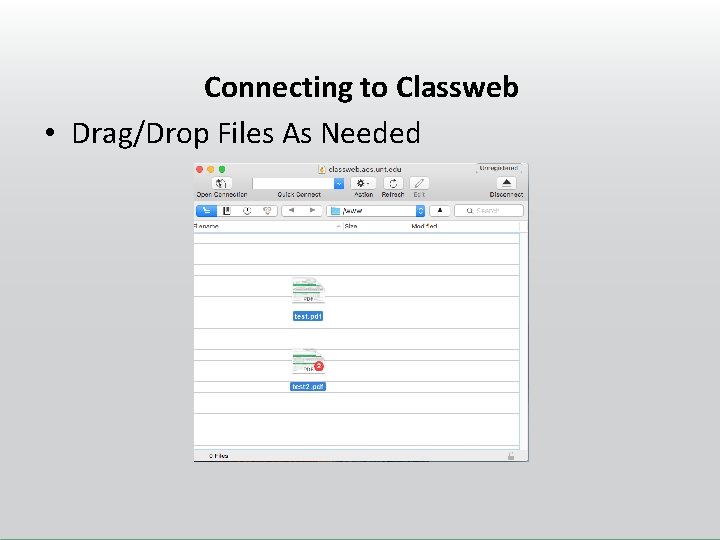
Connecting to Classweb • Drag/Drop Files As Needed
Accessing Classweb Online • In your browser, visit http: //classweb. acs. unt. edu/classes/mktg 462 0001/ • Click on your EUID to see the files uploaded to your folder, open your website, etc.
Connecting to Classweb Co. B Computer Labs or VMware
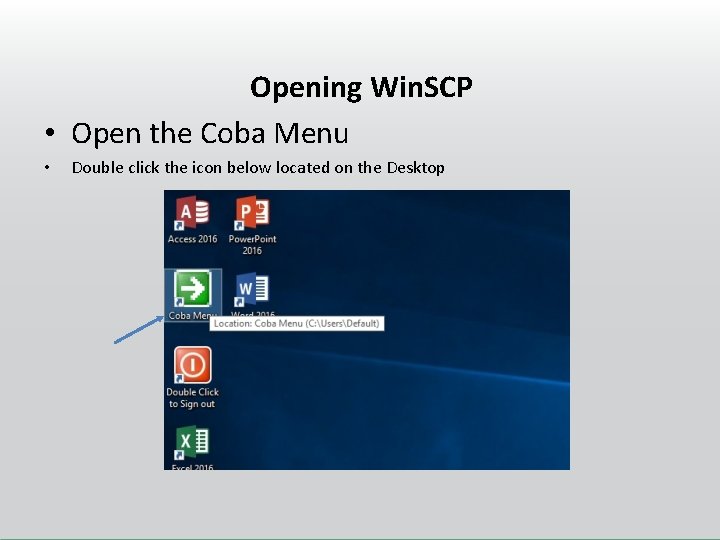
Opening Win. SCP • Open the Coba Menu • Double click the icon below located on the Desktop
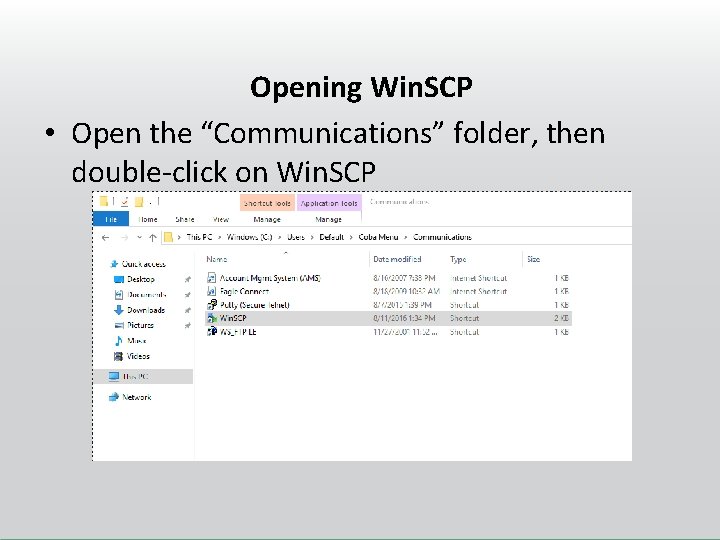
Opening Win. SCP • Open the “Communications” folder, then double-click on Win. SCP
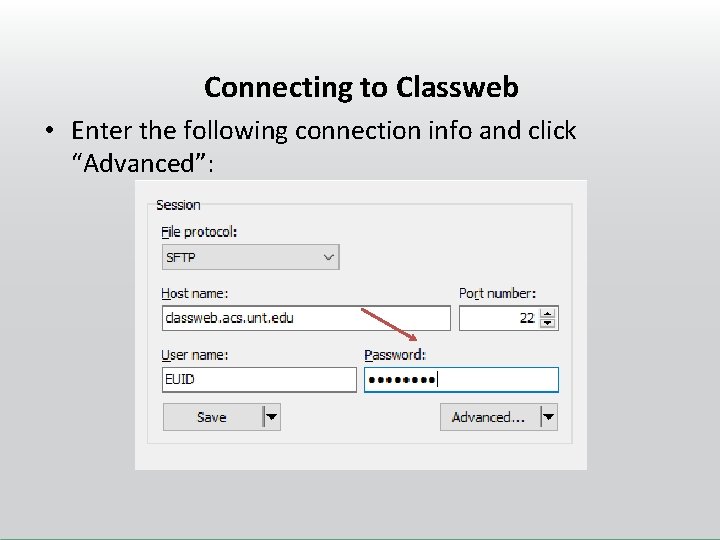
Connecting to Classweb • Enter the following connection info and click “Advanced”:
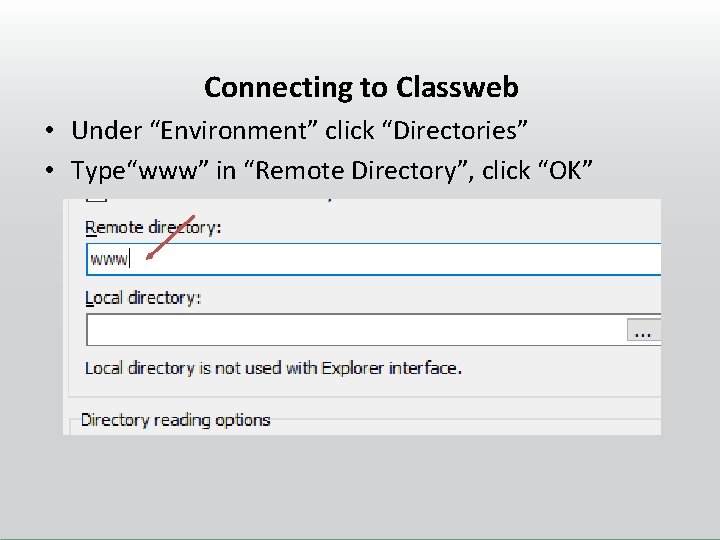
Connecting to Classweb • Under “Environment” click “Directories” • Type“www” in “Remote Directory”, click “OK”
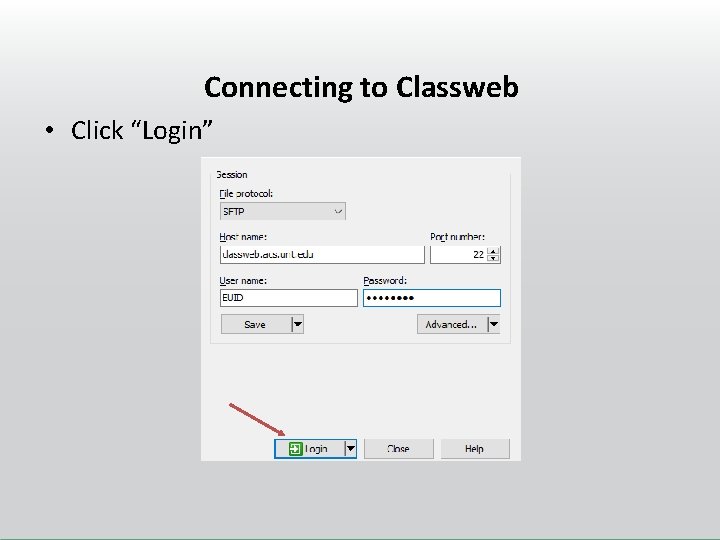
Connecting to Classweb • Click “Login”
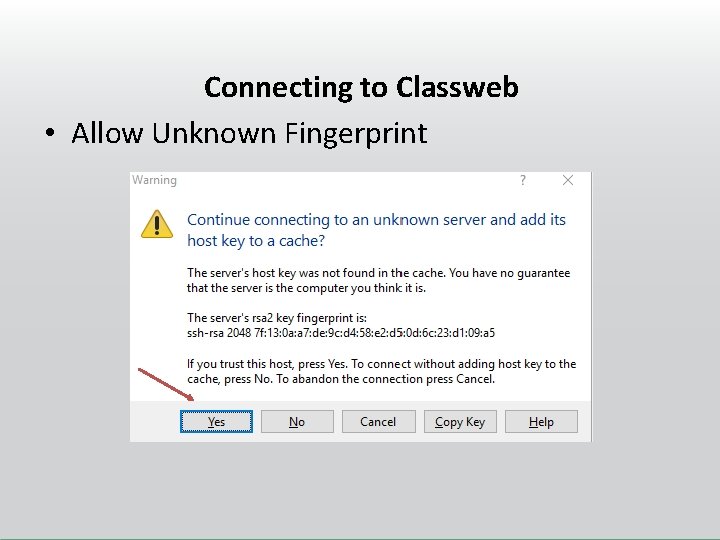
Connecting to Classweb • Allow Unknown Fingerprint
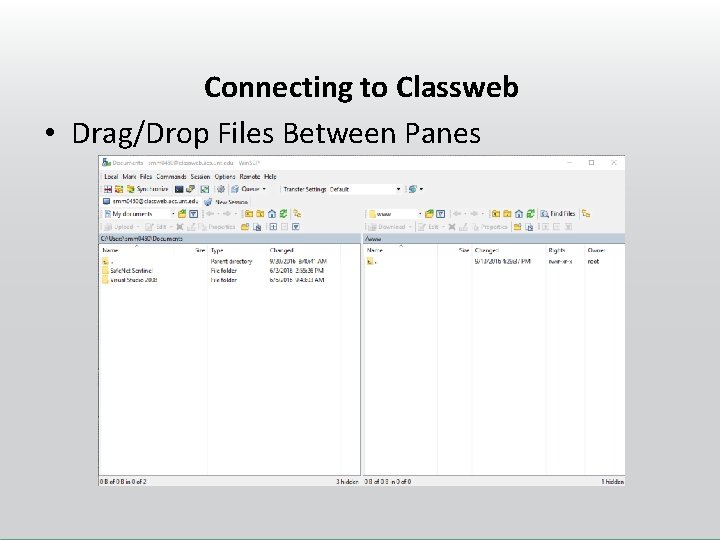
Connecting to Classweb • Drag/Drop Files Between Panes
Accessing Classweb Online • In your browser, visit http: //classweb. acs. unt. edu/classes/mktg 462 0001/ • Click on your EUID to see the files uploaded to your folder, open your website, etc.

Questions? Contact the UIT Help Desk Contact Information: https: //www. it. unt. edu/classwebsupport Sage Hall - Room 330 940 -565 -2324 Help. Desk@unt. edu Live Chat Now Available
- Slides: 21