
Congratulations on obtaining employment for your authorized OPT
Congratulations on obtaining employment for your authorized OPT. These slides will walk you through how to update your record. Office of International Student Support
§ There are two ways to update your SEVIS record. 1. You can (and should) create a login on the SEVP Portal 2. You fill out an update record https: //merrimack- isss. terradotta. com/ The next slides will take you through both.
§ Students on post-completion practical training should use the SEVP Portal Help section to learn how to use the SEVP Portal and comply with reporting requirements. Eligible students can access the SEVP Portal from ICE. gov. § Watch the SEVP Portal Help Videos § View the SEVP Portal Help videos for step-by-step guides to navigating and updating the SEVP Portal.
§ The SEVP Portal: Overview Video § SEVP Portal: Create Portal Account § SEVP Portal: Changing Your Email Address Video § SEVP Portal: Changing and Resetting Passwords and Unlocking an Account Video § SEVP Portal: Update Profile Address and Telephone Information Video § SEVP Portal: Manage Employer Information While on Post-Completion Optional Practical Training Video § SEVP Portal: Manage Employer Information While on STEM Optional Practical Training Video
We encourage you to use the SEVP portal to update your record, but you still need to email ISS@merrimack. edu within 10 days of any changes to your record (name; address, employment, employer, etc. ), so that ISS can confirm those updates. Thank you! And now, the Merrimack “Portal”…
§Steps to be covered: § How to upload your EAD (if you haven’t already) § How to update your OPT information
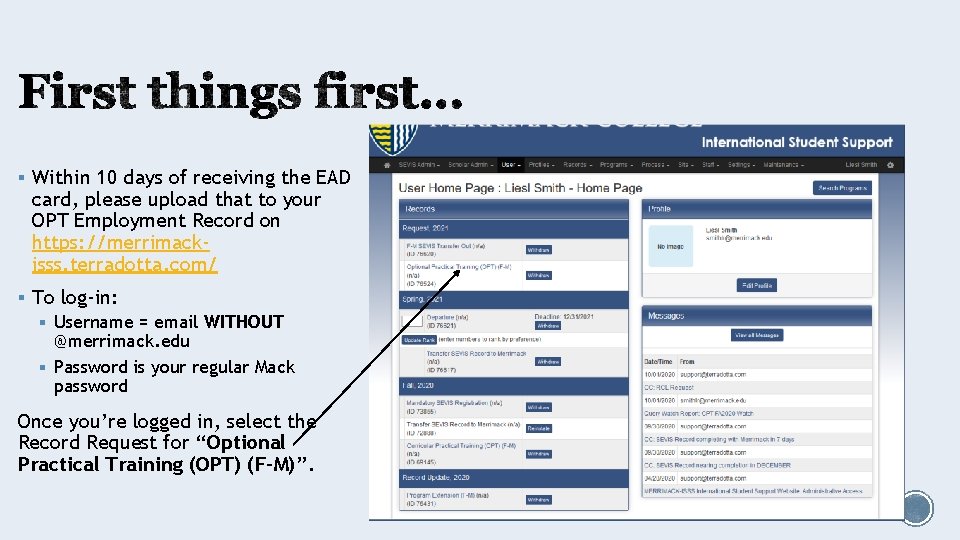
§ Within 10 days of receiving the EAD card, please upload that to your OPT Employment Record on https: //merrimackisss. terradotta. com/ § To log-in: § Username = email WITHOUT @merrimack. edu § Password is your regular Mack password Once you’re logged in, select the Record Request for “Optional Practical Training (OPT) (F-M)”.
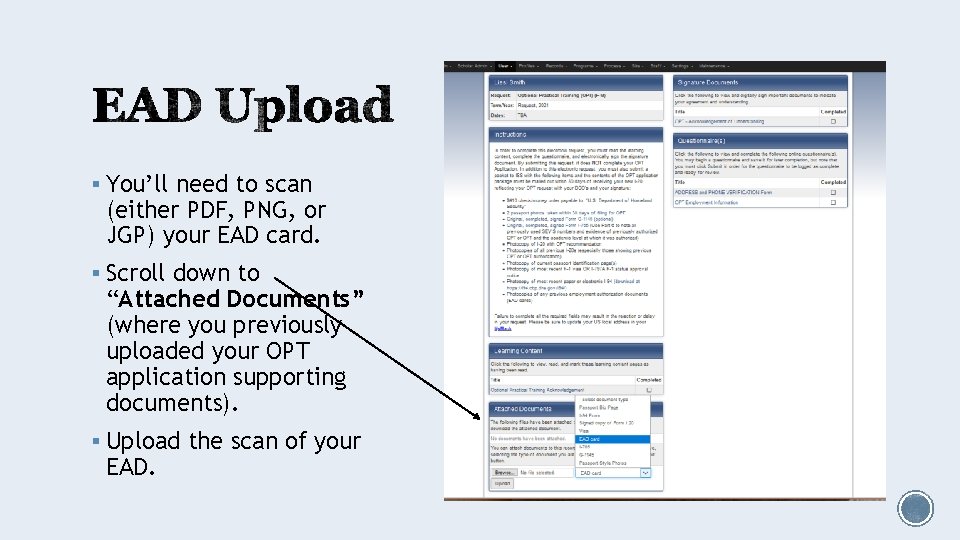
§ You’ll need to scan (either PDF, PNG, or JGP) your EAD card. § Scroll down to “Attached Documents” (where you previously uploaded your OPT application supporting documents). § Upload the scan of your EAD.
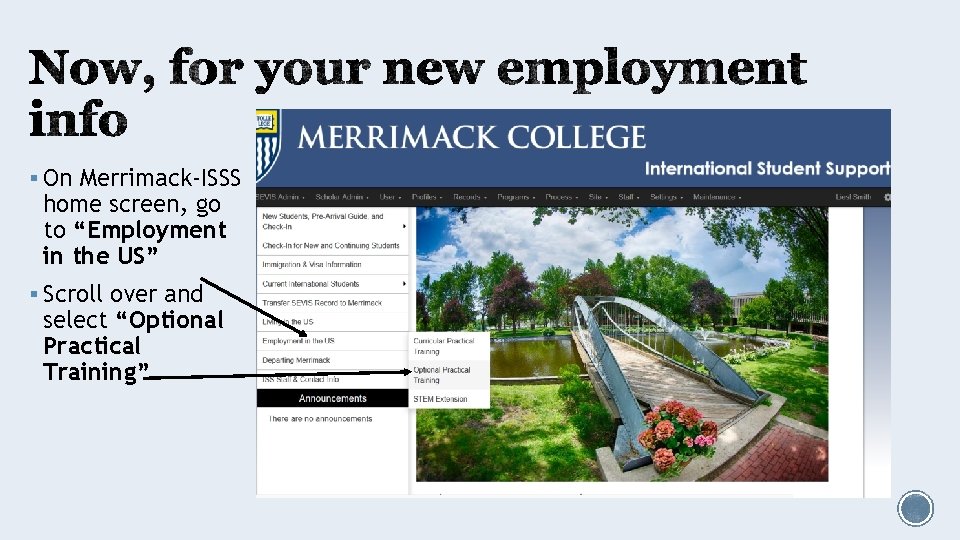
§ On Merrimack-ISSS home screen, go to “Employment in the US” § Scroll over and select “Optional Practical Training”
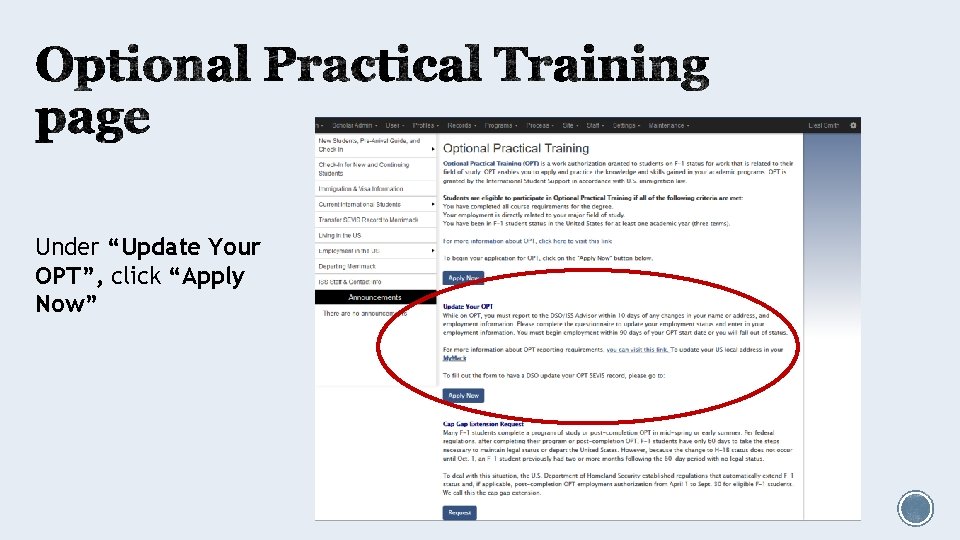
Under “Update Your OPT”, click “Apply Now”
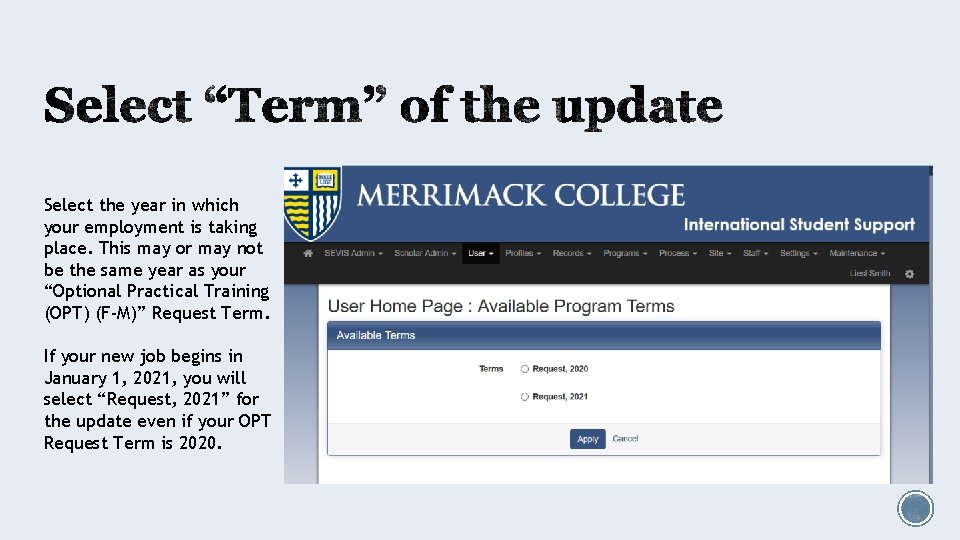
Select the year in which your employment is taking place. This may or may not be the same year as your “Optional Practical Training (OPT) (F-M)” Request Term. If your new job begins in January 1, 2021, you will select “Request, 2021” for the update even if your OPT Request Term is 2020.
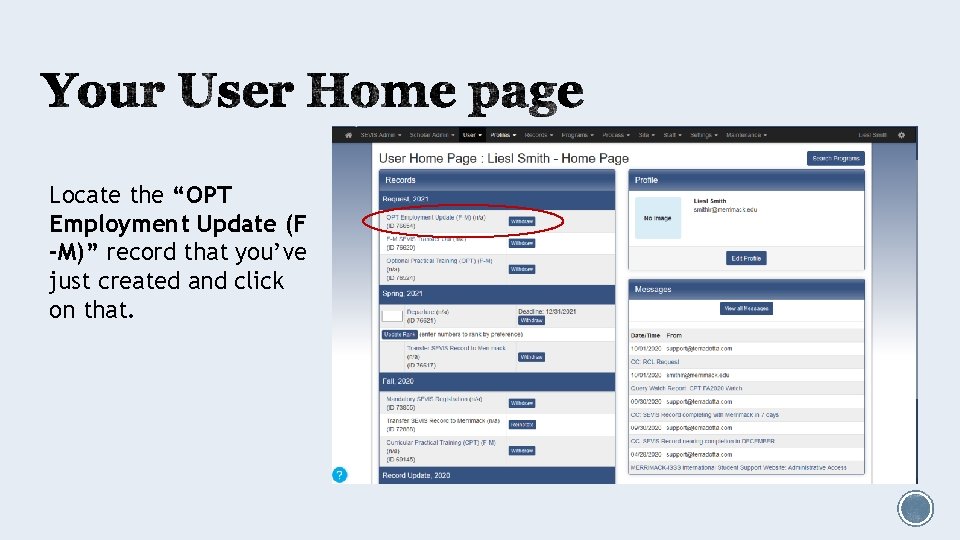
Locate the “OPT Employment Update (F -M)” record that you’ve just created and click on that.
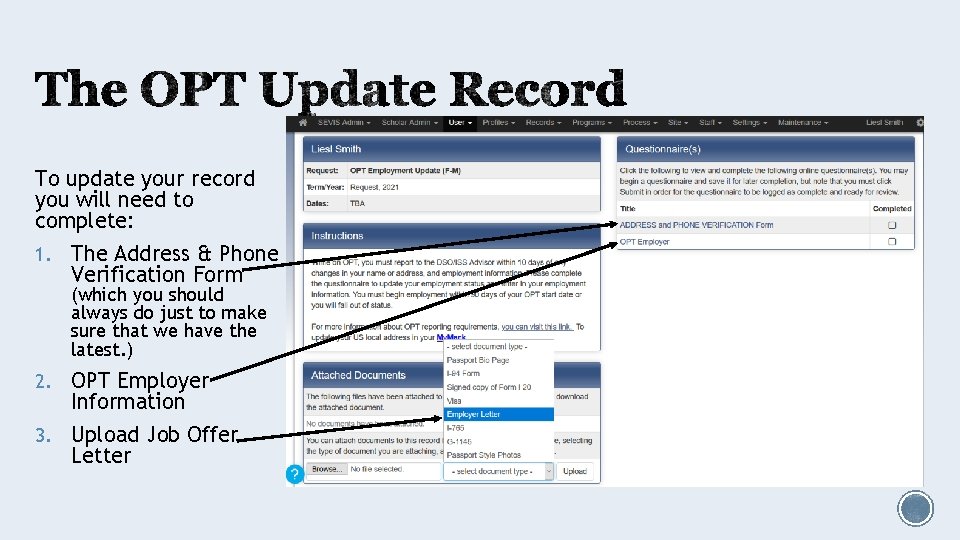
To update your record you will need to complete: 1. The Address & Phone Verification Form (which you should always do just to make sure that we have the latest. ) 2. OPT Employer Information 3. Upload Job Offer Letter
1. Employer Name 8. Supervisor’s Name 2. Address 9. Supervisor’s Phone number + 3. Employer ID Number (EIN) (Your extension employer can provide you with this. ) 10. Supervisor’s email 4. Self-employed (Yes/No) 5. Full-time/Part-time with Employer 6. Employer Start Date 7. Employer End Date (You can leave this blank unless your offer letter/contract specifies an end date. ) 11. Your Job Title Save frequently. After you have reviewed the information, do not forget to click SUBMIT.
§ After you’ve submitted both questionnaires and uploaded the offer letter, a DSO will go in and process that information with SEVIS. § You will know that everything has been processed when you receive an updated I-20 from the DSO. § Please note: processing can take 3 -5 business days. Do not expect the I-20 the day after you submit the information. Do not email last minute expecting immediate updates to your record.
§ If you have questions or problems with the site, direct your questions to Dr. Smith at smithlr@merrimack. edu § If you do not receive your I-20 after 5 business days, please log-in again to doublecheck that you did complete all tasks. If everything is indeed complete, then email Dr. Smith to check in on the status of your request.
§ If ever your employer changes, you will start fill out a new update. § If you are working multiple part-time jobs, you do this for EACH employer.
- Slides: 17