
CONFIDENTIAL 1 AGENT OR AGENTLESS AN INTRODUCTION TO



![Inventory file YAML version all: hosts: Ini-like file: mail. example. com: children: webservers: [webservers]](https://slidetodoc.com/presentation_image_h2/49067f2c6846da6da86d252edf05e79d/image-15.jpg "Inventory file YAML version all: hosts: Ini-like file: mail. example. com: children: webservers: [webservers]")

- Slides: 26
CONFIDENTIAL 1
AGENT OR AGENTLESS? AN INTRODUCTION TO ANSIBLE Cristiana Dragoescu Sr Software Engineer @ACI UPF team
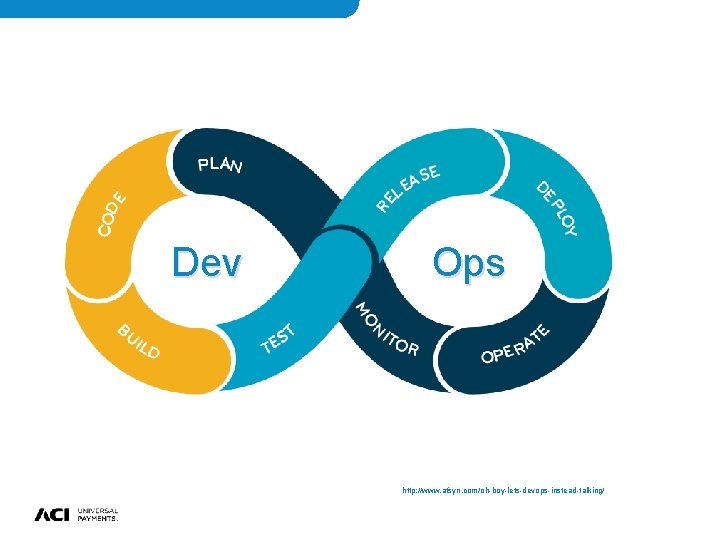
Dev Ops http: //www. afsyn. com/oh-boy-lets-devops-instead-talking/
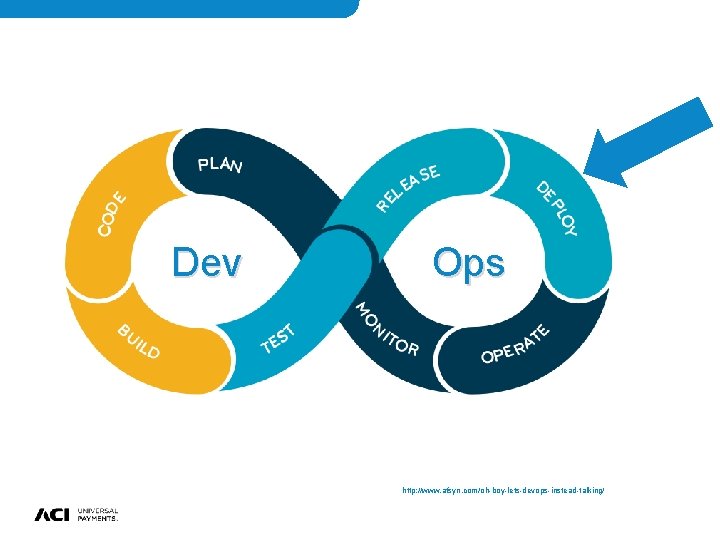
Dev Ops http: //www. afsyn. com/oh-boy-lets-devops-instead-talking/
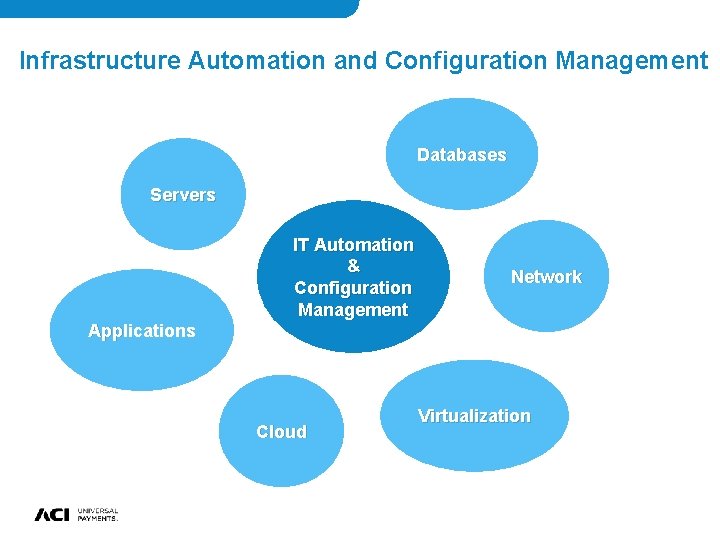
Infrastructure Automation and Configuration Management Databases Servers IT Automation & Configuration Management Network Applications Cloud Virtualization
Infrastructure Automation and Configuration Management • “Code the Infrastructure” • Quick provision of new servers • Recovery from critical events • No more manual fixes, updates • Easy to replicate environments • Setup done by provisioning scripts ü Write once ü Version control ü All documented
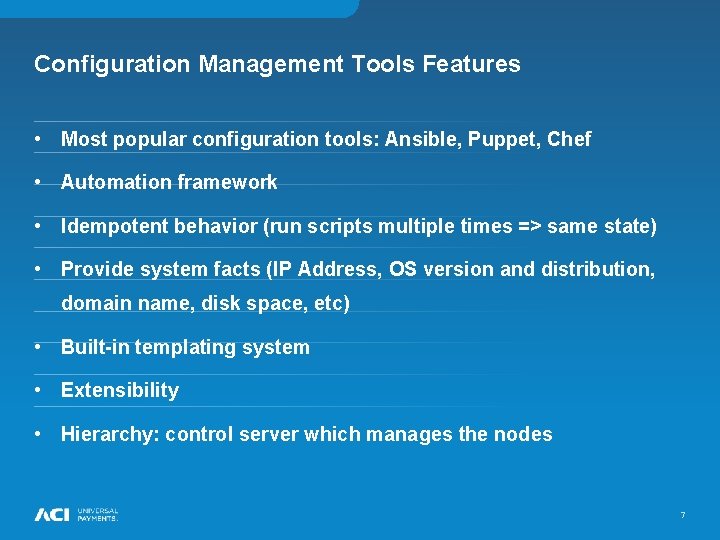
Configuration Management Tools Features • Most popular configuration tools: Ansible, Puppet, Chef • Automation framework • Idempotent behavior (run scripts multiple times => same state) • Provide system facts (IP Address, OS version and distribution, domain name, disk space, etc) • Built-in templating system • Extensibility • Hierarchy: control server which manages the nodes 7
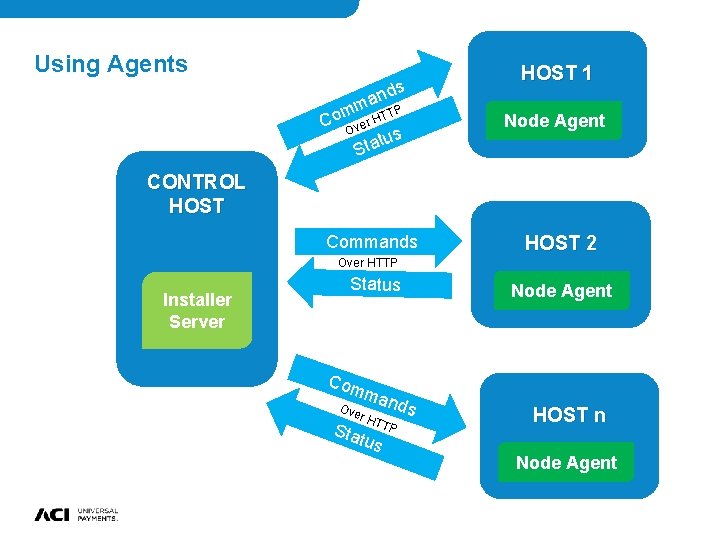
Using Agents nds ma TTP m Co Over H tus a t S HOST 1 Node Agent CONTROL HOST Commands HOST 2 Over HTTP Installer Server Status Node Agent Com m Ove Sta r. H and s TTP tus HOST n Node Agent
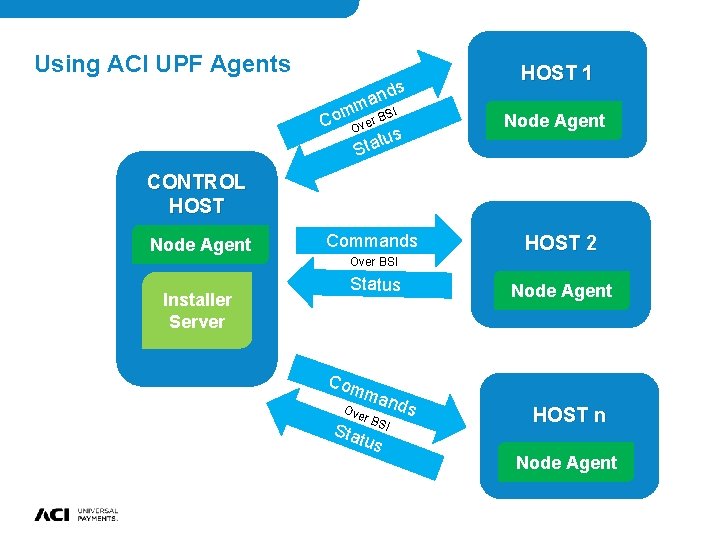
Using ACI UPF Agents nds ma SI m Co Over B tus a t S HOST 1 Node Agent CONTROL HOST Node Agent Commands Over BSI Installer Server Status HOST 2 Node Agent Com m Ove Sta and s r BS tus I HOST n Node Agent
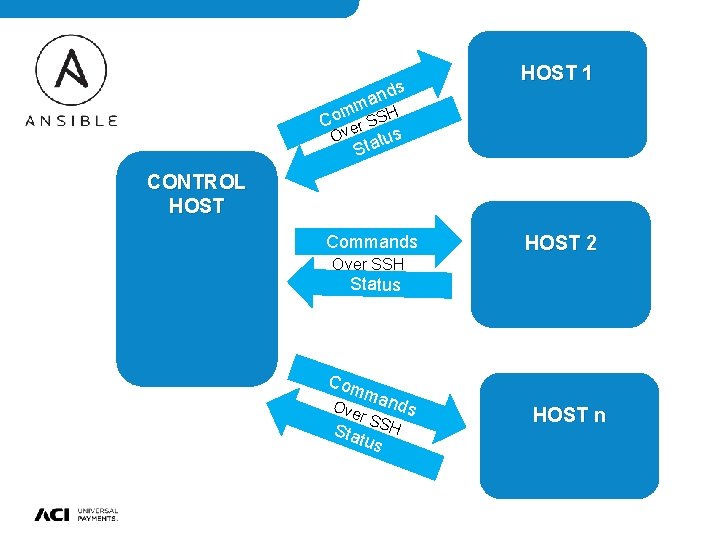
nds HOST 1 ma H m Co er SS Ov atus St CONTROL HOST Commands HOST 2 Over SSH Status Com m and r SS s H Sta tus Ove HOST n
Ansible Science Fiction “Answerable” device that communicates faster then light
Ansible • Agentless (No agents, no specialized software, no restart, no registration) • Controller machine applies configuration on nodes via SSH • Decentralized, any server can be a controller • Only controller server needs to have Ansible installed • Task execution is sequential • Scripts language is YAML • Scripts are named playbooks • Flexible, easy to learn and use • Open-source
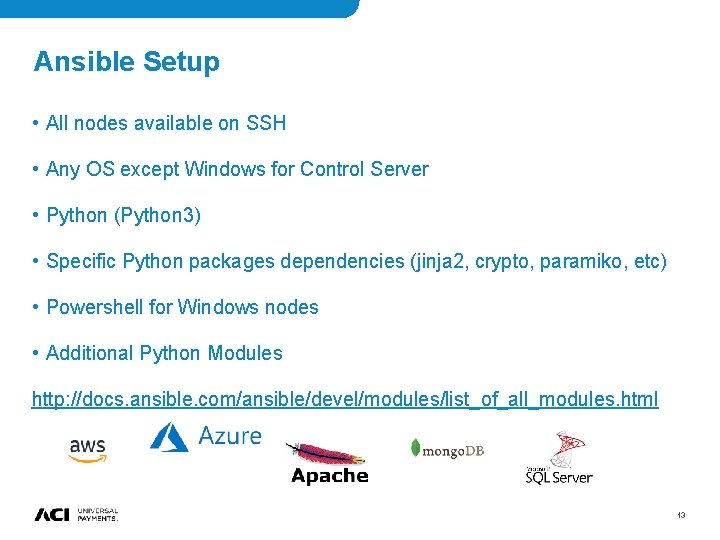
Ansible Setup • All nodes available on SSH • Any OS except Windows for Control Server • Python (Python 3) • Specific Python packages dependencies (jinja 2, crypto, paramiko, etc) • Powershell for Windows nodes • Additional Python Modules http: //docs. ansible. com/ansible/devel/modules/list_of_all_modules. html 13
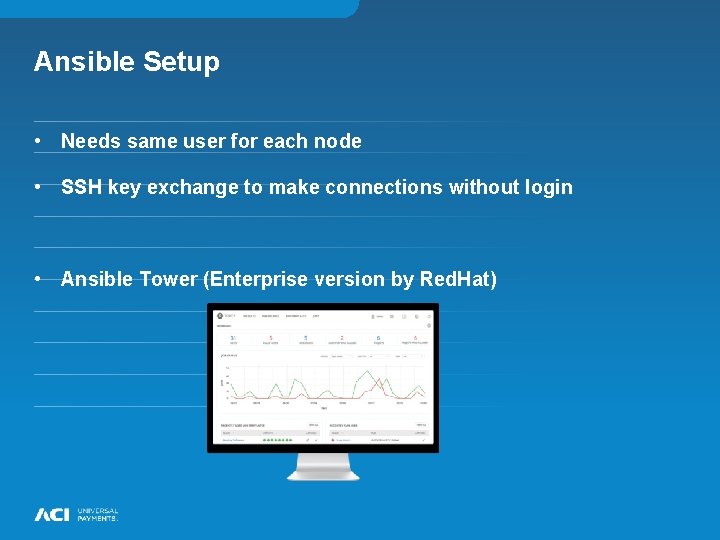
Ansible Setup • Needs same user for each node • SSH key exchange to make connections without login • Ansible Tower (Enterprise version by Red. Hat)
Inventory file YAML version all: hosts: Ini-like file: mail. example. com: children: webservers: [webservers] foo. example. com bar. example. com hosts: foo. example. com: bar. example. com: dbservers: [dbservers] one. example. com two. example. com three. example. com hosts: one. example. com: two. example. com: three. example. com: 15
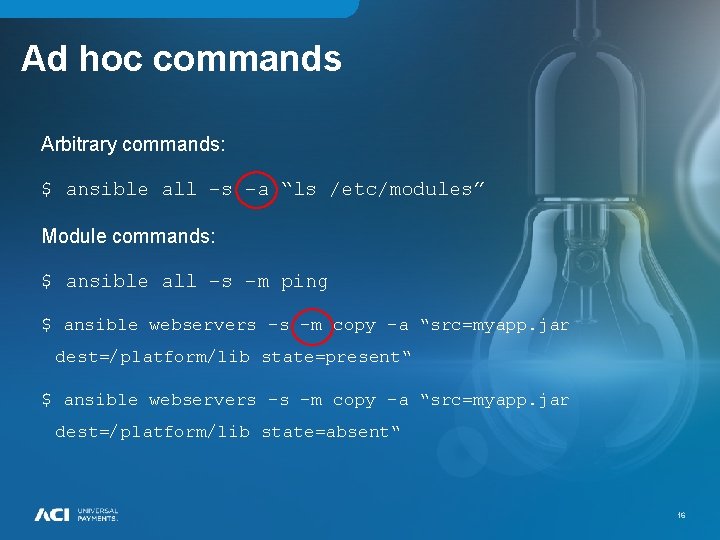
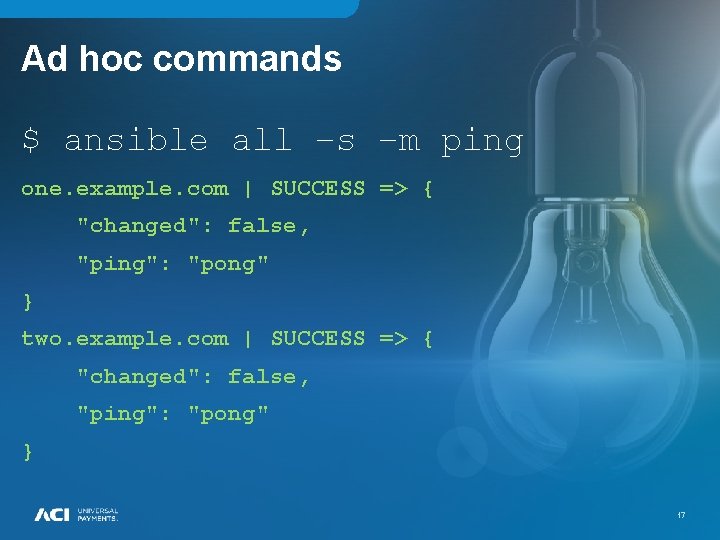
Ad hoc commands Arbitrary commands: $ ansible all –s –a “ls /etc/modules” Module commands: $ ansible all –s –m ping $ ansible webservers –s –m copy –a “src=myapp. jar dest=/platform/lib state=present“ $ ansible webservers –s –m copy –a “src=myapp. jar dest=/platform/lib state=absent“ 16
Ad hoc commands $ ansible all –s –m ping one. example. com | SUCCESS => { "changed": false, "ping": "pong" } two. example. com | SUCCESS => { "changed": false, "ping": "pong" } 17
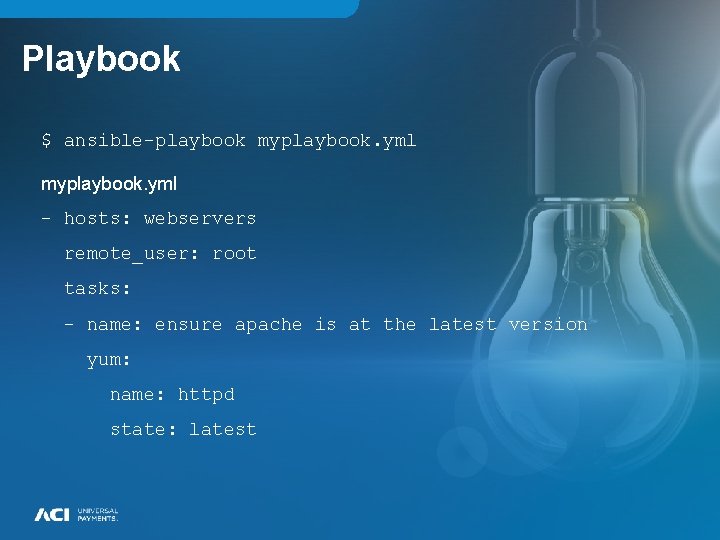
Playbook $ ansible-playbook myplaybook. yml - hosts: webservers remote_user: root tasks: - name: ensure apache is at the latest version yum: name: httpd state: latest
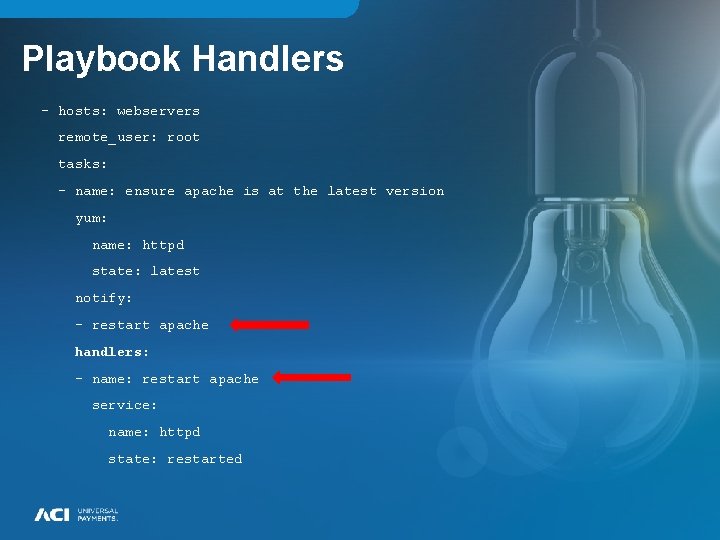
Playbook Handlers - hosts: webservers remote_user: root tasks: - name: ensure apache is at the latest version yum: name: httpd state: latest notify: - restart apache handlers: - name: restart apache service: name: httpd state: restarted
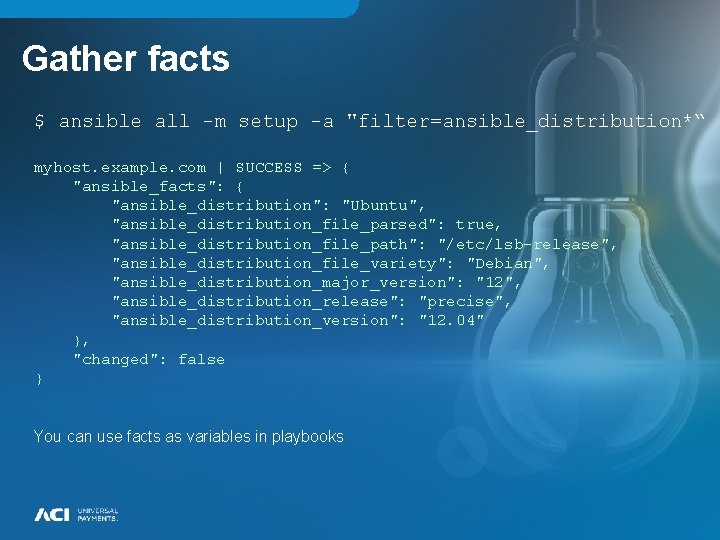
Gather facts $ ansible all -m setup -a "filter=ansible_distribution*“ myhost. example. com | SUCCESS => { "ansible_facts": { "ansible_distribution": "Ubuntu", "ansible_distribution_file_parsed": true, "ansible_distribution_file_path": "/etc/lsb-release", "ansible_distribution_file_variety": "Debian", "ansible_distribution_major_version": "12", "ansible_distribution_release": "precise", "ansible_distribution_version": "12. 04" }, "changed": false } You can use facts as variables in playbooks
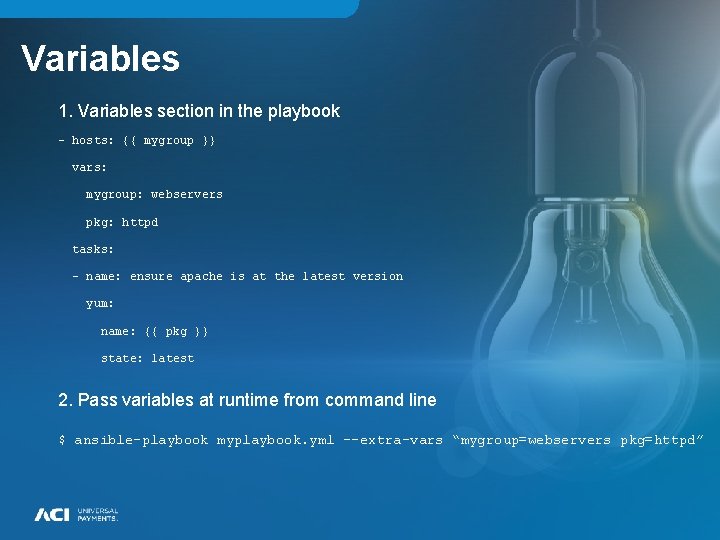
Variables 1. Variables section in the playbook - hosts: {{ mygroup }} vars: mygroup: webservers pkg: httpd tasks: - name: ensure apache is at the latest version yum: name: {{ pkg }} state: latest 2. Pass variables at runtime from command line $ ansible-playbook myplaybook. yml –-extra-vars “mygroup=webservers pkg=httpd”
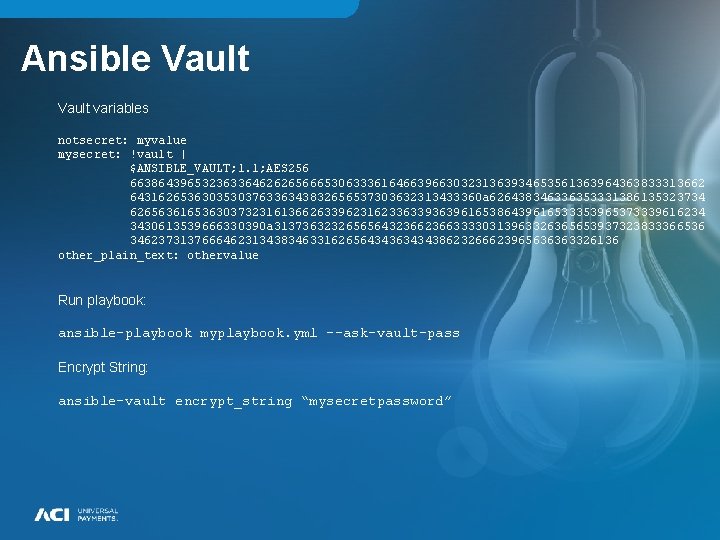
Ansible Vault variables notsecret: myvalue mysecret: !vault | $ANSIBLE_VAULT; 1. 1; AES 256 66386439653236336462626566653063336164663966303231363934653561363964363833313662 6431626536303530376336343832656537303632313433360 a 626438346336353331386135323734 62656361653630373231613662633962316233633936396165386439616533353965373339616234 3430613539666330390 a 31373632326565643236633330313963326365653937323833366536 34623731376664623134383463316265643436343438623266623965636363326136 other_plain_text: othervalue Run playbook: ansible-playbook myplaybook. yml --ask-vault-pass Encrypt String: ansible-vault encrypt_string “mysecretpassword”
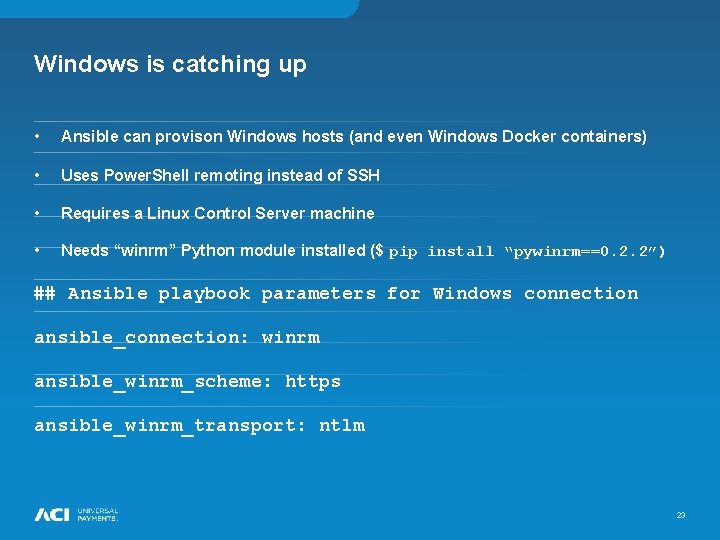
Windows is catching up • Ansible can provison Windows hosts (and even Windows Docker containers) • Uses Power. Shell remoting instead of SSH • Requires a Linux Control Server machine • Needs “winrm” Python module installed ($ pip install “pywinrm==0. 2. 2”) ## Ansible playbook parameters for Windows connection ansible_connection: winrm ansible_winrm_scheme: https ansible_winrm_transport: ntlm 23
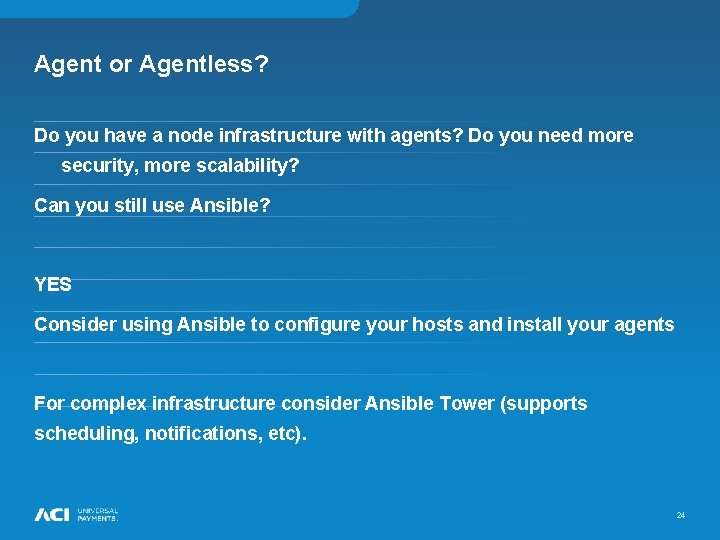
Agent or Agentless? Do you have a node infrastructure with agents? Do you need more security, more scalability? Can you still use Ansible? YES Consider using Ansible to configure your hosts and install your agents For complex infrastructure consider Ansible Tower (supports scheduling, notifications, etc). 24
Demo Use Vagrant to install 3 Ubuntu VMs Install Ansible on one VM Create the inventory file with hosts details Run Ansible commands and write a playbook 25