
Cone Trees and Collapsible Cylindrical Trees Joshua Foster
Cone Trees and Collapsible Cylindrical Trees Joshua Foster February 19, 2003
Papers ØCone Trees: Animated 3 D Visualizations of Hierarchical Information n Collapsible Cylindrical Trees: A Fast Hierarchical Navigation Technique

Goals of Cone Trees 3 D visualization (display more information in same screen space) n Interactive animation (shifts some of the cognitive load to human visual perception system) n

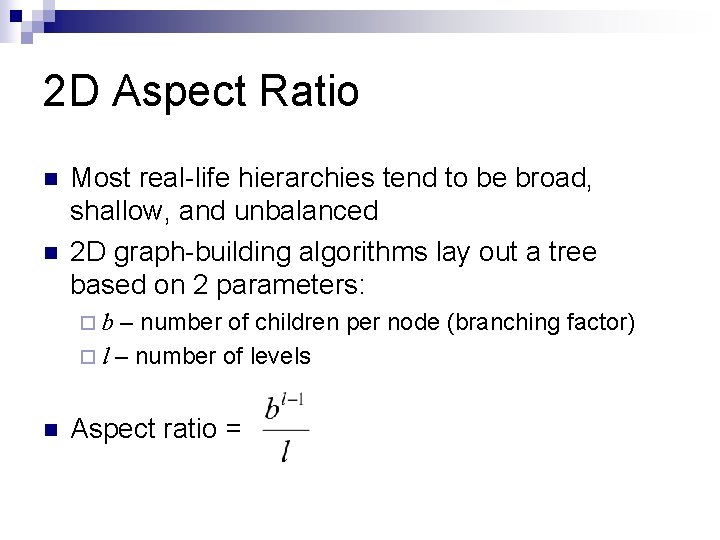
2 D Aspect Ratio n n Most real-life hierarchies tend to be broad, shallow, and unbalanced 2 D graph-building algorithms lay out a tree based on 2 parameters: – number of children per node (branching factor) ¨ l – number of levels ¨b n Aspect ratio =
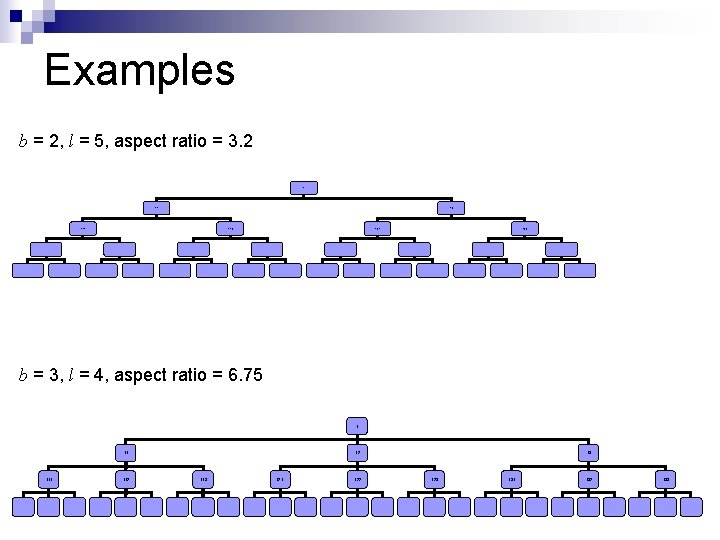
Examples b = 2, l = 5, aspect ratio = 3. 2 1 11 12 111 112 121 122 b = 3, l = 4, aspect ratio = 6. 75 1 11 112 12 113 121 122 13 123 131 132 133
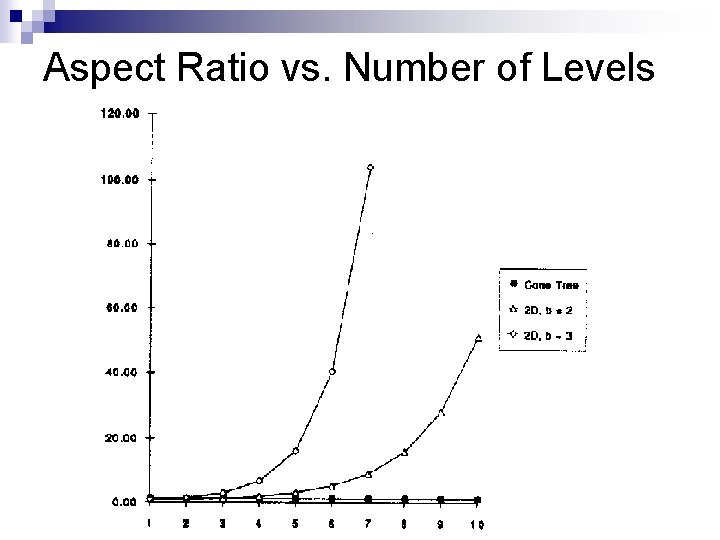
Aspect Ratio vs. Number of Levels
Aspect Ratio (cont’d) Cone Tree aspect ratio is fixed at 4: 3 (1. 25) n Cone diameter and level height adjusted to accommodate n n Side effect: Number of levels limited to 10
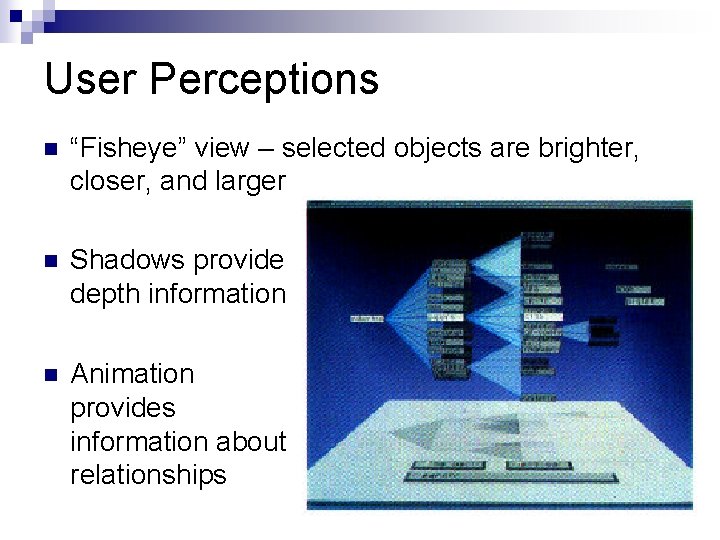
User Perceptions n “Fisheye” view – selected objects are brighter, closer, and larger n Shadows provide depth information n Animation provides information about relationships
User Interaction: Gardening n Gardening consists of two operations: ¨ Pruning allows unwanted sublevels to be “cut” from the tree ¨ Growing adds sublevels back in n Additional operations: ¨ Prune Others: remove all the siblings of a selected node
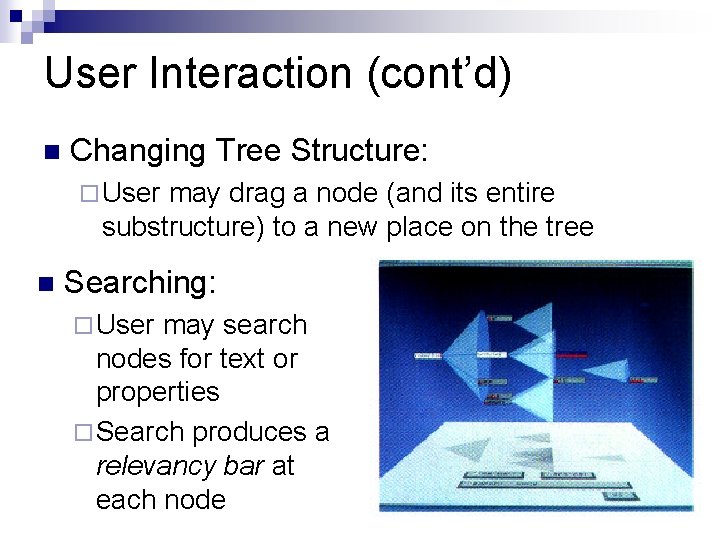
User Interaction (cont’d) n Changing Tree Structure: ¨ User may drag a node (and its entire substructure) to a new place on the tree n Searching: ¨ User may search nodes for text or properties ¨ Search produces a relevancy bar at each node
Applications File browser n Organizational structure of a company n Company operating plan n ¨ Cone tree manipulation used to ‘restructure’ projects
Problems? Fixed aspect ratio imposes limits on tree size n Limits are roughly 1000 nodes, 10 levels, and maximum branching factor of 30 n Animation is more effective for unbalanced trees n
Papers üCone Trees: Animated 3 D Visualizations of Hierarchical Information ØCollapsible Cylindrical Trees: A Fast Hierarchical Navigation Technique
Goals of Collapsed Cylindrical Trees (CCT) n What they don’t do: ¨ Visualize the entire tree structure ¨ Provide insight into complex hierarchies n What they do do: ¨ Allow quick navigation through hierarchies, find and perform an action on a specific node
Motivation n Problems: ¨ Simple GUI operations such as selecting menu items require long vertical mouse movements ¨ Screen space may be limited (ex: cellphone displays) n Solution: ¨ Map list items onto a rotating cylinder
CCT Approach n Developed for webpage navigation ¨ Individual tree n nodes are important, not the entire Tree navigation with other techniques: ¨ Tree maps, cone trees, etc: too cluttered, hard to find individual node ¨ Hyperbolic trees: node positions constantly changing, hard to build up “muscle memory”
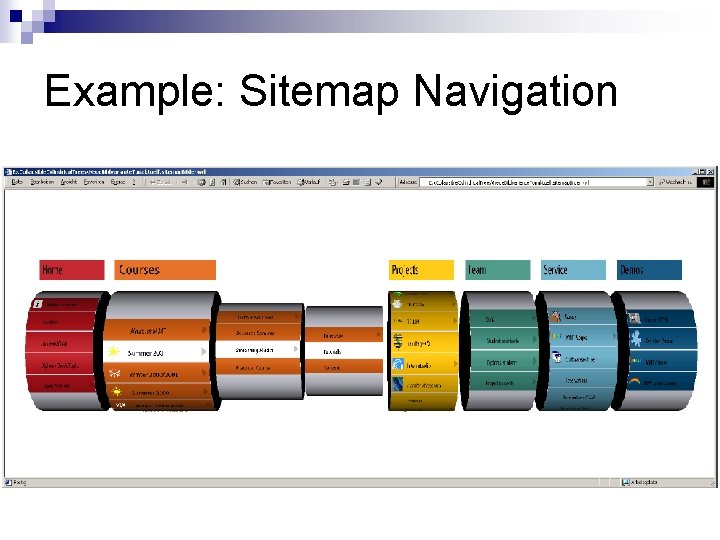
Example: Sitemap Navigation
Layout Every parent node is a cylinder, with the facets listing its child nodes n Children of the root node are shown in parallel n Child cylinders are nested n Endless cylinder concept n
User Interaction Any node can be reached with a series of short mouse movements n Vertical mouse movements over a cylinder cause rotation n Mousing over a facet causes the child cylinder to appear n

Building “Muscle Memory” Facets are always the same size n The selected cylinder is always the same width n n Therefore, mouse movements are quickly memorized and become automatic
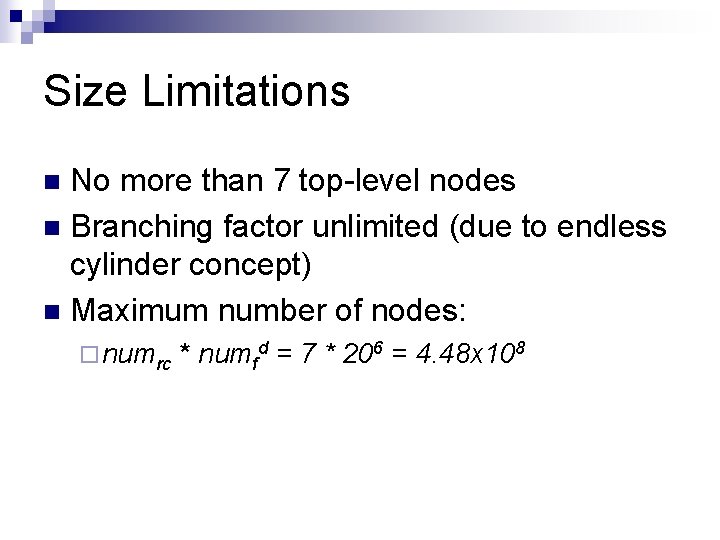
Size Limitations No more than 7 top-level nodes n Branching factor unlimited (due to endless cylinder concept) n Maximum number of nodes: n ¨ numrc * numfd = 7 * 206 = 4. 48 x 108
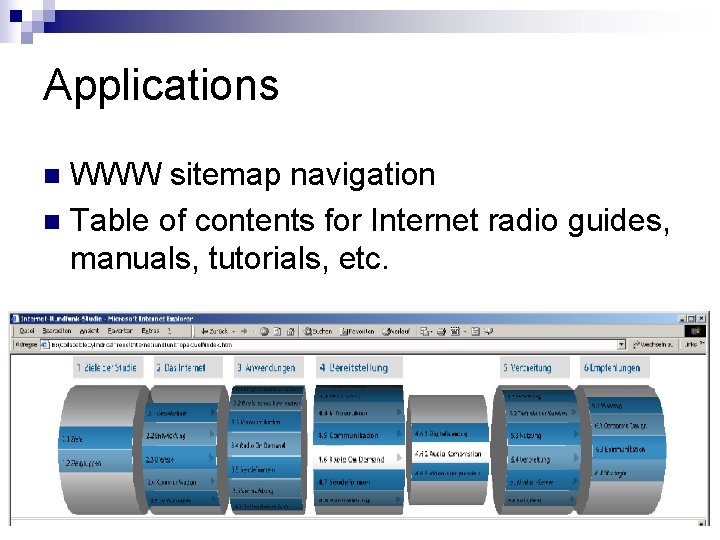
Applications WWW sitemap navigation n Table of contents for Internet radio guides, manuals, tutorials, etc. n
User Perceptions Fun to use n Comprehensible to persons with no 3 D / visualization experience n Balanced: n ¨ More information than with traditional menus ¨ Less information than with cone trees, treemaps, etc.
Virtual Reality Markup Language (VRML) n n n Allows specification of 3 D scenes through which the user can navigate One. VRML file contains each object description User can navigate through the scene: ¨ “Walk” (6 degrees of freedom) ¨ “Seek” (click an object and move closer toward it) ¨ “Examine” (rotate or zoom the whole scene)
Implementation n XML tree representation n Use Java to convert XML to VRML files and Javascript
Performance Acceptable frame rate with 300 -node tree on a 750 MHz PC with mid-range video card n At most numrc + d - 1 cylinders shown at once n
Possible Enhancements n To increase number of root children: ¨ Matrix-style ¨ Toroidal layout cylinder arrangement
Questions?
- Slides: 29