
Conditionals animation scripting csc 233 Conditionals Variables Conditionals
Conditionals animation scripting csc 233
Conditionals � Variables � Conditionals Boolean Expressions Conditional Statements ▪ How a program produces different results based on varying circumstances if, else Boolean variables 2
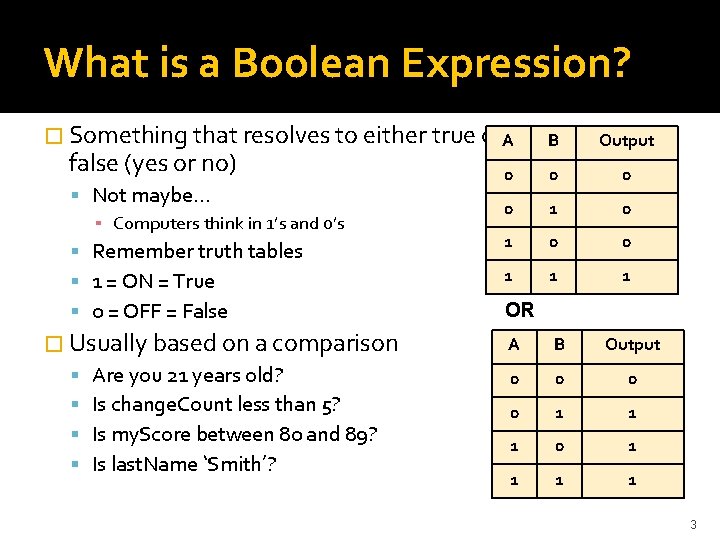
What is a Boolean Expression? AND � Something that resolves to either true or. A B Output 0 0 1 1 1 false (yes or no) Not maybe… ▪ Computers think in 1’s and 0’s Remember truth tables 1 = ON = True 0 = OFF = False � Usually based on a comparison Are you 21 years old? Is change. Count less than 5? Is my. Score between 80 and 89? Is last. Name ‘Smith’? OR A B Output 0 0 1 1 1 0 1 1 3
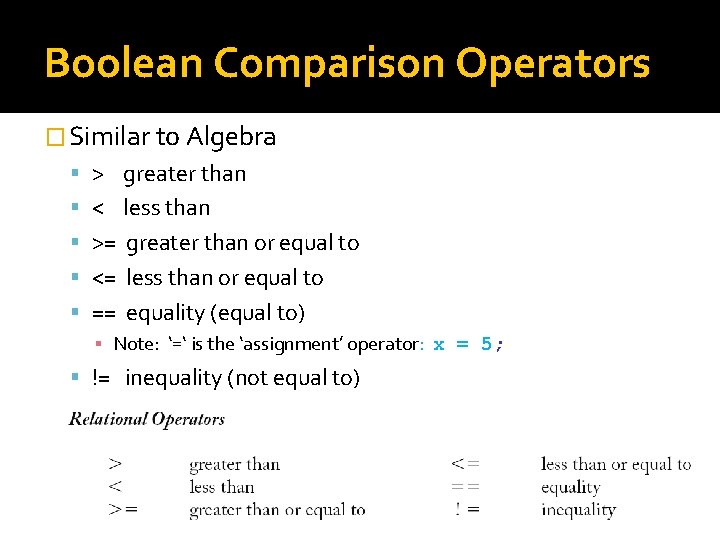
Boolean Comparison Operators � Similar to Algebra > greater than < less than >= greater than or equal to <= less than or equal to == equality (equal to) ▪ Note: ‘=‘ is the ‘assignment’ operator: x = 5; != inequality (not equal to) Learning Processing: Slides by Don Smith 4
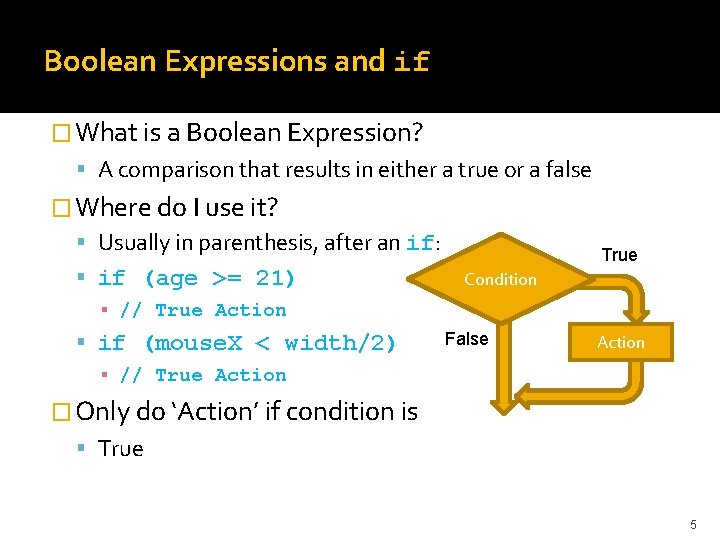
Boolean Expressions and if � What is a Boolean Expression? A comparison that results in either a true or a false � Where do I use it? Usually in parenthesis, after an if: if (age >= 21) True Condition ▪ // True Action if (mouse. X < width/2) False Action ▪ // True Action � Only do ‘Action’ if condition is True 5
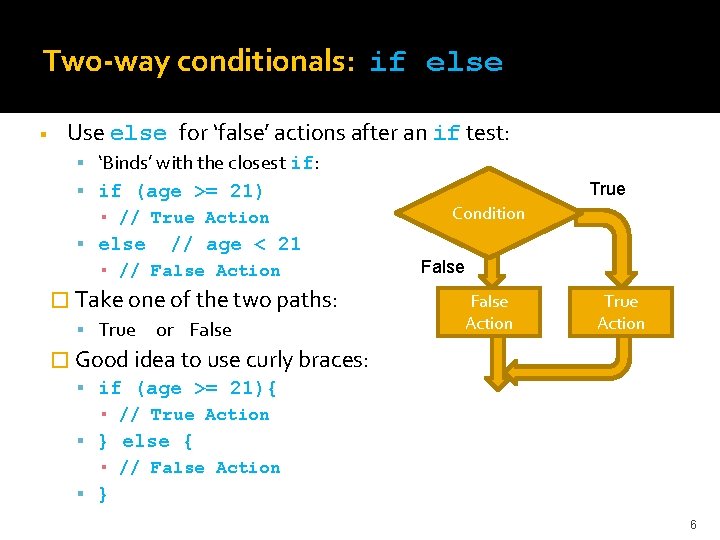
Two-way conditionals: if else Use else for ‘false’ actions after an if test: ‘Binds’ with the closest if: if (age >= 21) ▪ // True Action else // age < 21 ▪ // False Action � Take one of the two paths: True or False True Condition False Action True Action � Good idea to use curly braces: if (age >= 21){ ▪ // True Action } else { ▪ // False Action } 6
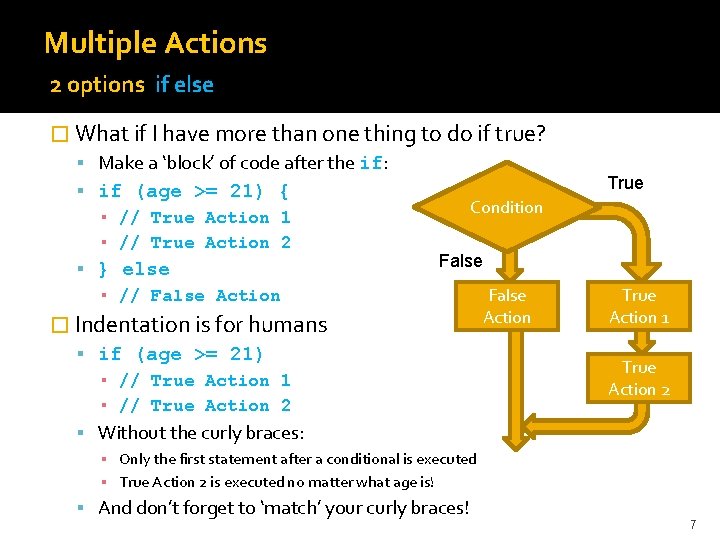
Multiple Actions 2 options if else � What if I have more than one thing to do if true? Make a ‘block’ of code after the if: if (age >= 21) { ▪ // True Action 1 ▪ // True Action 2 } else ▪ // False Action True Condition False � Indentation is for humans if (age >= 21) ▪ // True Action 1 ▪ // True Action 2 False Action True Action 1 True Action 2 Without the curly braces: ▪ Only the first statement after a conditional is executed ▪ True Action 2 is executed no matter what age is! And don’t forget to ‘match’ your curly braces! 7
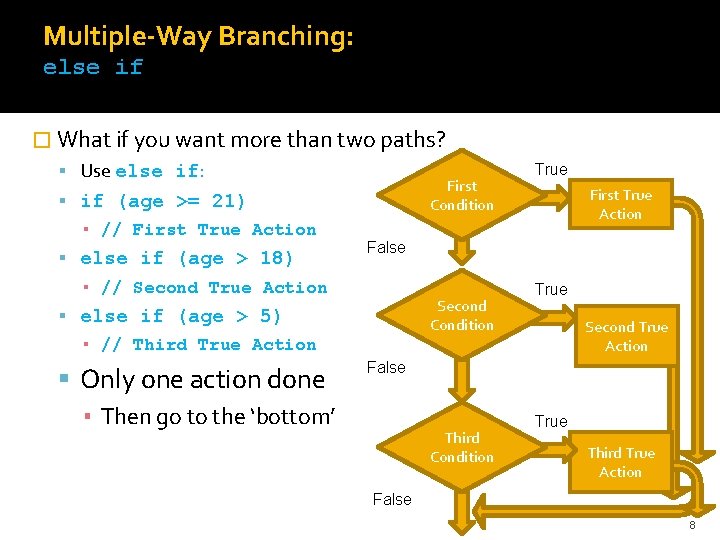
Multiple-Way Branching: else if � What if you want more than two paths? Use else if: First Condition if (age >= 21) ▪ // First True Action else if (age > 18) First True Action False ▪ // Second True Action Second Condition else if (age > 5) ▪ // Third True Action Only one action done ▪ Then go to the ‘bottom’ True Second True Action False Third Condition True Third True Action False 8
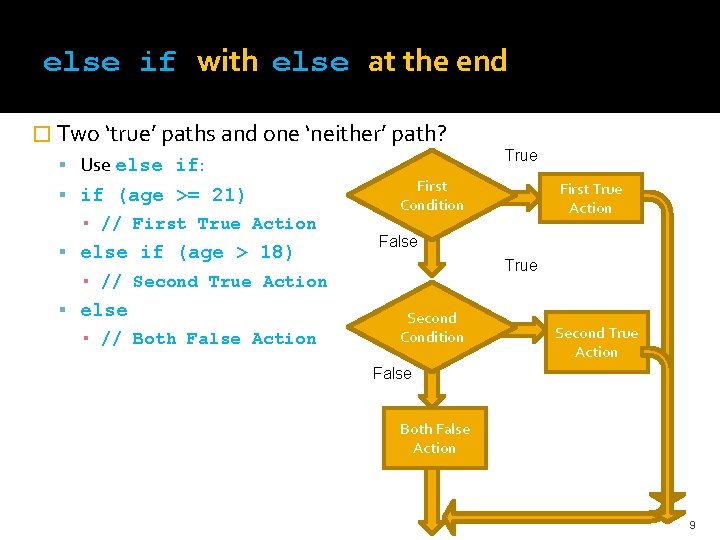
else if with else at the end � Two ‘true’ paths and one ‘neither’ path? Use else if: if (age >= 21) ▪ // First True Action else if (age > 18) First Condition ▪ // Both False Action First True Action False True ▪ // Second True Action else True Second Condition Second True Action False Both False Action 9
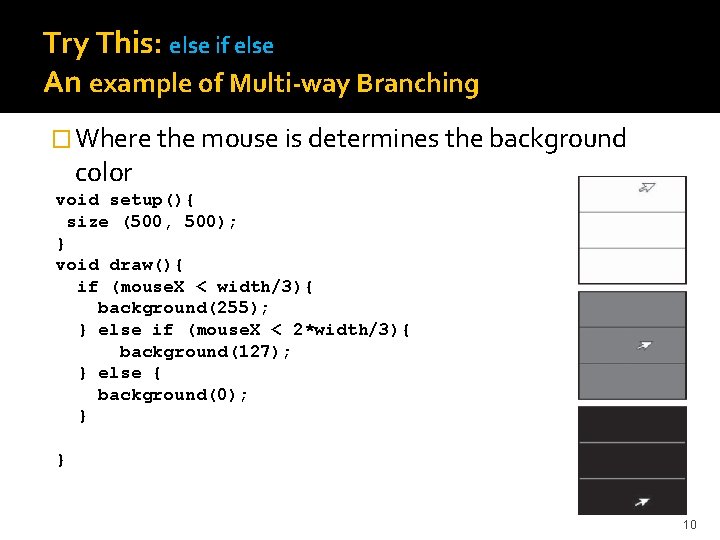
Try This: else if else An example of Multi-way Branching � Where the mouse is determines the background color void setup(){ size (500, 500); } void draw(){ if (mouse. X < width/3){ background(255); } else if (mouse. X < 2*width/3){ background(127); } else { background(0); } } 10
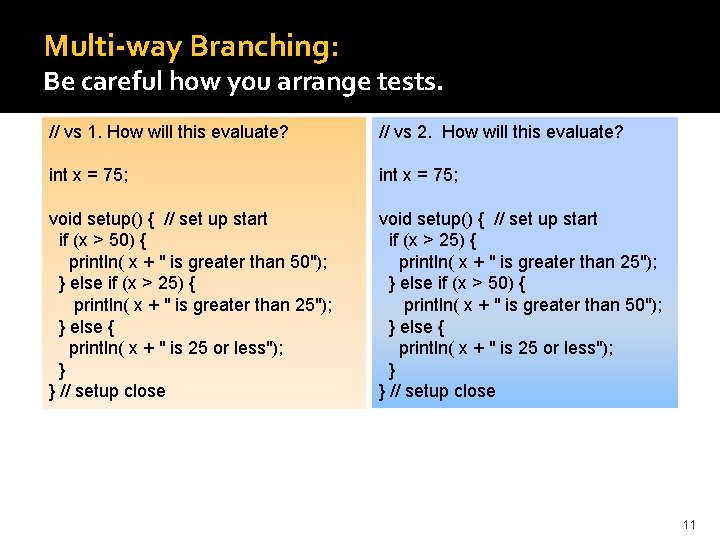
Multi-way Branching: Be careful how you arrange tests. // vs 1. How will this evaluate? // vs 2. How will this evaluate? int x = 75; void setup() { // set up start if (x > 50) { println( x + " is greater than 50"); } else if (x > 25) { println( x + " is greater than 25"); } else { println( x + " is 25 or less"); } } // setup close void setup() { // set up start if (x > 25) { println( x + " is greater than 25"); } else if (x > 50) { println( x + " is greater than 50"); } else { println( x + " is 25 or less"); } } // setup close 11

Try this: Gradebook Application � Determine the letter grade for a number 0 -100 90 – 100: A 80 – 89. 999 B 70 – 79. 999 C 60 – 69. 999 D Below 60: F � How would you plan/code a solution? What would you test for first? What second? How many tests do you need? 12
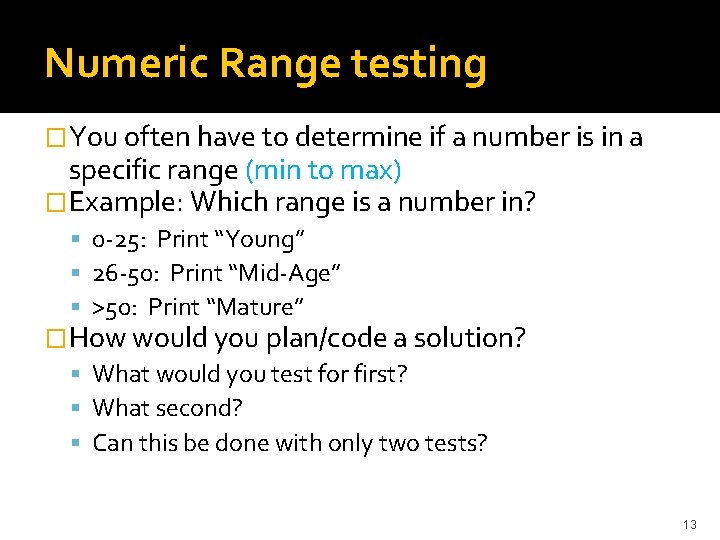
Numeric Range testing �You often have to determine if a number is in a specific range (min to max) �Example: Which range is a number in? 0 -25: Print “Young” 26 -50: Print “Mid-Age” >50: Print “Mature” �How would you plan/code a solution? What would you test for first? What second? Can this be done with only two tests? 13
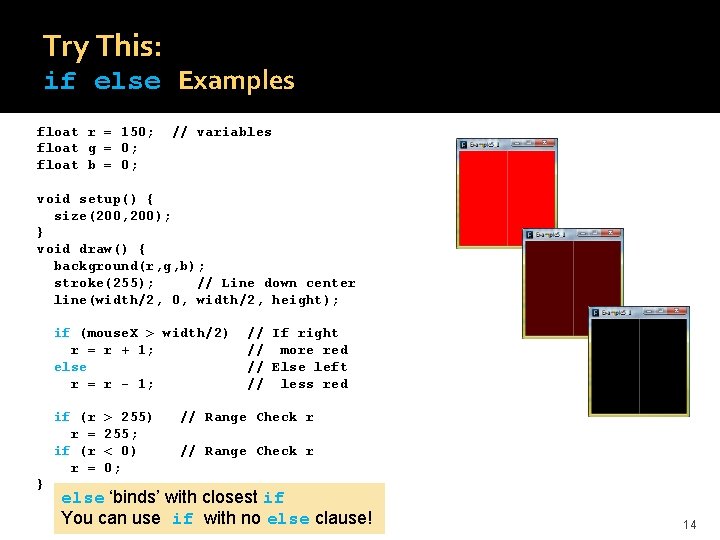
Try This: if else Examples float r = 150; float g = 0; float b = 0; // variables void setup() { size(200, 200); } void draw() { background(r, g, b); stroke(255); // Line down center line(width/2, 0, width/2, height); if (mouse. X > width/2) r = r + 1; else r = r - 1; if (r r = } > 255) 255; < 0) 0; // If right // more red // Else left // less red // Range Check r else ‘binds’ with closest if You can use if with no else clause! 14
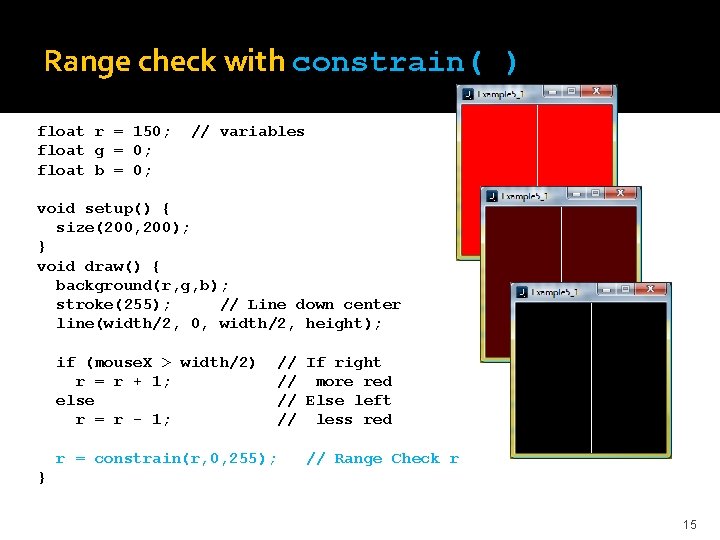
Range check with constrain( ) float r = 150; float g = 0; float b = 0; // variables void setup() { size(200, 200); } void draw() { background(r, g, b); stroke(255); // Line down center line(width/2, 0, width/2, height); if (mouse. X > width/2) r = r + 1; else r = r - 1; // If right // more red // Else left // less red r = constrain(r, 0, 255); // Range Check r } 15
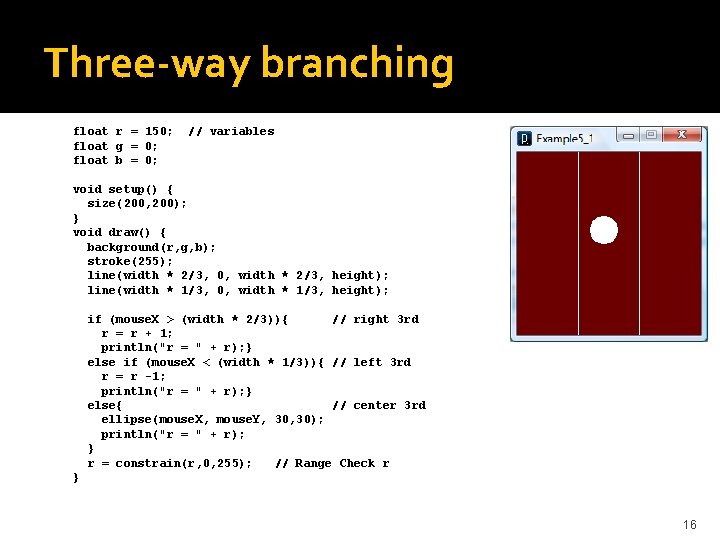
Three-way branching float r = 150; float g = 0; float b = 0; // variables void setup() { size(200, 200); } void draw() { background(r, g, b); stroke(255); line(width * 2/3, 0, width * 2/3, height); line(width * 1/3, 0, width * 1/3, height); if (mouse. X > (width * 2/3)){ // right 3 rd r = r + 1; println("r = " + r); } else if (mouse. X < (width * 1/3)){ // left 3 rd r = r -1; println("r = " + r); } else{ // center 3 rd ellipse(mouse. X, mouse. Y, 30); println("r = " + r); } r = constrain(r, 0, 255); // Range Check r } 16
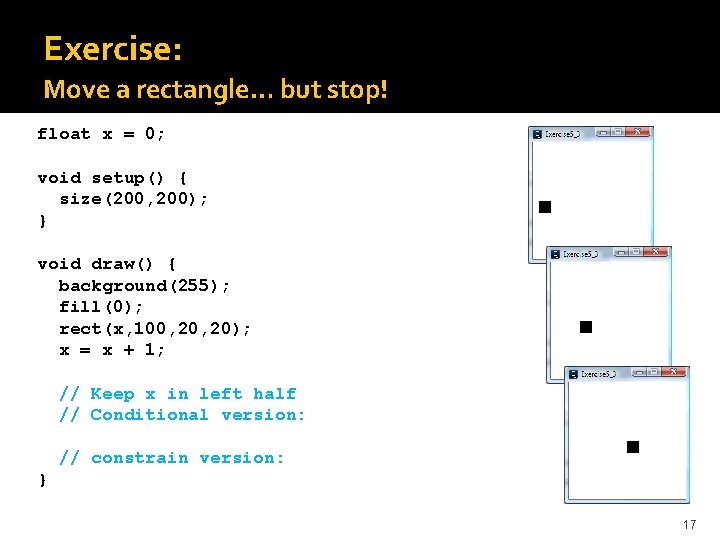
Exercise: Move a rectangle… but stop! float x = 0; void setup() { size(200, 200); } void draw() { background(255); fill(0); rect(x, 100, 20); x = x + 1; // Keep x in left half // Conditional version: // constrain version: } 17
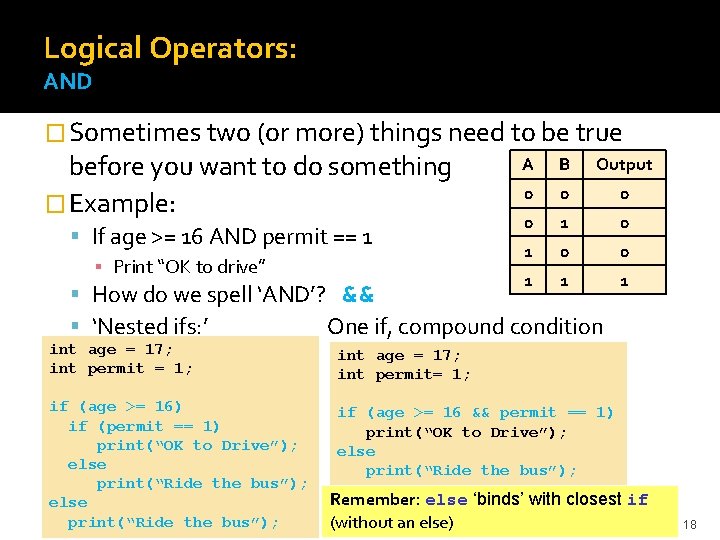
Logical Operators: AND � Sometimes two (or more) things need to be true before you want to do something � Example: If age >= 16 AND permit == 1 ▪ Print “OK to drive” A B Output 0 0 1 1 1 How do we spell ‘AND’? && ‘Nested ifs: ’ One if, compound condition int age = 17; int permit = 1; int age = 17; int permit= 1; if (age >= 16) if (permit == 1) print(“OK to Drive”); else print(“Ride the bus”); if (age >= 16 && permit == 1) print(“OK to Drive”); else print(“Ride the bus”); Remember: else ‘binds’ with closest if (without an else) 18
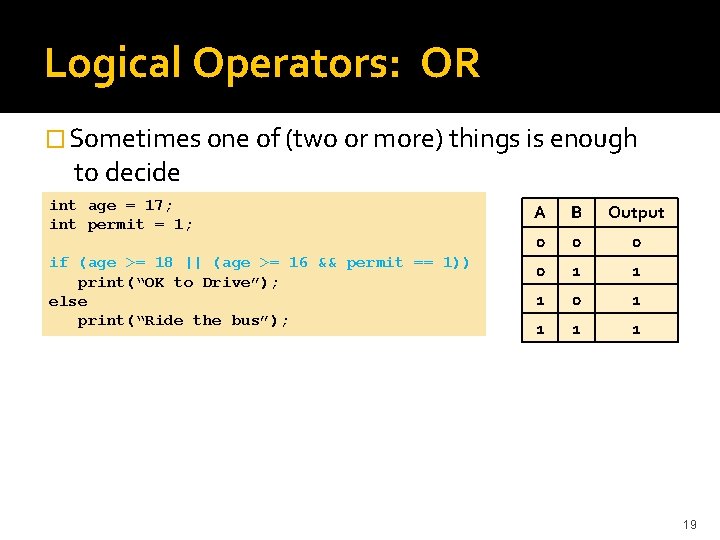
Logical Operators: OR � Sometimes one of (two or more) things is enough to decide int age = 17; int permit = 1; A B Output 0 0 0 if (age >= 18 || (age >= 16 && permit == 1)) print(“OK to Drive”); else print(“Ride the bus”); 0 1 1 1 1 19
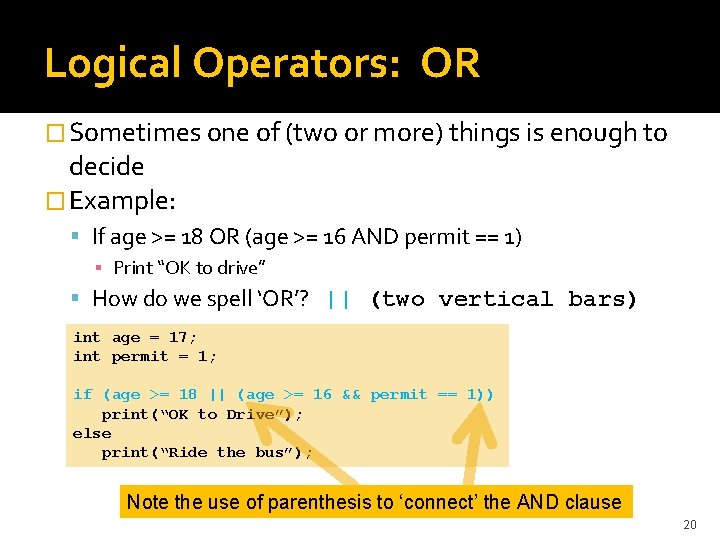
Logical Operators: OR � Sometimes one of (two or more) things is enough to decide � Example: If age >= 18 OR (age >= 16 AND permit == 1) ▪ Print “OK to drive” How do we spell ‘OR’? || (two vertical bars) int age = 17; int permit = 1; if (age >= 18 || (age >= 16 && permit == 1)) print(“OK to Drive”); else print(“Ride the bus”); Note the use of parenthesis to ‘connect’ the AND clause 20
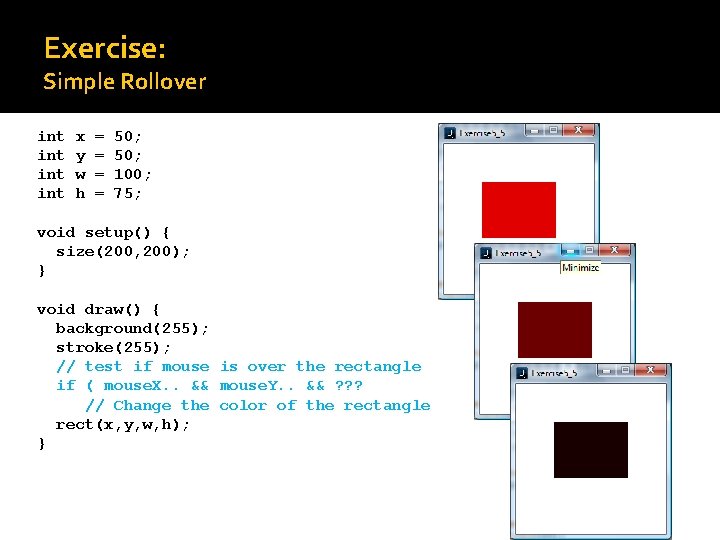
Exercise: Simple Rollover int int x y w h = = 50; 100; 75; void setup() { size(200, 200); } void draw() { background(255); stroke(255); // test if mouse is over the rectangle if ( mouse. X. . && mouse. Y. . && ? ? ? // Change the color of the rectangle rect(x, y, w, h); } 21
Second half � Multiple Rollovers �Boolean Variables � A bouncing ball � Physics 101 22
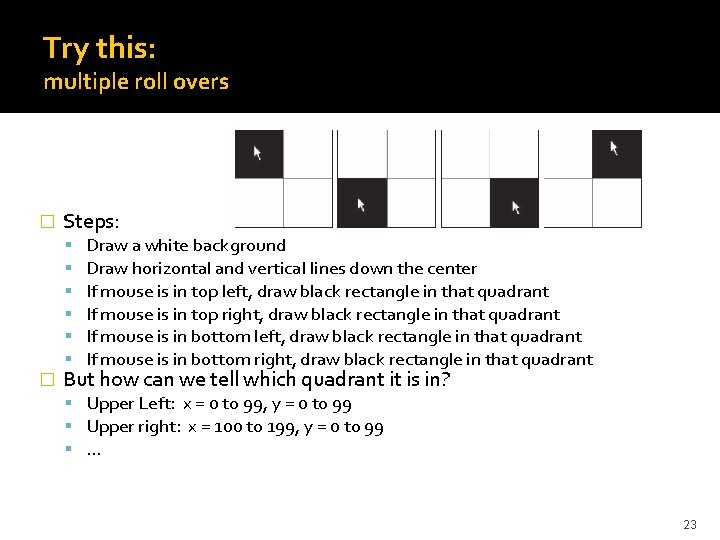
Try this: multiple roll overs � Steps: � Draw a white background Draw horizontal and vertical lines down the center If mouse is in top left, draw black rectangle in that quadrant If mouse is in top right, draw black rectangle in that quadrant If mouse is in bottom left, draw black rectangle in that quadrant If mouse is in bottom right, draw black rectangle in that quadrant But how can we tell which quadrant it is in? Upper Left: x = 0 to 99, y = 0 to 99 Upper right: x = 100 to 199, y = 0 to 99 … 23
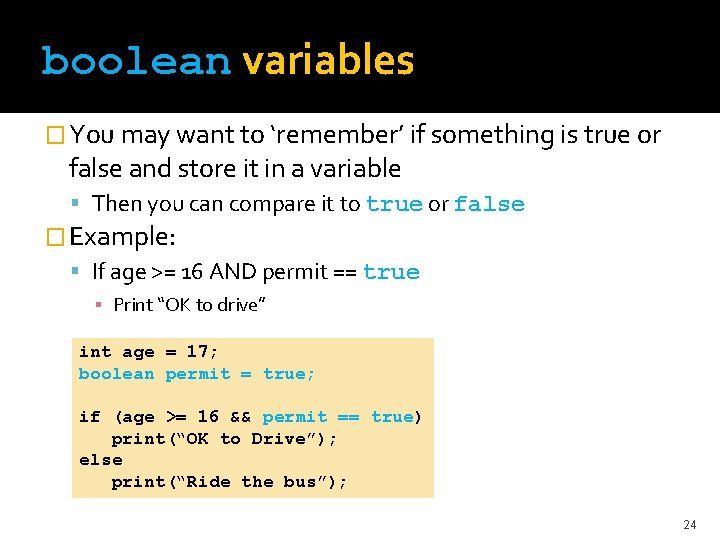
boolean variables � You may want to ‘remember’ if something is true or false and store it in a variable Then you can compare it to true or false � Example: If age >= 16 AND permit == true ▪ Print “OK to drive” int age = 17; boolean permit = true; if (age >= 16 && permit == true) print(“OK to Drive”); else print(“Ride the bus”); 24
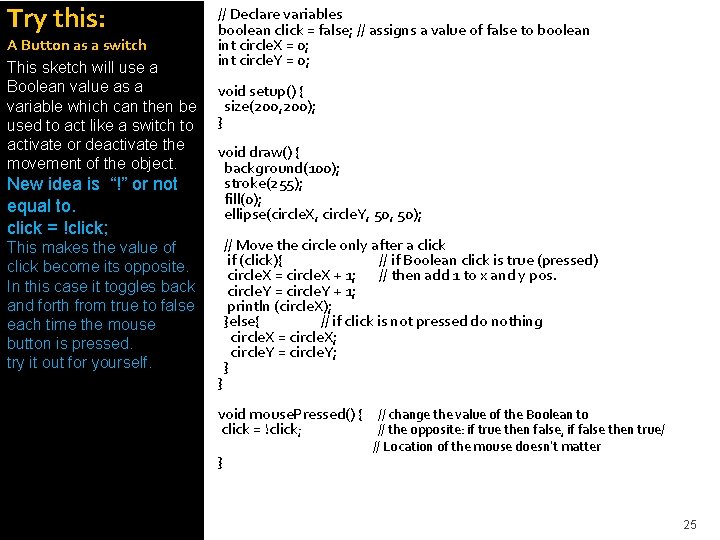
Try this: A Button as a switch This sketch will use a Boolean value as a variable which can then be used to act like a switch to activate or deactivate the movement of the object. New idea is “!” or not equal to. click = !click; // Declare variables boolean click = false; // assigns a value of false to boolean int circle. X = 0; int circle. Y = 0; void setup() { size(200, 200); } void draw() { background(100); stroke(255); fill(0); ellipse(circle. X, circle. Y, 50); This makes the value of click become its opposite. In this case it toggles back and forth from true to false each time the mouse button is pressed. try it out for yourself. } // Move the circle only after a click if (click){ // if Boolean click is true (pressed) circle. X = circle. X + 1; // then add 1 to x and y pos. circle. Y = circle. Y + 1; println (circle. X); }else{ // if click is not pressed do nothing circle. X = circle. X; circle. Y = circle. Y; } void mouse. Pressed() { // change the value of the Boolean to click = !click; // the opposite: if true then false, if false then true/ } // Location of the mouse doesn’t matter 25
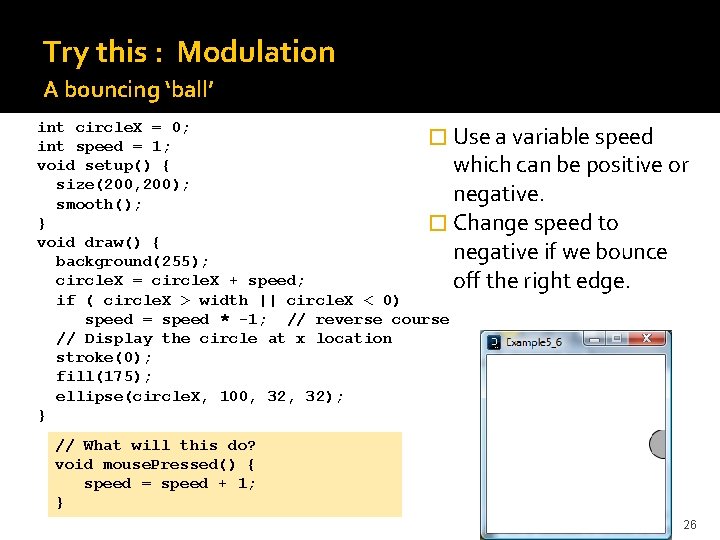
Try this : Modulation A bouncing ‘ball’ int circle. X = 0; � Use a variable speed int speed = 1; void setup() { which can be positive or size(200, 200); negative. smooth(); } � Change speed to void draw() { negative if we bounce background(255); circle. X = circle. X + speed; off the right edge. if ( circle. X > width || circle. X < 0) speed = speed * -1; // reverse course // Display the circle at x location stroke(0); fill(175); ellipse(circle. X, 100, 32); } // What will this do? void mouse. Pressed() { speed = speed + 1; } 26
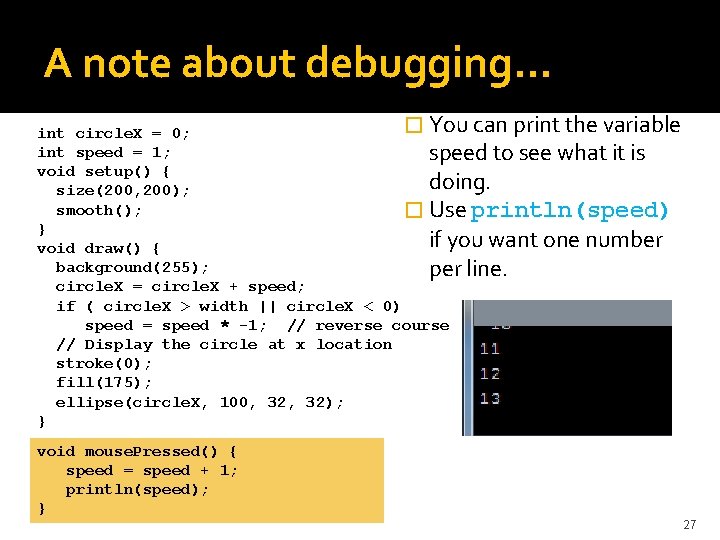
A note about debugging… � You can print the variable int circle. X = 0; int speed = 1; speed to see what it is void setup() { doing. size(200, 200); smooth(); � Use println(speed) } if you want one number void draw() { background(255); per line. circle. X = circle. X + speed; if ( circle. X > width || circle. X < 0) speed = speed * -1; // reverse course // Display the circle at x location stroke(0); fill(175); ellipse(circle. X, 100, 32); } void mouse. Pressed() { speed = speed + 1; println(speed); } 27
Summary � Conditionals allow you to control the flow if, else if allow many options � Boolean expressions are used inside if(… ) tests Resolve to either true or false � Boolean expressions use comparison operators: >, <, >=, <=, ==, != � Boolean variables can be set to true or false, and also used in conditional expressions � AND and OR (&& and ||) are used to combine conditionals � You can use print() and println()to help debug your programs while you are testing them 28
Exercises � 1. ) Take your project 1 design and add more functionality to it that applies these concepts. Create roll over actions, movement around the screen, conditions, mouse interactivity. Build on to your project with this new knowledge. � 2. ) Create a mock web navigation that utilizes roll over functionality and conditional statements to reveal content, create animation or draw images to the screen. Look ahead at text to add text to the screen also look at how to import images to your canvas and create web links. 29
- Slides: 29