
Computing Lesson 6 Optical and magnetic storage Computer

- Slides: 6
Computing Lesson 6: Optical and magnetic storage Computer systems Mac Bowley Materials from the Teach Computing Curriculum created by the National Centre for Computing Education 1
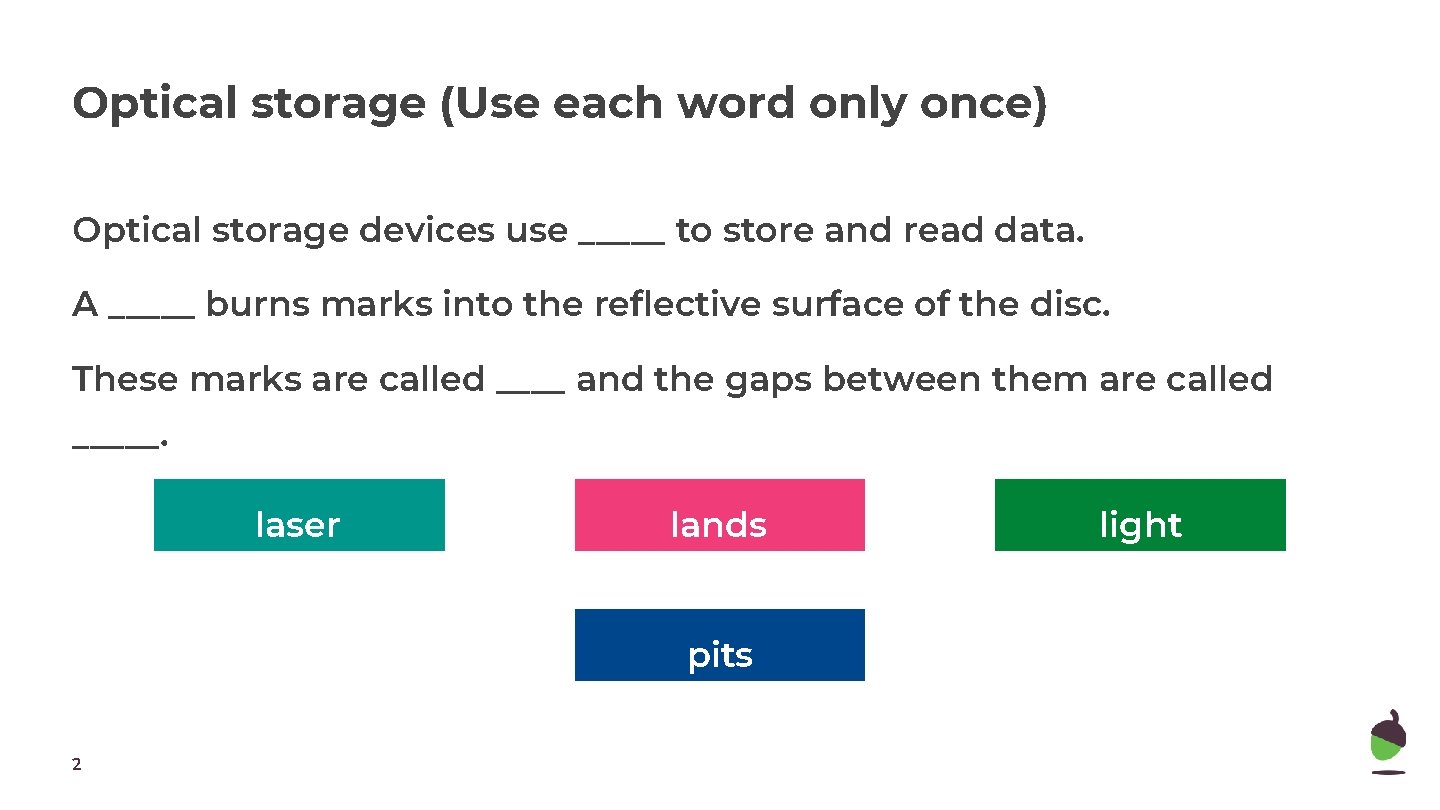
Optical storage (Use each word only once) Optical storage devices use _____ to store and read data. A _____ burns marks into the reflective surface of the disc. These marks are called ____ and the gaps between them are called _____. laser lands pits 2 light
Optical storage (Use each word only once) On an optical storage device, binary data is represented as follows: When the laser is over a ____ the sensor reads a 1. If the light hits a ____, then a 0 is read. land pit 3
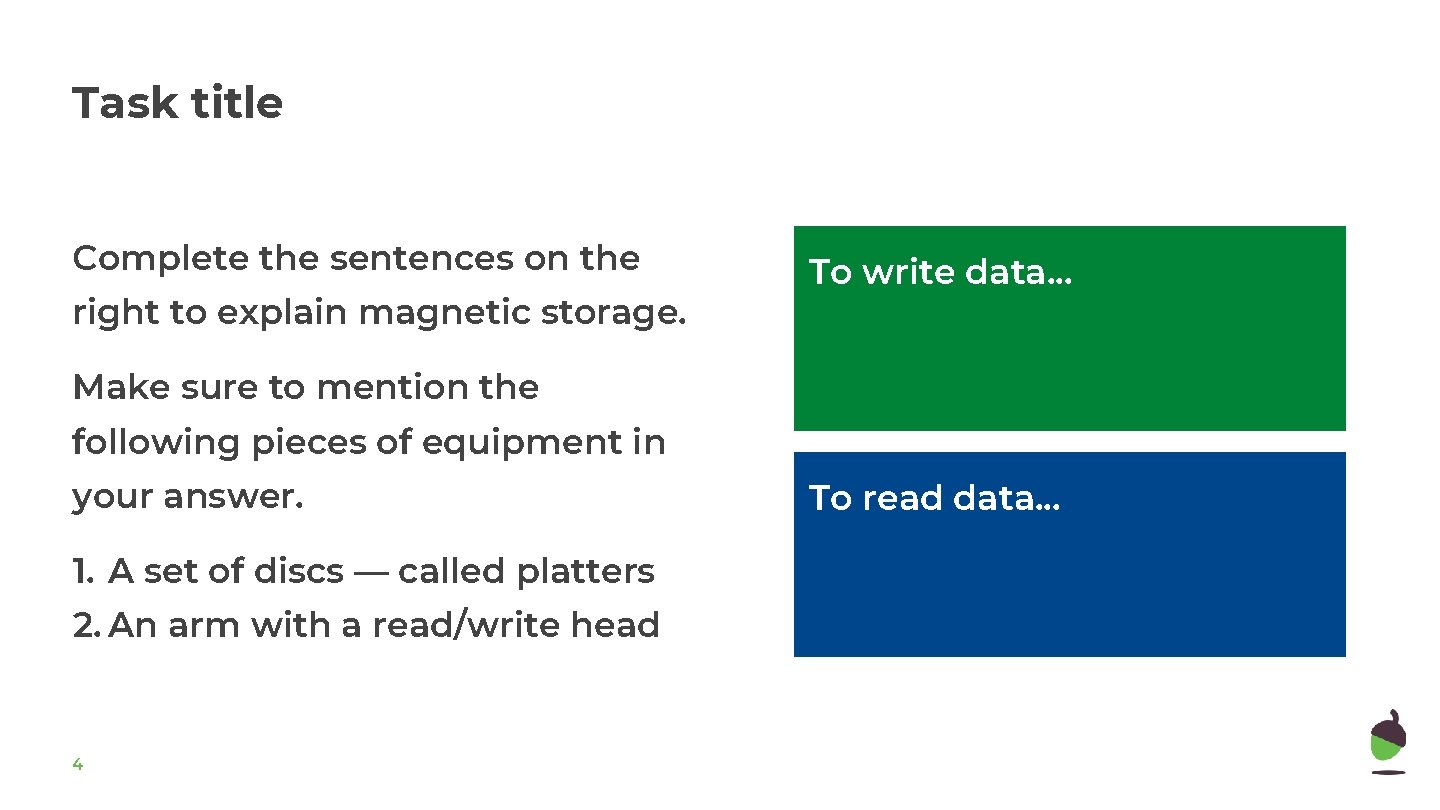
Task title Complete the sentences on the right to explain magnetic storage. To write data. . . Make sure to mention the following pieces of equipment in your answer. 1. A set of discs — called platters 2. An arm with a read/write head 4 To read data. . .
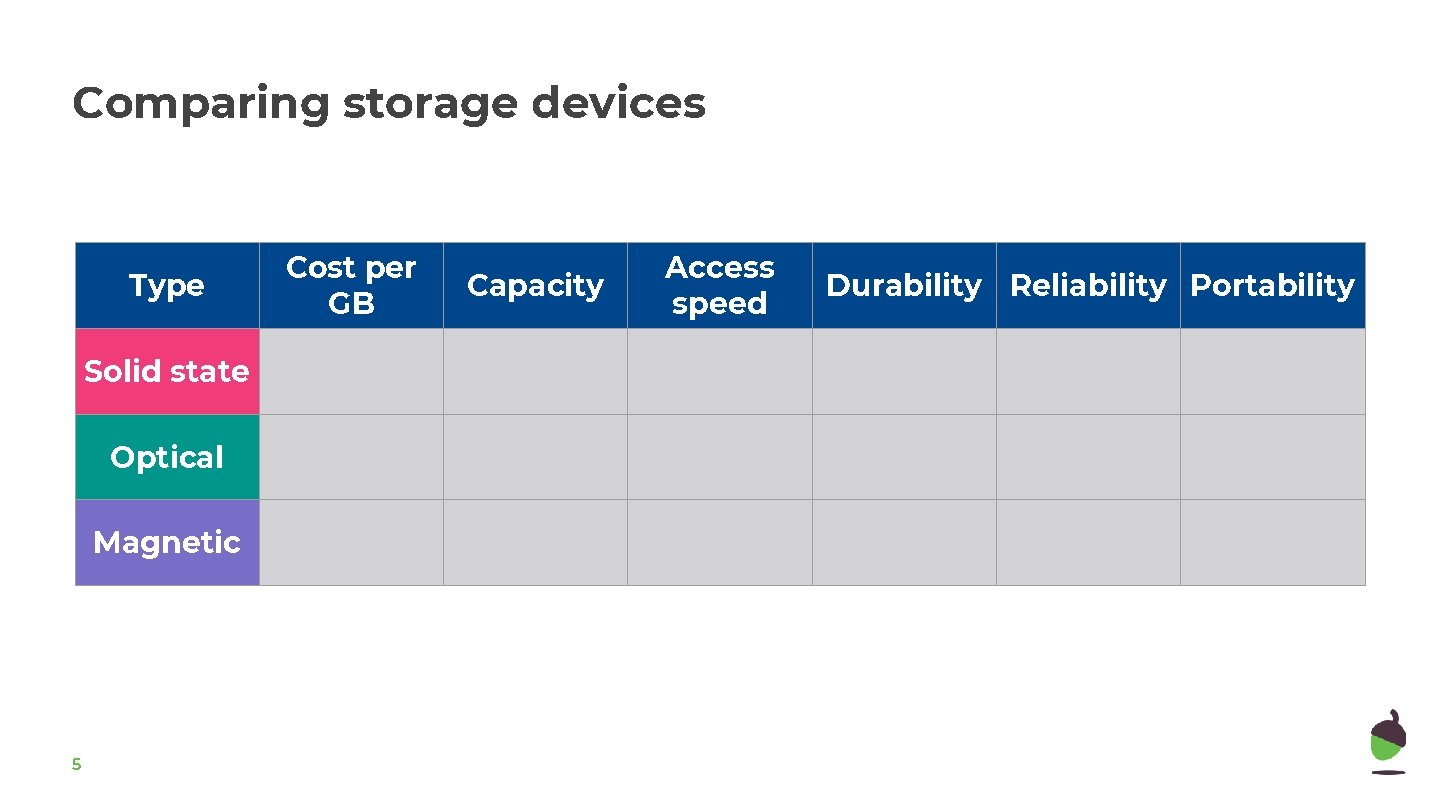
Comparing storage devices Type Solid state Optical Magnetic 5 Cost per GB Capacity Access speed Durability Reliability Portability
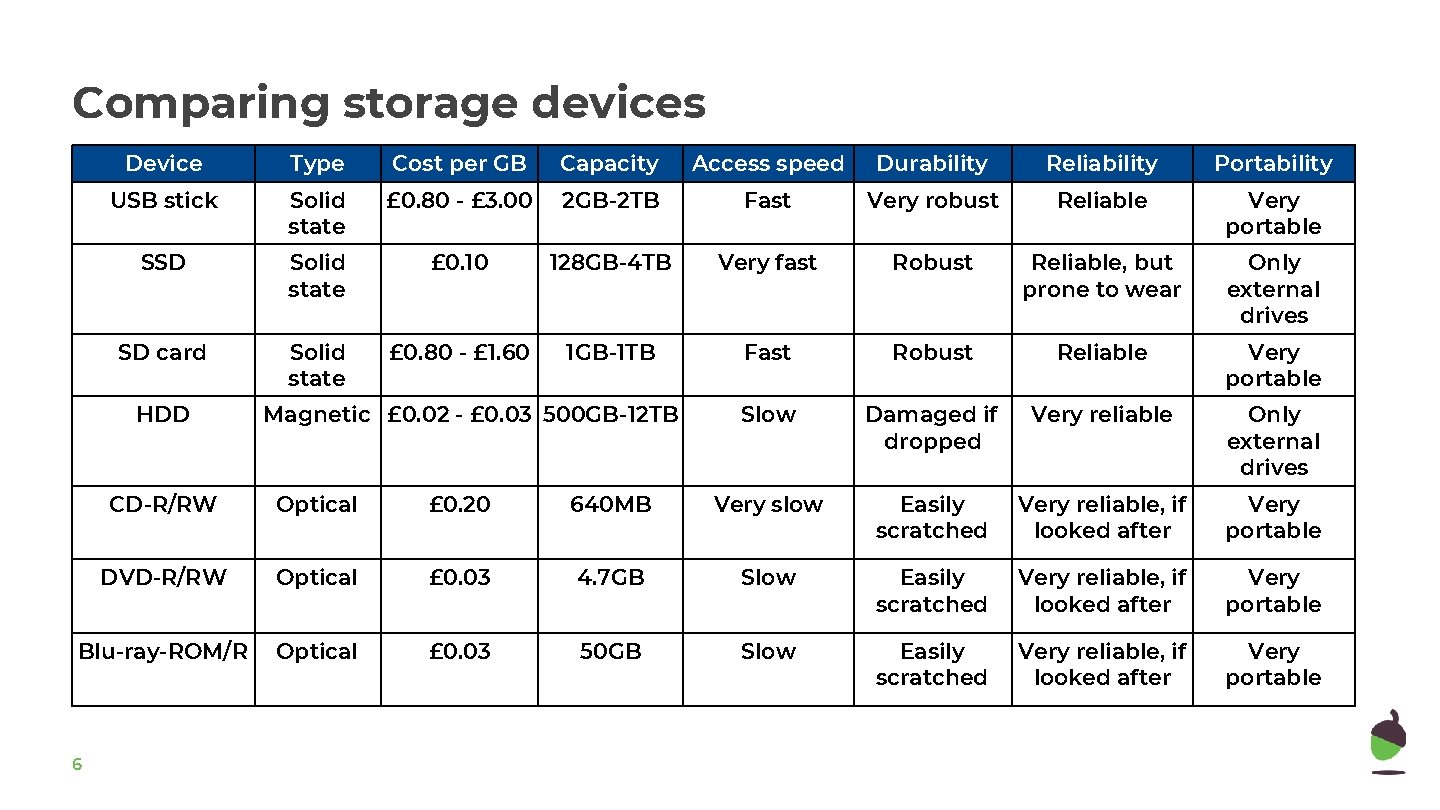
Comparing storage devices Device Type Cost per GB Capacity Access speed Durability Reliability Portability USB stick Solid state £ 0. 80 - £ 3. 00 2 GB-2 TB Fast Very robust Reliable Very portable SSD Solid state £ 0. 10 128 GB-4 TB Very fast Robust Reliable, but prone to wear Only external drives SD card Solid state £ 0. 80 - £ 1. 60 1 GB-1 TB Fast Robust Reliable Very portable Slow Damaged if dropped Very reliable Only external drives HDD Magnetic £ 0. 02 - £ 0. 03 500 GB-12 TB CD-R/RW Optical £ 0. 20 640 MB Very slow Easily scratched Very reliable, if looked after Very portable DVD-R/RW Optical £ 0. 03 4. 7 GB Slow Easily scratched Very reliable, if looked after Very portable Blu-ray-ROM/R Optical £ 0. 03 50 GB Slow Easily scratched Very reliable, if looked after Very portable 6