
Computer Vision Template matching and object recognition Marc

Computer Vision Template matching and object recognition Marc Pollefeys COMP 256 Some slides and illustrations from D. Forsyth, T. Tuytelaars, …
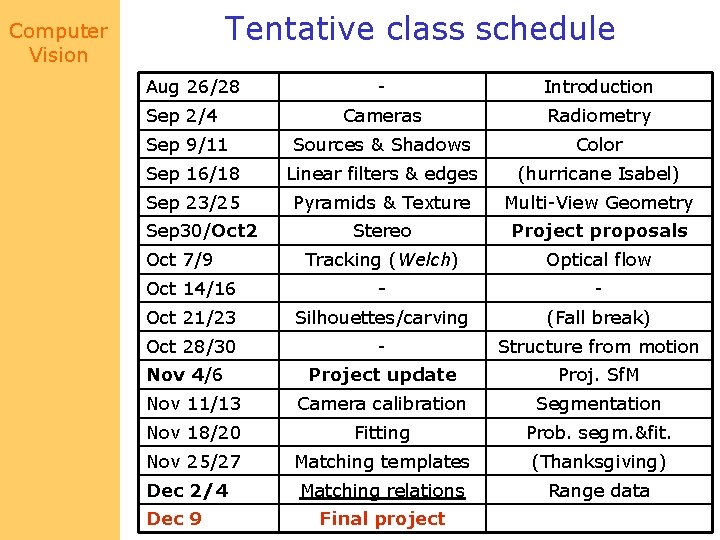
Tentative class schedule Computer Vision Aug 26/28 - Introduction Cameras Radiometry Sources & Shadows Color Sep 16/18 Linear filters & edges (hurricane Isabel) Sep 23/25 Pyramids & Texture Multi-View Geometry Stereo Project proposals Tracking (Welch) Optical flow Oct 14/16 - - Oct 21/23 Silhouettes/carving (Fall break) Oct 28/30 - Structure from motion Project update Proj. Sf. M Nov 11/13 Camera calibration Segmentation Nov 18/20 Fitting Prob. segm. &fit. Nov 25/27 Matching templates (Thanksgiving) Matching relations Range data Sep 2/4 Sep 9/11 Sep 30/Oct 2 Oct 7/9 Nov 4/6 Dec 2/4 Dec 9 Final project
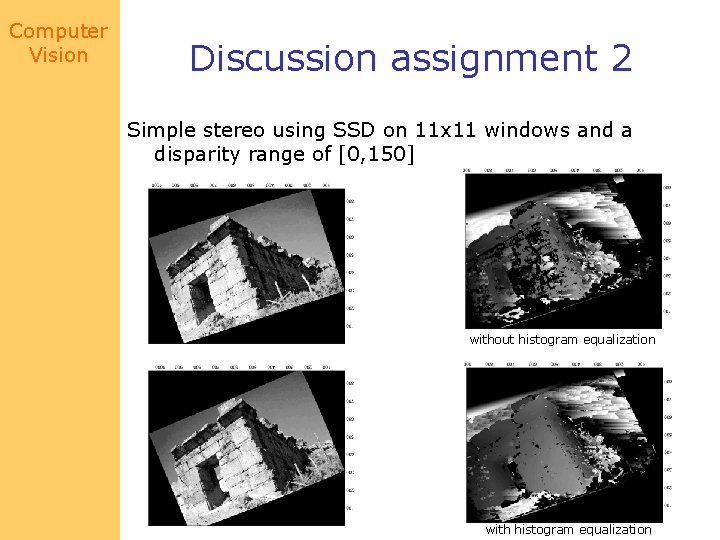
Computer Vision Discussion assignment 2 Simple stereo using SSD on 11 x 11 windows and a disparity range of [0, 150] without histogram equalization with histogram equalization
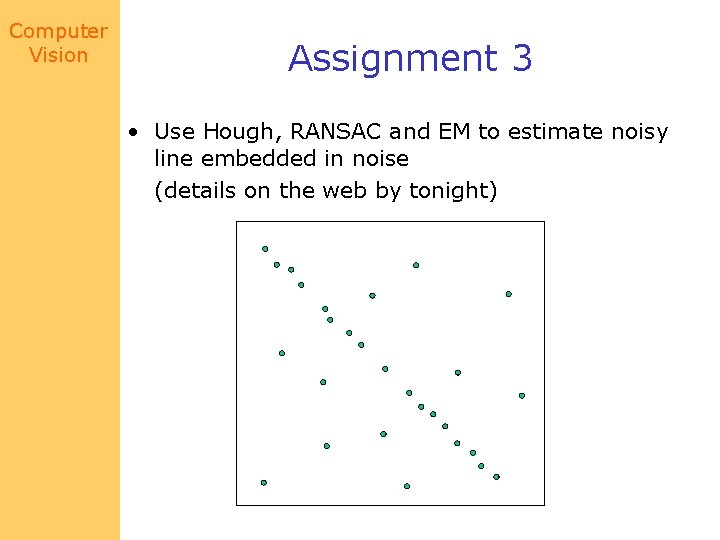
Computer Vision Assignment 3 • Use Hough, RANSAC and EM to estimate noisy line embedded in noise (details on the web by tonight)
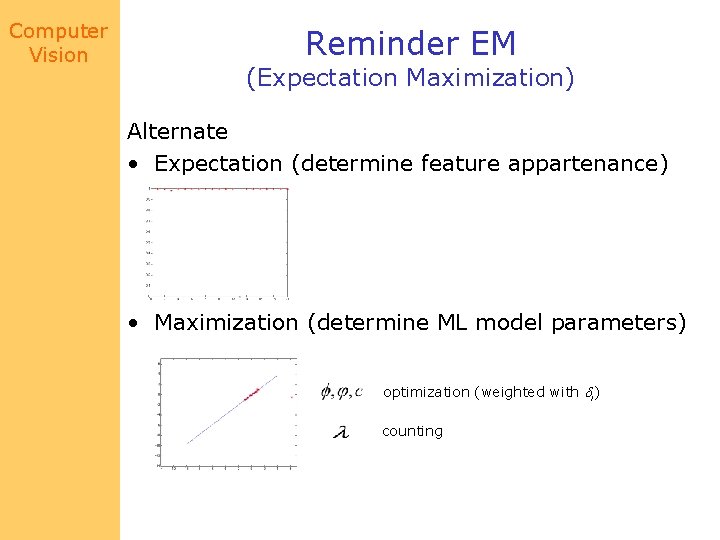
Computer Vision Reminder EM (Expectation Maximization) Alternate • Expectation (determine feature appartenance) • Maximization (determine ML model parameters) optimization (weighted with i) counting
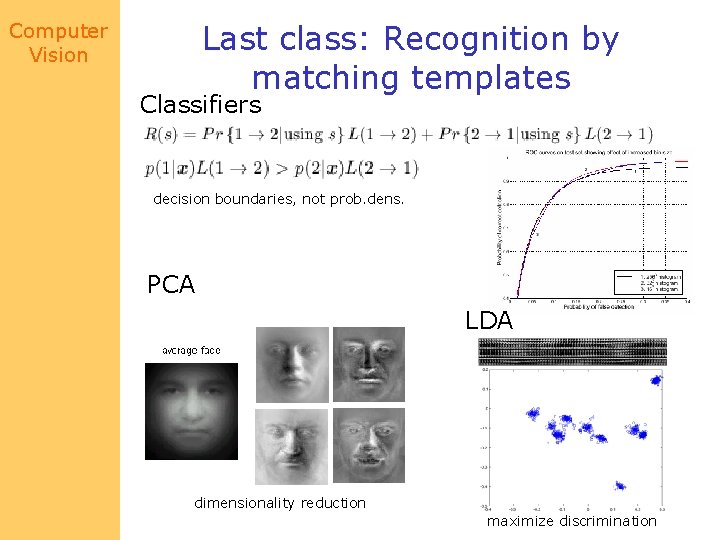
Computer Vision Last class: Recognition by matching templates Classifiers decision boundaries, not prob. dens. PCA LDA dimensionality reduction maximize discrimination
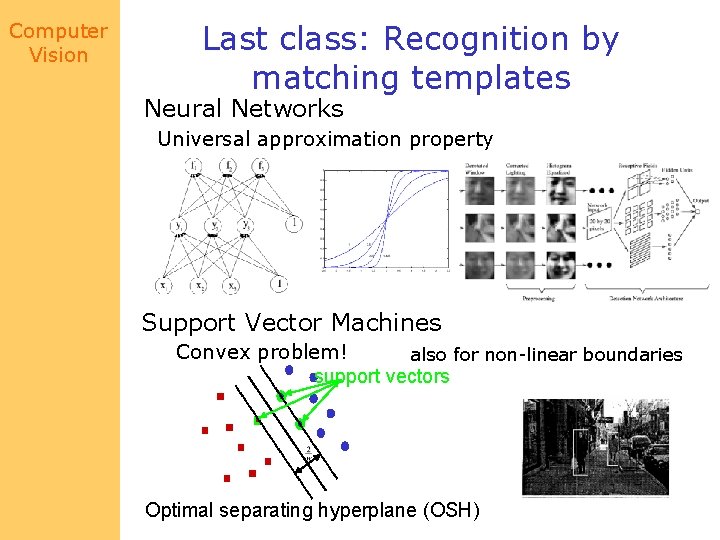
Computer Vision Last class: Recognition by matching templates Neural Networks Universal approximation property Support Vector Machines Convex problem! also for non-linear boundaries support vectors Optimal separating hyperplane (OSH)
Computer Vision Matching by relations • Idea: – find bits, then say object is present if bits are ok • Advantage: – objects with complex configuration spaces don’t make good templates • • • internal degrees of freedom aspect changes (possibly) shading variations in texture etc.
Computer Vision Simplest • Define a set of local feature templates – could find these with filters, etc. – corner detector+filters • Think of objects as patterns • Each template votes for all patterns that contain it • Pattern with the most votes wins
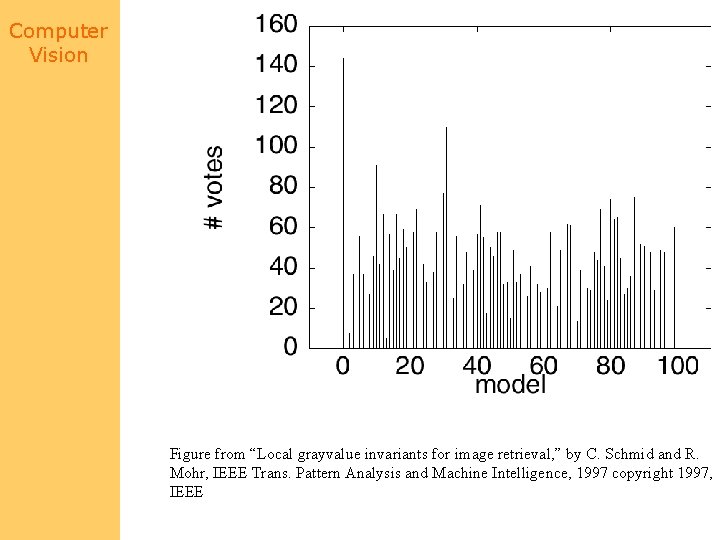
Computer Vision Figure from “Local grayvalue invariants for image retrieval, ” by C. Schmid and R. Mohr, IEEE Trans. Pattern Analysis and Machine Intelligence, 1997 copyright 1997, IEEE
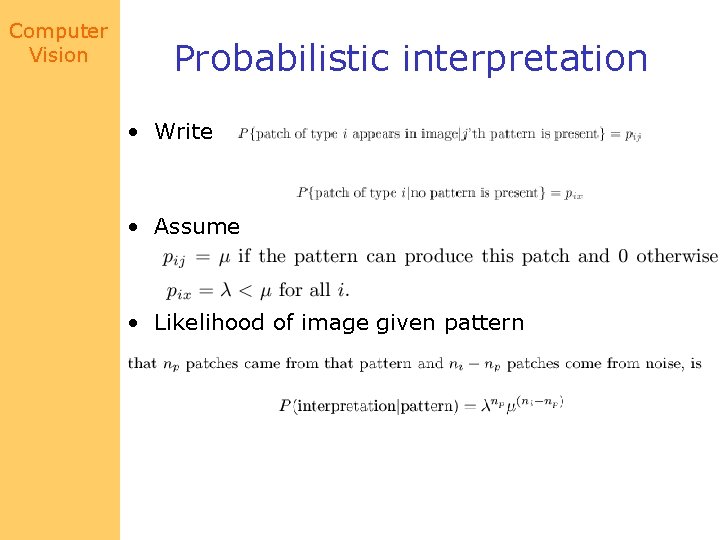
Computer Vision Probabilistic interpretation • Write • Assume • Likelihood of image given pattern
Computer Vision Possible alternative strategies • Notice: – different patterns may yield different templates with different probabilities – different templates may be found in noise with different probabilities
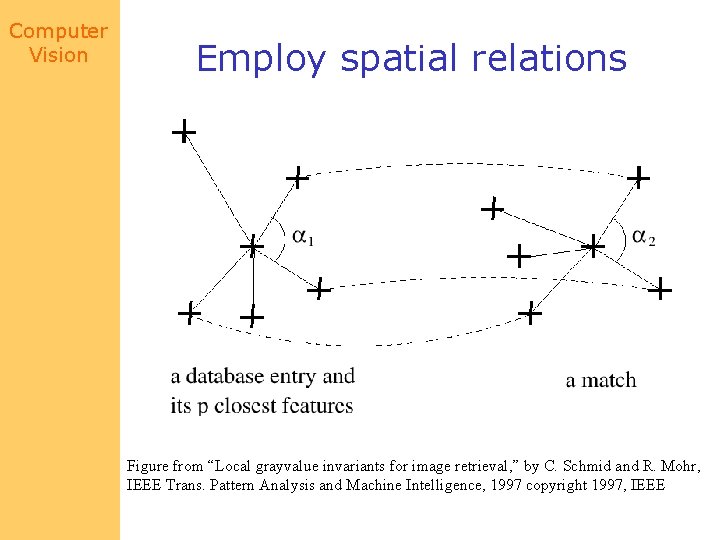
Computer Vision Employ spatial relations Figure from “Local grayvalue invariants for image retrieval, ” by C. Schmid and R. Mohr, IEEE Trans. Pattern Analysis and Machine Intelligence, 1997 copyright 1997, IEEE
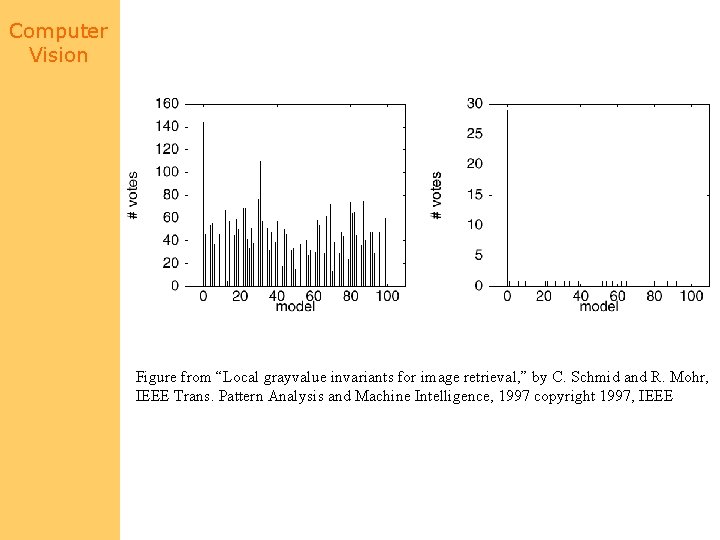
Computer Vision Figure from “Local grayvalue invariants for image retrieval, ” by C. Schmid and R. Mohr, IEEE Trans. Pattern Analysis and Machine Intelligence, 1997 copyright 1997, IEEE
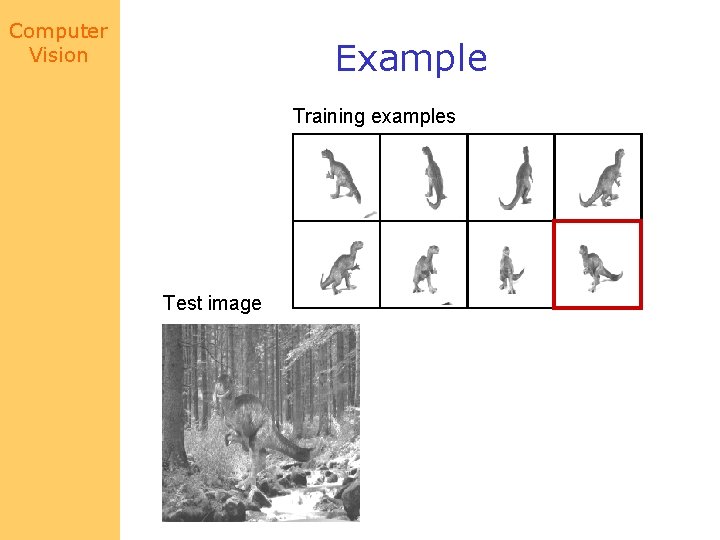
Computer Vision Example Training examples Test image
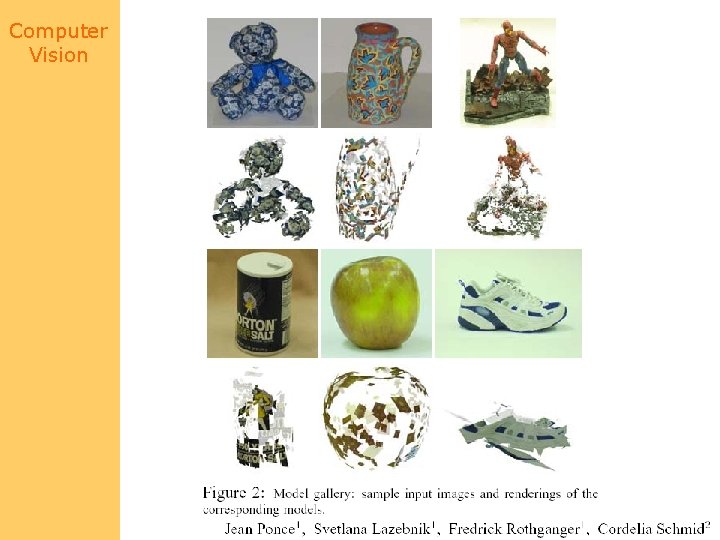
Computer Vision

Computer Vision
Computer Vision Finding faces using relations • Strategy: – Face is eyes, nose, mouth, etc. with appropriate relations between them – build a specialised detector for each of these (template matching) and look for groups with the right internal structure – Once we’ve found enough of a face, there is little uncertainty about where the other bits could be
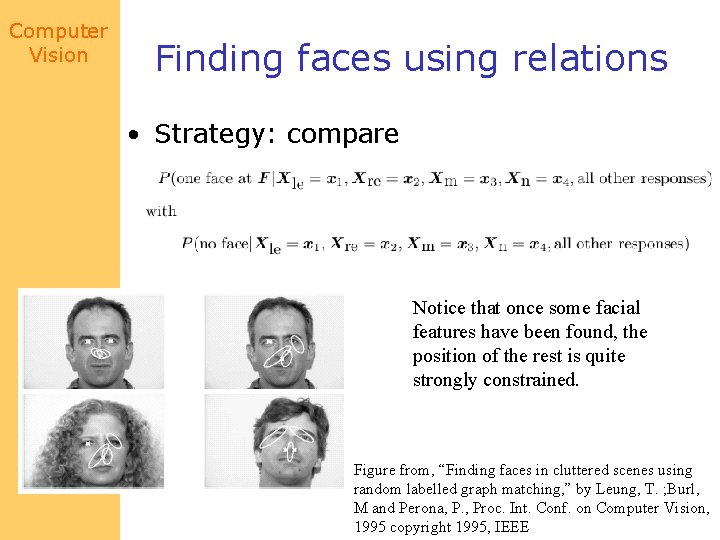
Computer Vision Finding faces using relations • Strategy: compare Notice that once some facial features have been found, the position of the rest is quite strongly constrained. Figure from, “Finding faces in cluttered scenes using random labelled graph matching, ” by Leung, T. ; Burl, M and Perona, P. , Proc. Int. Conf. on Computer Vision, 1995 copyright 1995, IEEE
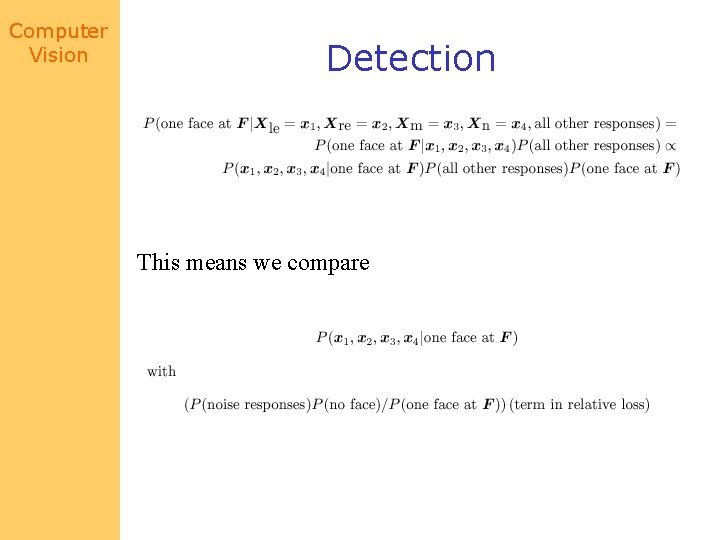
Computer Vision Detection This means we compare
Computer Vision Issues • Plugging in values for position of nose, eyes, etc. – search for next one given what we’ve found • when to stop searching – when nothing that is added to the group could change the decision – i. e. it’s not a face, whatever features are added or – it’s a face, and anything you can’t find is occluded • what to do next – look for another eye? or a nose? – probably look for the easiest to find • What if there’s no nose response – marginalize
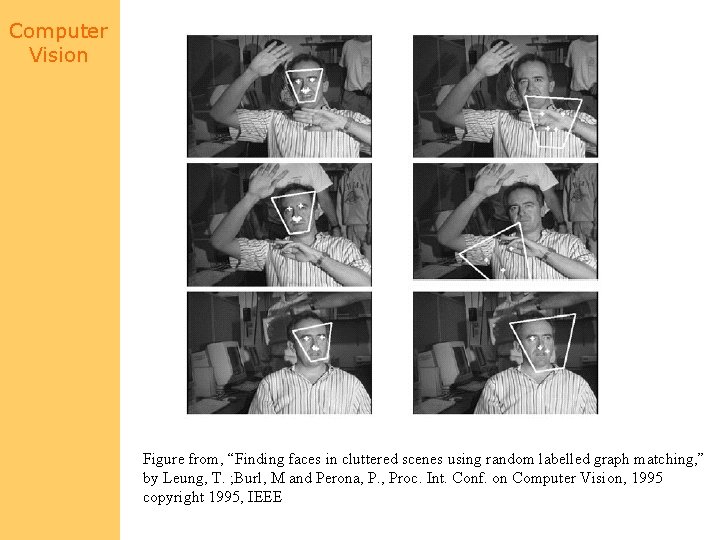
Computer Vision Figure from, “Finding faces in cluttered scenes using random labelled graph matching, ” by Leung, T. ; Burl, M and Perona, P. , Proc. Int. Conf. on Computer Vision, 1995 copyright 1995, IEEE
Computer Vision Pruning • Prune using a classifier – crude criterion: if this small assembly doesn’t work, there is no need to build on it. • Example: finding people without clothes on – find skin – find extended skin regions – construct groups that pass local classifiers (i. e. lower arm, upper arm) – give these to broader scale classifiers (e. g. girdle)
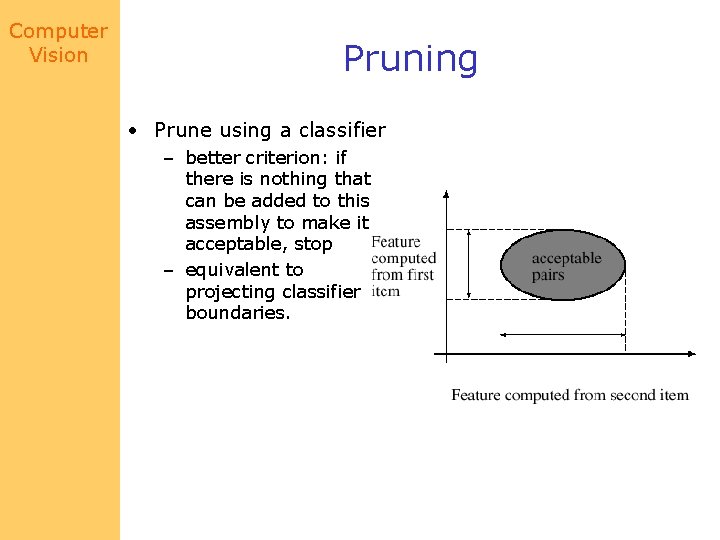
Computer Vision Pruning • Prune using a classifier – better criterion: if there is nothing that can be added to this assembly to make it acceptable, stop – equivalent to projecting classifier boundaries.
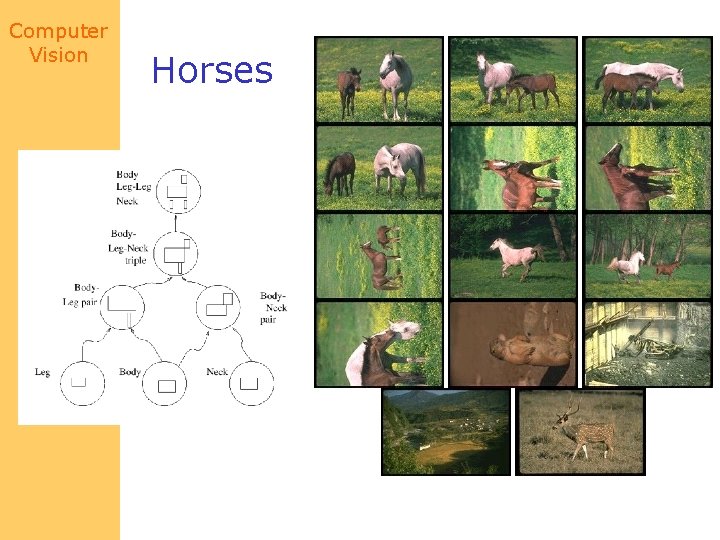
Computer Vision Horses
Computer Vision Hidden Markov Models • Elements of sign language understanding – the speaker makes a sequence of signs – Some signs are more common than others – the next sign depends (roughly, and probabilistically) only on the current sign – there are measurements, which may be inaccurate; different signs tend to generate different probability densities on measurement values • Many problems share these properties – tracking is like this, for example
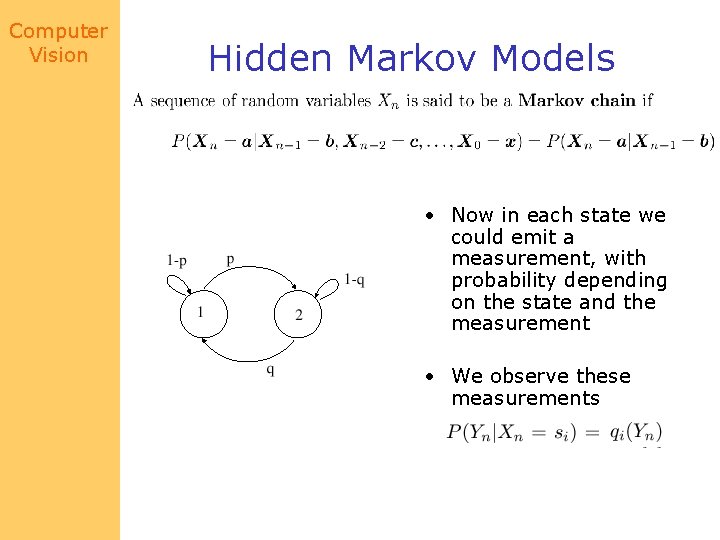
Computer Vision Hidden Markov Models • Now in each state we could emit a measurement, with probability depending on the state and the measurement • We observe these measurements
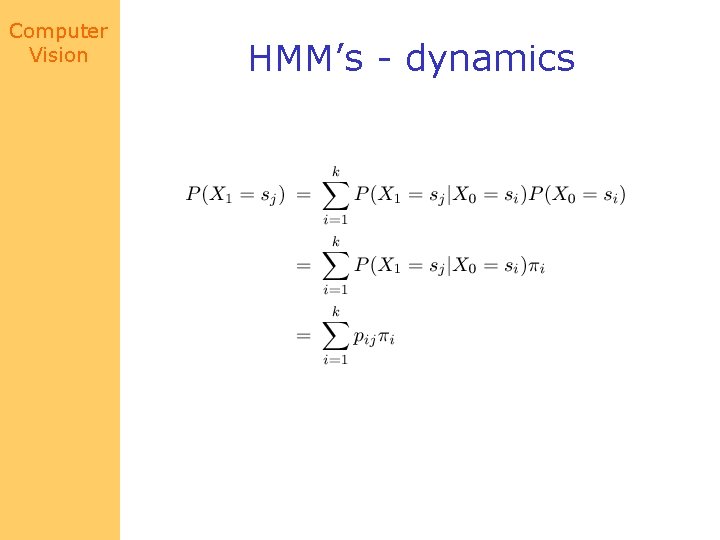
Computer Vision HMM’s - dynamics
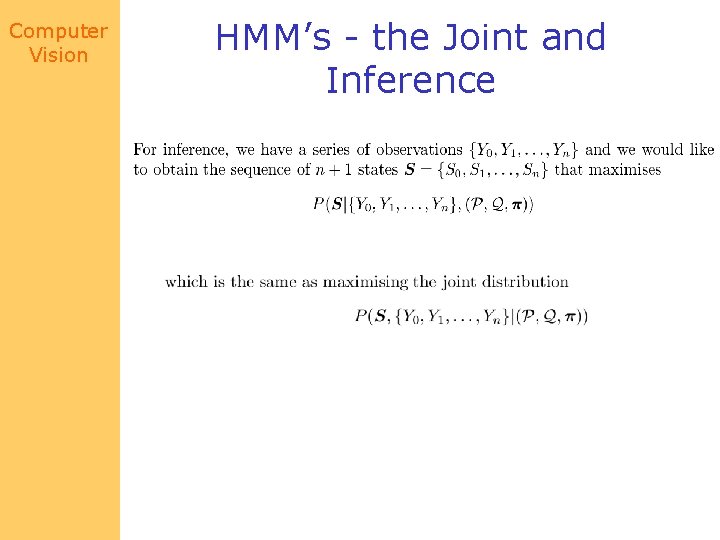
Computer Vision HMM’s - the Joint and Inference
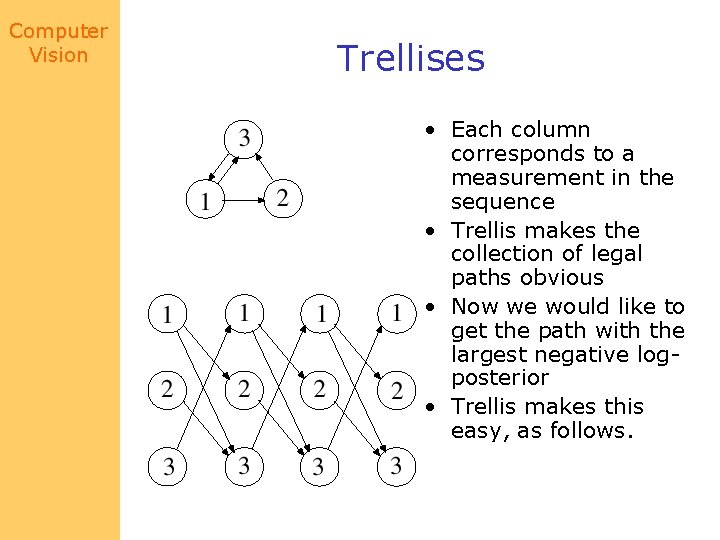
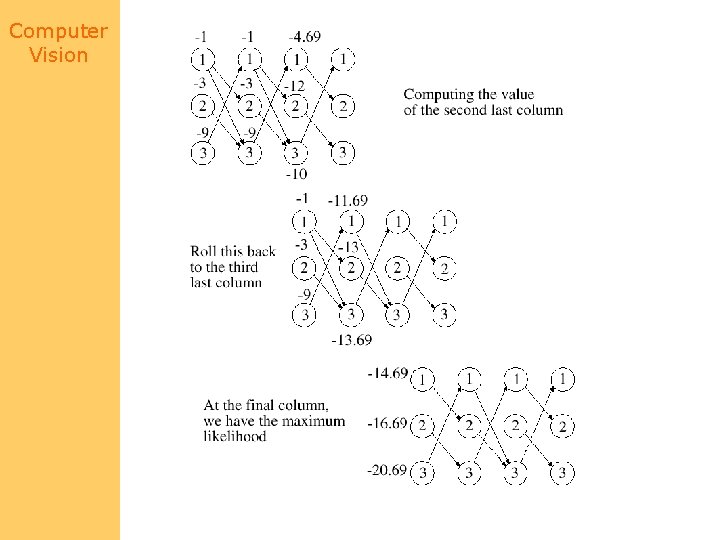
Computer Vision Trellises • Each column corresponds to a measurement in the sequence • Trellis makes the collection of legal paths obvious • Now we would like to get the path with the largest negative logposterior • Trellis makes this easy, as follows.
Computer Vision
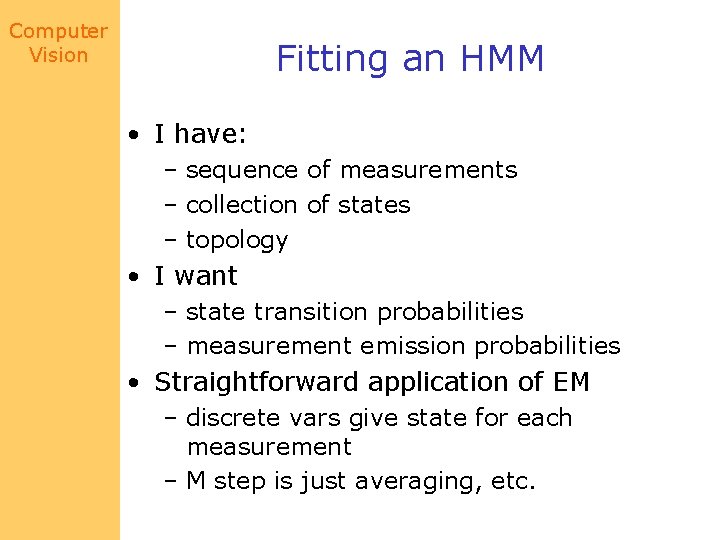
Computer Vision Fitting an HMM • I have: – sequence of measurements – collection of states – topology • I want – state transition probabilities – measurement emission probabilities • Straightforward application of EM – discrete vars give state for each measurement – M step is just averaging, etc.
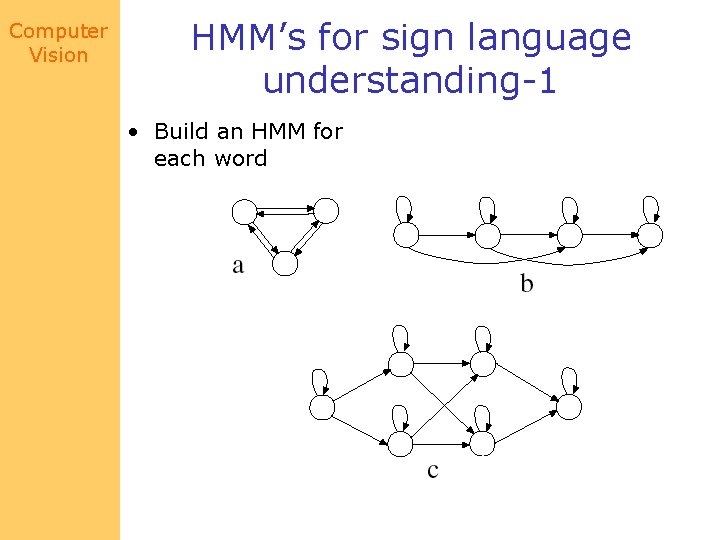
Computer Vision HMM’s for sign language understanding-1 • Build an HMM for each word
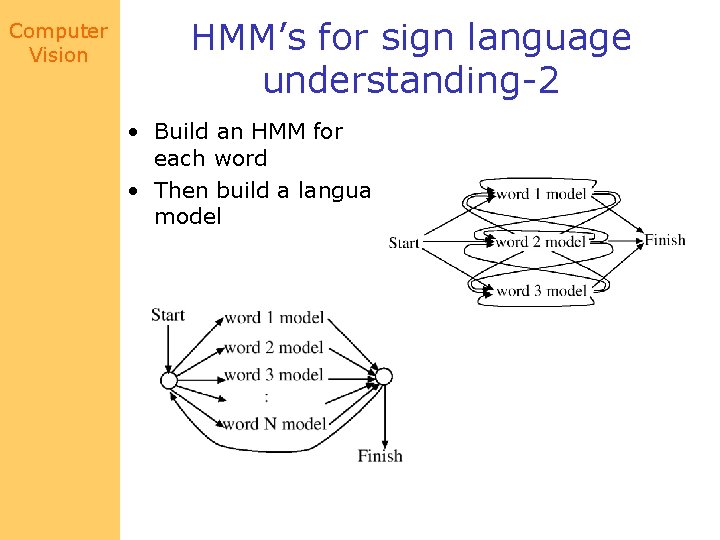
Computer Vision HMM’s for sign language understanding-2 • Build an HMM for each word • Then build a language model
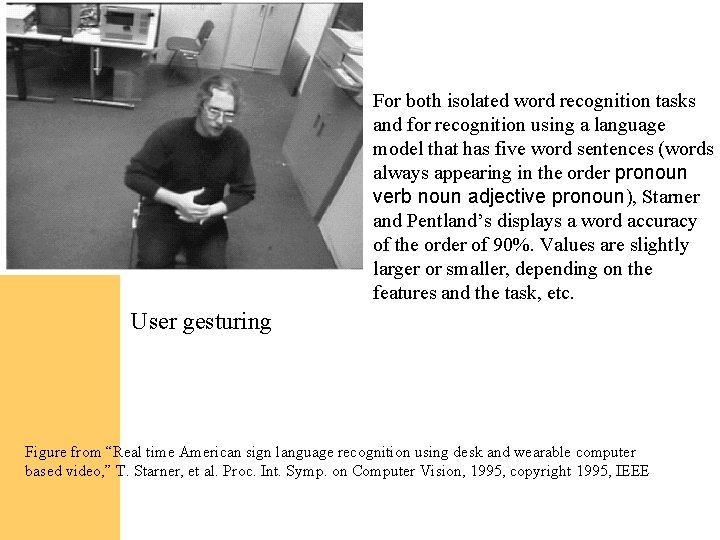
Computer Vision For both isolated word recognition tasks and for recognition using a language model that has five word sentences (words always appearing in the order pronoun verb noun adjective pronoun), Starner and Pentland’s displays a word accuracy of the order of 90%. Values are slightly larger or smaller, depending on the features and the task, etc. User gesturing Figure from “Real time American sign language recognition using desk and wearable computer based video, ” T. Starner, et al. Proc. Int. Symp. on Computer Vision, 1995, copyright 1995, IEEE
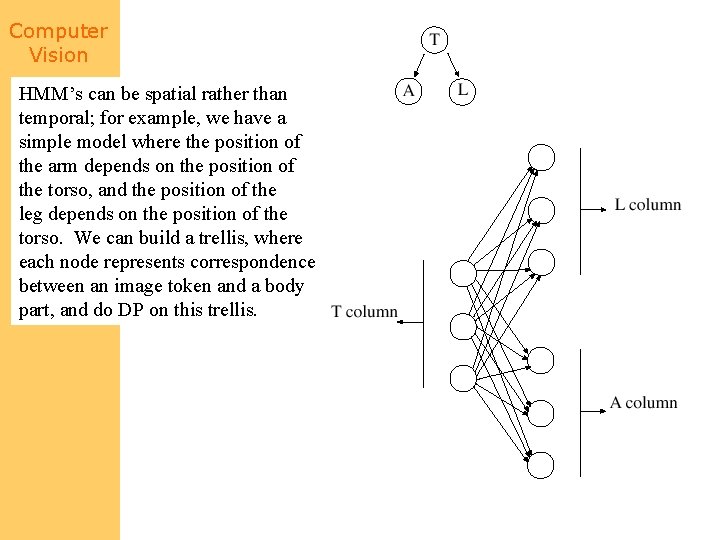
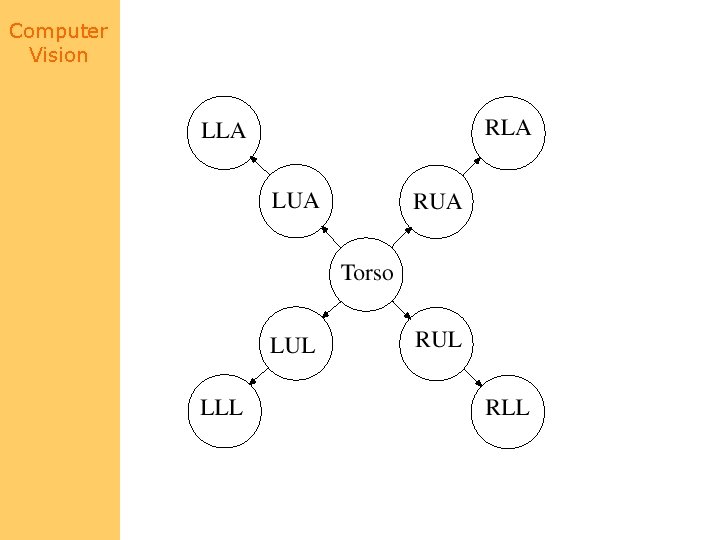
Computer Vision HMM’s can be spatial rather than temporal; for example, we have a simple model where the position of the arm depends on the position of the torso, and the position of the leg depends on the position of the torso. We can build a trellis, where each node represents correspondence between an image token and a body part, and do DP on this trellis.
Computer Vision
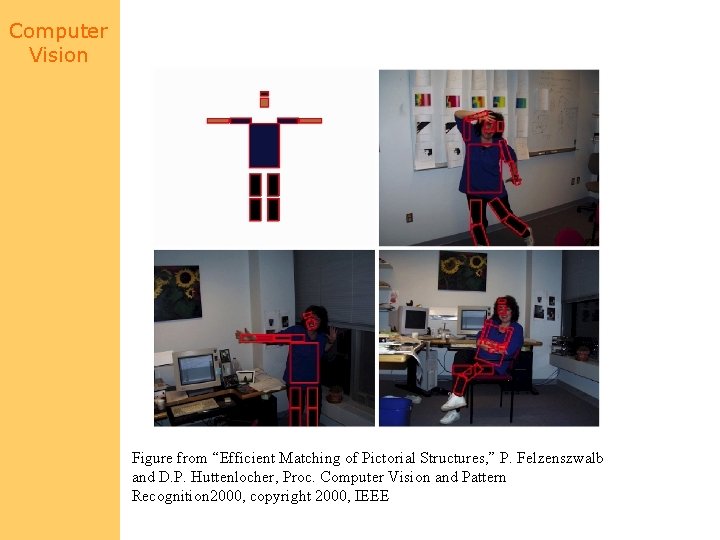
Computer Vision Figure from “Efficient Matching of Pictorial Structures, ” P. Felzenszwalb and D. P. Huttenlocher, Proc. Computer Vision and Pattern Recognition 2000, copyright 2000, IEEE
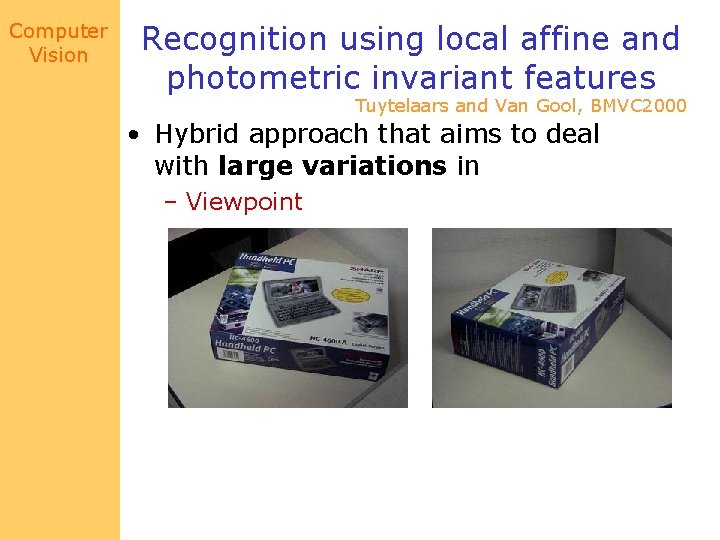
Computer Vision Recognition using local affine and photometric invariant features Tuytelaars and Van Gool, BMVC 2000 • Hybrid approach that aims to deal with large variations in – Viewpoint
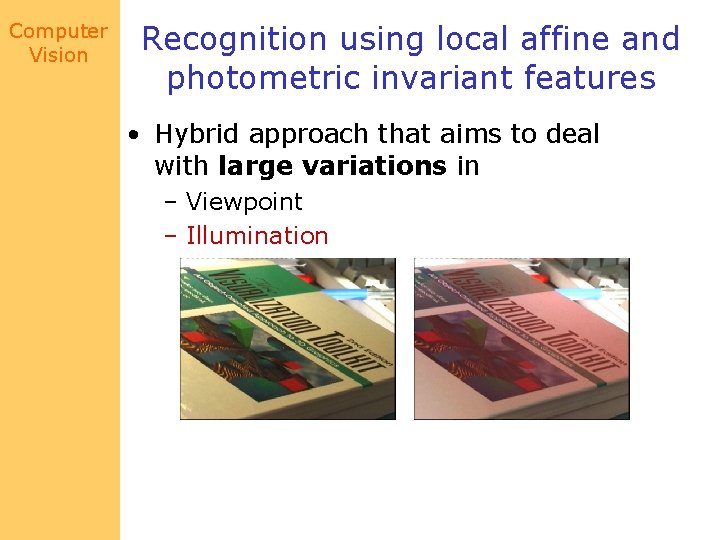
Computer Vision Recognition using local affine and photometric invariant features • Hybrid approach that aims to deal with large variations in – Viewpoint – Illumination
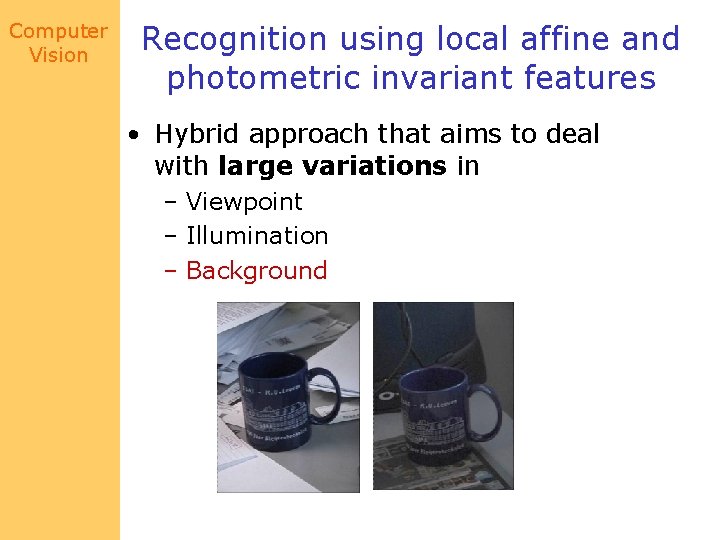
Computer Vision Recognition using local affine and photometric invariant features • Hybrid approach that aims to deal with large variations in – Viewpoint – Illumination – Background
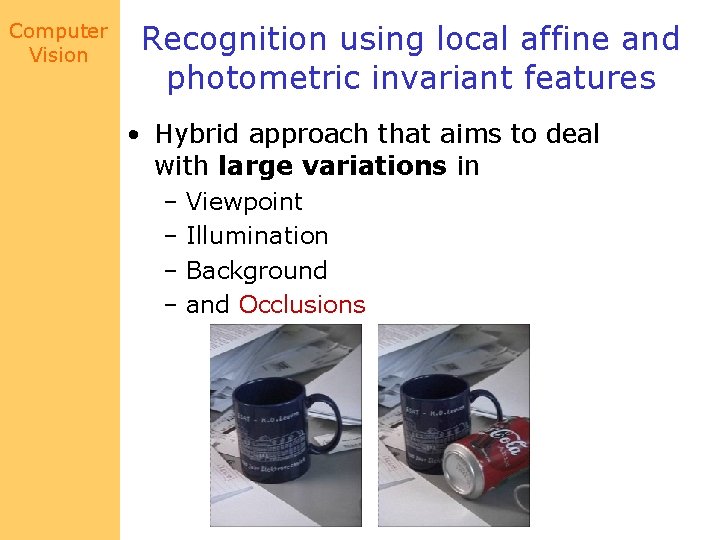
Computer Vision Recognition using local affine and photometric invariant features • Hybrid approach that aims to deal with large variations in – Viewpoint – Illumination – Background – and Occlusions
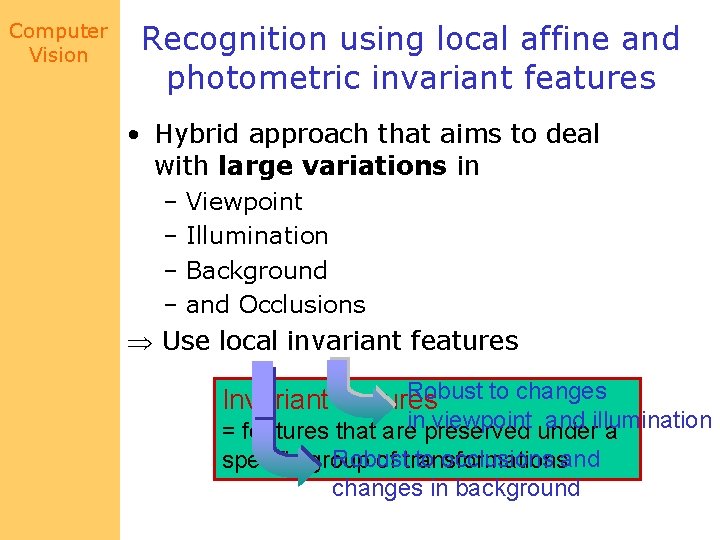
Computer Vision Recognition using local affine and photometric invariant features • Hybrid approach that aims to deal with large variations in – Viewpoint – Illumination – Background – and Occlusions Use local invariant features Robust to changes Invariant features viewpoint under and illumination = features that areinpreserved a Robust to occlusions and specific group of transformations changes in background
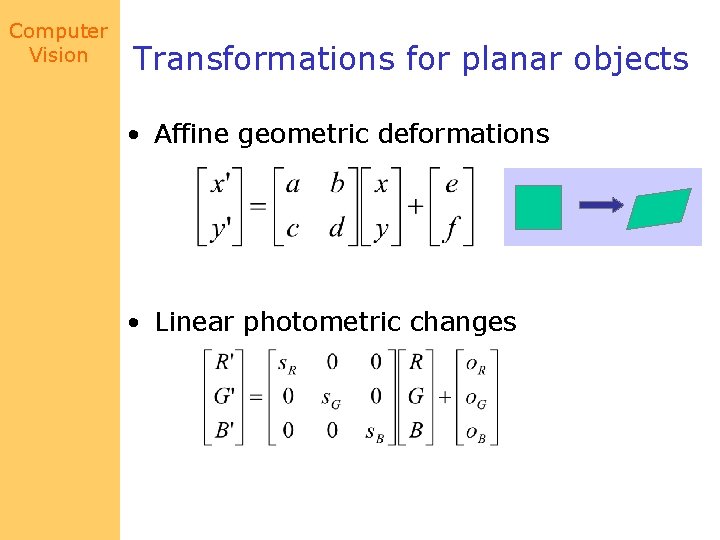
Computer Vision Transformations for planar objects • Affine geometric deformations • Linear photometric changes
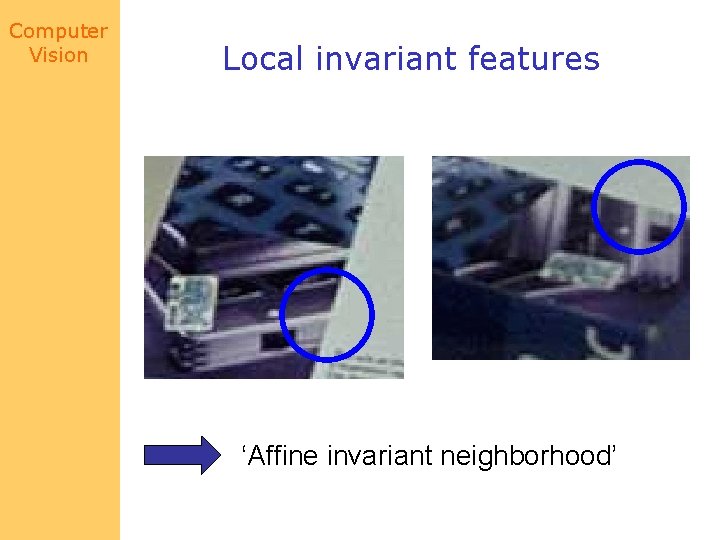
Computer Vision Local invariant features ‘Affine invariant neighborhood’
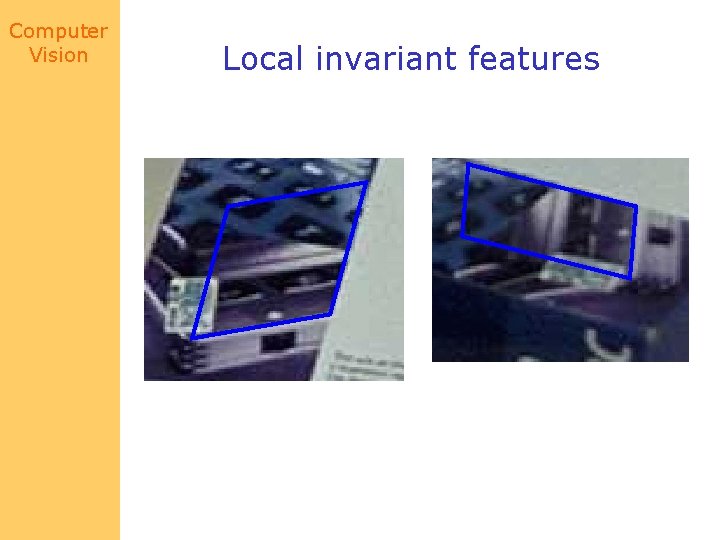
Computer Vision Local invariant features
Computer Vision Local invariant features • Geometry-based region extraction – Curved edges – Straight edges • Intensity-based region extraction
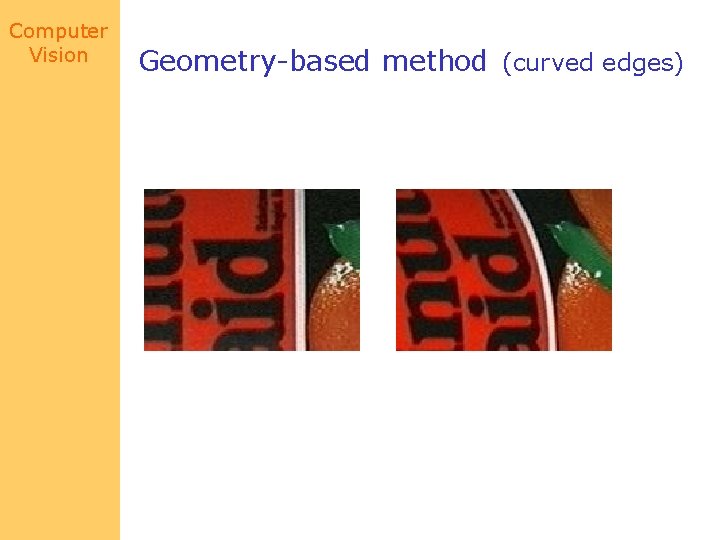
Computer Vision Geometry-based method (curved edges)
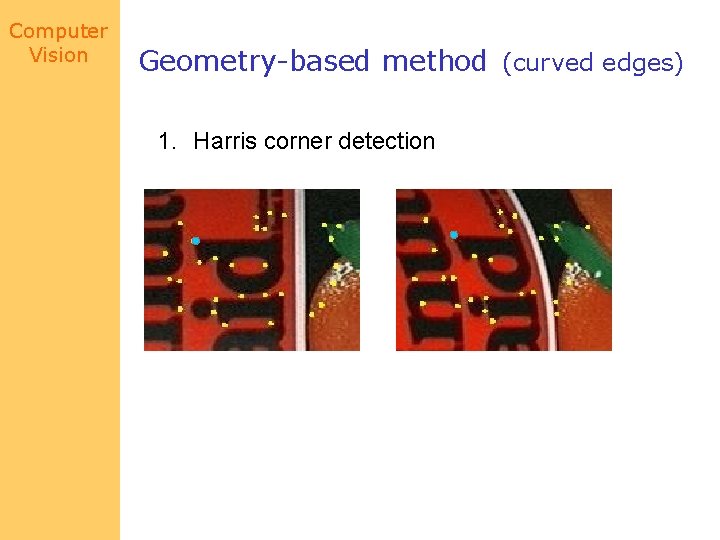
Computer Vision Geometry-based method (curved edges) 1. Harris corner detection
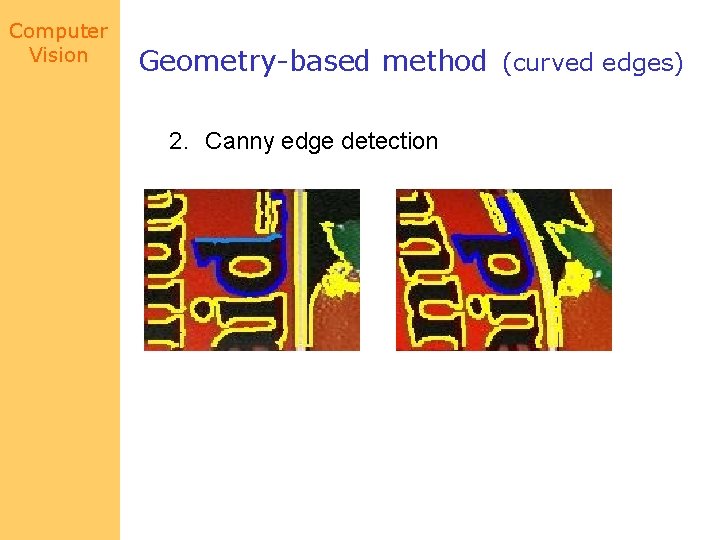
Computer Vision Geometry-based method (curved edges) 2. Canny edge detection
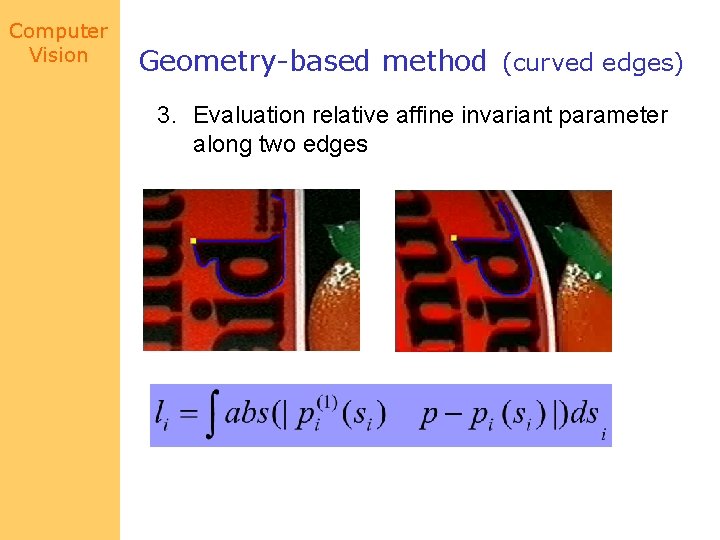
Computer Vision Geometry-based method (curved edges) 3. Evaluation relative affine invariant parameter along two edges
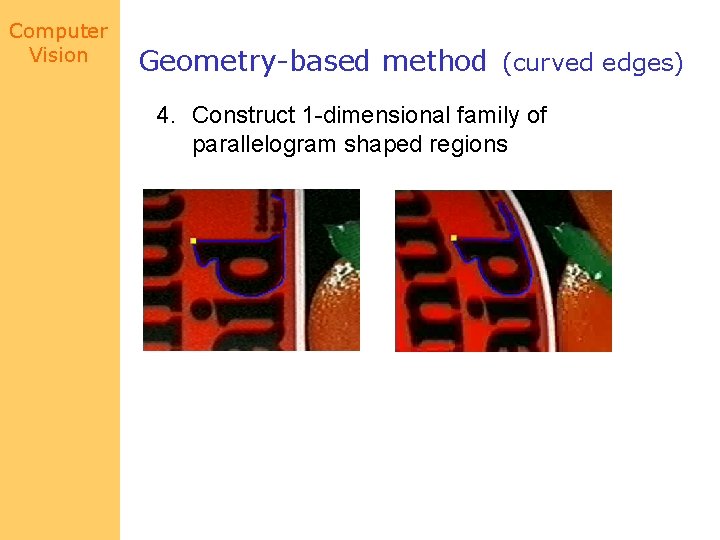
Computer Vision Geometry-based method (curved edges) 4. Construct 1 -dimensional family of parallelogram shaped regions
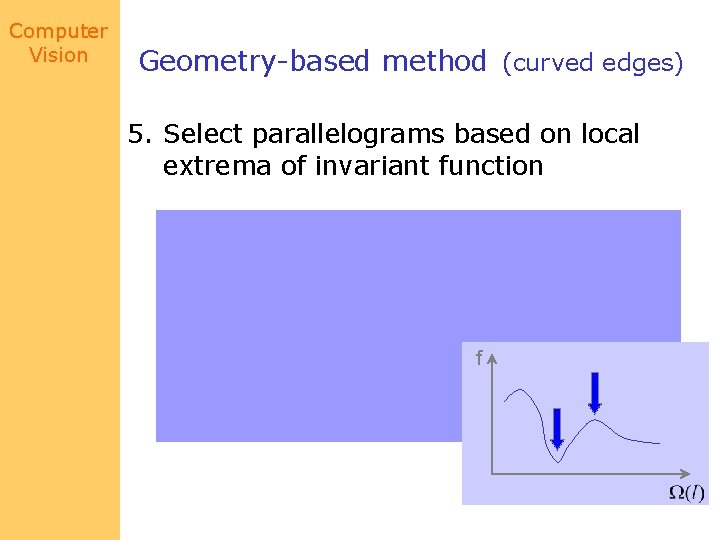
Computer Vision Geometry-based method (curved edges) 5. Select parallelograms based on local extrema of invariant function f
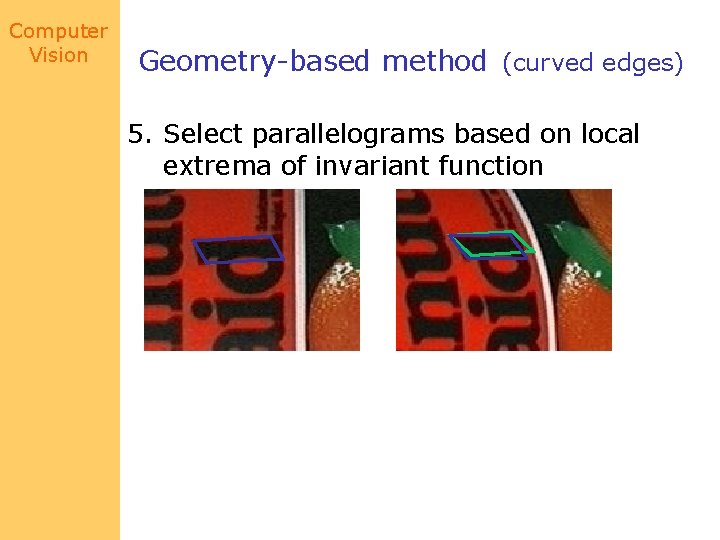
Computer Vision Geometry-based method (curved edges) 5. Select parallelograms based on local extrema of invariant function
Computer Vision Geometry-based method (straight edges) • Relative affine invariant parameters are identically zero!
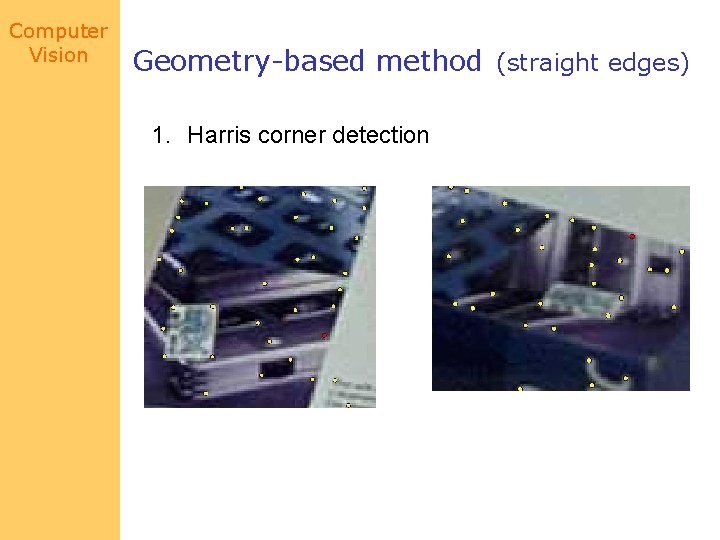
Computer Vision Geometry-based method (straight edges) 1. Harris corner detection
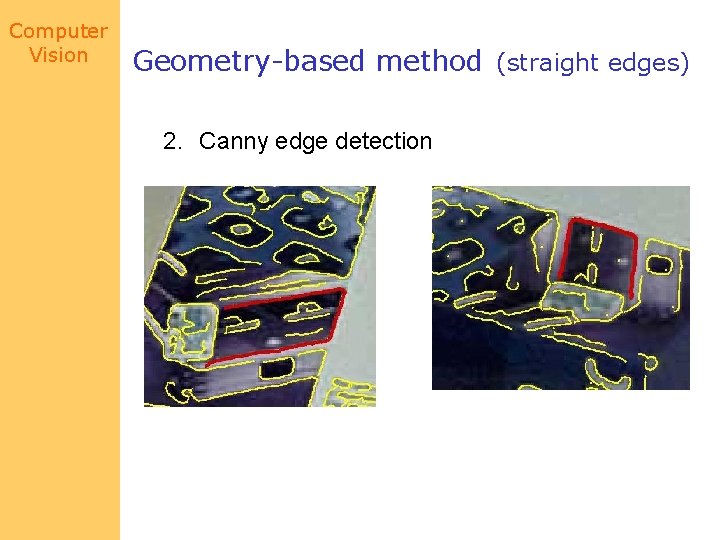
Computer Vision Geometry-based method (straight edges) 2. Canny edge detection
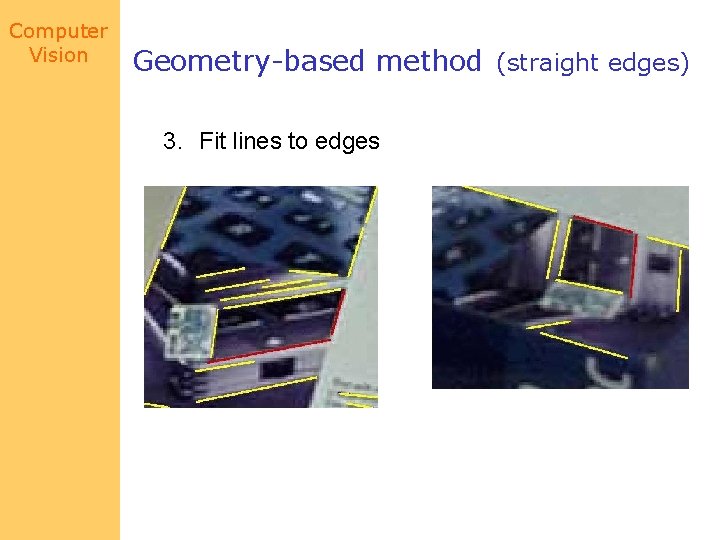
Computer Vision Geometry-based method (straight edges) 3. Fit lines to edges
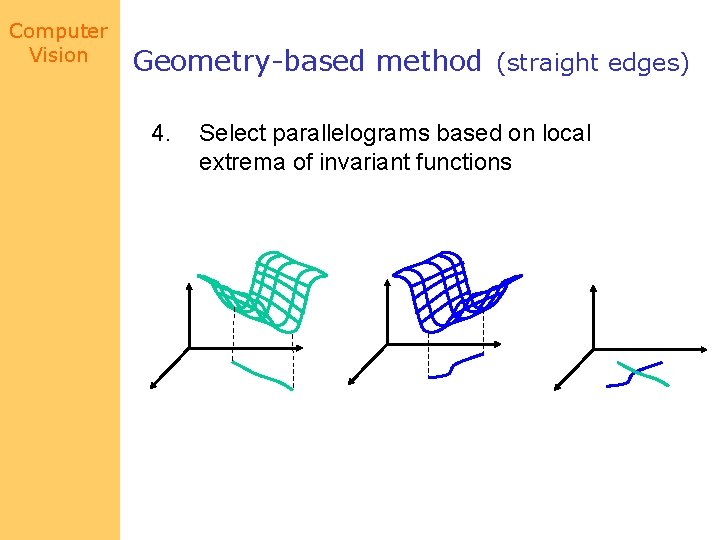
Computer Vision Geometry-based method (straight edges) 4. Select parallelograms based on local extrema of invariant functions
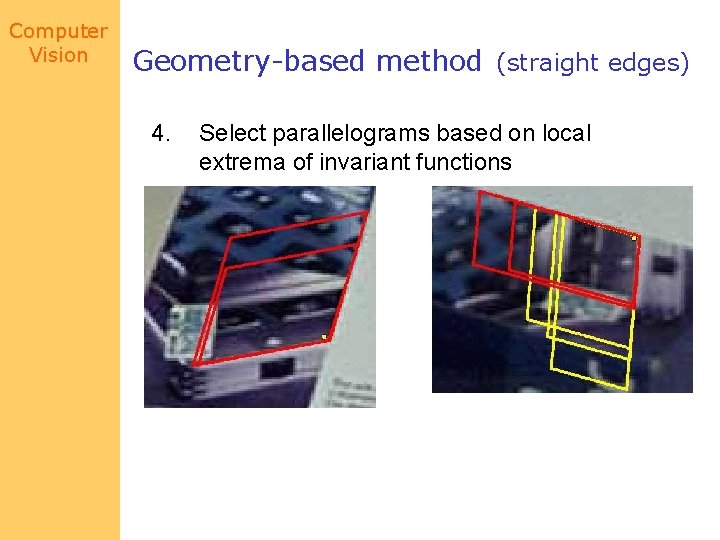
Computer Vision Geometry-based method (straight edges) 4. Select parallelograms based on local extrema of invariant functions
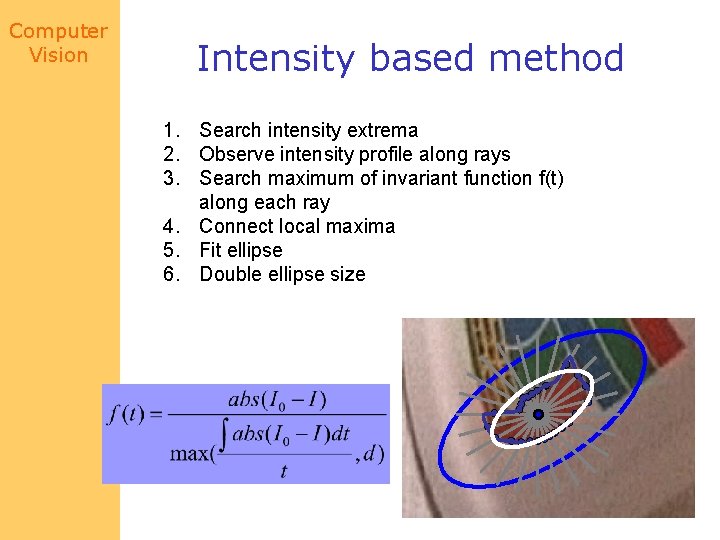
Computer Vision Intensity based method 1. Search intensity extrema 2. Observe intensity profile along rays 3. Search maximum of invariant function f(t) along each ray 4. Connect local maxima 5. Fit ellipse 6. Double ellipse size
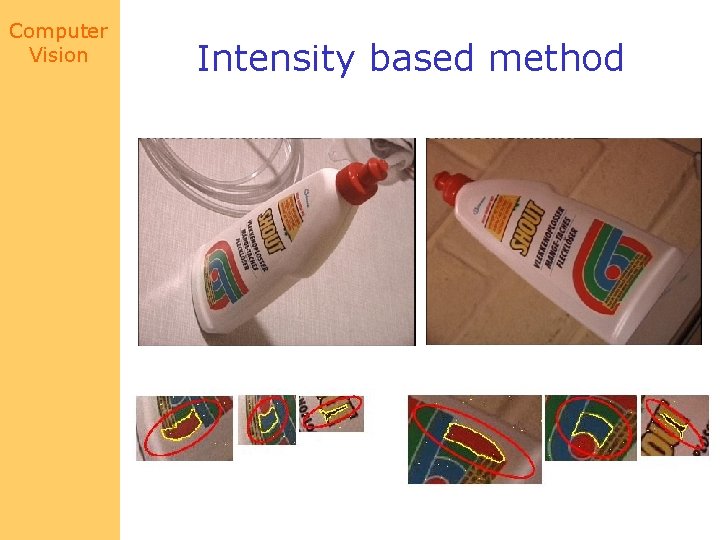
Computer Vision Intensity based method
Computer Vision Comparison Intensity-based method • More robust Geometry-based method • Less computations • More environments
Computer Vision Robustness • “Correct” detection of single environment cannot be guaranteed – – – Non-planar region Noise, quantization errors Non-linear photometric distortion Perspective-distortion … All regions of an object / image should be considered simultaneously
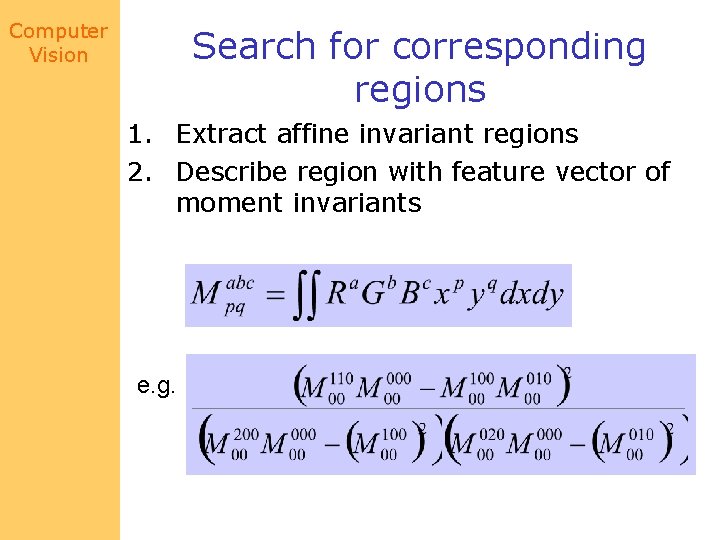
Computer Vision Search for corresponding regions 1. Extract affine invariant regions 2. Describe region with feature vector of moment invariants e. g.
Computer Vision Search for corresponding regions 1. Extract affine invariant regions 2. Describe region with feature vector of moment invariants 3. Search for corresponding regions based on Mahalanobis distance 4. Check cross-correlation (after normalization) 5. Check consistency of correspondences
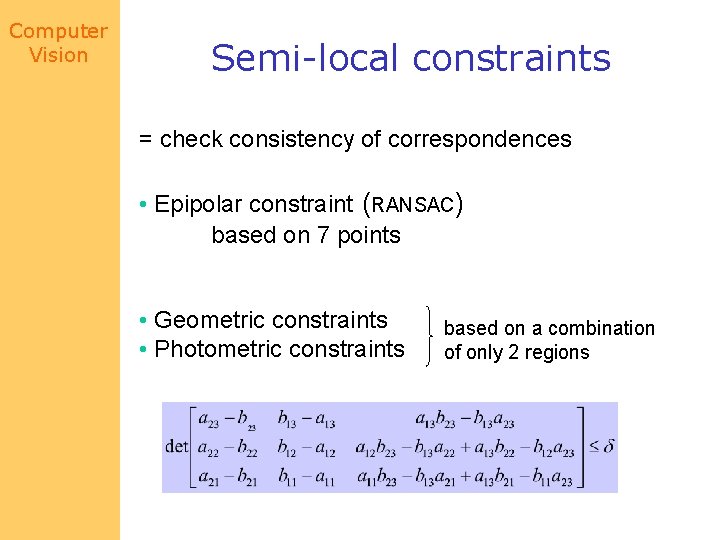
Computer Vision Semi-local constraints = check consistency of correspondences • Epipolar constraint (RANSAC) based on 7 points • Geometric constraints • Photometric constraints based on a combination of only 2 regions
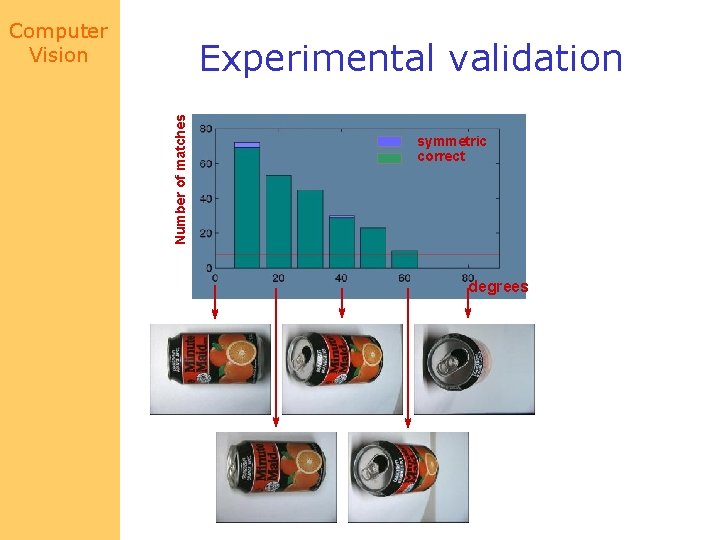
Computer Vision Number of matches Experimental validation symmetric correct degrees
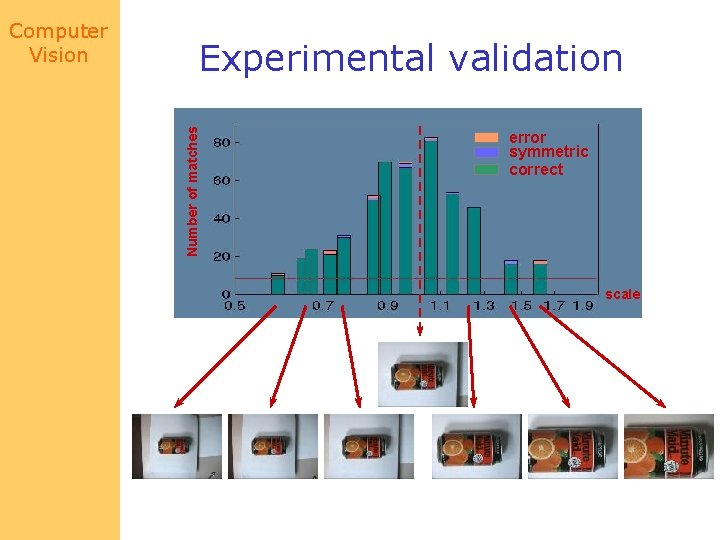
Experimental validation Number of matches Computer Vision error symmetric correct scale
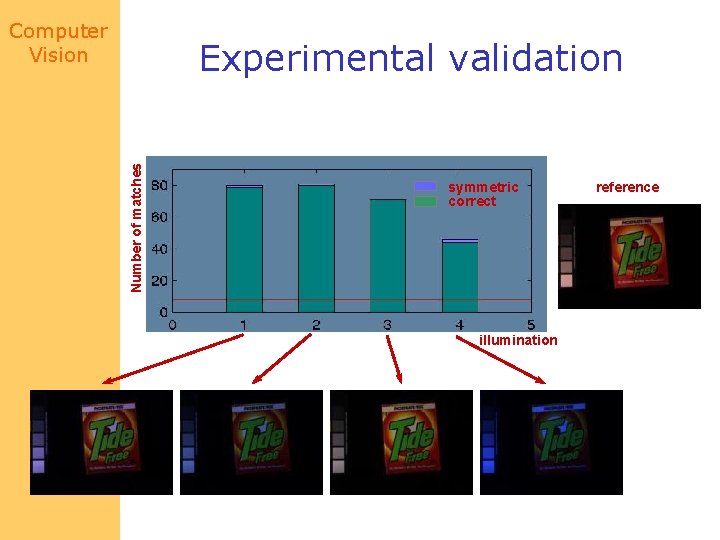
Computer Vision Number of matches Experimental validation symmetric correct illumination reference
Computer Vision Object recognition and localization • ‘Appearance’-based approach = objects are modeled by a set of reference images Voting principle based on number of similar regions More invariance = requires less reference images
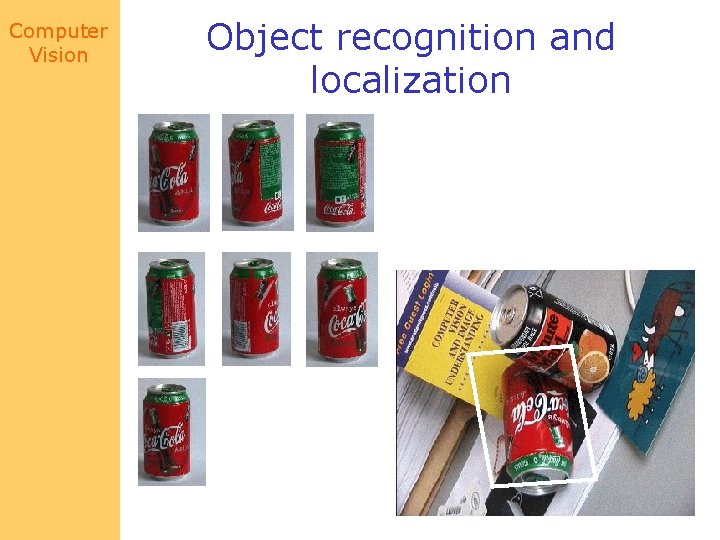
Computer Vision Object recognition and localization
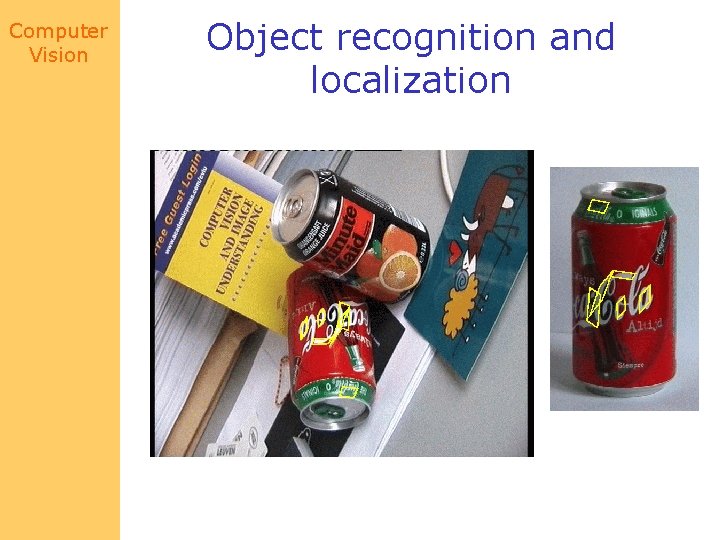
Computer Vision Object recognition and localization
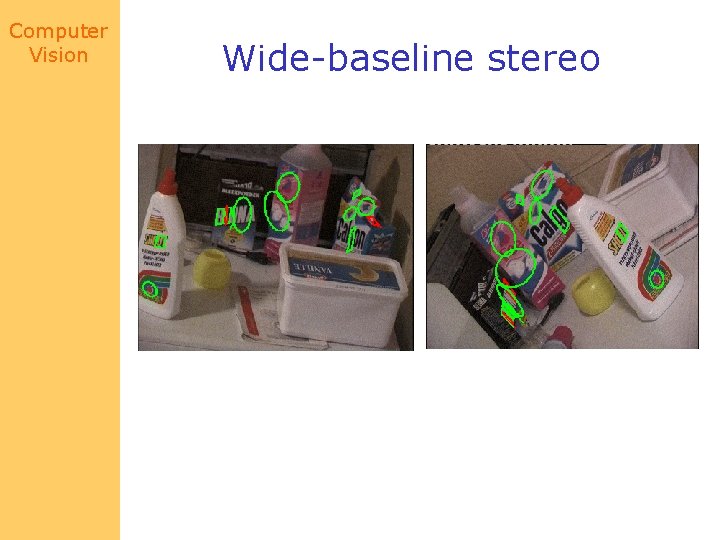
Computer Vision Wide-baseline stereo
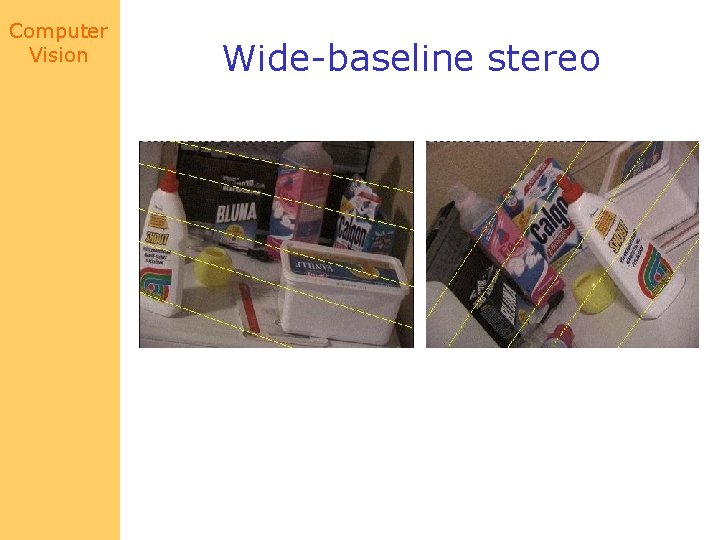
Computer Vision Wide-baseline stereo
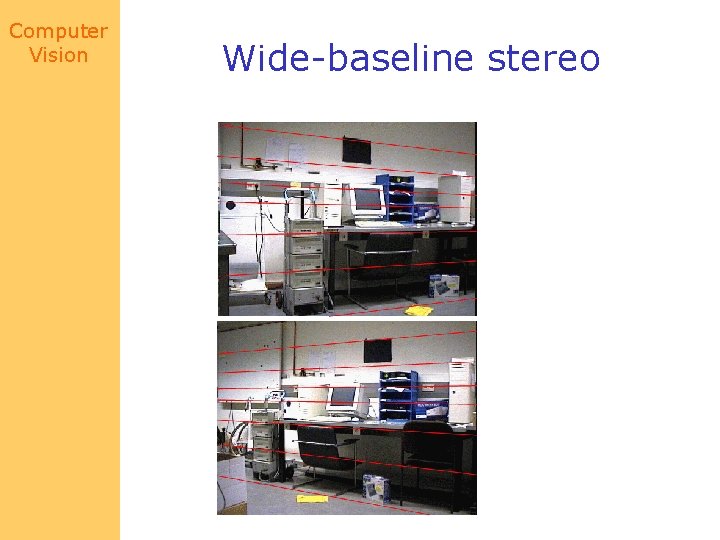
Computer Vision Wide-baseline stereo
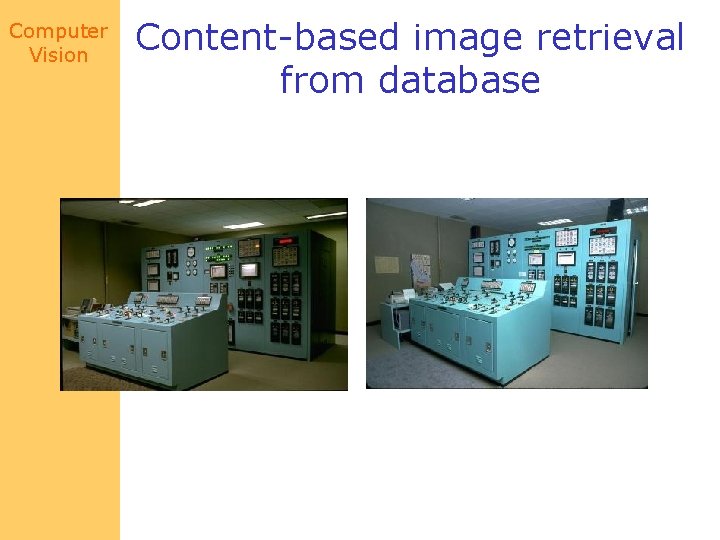
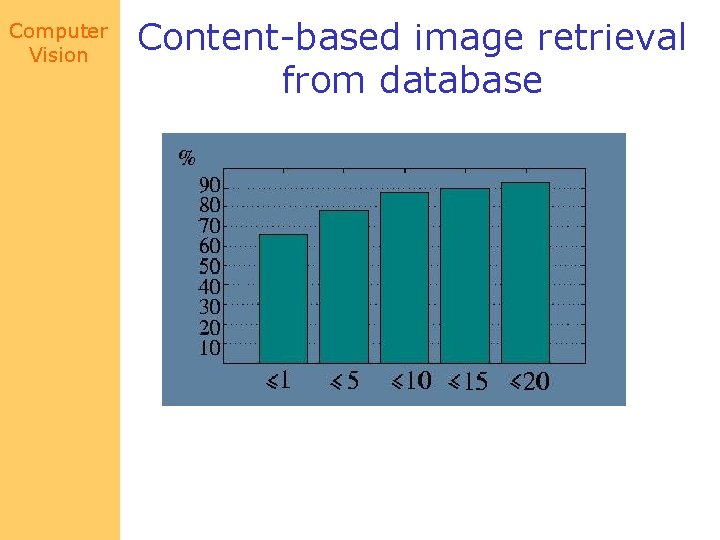
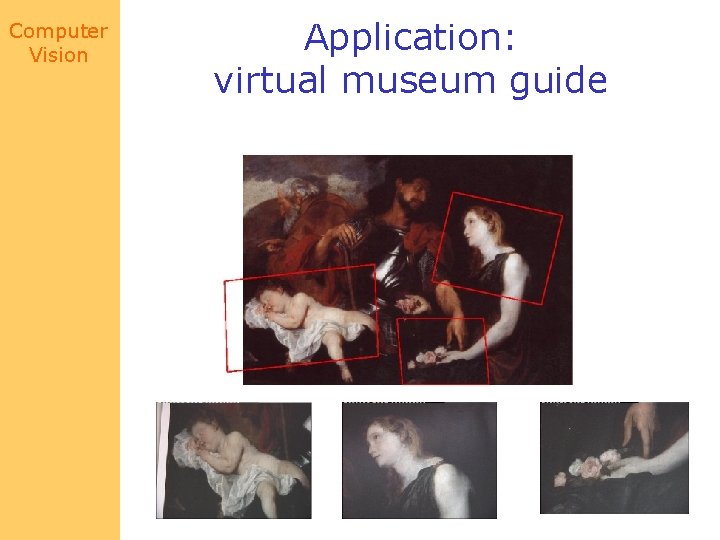
Computer Vision Content-based image retrieval from database • = Searching of ‘similar’ images in a databased on image content • Local features • Similarity = images contain the same object or the same scene • Voting principle – Based on the number of similar regions
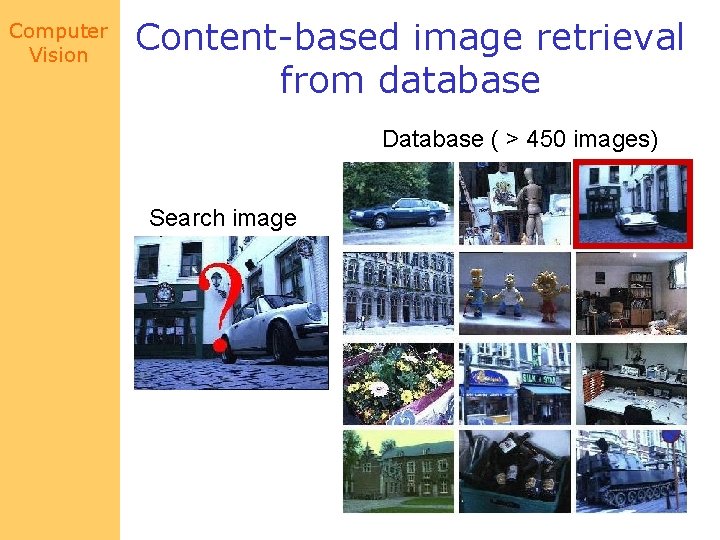
Computer Vision Content-based image retrieval from database Database ( > 450 images) Search image
Computer Vision Content-based image retrieval from database
Computer Vision Content-based image retrieval from database
Computer Vision Application: virtual museum guide
Computer Vision Next class: Range data Reading: Chapter 21
- Slides: 82