
Computer System Organisation 1 Company Confidential Computer System
- Slides: 49
Computer System Organisation 1 Company Confidential
Computer System Organisation • Software System S/W and Application S/W • Hardware Input Devices & Output Devices
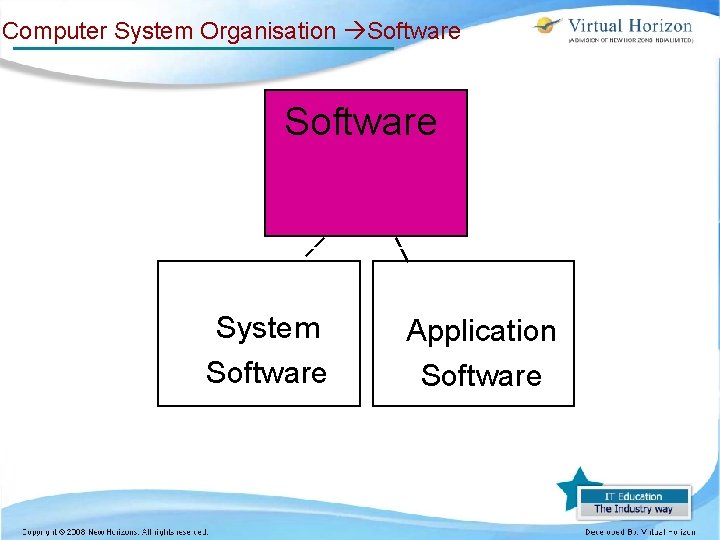
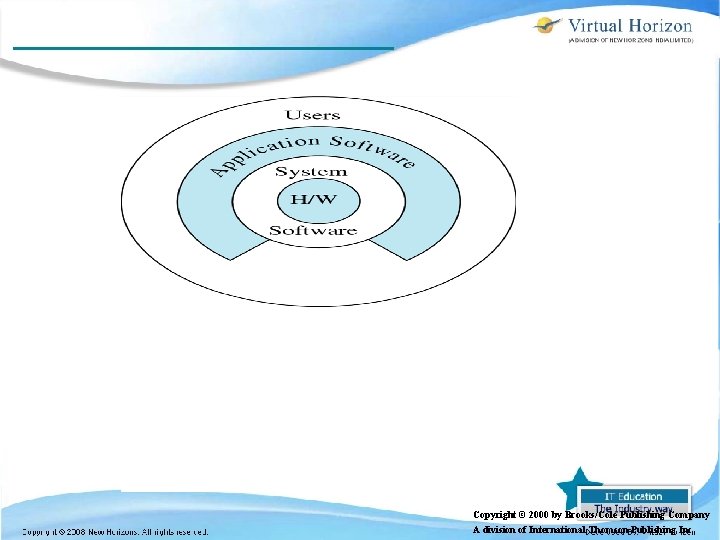
Computer System Organisation Software System Software Application Software
Computer System Organisation Software Application software – Application programs may be provided by the computer manufacturer or by the user
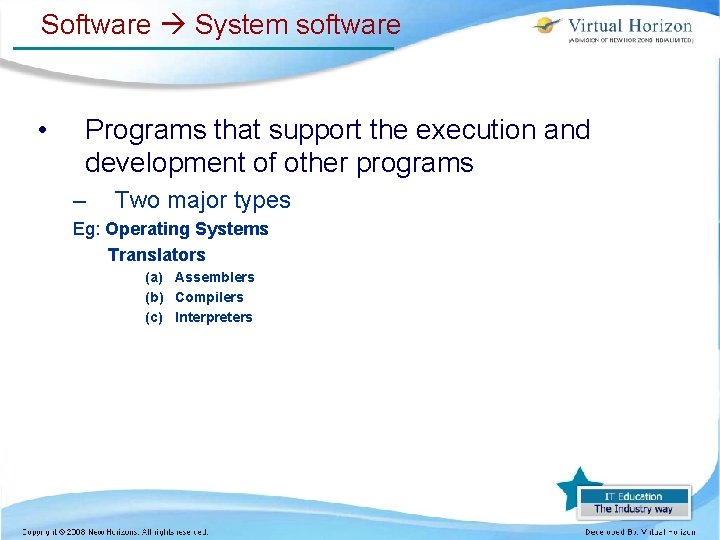
Software System software • Programs that support the execution and development of other programs – Two major types Eg: Operating Systems Translators (a) Assemblers (b) Compilers (c) Interpreters
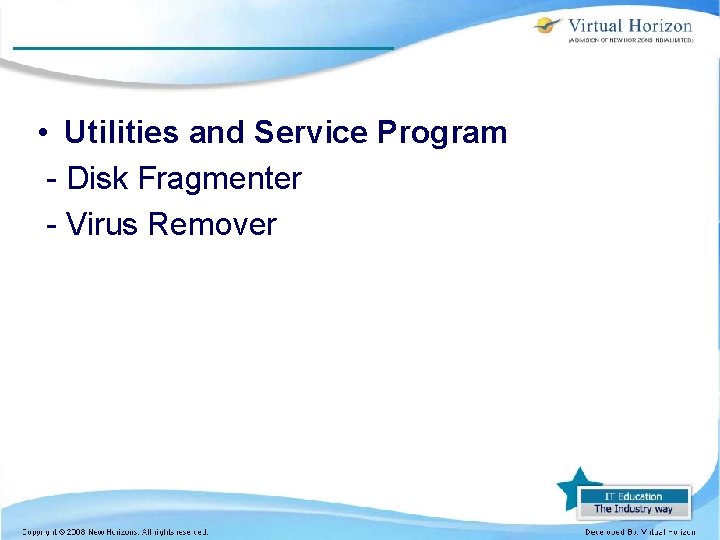
• Utilities and Service Program - Disk Fragmenter - Virus Remover
Copyright © 2000 by Brooks/Cole Publishing Company A division of International Thomson Publishing Inc.
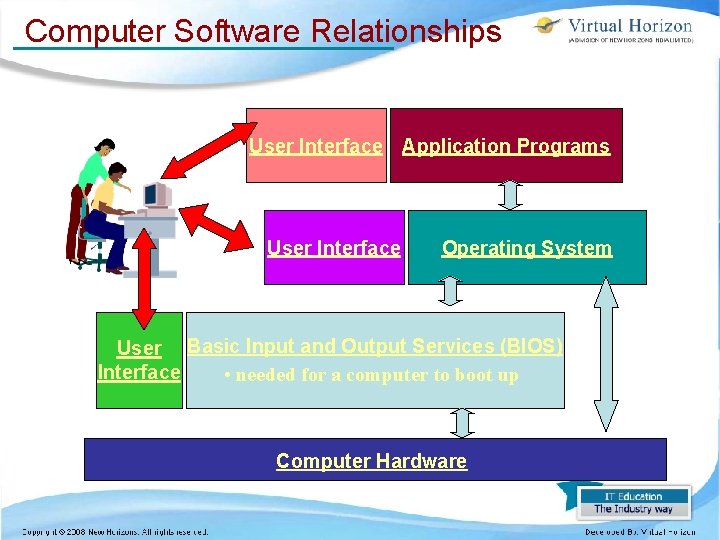
Computer Software Relationships User Interface Application Programs User Interface Operating System User Basic Input and Output Services (BIOS) Interface • needed for a computer to boot up Computer Hardware
Software Application Software • Application software makes computer popular and easy to use • Common application software: n n n Microsoft Word, Word. Perfect Power. Point Netscape, Internet Explorer Photo. Shop, Photo-Paint Quick Time Dreamweaver
Software System Software Operating System • Controls and manages the computing resources • Examples – Windows, Unix, MSDOS, • Important services that an operating system provides: – File system – Commands to manipulate the file system – Input and output on a variety of devices – Window management
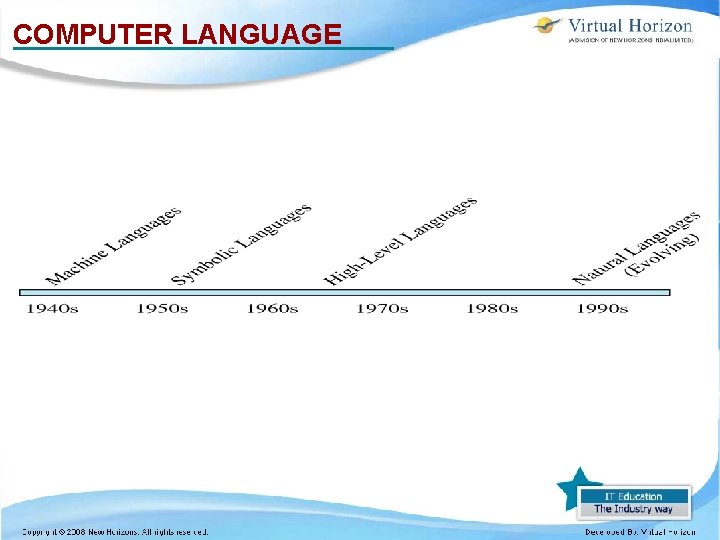
COMPUTER LANGUAGE •
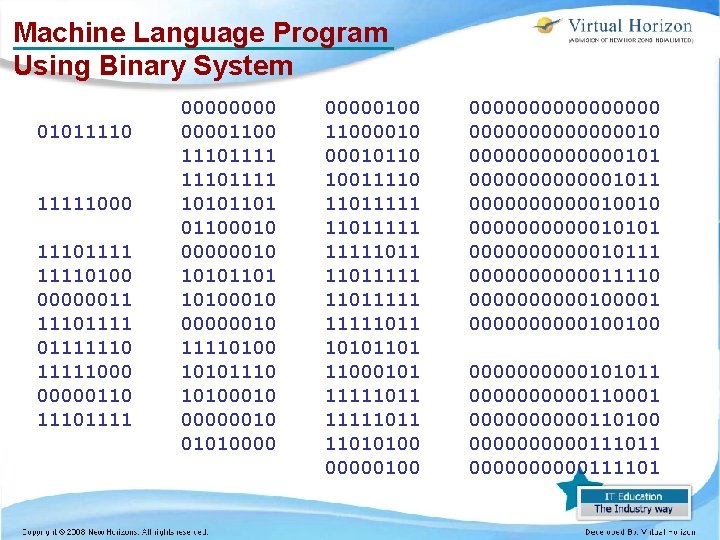
MACHINE LANGUAGE • Each computer has its own machine language, which is made of streams of 0 s and 1 s because the internal circuit of a computer is made of switches, transistors and other electronic devices that can only be in one of two states: off or on. • 0 represents the off state; 1 represents the on state.
Machine Language Program Using Binary System 01011110 11111000 111011110100 00000011 11101111110 11111000 00000110 11101111 00001100 11101111 10101101 01100010 00000010 10101101 10100010 00000010 11110100 10101110 10100010 00000010 010100000100 11000010110 10011110 11011111 11111011 10101101 11000101 11111011 11010100 000000000010 00000001011 00000010010 00000010101 00000010111 00000011110 00000100001 00000100100 00000101011 00000110001 00000110100 00000111011 00000111101
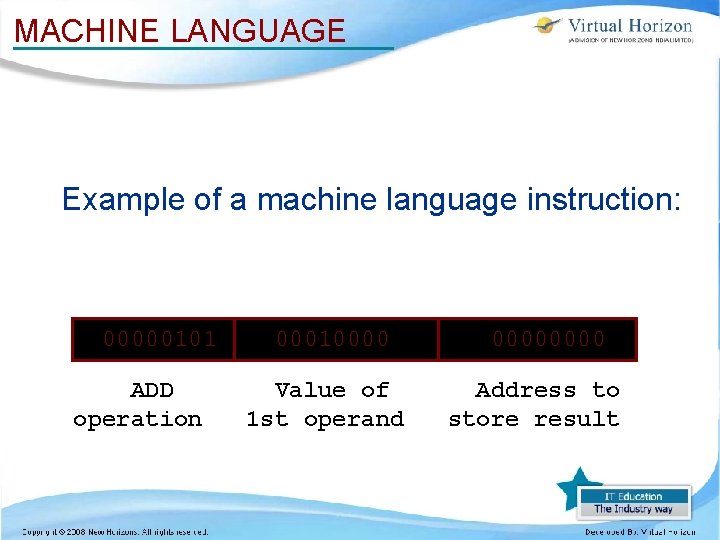
MACHINE LANGUAGE Example of a machine language instruction: 00000101 ADD operation 00010000 Value of 1 st operand 0000 Address to store result
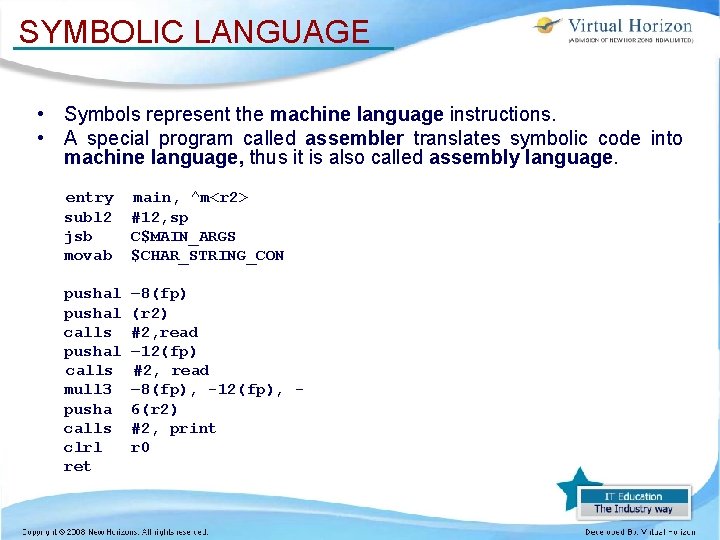
SYMBOLIC LANGUAGE • Symbols represent the machine language instructions. • A special program called assembler translates symbolic code into machine language, thus it is also called assembly language. entry subl 2 jsb movab main, ^m<r 2> #12, sp C$MAIN_ARGS $CHAR_STRING_CON pushal calls mull 3 pusha calls clrl ret – 8(fp) (r 2) #2, read – 12(fp) #2, read – 8(fp), -12(fp), 6(r 2) #2, print r 0
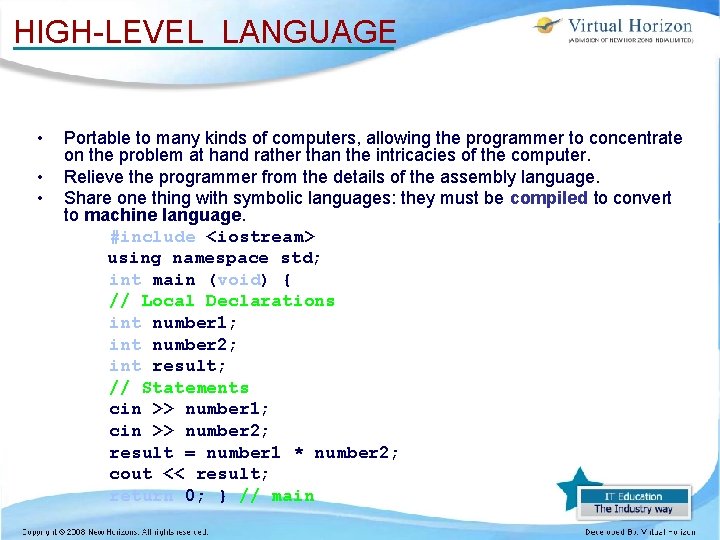
HIGH-LEVEL LANGUAGE • • • Portable to many kinds of computers, allowing the programmer to concentrate on the problem at hand rather than the intricacies of the computer. Relieve the programmer from the details of the assembly language. Share one thing with symbolic languages: they must be compiled to convert to machine language. #include <iostream> using namespace std; int main (void) { // Local Declarations int number 1; int number 2; int result; // Statements cin >> number 1; cin >> number 2; result = number 1 * number 2; cout << result; return 0; } // main
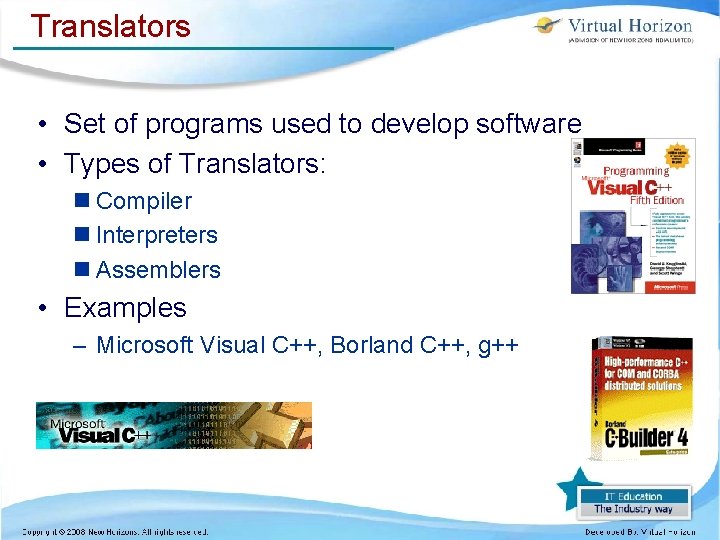
Translators • Set of programs used to develop software • Types of Translators: n Compiler n Interpreters n Assemblers • Examples – Microsoft Visual C++, Borland C++, g++
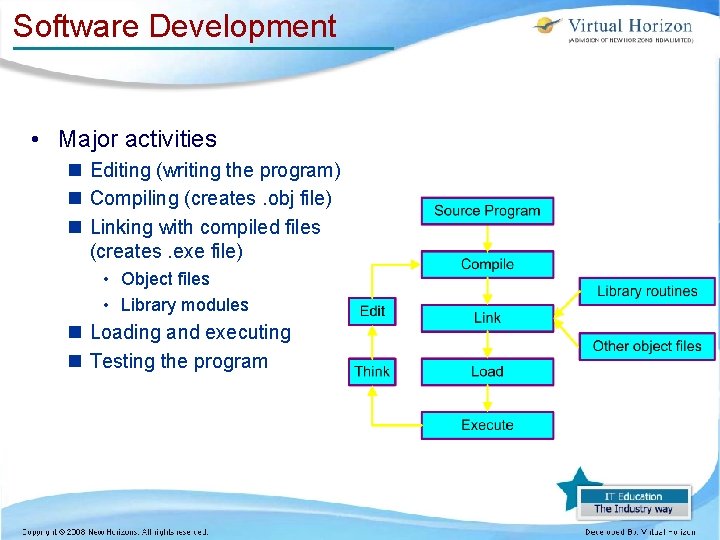
Software Development • Major activities n Editing (writing the program) n Compiling (creates. obj file) n Linking with compiled files (creates. exe file) • Object files • Library modules n Loading and executing n Testing the program
Compilers • 1. 2. A compiler translates the whole High Level Language prg into a Machine Code. Produces obj. prg on disk Produce a list of errors found during the compilation
Interpreters • An alternative to using a compiler for HLL translation, use of interpreters is to translation of program line by line.
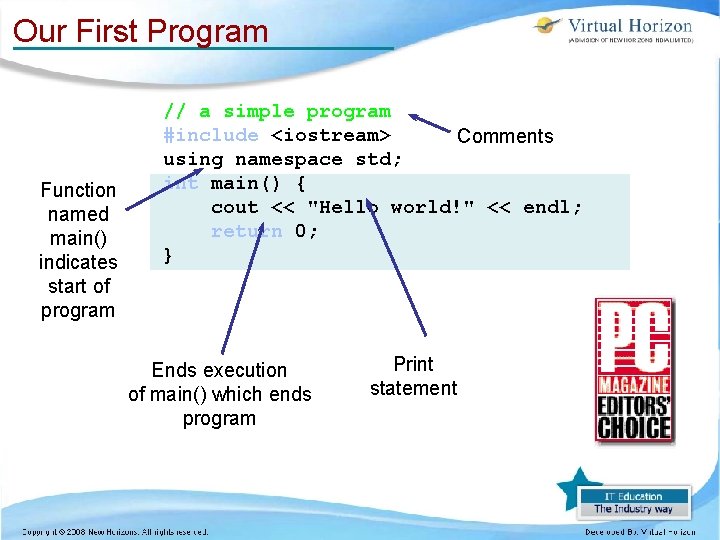
Our First Program Function named main() indicates start of program // a simple program #include <iostream> Comments using namespace std; int main() { cout << "Hello world!" << endl; return 0; } Ends execution of main() which ends program Print statement
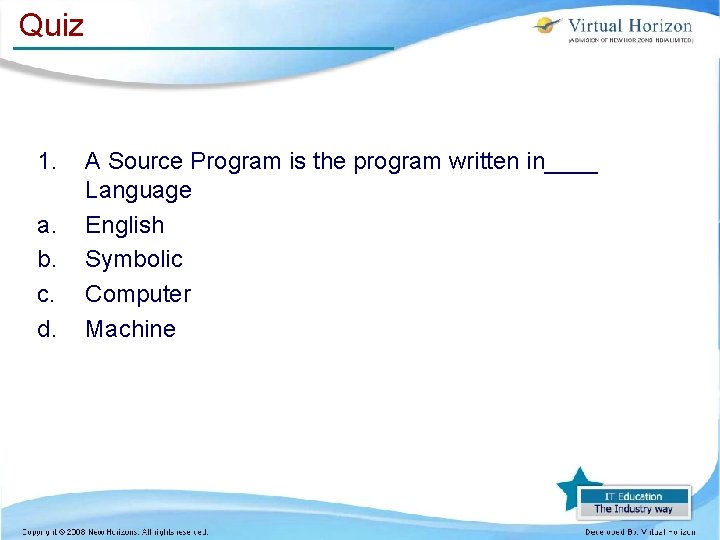
Quiz 1. a. b. c. d. A Source Program is the program written in____ Language English Symbolic Computer Machine
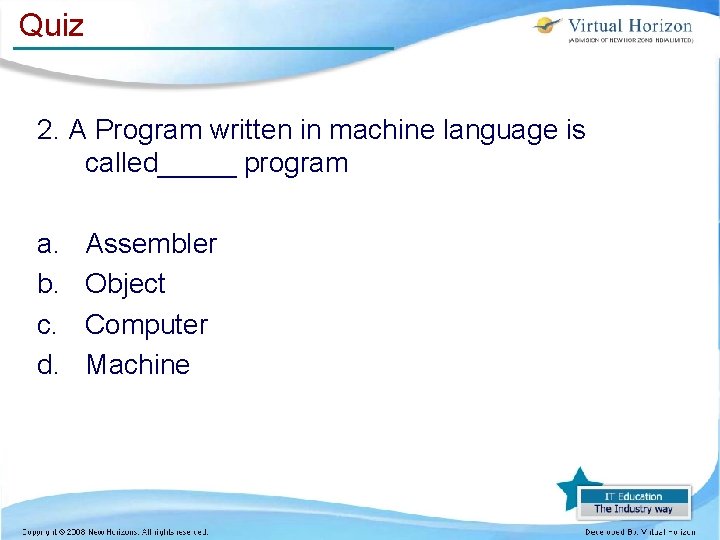
Quiz 2. A Program written in machine language is called_____ program a. b. c. d. Assembler Object Computer Machine
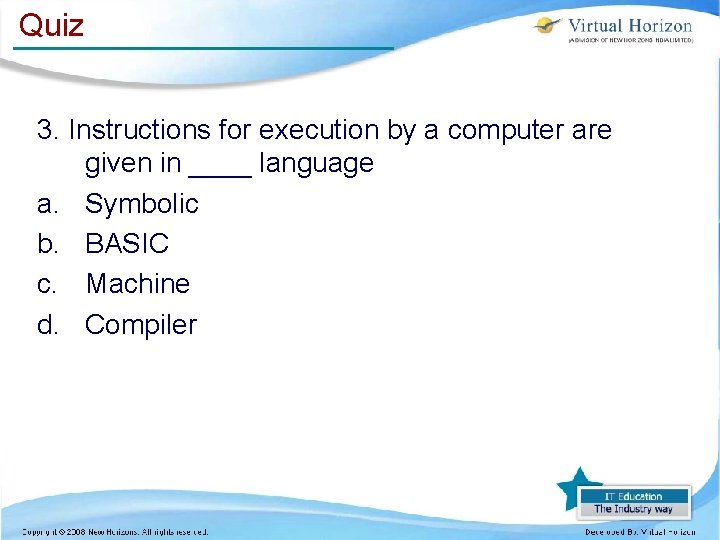
Quiz 3. Instructions for execution by a computer are given in ____ language a. Symbolic b. BASIC c. Machine d. Compiler
Quiz 4. An Assembler is a a. Program b. Person who assembles the devices c. Symbol
Quiz 5. Which of the following are software a. Transistor b. FORTRAN c. Compiler
Quiz What is the difference between Compiler & Interpreter
Hardware Input and Output Devices and Systems
Input, Storage, and Output Devices Input= Enables data, or instructions, to be entered in to the computer. Input device= Enables you to input data and commands into the computer. Ex: keyboard, mouse, touch screen. Output Device= enables the computer to give you the results of the processed data. Ex: monitor, printer
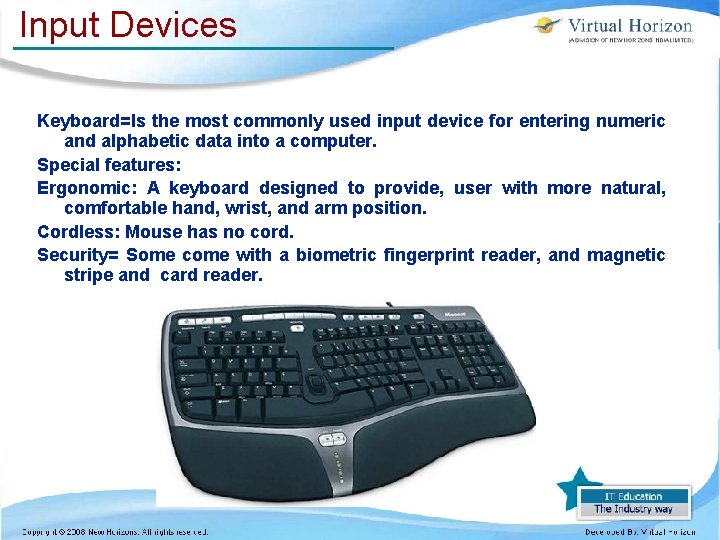
Input Devices Keyboard=Is the most commonly used input device for entering numeric and alphabetic data into a computer. Special features: Ergonomic: A keyboard designed to provide, user with more natural, comfortable hand, wrist, and arm position. Cordless: Mouse has no cord. Security= Some come with a biometric fingerprint reader, and magnetic stripe and card reader.
Pointing Device moves, around on a flat surface and controls the pointer on the screen. Mouse= Most commonly used pointing device for personal computer. Different Types Of Mouse 1. Optomechanical= Uses a small orb underneath the mouse. 2. Optical= Uses laser to detect the mouse movement. 3. Cordless= Does not use a cord relies on infrared or radio waves.
Mouse You use the mouse to accomplish the following techniques: • Pointing: Placing the pointer at designated location. • Clicking= Pressing and realizing the mouse button. • Dragging: Pressing down the mouse button and moving the mouse while continuing to hold down the button. • Right-clicking= Pressing the right mouse button.
Other Input Device • Touch display screen= allows you to input information on to the computer, by touching the screen, which also serves as output device. This device is commonly used in retail stores. • Audio Input =Inputting voice by the use of special microphone. • Voice recognition= device are used to “speak” – commands through the use of microphone.
Scanners are device that can change image into electronic form that can be stored in a computer’s memory. • Image scanners: Converts images to electronic form that can be stored and manipulated. • Bar code scanners= reads bar line. • Magnetic Scanners: Reads encoded information on the back of credit cards. The magnet code on back of the card contains encoded user’s account number.
Digital Camera and Video Input Digital camera= are stored digitally and then can be transferred in to the computers memory. The images can be stored in a floppy disk, flash memory card, memory stick, and mini-disk. Video input is the process of capturing full-motion images with a type of video camera and then saving the video on a storage medium such as a hard drive, CD, or DVD. After it is saved, you can view and edit.
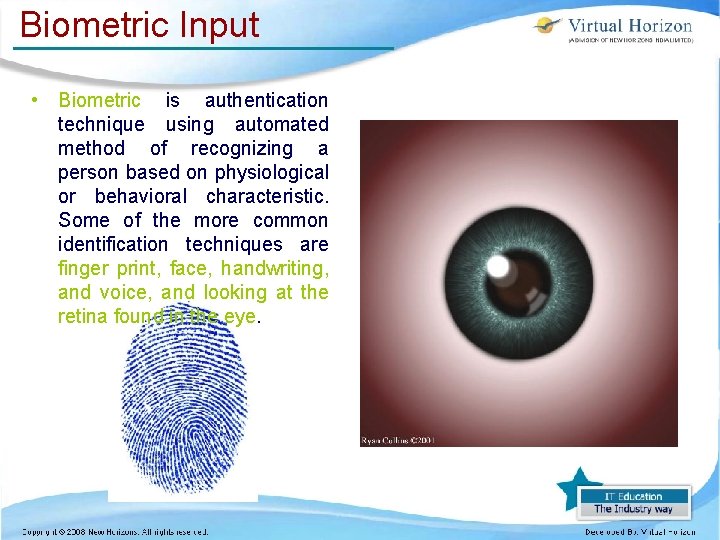
Biometric Input • Biometric is authentication technique using automated method of recognizing a person based on physiological or behavioral characteristic. Some of the more common identification techniques are finger print, face, handwriting, and voice, and looking at the retina found in the eye.
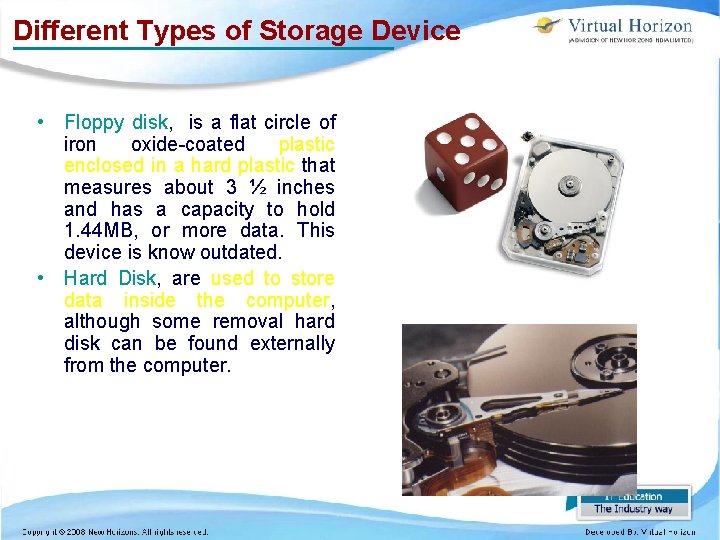
Different Types of Storage Device • Floppy disk, is a flat circle of iron oxide-coated plastic enclosed in a hard plastic that measures about 3 ½ inches and has a capacity to hold 1. 44 MB, or more data. This device is know outdated. • Hard Disk, are used to store data inside the computer, although some removal hard disk can be found externally from the computer.
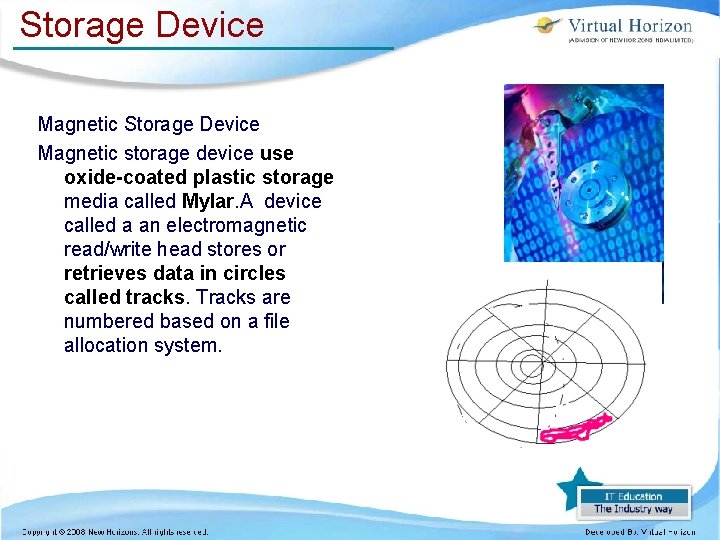
Storage Device Magnetic storage device use oxide-coated plastic storage media called Mylar. A device called a an electromagnetic read/write head stores or retrieves data in circles called tracks. Tracks are numbered based on a file allocation system.
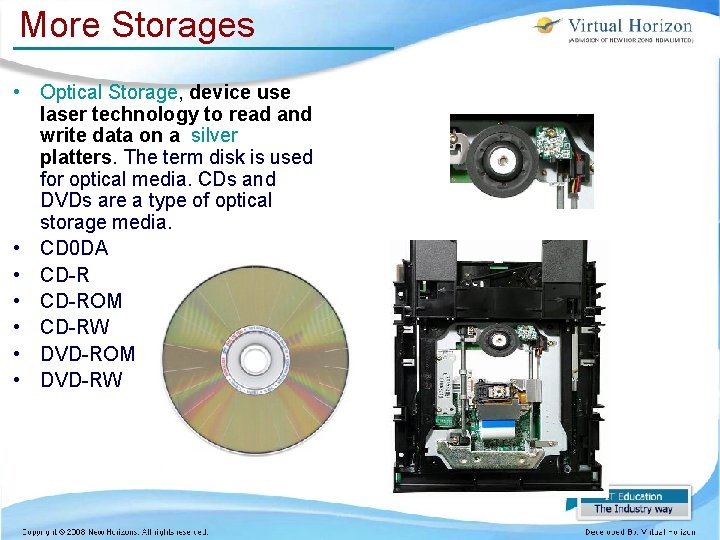
More Storages • Optical Storage, device use laser technology to read and write data on a silver platters. The term disk is used for optical media. CDs and DVDs are a type of optical storage media. • CD 0 DA • CD-ROM • CD-RW • DVD-ROM • DVD-RW
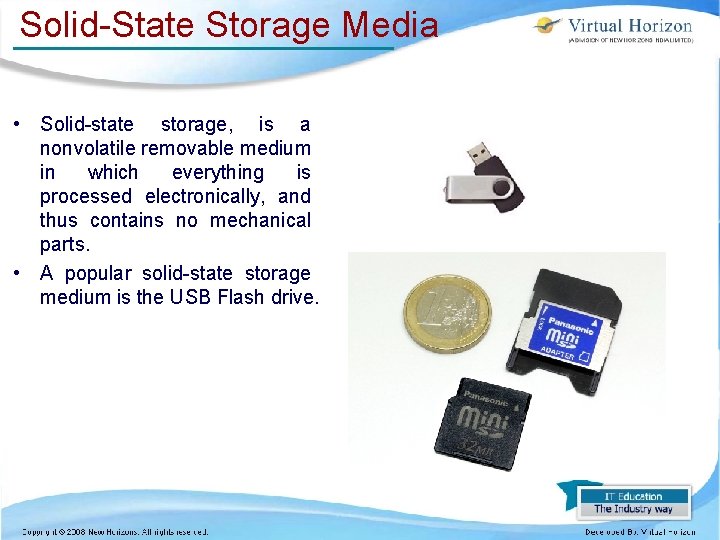
Solid-State Storage Media • Solid-state storage, is a nonvolatile removable medium in which everything is processed electronically, and thus contains no mechanical parts. • A popular solid-state storage medium is the USB Flash drive.
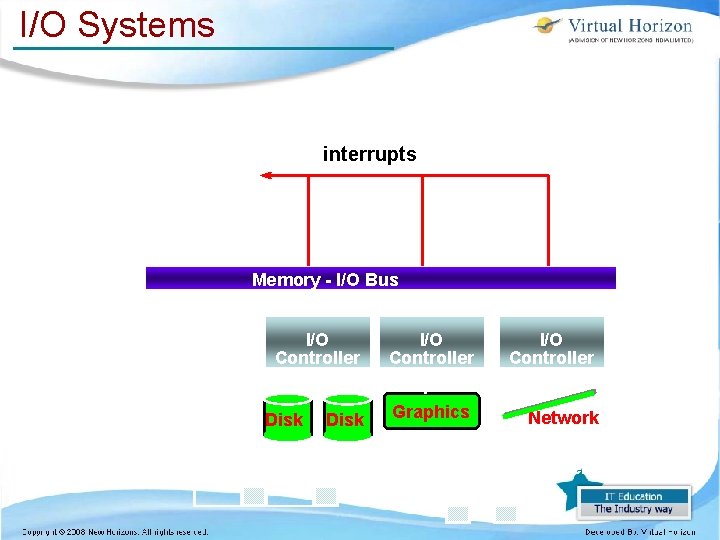
I/O Systems interrupts Processor Cache Memory - I/O Bus Main Memory I/O Controller Disk I/O Controller Graphics Network Time(workload) = Time(CPU) + Time(I/O) - Time(Overlap)
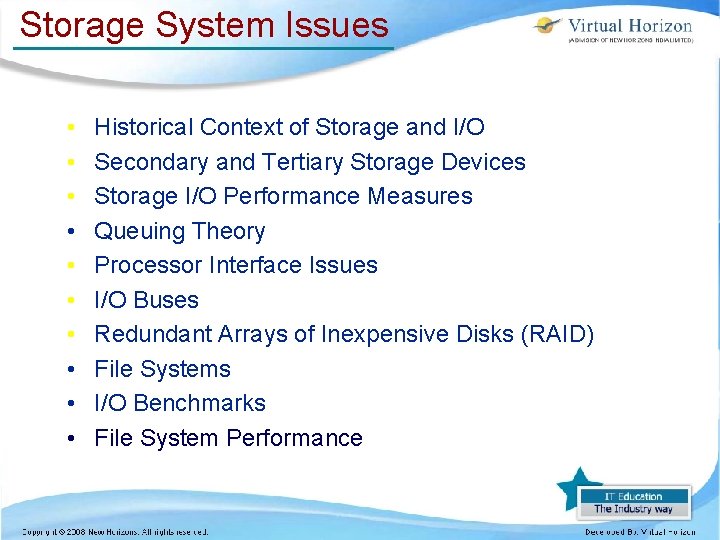
Storage System Issues • • • Historical Context of Storage and I/O Secondary and Tertiary Storage Devices Storage I/O Performance Measures Queuing Theory Processor Interface Issues I/O Buses Redundant Arrays of Inexpensive Disks (RAID) File Systems I/O Benchmarks File System Performance
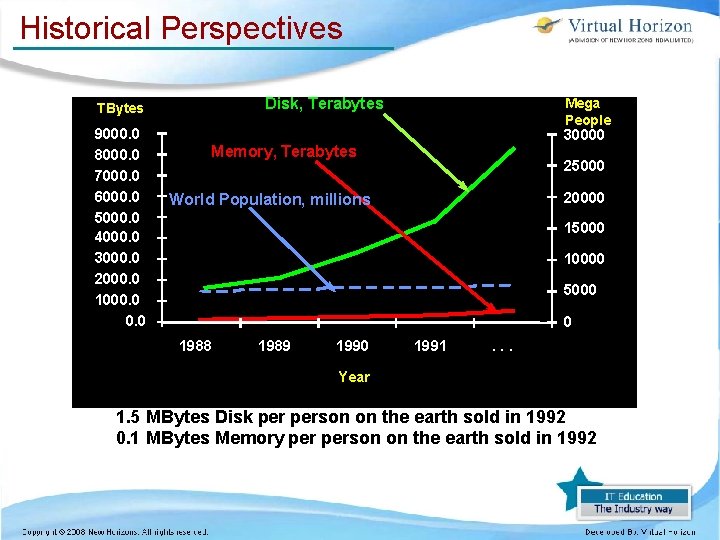
Historical Perspectives Disk, Terabytes TBytes 9000. 0 8000. 0 7000. 0 6000. 0 5000. 0 4000. 0 3000. 0 2000. 0 1000. 0 Mega People 30000 Memory, Terabytes 25000 20000 World Population, millions 15000 10000 5000 0 1988 1989 1990 1991 . . . Year 1. 5 MBytes Disk person on the earth sold in 1992 0. 1 MBytes Memory person on the earth sold in 1992
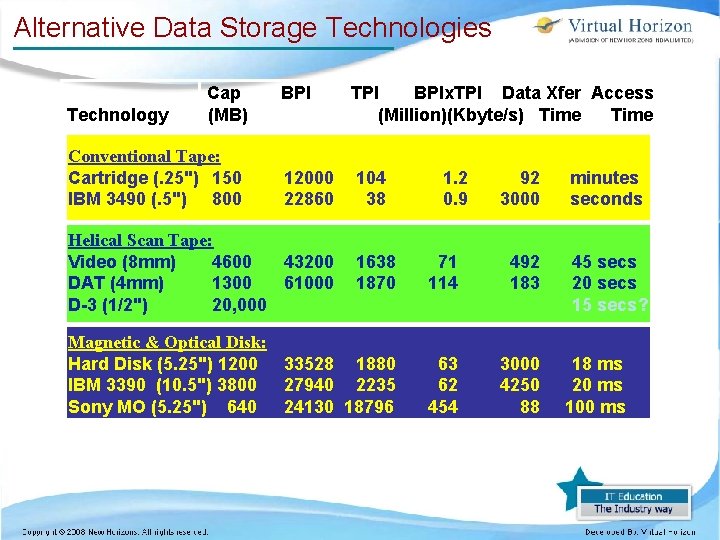
Alternative Data Storage Technologies Technology Cap (MB) Conventional Tape: Cartridge (. 25") 150 IBM 3490 (. 5") 800 BPI 12000 22860 Helical Scan Tape: Video (8 mm) 4600 43200 DAT (4 mm) 1300 61000 D-3 (1/2") 20, 000 TPI BPIx. TPI Data Xfer Access (Million)(Kbyte/s) Time 104 38 1. 2 0. 9 92 3000 minutes seconds 45 secs 20 secs 15 secs? 1638 1870 71 114 492 183 Magnetic & Optical Disk: Hard Disk (5. 25") 1200 33528 1880 IBM 3390 (10. 5") 3800 27940 2235 Sony MO (5. 25") 640 24130 18796 63 62 454 3000 4250 88 18 ms 20 ms 100 ms
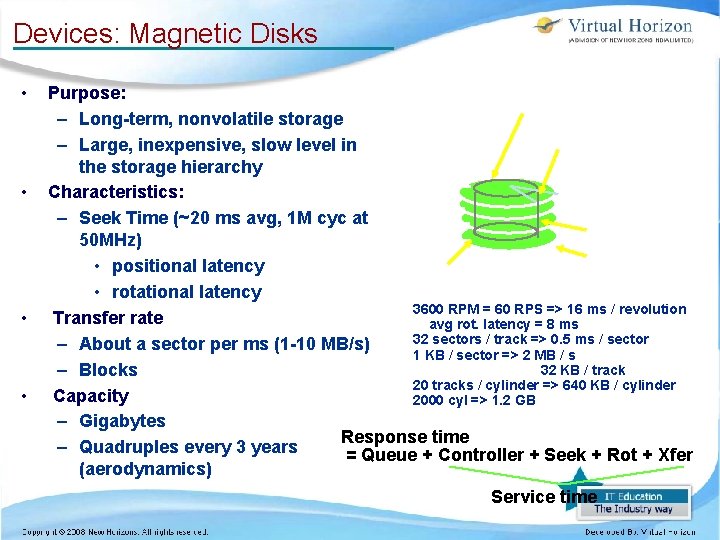
Devices: Magnetic Disks • • Purpose: Track – Long-term, nonvolatile storage Sector – Large, inexpensive, slow level in the storage hierarchy Characteristics: – Seek Time (~20 ms avg, 1 M cyc at Cylinder 50 MHz) Platter • positional latency Head • rotational latency 3600 RPM = 60 RPS => 16 ms / revolution Transfer rate avg rot. latency = 8 ms 32 sectors / track => 0. 5 ms / sector – About a sector per ms (1 -10 MB/s) 1 KB / sector => 2 MB / s 32 KB / track – Blocks 20 tracks / cylinder => 640 KB / cylinder Capacity 2000 cyl => 1. 2 GB – Gigabytes Response time – Quadruples every 3 years = Queue + Controller + Seek + Rot + Xfer (aerodynamics) Service time
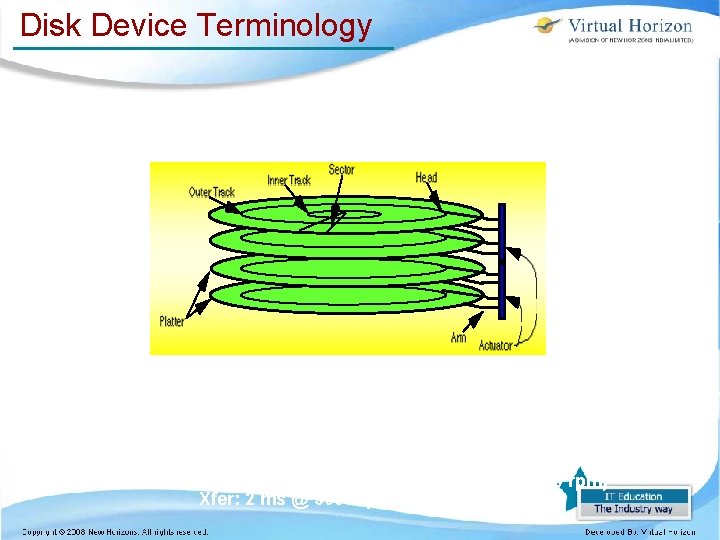
Disk Device Terminology Disk Latency = Queuing Time + Seek Time + Rotation Time + Xfer Time Order of magnitude times for 4 K byte transfers: Seek: 15 ms or less Rotate: 8. 3 ms @ 3600 rpm (4. 2 ms @ 7200 rpm) Xfer: 2 ms @ 3600 rpm (1 ms @ 7200 rpm)
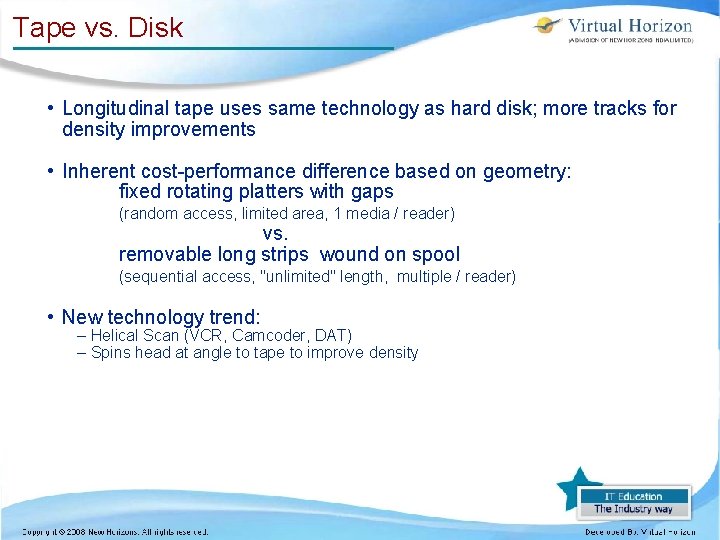
Tape vs. Disk • Longitudinal tape uses same technology as hard disk; more tracks for density improvements • Inherent cost-performance difference based on geometry: fixed rotating platters with gaps (random access, limited area, 1 media / reader) vs. removable long strips wound on spool (sequential access, "unlimited" length, multiple / reader) • New technology trend: – Helical Scan (VCR, Camcoder, DAT) – Spins head at angle to tape to improve density
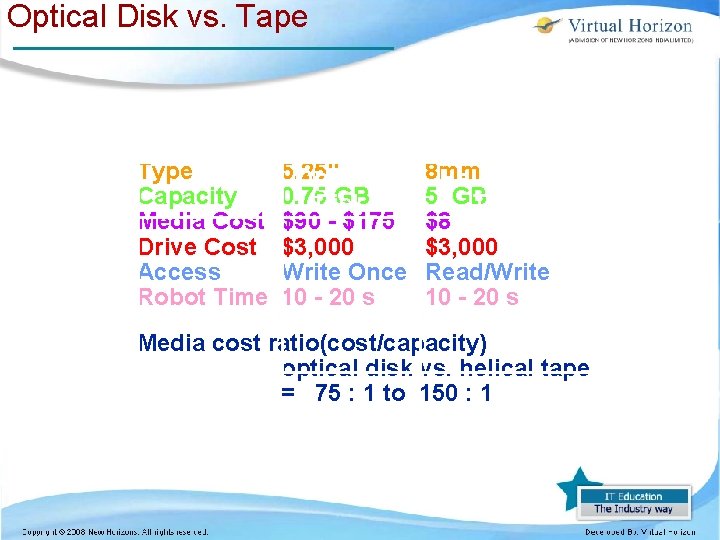
Optical Disk vs. Tape Type Capacity Media Cost Drive Cost Access Robot Time 5. 25" Optical 0. 75 GB Disk $90 - $175 $3, 000 Write Once 10 - 20 s 8 mm Helical Scan 5 GB Tape $8 $3, 000 Read/Write 10 - 20 s Media cost ratio(cost/capacity) optical disk vs. helical tape = 75 : 1 to 150 : 1
Current Drawbacks To Tape • Tape wears out: – Helical 100 s of passes to 1000 s for longitudinal • Head wears out: – 2000 hours for helical • Both must be accounted for in economic / reliability model • Long rewind, eject, load, spin-up times in helical tapes; not inherent, just no need in marketplace (so far)