
COMPUTER SUPPORTED LEARNING Distance vs Facetoface Synchronous vs
- Slides: 45
COMPUTER SUPPORTED LEARNING • Distance vs. Face-to-face • Synchronous vs. asynchronous • Individual vs. Collaborative
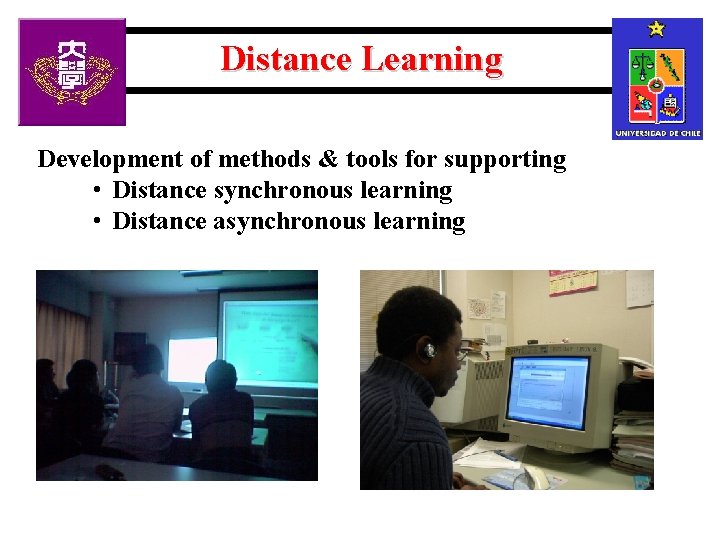
Distance Learning Development of methods & tools for supporting • Distance synchronous learning • Distance asynchronous learning
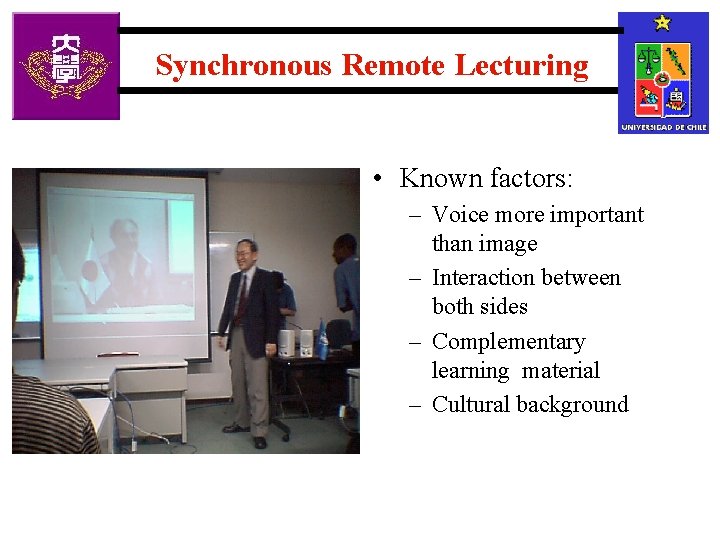
Synchronous Remote Lecturing • Known factors: Chile – Voice more important than image – Interaction between both sides – Complementary learning material – Cultural background
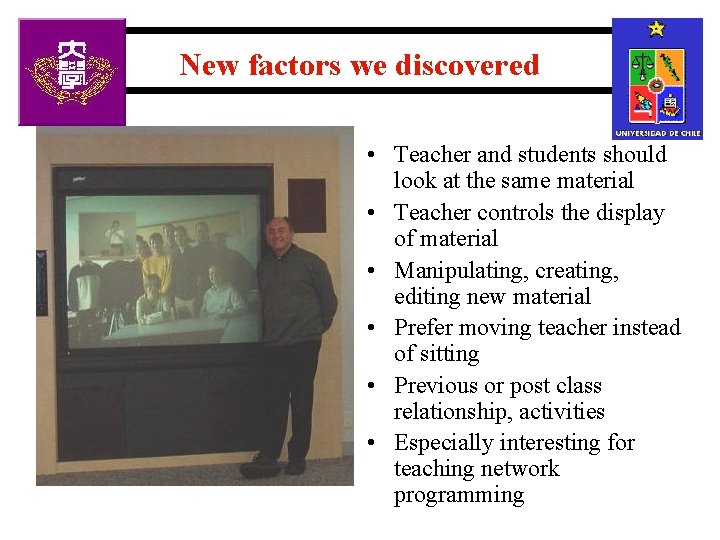
New factors we discovered • Teacher and students should look at the same material • Teacher controls the display of material • Manipulating, creating, editing new material • Prefer moving teacher instead of sitting • Previous or post class relationship, activities • Especially interesting for teaching network programming
Asynchronous Distance Learning • Lesson planning in Asynchronous Distance Learning means: – Selecting and sequencing of the learning material having a “normal” student in mind – Adapting the material and the sequence to the student who is actually using the learning material • Adaptability of the learning material
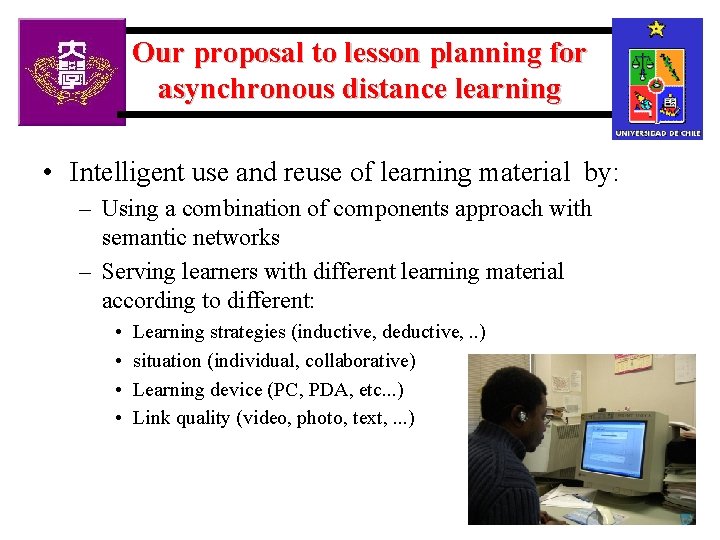
Our proposal to lesson planning for asynchronous distance learning • Intelligent use and reuse of learning material by: – Using a combination of components approach with semantic networks – Serving learners with different learning material according to different: • • Learning strategies (inductive, deductive, . . ) situation (individual, collaborative) Learning device (PC, PDA, etc. . . ) Link quality (video, photo, text, . . . )
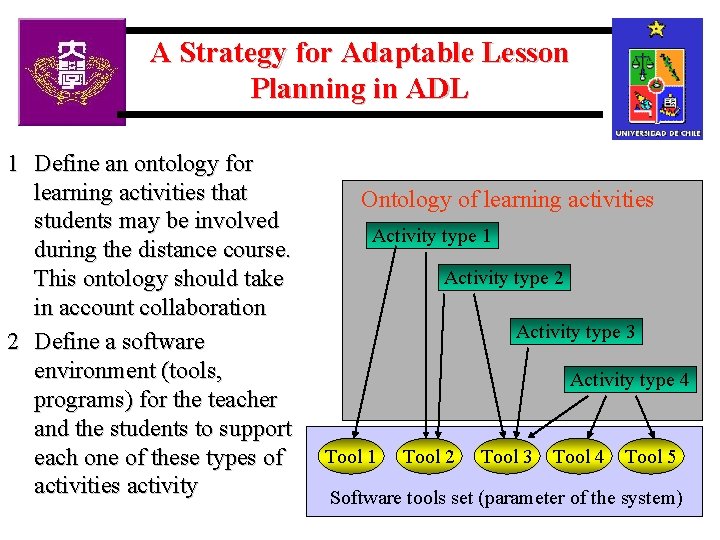
A Strategy for Adaptable Lesson Planning in ADL 1 Define an ontology for learning activities that students may be involved during the distance course. This ontology should take in account collaboration 2 Define a software environment (tools, programs) for the teacher and the students to support each one of these types of activities activity Ontology of learning activities Activity type 1 Activity type 2 Activity type 3 Activity type 4 Tool 1 Tool 2 Tool 3 Tool 4 Tool 5 Software tools set (parameter of the system)
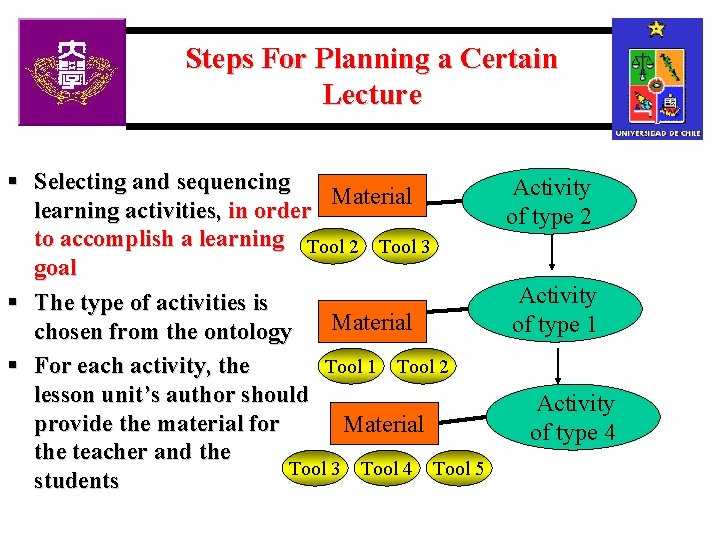
Steps For Planning a Certain Lecture § Selecting and sequencing Activity Material learning activities, in order of type 2 to accomplish a learning Tool 2 Tool 3 goal Activity § The type of activities is Material of type 1 chosen from the ontology § For each activity, the Tool 1 Tool 2 lesson unit’s author should Activity provide the material for Material of type 4 the teacher and the Tool 3 Tool 4 Tool 5 students
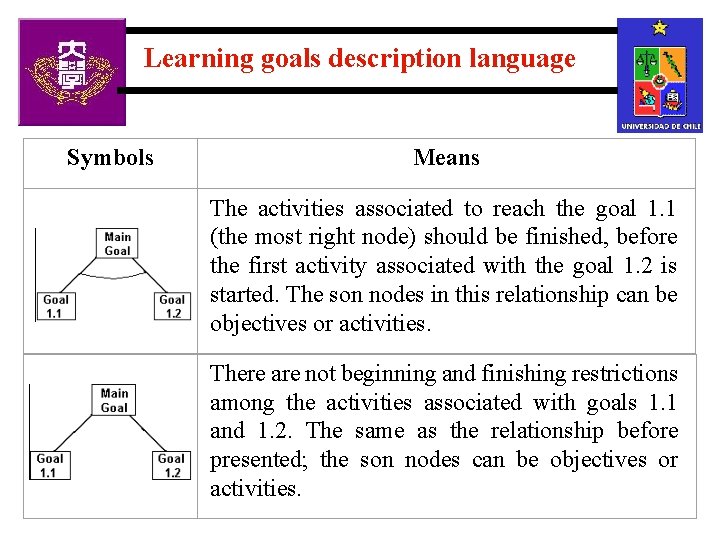
Learning goals description language Symbols Means The activities associated to reach the goal 1. 1 (the most right node) should be finished, before the first activity associated with the goal 1. 2 is started. The son nodes in this relationship can be objectives or activities. There are not beginning and finishing restrictions among the activities associated with goals 1. 1 and 1. 2. The same as the relationship before presented; the son nodes can be objectives or activities.
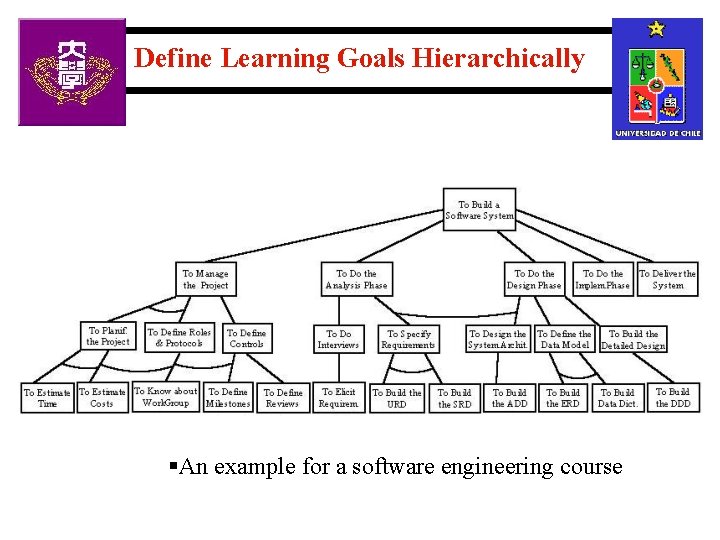
Define Learning Goals Hierarchically §An example for a software engineering course
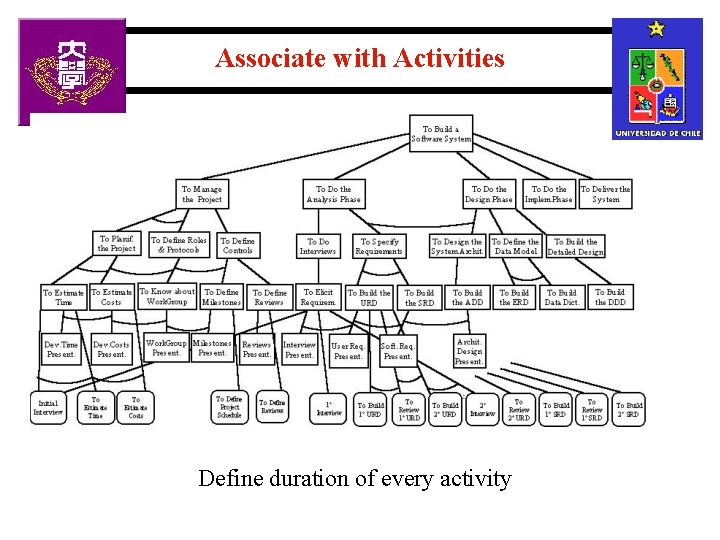
Associate with Activities Define duration of every activity
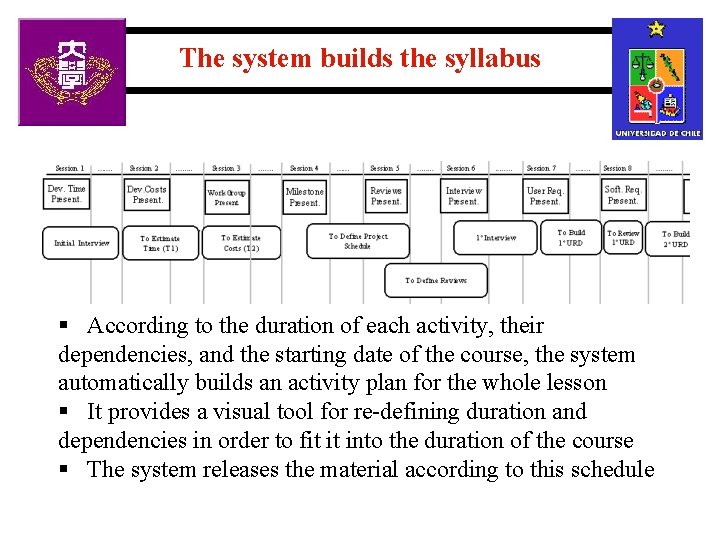
The system builds the syllabus § According to the duration of each activity, their dependencies, and the starting date of the course, the system automatically builds an activity plan for the whole lesson § It provides a visual tool for re-defining duration and dependencies in order to fit it into the duration of the course § The system releases the material according to this schedule
Intelligent download of learning material Ø Parallel downloading of the material, in case of mirrors (servers or other students) Ø Intelligent tradeoff for selecting the file to be downloaded under Qo. S criteria Ø Based on user’s profile and history Ø (more on this at the end, if there is enough time)
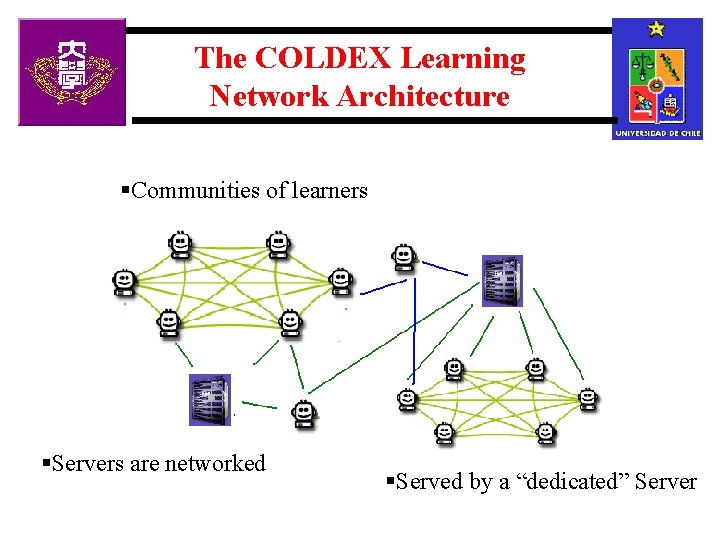
The COLDEX Learning Network Architecture §Communities of learners §Servers are networked §Served by a “dedicated” Server
Distributed Collaborative Experiments § Based on “Authentic activities” learning theory § Children learn by imitating work of real scientist § Challenge-based learning § The system should § help them to overcome the difficulties, like computing complicated equations, for which they do not have the required knowledge § allow them to work collaboratively § receive the help of the experts
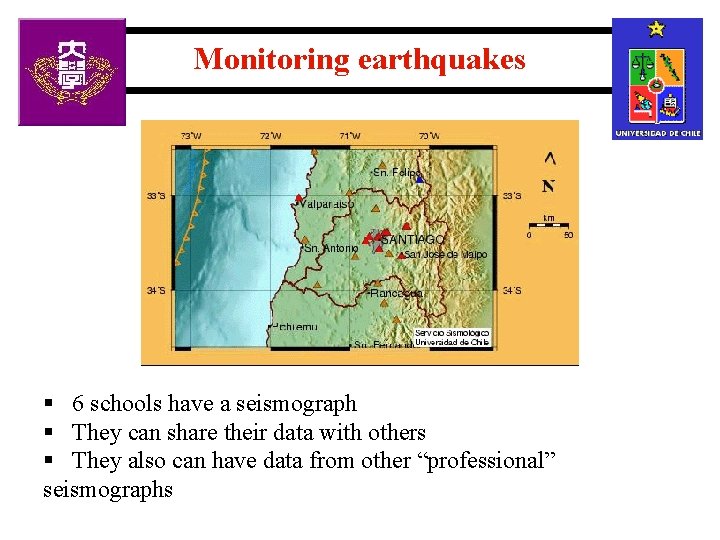
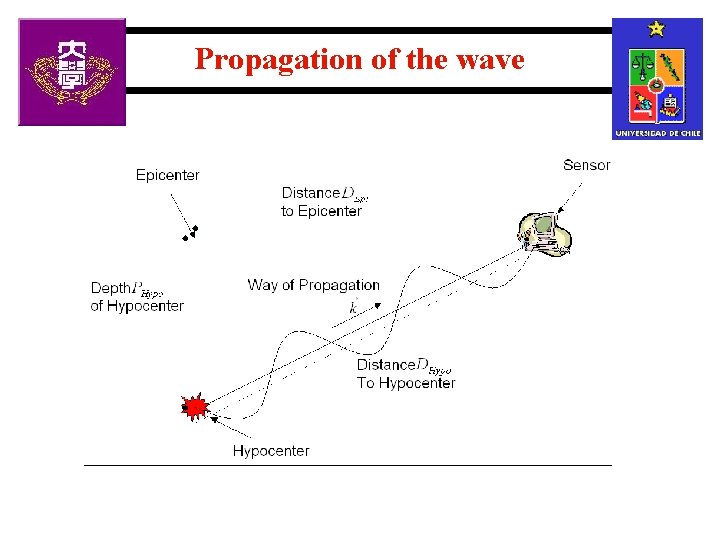
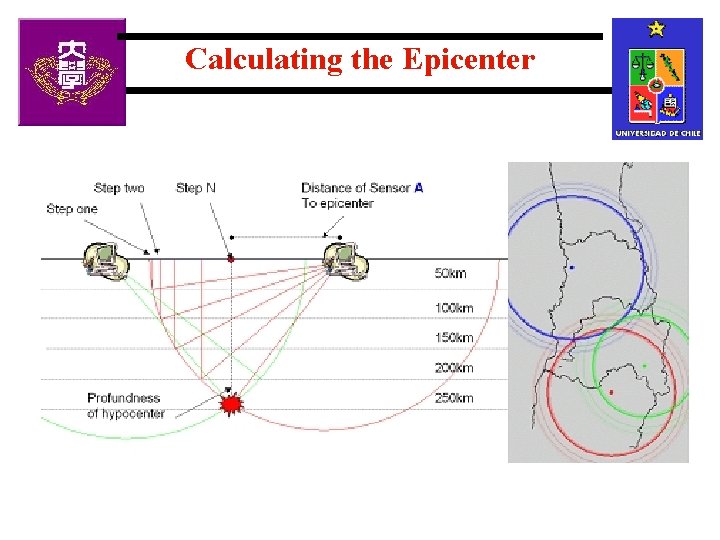
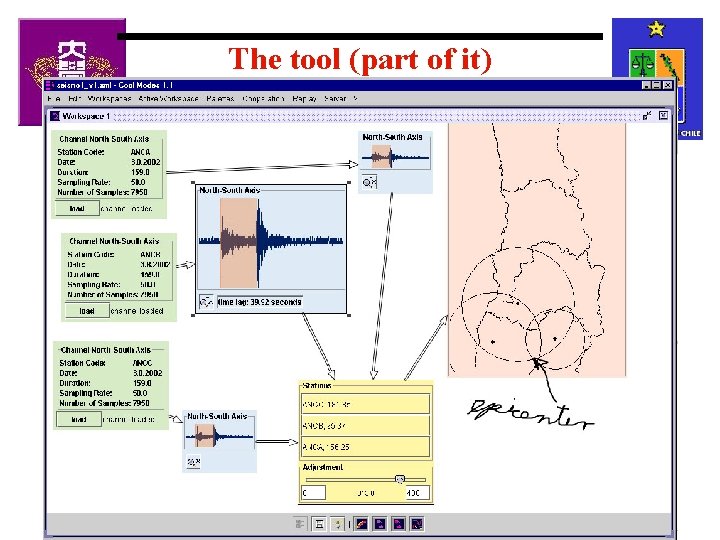
Monitoring earthquakes § 6 schools have a seismograph § They can share their data with others § They also can have data from other “professional” seismographs
Propagation of the wave
Calculating the Epicenter
The tool (part of it)
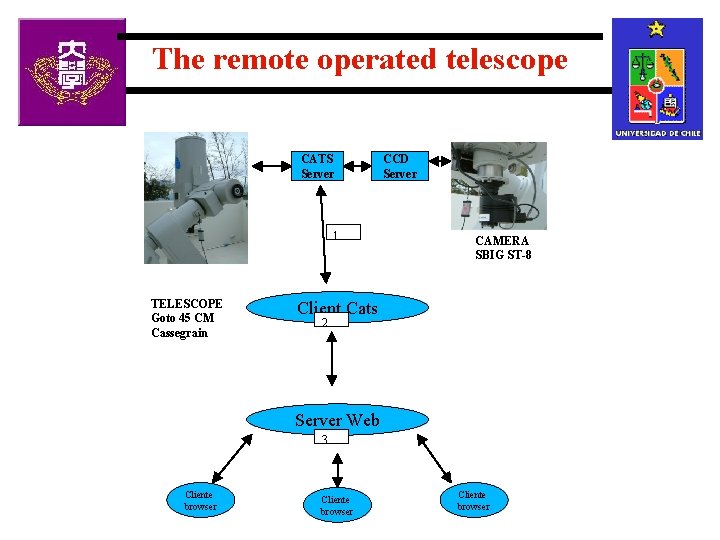
The remote operated telescope CATS Server 1 TELESCOPE Goto 45 CM Cassegrain CCD Server CAMERA SBIG ST-8 Client Cats 2 Server Web 3 Cliente browser
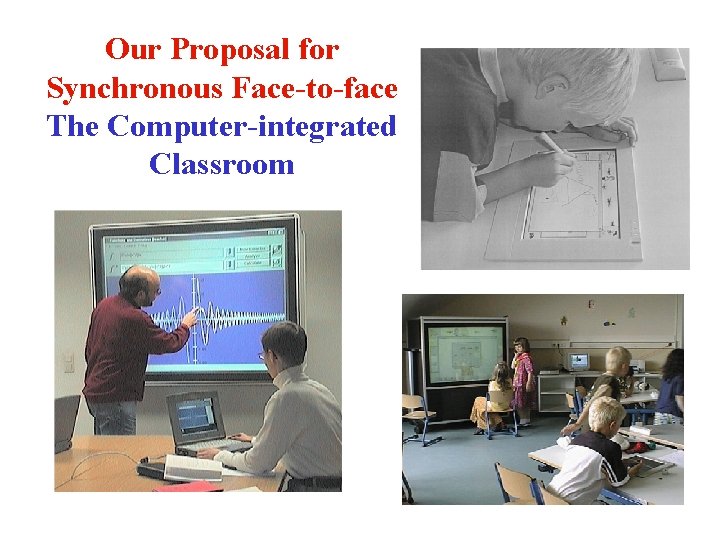
Our Proposal for Synchronous Face-to-face The Computer-integrated Classroom
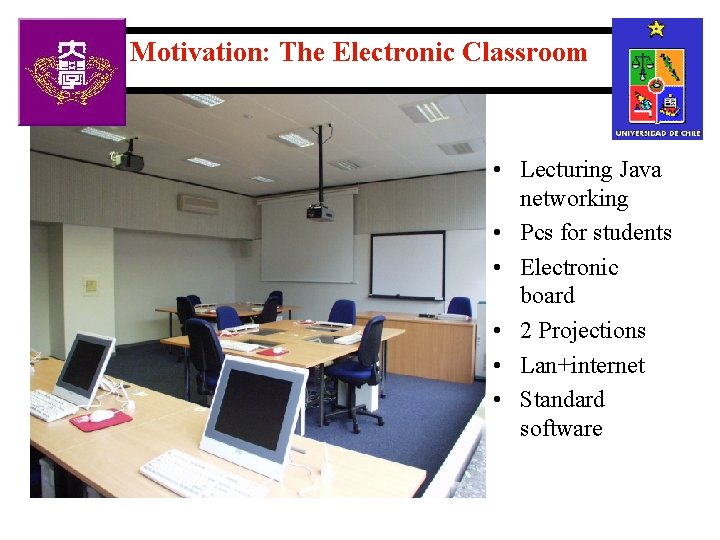
Motivation: The Electronic Classroom • Lecturing Java networking • Pcs for students • Electronic board • 2 Projections • Lan+internet • Standard software
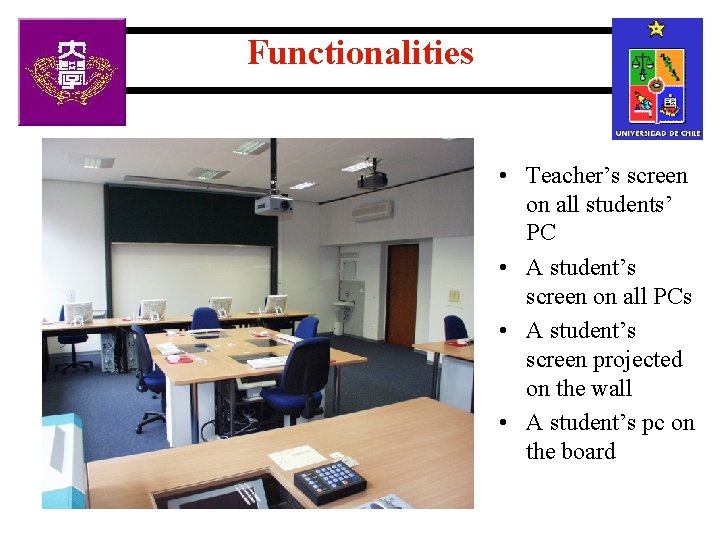
Functionalities • Teacher’s screen on all students’ PC • A student’s screen on all PCs • A student’s screen projected on the wall • A student’s pc on the board
Problems we found • Distribution of documents inside the classroom • Sharing the content of the document (not only the view) efficiently • Storing back modified or new documents on the server • Keeping track of document versioning • Keeping track of the use of the documents
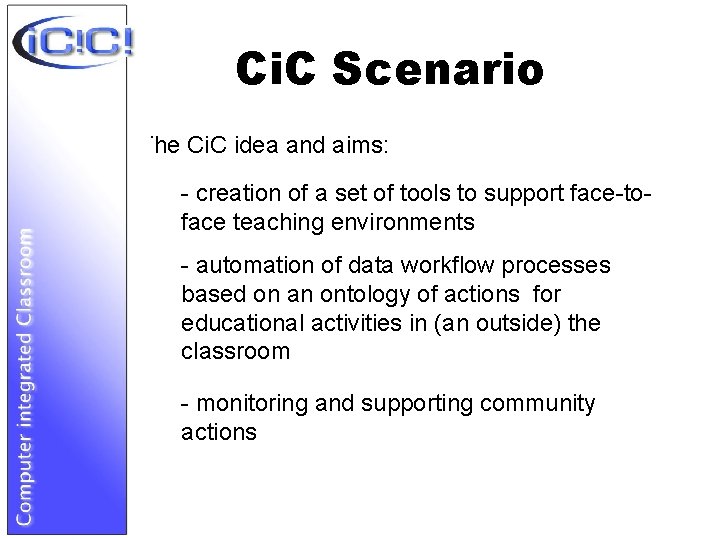
Ci. C Scenario The Ci. C idea and aims: - creation of a set of tools to support face-toface teaching environments - automation of data workflow processes based on an ontology of actions for educational activities in (an outside) the classroom - monitoring and supporting community actions
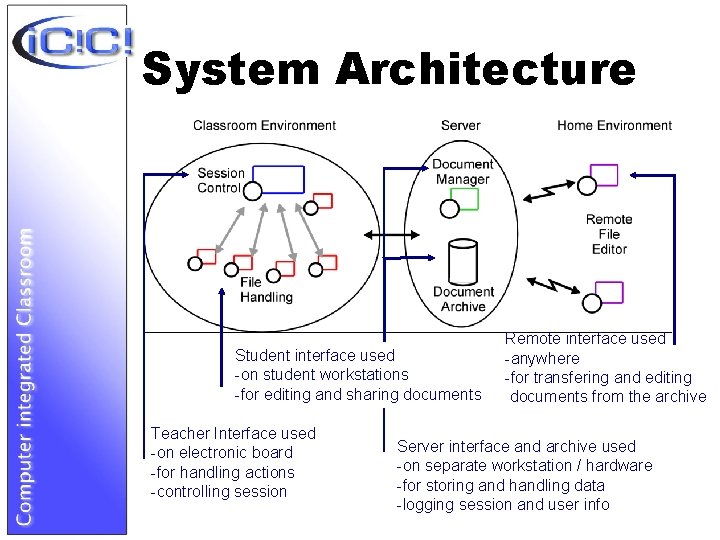
System Architecture Student interface used -on student workstations -for editing and sharing documents Teacher Interface used -on electronic board -for handling actions -controlling session Remote interface used -anywhere -for transfering and editing documents from the archive Server interface and archive used -on separate workstation / hardware -for storing and handling data -logging session and user info
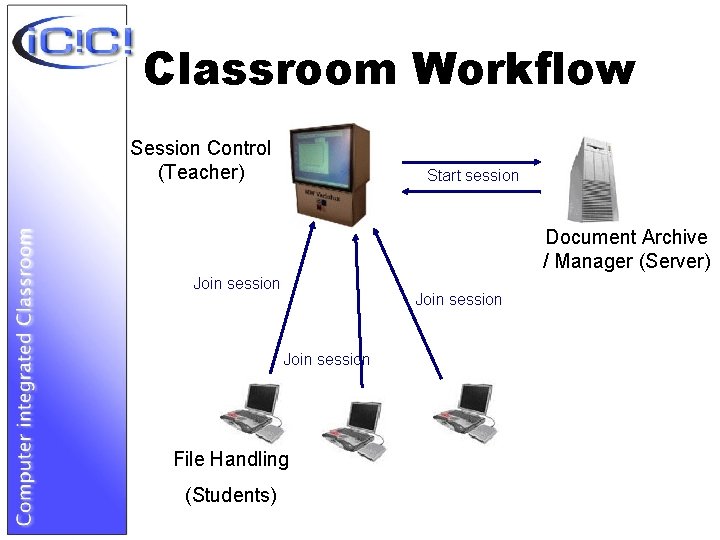
Classroom Workflow Session Control (Teacher) Start session Document Archive / Manager (Server) Join session File Handling (Students)
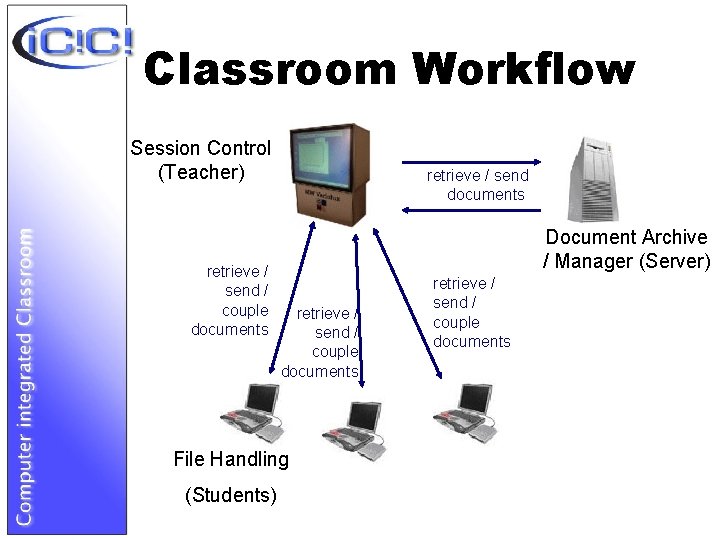
Classroom Workflow Session Control (Teacher) retrieve / send / couple documents retrieve / send documents Document Archive / Manager (Server) retrieve / send / couple documents File Handling (Students) retrieve / send / couple documents
Functionalities - Distributing / collecting assignments - Distributing / collecting homework - Sharing selected documents with selected users - Coupling active document with all / selected - Discussing with logged users - Remote access to / mirroring document structure - Keeping track of users‘ actions during session - Creating and editing documents (Free. Styler / XML) - Searching documents
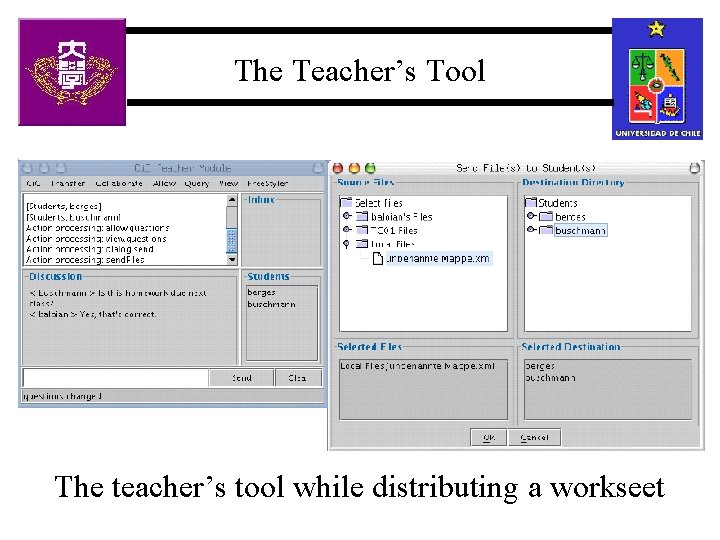
The Teacher’s Tool The teacher’s tool while distributing a workseet
Using e-boards in the Ci. C • Advantages – Showing MM learning material – The eye contact with the audience is maintained during presentation – Gestures can be used to bring attention to important parts • Disadvantages – Static presentation (lack of flexibility) – Changes of context, typing, searching for files interrupt the normal flow of the class
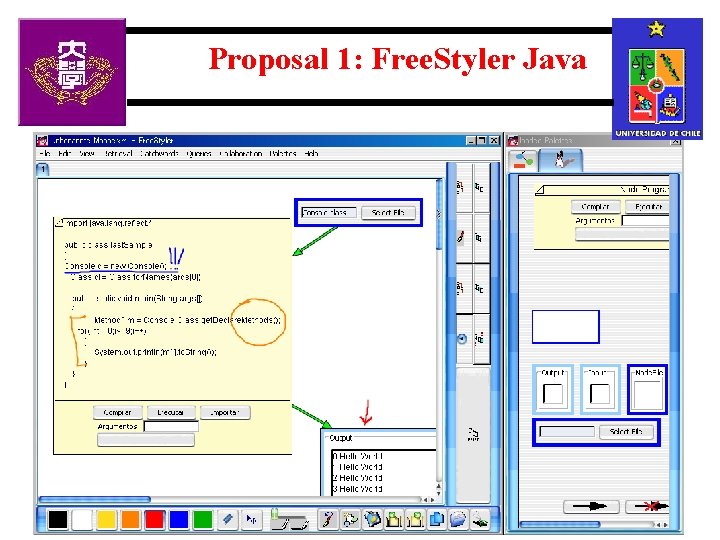
Proposal 1: Free. Styler Java
Proposal 1: Description and Scope • • • The system avoids the Context Changes. Integrates explanations and examples. Integrates different tasks under one framework. Integrates Presentation and Edition at the same time. • • Creation, modification and reuse of material.
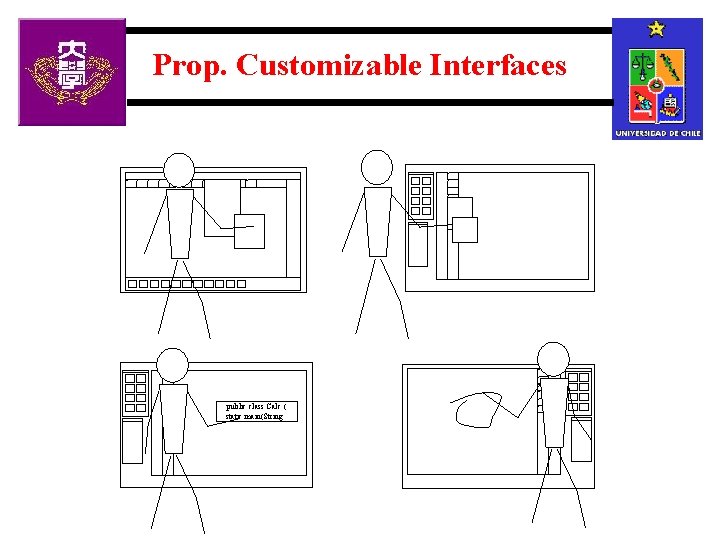
Prop. Customizable Interfaces public class Calc { static main(String …
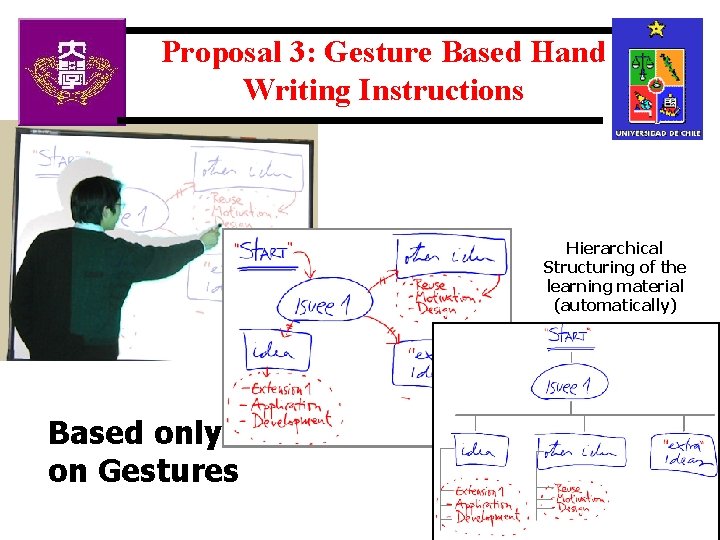
Proposal 3: Gesture Based Hand Writing Instructions Hierarchical Structuring of the learning material (automatically) Based only on Gestures
Conclusions and Solutions • Standard software is not developed for this situation • New interfaces are needed – Integration of activities in a single window (compiling, editing, running, explaining) – Interaction based on gestures and direct manipulation – Flexibility to change, create new, save , load learning material
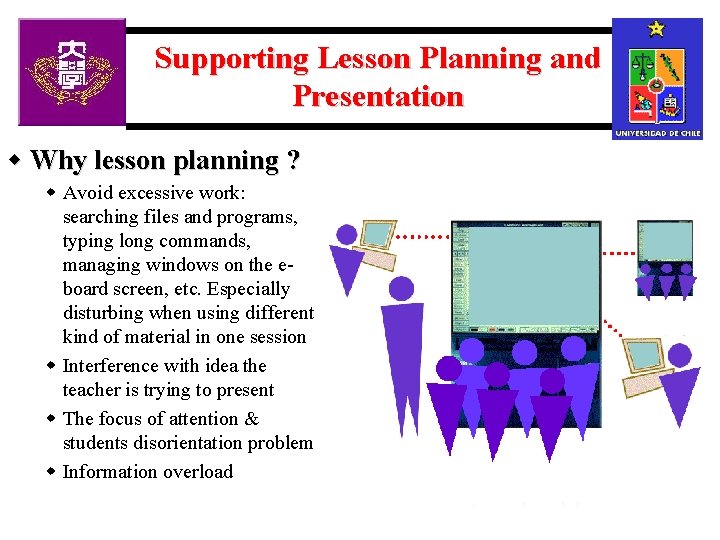
Supporting Lesson Planning and Presentation w Why lesson planning ? w Avoid excessive work: searching files and programs, typing long commands, managing windows on the eboard screen, etc. Especially disturbing when using different kind of material in one session w Interference with idea the teacher is trying to present w The focus of attention & students disorientation problem w Information overload
Requirements to Lesson Planning – The right material (programs, tools, files with learning material) should be retrievable by direct manipulation at the right time – Context changes must be fast to do – Plan should be flexible enough to adapt to students‘ needs and characteristics and to the teacher’s style of teaching – Support group activities: planning the distribution of additional material, exercises, discussion, receiving material from the students, etc. .
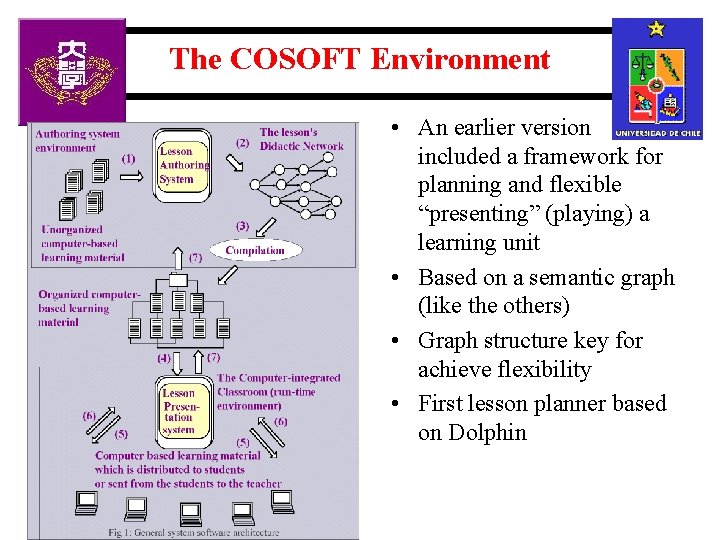
The COSOFT Environment • An earlier version included a framework for planning and flexible “presenting” (playing) a learning unit • Based on a semantic graph (like the others) • Graph structure key for achieve flexibility • First lesson planner based on Dolphin
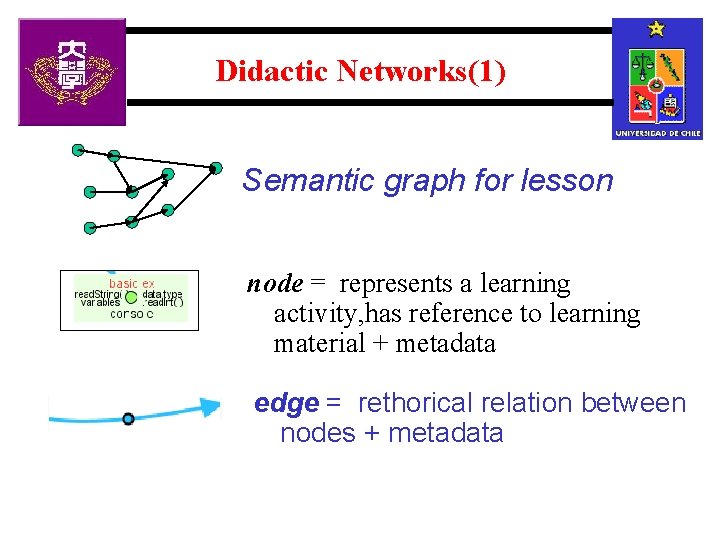
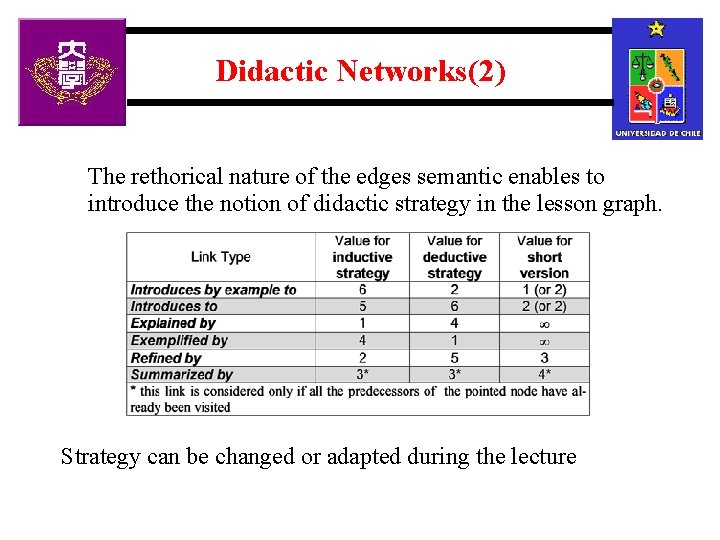
Didactic Networks(1) Semantic graph for lesson node = represents a learning activity, has reference to learning material + metadata edge = rethorical relation between nodes + metadata
Didactic Networks(2) The rethorical nature of the edges semantic enables to introduce the notion of didactic strategy in the lesson graph. Strategy can be changed or adapted during the lecture
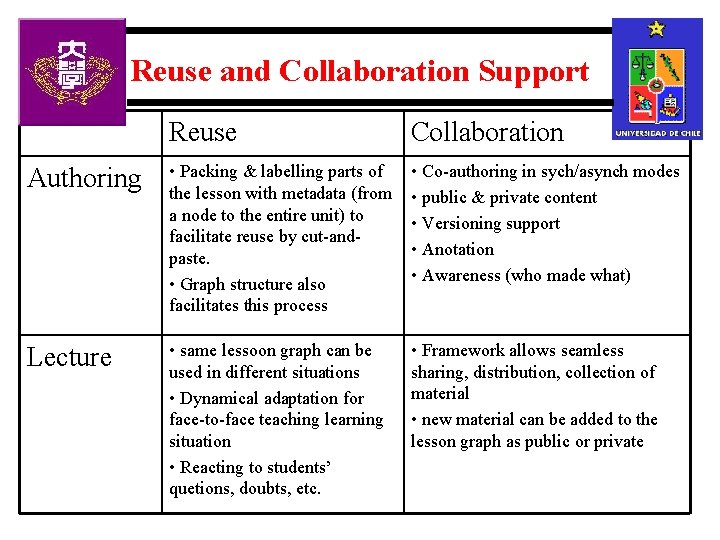
Reuse and Collaboration Support Reuse Collaboration Authoring • Packing & labelling parts of the lesson with metadata (from a node to the entire unit) to facilitate reuse by cut-andpaste. • Graph structure also facilitates this process • Co-authoring in sych/asynch modes • public & private content • Versioning support • Anotation • Awareness (who made what) Lecture • same lessoon graph can be used in different situations • Dynamical adaptation for face-to-face teaching learning situation • Reacting to students’ quetions, doubts, etc. • Framework allows seamless sharing, distribution, collection of material • new material can be added to the lesson graph as public or private
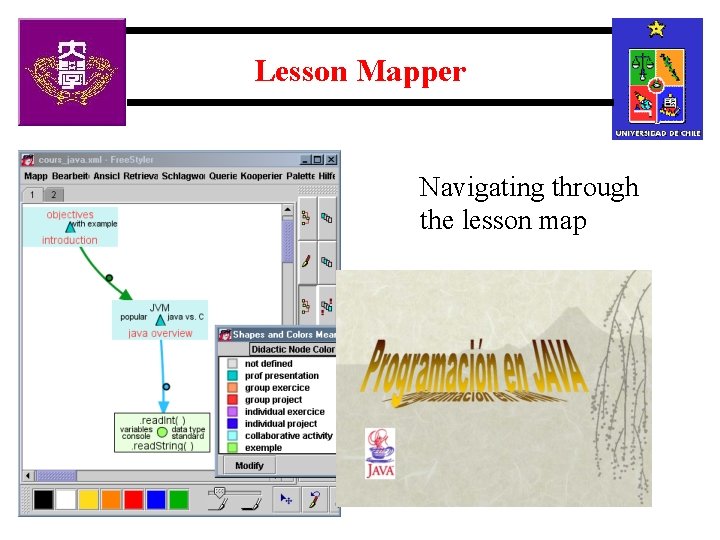
Lesson Mapper Navigating through the lesson map
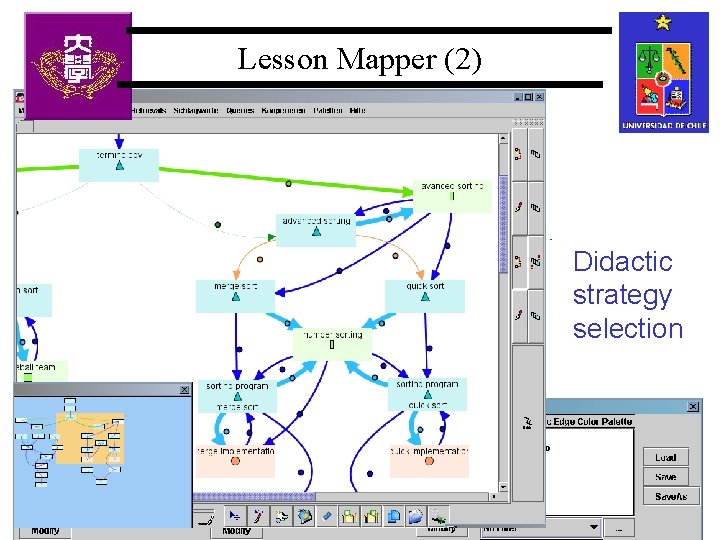
Lesson Mapper (2) Lesson graph vizualization Lesson map Didactic visualization strategy selection
Conclusions • Which is the best way to support Teaching/Learning with computers technology ? – The one that fits better to solve the particular teaching/learning situation – Maybe a combination of all ?