
Computer Security Port Scanning Port Scanning Definition Probing

Computer Security Port Scanning

Port Scanning Definition: Probing the ports on a remote machine to gain information n n Port – a virtual identifier on a system for a particular application/protocol Port usually backed up by a service/daemon process running on system, but not a 1 -1 mapping Usefulness n n Attacker: which ports are open? Defender: which ports are potential problems?
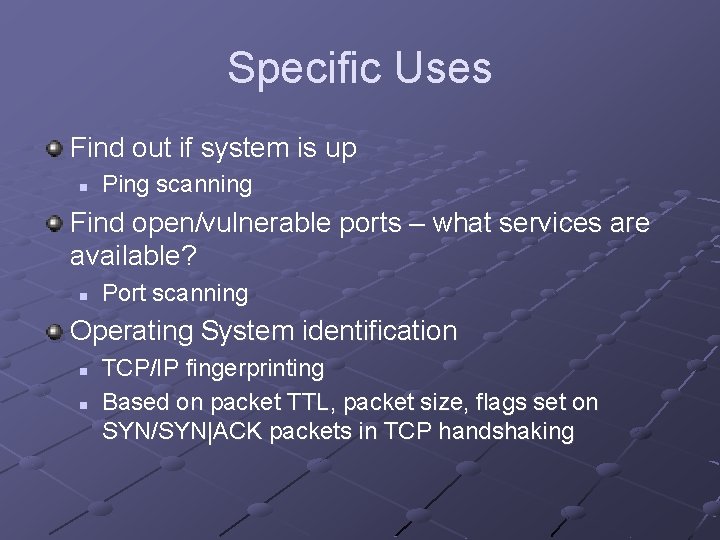
Specific Uses Find out if system is up n Ping scanning Find open/vulnerable ports – what services are available? n Port scanning Operating System identification n n TCP/IP fingerprinting Based on packet TTL, packet size, flags set on SYN/SYN|ACK packets in TCP handshaking
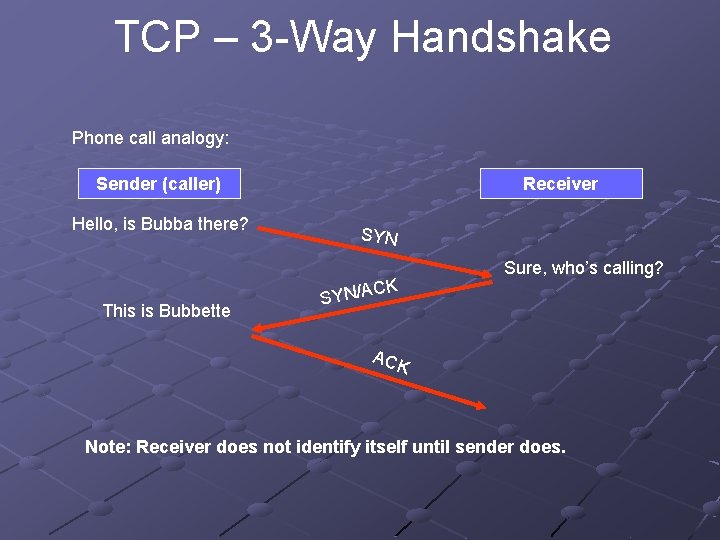
TCP – 3 -Way Handshake Phone call analogy: Sender (caller) Hello, is Bubba there? Receiver SYN CK This is Bubbette Sure, who’s calling? SYN/A ACK Note: Receiver does not identify itself until sender does.
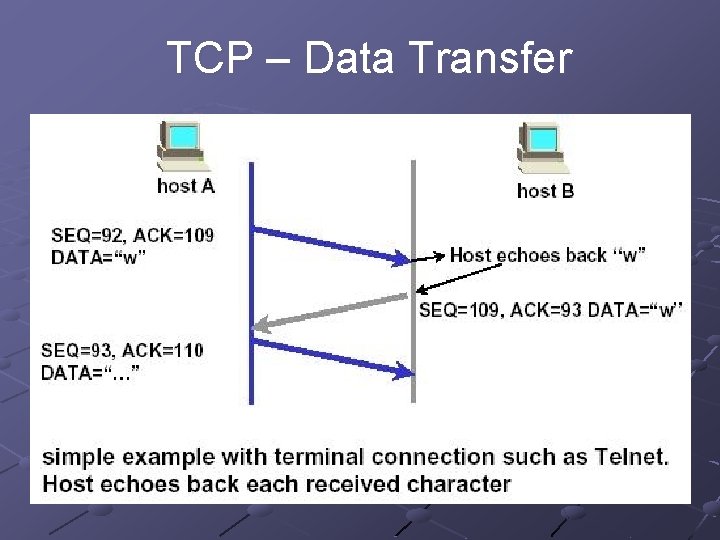
TCP – Data Transfer
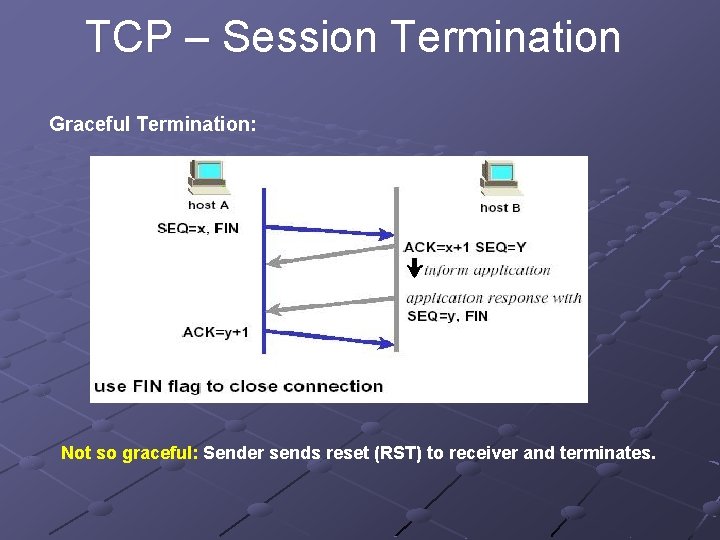
TCP – Session Termination Graceful Termination: Not so graceful: Sender sends reset (RST) to receiver and terminates.
How to use this information Identify exposed ports/services Shut down any unneeded services n Famous last words - “I didn’t know X was running on my system” Ensure that services that are running do not have security vulnerabilities
Issues How to use n Product dependent Possible problems with usage n Options can flood target machine with packets Ethics n Is it ethical to probe an arbitrary system? Most say no – should not attempt this without permission Identification of probing system n Read: http: //www. insecure. org/nmap/idlescan. html
nmap One of many software implementations of a port scanner Open source Available on Windows, Unix, other OSs GUI versions n n nmapfe (Linux) nmapwin (Windows) Supports many hardware options, including some PDAs http: //www. insecure. org
Nmap Options Basic Scan: -s n TCP Scan: -s. T Makes Full TCP connection Easily detected n TCP Syn Stealth Scan: -s. S Sends SYN packet (part of TCP handshaking) Target responds with SYN|ACK Sends RESET instead of final ACK These “half-open” packets are less detectable, though now usually are logged
Nmap Options (2) Basic Scans, cont. n UDP Scan: -s. U find open UDP ports n Ping Scan: -s. P find any machines that can be ping-ed
Nmap Options (3) Advanced Scans n FIN scan: -s. F Sends FIN packet to Target If port CLOSED, target responds with RESET If port in LISTEN mode, no response given If port in active connection, will begin terminating the connection n Christmas (X-mas) Tree: -s. X Sends odd combination (FIN, URG, PUSH) Bypasses some firewalls n n Null Scan: -s. N Fragment (combine with any of 3): -f break packet into pieces to defeat some firewalls
Nmap Options (4) Ping options n Standard Ping sweep: -PI Uses ICMP packets Will probably be blocked by firewall if present n “TCP” Ping: -PT Sends TCP ACK to port 80 by default Expects back a RST packet n n same, other port: -PT<port no. > turn off Ping scan: -P 0 // that’s a zero
Nmap Options (5) OS Fingerprinting: -O Range: -p <range> Specified port set: -F n scans only ports listed in nmap-services file Verbose: -v Specific Host: -I <host IP>
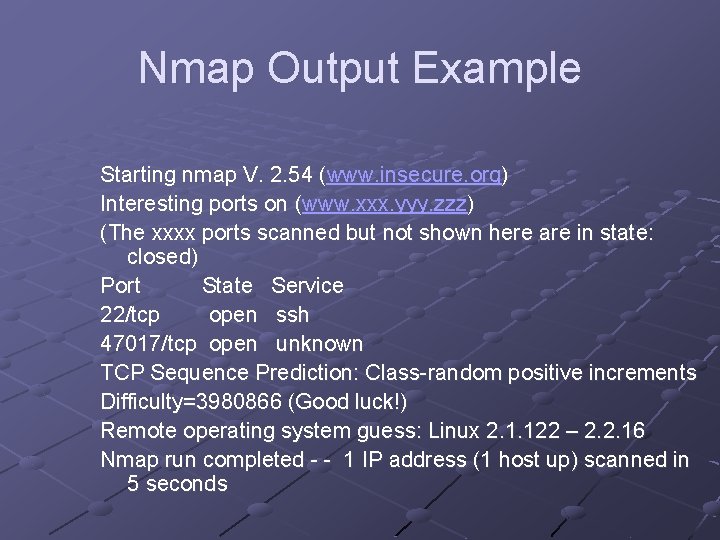
Nmap Output Example Starting nmap V. 2. 54 (www. insecure. org) Interesting ports on (www. xxx. yyy. zzz) (The xxxx ports scanned but not shown here are in state: closed) Port State Service 22/tcp open ssh 47017/tcp open unknown TCP Sequence Prediction: Class-random positive increments Difficulty=3980866 (Good luck!) Remote operating system guess: Linux 2. 1. 122 – 2. 2. 16 Nmap run completed - - 1 IP address (1 host up) scanned in 5 seconds
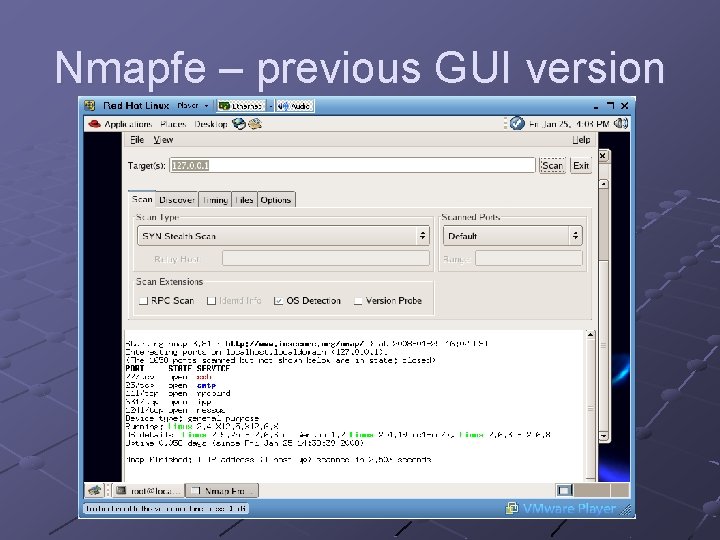
Nmapfe – previous GUI version
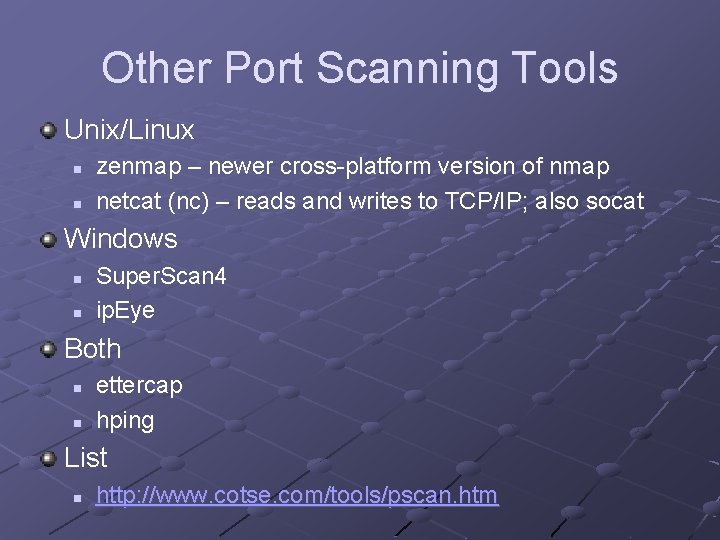
Other Port Scanning Tools Unix/Linux n n zenmap – newer cross-platform version of nmap netcat (nc) – reads and writes to TCP/IP; also socat Windows n n Super. Scan 4 ip. Eye Both n n ettercap hping List n http: //www. cotse. com/tools/pscan. htm
Super. Scan 4 Nice Windows GUI Many extra options Information on ports/services in HTML report format Note: must go to Hosts and Discovery tab, change TCP strategy from SYN to connect
- Slides: 18