
Computer Security Introduction Need Mechanisms Computer security Ensuring
- Slides: 22
Computer Security -Introduction -Need -Mechanisms
Computer security • Ensuring the availability and correct operation of a computer system without concern for the information or processed by the computer. • Governments, Military, corporate , financial institutions, hospitals and private businesses amass a great deal of confidential information about their employees, customers, products. • Most of this information is now collected, processed and stored on electronic computers and transmitted across networks to other computers.
Computer security • It is a branch of computer technology also known as information security. • Objective: Includes protection of Information and property from theft, corruption or natural disaster while allowing the information and property to remain accessible and productive to its users.
Meaning • The collective processes and mechanisms by which sensitive and valuable information and services are protected from Publication, tampering or collapse by unauthorized activities or untrustworthy individuals and unplanned events respectively.
Security threats and attack • • Threats of accidents and Malfunction Malicious software Threats of accidents and Malfunction Ø Ø A) B) C) D) E) F) G) H) Information systems will work as they are designed to work, that they will operate reliably and that the information generated will be correct. Risk of accidents originate from eight causes: Operator error Hardware malfunctions Software bugs Data errors Accidental disclosure of data Damage to physical facilities Inadequate system performance Liability for system performance
Errors • Operator error: A combination of inattention, Nonconformance to procedures, or other error by participants in a system. • Hardware Malfunction: Electrical power failure and telecommunication networks failure that provide the infrastructure needed by the computerized systems. • Software bugs: It is flaw in a program that causes it to produce incorrect or inappropriate results. Even the best tested software have bugs after testing is complete.
Data errors : Errors related to data stored in Information systems. . E. g. Phone numbers, zip codes, addresses… • Accidental disclosure of Information: Widespread usage of web and e-mail has led to increasing number of situations where in information is accidentally disclosed to people who shouldn’t have it. • Damage to Physical facilities: Computer facilities have been damaged by fires, floods, hurricanes, earthquakes. Computer and telecommunications may be disabled by power failures and network breakdown. • Inadequate system performance: Occurs when a system cannot handle the task required of it.
Malicious software • Malicious software ( Malware) is any software that gives partial or full control of your computer to do whatever the malware creator wants. • It can be a virus, worm, adware, spy ware etc. The damage done can vary from something slight as changing the author’s name on document to full control of your machine.
Categories of malicious software • Virus: Its much like biological virus that can replicate and spread. If its attached to a program and then loaded into the computer’s memory then the virus copy itself to all the programs or files. When such programs are executed then the copy of the virus attempts to replicate the virus again. • Worms: It is self-replicating program which uses computer network to send copies of itself to others. it doesn’t attach to a program and it may cause at least some harm to the network.
• Adware and spy ware: they embed themselves to watch what the user does and act upon that data. • Trojan: It is a malware that appears legitimate but performs illicit activity when it is run. • It may be used to locate password information or make the system more vulnerable to future entry or simple destroy programs or data on the hard disk.
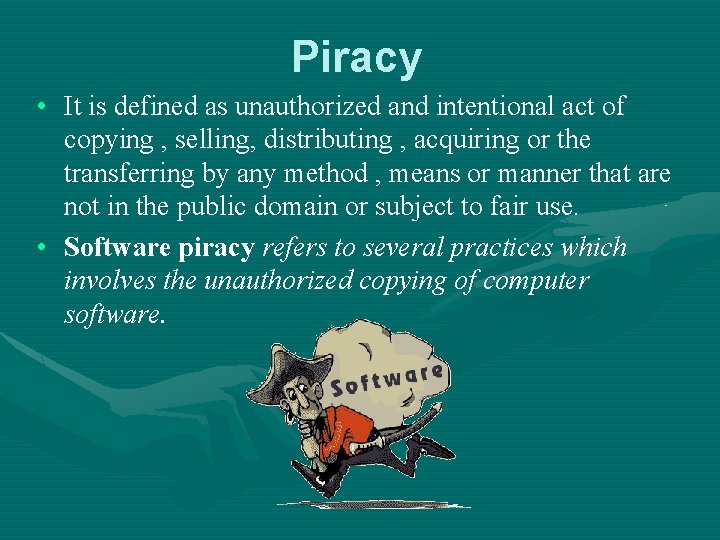
Piracy • It is defined as unauthorized and intentional act of copying , selling, distributing , acquiring or the transferring by any method , means or manner that are not in the public domain or subject to fair use. • Software piracy refers to several practices which involves the unauthorized copying of computer software.
Activities in Software Piracy • Creating a copy and /or selling it • Creating a copy and giving it to someone else • Creating a copy to serve as a backup • Renting the original software • Buying the original software • Soft lifting: Person purchases a single licensed copy of a software and loads it on several machines.
Security policy • It is a formal statement of the rules for people who are given access to an organization’s technology. • Care must be taken to identify and understand relevant and valid issues. • Goal is to protect information in line with its value and importance to the business process. • It should focus on allowing employees to access only the resources he or she needs to perform their job function.
Characteristics • It must be implementable through system administration procedures, publishing of acceptable use guidelines, or other appropriate methods. • It must be enforceable with security tools and with sanctions where actual prevention is not feasible. • It must clearly define the areas of responsibility for the users, administrators and management.
Components of security policy • Computer technology purchasing guidelines: specifies existing purchasing policies and guidelines. • Privacy policy: defines reasonable expectations of privacy regarding such issues as monitoring of e-mail, access to users files. • Accountability policy: It defines the responsibilities of users, operations staff, and management. • Authentication policy: it defines trust through an effective password policy.
Security services • Encryption: Passwords, messages , titles and other data can be transmitted in scrambled form and unscrambled by computer systems for authorized users only. It involves using special mathematical algorithms , keys to transform digital data into a scrambled code before they are transmitted , and to decode the data when they are received. e. g. : e-mail could be scrambled and encoded using a unique public key for the recipient which is known to the sender. after the e-mail is transmitted, only the recipient's secret private key could unscramble the message.
Firewall • Defined a as software or hardware that allows only those external users with specific characteristics to access a network or site. • Based on user names and passwords access is granted. • E. g. a vendor could permit entry to its website on the firewall only to those users with specific domain names belonging to companies that are in long-term to buy its products. • A firewall forms a barrier or shield between the corporate network and the external network.
E-mail monitoring • Hackers enter systems through e-mails. • Junk and exploitable e-mails is a cause of concern for businesses. • E-mail attachmnets are also asource of viruses. security policy is being communicated by top-notch companies also. Management has the right to access to emails, files created or stored in acompany’s system.
Other security measures • • Virus defenses: anti-virus software's like Kaspesrky. Security codes Backup files Biometric security: Using unique characteristics of users to grant access • Disaster recovery plans: by having complete replication of data.
Security mechanisms • Cryptography: secret writing; converts the message into a form in which its meaning is hidden and then transmitting it. Subsequent re-conversion then recover the original message at the destination. • Art of keeping messages secure is cryptography and people practicing it are cryptographers.
Encryption • Purpose is to supply confidentiality service for data flow. Decryption: The process of decoding data that has been encrypted into a secret format. Requires a secret key or password.
Digital signature • It consists of two processes: > Message signing: the signature is obtained form the message