
computer security 101 Eric Pancer Computer Security Response



- Slides: 45
computer security 101 Eric Pancer Computer Security Response Team http: //security. depaul. edu/ april, 2004
welcome! R Why Are You Here? R Why Am I Here? 2 april, 2004
sponsors Information Services Computer Security Response Team 3 april, 2004
incidents and trends april, 2004
what defines an incident? R A computer security incident covers a large range of violations, including: F Harassment, F Denial/Interruption of Service, F Malware Infection (worm, virus), F Unauthorized Access, F Misuse of Data or Services, F Copyright Infringement, F Spam? 5 april, 2004
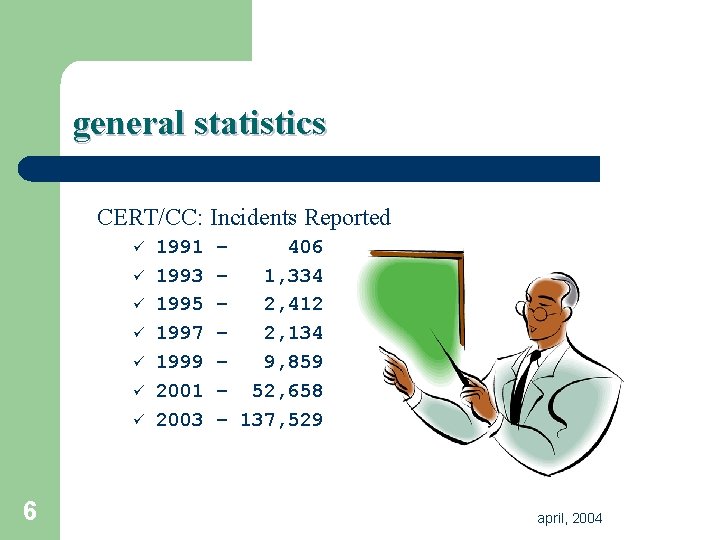
general statistics CERT/CC: Incidents Reported ü ü ü ü 6 1991 1993 1995 1997 1999 2001 2003 – 406 – 1, 334 – 2, 412 – 2, 134 – 9, 859 – 52, 658 – 137, 529 april, 2004
in our backyard N W 32. Blaster Worm 7 N ‘Bots P Exploited a vulnerability P Exploits common patched in July, 2003. P Unleashed August, 2003. P 900+ Infections from August 11, 2003 to October 11, 2003. P Persists at approximately 810 infections weekly. vulnerabilities. P Variants released weekly. P Centrally controlled. P Growing more and more malicious. P 700+ unique hosts since January, 2004. april, 2004
even more alarming N W 32. Slammer Worm R January, 2003. R Attacked… P…unpatched MS-SQL 2000 servers… P…unpatched desktops with Microsoft Desktop Engine… R Interrupted Bank of America ATM Services. R Caused a “meltdown” of University network services due to other “bugs” on the network. R Vulnerability was announced June, 2002! 8 april, 2004
how do we find violations? R Intelligence gathering is performed in many ways – though human interaction and communication is still the best method. F Reports to abuse@depaul. edu. F Internal reports. F Monitoring network flows. F Searching for attack patterns. F Hearsay, rumors, gossip. 9 april, 2004
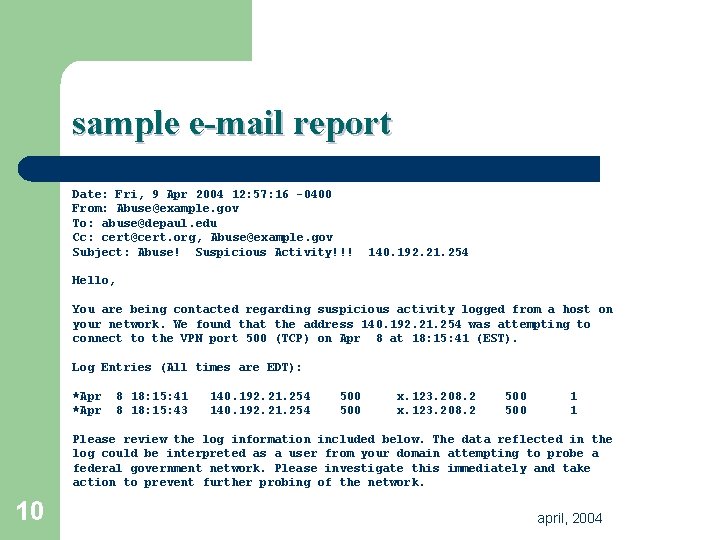
sample e-mail report Date: Fri, 9 Apr 2004 12: 57: 16 -0400 From: Abuse@example. gov To: abuse@depaul. edu Cc: cert@cert. org, Abuse@example. gov Subject: Abuse! Suspicious Activity!!! 140. 192. 21. 254 Hello, You are being contacted regarding suspicious activity logged from a host on your network. We found that the address 140. 192. 21. 254 was attempting to connect to the VPN port 500 (TCP) on Apr 8 at 18: 15: 41 (EST). Log Entries (All times are EDT): *Apr 8 18: 15: 41 8 18: 15: 43 140. 192. 21. 254 500 x. 123. 208. 2 500 1 1 Please review the log information included below. The data reflected in the log could be interpreted as a user from your domain attempting to probe a federal government network. Please investigate this immediately and take action to prevent further probing of the network. 10 april, 2004
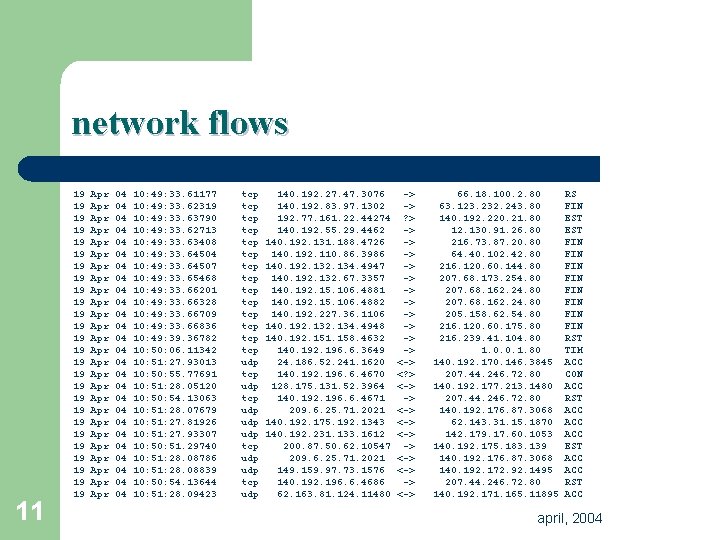
network flows 11 19 19 19 19 19 19 19 Apr Apr Apr Apr Apr Apr Apr 04 04 04 04 04 04 04 10: 49: 33. 61177 10: 49: 33. 62319 10: 49: 33. 63790 10: 49: 33. 62713 10: 49: 33. 63408 10: 49: 33. 64504 10: 49: 33. 64507 10: 49: 33. 65468 10: 49: 33. 66201 10: 49: 33. 66328 10: 49: 33. 66709 10: 49: 33. 66836 10: 49: 39. 36782 10: 50: 06. 11342 10: 51: 27. 93013 10: 55. 77691 10: 51: 28. 05120 10: 54. 13063 10: 51: 28. 07679 10: 51: 27. 81926 10: 51: 27. 93307 10: 51. 29740 10: 51: 28. 08786 10: 51: 28. 08839 10: 54. 13644 10: 51: 28. 09423 tcp tcp tcp tcp udp udp tcp udp 140. 192. 27. 47. 3076 140. 192. 83. 97. 1302 192. 77. 161. 22. 44274 140. 192. 55. 29. 4462 140. 192. 131. 188. 4726 140. 192. 110. 86. 3986 140. 192. 134. 4947 140. 192. 132. 67. 3357 140. 192. 15. 106. 4881 140. 192. 15. 106. 4882 140. 192. 227. 36. 1106 140. 192. 134. 4948 140. 192. 151. 158. 4632 140. 192. 196. 6. 3649 24. 186. 52. 241. 1620 140. 192. 196. 6. 4670 128. 175. 131. 52. 3964 140. 192. 196. 6. 4671 209. 6. 25. 71. 2021 140. 192. 175. 192. 1343 140. 192. 231. 133. 1612 200. 87. 50. 62. 10547 209. 6. 25. 71. 2021 149. 159. 97. 73. 1576 140. 192. 196. 6. 4686 62. 163. 81. 124. 11480 -> -> ? > -> -> -> <? > <-> -> <-> 66. 18. 100. 2. 80 63. 123. 232. 243. 80 140. 192. 220. 21. 80 12. 130. 91. 26. 80 216. 73. 87. 20. 80 64. 40. 102. 42. 80 216. 120. 60. 144. 80 207. 68. 173. 254. 80 207. 68. 162. 24. 80 205. 158. 62. 54. 80 216. 120. 60. 175. 80 216. 239. 41. 104. 80 1. 0. 0. 1. 80 140. 192. 170. 146. 3845 207. 44. 246. 72. 80 140. 192. 177. 213. 1480 207. 44. 246. 72. 80 140. 192. 176. 87. 3068 62. 143. 31. 15. 1870 142. 179. 17. 60. 1053 140. 192. 175. 183. 139 140. 192. 176. 87. 3068 140. 192. 172. 92. 1495 207. 44. 246. 72. 80 140. 192. 171. 165. 11895 RS FIN EST FIN FIN RST TIM ACC CON ACC RST ACC ACC EST ACC RST ACC april, 2004
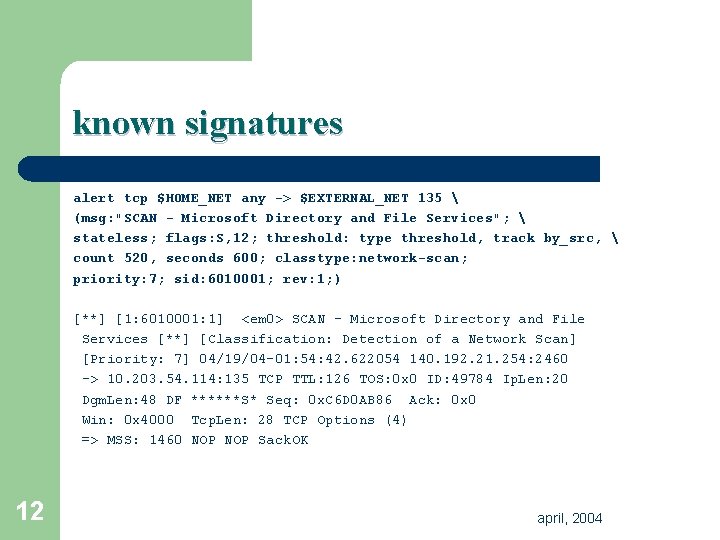
known signatures alert tcp $HOME_NET any -> $EXTERNAL_NET 135 (msg: "SCAN - Microsoft Directory and File Services"; stateless; flags: S, 12; threshold: type threshold, track by_src, count 520, seconds 600; classtype: network-scan; priority: 7; sid: 6010001; rev: 1; ) [**] [1: 6010001: 1] <em 0> SCAN - Microsoft Directory and File Services [**] [Classification: Detection of a Network Scan] [Priority: 7] 04/19/04 -01: 54: 42. 622054 140. 192. 21. 254: 2460 -> 10. 203. 54. 114: 135 TCP TTL: 126 TOS: 0 x 0 ID: 49784 Ip. Len: 20 Dgm. Len: 48 DF ******S* Seq: 0 x. C 6 D 0 AB 86 Ack: 0 x 0 Win: 0 x 4000 Tcp. Len: 28 TCP Options (4) => MSS: 1460 NOP Sack. OK 12 april, 2004
is it 1984? M Are you Big Brother? M Why do you care? M Do you read my email? M Isn’t the network secure? M I don’t do anything malicious, so don’t look at what I do please. 13 april, 2004
general concepts april, 2004
common myths F “Why should I care, I have nothing to hide. ” F “Why does anyone care about my computer? ” F “It’s too difficult to get access to my computer or personal information…” F “If someone tries to [insert malicious activity here], I will notice!” F “Ignorance is bliss!” 15 april, 2004
are you at risk? Using the following puts you at risk: ü Computers ü Credit Cards ü Banks ü Airlines ü Automobiles ü …many more… 16 april, 2004
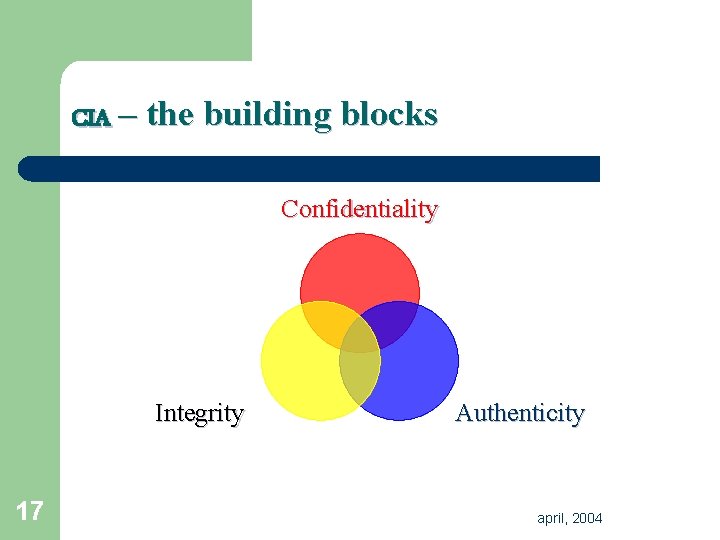
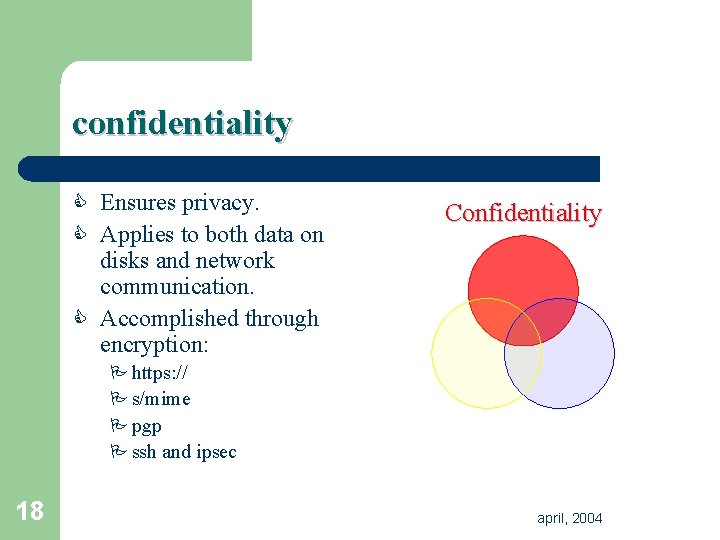
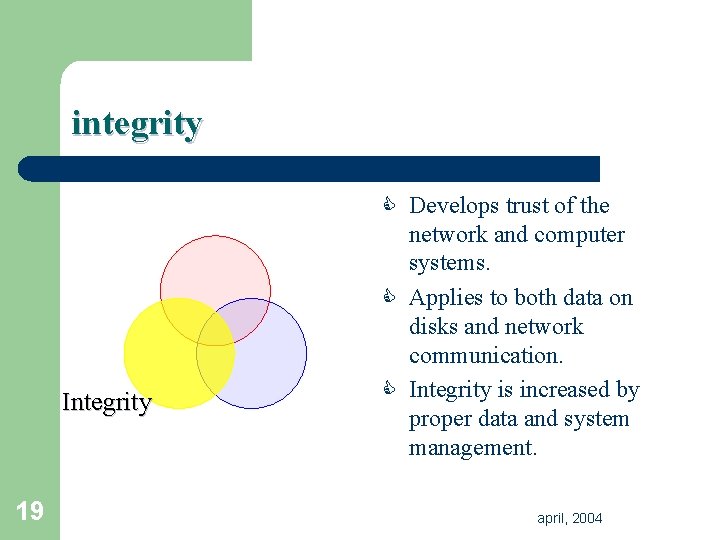
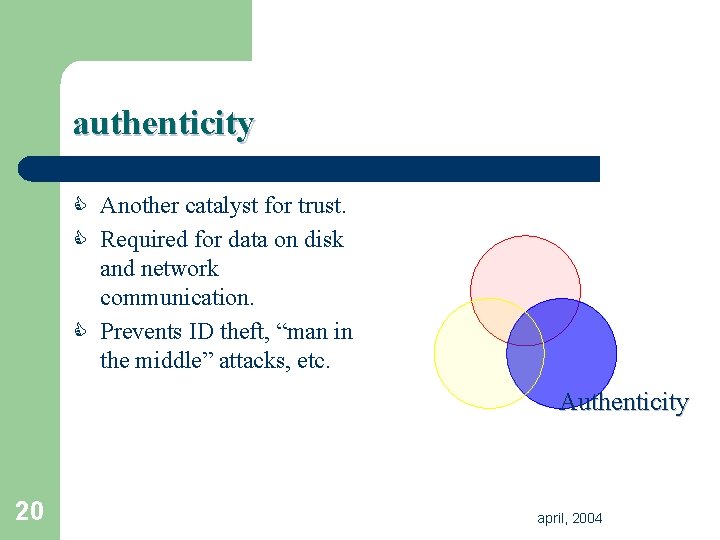
CIA – the building blocks Confidentiality Integrity 17 Authenticity april, 2004
confidentiality C Ensures privacy. C Applies to both data on Confidentiality disks and network communication. C Accomplished through encryption: P https: // P s/mime P pgp P ssh and ipsec 18 april, 2004
integrity C Develops trust of the Integrity 19 network and computer systems. C Applies to both data on disks and network communication. C Integrity is increased by proper data and system management. april, 2004
authenticity C Another catalyst for trust. C Required for data on disk and network communication. C Prevents ID theft, “man in the middle” attacks, etc. Authenticity 20 april, 2004
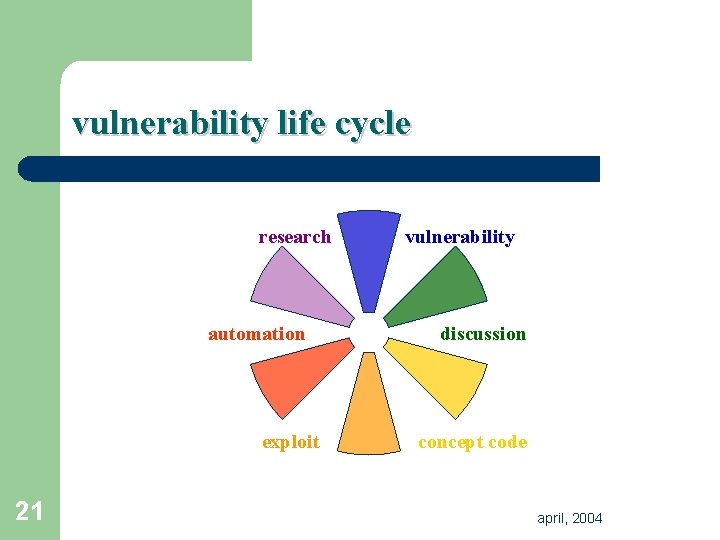
vulnerability life cycle research automation exploit 21 vulnerability discussion concept code april, 2004
assumptions R Researchers will continue to find new bugs and vulnerabilities. R Active exploitation of these vulnerabilities will continue through worms, viruses, etc. R Technology will continue to progress and the quality of code will continue to fall. J Santa Claus is real! 22 april, 2004
terminology april, 2004
denial of service & The overload of a system preventing the normal use of that system. i A denial of service (Do. S) attack is a common method to prevent users from accessing websites. 24 april, 2004
scanning & Enumerating the security of a computer system and/or the service(s) they provide. i A “portscan” commonly occurs to check the type of computer operating system being used. i Thousands of portscans against the University have taken place in the time you have read this slide! 25 april, 2004
exploit & A piece of malicious code or action against a computer system to elevate privileges or gain further access. i Exploits mostly act on bugs found in software or hardware. These bugs are usually due to human error coding or system misconfiguration. 26 april, 2004
virus & A virus is a piece of code that modifies existing applications or data to change the behavior of that application or of data. i Viruses rely on human interaction to ensure their survival and propagation. 27 april, 2004
worm & A worm is a program that propagates itself over a network, reproducing itself and changing as needed, to survive and adapt. i The term worm is derived from tapeworm as coined in John Brunner’s book “Shockwave Rider. ” 28 april, 2004
(ro)bot & A software program or computer that performance repetetive functions; usually commanded as part of a botnet (see next slide). i Although robots were first introduced to spider the world wide web, the term bot has come to represent an increasing threat against computer users. 29 april, 2004
botnet & A collection of computers acting in conjunction with one another to perform automated tasks. i Botnets can be built using viruses, worms or other attacks. These botnets (sometimes thousands of computers) can then carry out “scan and ‘sploit” actions automatically. 30 april, 2004
feeling overwhelmed yet? 31 april, 2004
defending with technology april, 2004
start with the basics P Basic computer security is through technology is easy; use… F A firewall, F Anti-Virus Software, F Patch your computer quickly, when required, F Strong passwords! 33 april, 2004
firewalls R The most useful tool in your bag of R R 34 defenses. Prevents intruders from accessing services on your computer. Validates/normalizes network traffic. May provide reports and trend analysis. Available for all major operating systems – usually for free! april, 2004
anti-virus software R Stops viruses and worms sent by email, attachments, downloads, etc. R Detects malicious software through intelligent heuristics. R Available for all major desktop and server operating systems. R A requirement; not an option. 35 april, 2004
patches R (Usually) free updates to your computer; can be R R 36 downloaded from the Internet. Available before most exploits surface. Automated, usually. Critical to overall security. Chant: “We Must Patch, We Must Patch…” april, 2004
strong passwords R Keeps you on-target with best practices. R Is composed of 8 or more characters and includes letters, numbers and 2 special characters, including !@#$%^&. -+-=|]{}: ”. R Not based on any dictionary word from any language. R Changes regularly; not shared. 37 april, 2004
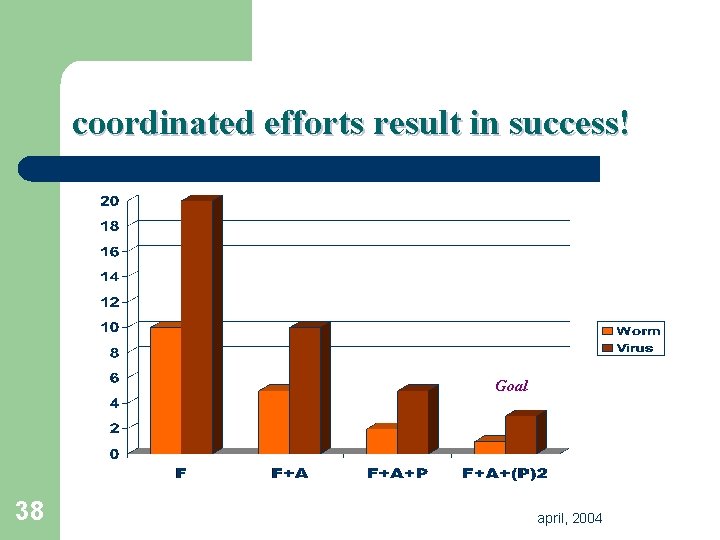
coordinated efforts result in success! Goal 38 april, 2004
behavioral changes april, 2004
what technology doesn’t solve P Security technologies adapt as threats appear. They are not able to (easily) combat: F Threats, F Hoaxes, F Scams, F The behavior of others. 40 april, 2004
the clue factor 41 april, 2004
education and awareness R Education and awareness are key to increasing the security posture of the University, and global Internet. F Dispells the FUD (fear, uncertainty, doubt). F Addresses problems before they exist. F Extends the radius of clue. F Creates inclusion in the entire infosecurity effort. 42 april, 2004
self-education R You can increase your own awareness of security related issues. C Subscribe to mailing lists for security notifications. C Visit security related websites. C Contact us, we’re always willing to help. C Voice your concern on security related issues, helping raise awareness in others. 43 april, 2004
test your efforts C Contact us and we can schedule a vulnerability scan for your department or network. C Register your network with us; we can send you reports of suspicious behavior. C Help us tailor an awareness program for your department. C Remember: security is about sharing knowledge and contacts, not technology. 44 april, 2004
thank you! P Questions? P Contact CSRT: Computer Security Response Team abuse@depaul. edu security@depaul. edu http: //security. depaul. edu/ or… Eric Pancer epancer@security. depaul. edu pgp: C 022 4991 41 E 5 51 E 7 683 C 45 F 765 62 F 7 7 F 8 E 7 ACB CFF 3 april, 2004