
COMPUTER SCIENCE VIRTUAL CLASS AN INTRODUCTION TO COMPUTER

- Slides: 26
COMPUTER SCIENCE – VIRTUAL CLASS AN INTRODUCTION TO COMPUTER SCIENCE, WEB DESIGN, PROGRAMMING, AND SECURITY. Hosted By Michael Green
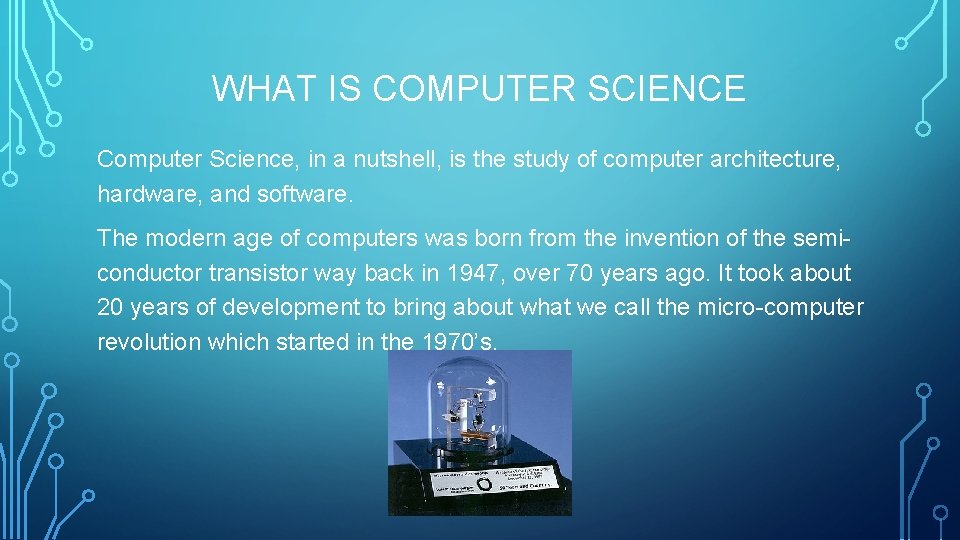
WHAT IS COMPUTER SCIENCE Computer Science, in a nutshell, is the study of computer architecture, hardware, and software. The modern age of computers was born from the invention of the semiconductor transistor way back in 1947, over 70 years ago. It took about 20 years of development to bring about what we call the micro-computer revolution which started in the 1970’s.
WHAT IS SO IMPORTANT ABOUT THE TRANSISTOR? The transistors can function in two different ways. • An amplifier: They make things like hearing aides and the transistor radio possible by amplifying the energy of different frequencies. • A switch: Transistors can function like a switch. On and off. This corresponds to the basic language that computers understand. 1’s and 0’s, better known as binary or base 2 in math. By combining transistors in different ways we are able to create small circuits that produce different results based on various combinations of input. It’s these small circuits that allow us to build memory chips and microprocessors. All thanks to the transistors.
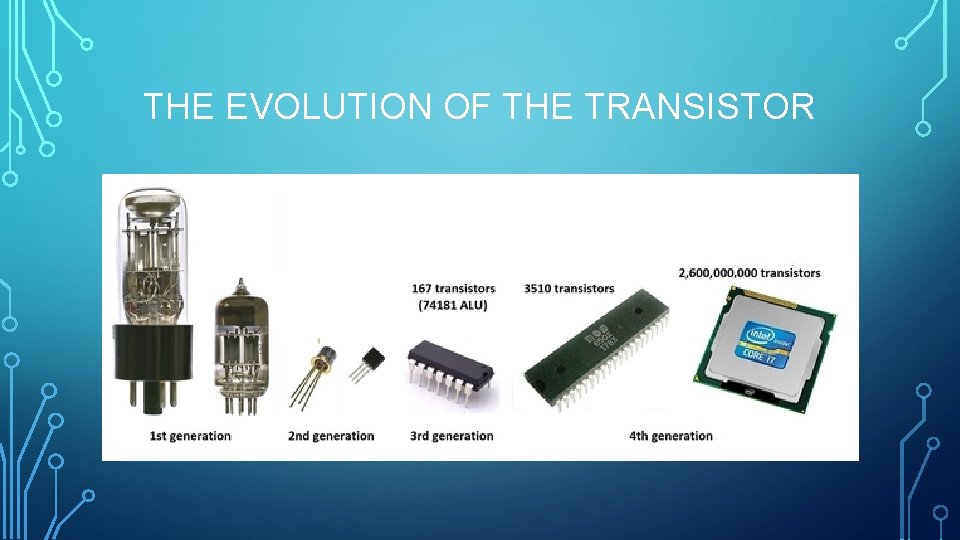
THE EVOLUTION OF THE TRANSISTOR
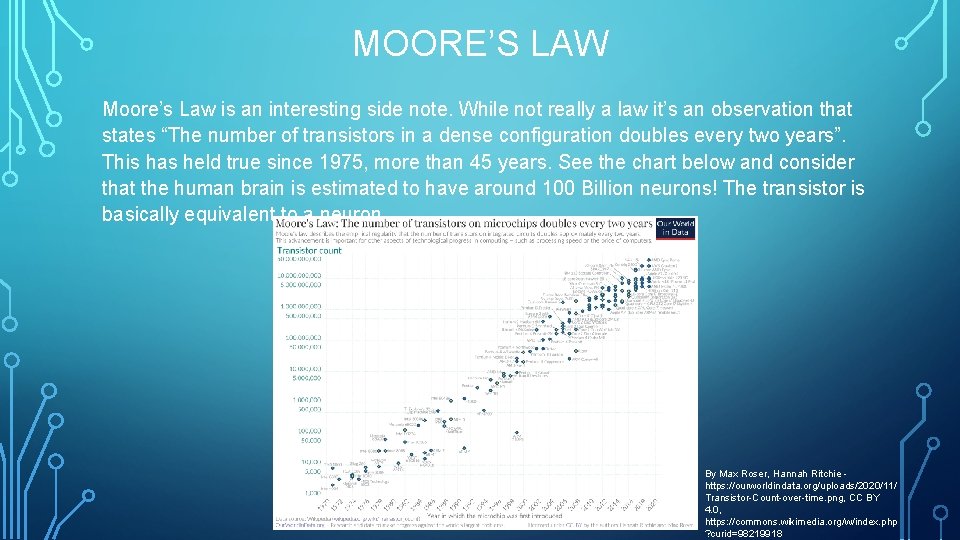
MOORE’S LAW Moore’s Law is an interesting side note. While not really a law it’s an observation that states “The number of transistors in a dense configuration doubles every two years”. This has held true since 1975, more than 45 years. See the chart below and consider that the human brain is estimated to have around 100 Billion neurons! The transistor is basically equivalent to a neuron. By Max Roser, Hannah Ritchie https: //ourworldindata. org/uploads/2020/11/ Transistor-Count-over-time. png, CC BY 4. 0, https: //commons. wikimedia. org/w/index. php ? curid=98219918
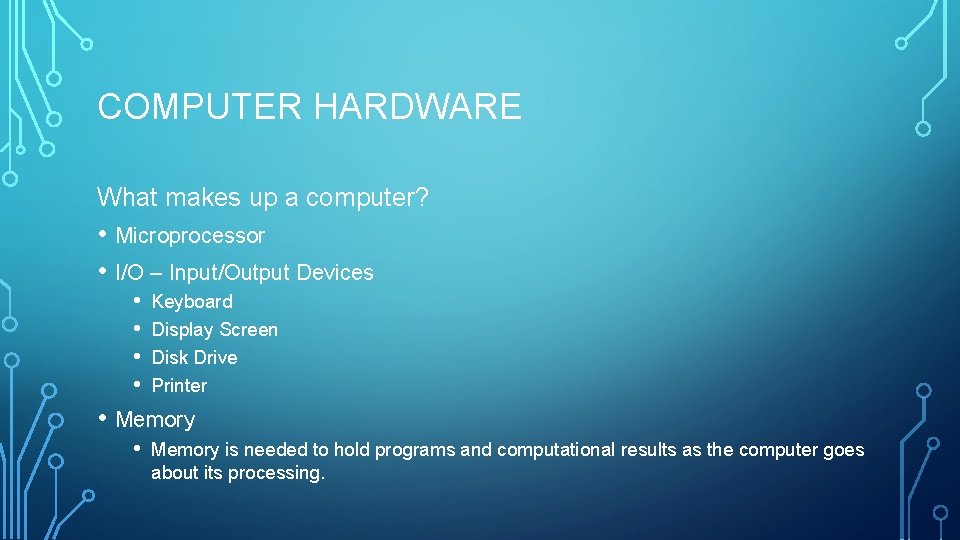
COMPUTER HARDWARE What makes up a computer? • Microprocessor • I/O – Input/Output Devices • • Keyboard Display Screen Disk Drive Printer • Memory • Memory is needed to hold programs and computational results as the computer goes about its processing.
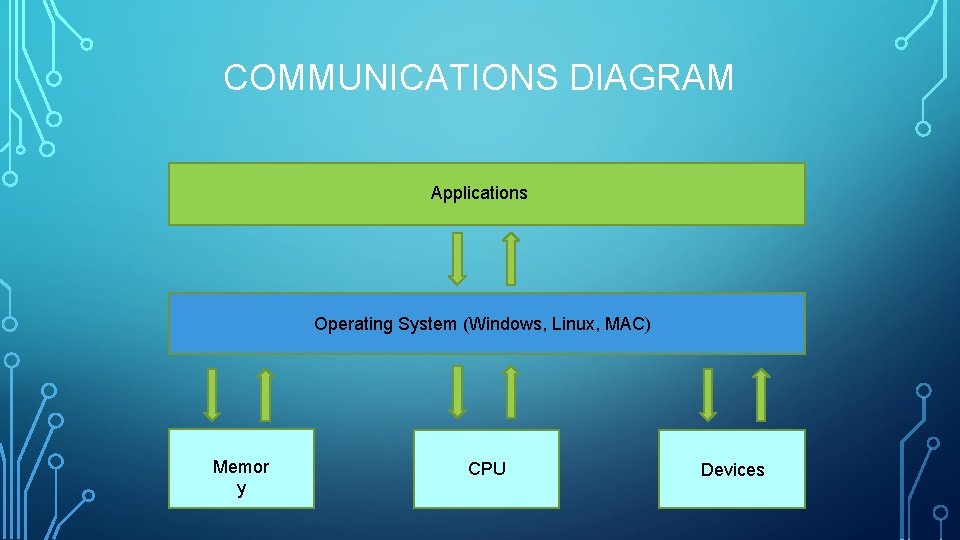
COMPUTER SOFTWARE Software is what tells the computer what to do. Without it, the computer is but a pile of transistors with nothing to do. The most basic software a modern computer needs is an operating system. The operating system interfaces with the computer as the most basic levels, giving access to resources such as memory and devices (keyboard, mouse, USB, etc. ). Early examples of operating systems include CPM, MSDOS, UNIX. While some have gone the way of dinosaur, some have continued to expand improve. Microsoft Windows and UNIX are good examples. MSDOS evolved into what we know today as Windows 10, and we have many different flavors of UNIX today such as Linux, BSD, Xenix, HP-UX, and many more. The next level of software is the application layer. Applications interface with the Operating System and perform a specific task, such as word processing, email, web browsing, and more.
COMMUNICATIONS DIAGRAM Applications Operating System (Windows, Linux, MAC) Memor y CPU Devices
THE ROLES COMPUTERS PLAY ON THE WEB • Internet Communications • Domain Name Systems (DNS) • Routers, Bridges, Hubs • Web Servers • Web Browsers (Home & Office Computers) • NAS (Network Attached Storage) in the home or office. • Database servers • File/Print Servers
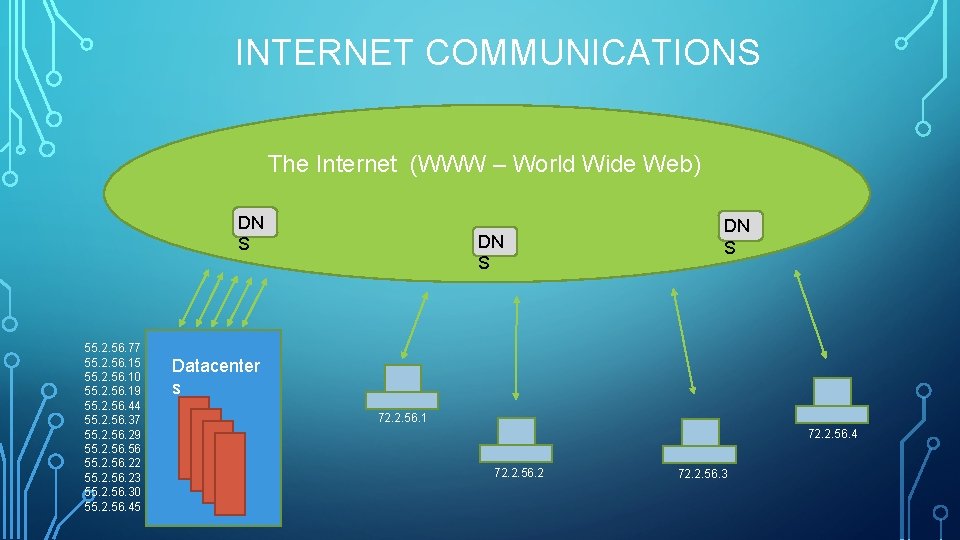
INTERNET COMMUNICATIONS The Internet (WWW – World Wide Web) DN S 55. 2. 56. 77 55. 2. 56. 15 55. 2. 56. 10 55. 2. 56. 19 55. 2. 56. 44 55. 2. 56. 37 55. 2. 56. 29 55. 2. 56. 22 55. 2. 56. 23 55. 2. 56. 30 55. 2. 56. 45 DN S Datacenter s 72. 2. 56. 1 72. 2. 56. 4 72. 2. 56. 2 72. 2. 56. 3
WEB SERVERS What is a Web Server? • A computer, usually fast, with a large amount of memory and storage. • Typically running a Linux or Windows operating system. • Running web server application such as Apache or Ngnix. • Static or dynamic web pages.
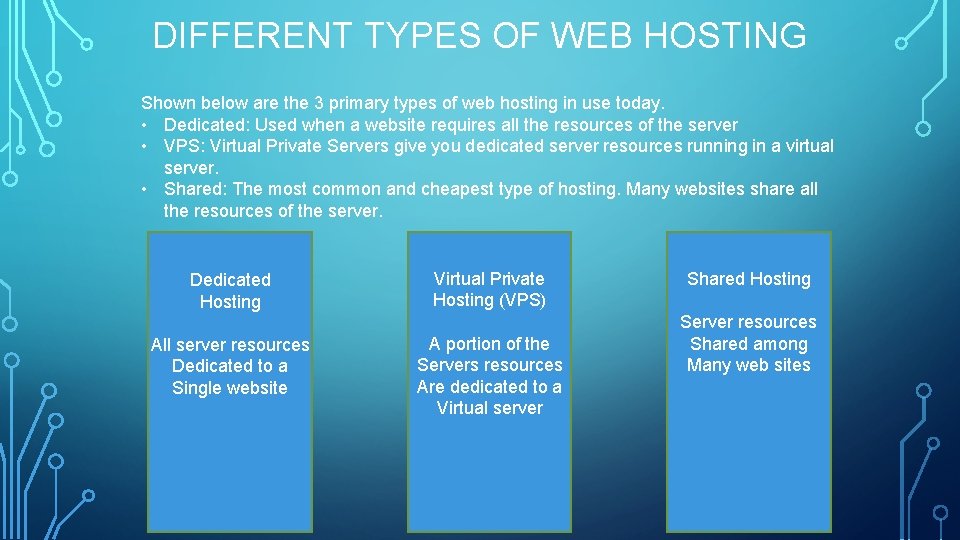
DIFFERENT TYPES OF WEB HOSTING Shown below are the 3 primary types of web hosting in use today. • Dedicated: Used when a website requires all the resources of the server • VPS: Virtual Private Servers give you dedicated server resources running in a virtual server. • Shared: The most common and cheapest type of hosting. Many websites share all the resources of the server. Dedicated Hosting All server resources Dedicated to a Single website Virtual Private Hosting (VPS) A portion of the Servers resources Are dedicated to a Virtual server Shared Hosting Server resources Shared among Many web sites
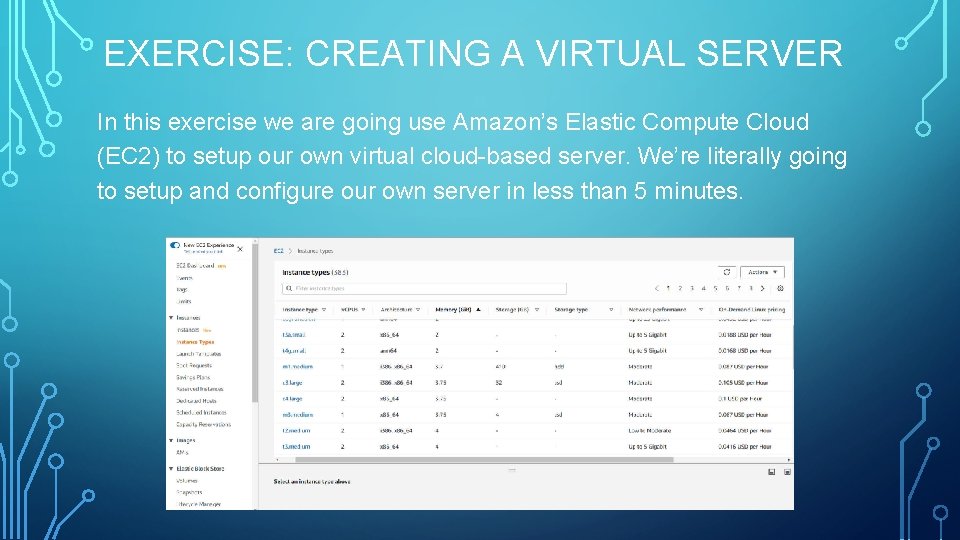
EXERCISE: CREATING A VIRTUAL SERVER In this exercise we are going use Amazon’s Elastic Compute Cloud (EC 2) to setup our own virtual cloud-based server. We’re literally going to setup and configure our own server in less than 5 minutes.
WEBSITE PROGRAMMING Web browsers on your computer, laptop, or mobile device, retrieve data from a specific URL. The servers job is to serve up the data from the requested URL and present to the web browser to interpret and display to the user. Web browsers primarily render HTML, CSS, Java. Script, and multimedia. • • • HTML: Hypertext Markup Language • Multimedia: Pictures and video sent to the web browser to display. CSS: Cascading Style Sheets for page layout and styling. Javascript: Client-Side programming language which allows web pages become interactive with the client.
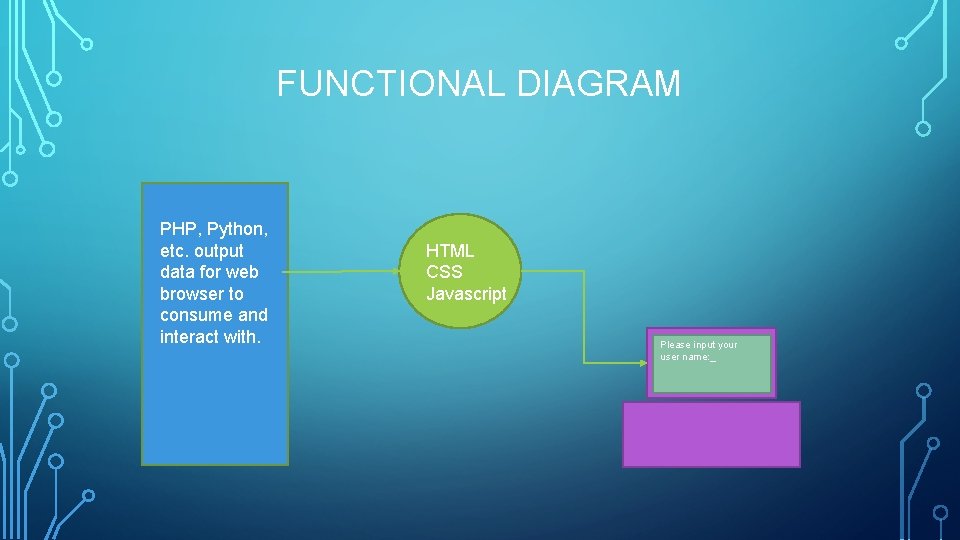
FUNCTIONAL DIAGRAM PHP, Python, etc. output data for web browser to consume and interact with. HTML CSS Javascript Please input your user name: _
SERVER-SIDE VS. CLIENT-SIDE PROGRAMMING Server-side languages include PHP, ASPX, Phython, and C#. But there are many more. Server-side means that all actions take place on the server. You can write server-side code to retrieve data such as bank balances and other information. Client-side means that all actions take place on the users device. This allows the web application to interact with the user like having the user supply information like a username. The primary client-side language is Javascript.
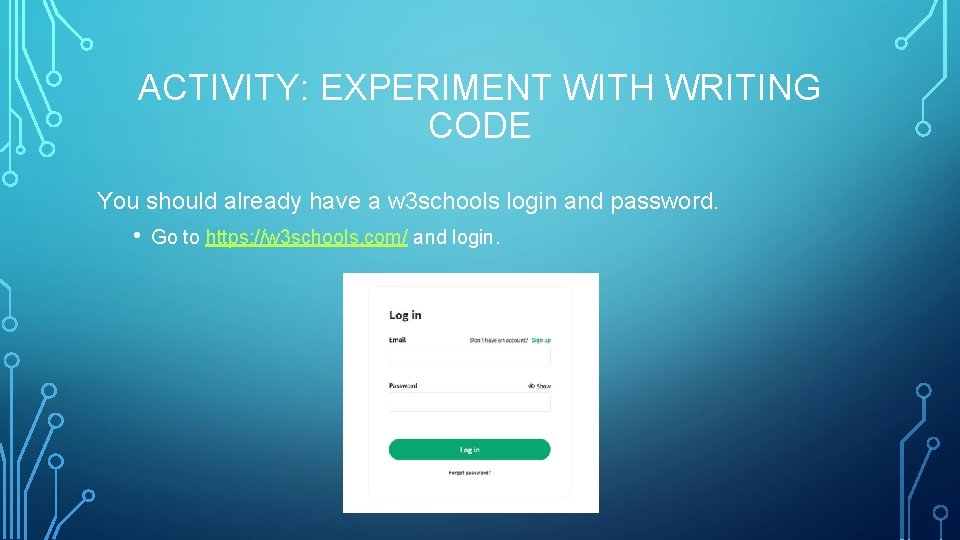
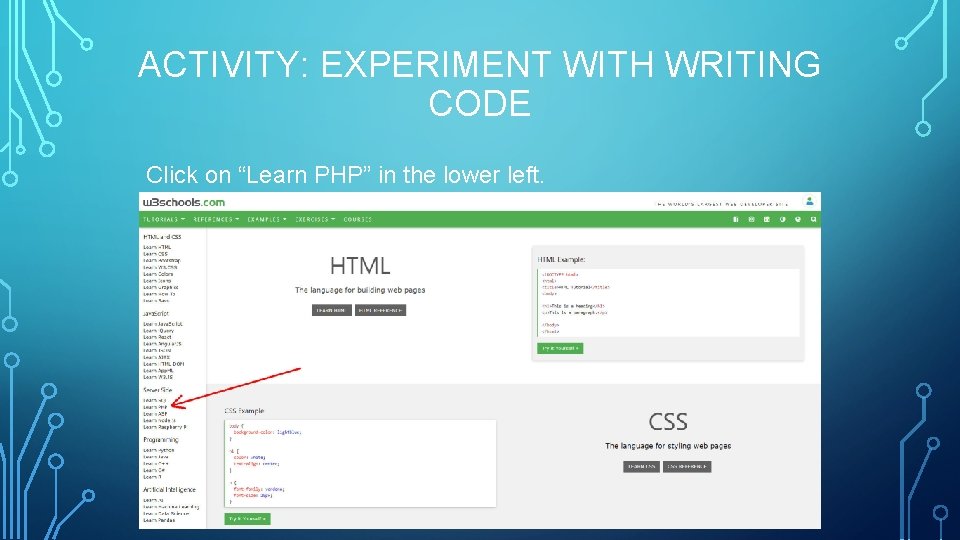
ACTIVITY: EXPERIMENT WITH WRITING CODE You should already have a w 3 schools login and password. • Go to https: //w 3 schools. com/ and login.
ACTIVITY: EXPERIMENT WITH WRITING CODE Click on “Learn PHP” in the lower left.
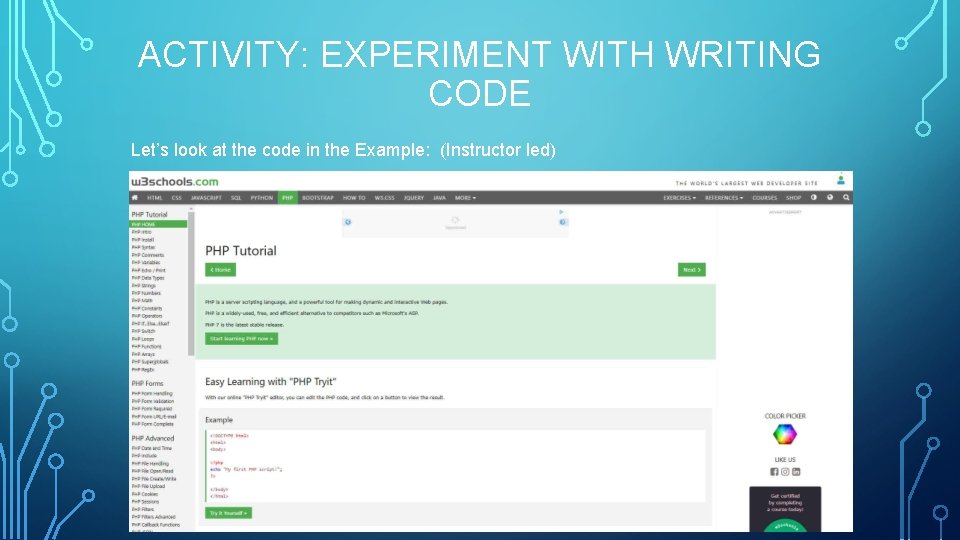
ACTIVITY: EXPERIMENT WITH WRITING CODE Let’s look at the code in the Example: (Instructor led)
ACTIVITY: EXPERIMENT WITH WRITING CODE Interactive Lessons (Instructor led) 1. PHP syntax 2. Variables 3. Introduction to Forms 4. Introduction to Form Validation & Security
INTRODUCTION TO SECURITY As you saw in the last lesson, security is of paramount importance. Whenever we create a website, especially interactive websites, we must always keep in mind best practices for security. Hackers will use any and all exploits to: Gain access to personal data, take over websites, and cause general havoc.
COMPUTING SECURITY IN THE HOME Computing security in the home is just as important. Here are some tips to help keep your home computers secure. • WIFI: Home WIFI is generally safe if you follow a few key steps. • • • Secure your home WIFI router by disabling guest access. Change the default name of your home WIFI Network. Make your WIFI password Unique and STRONG. Enable your routers Encryption features. Computers: • • • Secure your laptops with a Strong password. • • Do full system virus and malware scans once a week. Keep the operating system up to date. For Windows make sure Windows Updates are installing. Keep antivirus up to date. Windows defender will update with Windows Updates. If you’re using other software such as Norton Antivirus or Mc. Afee, open the software and make sure virus definitions are being updated. Make sure your OS version is up to date. For example, Windows 7 reached end of life over 1 years ago and no longer receives security updates. These systems present a huge risk to other networks and servers they interface or connect with.
COMPUTING SECURITY AWAY FROM HOME Securing your laptops and other devices away from home is even more important. Not just because they can be stolen, but because you are much more vulnerable to “man in the middle” attacks. A “man in the middle” attack is where a hacker intercepts your computers information usually in a public place where they can attach to the same WIFI, like Mc. Donalds or other public WIFI. If you access private information such as banking, a hacker can steal your credentials and access your personal information. The solution here is to use what’s called a VPN or Virtual Private Network. VPN’s encrypt communications between your computer and anywhere you go on the internet. Hackers cannot decipher encrypted data. VPN services such as NORD provide protection for all your devices (Laptop, Desktop, Mobile Devices) at very low prices.
WHAT KIND OF JOBS ARE AVAILABLE IN COMPUTER SCIENCE? Computer science is an area where there is a large diversity of jobs and college degreed applications. Most areas of expertise are in high demand will continue to be in the future. Here are just a few. • Software Engineer: Design applications and systems for all types of clients. Through designing and planning a Software Engineer performs many tasks. • • Web Developer: Design and develop websites. • Hardware Engineer: A hardware engineer designs computer systems. From custom computer/server configuration to datacenter planning and implementation. This is an exciting job. • Computer Programmer: A computer programming writes the actual program that makes the application work. Most work is done behind the scenes and has a high degree of satisfaction. • Database Administrator: Database administrators design and maintain databases. Databases are crucial to any application that has to store and retrieve data. • Video Game Developer: This job is very exciting as well. A video game developer requires specialized programming skills. Many colleges and technical schools now have Video Game Design curriculum. • Network Architect: This job also requires specialized skills and vast knowledge of data communications and infrastructure design. Security: Computer and network security are paramount as mentioned early. A career as a security engineer or analyst is very rewarding as you know the services you provide are safeguarding clients data.
WHERE TO GO FROM HERE? If you are interested in pursuing a career in Computer Science, keep learning. Your account at w 3 schools. com gives you access to hundreds of topics and allows to learn an try different coding techniques and languages. You may likely find an area you’d like to specialize in. Keep learning, polish your skills, and most of all, enjoy it! Computer Science is fun and rewarding. Did you know that some companies pay upwards of seven figures to hire the right person for the job?
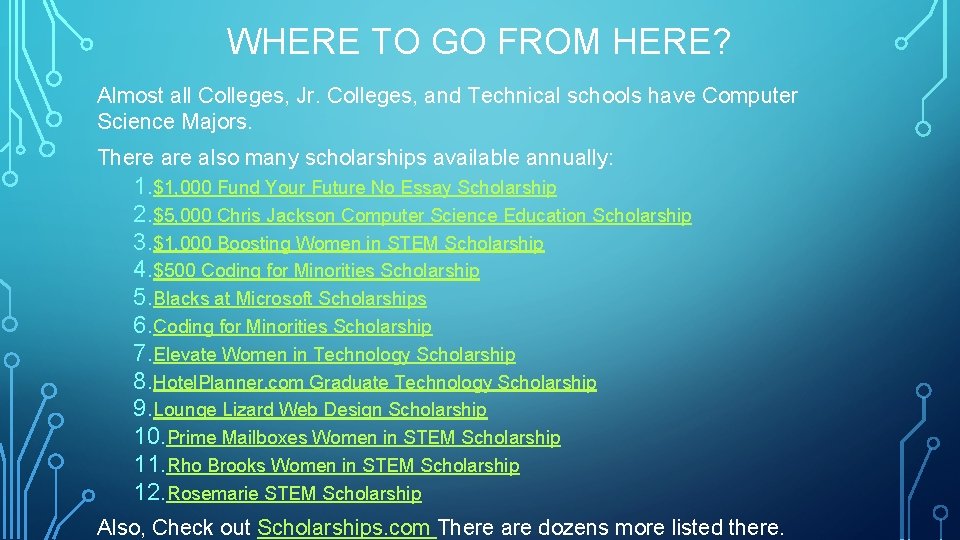
WHERE TO GO FROM HERE? Almost all Colleges, Jr. Colleges, and Technical schools have Computer Science Majors. There also many scholarships available annually: 1. $1, 000 Fund Your Future No Essay Scholarship 2. $5, 000 Chris Jackson Computer Science Education Scholarship 3. $1, 000 Boosting Women in STEM Scholarship 4. $500 Coding for Minorities Scholarship 5. Blacks at Microsoft Scholarships 6. Coding for Minorities Scholarship 7. Elevate Women in Technology Scholarship 8. Hotel. Planner. com Graduate Technology Scholarship 9. Lounge Lizard Web Design Scholarship 10. Prime Mailboxes Women in STEM Scholarship 11. Rho Brooks Women in STEM Scholarship 12. Rosemarie STEM Scholarship Also, Check out Scholarships. com There are dozens more listed there.