
Computer Science Revision 4 Explain two reasons why

- Slides: 15
Computer Science Revision 4
Explain two reasons why using lossy compression is beneficial. • Lossy means the decompressed file is not identical to the original… • …the difference is unlikely to be noticed by humans • Lossy will decrease the file size … • … so it can be sent via e-mail
Complete a 2 place right shift on the binary number 11001011. • Answer: 00110010
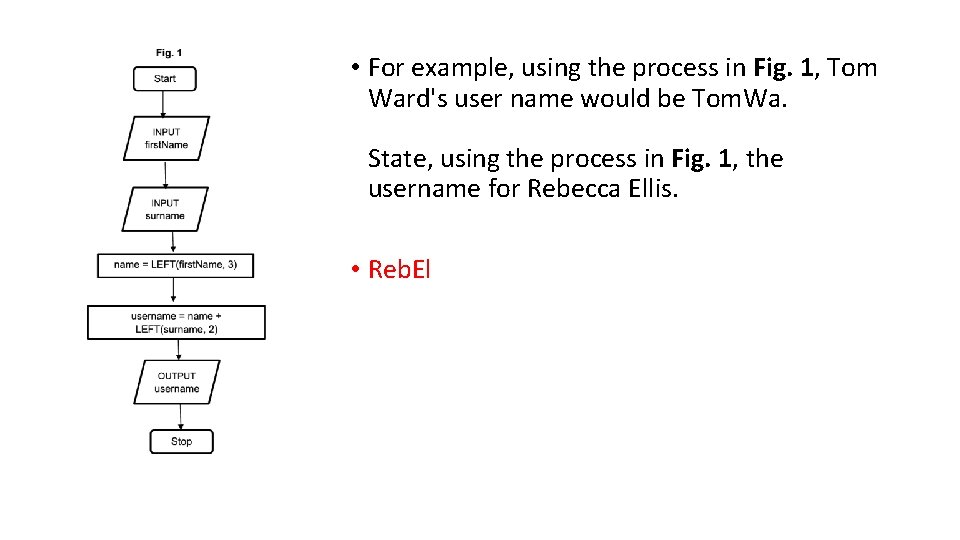
• For example, using the process in Fig. 1, Tom Ward's user name would be Tom. Wa. State, using the process in Fig. 1, the username for Rebecca Ellis. • Reb. El
State why the computer needs to translate the code before it is executed. • To convert it to binary / machine code • The processor can only understand machine code
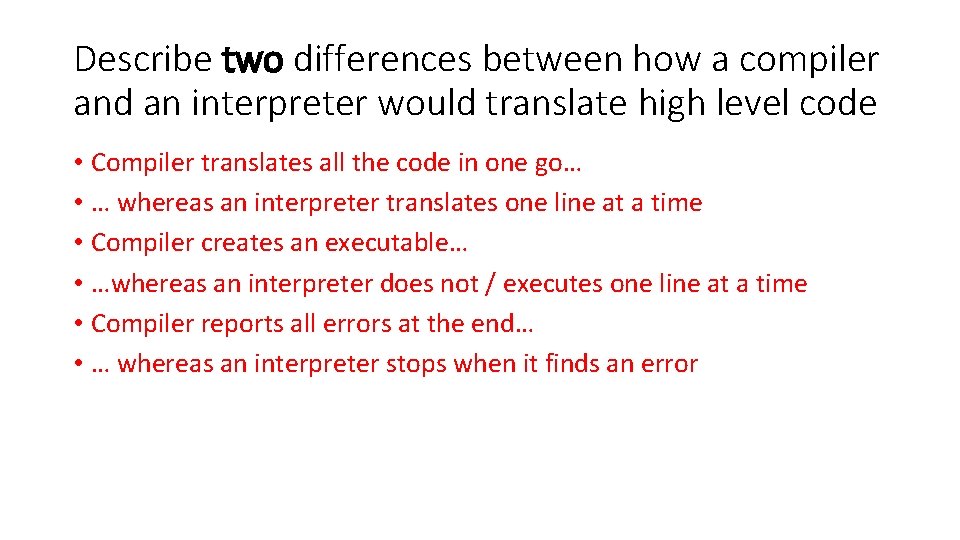
Describe two differences between how a compiler and an interpreter would translate high level code • Compiler translates all the code in one go… • … whereas an interpreter translates one line at a time • Compiler creates an executable… • …whereas an interpreter does not / executes one line at a time • Compiler reports all errors at the end… • … whereas an interpreter stops when it finds an error
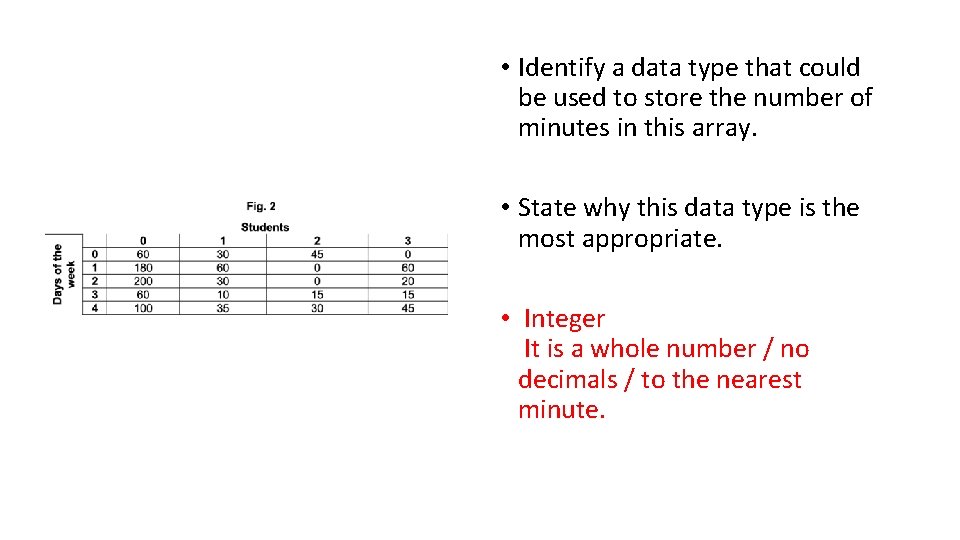
• Identify a data type that could be used to store the number of minutes in this array. • State why this data type is the most appropriate. • Integer It is a whole number / no decimals / to the nearest minute.
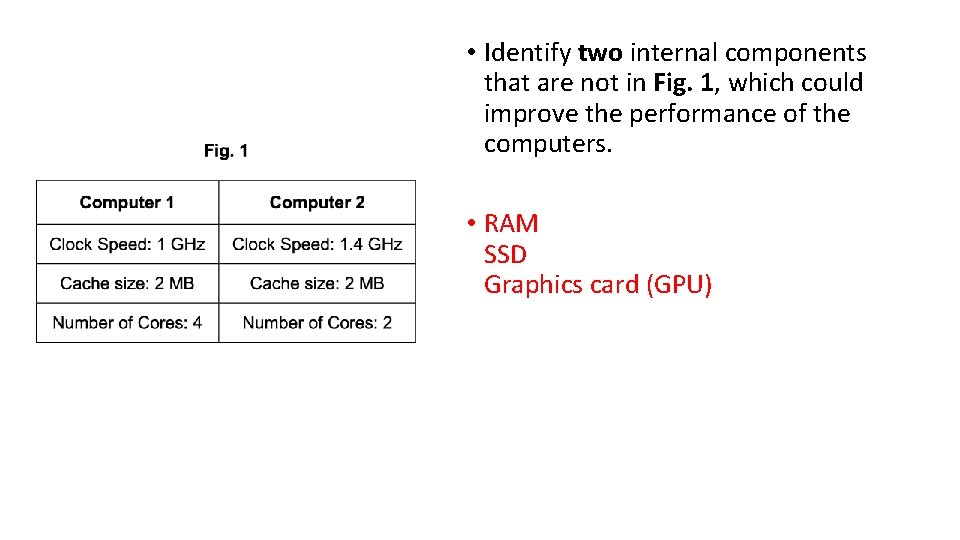
• Identify two internal components that are not in Fig. 1, which could improve the performance of the computers. • RAM SSD Graphics card (GPU)
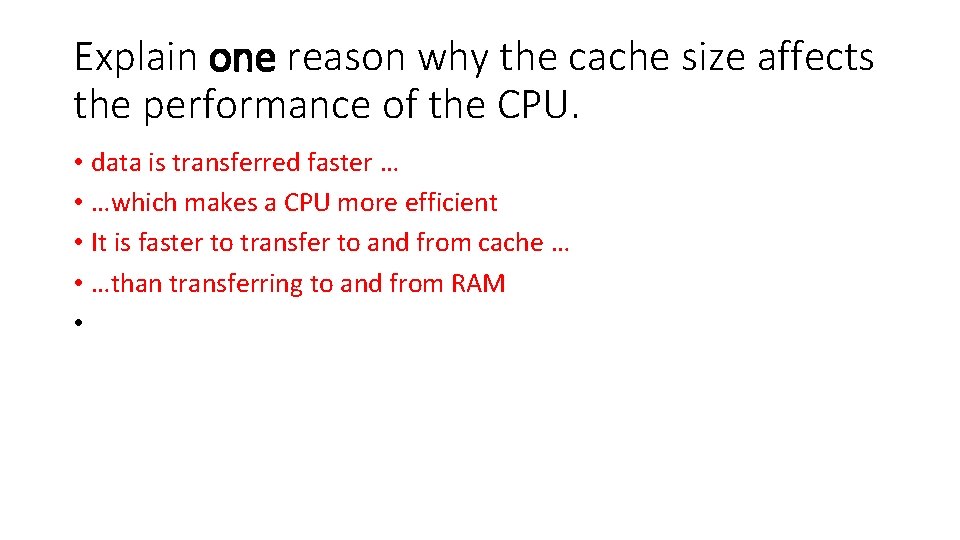
Explain one reason why the cache size affects the performance of the CPU. • data is transferred faster … • …which makes a CPU more efficient • It is faster to transfer to and from cache … • …than transferring to and from RAM •
• Vicky has been on holiday and has taken lots of photos. The memory in her camera is now full and she needs to transfer her photos to an external secondary storage device. State four characteristics of secondary storage devices that Vicky should consider when choosing a device. • Capacity/size • Speed • Portability • Durability • Reliability • Cost
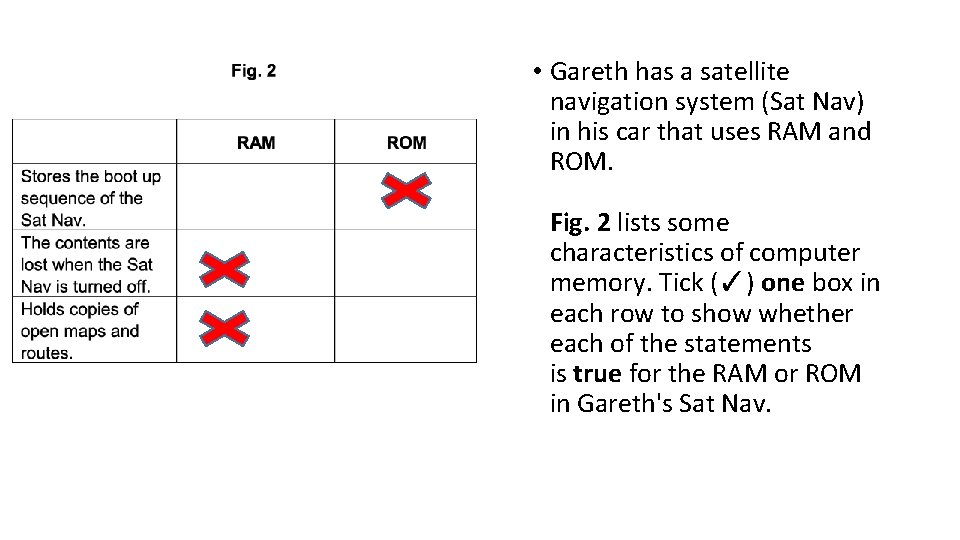
• Gareth has a satellite navigation system (Sat Nav) in his car that uses RAM and ROM. Fig. 2 lists some characteristics of computer memory. Tick (✓) one box in each row to show whether each of the statements is true for the RAM or ROM in Gareth's Sat Nav.
Define what is meant by ‘secondary storage’ • Long term/non-volatile storage of data/files • External/auxiliary storage of data
The owners of a large bakery have a Local Area Network (LAN) with a star topology. Explain four reasons why the bakery may use a star network topology for their LAN. • It is easy to add a new node or device • Management of the network can be done centrally • Fewer data collisions can occur • If a node or device fails it does not affect the rest of the network • A signal does not need to be transmitted to all computers in the network
A doctor's surgery stores hundreds of patients' details on its computer network. The surgery is concerned about the security of its patients' sensitive medical data. Staff are already required to use strong passwords to protect systems. Explain, with reference to system security, three other ways that the surgery could protect the system. (6 marks) • Firewall prevents unauthorised access. • Anti-malware removes viruses/spyware from infecting the system • Encryption any intercepted data is rendered useless • User access levels users have restricted access • Network policies rules that define acceptable use
A doctor's surgery stores hundreds of patients' details on its computer network. The surgery is concerned about the security of its patients' sensitive medical data. Identify three errors that the surgery's staff could make, that may endanger the security of the network and outline a procedure that could be put in place to prevent each error. • Brings in files via any medium could bring in viruses this can be avoided by not allowing/stopping external devices being used on the network • Downloading infected files from the internet can be prevented by blocking/restricting access to insecure websites • Allowing physical access to the surgery's network can be avoided by locking doors/key cards/any physical security procedure • Sending/sharing sensitive data with third parties can be avoided by blocking/restricting access to USB ports/email/internet/printing