
Computer Science I Misc notes Random card draw
![Array examples • int[] scores; – Perhaps later in the code scores = new](https://slidetodoc.com/presentation_image/272522e0850b5c164ceb52421e5324d0/image-4.jpg "Array examples • int[] scores; – Perhaps later in the code scores = new")
![Declarations of global variables String[] suit = {"Clubs", "Diamonds", "Hearts", "Spades"}; String[] rank =](https://slidetodoc.com/presentation_image/272522e0850b5c164ceb52421e5324d0/image-6.jpg "Declarations of global variables String[] suit = {\"Clubs\", \"Diamonds\", \"Hearts\", \"Spades\"}; String[] rank =")
- Slides: 26
Computer Science I Misc. notes. Random card draw. Assignments. Extra credit possibilities.
About { and } • The pair of brackets make multiple statements into one statement so… • You may see something like this: if (a>0) print("a is positive"); else print("a is zero or negative"); • DON'T DO IT! Use the brackets; use multiple lines. • NOTE: each bracket can be on a line by itself or with code. • ONLY brackets matter BUT using indenting helps make the code easier to understand.
Arrays • Array variables need declarations. • You must specify the datatype. • You can – Specify the contents – Specify the size – Initialize as empty and add (append). This is NOT the same as just specifying the type.
Array examples • int[] scores; – Perhaps later in the code scores = new int[3]; //or something similar • int[] scores = {60, 70, 50}; • int[] scores = new int[3]; • int[] scores = {}; – Perhaps later in the code scores = (int[]) append(scores, 89);
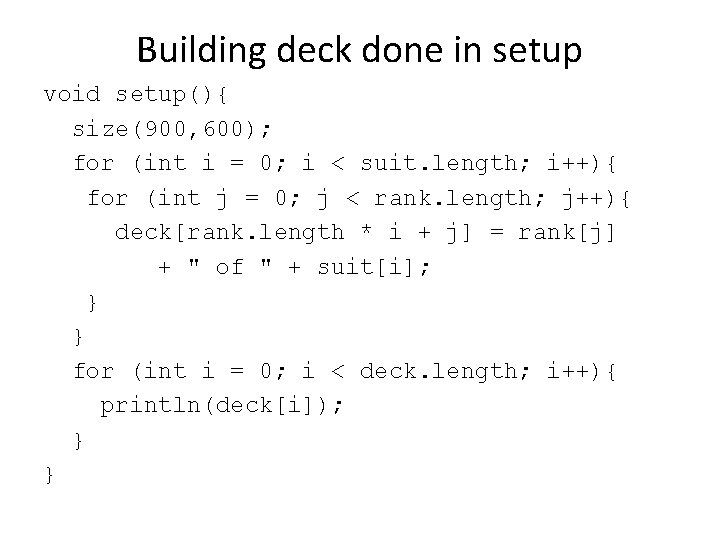
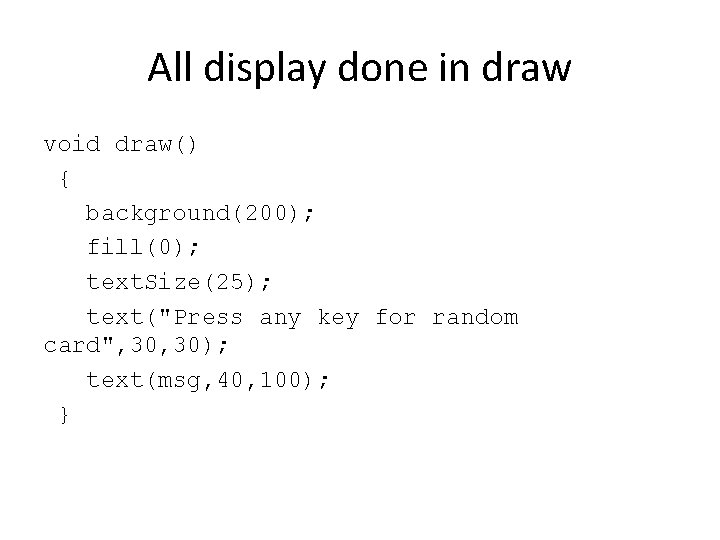
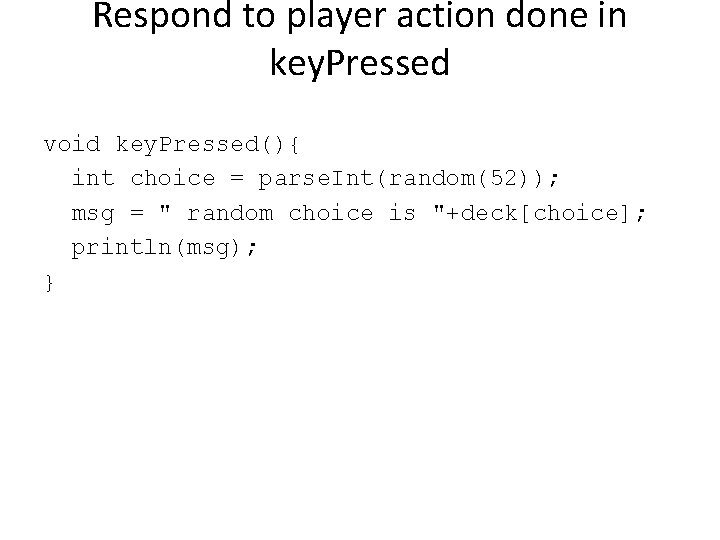
(Reprise) Card. Deck. Random. Draw • (May have shown this in Intelli. J) • Planning: two parts – Build the deck – Make key. Pressed select a random card. • Implementation – Use array for suits, array for rank defined initially. Sometimes this is called "hard coded". – Build (populate) array named deck in setup. – Display all done in draw. There will be a msg variable, initialized in declaration to be empty and set in key. Pressed. The msg variable used (referenced) in draw.
Declarations of global variables String[] suit = {"Clubs", "Diamonds", "Hearts", "Spades"}; String[] rank = {"Ace", "2", "3", "4", "5", "6", "7", "8", "9", "10", "Jack", "Queen", "King"}; //String array that carries the card ranks. //the deck will be populated in the code String[] deck = new String[rank. length * suit. length]; String msg = " "; //used in draw, set in key. Pressed
Building deck done in setup void setup(){ size(900, 600); for (int i = 0; i < suit. length; i++){ for (int j = 0; j < rank. length; j++){ deck[rank. length * i + j] = rank[j] + " of " + suit[i]; } } for (int i = 0; i < deck. length; i++){ println(deck[i]); } }
All display done in draw void draw() { background(200); fill(0); text. Size(25); text("Press any key for random card", 30); text(msg, 40, 100); }
Respond to player action done in key. Pressed void key. Pressed(){ int choice = parse. Int(random(52)); msg = " random choice is "+deck[choice]; println(msg); }
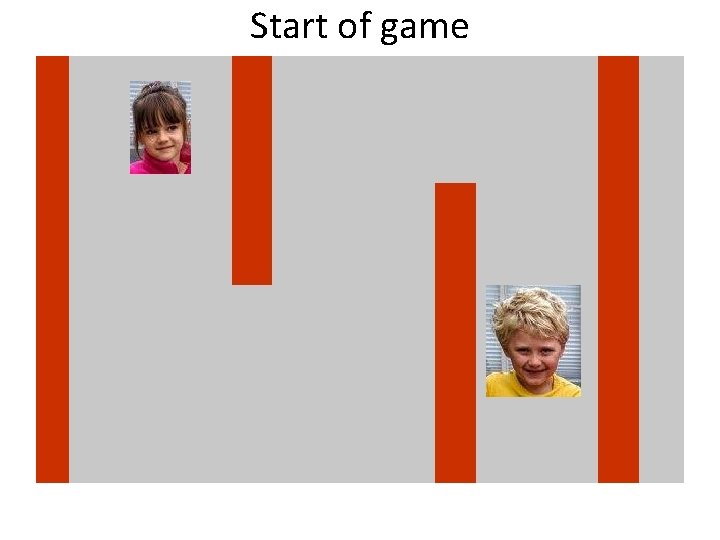
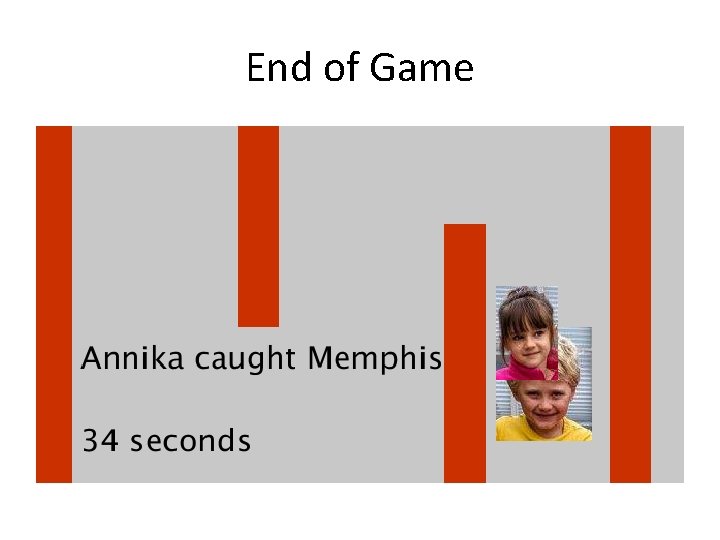
Maze • Consider this a "stub". Many aspects could be different. • Makes use of classes – Wall – Player • and an array holding all wall objects and an array holding two "players" – Note there is an Annika Player object that moves by arrow keys and a Memphis Player object that does not move • Room for enhancement • Annika cannot move on any wall. • Time calculated for Annika to "catch" Memphis.
Start of game
End of Game
3 versions • Processing in Java (Intelli. J) • Processing. JS – http: //faculty. purchase. edu/jeanine. meyer/Proce ssing. JS/basic. Maze. html
• Classes and functions – Wall • Wall, is. Over, display – Thing, subclass Player • Thing, Player, display, move • Known functions: setup, draw, key. Pressed – The key. Pressed code checks for collision with walls and for annika "catching" memphis. • Functions: add. Wall. To. Maze, add. Thing, add. Players, build. Maze, collide. With. Walls
Note use of classes • The two game pieces: annika and memphis are both Player objects! – Same instance variables and same (potential) behavior represented by methods – They differ • Value of the img instance variable – Two different pictures • How (when) the move method is invoked – In the key. Pressed function and just for annika • There are no Thing objects that are not Player objects. – Place for enhancement
Calculations • The annika Player (game piece) is not allowed to collide with a Wall object. – Calculation done invoking is. Over for 4 corners and 4 midpoints on edges. • The annika Player "captures" the memphis Player if dist of midpoints is less than margin. – Game ends: display results. Invoke no. Loop(); • The millis function used for calculating elapsed – start. Time set in set. Up and end. Time set in key. Pressed
Note • Decided to let two photos be different dimensions. – Memphis, the child, is bigger than Annika, the child. • The annika piece captures the memphis piece based on calculation using (constant) variable margin. – Would a calculation based on intrinsic properties of images be better?
Potential enhancements • Add a child class of Thing, such as obstacles. • Provide way to move the memphis Player (game piece) • Add randomness? • Add a way to design maze and save results. – Write to a file? Hint: save. Table – Then read in file (table commands) to construct a maze.
Objectives now • Get away (initially) from actual programming. • Reflect on course material. • Reflect on what is going on in the world. – This is an assignment! • Plan next project.
My Virtual Dog • HTML Java. Script application done several years ago. • Example of discrete event simulation. – Distinct application states http: //faculty. purchase. edu/jeanine. meyer/pet 3. html
Based on MY model of dog behavior • You can starve the dog or overfeed the dog. • There always is a chance a dog will bite you. – The decision on wagging tail dog versus snarling dog is based is probabilistic (stochastic) but exact probability varies depending on how recently fed. • I generally don't like dogs.
Discrete Event Simulation • Serious activity: weather prediction, traffic flows, other. • Create model of something. • Decide on states – Represented by one or more variables • Decide on transitions between states based on state values and, possible, other information. • The examine-and-possibly-change is performed at discrete intervals. – Possibly representing longer units of time or as approximation to continuous activity.
Your assignment • Design your virtual something. – Identify your something. – What are user (player) actions? – What are the states? – What are the transitions between states? – Is something suitable for stochastic processing? • Do not try to program anything.
Processing implementation • Challenges to handle animated gif: a GIFAnimation library does not appear to be available. • Note: in Processing, we can make our own animation.
Classwork/Homework • Plan your virtual something. – States, actions, transitions – Yes, it may change when you get to implementation. – Consider leaving the room • Step away from computer! • Pay attention to the news. Find article on computing: post summary and your comments. – What are candidates saying about the Web? Technology?
Extra credit possibilities • Reflections on course and subject matter. – Include Processing and Java (Intelli. J) • What determines the numbers in the save. Frame images? • How often is mouse. Dragged triggered? • What are the biggest and smallest values in the int variable? For a float variable? • What is ASCII and what is UNICODE and what do they have to do with String? • ?