
Computer Science Concepts What is an algorithm 2
- Slides: 28
Computer Science Concepts What is an algorithm? 2. Binary information coding Programming concepts via Scratch 1. 3. Designed for learners 10 years old up to 100. Coverage differs according to which camp. 2015 CSE/EGR Summer Camps 1
Programming concepts via Scratch; Quick Intro GET YOUR OWN Free download of software available at www. scratch. mit. edu Video tutorials for learning available at www. learnscratch. org Learn a lot on your own later. 2015 CSE/EGR Summer Camps 2
What can we do with Scratch? • • Learn some computing concepts. Learn some practical algorithms. Use Scratch as computing tool. Have fun with Scratch creating stories, games, art. – it’s multimedia 2015 CSE/EGR Summer Camps 3
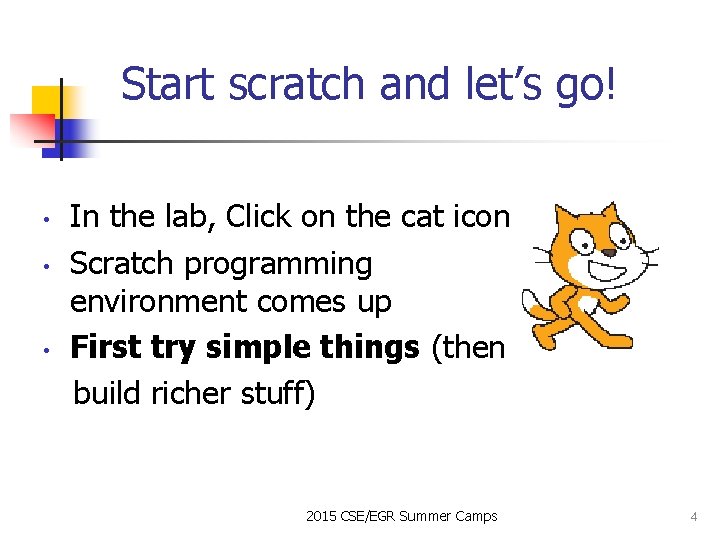
Start scratch and let’s go! • • • In the lab, Click on the cat icon Scratch programming environment comes up First try simple things (then build richer stuff) 2015 CSE/EGR Summer Camps 4
Explore Scratch environment • • • Stage is at the right (where actors act and information is displayed) Sprite is another name for actor. Instruction menus at left (instructions for the actors) A script is another name for program or method; a script tells the actor what to do. Programming area in center; here is where we construct scripts for sprites 2053 CSE/EGR Summer Camps 5
The LOOKS menu Instructions for setting the color, size, and visibility of a sprite. Costumes will be used later. 2015 CSE/EGR Summer Camps 6
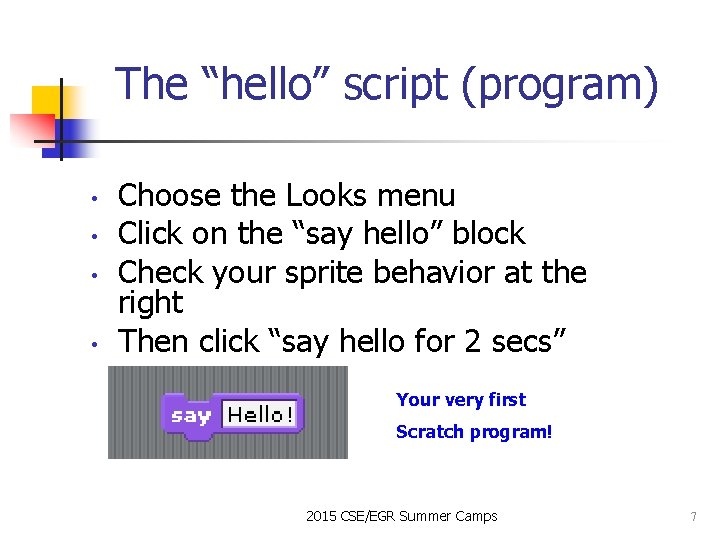
The “hello” script (program) • • Choose the Looks menu Click on the “say hello” block Check your sprite behavior at the right Then click “say hello for 2 secs” Your very first Scratch program! 2015 CSE/EGR Summer Camps 7
Try some other looks operations (click on the menu items) • • Change color effect by 25 Change color by 25 again Hide Show Change size by 10 again Set size to 100% 2015 CSE/EGR Summer Camps 8
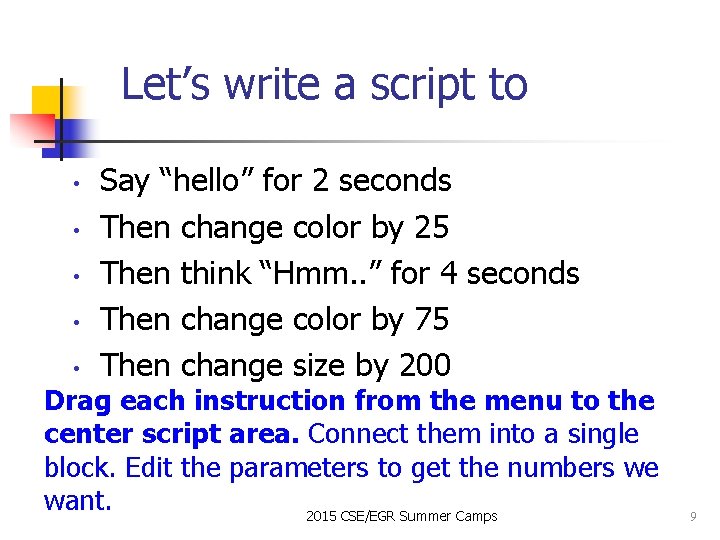
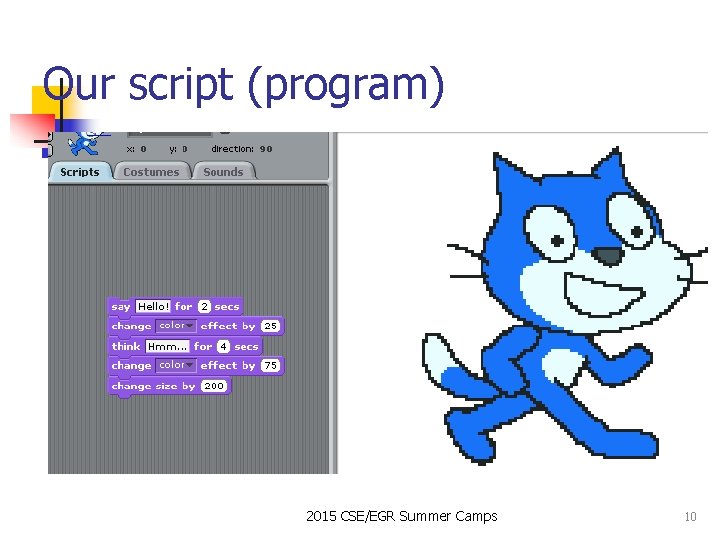
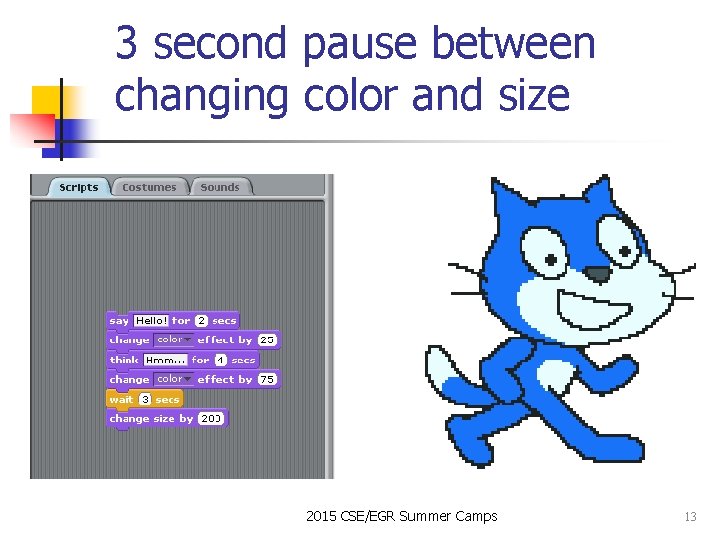
Let’s write a script to • • • Say “hello” for 2 seconds Then change color by 25 Then think “Hmm. . ” for 4 seconds Then change color by 75 Then change size by 200 Drag each instruction from the menu to the center script area. Connect them into a single block. Edit the parameters to get the numbers we want. 2015 CSE/EGR Summer Camps 9
Our script (program) 2015 CSE/EGR Summer Camps 10
A sequence or block is a simple script or program • • The first instruction is done first The second instruction is done second The last instruction is done last. (if any one instruction is done, then every one of them is done, and just once) 2015 CSE/EGR Summer Camps 11
The WAIT instruction • • • WAIT is needed to slow down the acting so we can see or hear it properly (computers are too fast sometimes) Get the wait instruction from the CONTROL menu. Ignore the other menu options for now. Insert a wait in our looks script 2015 CSE/EGR Summer Camps 12
3 second pause between changing color and size 2015 CSE/EGR Summer Camps 13
Student exercise: script your sprite to do … • • • Double the size of the sprite Wait 2 seconds Change the color of the sprite to green Wait 4 seconds Change the whirl effect to 100 Say “My nose is tired!” 2015 CSE/EGR Summer Camps 14
The MOTION menu How to locate and orient a sprite; and how to move it. 2015 CSE/EGR Summer Camps 15
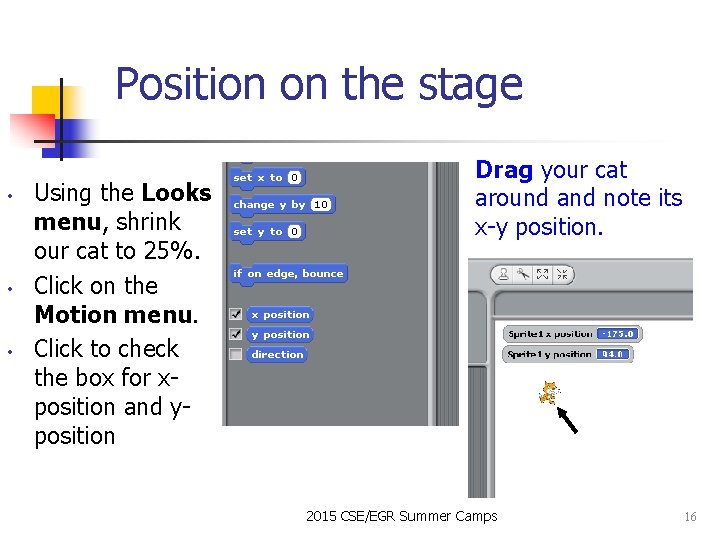
Position on the stage • • • Using the Looks menu, shrink our cat to 25%. Click on the Motion menu. Click to check the box for xposition and yposition Drag your cat around and note its x-y position. 2015 CSE/EGR Summer Camps 16
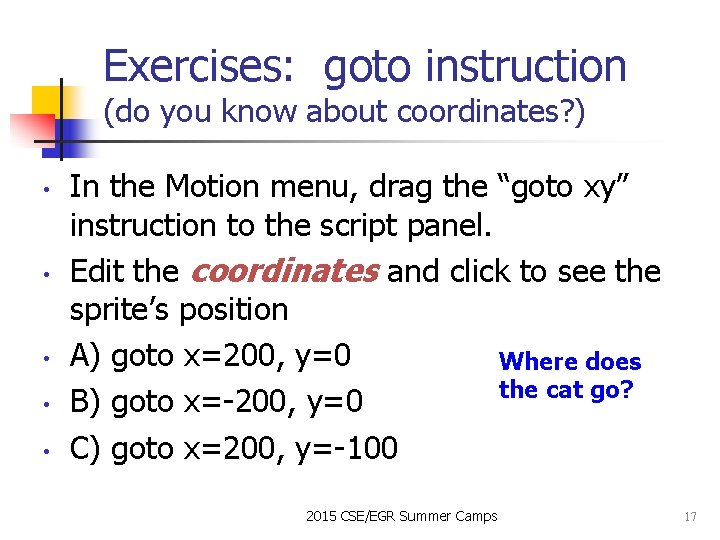
Exercises: goto instruction (do you know about coordinates? ) • • • In the Motion menu, drag the “goto xy” instruction to the script panel. Edit the coordinates and click to see the sprite’s position A) goto x=200, y=0 Where does the cat go? B) goto x=-200, y=0 C) goto x=200, y=-100 2015 CSE/EGR Summer Camps 17
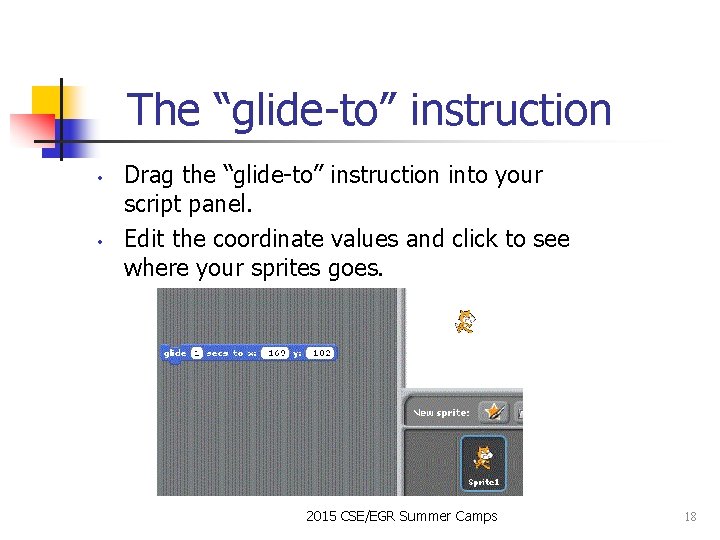
The “glide-to” instruction • • Drag the “glide-to” instruction into your script panel. Edit the coordinate values and click to see where your sprites goes. 2015 CSE/EGR Summer Camps 18
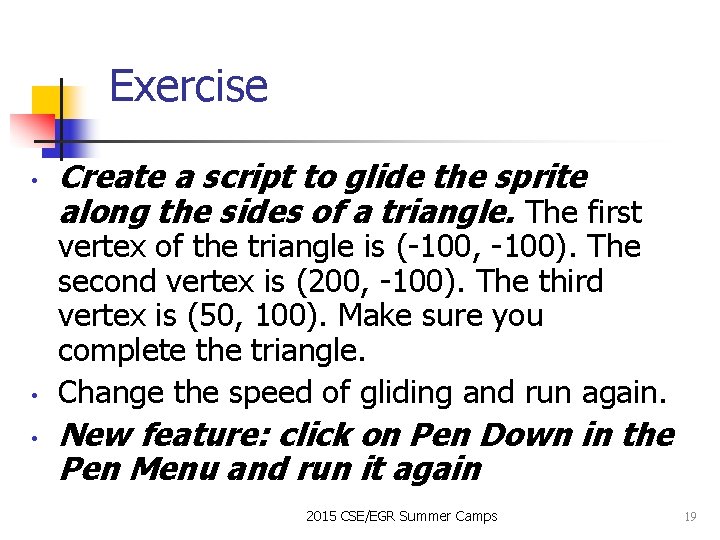
Exercise • • • Create a script to glide the sprite along the sides of a triangle. The first vertex of the triangle is (-100, -100). The second vertex is (200, -100). The third vertex is (50, 100). Make sure you complete the triangle. Change the speed of gliding and run again. New feature: click on Pen Down in the Pen Menu and run it again 2015 CSE/EGR Summer Camps 19
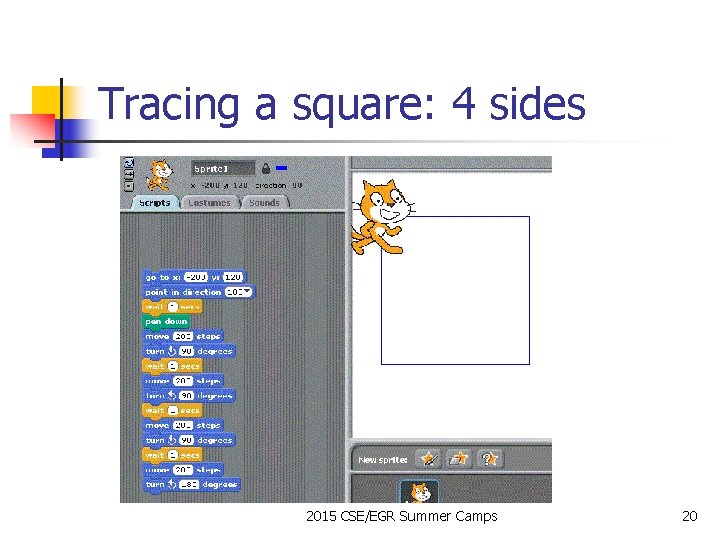
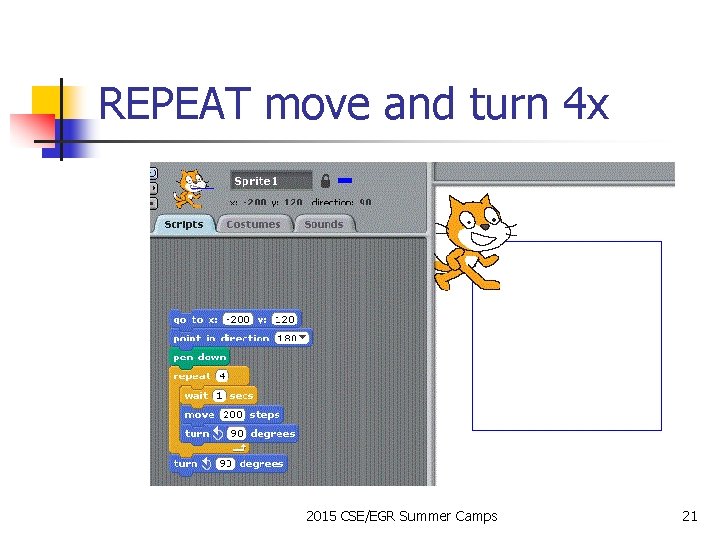
Tracing a square: 4 sides 2015 CSE/EGR Summer Camps 20
REPEAT move and turn 4 x 2015 CSE/EGR Summer Camps 21
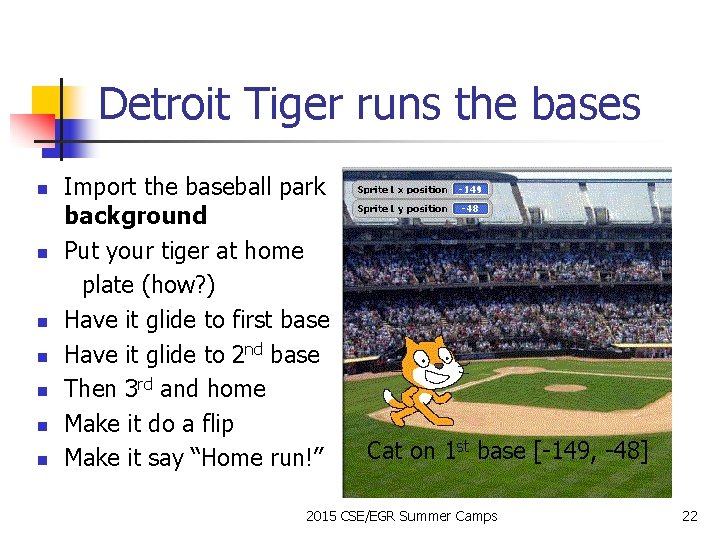
Detroit Tiger runs the bases n n n n Import the baseball park background Put your tiger at home plate (how? ) Have it glide to first base Have it glide to 2 nd base Then 3 rd and home Make it do a flip Make it say “Home run!” Cat on 1 st base [-149, -48] 2015 CSE/EGR Summer Camps 22
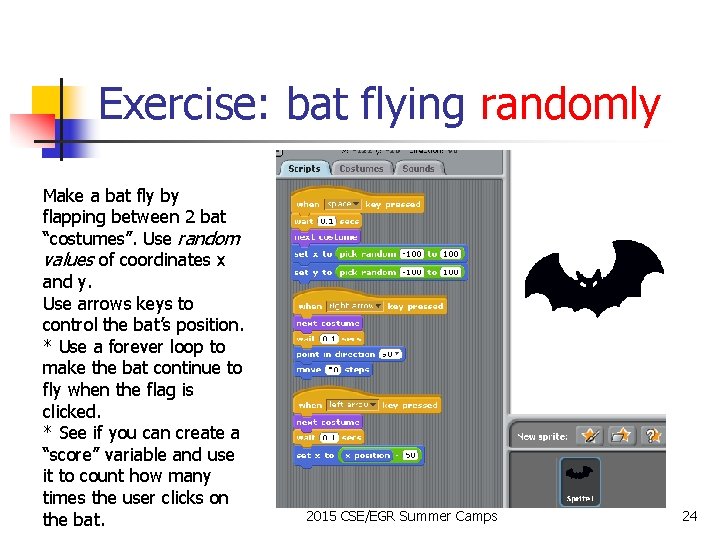
Bat flying example n n n Bat seems to move randomly 2 costumes create motion Press keys to control program Left arrow moves bat left Right arrow moves bat right 2015 CSE/EGR Summer Camps 23
Exercise: bat flying randomly Make a bat fly by flapping between 2 bat “costumes”. Use random values of coordinates x and y. Use arrows keys to control the bat’s position. * Use a forever loop to make the bat continue to fly when the flag is clicked. * See if you can create a “score” variable and use it to count how many times the user clicks on the bat. 2015 CSE/EGR Summer Camps 24
Adding new features n n n Create a score variable. Increase score by 2 when user clicks on the bat. Decrease the score by 1 when the user misses clicking on the bat. Add a bat sound to the game. Change the sound when the user clicks on the bat. 2015 CSE/EGR Summer Camps 25
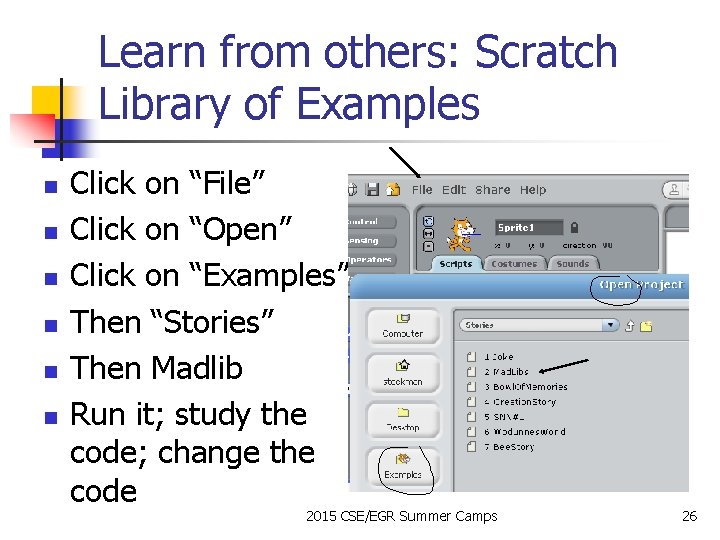
Learn from others: Scratch Library of Examples n n n Click on “File” Click on “Open” Click on “Examples” Then “Stories” Then Madlib Run it; study the code; change the code 2015 CSE/EGR Summer Camps 26
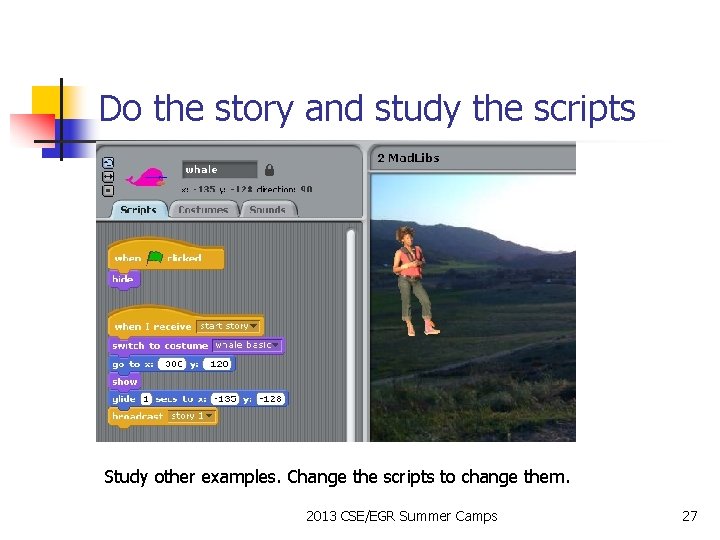
Do the story and study the scripts Study other examples. Change the scripts to change them. 2013 CSE/EGR Summer Camps 27
Exercise: find the MIN of a list n n Explore how to create a list variable Explore how to input numbers to the list Explore how to pass through the list to set a variable MIN to the minimum in the list Remember: www. learnscratch. org can help your learning 2015 CSE/EGR Summer Camps 28