
Computer Science 111 Fundamentals of Programming I Design
- Slides: 27
Computer Science 111 Fundamentals of Programming I Design with Functions
Why Design? • As problems become more complex, so do their solutions • There is more to programming than just hacking out code • We can decompose a complex problem into simpler subproblems and solve each of these • Divide up the work and assign responsibilities to individual actors (functions)
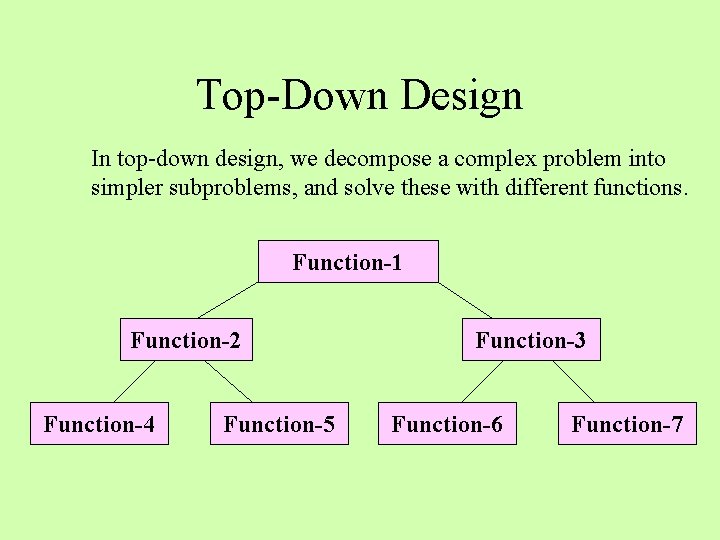
Top-Down Design In top-down design, we decompose a complex problem into simpler subproblems, and solve these with different functions. Function-1 Function-2 Function-4 Function-5 Function-3 Function-6 Function-7
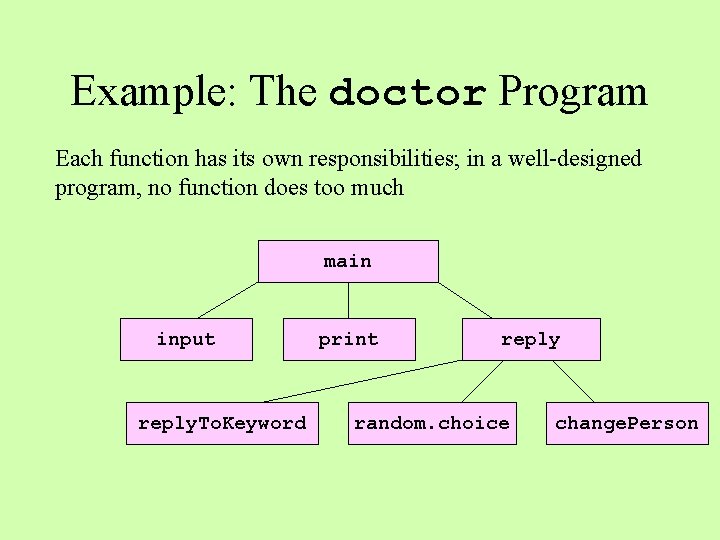
Example: The doctor Program Each function has its own responsibilities; in a well-designed program, no function does too much main input reply. To. Keyword print reply random. choice change. Person
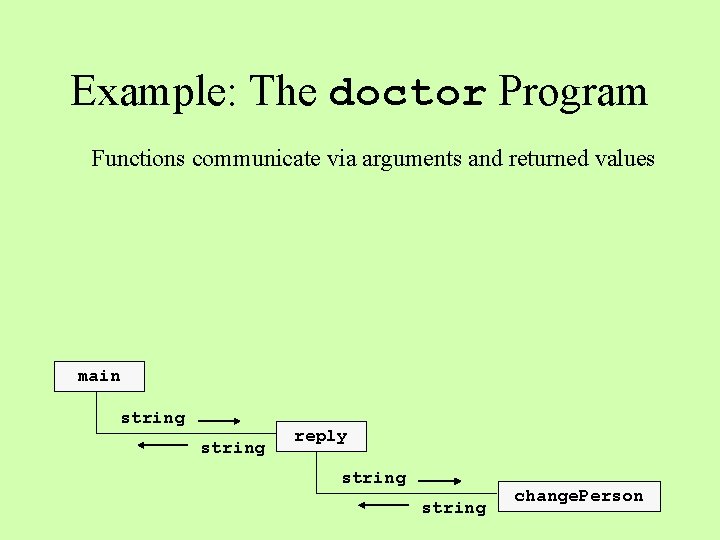
Example: The doctor Program Functions communicate via arguments and returned values main string reply string change. Person
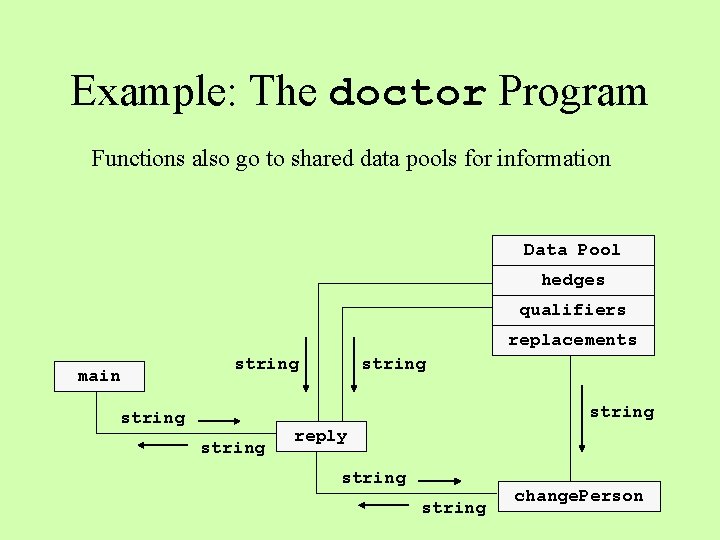
Example: The doctor Program Functions also go to shared data pools for information Data Pool hedges qualifiers replacements main string string reply string change. Person
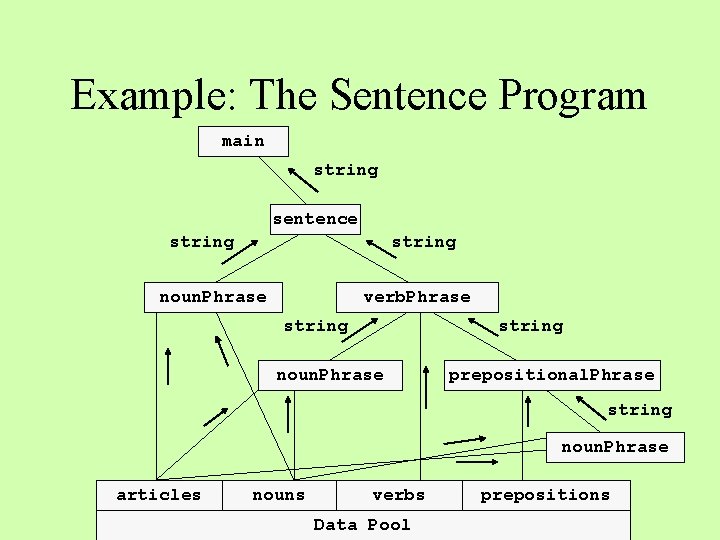
Example: The Sentence Program main string sentence string noun. Phrase verb. Phrase string noun. Phrase prepositional. Phrase string noun. Phrase articles nouns verbs Data Pool prepositions
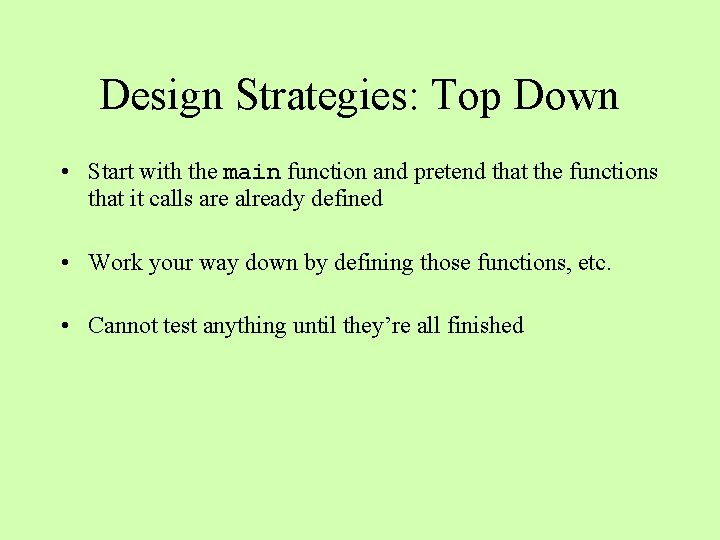
Design Strategies: Top Down • Start with the main function and pretend that the functions that it calls are already defined • Work your way down by defining those functions, etc. • Cannot test anything until they’re all finished
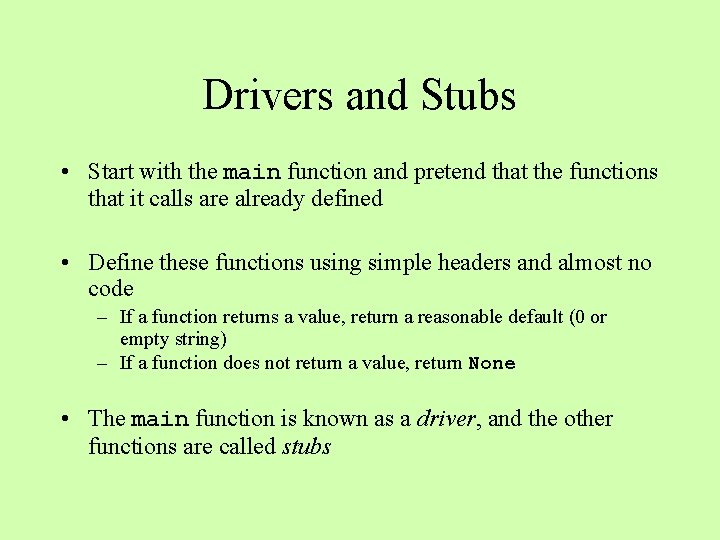
Drivers and Stubs • Start with the main function and pretend that the functions that it calls are already defined • Define these functions using simple headers and almost no code – If a function returns a value, return a reasonable default (0 or empty string) – If a function does not return a value, return None • The main function is known as a driver, and the other functions are called stubs
Skeletal Design • Drivers/stubs allow you to sketch out the structure of a program in terms of cooperating functions without finishing everything at once • Set up their communication links, which are the arguments and return values • Run the program to check these before filling in the details
Design Strategies: Bottom Up • Start with simple functions at the bottom of the chart and work your way up • Each new function can be tested as soon as it’s defined • Easier to get the little pieces of a program up and running, then integrate them into a more complete solution
Good Design? • Do you divide up the work so that each function does one coherent thing? • Do the functions communicate via arguments and return values rather than a common pool of data? • When a common pool of data seems necessary, do you confine access to just a few functions? • Do you name the functions and arguments to reflect their purpose in the program? • Do you document your design? ? ?
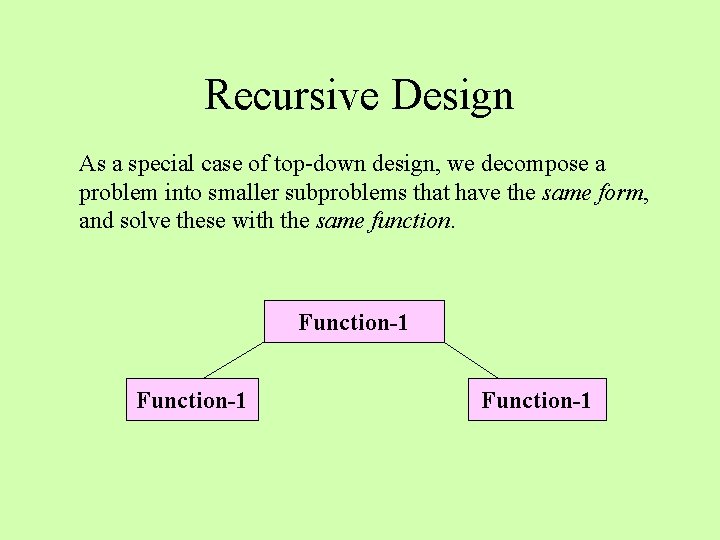
Recursive Design As a special case of top-down design, we decompose a problem into smaller subproblems that have the same form, and solve these with the same function. Function-1
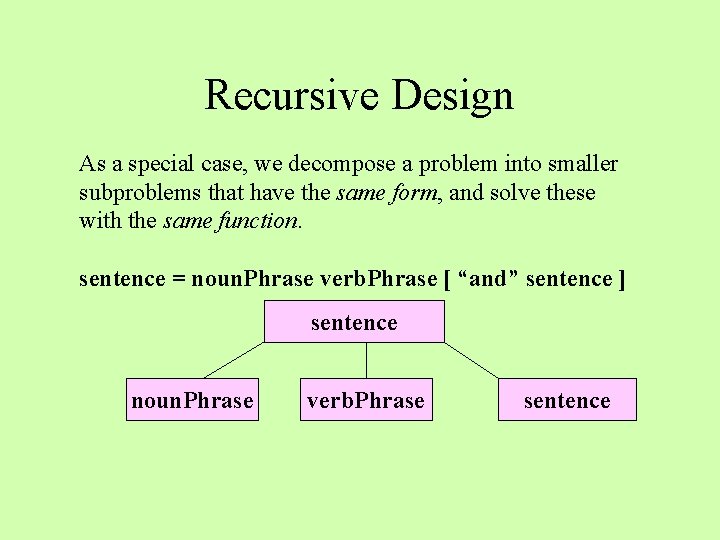
Recursive Design As a special case, we decompose a problem into smaller subproblems that have the same form, and solve these with the same function. sentence = noun. Phrase verb. Phrase [ “and” sentence ] sentence noun. Phrase verb. Phrase sentence
Example: Get a Valid Integer • The function get. Valid. Integer prompts the user for an integer and inputs it • The integer is returned if it is within the specified range • Otherwise, the function displays an error message and calls get. Valid. Integer to try again
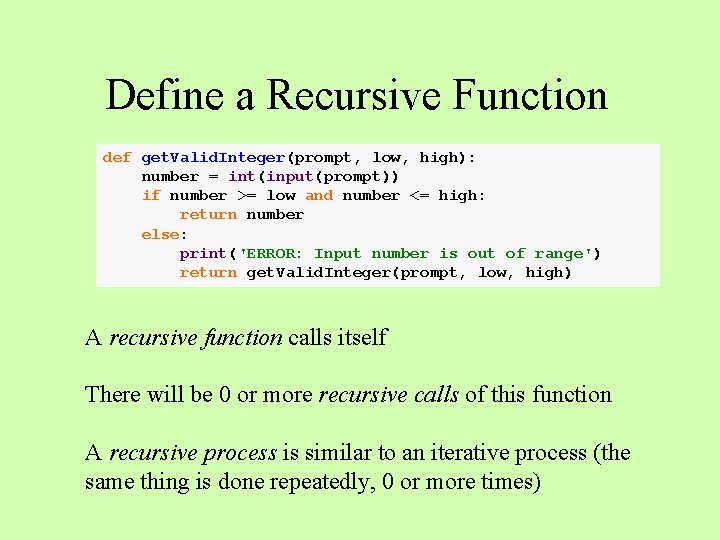
Define a Recursive Function def get. Valid. Integer(prompt, low, high): number = int(input(prompt)) if number >= low and number <= high: return number else: print('ERROR: Input number is out of range') return get. Valid. Integer(prompt, low, high) A recursive function calls itself There will be 0 or more recursive calls of this function A recursive process is similar to an iterative process (the same thing is done repeatedly, 0 or more times)
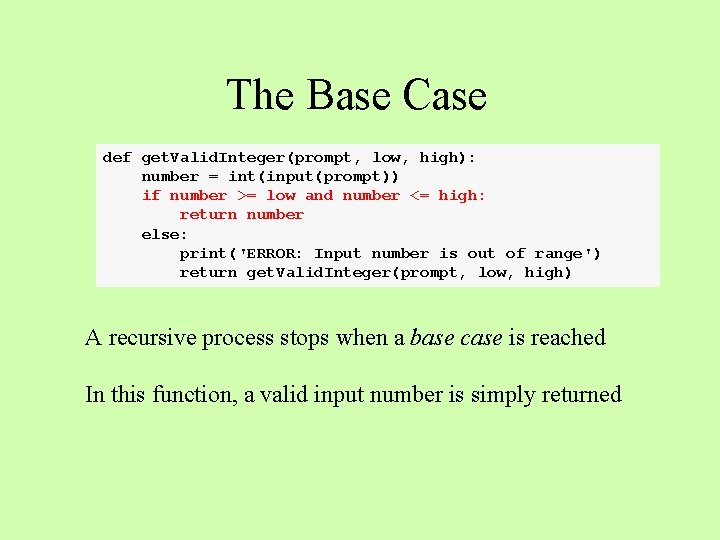
The Base Case def get. Valid. Integer(prompt, low, high): number = int(input(prompt)) if number >= low and number <= high: return number else: print('ERROR: Input number is out of range') return get. Valid. Integer(prompt, low, high) A recursive process stops when a base case is reached In this function, a valid input number is simply returned
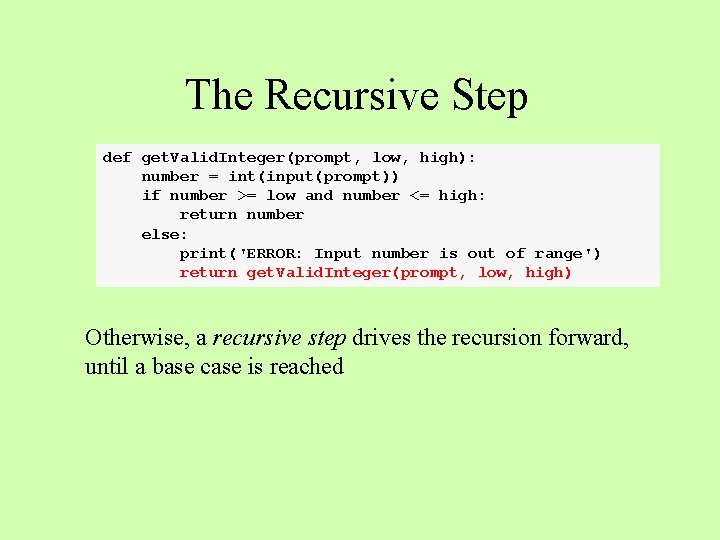
The Recursive Step def get. Valid. Integer(prompt, low, high): number = int(input(prompt)) if number >= low and number <= high: return number else: print('ERROR: Input number is out of range') return get. Valid. Integer(prompt, low, high) Otherwise, a recursive step drives the recursion forward, until a base case is reached
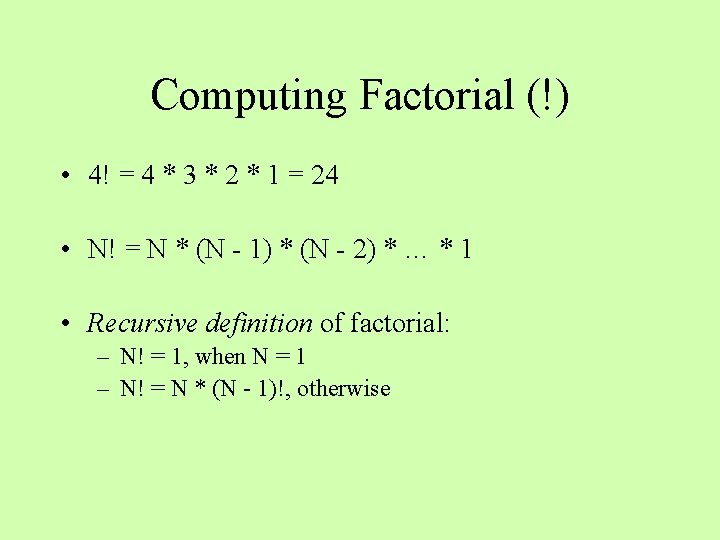
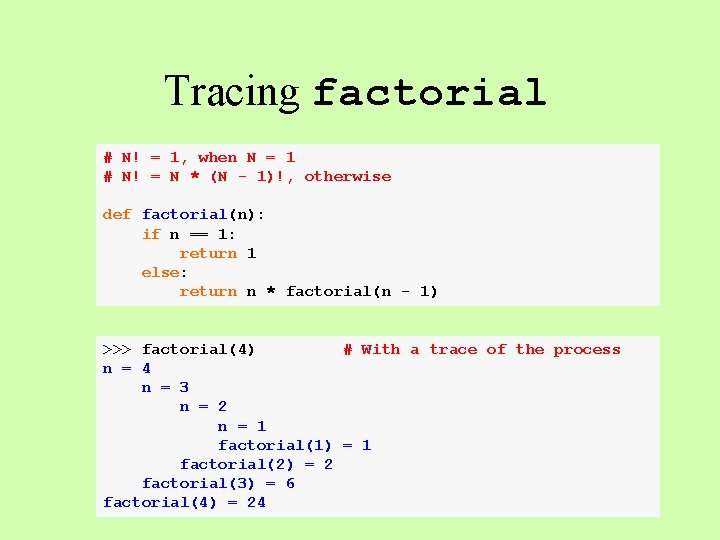
Computing Factorial (!) • 4! = 4 * 3 * 2 * 1 = 24 • N! = N * (N - 1) * (N - 2) * … * 1 • Recursive definition of factorial: – N! = 1, when N = 1 – N! = N * (N - 1)!, otherwise
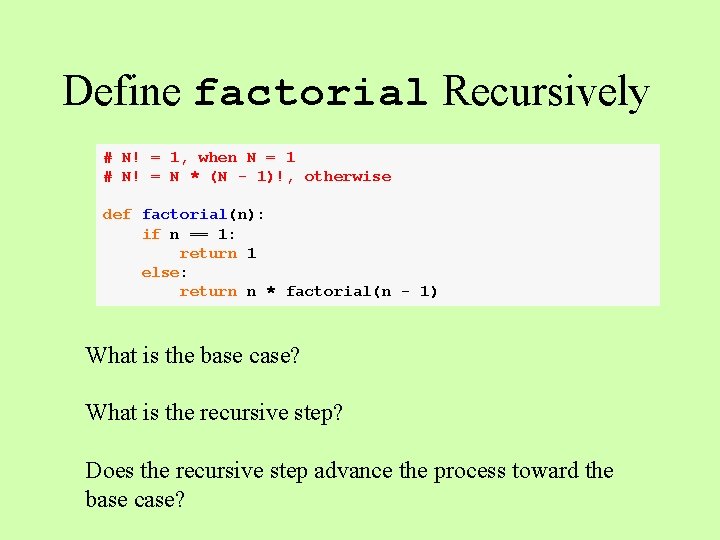
Define factorial Recursively # N! = 1, when N = 1 # N! = N * (N - 1)!, otherwise def factorial(n): if n == 1: return 1 else: return n * factorial(n - 1) What is the base case? What is the recursive step? Does the recursive step advance the process toward the base case?
Tracing factorial # N! = 1, when N = 1 # N! = N * (N - 1)!, otherwise def factorial(n): if n == 1: return 1 else: return n * factorial(n - 1) >>> factorial(4) # With a trace of the process n = 4 n = 3 n = 2 n = 1 factorial(1) = 1 factorial(2) = 2 factorial(3) = 6 factorial(4) = 24
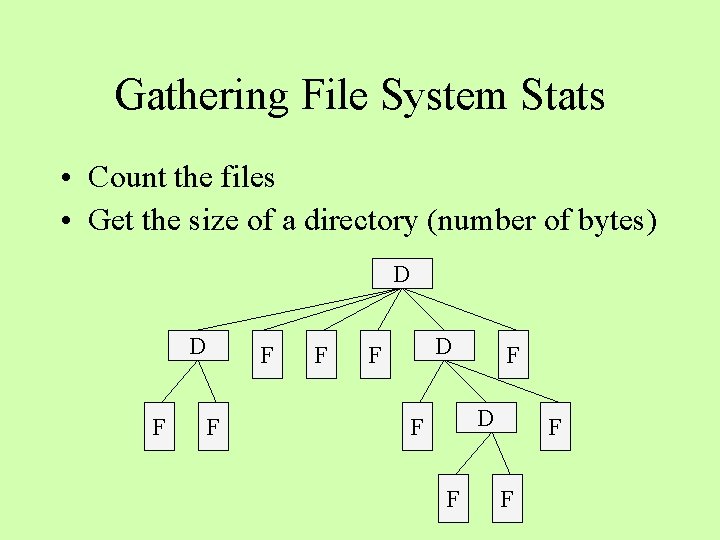
Gathering File System Stats • Count the files • Get the size of a directory (number of bytes) D D F F F F
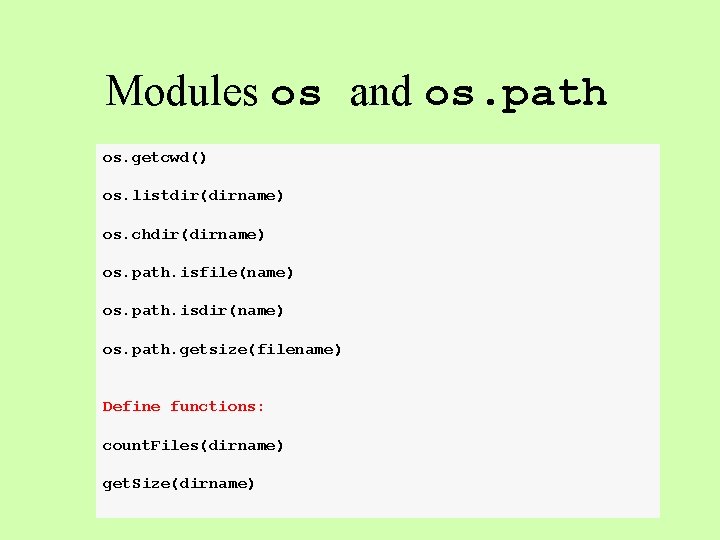
Modules os and os. path os. getcwd() os. listdir(dirname) os. chdir(dirname) os. path. isfile(name) os. path. isdir(name) os. path. getsize(filename) Define functions: count. Files(dirname) get. Size(dirname)
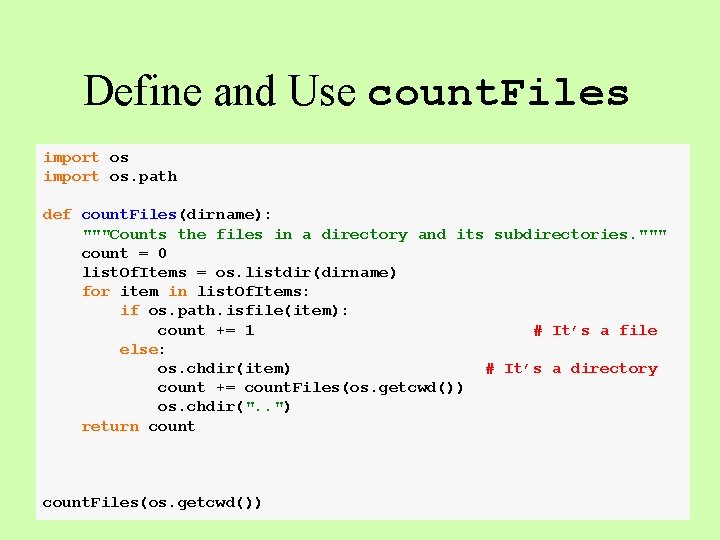
Counting the Files • Use a recursive strategy • Sum all of the items in the current directory • If the item is a file, add 1 • Otherwise, the item is a directory, so add the count obtained from a recursive call of the function
Define and Use count. Files import os. path def count. Files(dirname): """Counts the files in a directory and its subdirectories. """ count = 0 list. Of. Items = os. listdir(dirname) for item in list. Of. Items: if os. path. isfile(item): count += 1 # It’s a file else: os. chdir(item) # It’s a directory count += count. Files(os. getcwd()) os. chdir(". . ") return count. Files(os. getcwd())
Summary • A recursive algorithm passes the buck repeatedly to the same function • Recursive algorithms are well-suited for solving problems in domains that exhibit recursive patterns • Recursive strategies can be used to simplify complex solutions to difficult problems
For Monday Optional, default, and keyword parameters Higher-order functions