
Computer Programming CS161 By Saqib Rasheed Lecture 1
Computer Programming (CS-161) By Saqib Rasheed Lecture # 1
Instructor Saqib Rasheed Email: saqib. rasheed@mail. au. edu. pk Office: A-Block, 2 nd floor Office Hours: 02: 30 PM to 03: 30 PM from Mon to Thur
Course Lab Engineer • Mr. Zohaib / Mr. Omer • Never hesitate to contact Lab instructors or me whenever you have some problem
Some Rules • There is only one rule that will make the rest of the rules – Raise your hand before asking any question and then WAIT for the permission – Never sleep in the class – Always communicate in the official communication language
Pre-Requisites • Nothing
Books • Object-Oriented Programming in C++”, 4 th edition by Robert Lafore • C++ How to Program”, 4 th Edition by Deitel & Deitel PDF
Projects/Assignments • Deadlines are always final • Plenty on late submissions • Submission guidelines must be followed. • Do not submit compressed files. • Submissions by email will NOT be accepted
Quizzes • Announced • Unannounced • After the end of each topic
Dishonesty, Plagiarism in Quizzes, Assignments & Projects • All parties involved in any kind of cheating in any exam/quiz or copying assignment will get zero in that task – Both parties in case of copied assignments
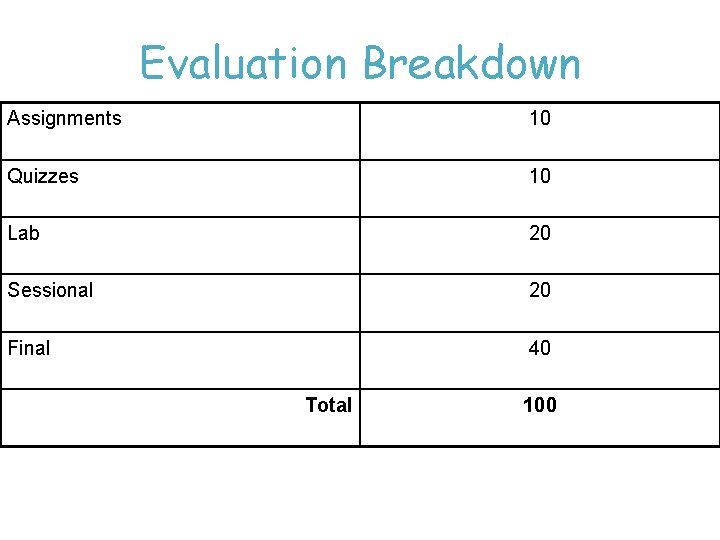
Evaluation Breakdown Assignments 10 Quizzes 10 Lab 20 Sessional 20 Final 40 Total 100
Course Execution • Two lectures of one hour & two hours every week • 1 lab every week • Group Home Page: – CR of Class will make a yahoo group
Guidelines • Read your email and messages on the course yahoo group regularly • Start working on projects/assignments from first day. • Remain attentive during the class. Do not sleep and do ask questions. • I will ask questions very often!
Course Outline • In this course you will learn – C++ – Structured programming – Complete Course outline will be uploaded on yahoo group
Computers Have Two Main Parts 1. Computer Hardware 2. Computer Software
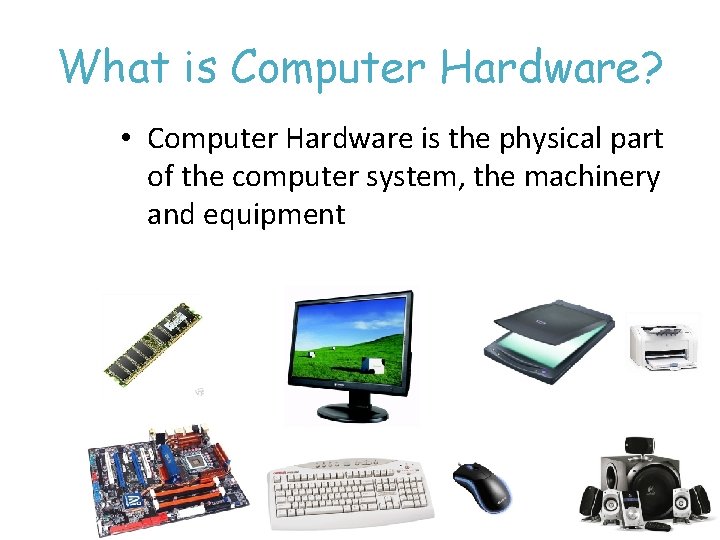
What is Computer Hardware? • Computer Hardware is the physical part of the computer system, the machinery and equipment
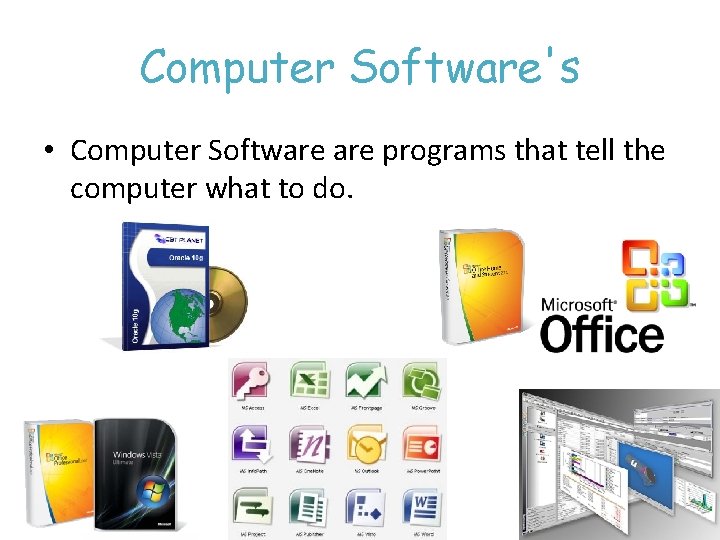
Computer Software's • Computer Software programs that tell the computer what to do.
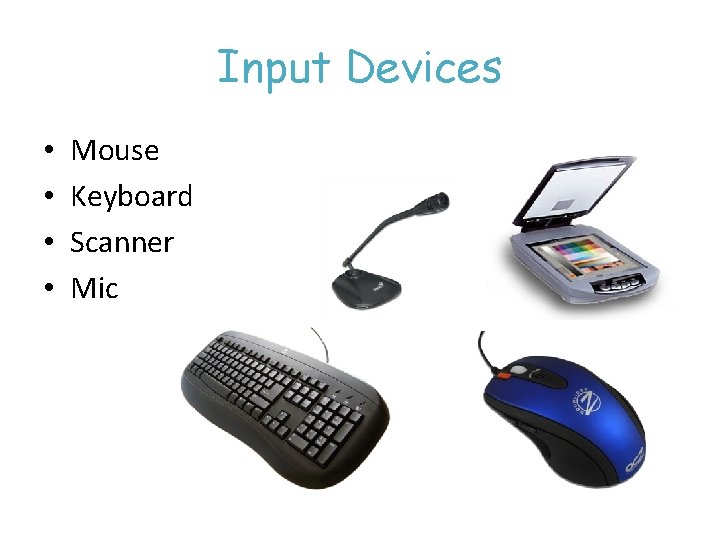
Input Devices • • Mouse Keyboard Scanner Mic
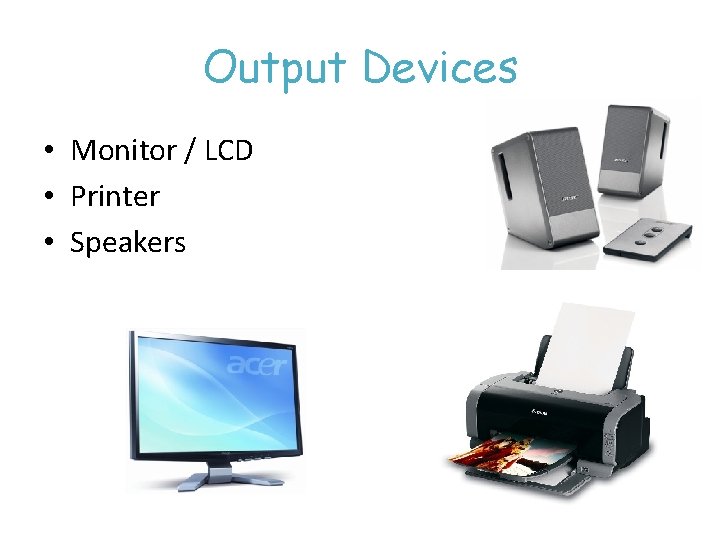
Output Devices • Monitor / LCD • Printer • Speakers
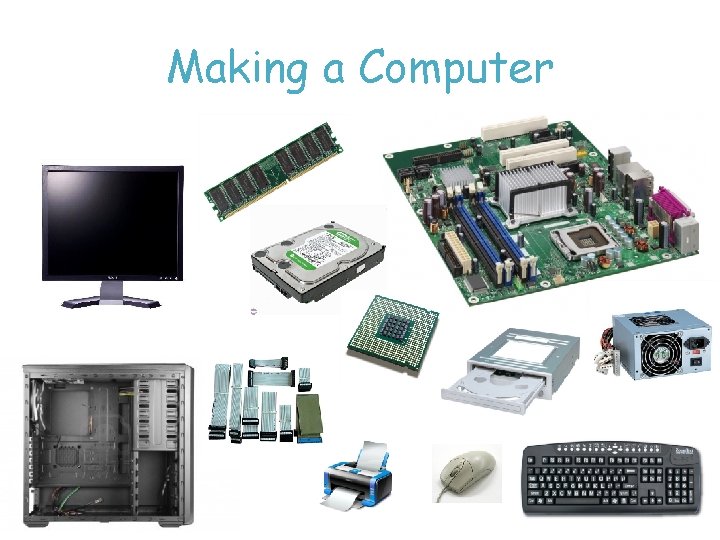
Making a Computer
What is a Computer? • Computer – Device capable of performing computations and making logical decisions – Computers process data under the control of sets of instructions called computer programs • Hardware – Various devices comprising a computer – Keyboard, screen, mouse, disks, memory, CD-ROM, and processing units • Software – Programs that run on a computer
How to Communicate with computer? • Computer understands its own machine language (language of 0 s and 1 s). • Language instructs computer to perform tasks. • We need to understand computer’s language to communicate with it and to make it perform our desired functions. • So we have….
Programming Language – Set of rules and symbols used to construct a computer program – A language used to interact with the computer
Machine Languages, Assembly Languages, and High-level Languages Three types of programming languages 1. Machine languages • Strings of numbers giving machine specific instructions • Example: +1300042774 +1400593419 +1200274027 2. Assembly languages • English-like abbreviations representing elementary computer operations (translated via assemblers) • Example: LOAD ADD STORE BASEPAY OVERPAY GROSSPAY
Machine Languages, Assembly Languages, and High-level Languages Three types of programming languages (continued) 3. High-level languages • Codes similar to everyday English • Use mathematical notations (translated via compilers) • Example: gross. Pay = base. Pay + over. Time. Pay
What is C • C is a programming language developed at AT & T’s Bell Laboratories of USA in 1972. • It was designed and written by a man named Dennis Ritchie. • Influenced by • ALGOL 60 (1960), • CPL (Cambridge, 1963), • BCPL (Martin Richard, 1967), • B (Ken Thompson, 1970)
What is C…. . Used to develop UNIX Used to write modern operating systems Hardware independent (portable) C began to replace the more familiar languages of that time like PL/I, ALGOL, etc • Because it is reliable, simple and easy to use. • •

Steps in C/C++
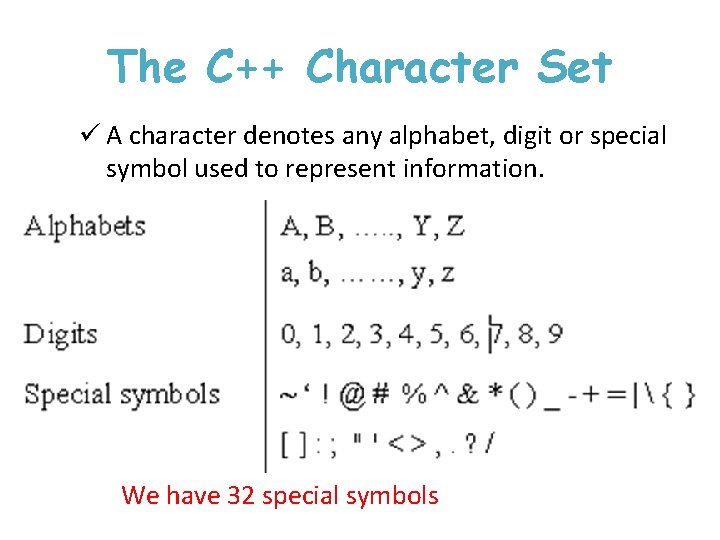
The C++ Character Set ü A character denotes any alphabet, digit or special symbol used to represent information. We have 32 special symbols
Constants, Variables and Keywords ü The alphabets, numbers and special symbols when properly combined form constants, variables and keywords. ü A constant is an entity that doesn’t change. ü Whereas a variable is an entity that may change.
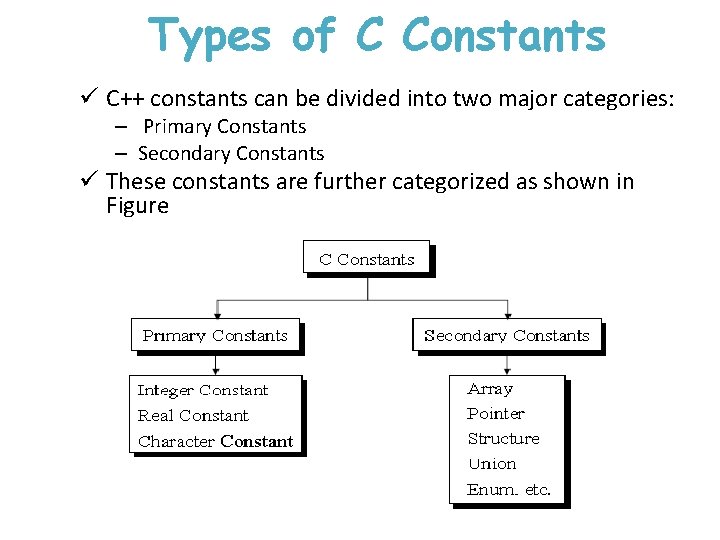
Types of C Constants ü C++ constants can be divided into two major categories: – Primary Constants – Secondary Constants ü These constants are further categorized as shown in Figure
Program Errors • Syntax errors – Related to the error in grammar/syntax of a language • Run time errors – during execution – indicate bugs – example: un-handled exceptions, memory overrun. • Logical errors – Bug in program that causes program to operate incorrectly, but not terminate.
Tools of the trade • Editor • Interpreter and Compilers • Debuggers 32
Integrated Development Environment (IDE) It contains ü Editor ü Compilers ü Debugger ü Linkers ü Loaders 33
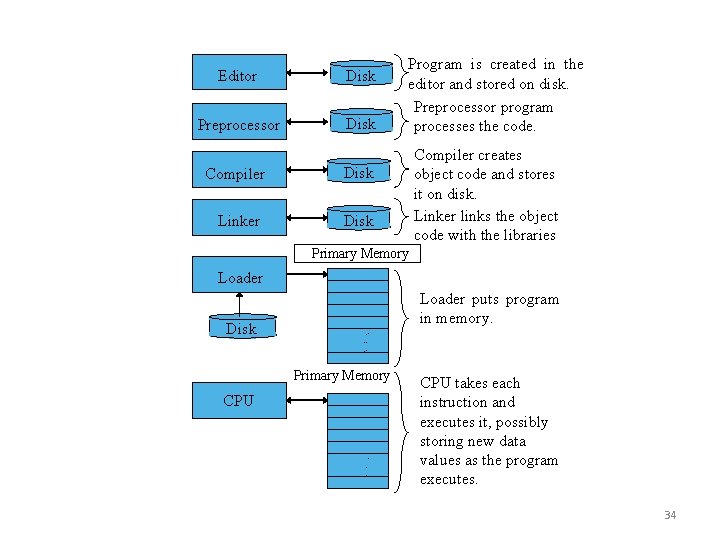
Editor Disk Preprocessor Disk Compiler Disk Linker Disk Program is created in the editor and stored on disk. Preprocessor program processes the code. Compiler creates object code and stores it on disk. Linker links the object code with the libraries Primary Memory Loader Disk Loader puts program in memory. . . . Primary Memory CPU . . . CPU takes each instruction and executes it, possibly storing new data values as the program executes. 34
- Slides: 34