
Computer Peripherals Part I ITEC 1000 Introduction to
- Slides: 51
Computer Peripherals – Part I ITEC 1000 Introduction to Information Technologies
Plan • Storage (hierarchy and terminology) • Magnetic disks ITEC 1000 Introduction to Information Technologies
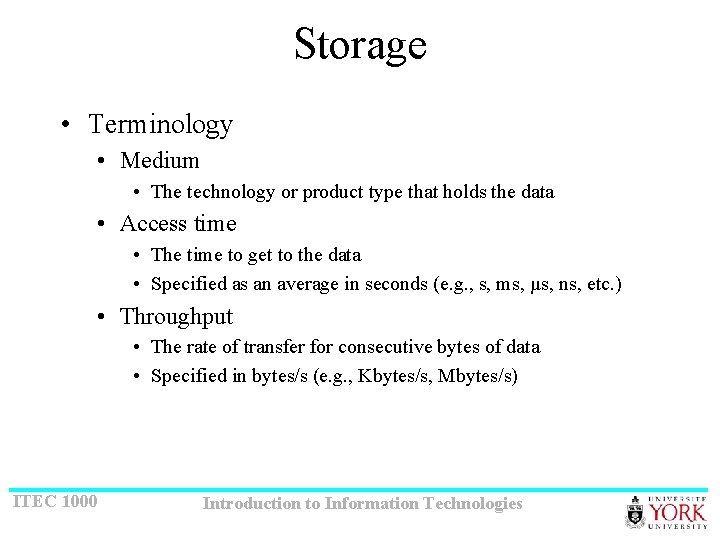
Storage • Terminology • Medium • The technology or product type that holds the data • Access time • The time to get to the data • Specified as an average in seconds (e. g. , s, ms, µs, ns, etc. ) • Throughput • The rate of transfer for consecutive bytes of data • Specified in bytes/s (e. g. , Kbytes/s, Mbytes/s) ITEC 1000 Introduction to Information Technologies
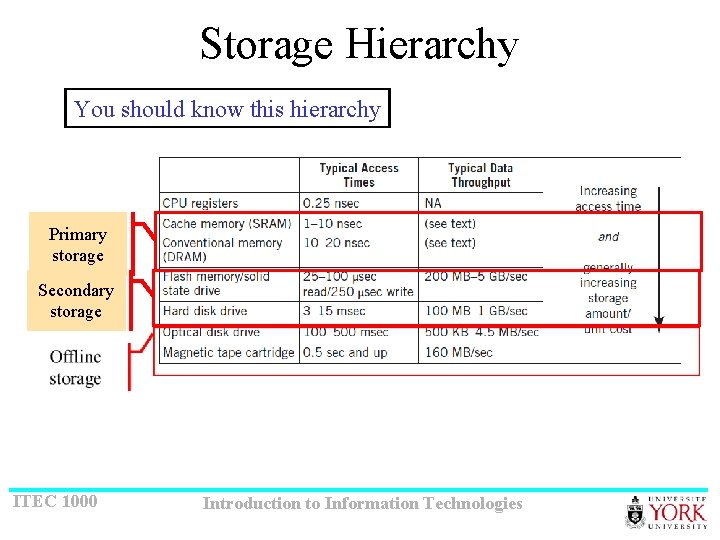
Storage Hierarchy You should know this hierarchy Primary storage Secondary storage ITEC 1000 Introduction to Information Technologies
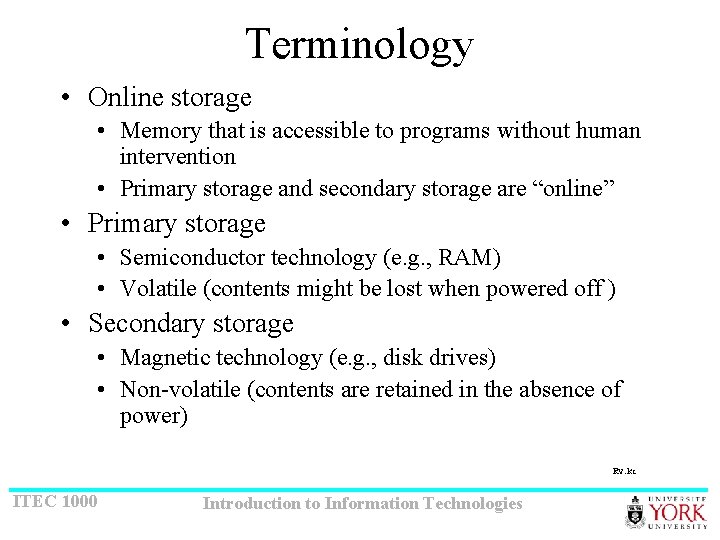
Terminology • Online storage • Memory that is accessible to programs without human intervention • Primary storage and secondary storage are “online” • Primary storage • Semiconductor technology (e. g. , RAM) • Volatile (contents might be lost when powered off ) • Secondary storage • Magnetic technology (e. g. , disk drives) • Non-volatile (contents are retained in the absence of power) Rv: kc ITEC 1000 Introduction to Information Technologies
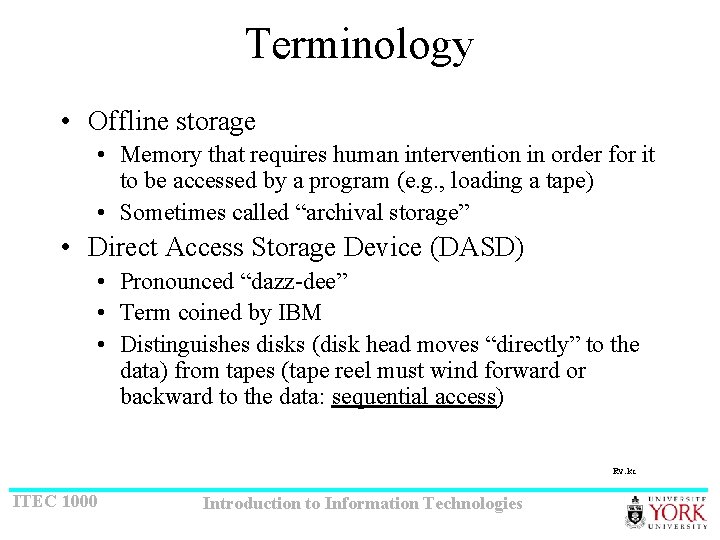
Terminology • Offline storage • Memory that requires human intervention in order for it to be accessed by a program (e. g. , loading a tape) • Sometimes called “archival storage” • Direct Access Storage Device (DASD) • Pronounced “dazz-dee” • Term coined by IBM • Distinguishes disks (disk head moves “directly” to the data) from tapes (tape reel must wind forward or backward to the data: sequential access) Rv: kc ITEC 1000 Introduction to Information Technologies
Plan • Storage (hierarchy and terminology) • Magnetic disks ITEC 1000 Introduction to Information Technologies
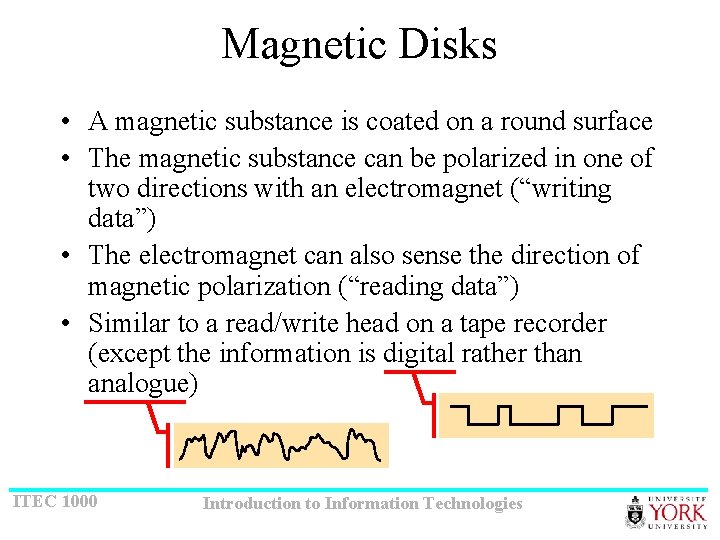
Magnetic Disks • A magnetic substance is coated on a round surface • The magnetic substance can be polarized in one of two directions with an electromagnet (“writing data”) • The electromagnet can also sense the direction of magnetic polarization (“reading data”) • Similar to a read/write head on a tape recorder (except the information is digital rather than analogue) ITEC 1000 Introduction to Information Technologies
Hard Disks • The platter is “hard” (e. g. , aluminum) • Most hard disk drives contain more than one platter • On most hard disk drives, the disks are “fixed” (i. e. , not removable) • On some hard disk drives, the disks are in a removable pack (hence, “disk pack”) • Typical speed of rotation: 3600, 5400, 7200 rpm (rpm = “revolutions per minute”) • Capacities: 500 MB to 10+ TB (terabyte = 240 bytes) ITEC 1000 Introduction to Information Technologies
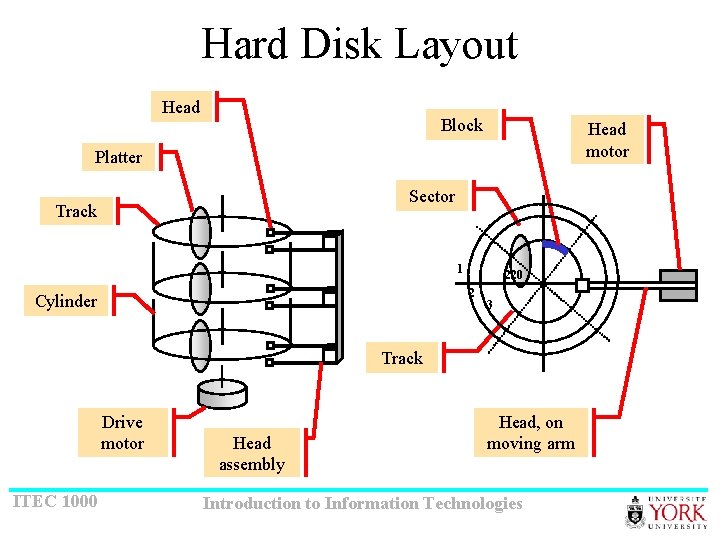
Hard Disk Layout Head Block Head motor Platter Sector Track 1 220 2 Cylinder 3 Track Drive motor ITEC 1000 Head assembly Head, on moving arm Introduction to Information Technologies
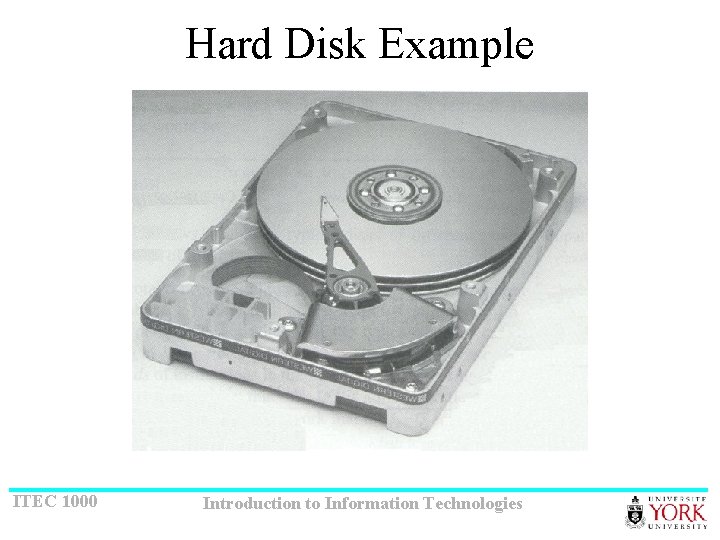
Hard Disk Example ITEC 1000 Introduction to Information Technologies
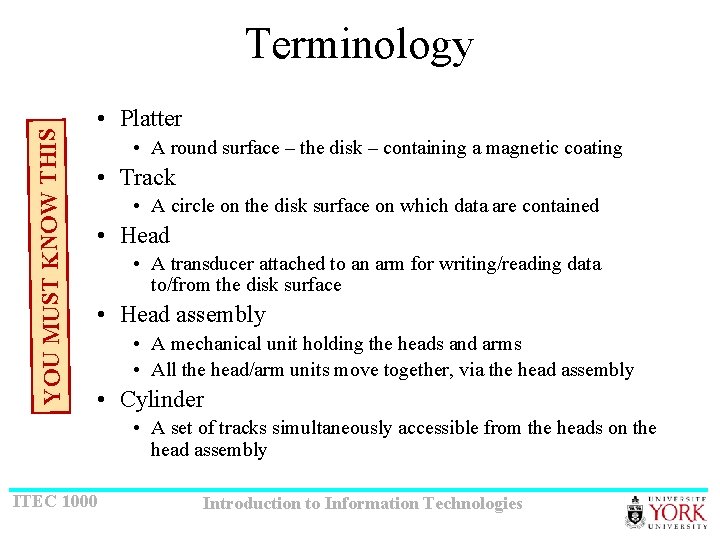
YOU MUST KNOW THIS Terminology • Platter • A round surface – the disk – containing a magnetic coating • Track • A circle on the disk surface on which data are contained • Head • A transducer attached to an arm for writing/reading data to/from the disk surface • Head assembly • A mechanical unit holding the heads and arms • All the head/arm units move together, via the head assembly • Cylinder • A set of tracks simultaneously accessible from the heads on the head assembly ITEC 1000 Introduction to Information Technologies
Terminology • Drive motor • The motor that rotates the platters • Typically a DC motor (DC = direct current) • The disk rotates at a fixed speed (e. g. , 3600 rpm, revolutions per minute) • Head motion • A mechanism is required to move the head assembly in/out • Two possibilities: • A stepper motor (digital, head moves in steps, no feedback) • A servo motor (analogue, very precision positioning, but requires feedback) ITEC 1000 Introduction to Information Technologies
Terminology • Sector • That portion of a track falling along a predefined pie-shaped portion of the disk surface • The number of bytes stored in a sector is the same, regardless of where the sector is located; thus, the density of bits is greater for sectors near the centre of the disk • The rotational speed is constant; i. e. , constant angular velocity • Thus, the transfer rate is the same for inner sectors and outer sectors • Block • The smallest unit of data that can be written or read to/from the disk (typically 512 bytes) ITEC 1000 Introduction to Information Technologies
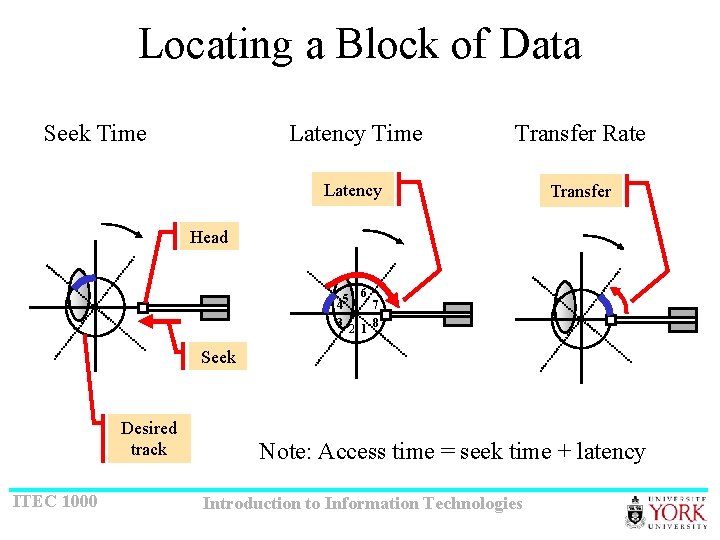
Locating a Block of Data Seek Time Latency Time Transfer Rate Latency Transfer Head 6 45 7 3 2 1 8 Seek Desired track ITEC 1000 Note: Access time = seek time + latency Introduction to Information Technologies
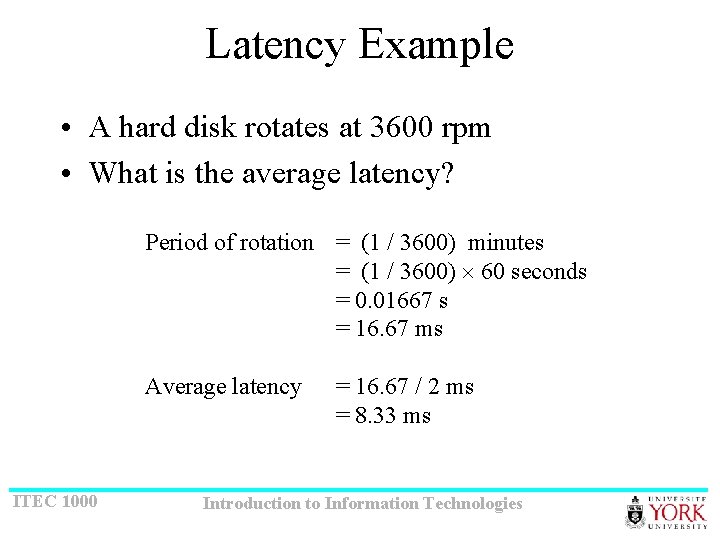
Terminology • Seek time • The time for the head to move to the correct track • Specified as an average for all tracks on the disk surface • Latency time • The time for the correct block to arrive at the head once the head is positioned at the correct track • Specified as an average, in other words, ½ the period of rotation • Also called “rotational delay” • Access time is the time “to get to” the data (remember!) • Access time = seek time + latency • Transfer rate • Same as throughput ITEC 1000 Introduction to Information Technologies
Latency Example • A hard disk rotates at 3600 rpm • What is the average latency? Period of rotation = (1 / 3600) minutes = (1 / 3600) 60 seconds = 0. 01667 s = 16. 67 ms Average latency ITEC 1000 = 16. 67 / 2 ms = 8. 33 ms Introduction to Information Technologies
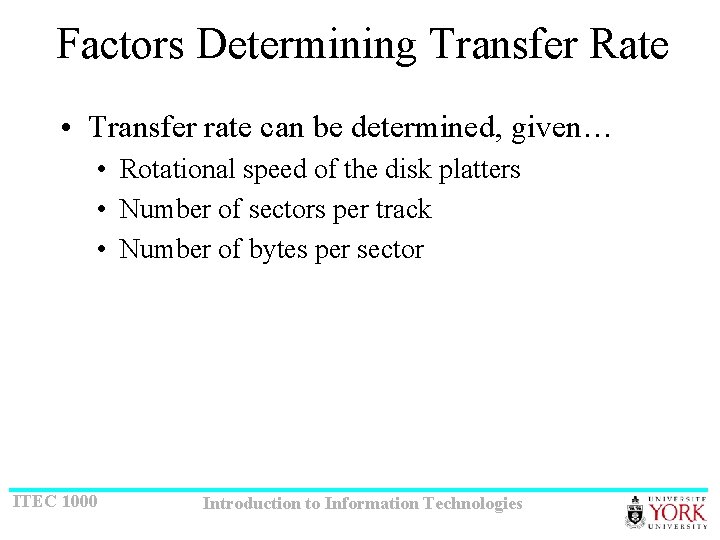
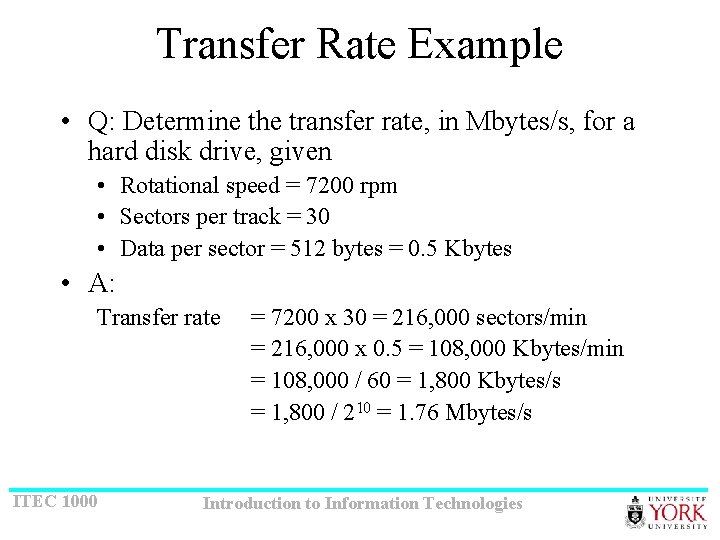
Factors Determining Transfer Rate • Transfer rate can be determined, given… • Rotational speed of the disk platters • Number of sectors per track • Number of bytes per sector ITEC 1000 Introduction to Information Technologies
Transfer Rate Example • Q: Determine the transfer rate, in Mbytes/s, for a hard disk drive, given • Rotational speed = 7200 rpm • Sectors per track = 30 • Data per sector = 512 bytes = 0. 5 Kbytes • A: Transfer rate ITEC 1000 = 7200 x 30 = 216, 000 sectors/min = 216, 000 x 0. 5 = 108, 000 Kbytes/min = 108, 000 / 60 = 1, 800 Kbytes/s = 1, 800 / 210 = 1. 76 Mbytes/s Introduction to Information Technologies
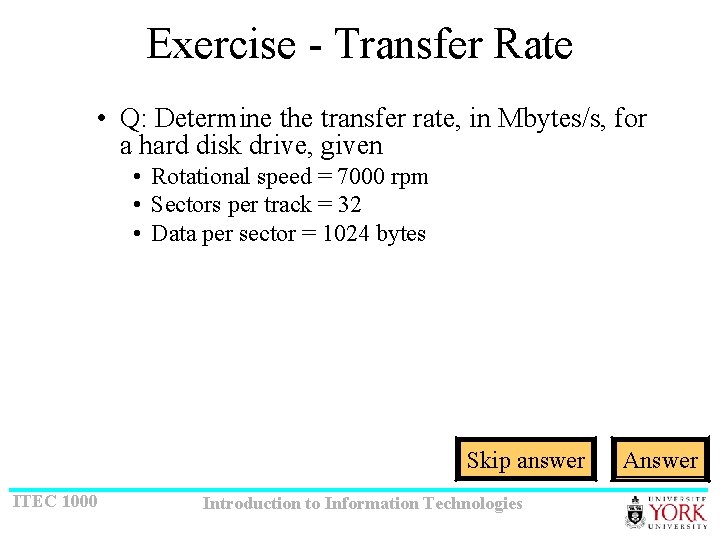
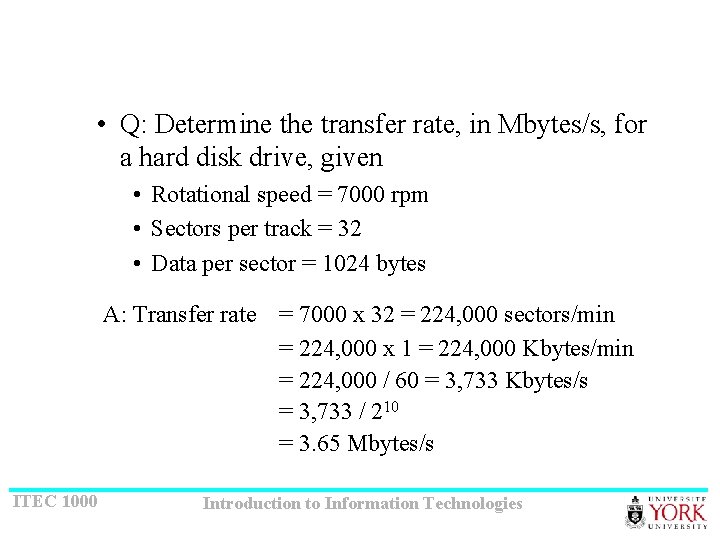
Exercise - Transfer Rate • Q: Determine the transfer rate, in Mbytes/s, for a hard disk drive, given • Rotational speed = 7000 rpm • Sectors per track = 32 • Data per sector = 1024 bytes Skip answer ITEC 1000 Introduction to Information Technologies Answer
• Q: Determine the transfer rate, in Mbytes/s, for a hard disk drive, given • Rotational speed = 7000 rpm • Sectors per track = 32 • Data per sector = 1024 bytes A: Transfer rate = 7000 x 32 = 224, 000 sectors/min = 224, 000 x 1 = 224, 000 Kbytes/min = 224, 000 / 60 = 3, 733 Kbytes/s = 3, 733 / 210 = 3. 65 Mbytes/s ITEC 1000 Introduction to Information Technologies
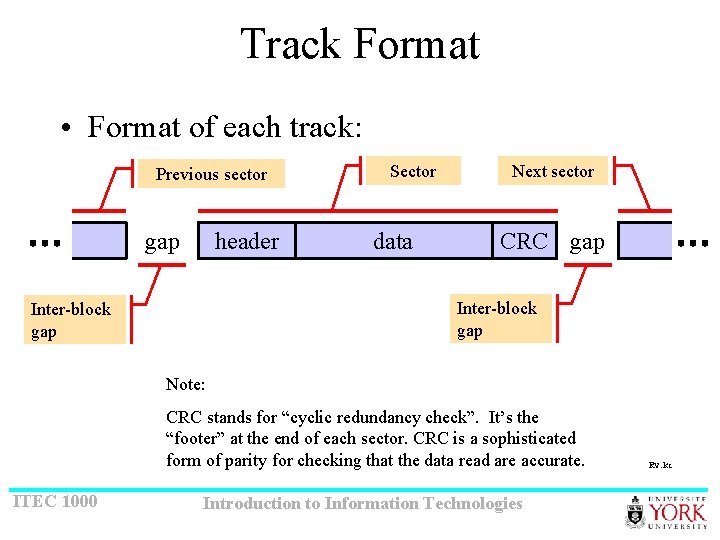
Track Format • Format of each track: Previous sector header gap Sector data Next sector CRC gap Inter-block gap Note: CRC stands for “cyclic redundancy check”. It’s the “footer” at the end of each sector. CRC is a sophisticated form of parity for checking that the data read are accurate. ITEC 1000 Introduction to Information Technologies Rv: kc
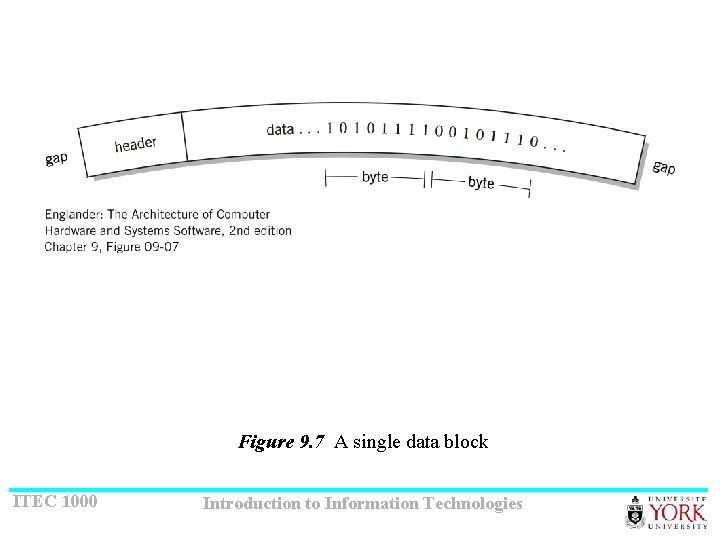
Figure 9. 7 A single data block ITEC 1000 Introduction to Information Technologies
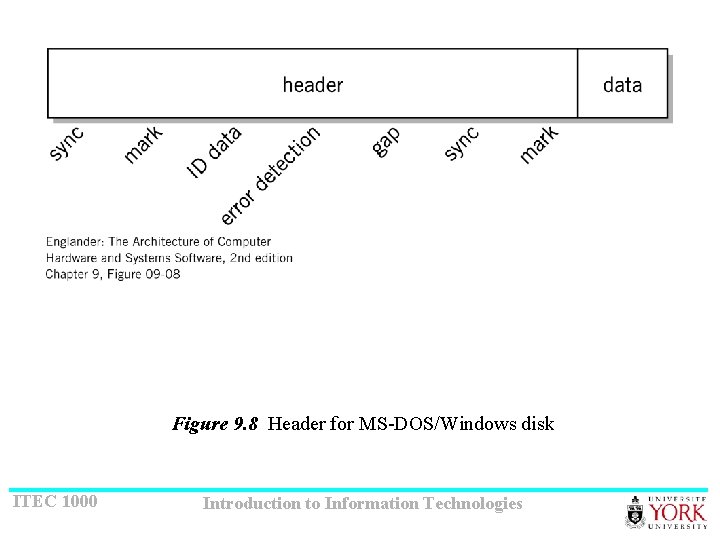
Figure 9. 8 Header for MS-DOS/Windows disk ITEC 1000 Introduction to Information Technologies
Disk Formatting • The track positions, blocks, headers, and gaps must be established before a disk can be used • The process for doing this is called “formatting” • The header, at the beginning of each sector, uniquely identifies the sector, e. g. , by track number and sector number ITEC 1000 Introduction to Information Technologies
Disk Controller • Interface between the disk drive and the system is known as a “disk controller” • A primary function is to ensure data read/write operations are from/to the correct sector • Since data rate to/from the disk is different than data rate to/from system memory, “buffering” is needed Rv: kc ITEC 1000 Introduction to Information Technologies
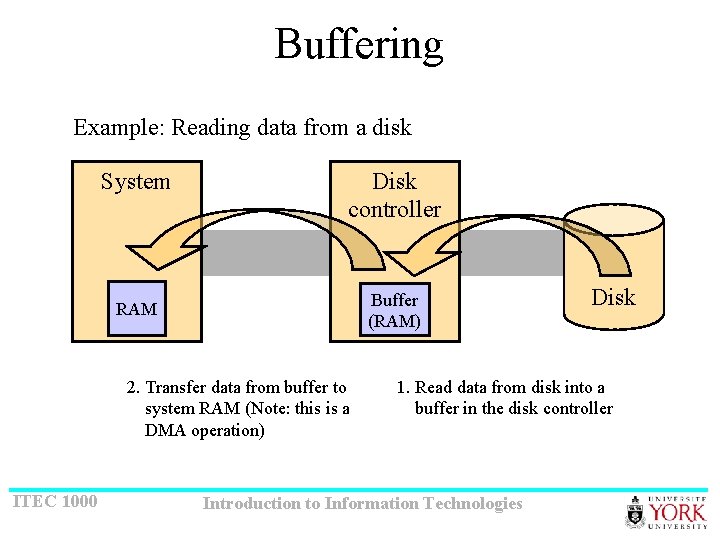
Buffering Example: Reading data from a disk System Disk controller Buffer (RAM) RAM 2. Transfer data from buffer to system RAM (Note: this is a DMA operation) ITEC 1000 Disk 1. Read data from disk into a buffer in the disk controller Introduction to Information Technologies
Multi-block Transfers (1 of 2) • The smallest transfer is one block (e. g. , 512 bytes) • However, often multi-block transfers are required • The inter-block gap provides “time” for the controller electronics to adjust from the end of one sector to the beginning of the next • “time” may be needed for a few reasons: • Compute and/or verify the CRC bytes • Switch circuits from read mode to write mode • During a write operation the header is “read” but the data are “written” • (Remember, the header is only “written” during formatting. ) • Perform a DMA operation ITEC 1000 Introduction to Information Technologies
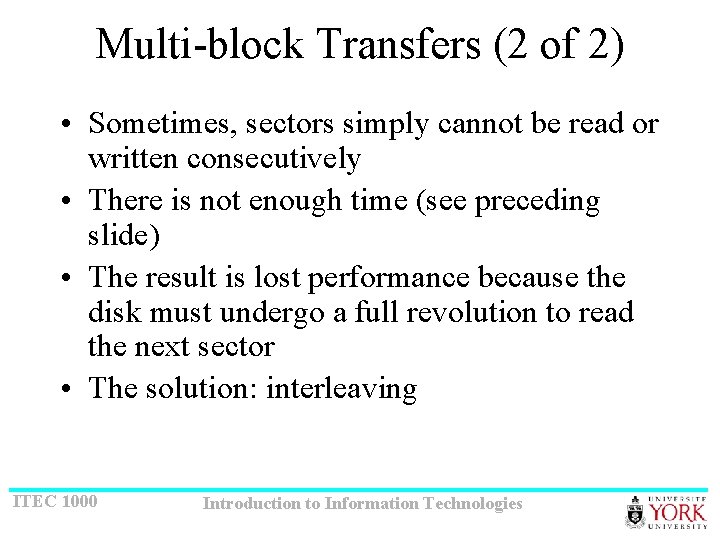
Multi-block Transfers (2 of 2) • Sometimes, sectors simply cannot be read or written consecutively • There is not enough time (see preceding slide) • The result is lost performance because the disk must undergo a full revolution to read the next sector • The solution: interleaving ITEC 1000 Introduction to Information Technologies
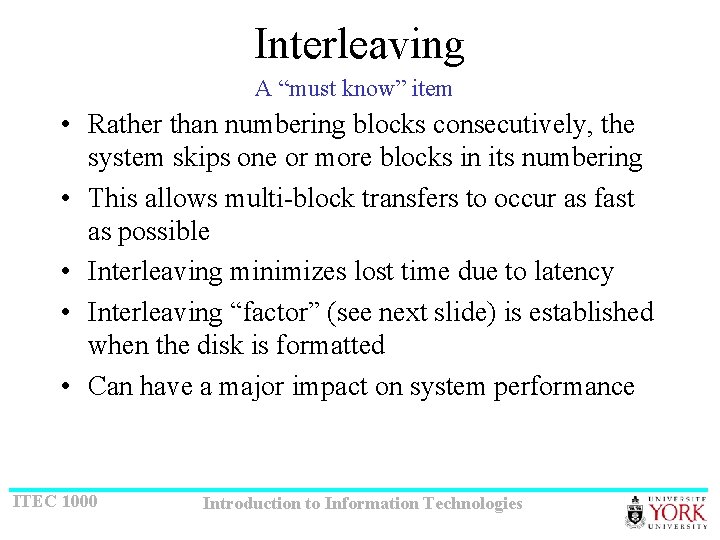
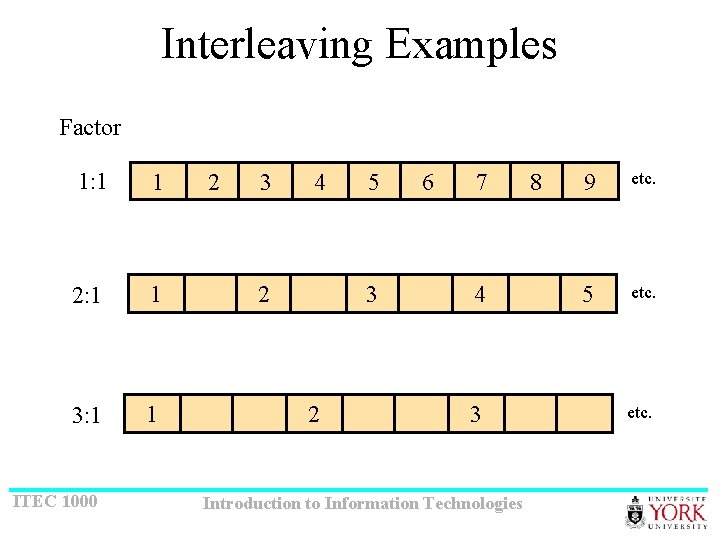
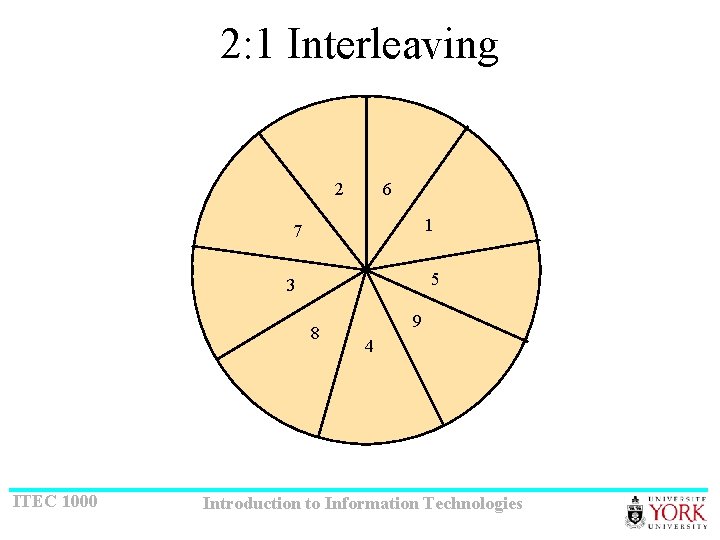
Interleaving A “must know” item • Rather than numbering blocks consecutively, the system skips one or more blocks in its numbering • This allows multi-block transfers to occur as fast as possible • Interleaving minimizes lost time due to latency • Interleaving “factor” (see next slide) is established when the disk is formatted • Can have a major impact on system performance ITEC 1000 Introduction to Information Technologies
Interleaving Examples Factor 1: 1 1 2: 1 1 3: 1 1 ITEC 1000 2 3 4 2 5 3 2 6 7 4 3 Introduction to Information Technologies 8 9 etc. 5 etc.
2: 1 Interleaving 2 6 1 7 5 3 8 ITEC 1000 9 4 Introduction to Information Technologies
File System Considerations • There is no direct relationship between the size and physical layout of blocks on a disk drive and the size and organization of files on a system • File system • Determines the organization of information on a computer • Performs logical-to-physical mapping of information • A file system is part of each and every operating system • Logical mapping • The way information is perceived to be stored • Physical mapping • The way information is actually stored ITEC 1000 Introduction to Information Technologies
Alternative Technologies (1 of 3) • Removable hard disks • Also called “disk packs” • A stack of hard disks enclosed in a metal or plastic removable cartridge • Advantages • High capacity and fast, like hard disk drives • Portable, like floppy disks • Disadvantage • Expensive ITEC 1000 Introduction to Information Technologies
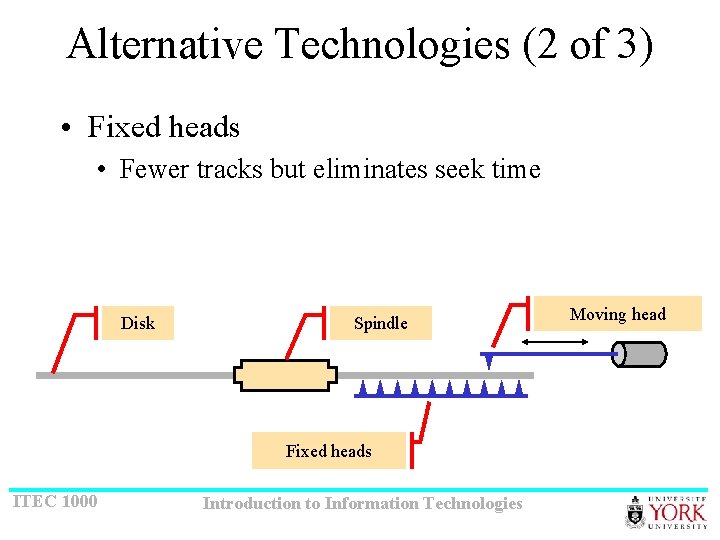
Alternative Technologies (2 of 3) • Fixed heads • Fewer tracks but eliminates seek time Disk Spindle Fixed heads ITEC 1000 Introduction to Information Technologies Moving head
Alternative Technologies (3 of 3) • R. A. I. D. = Redundant array of inexpensive disks • A category of disk drive that employs two or more drives in combination for fault tolerance and performance • Frequently used on servers, but not generally used on PCs • There a number of different R. A. I. D. “levels” (next slide) ITEC 1000 Introduction to Information Technologies
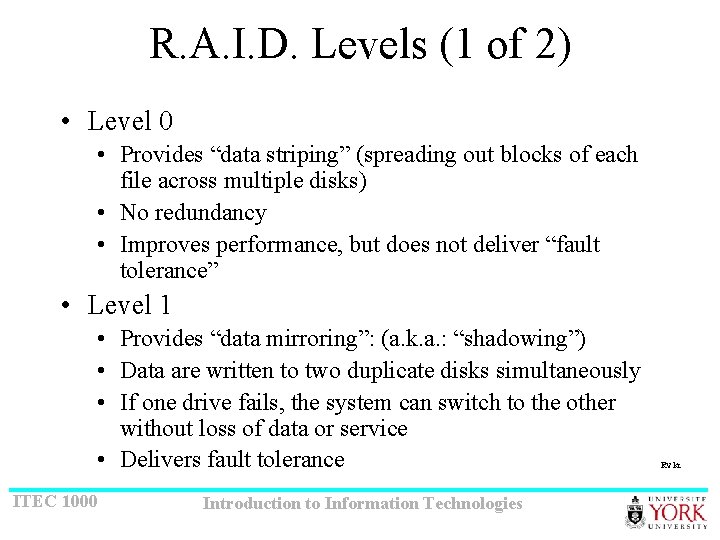
R. A. I. D. Levels (1 of 2) • Level 0 • Provides “data striping” (spreading out blocks of each file across multiple disks) • No redundancy • Improves performance, but does not deliver “fault tolerance” • Level 1 • Provides “data mirroring”: (a. k. a. : “shadowing”) • Data are written to two duplicate disks simultaneously • If one drive fails, the system can switch to the other without loss of data or service • Delivers fault tolerance ITEC 1000 Introduction to Information Technologies Rv kc
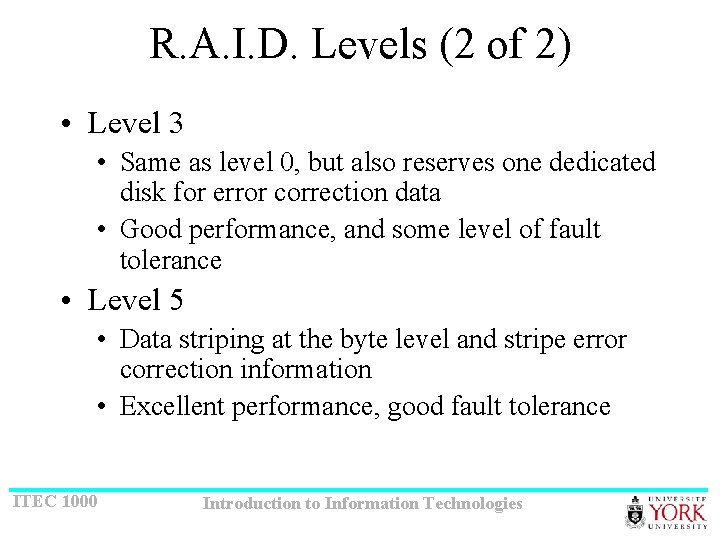
R. A. I. D. Levels (2 of 2) • Level 3 • Same as level 0, but also reserves one dedicated disk for error correction data • Good performance, and some level of fault tolerance • Level 5 • Data striping at the byte level and stripe error correction information • Excellent performance, good fault tolerance ITEC 1000 Introduction to Information Technologies
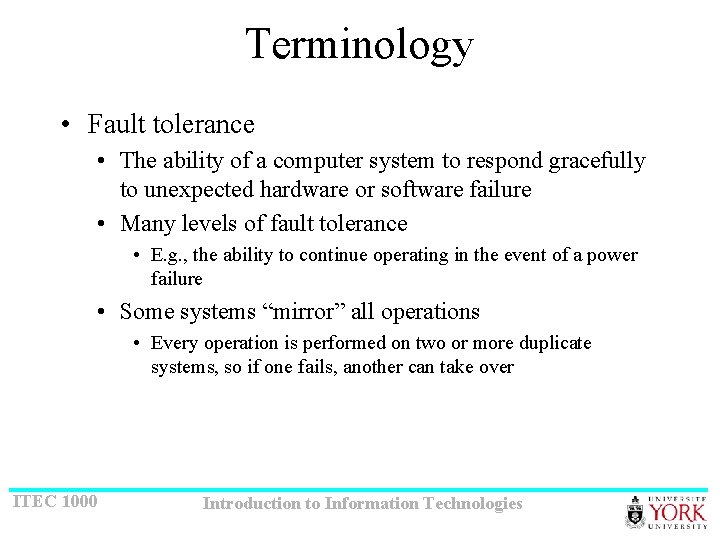
Terminology • Fault tolerance • The ability of a computer system to respond gracefully to unexpected hardware or software failure • Many levels of fault tolerance • E. g. , the ability to continue operating in the event of a power failure • Some systems “mirror” all operations • Every operation is performed on two or more duplicate systems, so if one fails, another can take over ITEC 1000 Introduction to Information Technologies
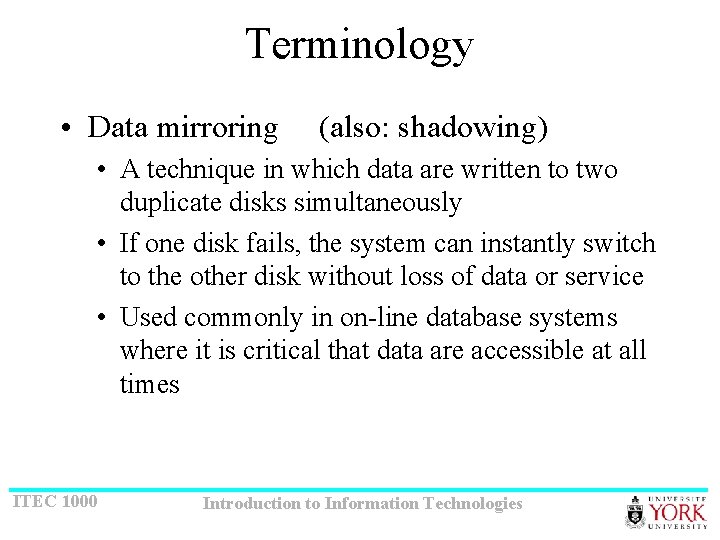
Terminology • Data mirroring (also: shadowing) • A technique in which data are written to two duplicate disks simultaneously • If one disk fails, the system can instantly switch to the other disk without loss of data or service • Used commonly in on-line database systems where it is critical that data are accessible at all times ITEC 1000 Introduction to Information Technologies
Terminology • Data striping • A technique for spreading data over multiple disks • Speeds operations that retrieve data from disk storage • Data are broken into units (blocks) and these are spread across the available disks • Implementations allow selection of data units size, or stripe width ITEC 1000 Introduction to Information Technologies
CD-ROM • CD-ROM stands for “compact disc, readonly memory” • Evolved from audio CDs • Disk size: 120 mm (5¼”) • Capacity: 750 MB ITEC 1000 Introduction to Information Technologies
Operation • Uses light generated by lasers to record and retrieve information • Information is stored by varying the light reflectance characteristics of the medium • Available in read-only (CD-ROM) and read/write formats ITEC 1000 Introduction to Information Technologies
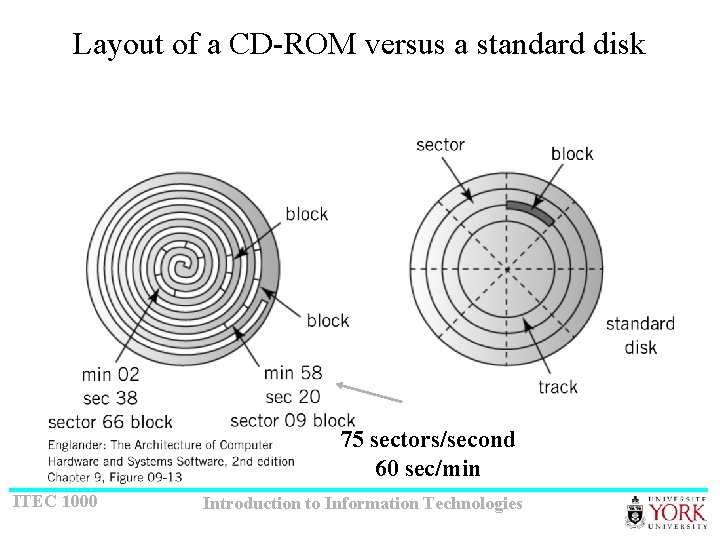
Layout of a CD-ROM versus a standard disk 75 sectors/second 60 sec/min ITEC 1000 Introduction to Information Technologies
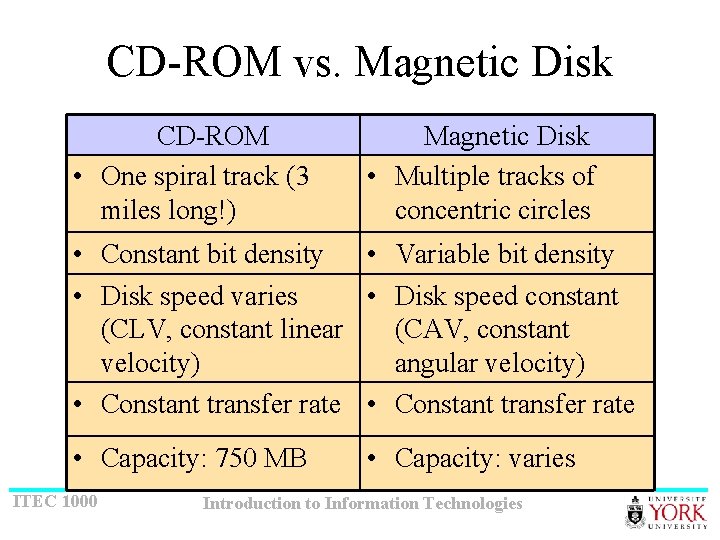
CD-ROM vs. Magnetic Disk CD-ROM • One spiral track (3 miles long!) Magnetic Disk • Multiple tracks of concentric circles • Constant bit density • Variable bit density • Disk speed varies • Disk speed constant (CLV, constant linear (CAV, constant velocity) angular velocity) • Constant transfer rate • Capacity: 750 MB ITEC 1000 • Capacity: varies Introduction to Information Technologies
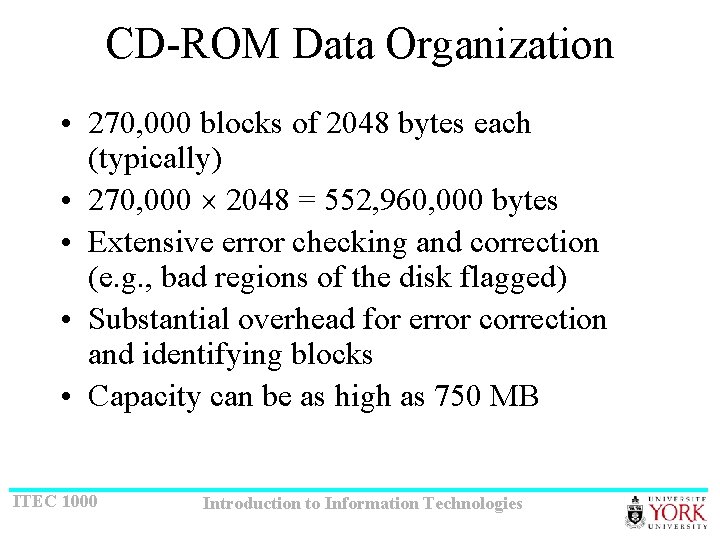
CD-ROM Data Organization • 270, 000 blocks of 2048 bytes each (typically) • 270, 000 2048 = 552, 960, 000 bytes • Extensive error checking and correction (e. g. , bad regions of the disk flagged) • Substantial overhead for error correction and identifying blocks • Capacity can be as high as 750 MB ITEC 1000 Introduction to Information Technologies
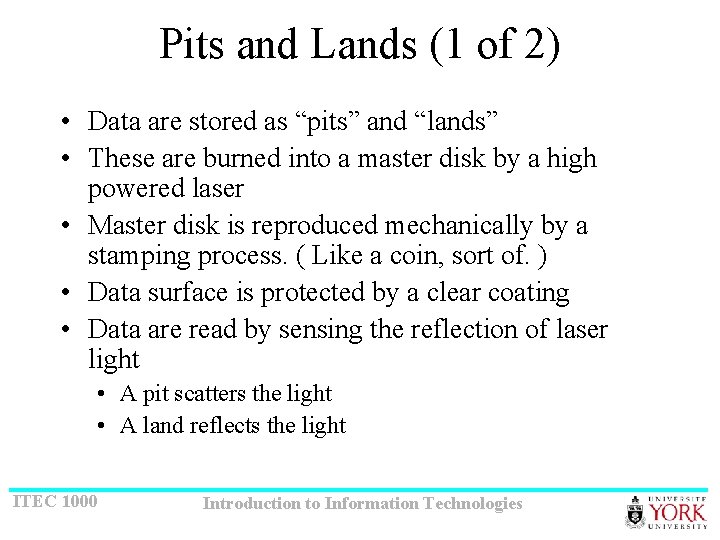
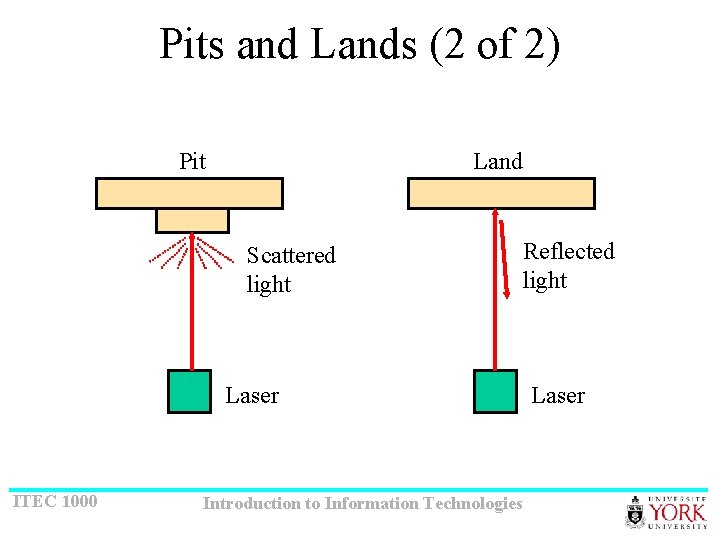
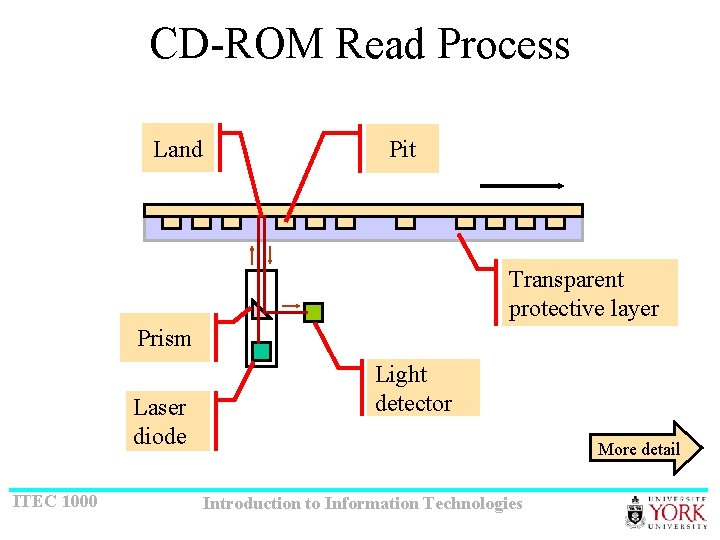
Pits and Lands (1 of 2) • Data are stored as “pits” and “lands” • These are burned into a master disk by a high powered laser • Master disk is reproduced mechanically by a stamping process. ( Like a coin, sort of. ) • Data surface is protected by a clear coating • Data are read by sensing the reflection of laser light • A pit scatters the light • A land reflects the light ITEC 1000 Introduction to Information Technologies
Pits and Lands (2 of 2) Pit Land Scattered light Laser ITEC 1000 Introduction to Information Technologies Reflected light Laser
CD-ROM Read Process Land Pit Transparent protective layer Prism Laser diode ITEC 1000 Light detector More detail Introduction to Information Technologies
Magneto Optical • Disk may be written, read, and rewritten • Write process is preformed at high temperature • Combines features of optical and magnetic technology • Data are stored as a magnetic charge on the disk surface • During reading, the polarity of the reflected light is sensed (not the intensity) ITEC 1000 Introduction to Information Technologies
http: //en. wikipedia. org/wiki/DVD-R ITEC 1000 Introduction to Information Technologies